AI Automation for Small Business 2026: What to Automate First

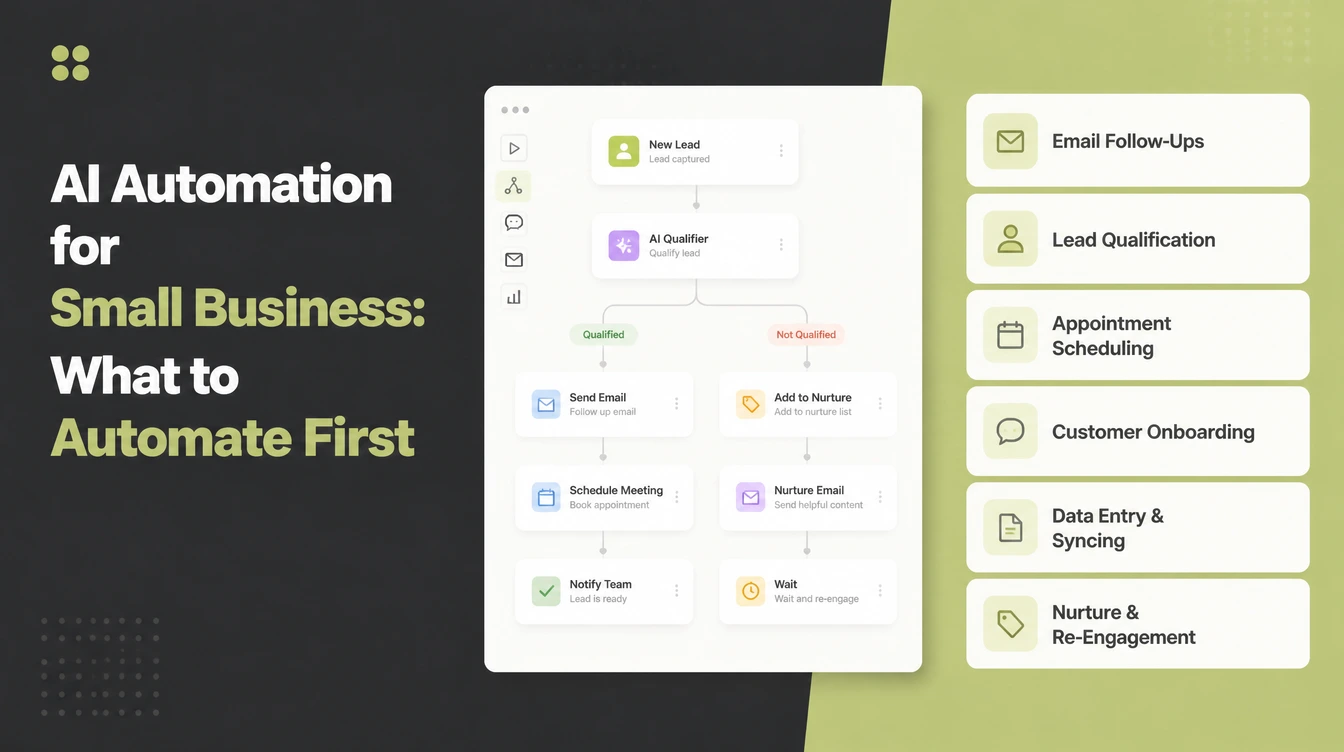
AI automation starts with lead follow-up so each enquiry receives a prompt reply. Then add appointment reminders, review requests, payment reminders, social scheduling and answers to common questions. Choose by impact rather than by how clever the workflow looks. Seed Light builds the automation that pays back fastest, then adds the next one.
Key takeaways
Short on time? Here is the whole thing in five lines before we break it down.
- Most AI use is a helper, not an engine. Half of small business workers already use AI, but only 6% use it to automate workflows (US Chamber Foundation, 2026).
- Automate lead follow-up first. An immediate acknowledgement confirms receipt and tells the person when a human will respond.
- Pick impact over complexity. Automate the job that loses the most money or wastes the most time, not the one that looks clever.
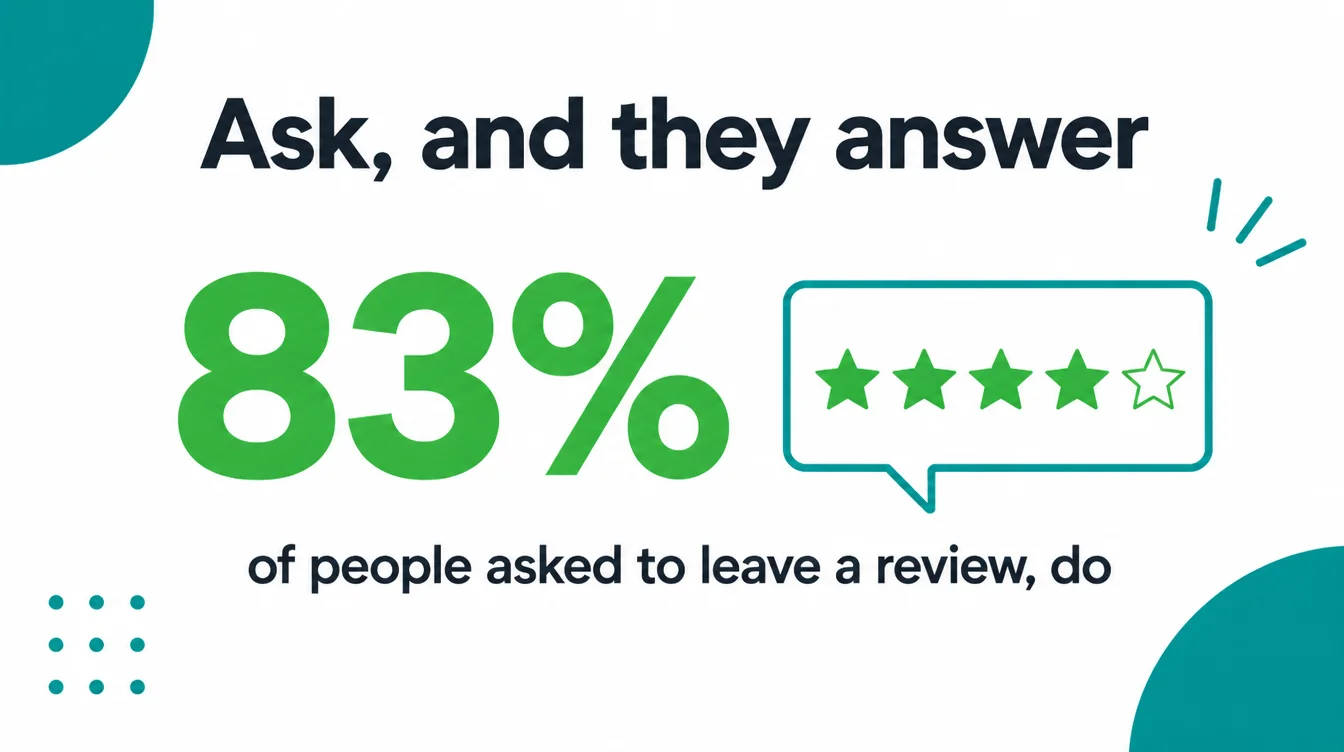
- Ask, and they answer. 83% of people asked to leave a review went on to leave one, so automating the ask compounds (BrightLocal, 2026).
- Start small. One workflow, prove it works for a week, then expand.
1. What business automation actually is
Business automation means letting software do a repeatable job so you do not have to. Something happens, then a set of steps runs on its own. For example, a customer fills in your contact form, and a text goes out, a slot gets booked, and the contact gets logged. No one had to touch it.
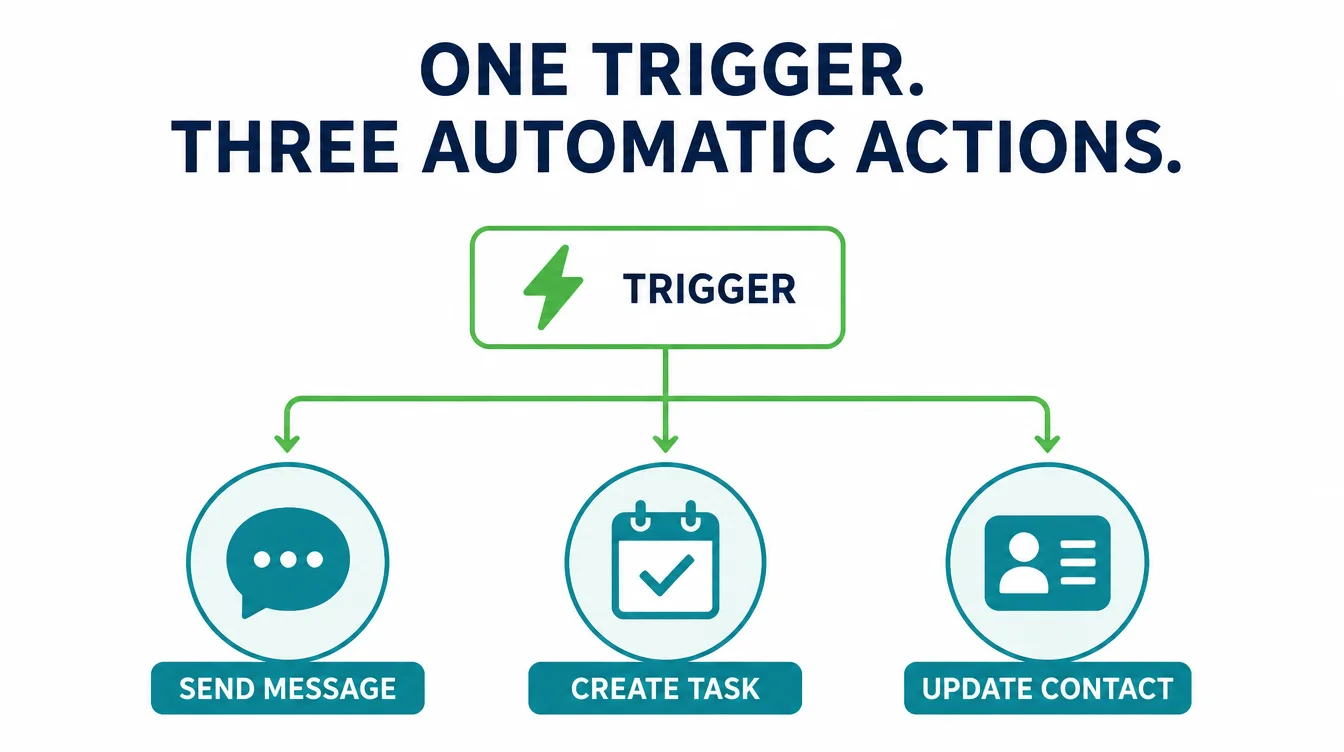
AI automation adds a smarter layer on top. Instead of only following fixed rules, it can read a message, draft a reply, sort a lead, or pull the right answer from your FAQs.
So the work feels less robotic and needs less checking. For a wider view of how this fits your business, our AI for small business guide is the place to start.
Here is the key point. Automation is best at boring, repeatable tasks that happen the same way every time. It is poor at judgement calls. So the trick is not to automate everything. The trick is to automate the right few things.
2. The reality: most AI use is a helper, not an engine
There is a lot of noise about AI replacing whole teams. The data tells a calmer story. Half of all workers at small businesses already use AI at work, but the way they use it matters more than the headline (US Chamber Foundation, 2026).
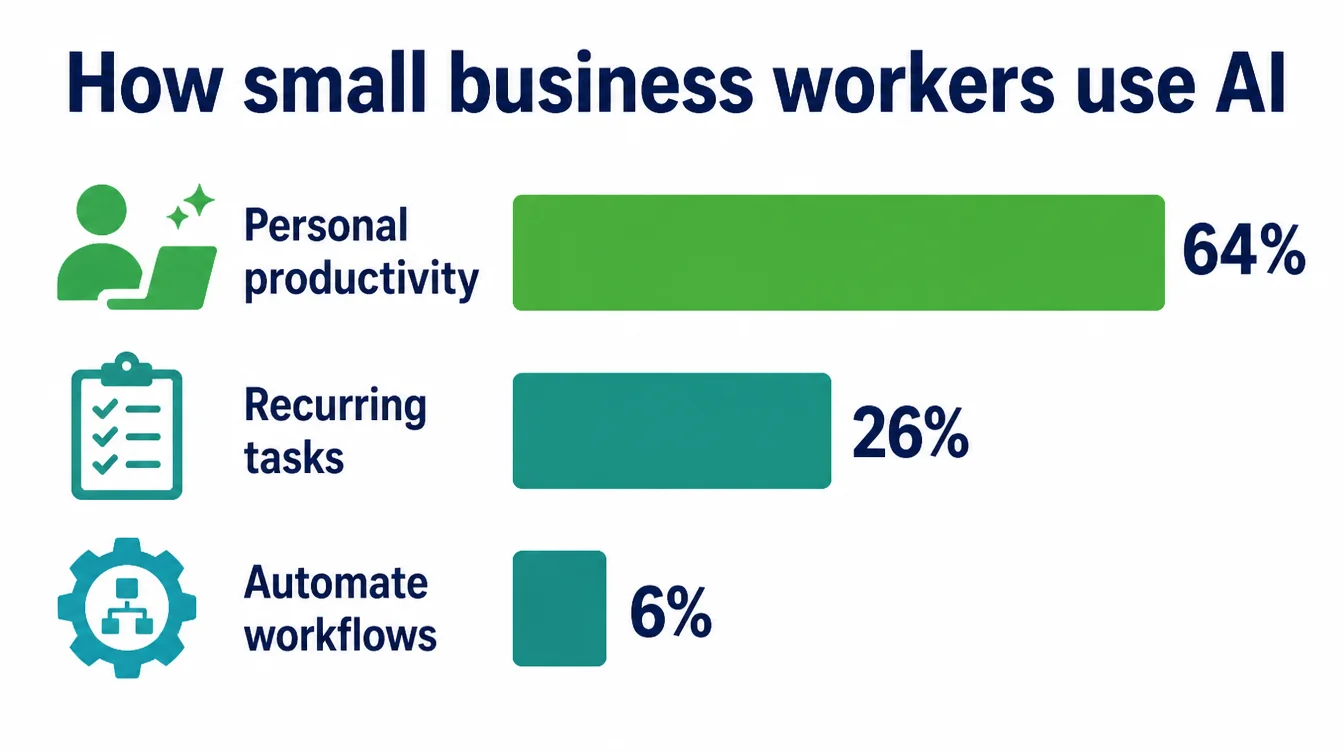
Look closer at that same research. Among small business workers who use AI, 64% use it for personal productivity, like writing and summarising. Just 26% use it to help with recurring tasks.
And only 6% say they use it to automate workflows with minimal human involvement. In other words, almost everyone treats AI as an assistant, and almost no one has it running things on its own.
The size of your business changes the picture too. Overall AI usage among firms hovered between 17% and 20%, but less than 20% of firms with four or fewer employees use AI, compared with 37% of firms with at least 250 employees (US Census Bureau, 2026).
So the smallest businesses, the ones with the least spare time, are using it the least. That gap is exactly where a single well chosen automation pays off.
3. How to choose what to automate first: impact over complexity
Do not start with the task that looks the most impressive. Start with the one that hurts. Ask yourself two questions about every repetitive job in your week.
First, does this cost me money when it slips? Second, does this eat hours that I could spend on real work? Our free automation opportunity finder asks the same two questions and suggests where to start.
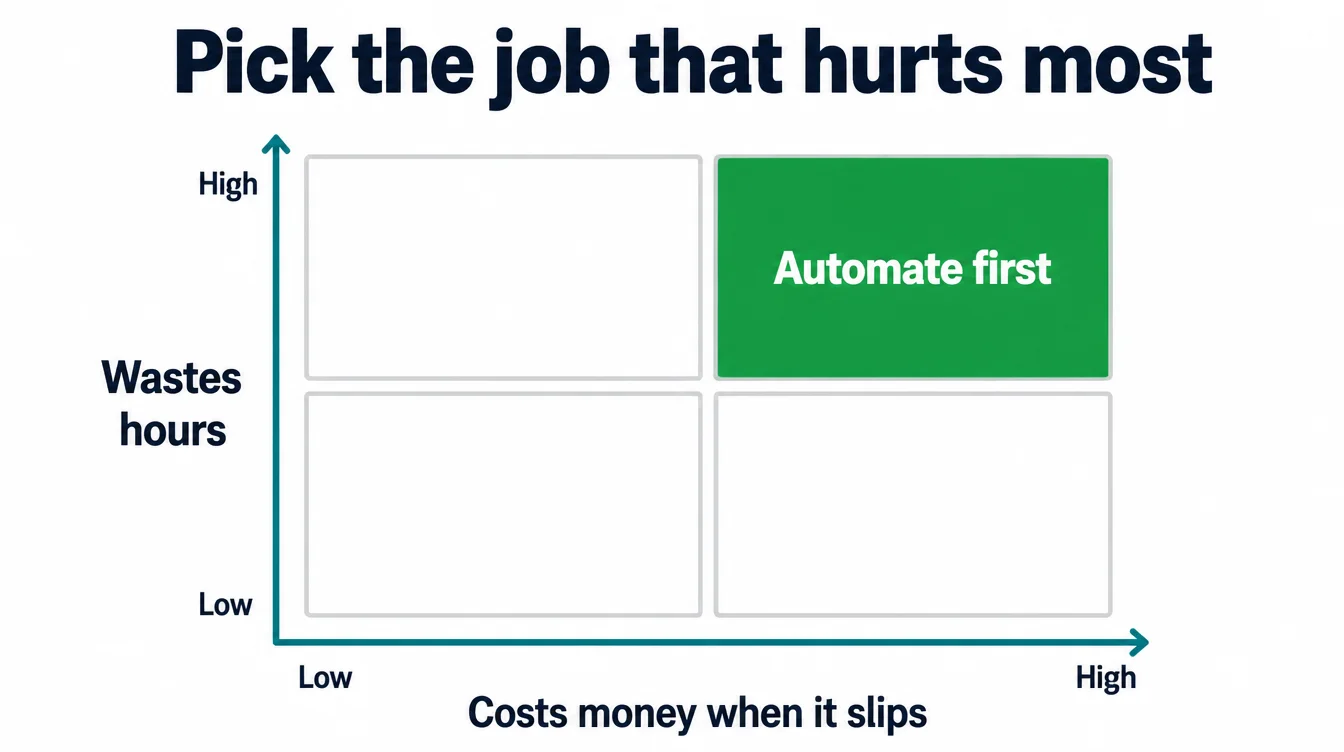
The jobs that score high on both are your first targets. A missed lead is lost money. A forgotten review request is lost trust. A late invoice reminder is cash stuck in limbo. These are simple, repeatable, and high value, which makes them perfect for automation.
By contrast, leave the clever, rare, or judgement heavy tasks for later or for a person. With that filter in mind, here are the six things most small businesses should automate first, roughly in order of payback.
4. Lead follow-up (speed to lead)
This is the single highest value automation for most businesses. When a new lead comes in, the clock starts.
A prompt first reply confirms that the enquiry arrived and explains what happens next. Automation can send that acknowledgement while the owner is busy, leaving the questions and sales conversation for a person.
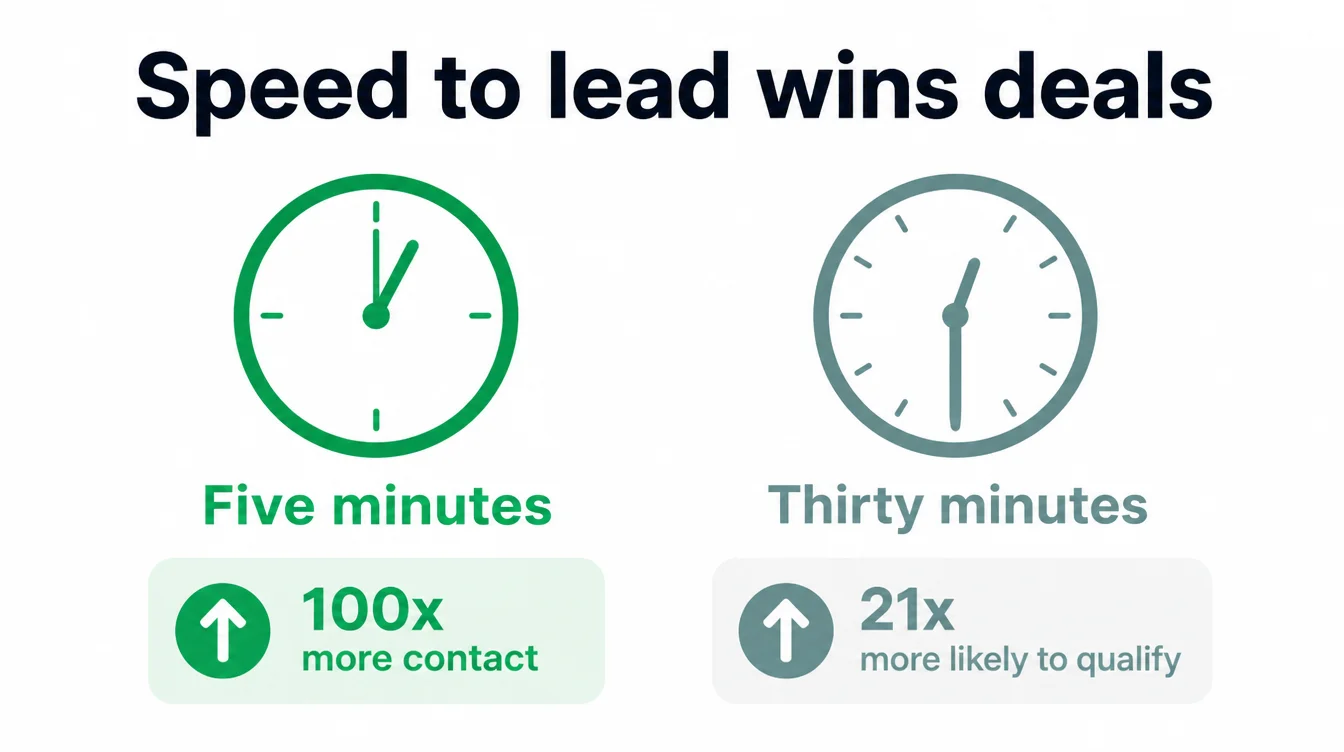
An owner cannot sit by the phone all day, so automate the first touch. When someone fills in the form, an instant text or email confirms that the message arrived and says when a call will follow. The automation covers the acknowledgement while a person handles the conversation.
5. Appointment booking and reminders
Phone tag wastes everyone's time. A booking link lets people pick a slot that already fits your calendar, with no back and forth. Then automated reminders go out the day before and an hour before, so people actually show up.
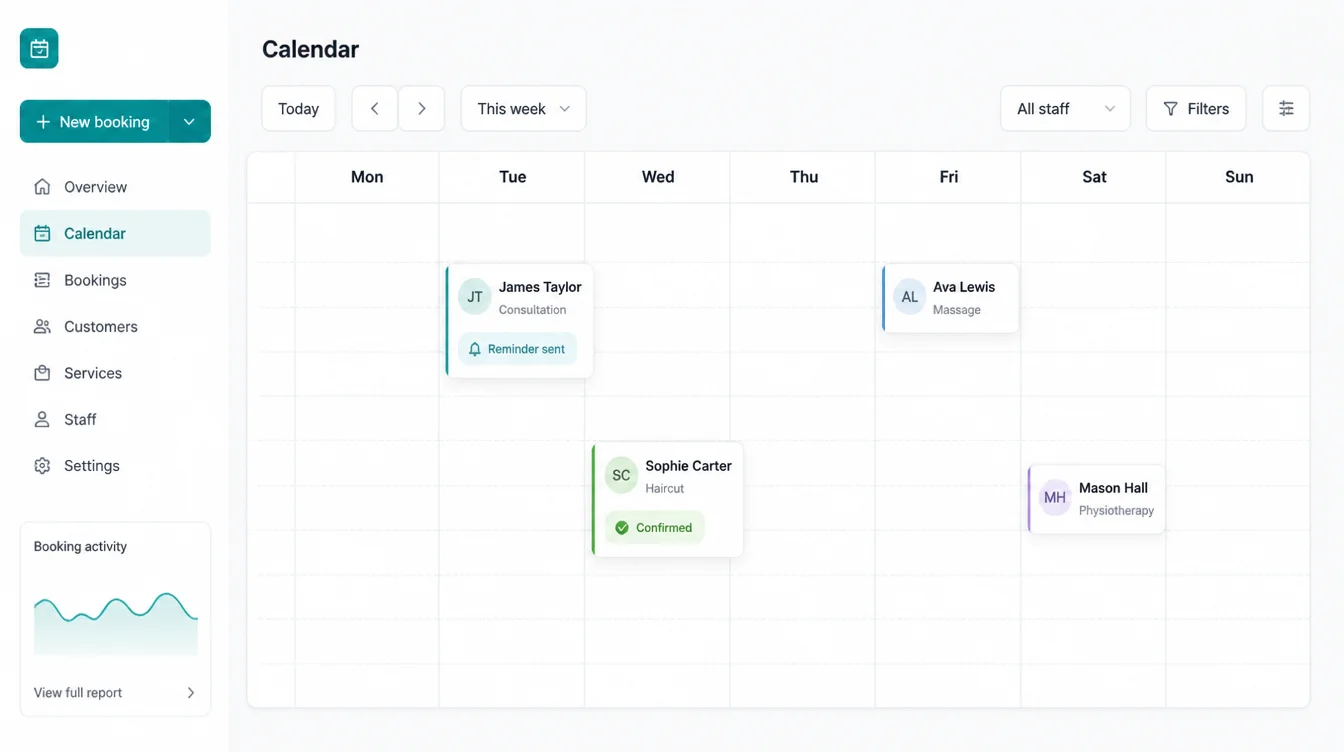
This one is quiet but it adds up. Every reminder that turns a no-show into a kept appointment is revenue you would otherwise have lost, and it took you no effort at all.
6. Review requests
Reviews drive trust and local ranking, yet most owners forget to ask. Automating the ask fixes that. After a job is done or an order ships, a message goes out with your review link.
The numbers say this works. 83% of people asked to leave a review went on to leave one, and 28% of people now say they will "always" write a review if asked, up from 16% in 2025 (BrightLocal, 2026).
For the full playbook on this, see our guide on how to get more Google reviews. Automating the request just makes sure you never miss the moment when a customer is happiest.
7. Invoice and payment reminders
Chasing late payments is awkward and easy to put off. So put it on autopilot. When an invoice goes unpaid past its due date, a polite reminder sends itself, then a firmer one a few days later. No confrontation, no forgetting, no cash quietly stuck in someone else's account.
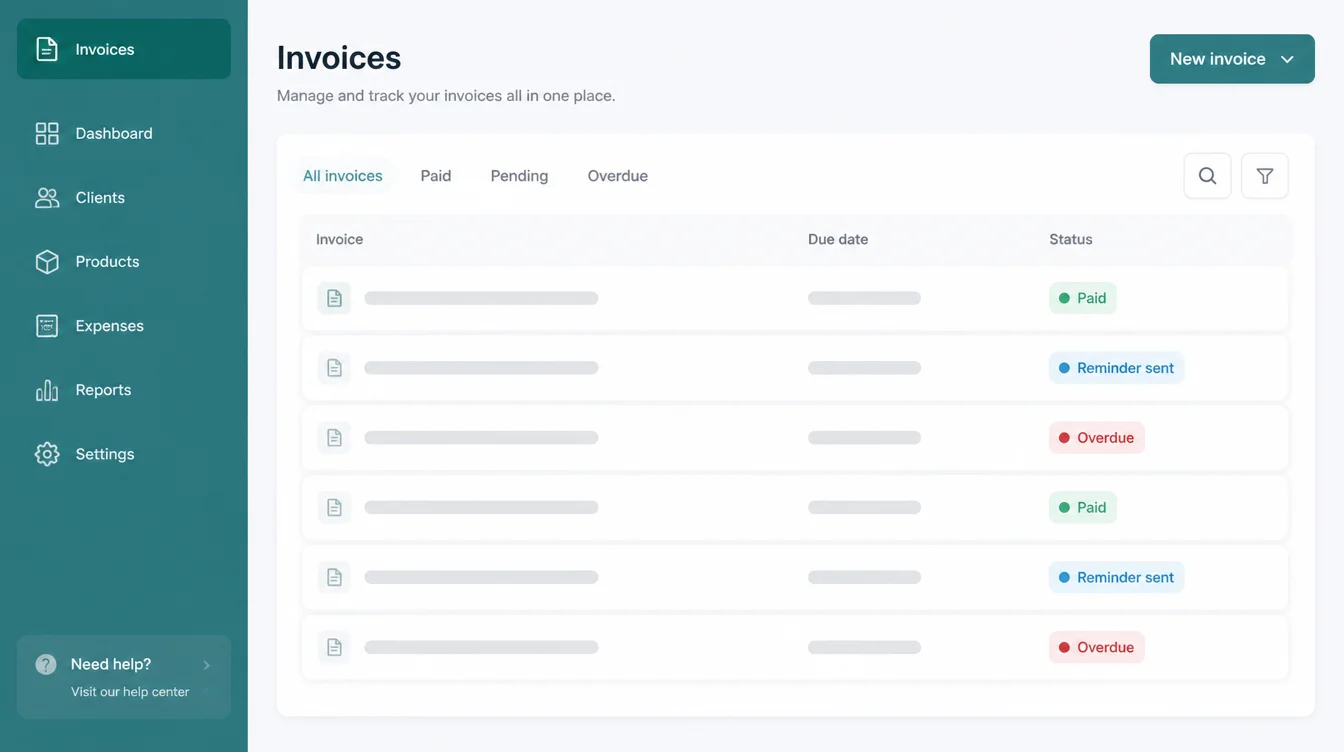
This keeps your money moving without you having to play debt collector. It is one of the least glamorous automations and one of the most reliably useful.
8. Social scheduling
Posting in real time every day is a trap. Instead, write a batch of posts once, then let a scheduler drip them out across the week.
Your feed stays alive while you are busy with actual work, and you stop scrambling for "something to post" at nine at night. If even the batch is too much, a social media marketing agency plans, writes and publishes it for you.
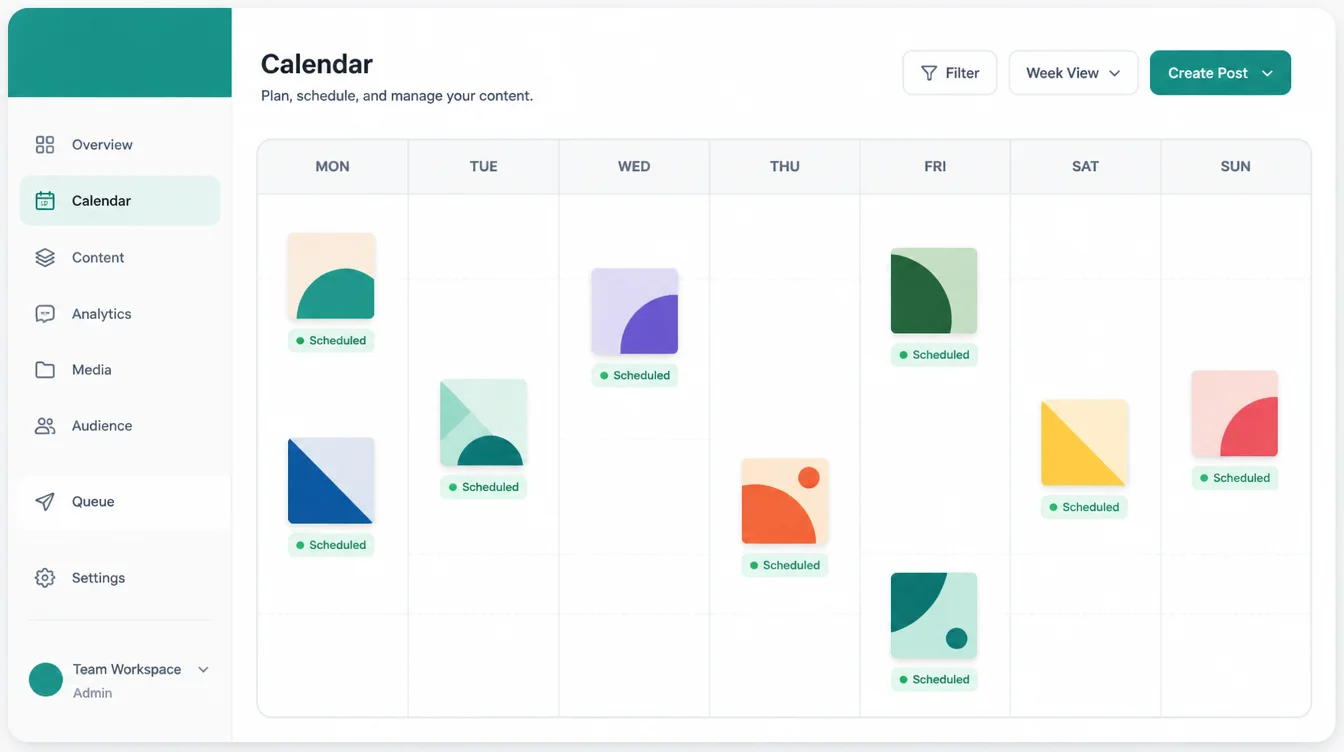
AI can help here without taking over. It can draft captions and suggest ideas, then you approve and queue them. That keeps your voice intact while saving the hours that scheduling usually steals.
9. Answering routine FAQs
You answer the same handful of questions over and over. Opening hours, parking, pricing ranges, how to book. An automated assistant on your site or chat can field those instantly, day or night, and hand the tricky ones to you. Our companion guide on AI for customer service goes deeper on this.
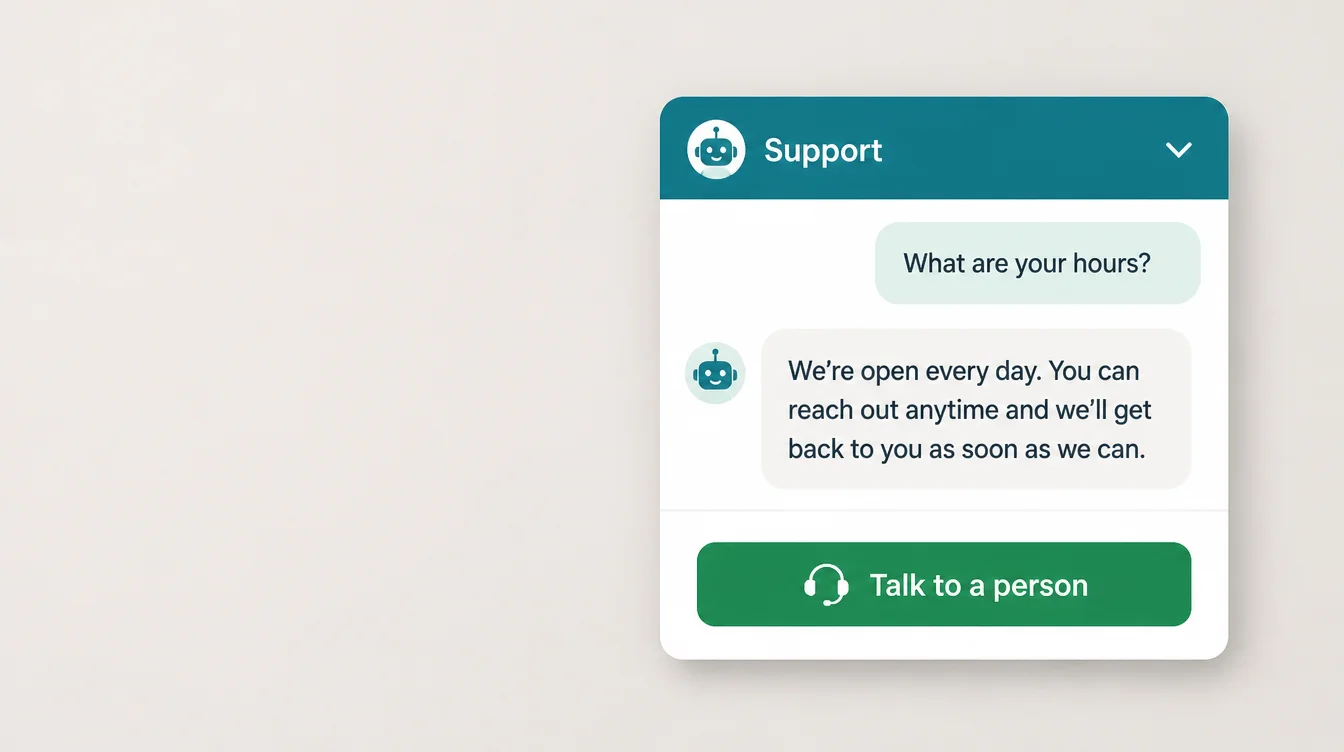
The goal is not to hide from customers. It is to clear the easy questions fast so you have time for the conversations that actually need you.
10. What NOT to automate
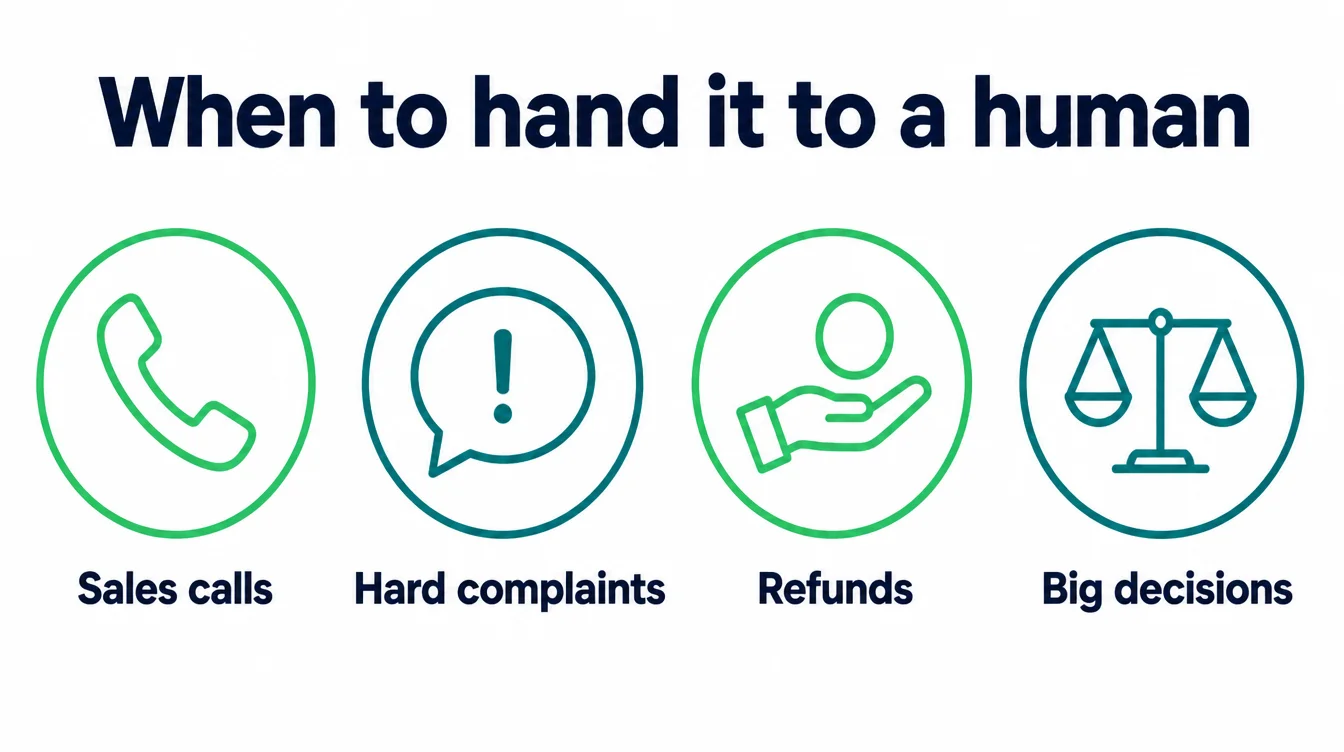
Automation has clear limits. Some moments need a human, full stop. Sales calls, hard complaints, refunds, and anything where someone is upset or spending a large sum all deserve a real person. Hand those to a human every time. A robotic reply at the wrong moment costs you more than the time you saved.
There is a second trap. Do not automate a broken process. If a task is messy and inconsistent when you do it by hand, automation just makes the mess happen faster and more often. Fix the steps first, write down the clean version, then automate that. Otherwise you are scaling a problem.
| Automate this | Why it pays off |
|---|---|
| Lead follow-up | An automatic first reply acknowledges the enquiry and sets the next step |
| Booking and reminders | Fewer no-shows and no phone tag, so more kept appointments with zero effort |
| Review requests | Most people asked will leave a review, which builds trust and local ranking |
| Payment reminders | Keeps cash moving without you having to chase or feel awkward |
| Social scheduling | A steady feed while you work, written in one batch instead of daily scrambles |
| Routine FAQs | Clears easy questions instantly, freeing your time for real conversations |
11. How to start small: one workflow, prove it, expand
The fastest way to fail at automation is to try to automate everything at once. So do the opposite. Pick one workflow from the list above. For most businesses, that is lead follow-up, because it ties straight to revenue.
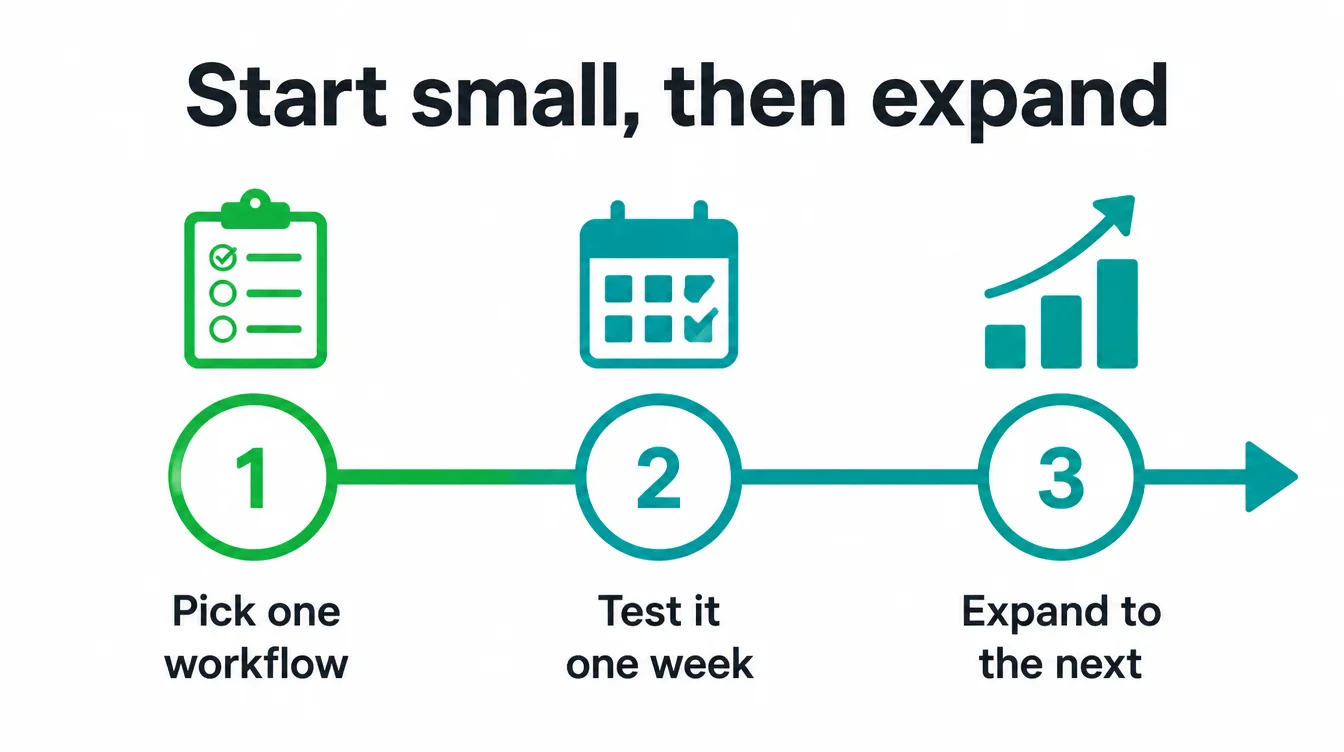
When we set up automations at Seed Light, we build that single workflow, switch it on, and then watch it closely for a week. We check that the messages send, the timing feels human, and nothing slips through. Then we fix what breaks. Only once it is solid do we add the next one.
This way you get a real win you can point to, which makes the next step easy to justify. Most of this needs no developer either, since simple no-code tools connect your apps with triggers and actions.
If you would rather skip the tinkering, see how we approach AI and automation, or pair it with local SEO so more of the right leads flow in to begin with.
For more practical guides, browse the Seed Light blog or compare options in our roundup of the best AI tools for small business.
Frequently asked questions
1. What should a small business automate first?
Lead follow-up is the first task to automate when new enquiries wait for a reply. After that, consider appointment reminders, review requests, payment reminders, social scheduling and answers to common questions. Choose the task linked to missed money or wasted time, automate that one job, check the result and only then add another workflow.
2. What is business automation?
Business automation means letting software handle a repeatable task so a person does not have to. A trigger happens, like a form being filled in, and a series of steps runs on its own, like sending a text, booking a slot, and logging the contact. AI automation adds a layer that can read messages, draft replies, and make simple decisions, so the work feels less robotic and needs less babysitting.
3. Is AI automation worth it for a small business?
Yes, when you start with one job that loses you money or eats your week. Speed to lead is a clear example. A new lead is usually shopping around, so the business that replies first tends to get the conversation, and one that replies an hour later is often too late. Automate that one workflow well and it usually pays for itself before you touch anything else.
4. What should you NOT automate?
Do not automate the moments that need a human. Sales calls, hard complaints, refunds, and anything where someone is upset or spending a lot of money all need a real person. You also should not automate a broken process. If a task is messy when you do it by hand, automation just makes the mess happen faster. Fix the steps first, then automate the clean version.
5. How do I start automating without a developer?
Most small business automation needs no code. Tools that connect your apps with simple triggers and actions can handle lead follow-up, reminders, and review requests out of the box. Start with one workflow, set it up, watch it for a week, and fix what breaks. If you would rather not tinker, a small agency can build and maintain the workflows for you so you only see the results.
6. How fast should I respond to a new lead?
Lead response works best as close to instant as the business can manage, ideally within five minutes. A new lead may contact two or three businesses at once, and a useful early reply keeps the conversation moving. An automated first reply confirms that the enquiry arrived and tells the person what happens next.
7. Will AI automation replace my staff?
For most small businesses, no. The data shows AI is used overwhelmingly as a helper. Of small business workers who use AI, 64% use it for personal productivity and only 6% use it to automate workflows with minimal human involvement. The smart play is to let software handle the repetitive admin so your people spend more time on the work that actually needs a human.