AI for Small Business 2026: Practical Uses That Save Time

AI for a small business can start with one weekly task, one free chat tool and one clear prompt, followed by a human check. Federal Reserve data puts firm-level AI adoption at about 18%, while common uses include writing and admin support. Seed Light helps owners choose the jobs worth handing over.
Key takeaways
Short on time? Here is the whole honest picture before we break it down.
- Fewer firms use AI than vendors claim. Rigorous data puts adoption at about 18% of firms (Federal Reserve, 2026), while a self-reported survey says 58% (US Chamber of Commerce, 2025).
- AI is an assistant, not autopilot. Just 6% of small business workers use it to automate work with minimal human involvement (US Chamber of Commerce Foundation, 2025).
- It helps most with writing and tidying. Content, customer replies, admin, and marketing drafts are where the time savings live.
- It fails at facts, judgement, and secrets. Keep AI away from client-confidential data and final money, legal, or medical calls.
- Start in one afternoon, for free. Pick one task, one free tool, one prompt, one check. Then decide if it earned a place in your week.
1. The honest picture: who is really using AI
Let us start with a number that does not get repeated enough. When you measure AI use carefully, far fewer small businesses use it than the headlines suggest.
Adoption stood at about 18 percent of firms at the end of 2025 (Federal Reserve, 2026). The US Census Bureau's business survey agrees, reporting that overall AI usage hovered between 17% and 20% (US Census Bureau, 2026).
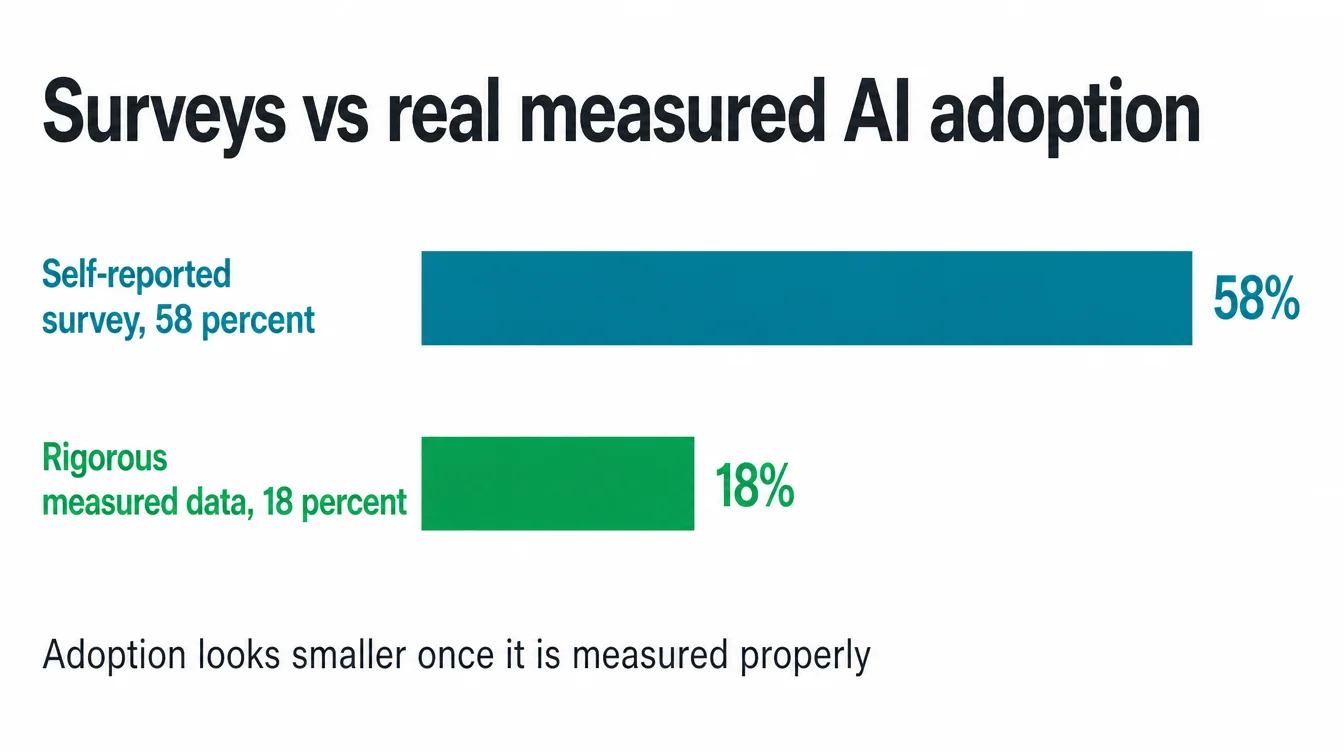
Now hold that next to a louder figure. In one industry poll, 58% of small businesses self-identified they use generative AI (US Chamber of Commerce, 2025). That gap is the whole point of this guide.
The 58% is self-reported, where people answer a survey about themselves. The 18% comes from rigorous, probability-based measurement. Both can be true at once, and the truth sits closer to the lower number.
Why does this honesty gap matter to you? Because the hype makes owners feel behind when they are not. If you have not adopted AI yet, you are with the majority, not the laggards.
Smaller firms especially are taking it slowly. Less than 20% of firms with four or fewer employees reported using AI, while 37% of firms with at least 250 employees reported using AI (US Census Bureau, 2026).
Spending data tells the same calmer story. When researchers looked at what firms actually pay for, rather than what they say, real generative AI use rose to 12 percent in 2025 and adoption ran lower than surveys implied (JPMorganChase Institute, 2025).
Growth is real, but steady. Meanwhile, between 20% and 23% of businesses expected to be using it in the next six months (US Census Bureau, 2026). So the wave is coming, just slower and quieter than the ads claim.
2. What AI actually does well for a small business
Here is the useful frame. AI is good at first drafts and tidying up. It is a fast, tireless assistant that gets you to a starting point in seconds. In practice, that lands in five everyday areas, and you can pick up any one of them this week.
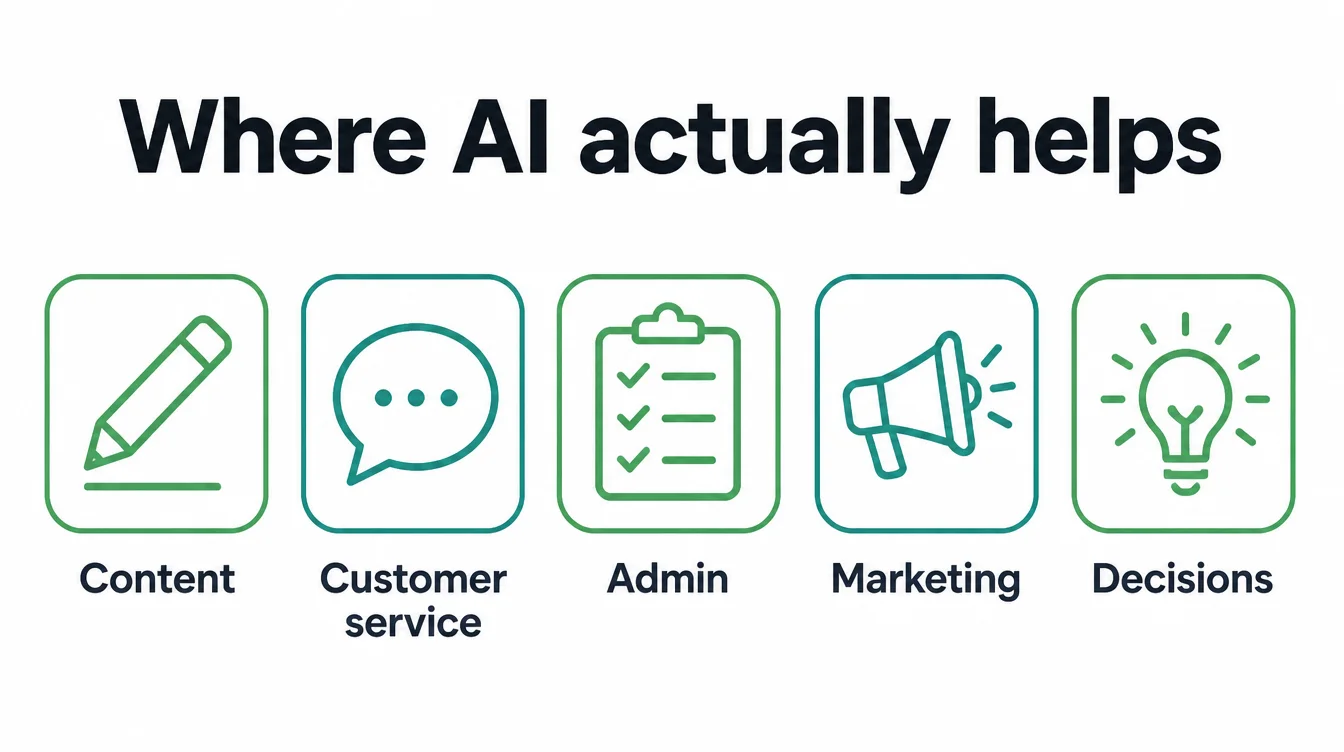
Content
This is the easiest win. AI drafts captions, blog outlines, product descriptions, and email subject lines in seconds. You still edit and add your voice, but you start from something instead of a blank page. For a small team, that alone can save an hour a day.
Customer service
AI helps you answer the same questions faster. It drafts polite replies, suggests answers for common questions, and turns a grumpy first reaction into a calm message. You read it, fix anything off, and send. The customer still talks to a real person, which is the part that builds trust.
Admin
This is the quiet time-saver. AI summarises long email threads, turns meeting notes into a clean list, and reformats messy text. Above all, it handles the boring tidying that piles up and never feels urgent until it buries you.
Marketing
AI helps you plan and produce. It brainstorms post ideas, drafts a month of captions, and rewrites one offer five ways so you can test which lands. As a result, the slow part of marketing, the staring at a screen, gets much shorter.
Decisions
Used carefully, AI is a thinking partner. It lists pros and cons, plays devil's advocate, and asks the questions you forgot. It does not decide for you. Instead, it helps you think more clearly before you do.
3. What AI is NOT good at: the do-not-trust list
Knowing where AI fails is more valuable than knowing where it helps. Get this part wrong and a time-saver becomes a problem. So treat the next three as hard lines.
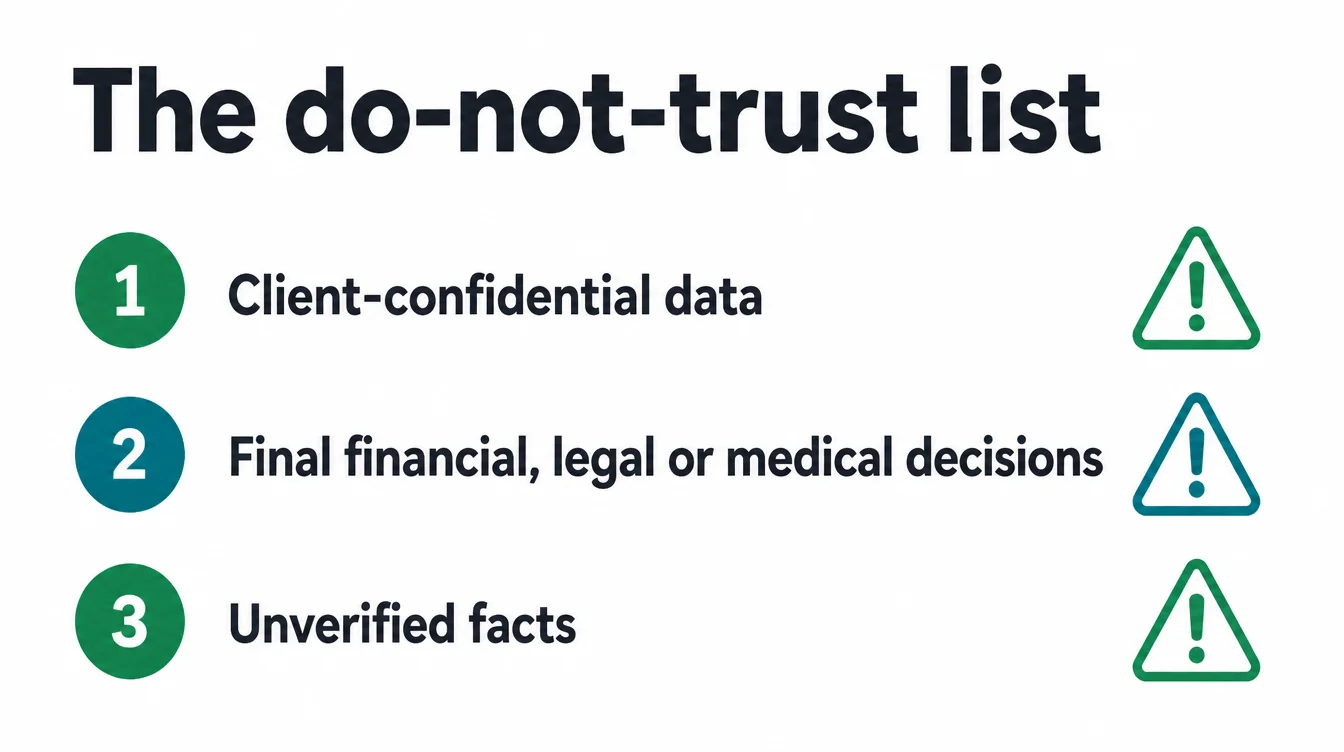
Client-confidential data
Do not paste private customer details, contracts, or sensitive records into a free public AI tool. You often cannot be sure where that data goes or how it is stored. If a job needs real confidential data, use a tool with a clear privacy policy made for business, or keep it out of AI entirely.
Final financial, legal, and medical decisions
AI can draft and explain, but it must not be the one who decides. Anything that touches money, the law, or someone's health needs a qualified human to make the call. Use AI to prepare the question, never to answer it for you.
Unverified facts
This is the trap that catches people. AI can state wrong details with total confidence, including fake names, dates, and quotes. Therefore, never publish a fact, figure, or claim from AI without checking it against a real source. If you cannot verify it, do not use it.
4. How much time it really saves
Let us set expectations honestly. The real win from AI is hours back, not magic growth. Most people use it to work faster, not to replace what they do.
In fact, 64% of small business workers who use AI use it for personal productivity, and just 6% use it to automate workflows with minimal human involvement (US Chamber of Commerce Foundation, 2025).
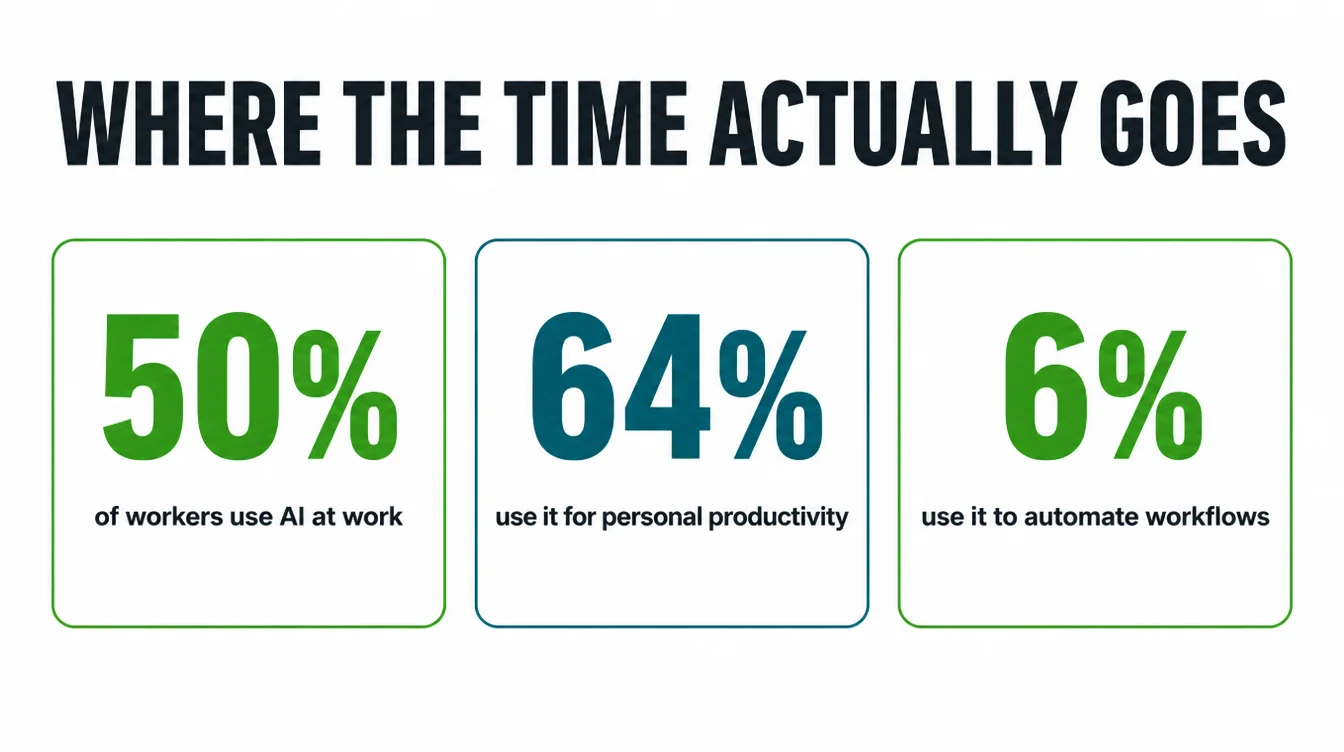
Read that again, because it reframes the whole topic. The same research found that half of all workers at small businesses already use AI at work, yet almost all of them use it as a helper.
So the realistic picture is not a robot running your shop. It is a person who finishes their writing and admin faster and goes home a little earlier.
What does that look like in real hours? It varies by job, but the pattern is steady gains on the writing and tidying tasks, not a sudden leap in sales.
If you draft a lot of text, you may save a meaningful chunk of each day. If your work is mostly hands-on, the savings are smaller. Either way, measure your own before-and-after rather than trusting a flashy claim.
5. How to start in one afternoon
You do not need a strategy, a budget, or a new hire. You need one focused afternoon and a willingness to test. Here is the simplest path that works, in four steps.
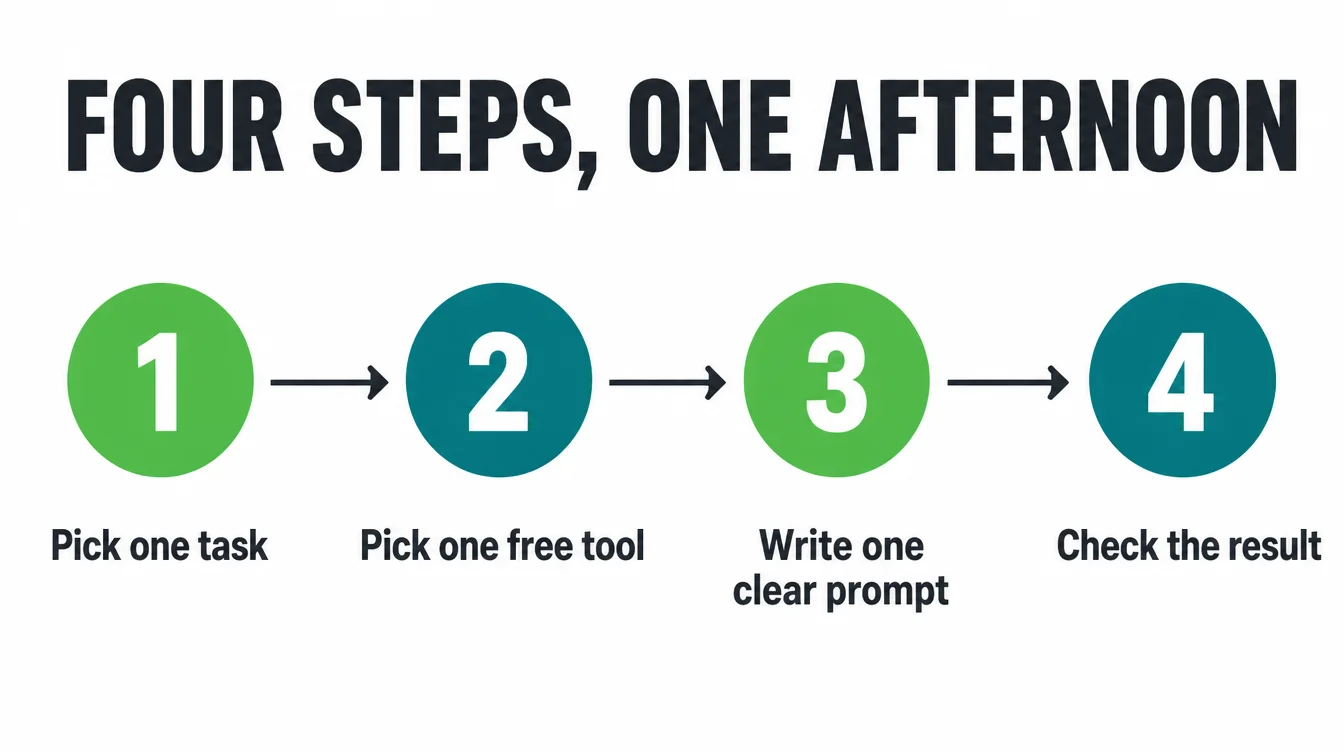
1. Pick one task
Choose a single thing you already do every week and dislike. Writing a reply, drafting a caption, or summarising notes are all good first picks. One task keeps the test small and clear.
2. Pick one free tool
You do not need a stack. Open one well-known chat assistant on its free plan. That is enough to learn the feel of it without spending anything. For a wider shortlist, see our roundup of the best AI tools for small business.
3. Write one clear prompt
Be specific and give real context. Tell it who you are, who the message is for, the tone you want, and the key facts. A vague ask gets a vague answer, so spell it out like you are briefing a new helper.
4. Check the result
Read what it gives you, fix anything off, and verify any fact. This step is not optional. The check is what turns a risky shortcut into a safe time-saver, and it is the habit that separates owners who win with AI from those who get burned.
6. The 5 jobs to try first
If you want a concrete starting list, here are five jobs that pay off quickly and carry low risk. Each one is a draft-and-check task, never a fire-and-forget one. The catch column matters as much as the help column.
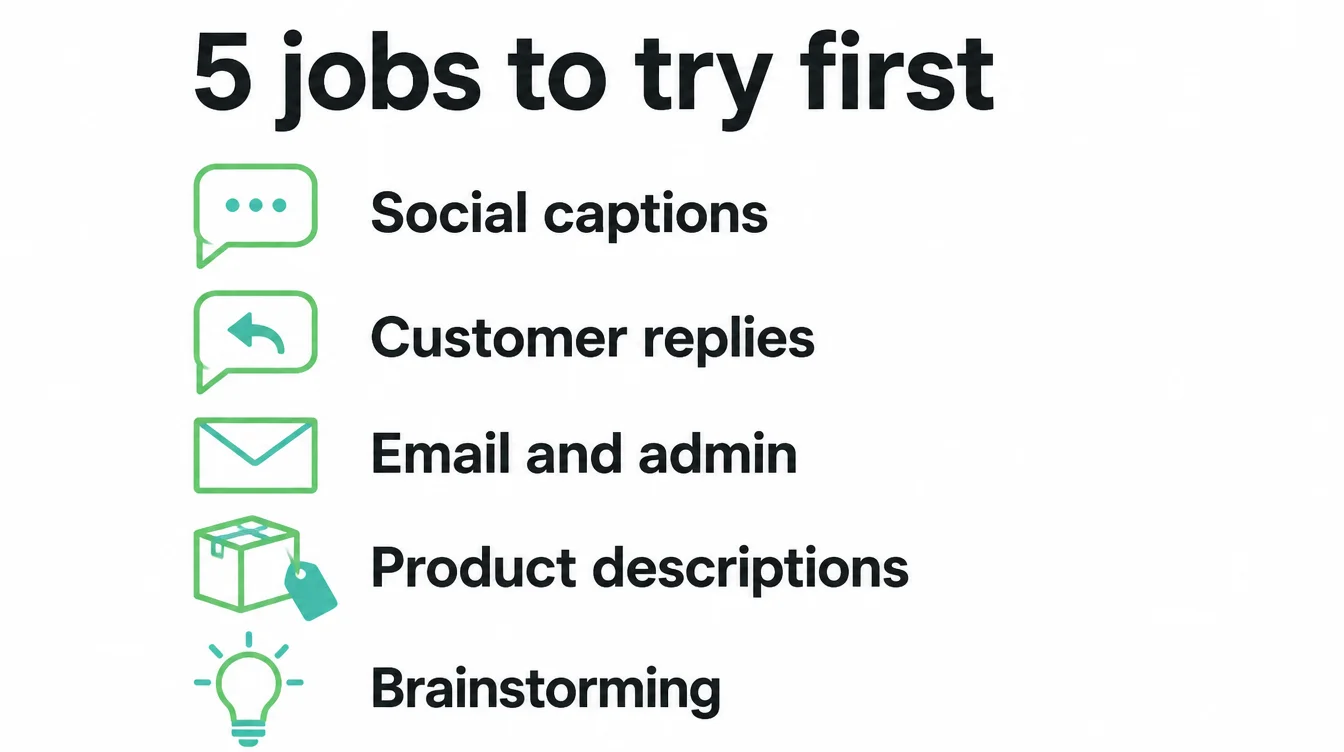
| Job | What AI does | The catch |
|---|---|---|
| Social captions | Drafts a week of posts from one idea | You must add your voice or they sound generic |
| Customer replies | Suggests polite, clear answers to common questions | Read before sending, and never paste private data |
| Email and admin | Summarises threads and turns notes into clean lists | Double-check names, dates, and numbers it repeats |
| Product descriptions | Writes consistent first drafts at speed | Verify every claim about your actual product |
| Brainstorming | Lists ideas, angles, and pros and cons fast | It suggests, you decide, especially on money calls |
Notice the pattern. Every job is something where a fast first draft saves time, but a human still owns the final word. Start with one row, get comfortable, then add another. If you would rather have someone set this up properly, our AI and automation service covers exactly this kind of practical, low-risk wiring.
7. Keep a human in the loop
If you take one rule from this guide, take this one. A human checks everything before it goes out.
The research supports a careful approach. Among small business workers who use AI, 64% use it for personal productivity and 6% automate workflows with minimal human involvement.
There are good reasons for that. AI is confident even when it is wrong, so a quick human read catches the made-up fact, the off tone, or the detail that does not fit your business.
Moreover, your customers can usually tell when a message has no human in it, and that costs you trust you cannot easily win back.
So build the check into your routine from day one. Draft with AI, review with your own eyes, then send. The goal is not to use AI for everything. The goal is to use it for the parts that save time, while you stay the one who is responsible for the result.
8. Where AI search and your website fit
One more shift is worth your attention. More people now ask AI tools for recommendations instead of scrolling a list of links. That changes how customers find you, so your website and your search presence matter in a new way. If AI tools cannot read and trust your site, they cannot suggest you.
The fix is not a gimmick. It is the same clear, accurate, well-structured website that has always worked, described in plain language a machine can understand. To go deeper, read our guide on how to rank in AI overviews and the basics in what is SEO.
If you are weighing how to build or fix that site, two more reads help.
Our comparison of an AI website builder versus a web designer sets honest expectations, and our AI search optimisation page explains how we make a site easy for both people and AI to find. For more practical, no-hype guides, browse the Seed Light blog.
Frequently asked questions
1. How can a small business start using AI?
Start small in one afternoon. Pick one task you already do every week, like writing a reply or drafting a caption. Open one free chat tool. Give it one clear prompt with real context. Then check the result yourself before you use it. Do that for a week, keep what saves time, and drop what does not. You do not need a plan, a budget, or new staff to begin.
2. What can AI do for a small business?
AI is good at the writing and tidying jobs that eat your week. It drafts emails, captions, and product descriptions. It answers common customer questions. It sorts notes, summarises long threads, and turns rough bullet points into clean text. According to the US Chamber of Commerce Foundation, most workers use it for personal productivity, not to automate whole jobs. Think of it as a fast first-draft assistant, not a replacement.
3. What should you NOT use AI for?
Do not feed it client-confidential data on a free public tool, and do not let it make final financial, legal, or medical decisions. Do not trust a fact it states without checking it, because AI can invent details that sound right. Use it to draft and to speed up the boring parts, then keep a human in charge of anything that affects money, safety, or someone's trust in you.
4. Is AI worth it for a small business?
For most owners, yes, if you start with one or two real tasks and keep your expectations honest. The US Chamber of Commerce Foundation found that half of small business workers already use AI, and most use it to save time on everyday work. The win is hours back each week, not magic growth. Try it free, measure whether it actually saves you time, and only then decide to pay for more.
5. How much does AI for small business cost?
Many of the most useful tools have a free plan that is enough to start, so your first cost can be nothing but your time. Paid plans usually unlock more usage, longer documents, and team features. The honest advice is to begin on the free tier, prove that a tool saves you real hours, and only upgrade the one or two tools that earn their keep. Do not pay for a stack you have not tested.
6. Can AI replace my staff?
The source does not answer whether AI will replace staff. It found that 64% of small business workers who use AI use it for personal productivity, while 6% use it to automate workflows with minimal human involvement. Keep a person responsible for checking the work and making final decisions.
7. Do I need to be technical to use AI?
No. The everyday tools work like a chat. You type what you want in plain words and read what comes back. The skill is not coding, it is being specific and checking the output. If you can write a clear text message and spot when something looks off, you already have what you need to get value from AI in your business.