
How to Write Meta Descriptions: Improve Relevance and Clicks

A meta description is the snippet under your title in search results. Write one per page, about 150 to 160 characters, matching the searcher's words, naming the benefit and ending with a reason to click. An Ahrefs study found Google rewrites about 63% of them. Seed Light handles titles and descriptions as part of on-page SEO.
Key takeaways
Short on time? Here is how to write meta descriptions that get clicks, in five quick lines.
- It earns the click, not the rank. Google's John Mueller confirms meta descriptions are not a ranking factor (Search Engine Journal).
- Google often rewrites it. One study found Google rewrites meta descriptions 62.78% of the time (Ahrefs).
- Keep it short and front-loaded. Aim for roughly 150 to 160 characters and put the key message in the first 120.
- The click is worth it. The top three Google results get 54.4% of all clicks, so a tempting snippet matters (Backlinko).
- Write it like an ad. Lead with the benefit, match intent, include the keyword, add a soft call to action, keep it unique.
1. What a meta description is
A meta description is the short paragraph of text that sits under your page title in search results. It is a snippet of HTML you add to a page, and its only job is to tell a searcher what they will get if they click. Think of it as the ad copy for your link.
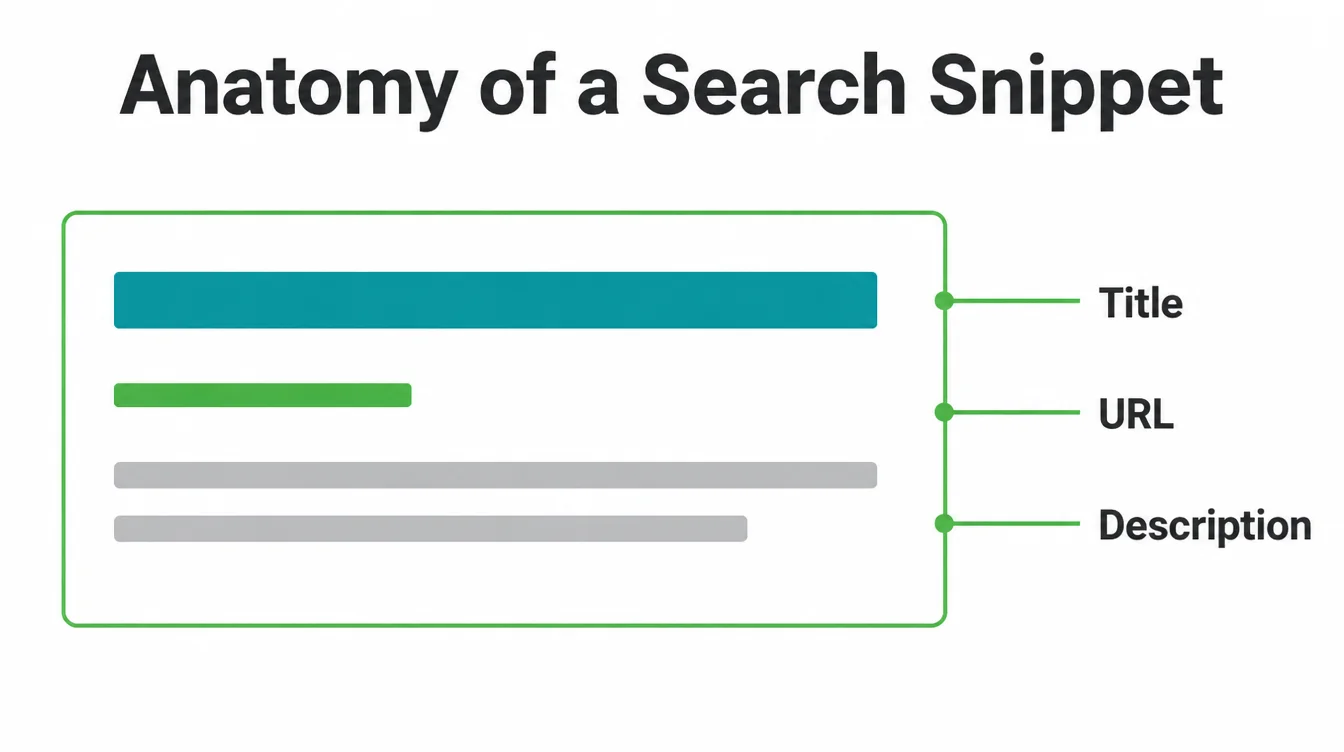
Here is the part that surprises most owners. It does not appear on your actual page. It lives in the page code, and search engines decide whether to show it.
So you are writing for two readers at once: the person scanning results, and the search engine deciding whether your words are good enough to display.
If you are new to all this, our plain-language guide on what SEO is sets the scene, and the on-page SEO checklist shows where the meta description fits among your other on-page basics.
2. It is not a ranking factor, but it earns the click
Let us clear up the biggest myth first. A meta description will not move you up the results. Google's John Mueller has stated plainly that meta descriptions are not a ranking factor. Stuffing keywords into it does nothing for your position.
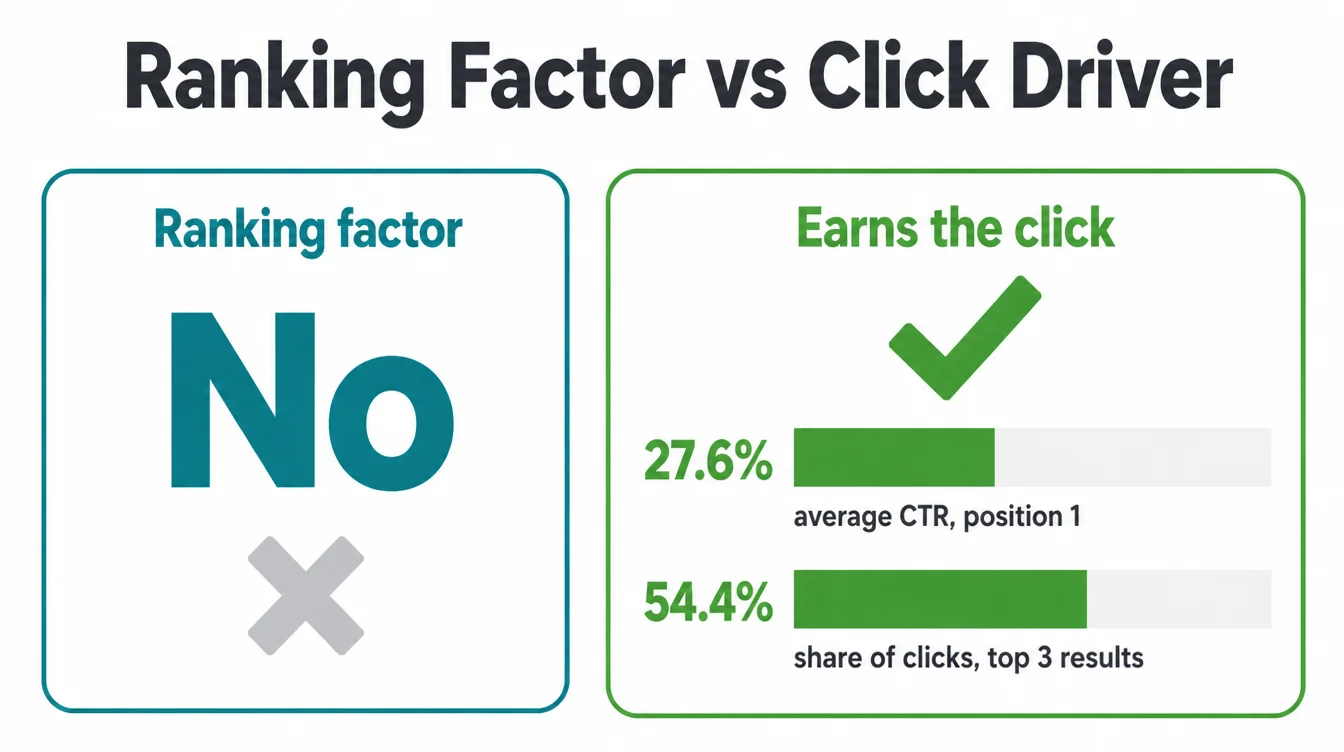
So why bother? Because ranking and clicking are two different battles. After you rank, the snippet decides how many people actually click. That matters more than it sounds, because the clicks are not spread evenly.
The number one result has an average click-through rate of 27.6%, and the top three results together get 54.4% of all clicks (Backlinko). A sharper meta description helps you win more of those clicks from the same position. To climb in the first place, see how to rank higher on Google.
3. How long should a meta description be?
There is no hard character limit. Google itself says there is no limit on how long a meta description can be, but the snippet is truncated to fit the device width, typically trimmed to suit the screen. In plain terms, write too much and the end gets cut off with a little ellipsis.
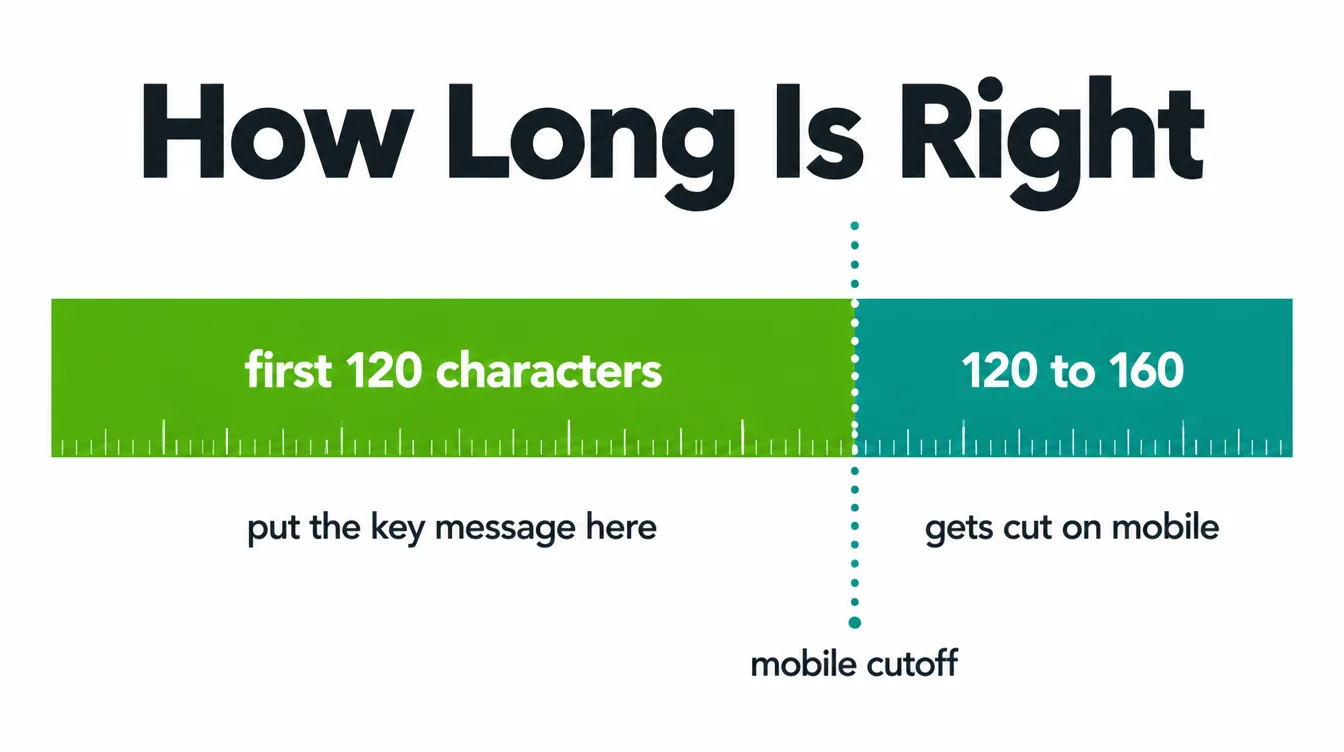
As a working rule, aim for roughly 150 to 160 characters. Google publishes no limit and truncates the snippet to fit the device width (Google Search Central), so the total is a guide rather than a rule.
More important is where you put your words. Front-load the message in the first 120 characters, because phones truncate sooner than desktops. That way, even if the tail gets clipped, the part that sells the click still lands.
4. How to write one in 5 steps
Here is a simple recipe. Follow these five steps for every important page and you will write meta descriptions that get clicks, not ones that get ignored.
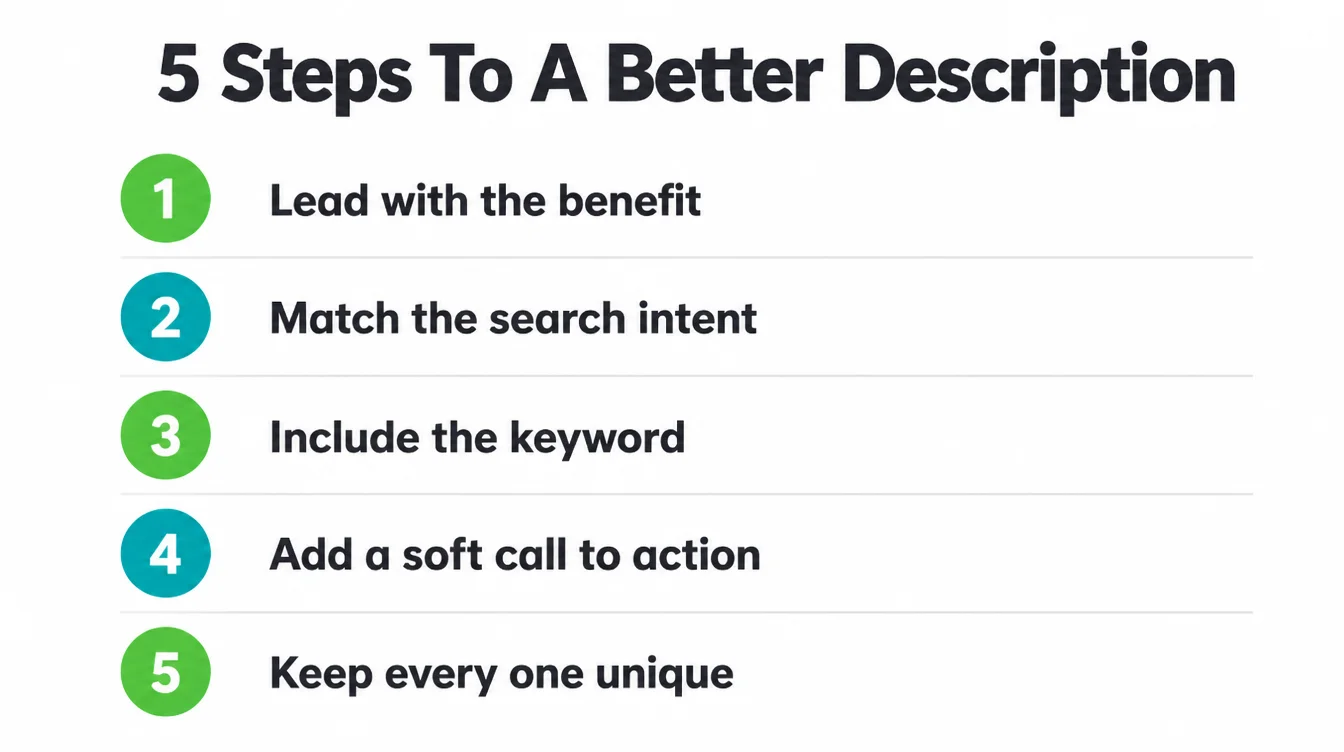
1. Lead with the benefit
Start with what the reader gets, not what your page contains. "Get found on Google without the jargon" beats "This article discusses search engine optimisation." First, name the win. Then explain.
2. Match the search intent
Ask what the person actually wants. Are they looking to learn, to compare, or to buy? Write to that. A how-to query wants steps. A "near me" query wants speed and trust. Mirror their goal in your wording.
3. Include the keyword naturally
Use the exact phrase people type, because Google often bolds matching words in the snippet, which draws the eye. Keep it natural, though. One clean mention is plenty; never cram.
4. Add a soft call to action
Gently nudge the next move. "See the full checklist," "Read the 5-minute guide," or "Compare your options" all work. Keep it low pressure, since you are inviting, not shouting.
5. Keep every one unique
Write a fresh description for each page. Duplicates confuse search engines and waste the chance to pitch. If you run an online store, our note on image SEO shows the same one-thing-per-page logic applied to product photos.
5. Why Google rewrites your meta description (and how to write one it keeps)
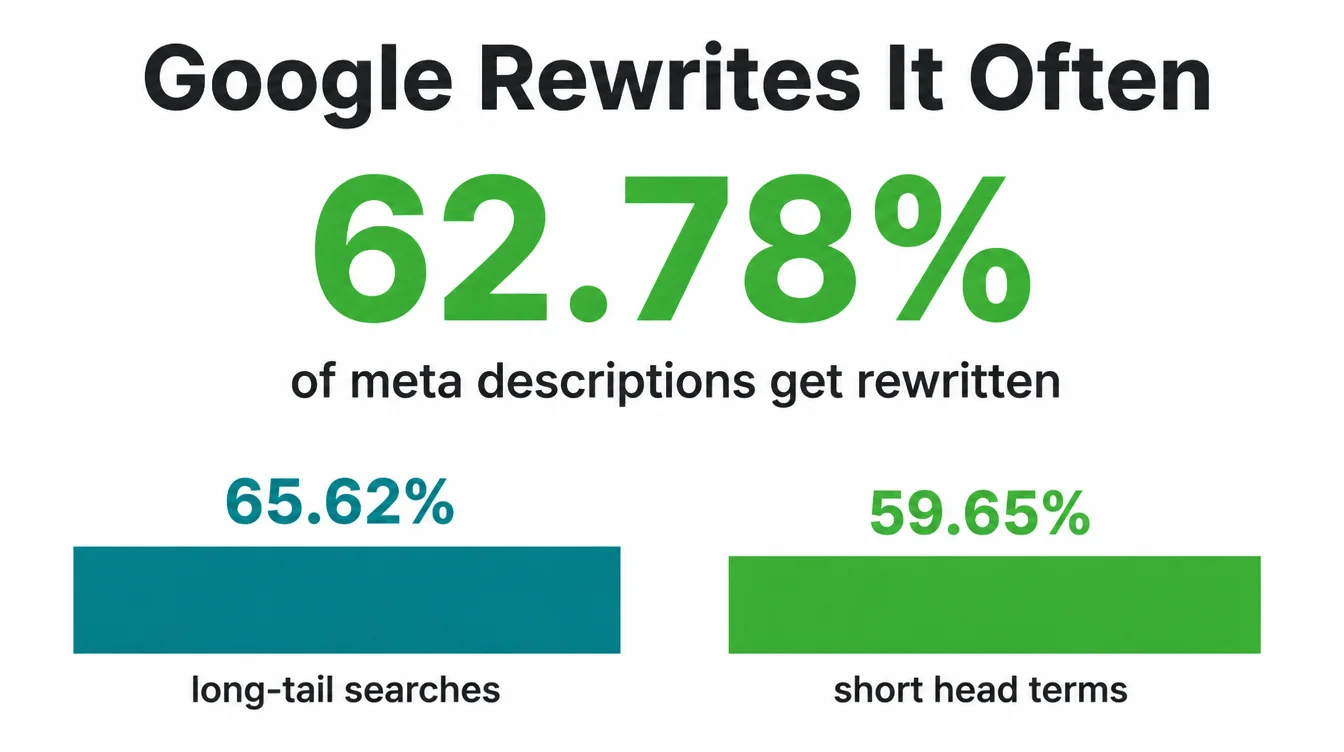
You will write a lovely description, then watch Google show something else entirely. That is normal. An Ahrefs study found Google rewrites meta descriptions 62.78% of the time (Ahrefs).
It happens slightly more for long-tail searches (65.62%) than for short head terms (59.65%), because longer queries are more specific and Google hunts the page for an exact match.
Google explains that it sometimes uses the meta description if it might give users a more accurate description of the page. So the way to make Google keep yours is simple: make it the most accurate, on-topic line for that search.
Answer the query directly, use the words people type, and reflect what the page truly delivers. When your description already matches intent better than any stray sentence on the page, Google has little reason to swap it.
One more comforting fact. Skipping it is not fatal. The same study found 25.02% of top-ranking pages have no meta description at all. Writing one just gives you a better shot at a snippet that sells.
6. A before and after example
Theory is fine, but a comparison makes it click. Imagine a local accountant with a services page. Here is a weak description and a strong one for the same page.
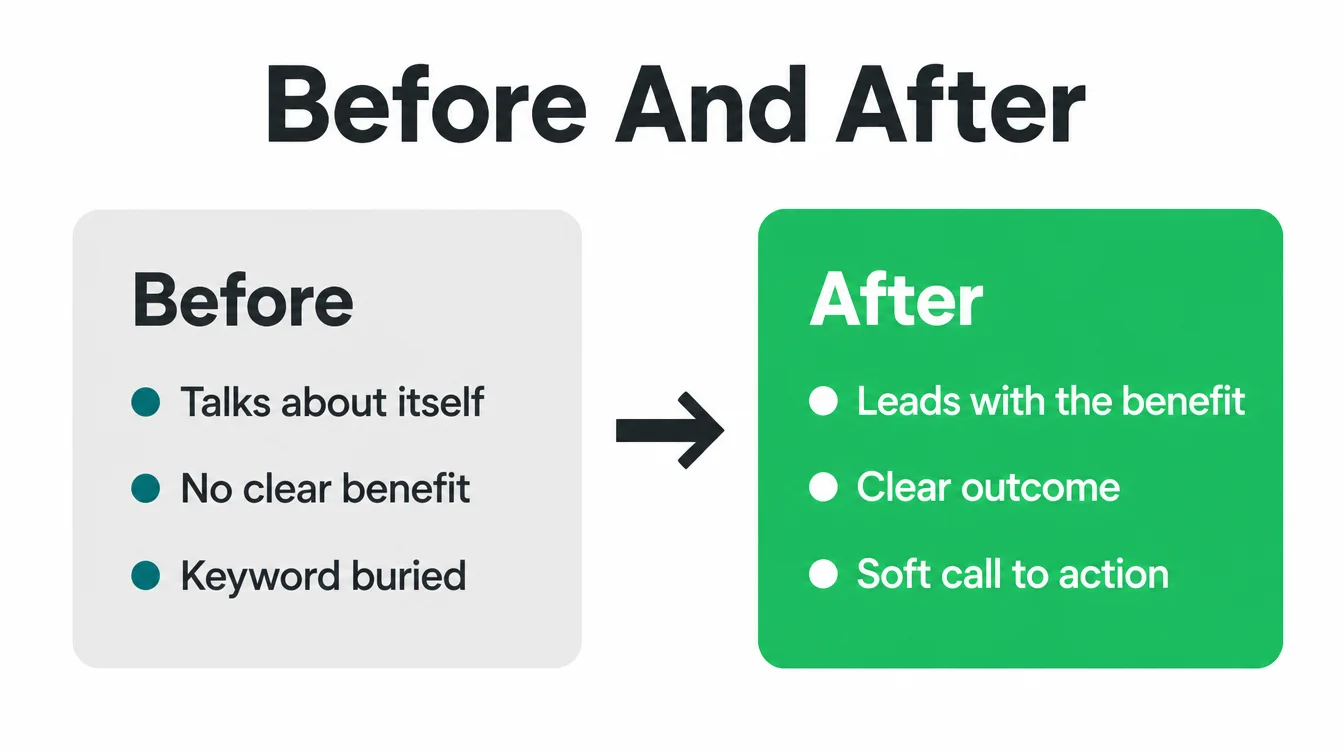
Before: "Welcome to our website. We are an accounting firm offering a wide range of professional accounting and bookkeeping services for various clients and industries."
After: "Stress-free bookkeeping for small businesses. We handle your accounts, tax, and payroll so you can focus on the work you love. Book a free 20-minute call."
Notice the difference. The "before" talks about itself and wastes the opening words. The "after" leads with the benefit, names a clear outcome, drops in a natural keyword, and ends with a soft, specific invite.
It also front-loads, so the message survives if a phone clips the tail. That is the whole method in one line.
7. Where most meta descriptions go wrong
Most weak descriptions fail in the same few ways. The table below sorts the habits to keep from the ones to drop.
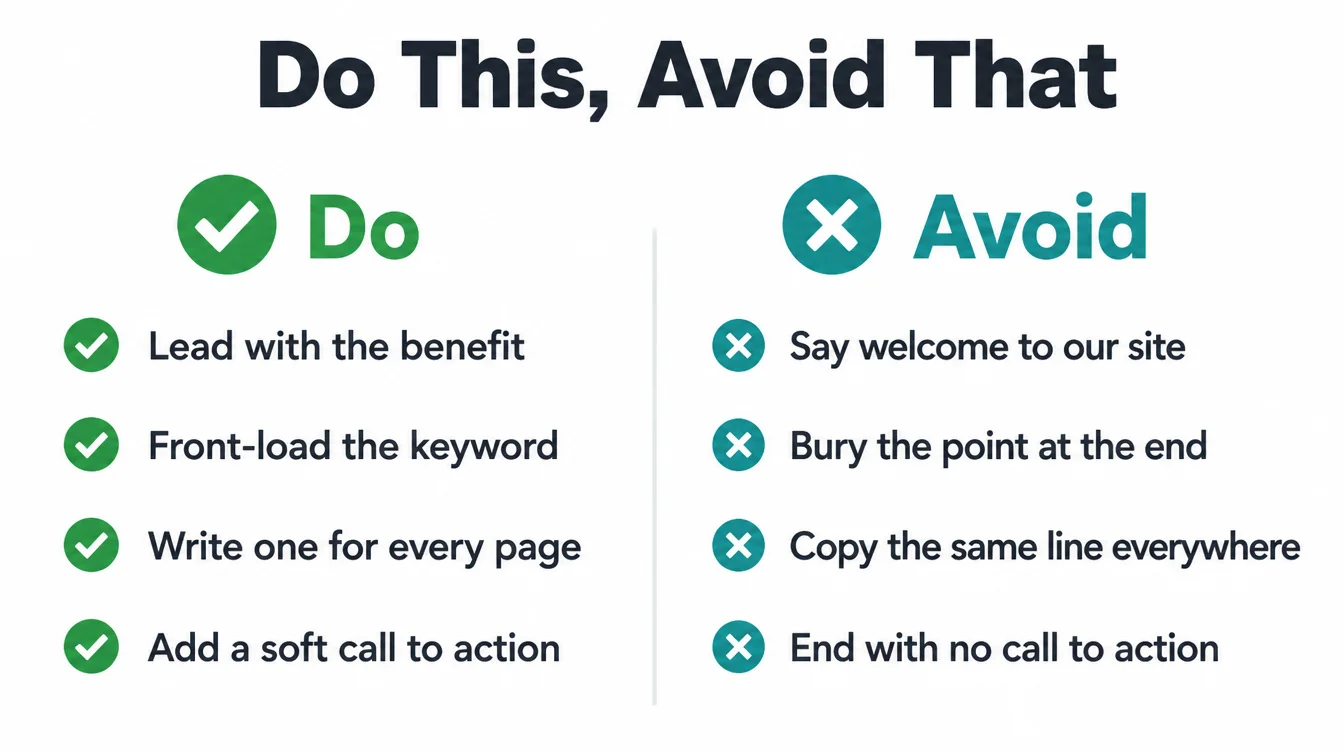
| Do this | Avoid this |
|---|---|
| Lead with the benefit to the reader | Open with "Welcome to our website" |
| Front-load key words in the first 120 characters | Bury the point at the end where mobile clips it |
| Write a unique line for each page | Copy the same description across many pages |
| Use the exact phrase people search for, once | Stuff the keyword in three or four times |
| Match what the searcher actually wants | Summarise the page like a textbook abstract |
| Add a soft, specific call to action | End flat with no reason to click |
To check which of your pages already have descriptions, and how they show in results, use Google Search Console. For more practical guides, browse the Seed Light blog or see our SEO services for small businesses.
Frequently asked questions
1. Does Google use my meta description?
Sometimes. Google says it sometimes uses your meta description if it might give users a more accurate description of the page than text pulled from the page itself. But it often writes its own snippet instead. An Ahrefs study found Google rewrites meta descriptions 62.78% of the time, so treat yours as a strong suggestion, not a guarantee.
2. Is the meta description a ranking factor?
No. Google's John Mueller has confirmed that meta descriptions are not a ranking factor. Writing one will not push you up the results. What it can do is earn the click once you are already on the page, because a clear, tempting snippet makes more people choose your result over the ones around it.
3. How long should a meta description be?
Google says there is no limit on how long a meta description can be, but it truncates the snippet in search results to fit the device width. As a practical rule, aim for roughly 150 to 160 characters and put your most important words in the first 120, since mobile cuts off sooner. If it gets clipped, the front-loaded message still lands.
4. What happens if I do not write a meta description?
Google writes one for you by pulling text from the page that matches the search. That is not a disaster. An Ahrefs study found 25.02% of top-ranking pages have no meta description at all. But the auto-pulled text can be clunky or off-topic, so writing your own gives you a better shot at a snippet that sells the click.
5. Why did Google change my meta description?
Google rewrites snippets when it thinks page text matches the search better than your tag does. This is common, and rewrites are slightly more likely for long-tail queries (65.62%) than for short head terms (59.65%). The fix is to write a description that directly answers the search intent and includes the exact words people type, so Google has less reason to swap it.
6. How do I write a good meta description?
Lead with the benefit, match what the searcher wants, include the keyword naturally, add a soft call to action, and keep each one unique. Write it like a one-line ad for the page, not a summary. Front-load the key words in the first 120 characters so the message survives if mobile truncates the snippet.







