
Website Security Best Practices: Reduce Common Website Risks

Website security needs an SSL certificate, which is free from Let's Encrypt or your host. SSL only encrypts traffic, so pair it with updates, strong passwords, two-factor login, automatic backups, a firewall and fewer admin logins. Outdated software is a common way in: 39.1% of infected sites ran out-of-date software, according to Sucuri. Seed Light covers each layer.
Key takeaways
Short on time? Here are the website security best practices in five lines before we break each one down.
- Yes, you need an SSL certificate. It is free, and Let's Encrypt is a free, automated, and open Certificate Authority issuing ten million certificates a day (Let's Encrypt, 2025).
- SSL is one layer. Outdated software is a common way in: 39.1% of infected sites ran out-of-date software, according to Sucuri.
- Updates matter most. 39.1% of CMS sites were outdated at the point of infection (Sucuri, 2023).
- Turn on two-factor login. It can block over 99.9 percent of account compromise attacks (Microsoft, 2019).
- Back up automatically. A clean backup is the fastest way to recover if the worst happens.
1. Do you need an SSL certificate? Yes, and it is free
Let's clear this up first, because it is the question most owners ask. Yes, you need an SSL certificate. Every website needs one, even a simple five-page site with no shopping cart and no logins. There is no version of a small business website where skipping it is the right call.
Here is the part that surprises people. It is free. Let's Encrypt runs a free, automated, and open Certificate Authority that is frequently issuing ten million certificates per day and is closing in on protecting one billion web sites (Let's Encrypt, 2025).
Most hosting companies install one for you with a single click. So the cost is not money. The cost is simply knowing to switch it on.
If you are building your first site, our guide on how to build a small business website walks through the whole setup, and security is part of it from day one. Our free website health checker reports whether a page is served over HTTPS, along with its speed and SEO basics.
2. What SSL and HTTPS actually do
SSL and HTTPS are the same idea wearing two names. SSL is the certificate. HTTPS is the secure address it gives you, the one with the little padlock. When both are on, the traffic between your visitor and your site is scrambled so nobody in between can read it.
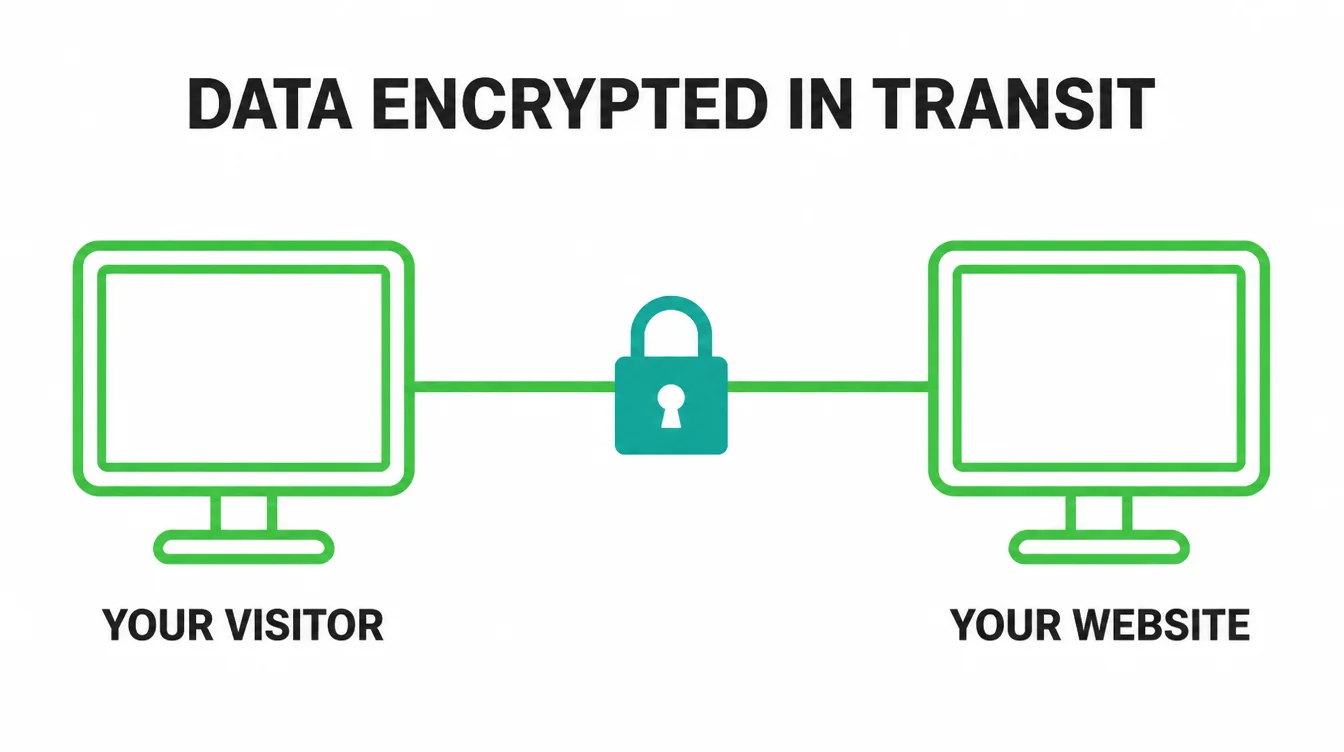
Think of it like sealing a letter instead of sending a postcard. Without HTTPS, anyone who handles your message can read it. With it, the message is locked. That matters most when a customer types something private, like a name and email into your contact form, or card details at checkout.
There is a bonus too. Google confirmed in 2014 that HTTPS is a ranking signal. It is a light one, so it will not rocket you to the top by itself. Still, it is one less thing holding you back, and it pairs nicely with the rest of your SEO basics.
3. The Not Secure warning and why it scares customers
If your site has no SSL certificate, modern browsers flag it. Google Chrome announced that you will see a new Not Secure notification when visiting HTTP pages (Google, Chrome). That little warning sits right next to your web address, in front of every visitor.
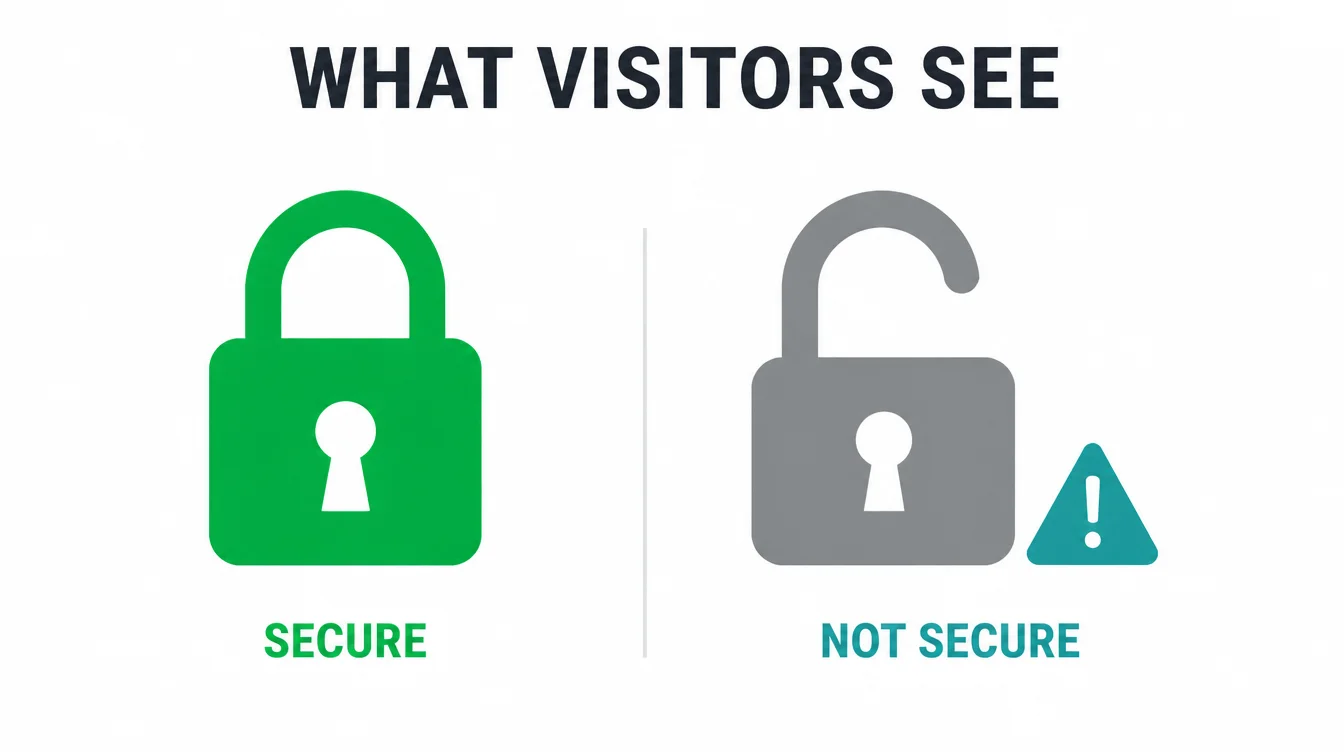
Now picture a customer who found you through a search and lands on a page that says Not Secure. They do not know it just means missing encryption.
To them it reads as broken, dodgy, or unsafe. So they leave, and they may never come back. You lose the sale before your homepage even finishes loading.
That is why this matters even for sites that sell nothing online. The warning does not care whether you take payments. It simply appears, and it quietly chips away at trust on every single visit.
4. SSL is necessary but not enough: the real risk is outdated software
Here is the trap. Many owners add SSL, see the padlock, and assume their site is now safe. It is not. SSL protects data while it travels. It does nothing to protect the software your site is built on. Those are two completely different jobs.
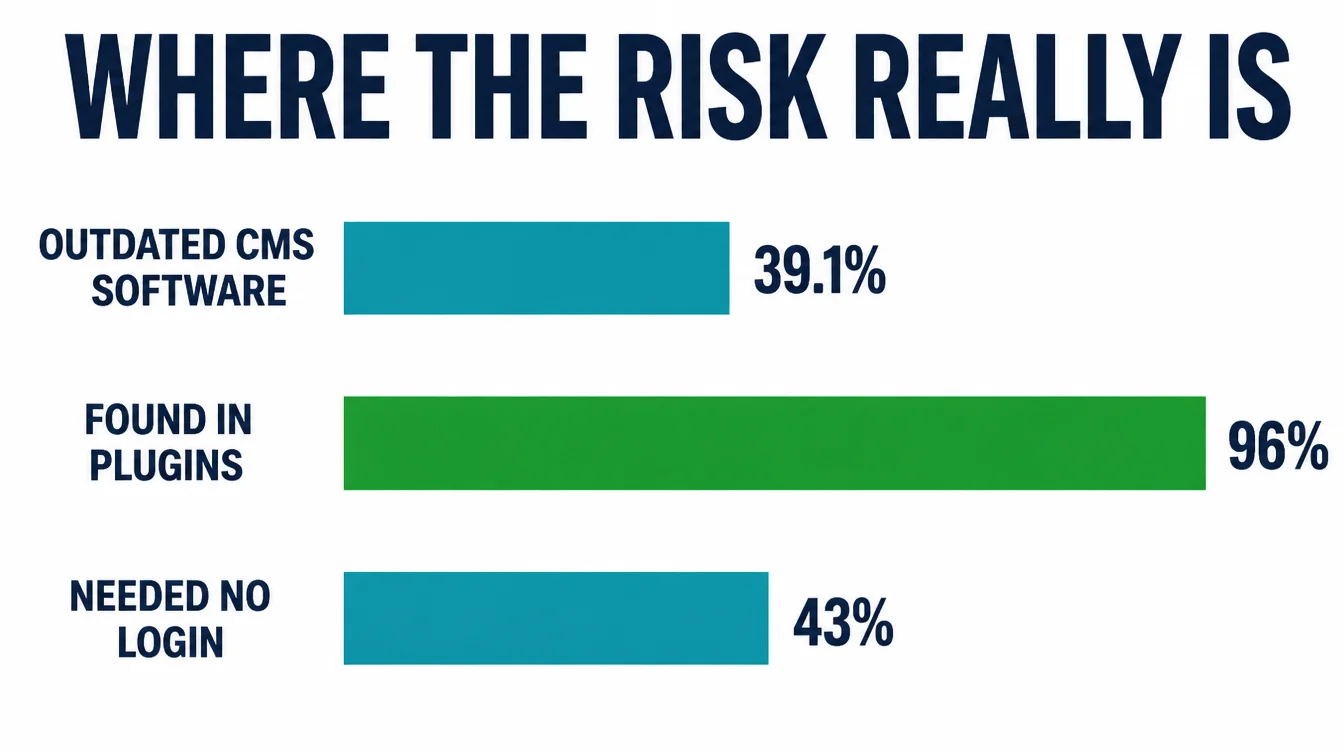
The numbers are blunt. In one large study, 39.1% of CMS applications were outdated at the point of infection (Sucuri, 2023). And most of the weak spots sit in add-ons, not the core.
Researchers found that 96% of the vulnerabilities were uncovered in plugins, and 4% were found in themes (Patchstack, 2025). Worse, 43% of new vulnerabilities found in 2024 did not require any authentication to be exploited, meaning an attacker does not even need to log in.
This is not a niche problem either. According to one report, the exploitation of vulnerabilities as an initial point of entry almost tripled, accounting for 14% of all breaches (Verizon, 2024).
In plain terms, unpatched software is how the bad guys get in, so updates do more for your safety than the padlock ever will.
5. The security basics every small business needs
You do not need to be a developer to be safe. Six habits cover almost every small business website. Work through them once, set them to run on their own, and you have closed most of the doors attackers use.
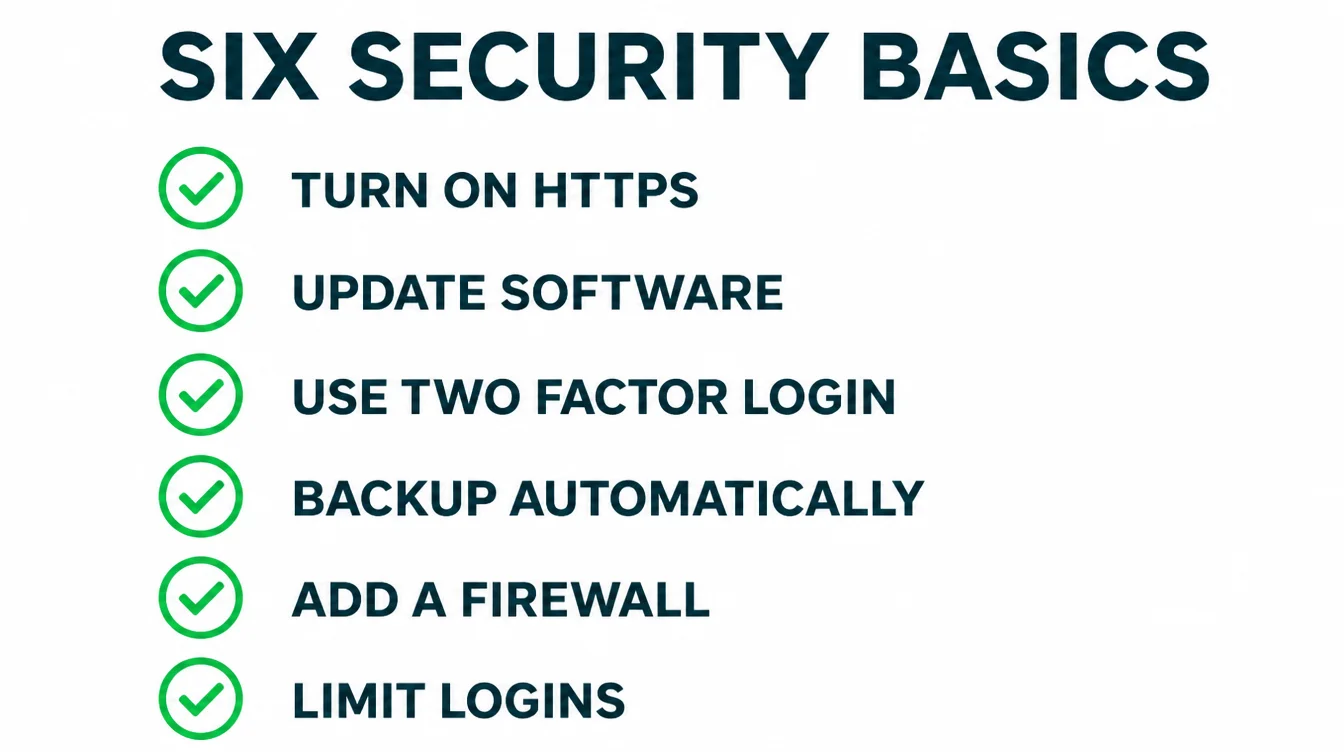
1. Turn on HTTPS
Install a free SSL certificate and make sure every page loads over HTTPS. Most hosts do this in one click. After that, force HTTP visitors to the secure version so nobody ever lands on the unprotected one.
2. Keep your software updated
Update your core software, plugins and themes as updates arrive. Outdated software is a common way in: 39.1% of infected sites ran out-of-date software, according to Sucuri. Turn on automatic updates where you can, and check the rest weekly.
3. Use strong passwords and two-factor login
Pick long, unique passwords and never reuse them. Then turn on two-factor login, which asks for a code from your phone after your password. It is the highest-value minute you will spend, because MFA can block over 99.9 percent of account compromise attacks (Microsoft, 2019).
4. Take automatic backups
Set your site to back up on a schedule, and store copies somewhere off the server. A clean backup turns a disaster into an inconvenience, because you can roll back to yesterday instead of rebuilding from scratch.
5. Add a security plugin or firewall
A security plugin or web firewall blocks common attacks before they reach your site and warns you when something looks off. For most small sites, a well-reviewed free plugin is plenty to start.
6. Limit who can log in
Only give admin access to people who truly need it, and remove old accounts when staff or freelancers move on. Fewer logins means fewer ways in, so keep the list short and tidy.
| Basic | Why it matters | How often |
|---|---|---|
| HTTPS / SSL | Encrypts traffic and removes the Not Secure warning | Set once, renews automatically |
| Software updates | Closes the holes most attackers use to get in | Weekly, or automatic |
| Strong passwords and 2FA | Stops a stolen password from becoming a break-in | Set once, review yearly |
| Automatic backups | Lets you restore a clean site fast | Daily or weekly |
| Security plugin or firewall | Blocks common attacks and alerts you early | Set once, monitor |
| Limit logins | Fewer accounts means fewer ways in | Review quarterly |
Want this run for you on a schedule? It is exactly what a good website maintenance routine covers, month after month.
6. How to check if your site already has SSL
This part takes ten seconds. Open your website in a browser and look at the address bar. If you see a padlock and your address starts with https, you are covered. If you see Not Secure or your address starts with http, you are not.
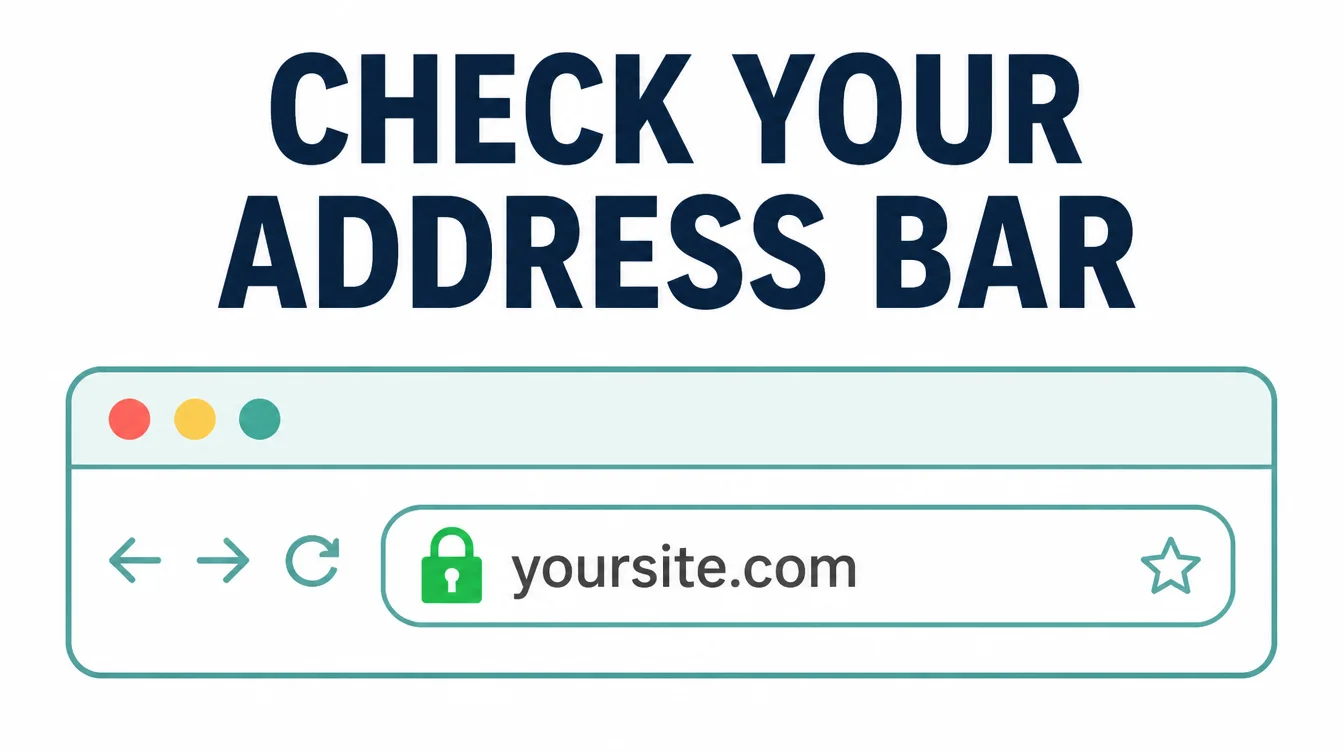
One more thing to watch. Some sites have a certificate but still load a few old images or links over plain HTTP, which is called mixed content and can trip the warning.
If your padlock looks broken even though SSL is on, that is usually why. A quick fix is to make every link and image on the site use the secure address.
While you are checking, make sure the secure site still looks right on a phone, since about half of web traffic is mobile. Our guide on making a website mobile friendly covers that side.
7. What to do if your site gets hacked
First, do not panic. It happens to careful people too, and it is usually fixable. Move fast, though, because the longer a hacked site stays live, the more damage it does to your visitors and your search rankings.
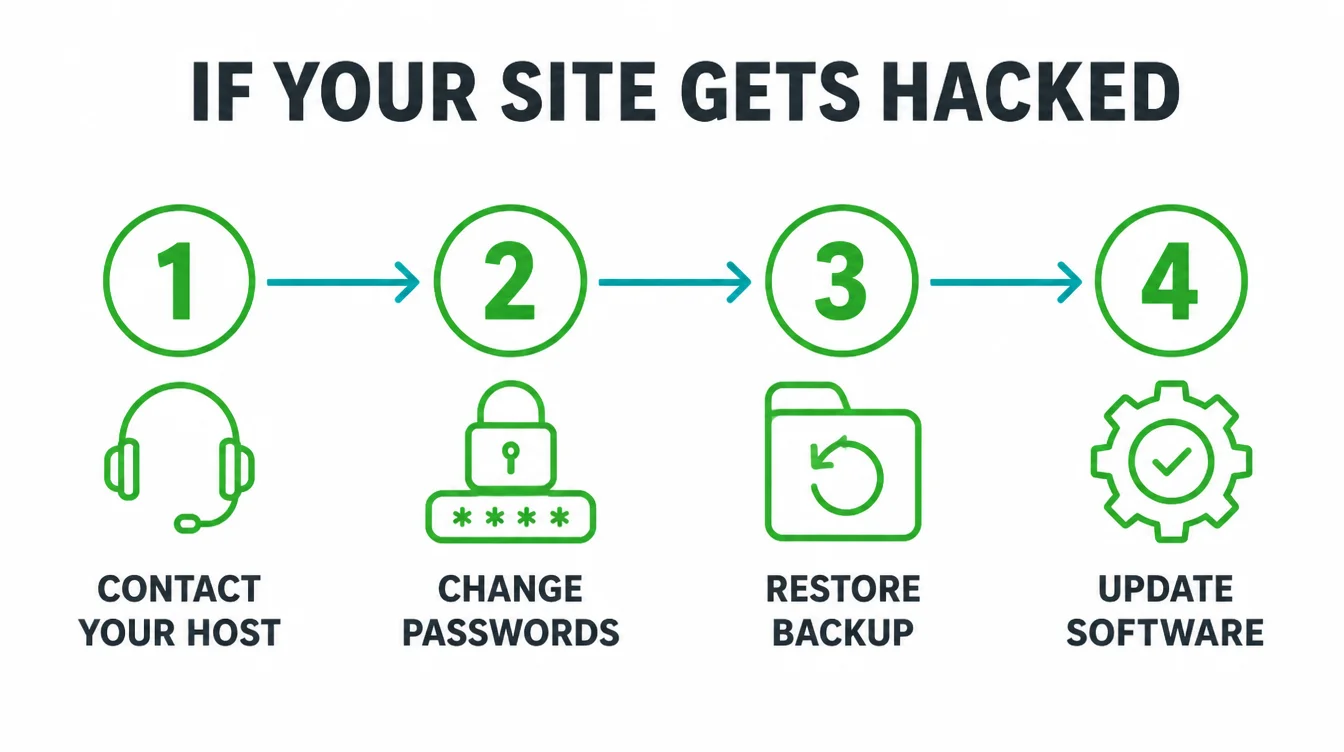
Start by contacting your hosting company, since they often spot and clean infections quickly. Next, change every password, including hosting, admin, and email, and turn on two-factor login if it was off. Then restore from a clean backup taken before the hack, which is why those automatic backups are worth so much.
After the site is clean, find the door they came in. Usually it is an outdated plugin or theme, so update everything and remove anything you do not use.
If this feels out of your depth, that is normal, and it is the kind of thing we handle through our web design and care services. You can also browse more guides on the Seed Light blog.
Frequently asked questions
1. Do I need an SSL certificate?
Yes. Every website needs an SSL certificate, even a simple brochure site with no shopping cart. Without one, browsers show a Not Secure warning that scares visitors away, and your site loses a small ranking edge in Google. An SSL certificate switches your address from HTTP to HTTPS and encrypts the traffic between your site and your visitors. The good news is that it is free and usually already included with your hosting.
2. Is an SSL certificate free?
Yes. You do not need to pay for an SSL certificate. Let's Encrypt is a free, automated, and open Certificate Authority that issues millions of certificates every day, and most hosting companies install one for you with one click. Paid certificates exist for large companies that want extra warranty or branding, but a small business website is fully protected by a free certificate.
3. What does the Not Secure warning mean?
The Not Secure warning means your page is loading over plain HTTP with no encryption. Google Chrome started showing this notification on HTTP pages so visitors know their connection is not protected. It does not mean you have been hacked. It means data sent to your site, like a contact form, could be read by someone in between. The fix is to add an SSL certificate so your site loads over HTTPS.
4. Does HTTPS help SEO?
Yes, a little. Google confirmed in 2014 that HTTPS is a ranking signal. It is a light signal, so it will not push a page to the top on its own. More importantly, HTTPS protects data in transit and removes the Not Secure warning, giving visitors a clear browser security indicator.
5. Does SSL stop my site getting hacked?
No. This is the biggest myth in website security. SSL encrypts data while it travels between your site and your visitors, but it does nothing to protect the software your site runs on. Most sites get hacked through outdated plugins, themes, and core software, not through a missing certificate. You need SSL plus updates, strong passwords, and backups to actually stay safe.
6. What are the most important website security basics?
Website security basics cover six jobs: HTTPS, software updates, strong unique passwords with two-factor login, restorable automatic backups, a security plugin or firewall, and limited login access. Updates matter since outdated software is a common way in: 39.1% of infected sites ran out-of-date software, according to Sucuri. Backups provide a recovery path if prevention fails.







