
Title Tag SEO: Write Search Titles That Earn More Clicks

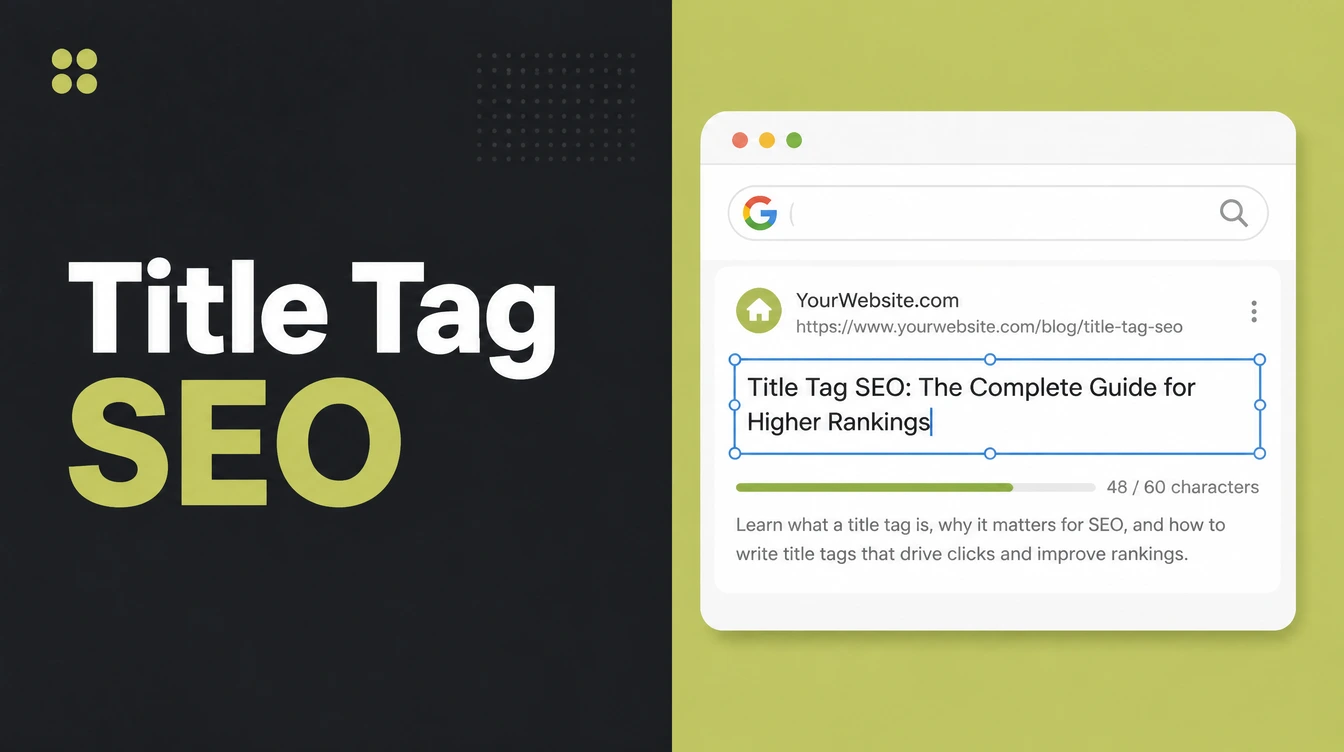
A title tag is the HTML that names a page and shows as the clickable headline in search results. Keep it around 50 to 60 characters, put the main keyword near the front, and end with your brand. Seed Light writes one unique title per page so Google has no reason to rewrite it.
Key takeaways
- Length wins clicks. Titles between 40 and 60 characters get the highest click rate, about 8.9% better than titles outside that range (Backlinko, 2022). Aim for roughly 50 to 60.
- Front-load the keyword. Put your main term near the start so it shows even if the end gets trimmed.
- One title per page. Every page needs its own unique, descriptive title. No duplicates, no "Home".
- Brand goes last. Lead with the keyword and benefit, add your brand after a separator.
- Google may rewrite it. Vague, stuffed, or too-long titles get swapped. Clear titles stay yours.
1. What is a title tag?
A title tag is the piece of HTML that names your page, and it is the heart of title tag SEO. In code it looks like <title>Your page name here</title>. You see it in two places: the clickable blue headline in Google search results, and the small text on your browser tab.
It is not the same as your H1, the big heading on the page itself. Think of the title tag as the cover of the book and the page as the story inside.
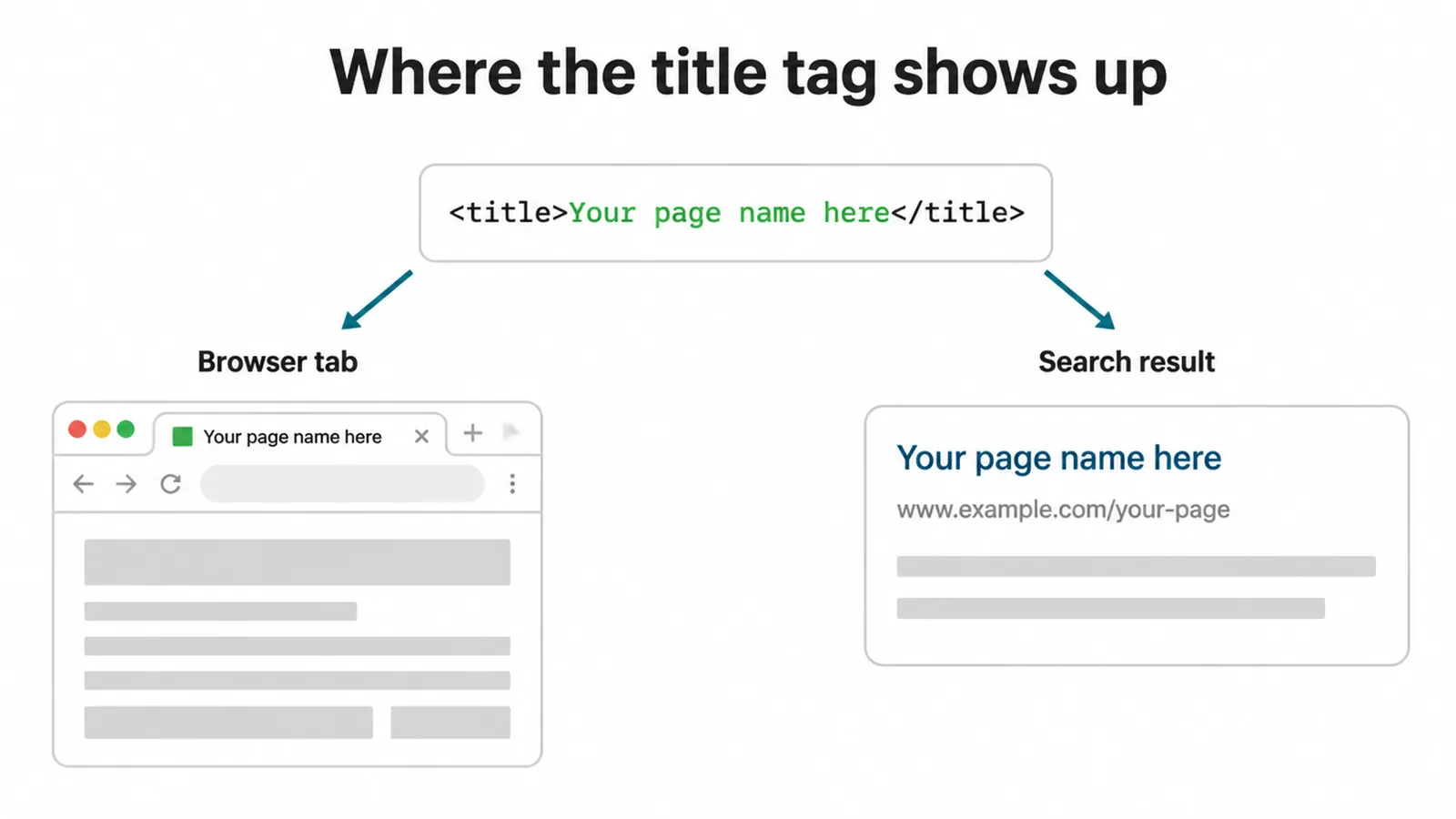
Every page on your site should have its own title tag. It is one of the easiest on-page wins because you fully control it. If you want the full list of on-page basics, our on-page SEO checklist walks through them in order.
2. How long should a title tag be?
For good title tag SEO, aim for around 50 to 60 characters. Google does not chop your title at a fixed character count.
It chops at a pixel width, roughly 600 pixels, so a title full of wide letters gets cut sooner than one with narrow ones. That is why a hard character rule is only a rough guide.
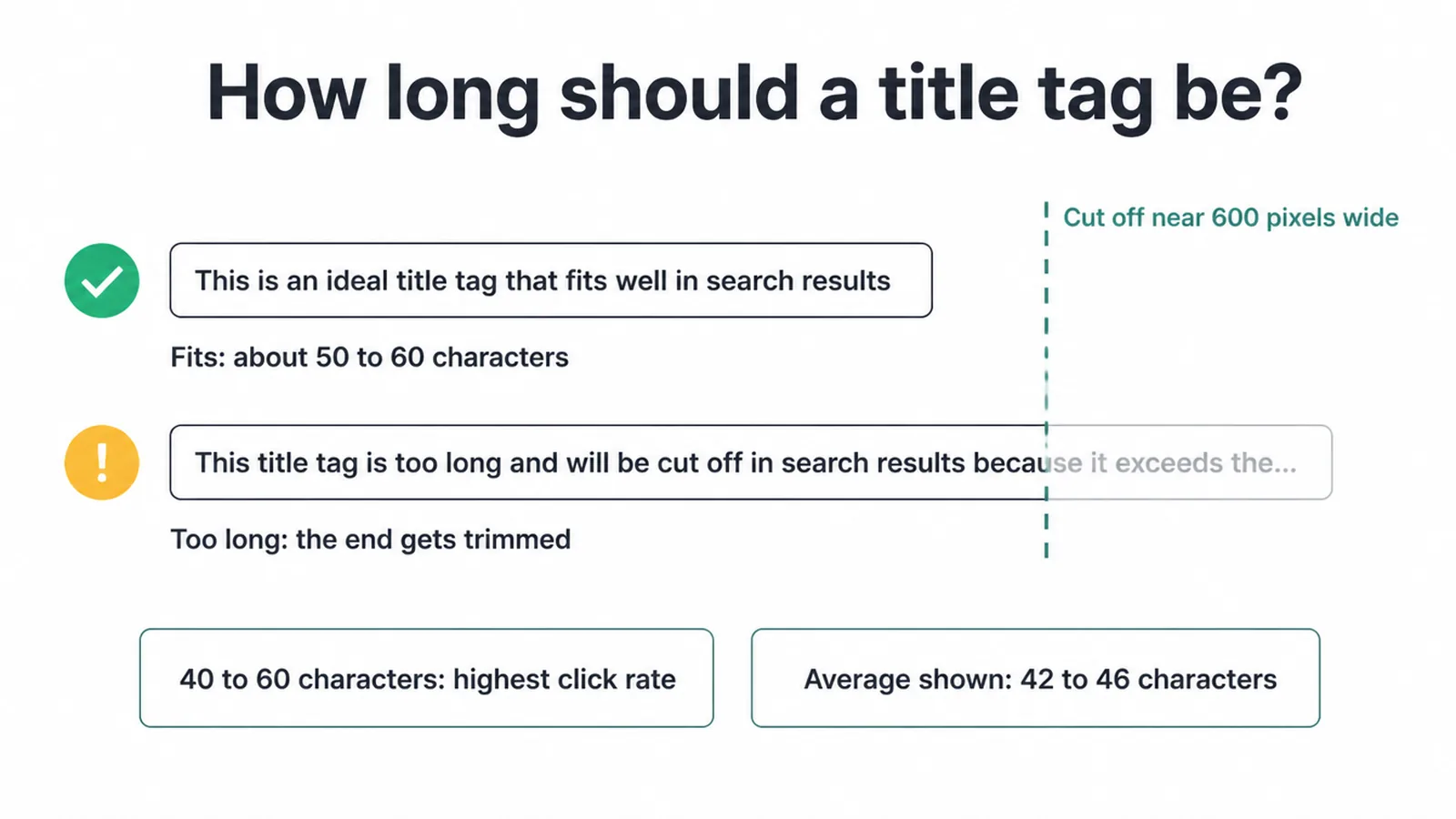
Two data points help here. Titles between 40 and 60 characters have the highest average click rate (Backlinko, 2022). And across 10,000 real search titles, the average displayed length was 42 to 46 characters at every position (Search Engine Land, 2025).
Google's Gary Illyes even called a fixed title length "an externally made-up metric". So do not obsess over hitting exactly 60. Write something clear, keep the key words near the front, and you will be fine.
3. Where should you put your keyword?
Put your main keyword near the front of the title, the single most repeated rule in title tag SEO. Front-loading does two jobs. It keeps the keyword visible even if the end gets trimmed, and it matches how people scan results fast. The first word or two carries the most weight with readers.
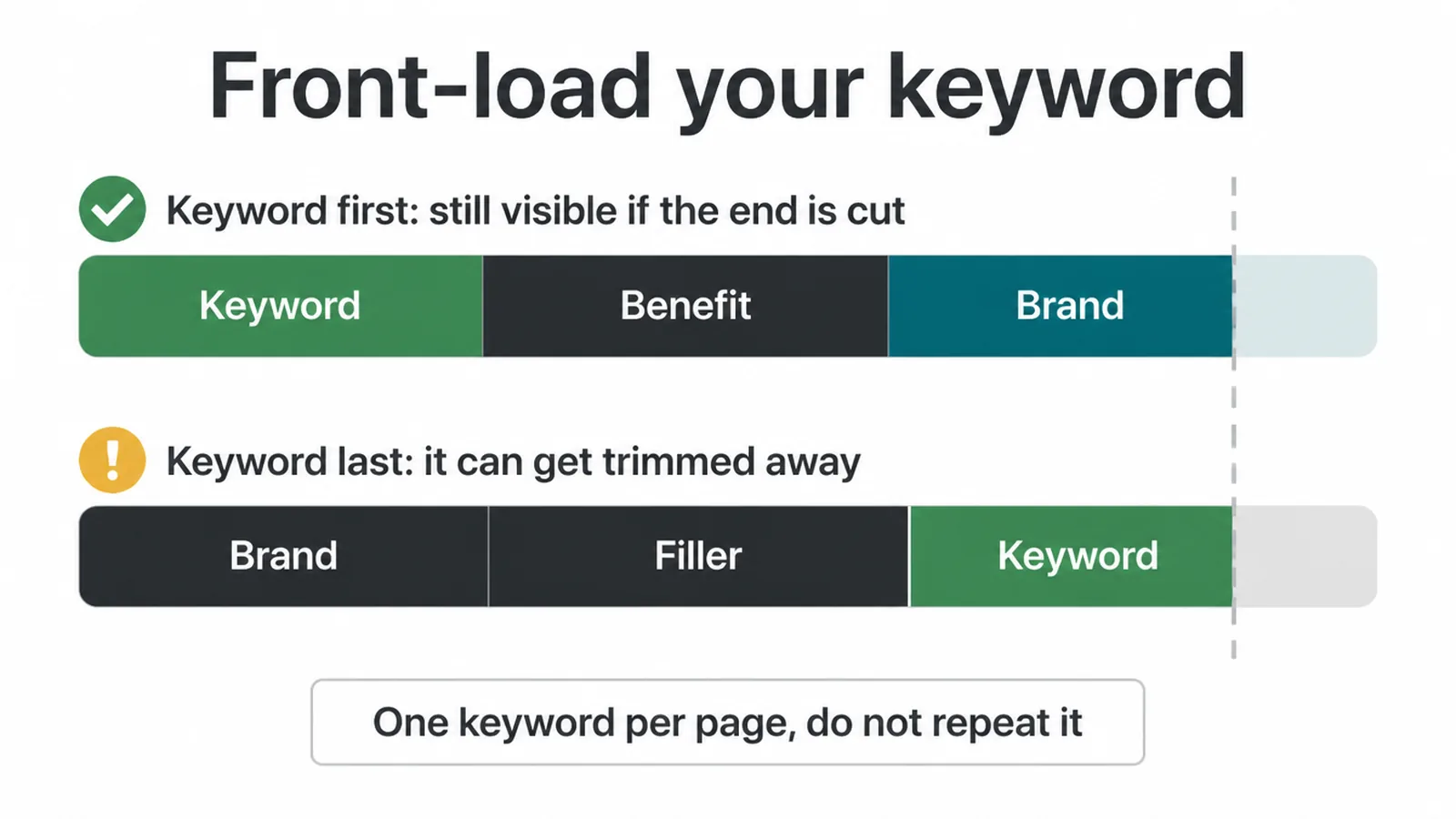
Use one primary keyword per page and do not repeat it. Google's own title best practices say to keep titles descriptive and concise, unique per page, and to avoid keyword stuffing and vague labels like "Home".
Stuffing the same term three times looks spammy and can trigger a rewrite. If you are still picking which keyword belongs on each page, our guide on how to rank higher on Google covers the basics.
4. How do you write a title people actually click?
Good title tag SEO is about earning the click once you rank. Match what the searcher wants, lead with a clear benefit or a number, and keep it honest. Clickbait that does not match the page just sends people straight back to Google, which hurts you.
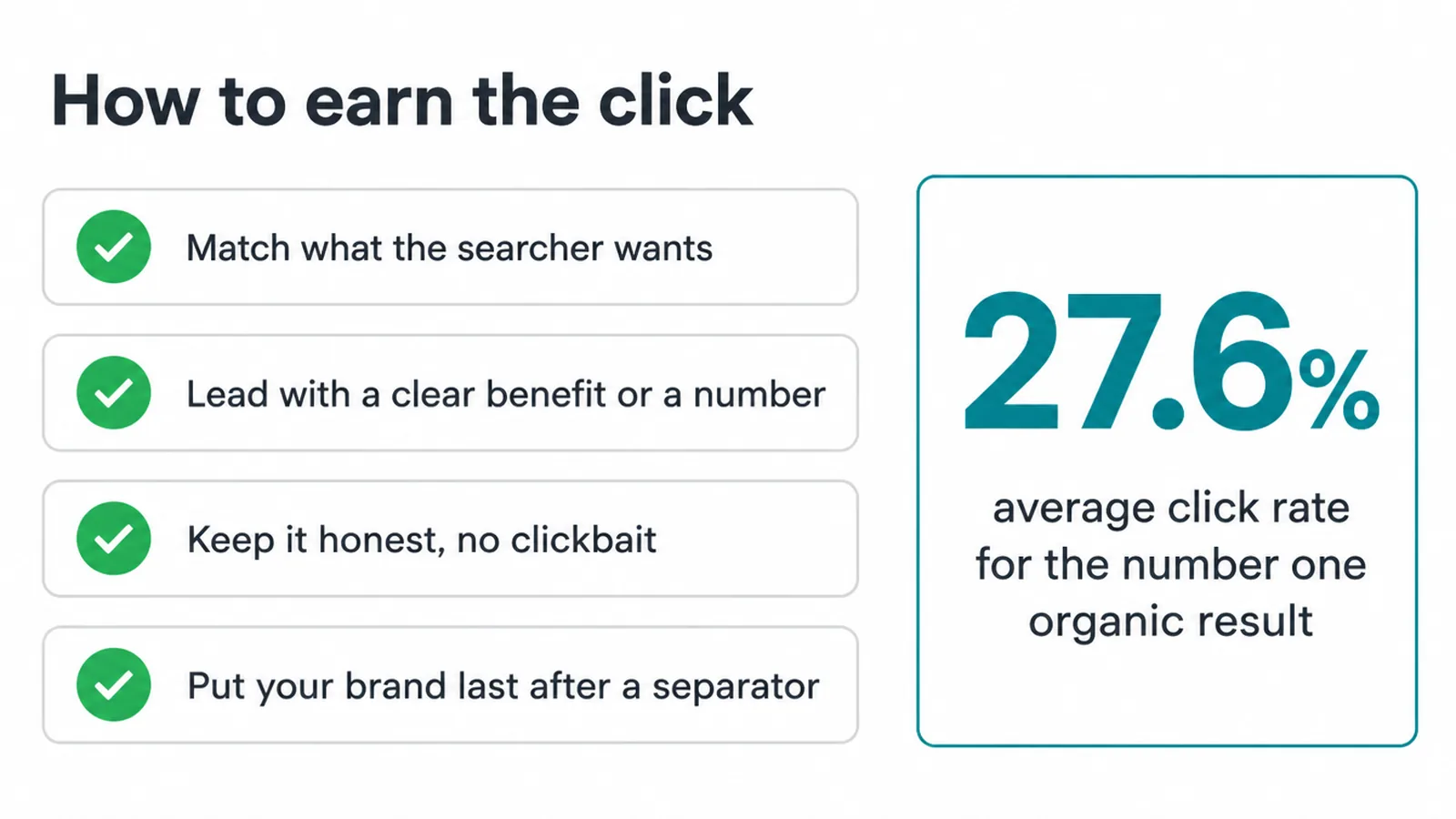
The reward for a strong title is huge. The number one organic result gets an average click rate of 27.6% (Backlinko). That means about one in four searchers clicks the top result, so a sharper title at position three or four can claw back clicks you are otherwise losing.
Put your brand at the end after a separator, like a pipe or a dash, so the topic leads and the brand follows. Pair the title with a strong description too. Our guide on writing meta descriptions shows how the two work together in a result.
5. Title tag vs H1: what is the difference?
People mix these up all the time, so here is the clean split. The title tag is for search and the browser tab. It is what people read before they click.
The H1 is the big heading at the top of the page, for the reader who already arrived. One sells the click, the other welcomes the visitor.
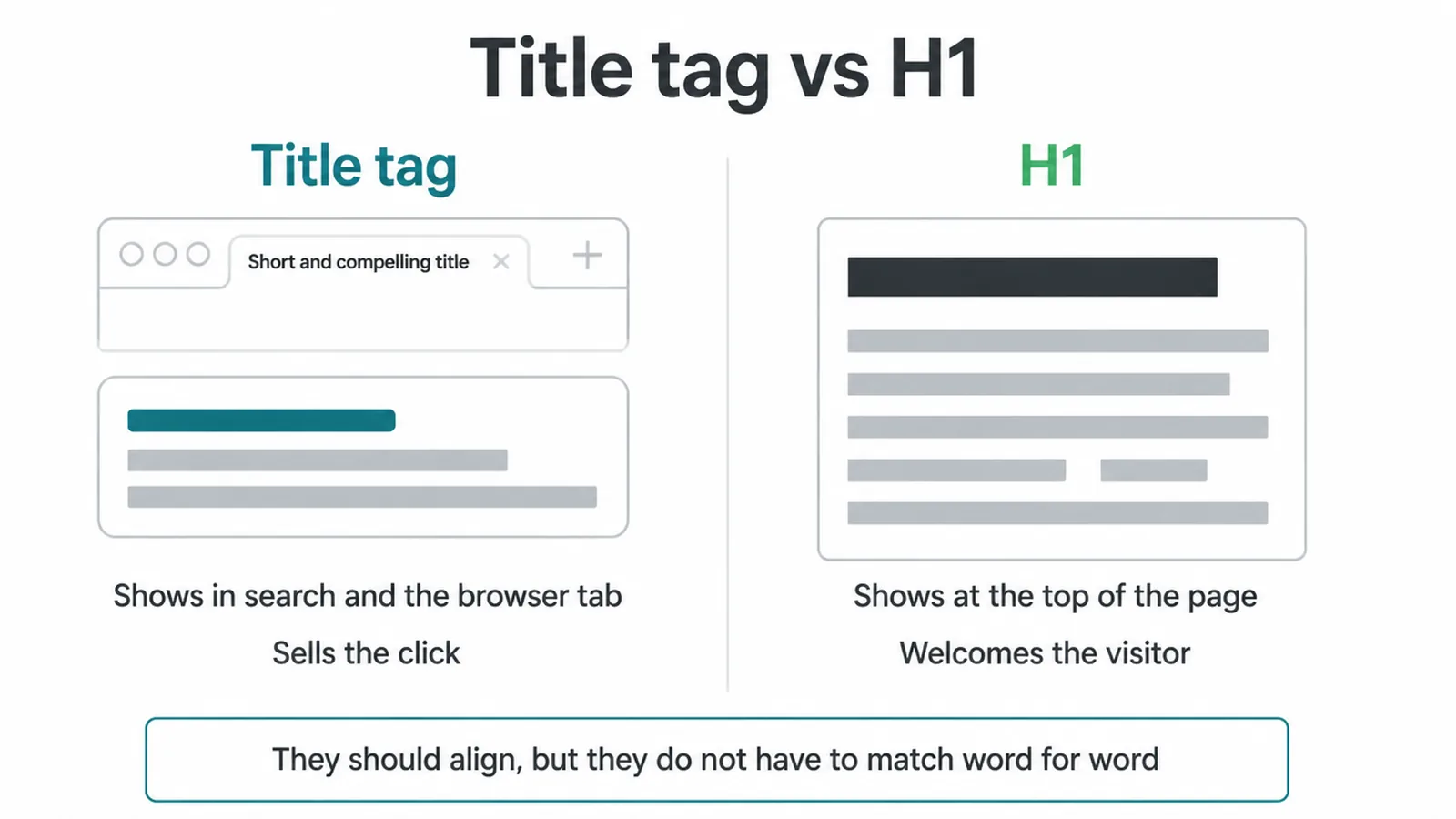
They should align, but they do not need to be identical. Your title can be tighter and more keyword-led for search. Your H1 can be a touch friendlier and longer for the human reading the page.
If both say roughly the same thing, you keep the search engine and the reader on the same page. Same idea, two jobs.
6. Why does Google rewrite my title?
Sometimes you write one title and Google shows a different one. This is normal and a core part of understanding title tag SEO.
When Google spots a problem with your title, it may build its own title link "from anchors, on-page text, or other sources", per Google Search Central. The triggers are usually a title that is too long, stuffed with keywords, too vague, or repeated as boilerplate across many pages.
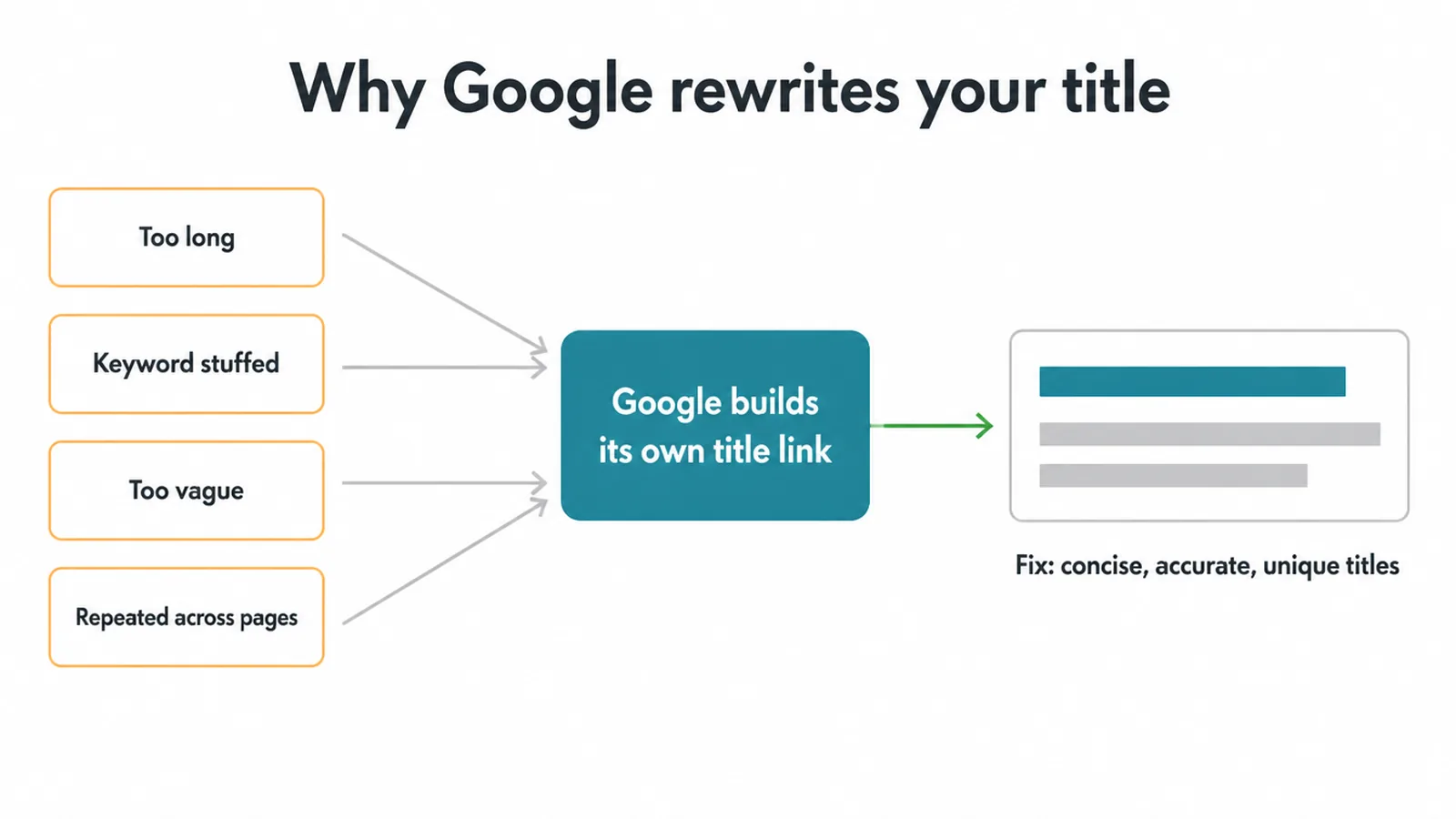
The good news: you cannot force Google to use your exact title 100% of the time, but Google still uses your written title the large majority of the time. So the title you write matters.
The fix for rewrites is simple. Make each title concise, accurate, and unique, and match it to the real content on the page. Do that and Google has no reason to swap it.
7. Good vs bad title tags
The fastest way to learn title tag SEO is to see weak titles next to fixed ones. Here are common mistakes, why each one fails, and a better version you can model.
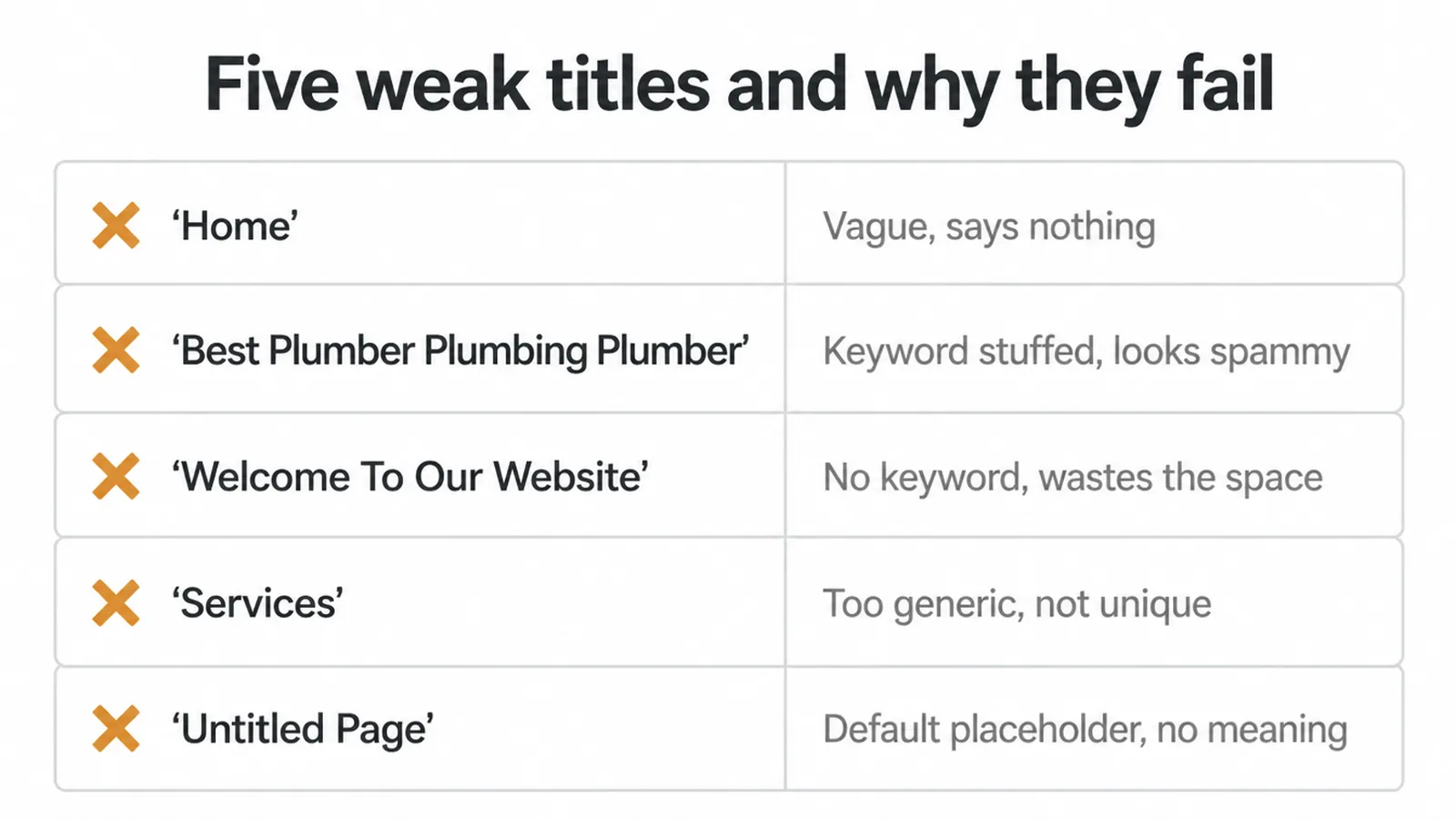
| Bad title | Why it fails | Better title |
|---|---|---|
| Home | Vague, says nothing, identical across sites | Bakery in George Town | Fresh Bread Daily |
| Best Plumber Plumbing Plumber Near Me Plumbing | Keyword stuffed, looks spammy, likely rewritten | Emergency Plumber in Penang | Fast Callouts |
| Welcome To Our Website We Are Glad You Are Here | No keyword, too long, wastes the space | Custom Web Design for Small Business |
| Services | Too generic, same as a hundred other pages | SEO Services That Get You Found on Google |
| Untitled Page | Default placeholder, zero meaning to Google | About Seed Light | Web Design and Marketing |
8. A simple formula you can reuse
You do not need to be a copywriter to do title tag SEO well. Use a formula and tweak it per page. Start with: Primary Keyword + Benefit | Brand.
The keyword goes first so it shows and ranks. The benefit gives people a reason to click. The brand sits at the end so it never crowds out the topic.
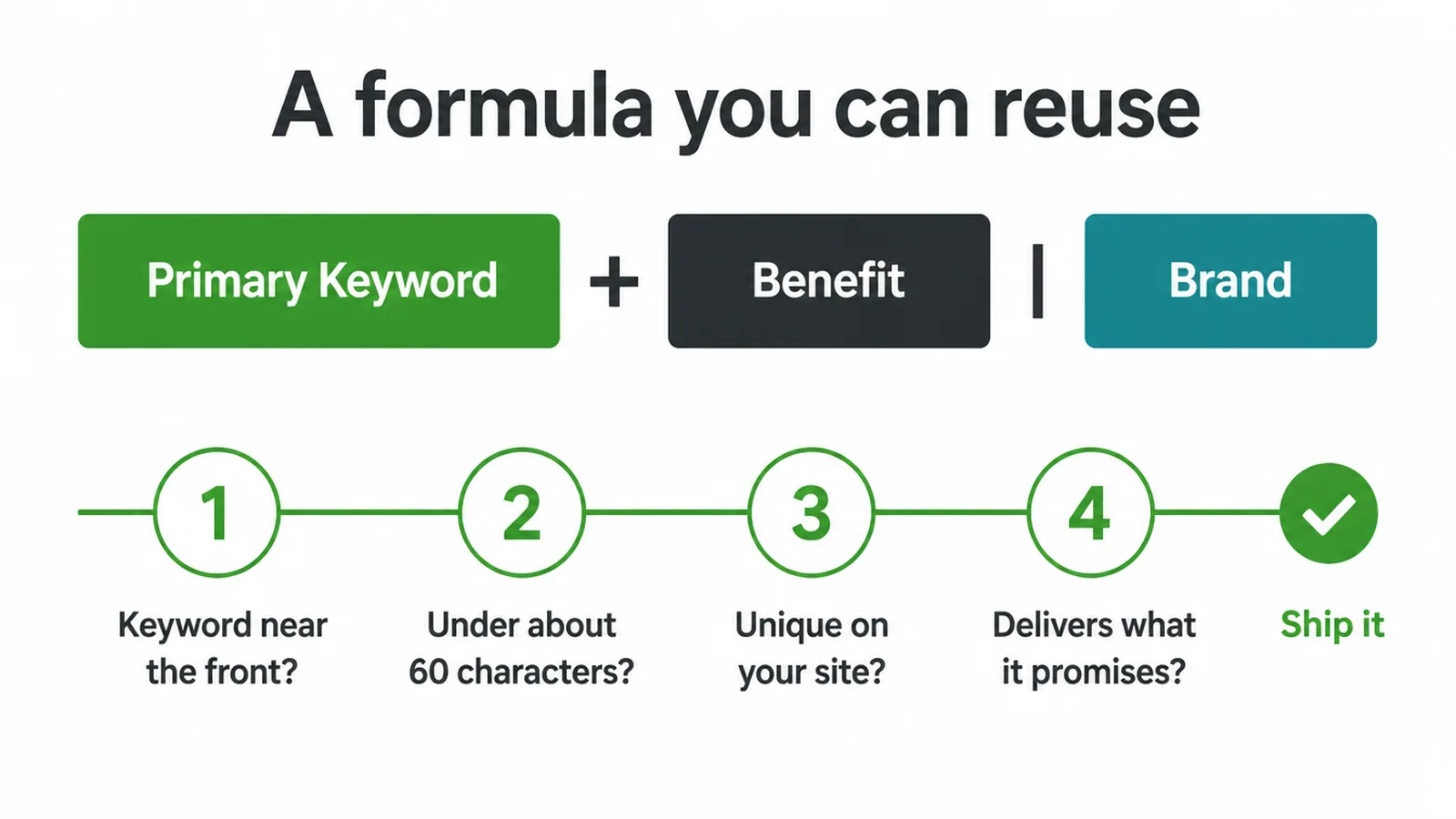
Run every page through the same quick check. Is the keyword near the front? Is it under about 60 characters? Is it unique on your site? Does it promise what the page delivers? If all four are yes, ship it.
If your titles are a mess across dozens of pages, that is exactly the kind of cleanup our SEO services handle, and you can always tell us what you are stuck on and we will point you the right way.
Frequently asked questions
1. What is a title tag?
A title tag is a small piece of HTML code that sets the name of a page. It is the clickable blue headline you see in Google search results, and the text that shows on your browser tab. Each page on your site has its own title tag.
2. How long should a title tag be?
Aim for around 50 to 60 characters. Google does not cut titles at a fixed character count. It cuts them at a pixel width, roughly 600 pixels. The safe move is to keep the important words near the front so they show even if the end gets trimmed.
3. Does the title tag affect SEO?
Yes. The title tag helps Google understand what your page is about, and it is the headline people read before deciding to click. A clear, accurate title can earn more clicks from the same ranking, which makes it one of the most useful on-page elements you control.
4. Why does Google change my title?
Google may swap your title when it is too long, stuffed with keywords, too vague, or repeated across many pages. When that happens Google builds its own title link from your headings, page text, or other sources. The fix is to write a concise, accurate, unique title for each page.
5. What is the difference between a title tag and an H1?
The title tag is the headline in search results and the browser tab. The H1 is the big heading at the top of the page itself, for people who already arrived. They should say close to the same thing, but they do not have to be identical word for word.
6. Where should I put the keyword in a title tag?
Put your main keyword near the front of the title. Front-loading helps the keyword show even if the end gets trimmed, and it matches what people scan for. Use one primary keyword per page and do not repeat it. Stuffing the same word many times can make Google rewrite your title.
7. Should every page have its own title tag?
Yes. Every page needs a unique title that describes that page. Duplicate or boilerplate titles like Home or Untitled confuse Google and waste a chance to win clicks. If two pages share a title, both pages get harder to tell apart in search.
8. Should I add my brand name to the title tag?
Usually yes, but put it at the end after a separator like a pipe or a dash. Lead with the keyword and the benefit, then add your brand. On your homepage your brand can come first. On deeper pages the topic matters more than the brand, so keep the brand last.







