Meta Robots Tag: Control Indexing, Following and Snippets

The meta robots tag is a line in a page's head telling search engines how to treat that one page, most often noindex to keep it out of results. The page has to stay crawlable for the rule to be read. Files use the X-Robots-Tag header instead. Seed Light sorts indexing rules for small business sites.
Key takeaways
- It controls one page. The meta robots tag tells search engines how to treat the single page it sits on, not the rest of your site.
- The page must be crawlable to be read. Google says that "if a page is disallowed from crawling through the robots.txt file, then any information about indexing or serving rules will not be found and will therefore be ignored" (Google Search Central).
- noindex keeps a page out. Google describes noindex as "do not show this page, media, or resource in search results" (Google Search Central).
- Files use a header instead. For PDFs and images there is no head, so the same rule is sent as an HTTP header called X-Robots-Tag.
- noarchive is gone. Google retired the noarchive rule in 2024 (Search Engine Journal).
1. What a meta robots tag is
A meta robots tag is a small line of code in your page's head that tells search engines what to do with that one page. It has two parts: a name and the rules. The name says who the rule is for, and the content holds the rules themselves. A basic one looks like this:
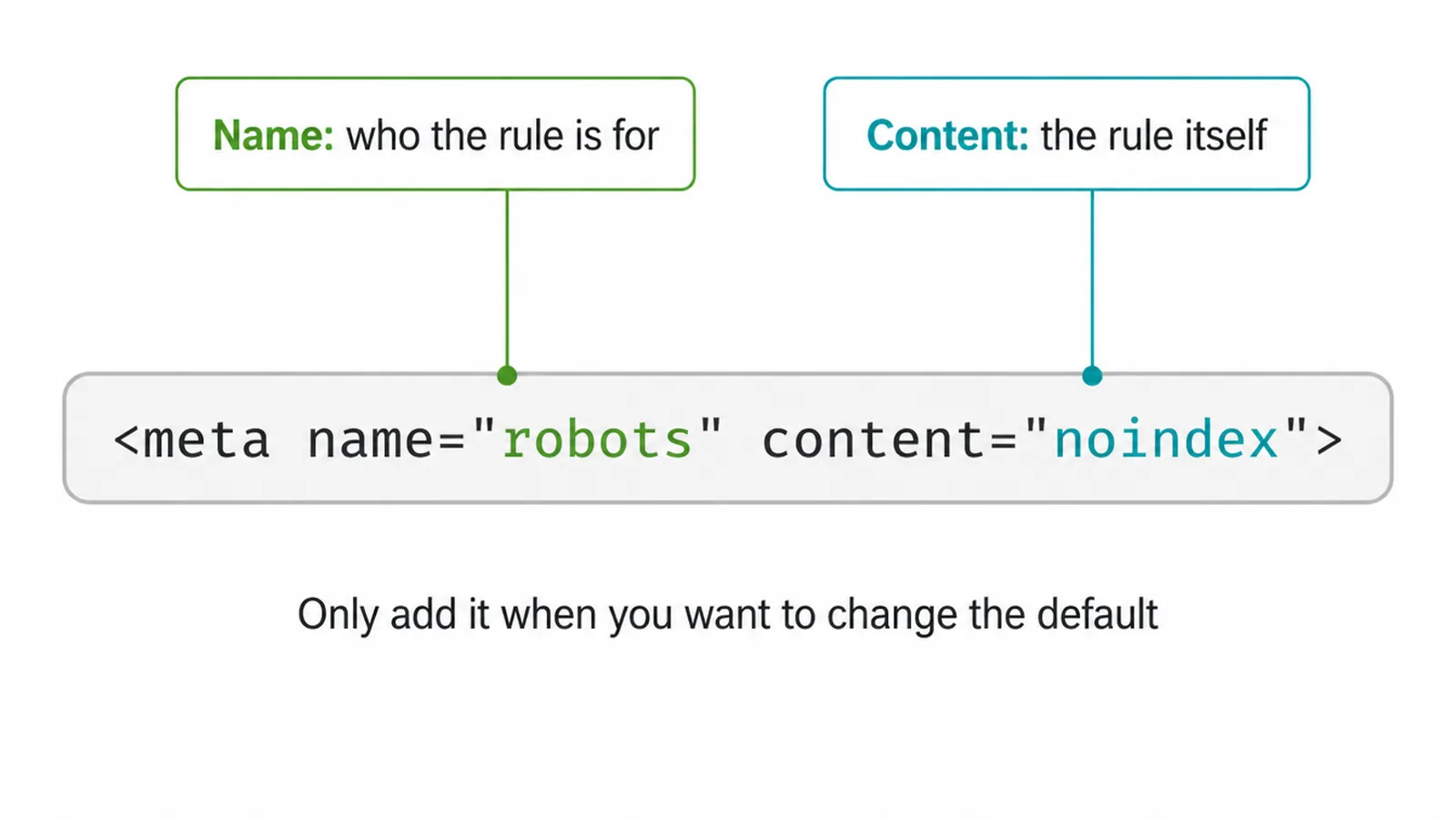
<meta name="robots" content="noindex">
You only add the tag when you want to change the default. By default search engines will index a page and follow its links, and you do not need to write that out.
So you only reach for the tag when you want to do something different, like hide a page. If you want to speak to just one search engine, swap the name. For example <meta name="googlebot" content="noindex"> talks to Google only.
2. The main directives
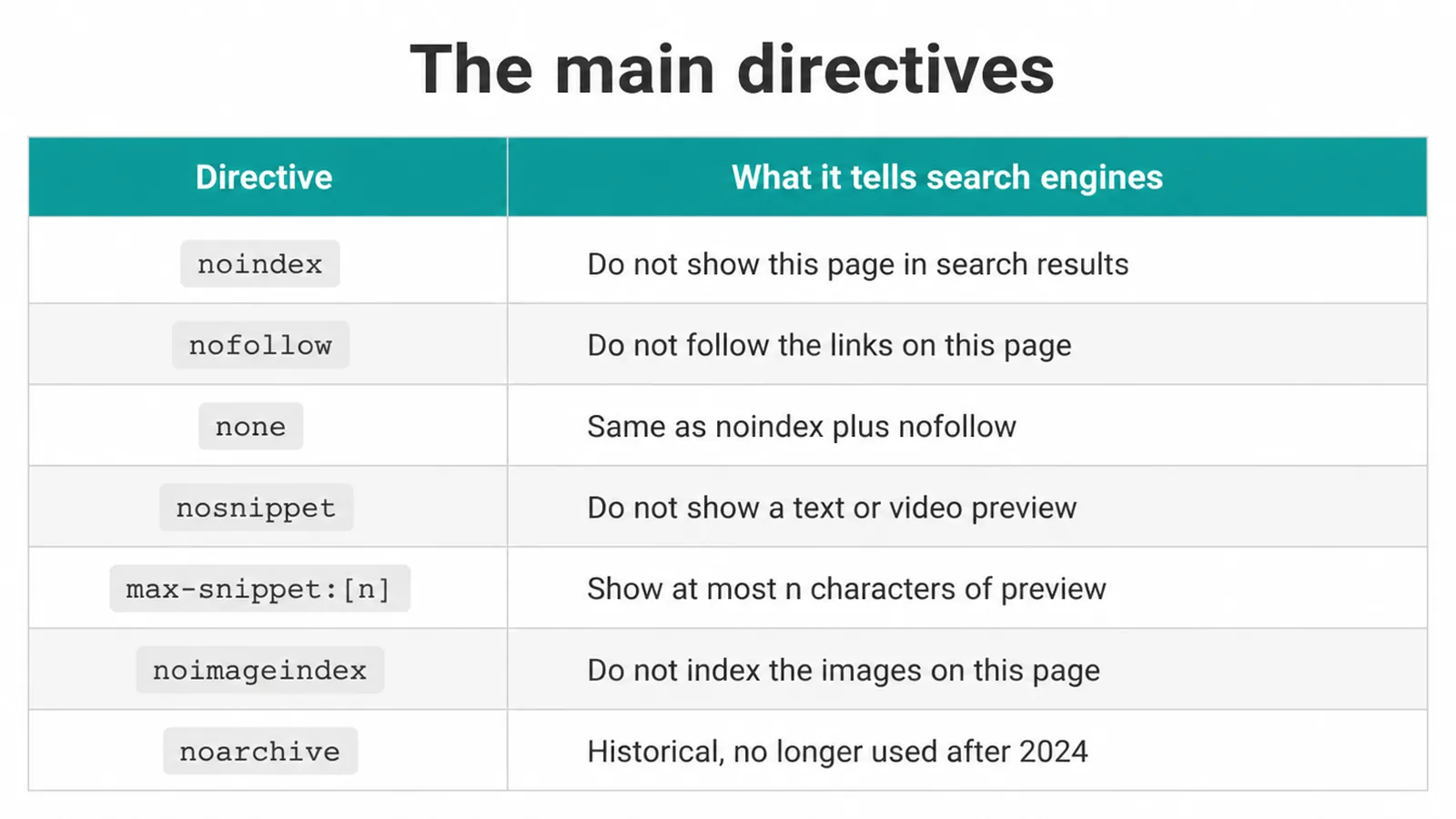
The rules you put inside the content part are called directives. Each one is a short instruction. Here are the common ones and what each tells search engines, in Google's own words where possible.
| Directive | What it tells search engines |
|---|---|
noindex | Do not show this page, media, or resource in search results. |
nofollow | Do not follow the links on this page. |
none | The same as noindex, nofollow together. |
nosnippet | Do not show a text or video preview of this page in results. |
max-snippet:[n] | Show at most n characters of text preview. 0 means no snippet, -1 means no limit. |
noimageindex | Do not index the images on this page. |
noarchive | Historical. No longer used after 2024. |
A quick note on noarchive. Google retired this rule in October 2024 because the cached-link feature it controlled no longer exists, and sites do not need to remove the tag (Search Engine Journal). If you see it in old templates, it just sits there doing nothing.
3. Common combinations you will actually use
Most sites only need a handful of these. The most common is noindex, nofollow, which hides a page and ignores its links. This pairing fits thank-you pages, login pages, and internal search result pages. None of those belong in Google, and their links do not need to pass anything on.
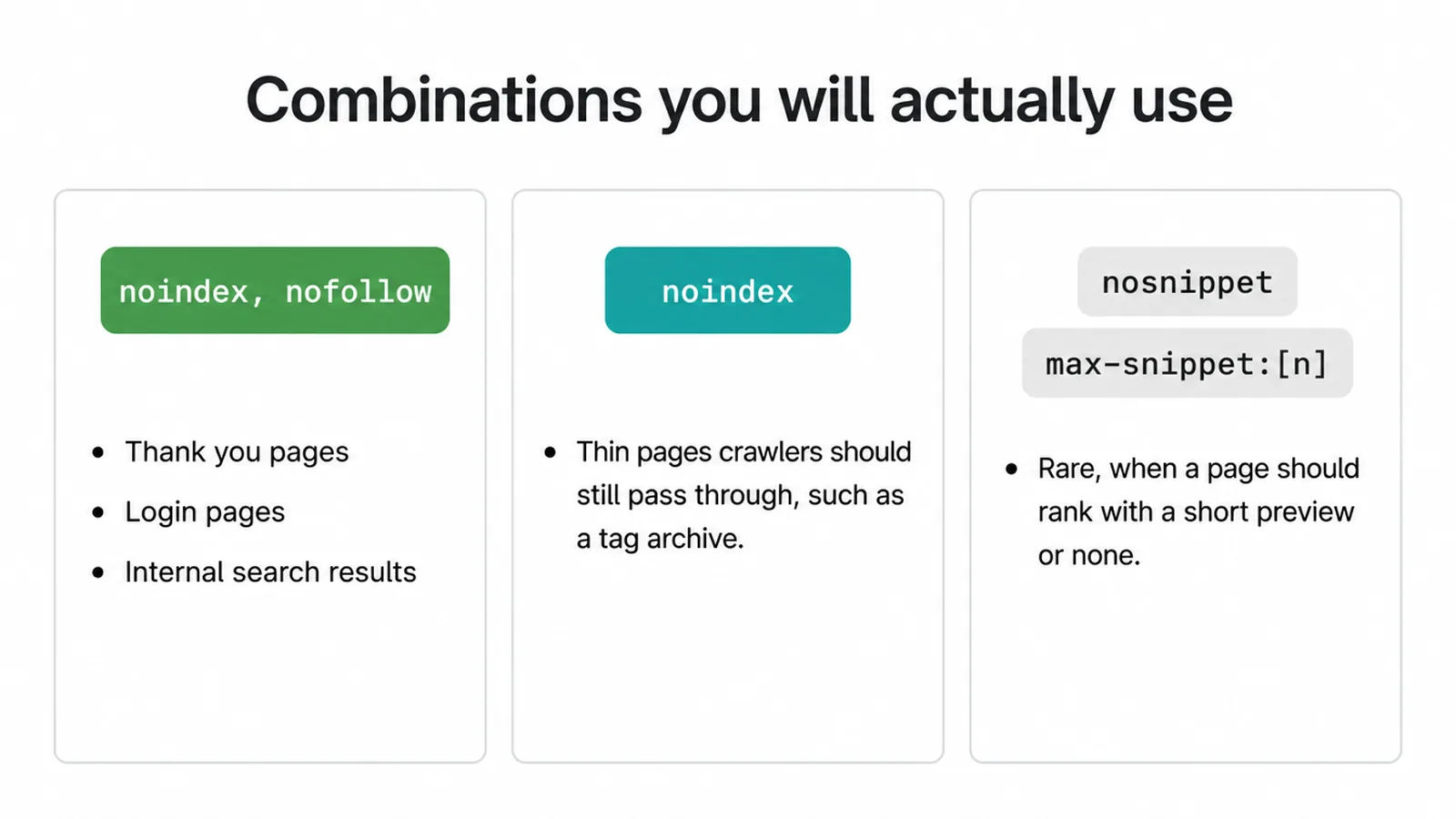
Sometimes you want noindex on its own. This suits thin utility pages you still want crawlers to move through, like a tag archive.
The snippet controls (nosnippet and max-snippet:[n]) are for the rare case where you want a page to rank but show with a shorter preview or none at all. Most pages want a full snippet, so leave these alone unless you have a clear reason.
4. The X-Robots-Tag header for PDFs and files
PDFs, images, and video files can show up in search too, but they have no head to put a meta tag in. For those you send the same rule as an HTTP response header instead.
Google confirms that "a response header can be used for non-HTML resources, such as PDFs, video files, and image files" (Google Search Central).
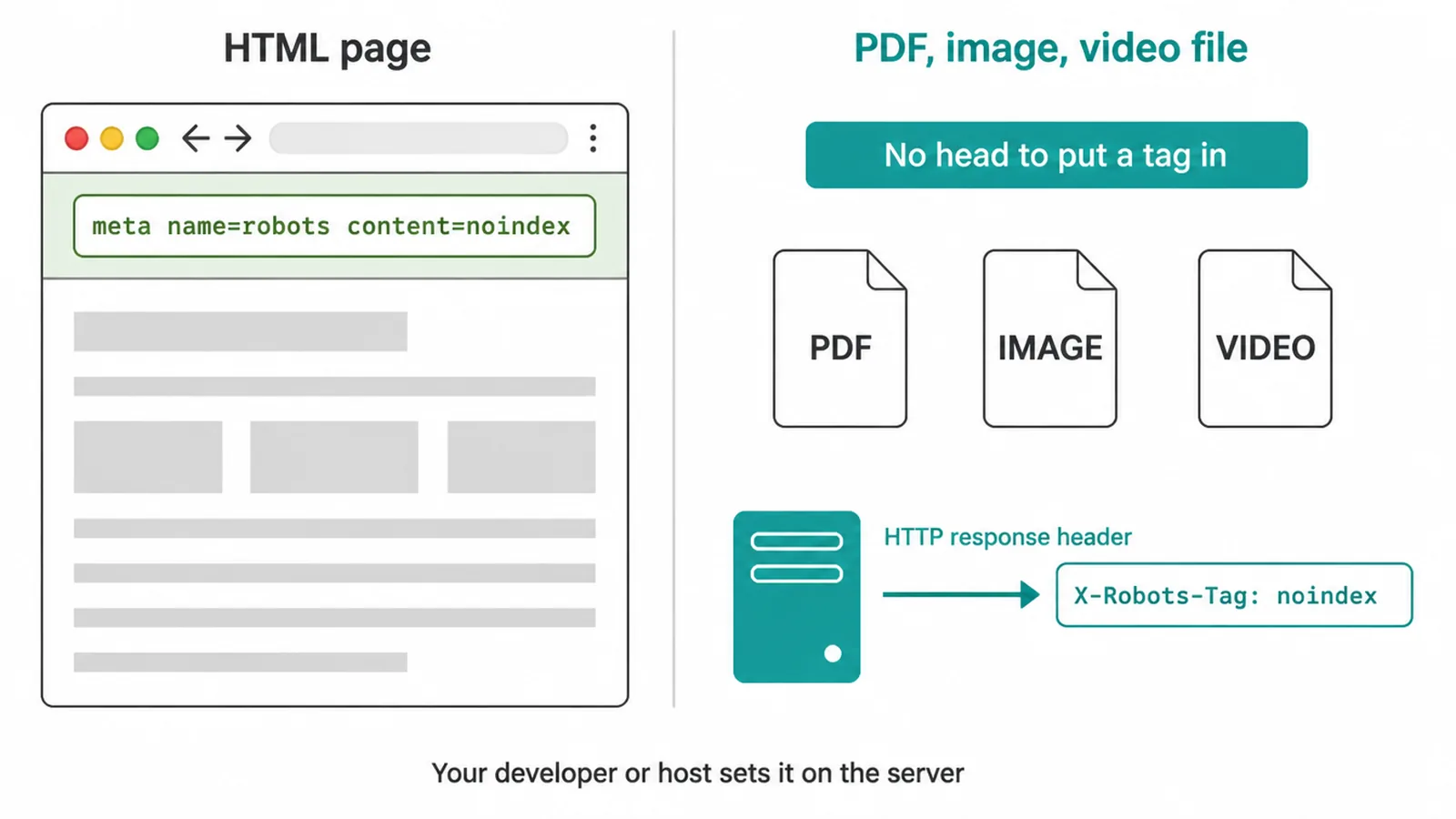
The header is called X-Robots-Tag and it carries the same directives. So a price sheet PDF you do not want in search would be served with a header like X-Robots-Tag: noindex.
You will not set this from your CMS dashboard. Your developer or host configures it on the server, which is why it helps to know it exists when you ask for it.
5. Where the tag goes
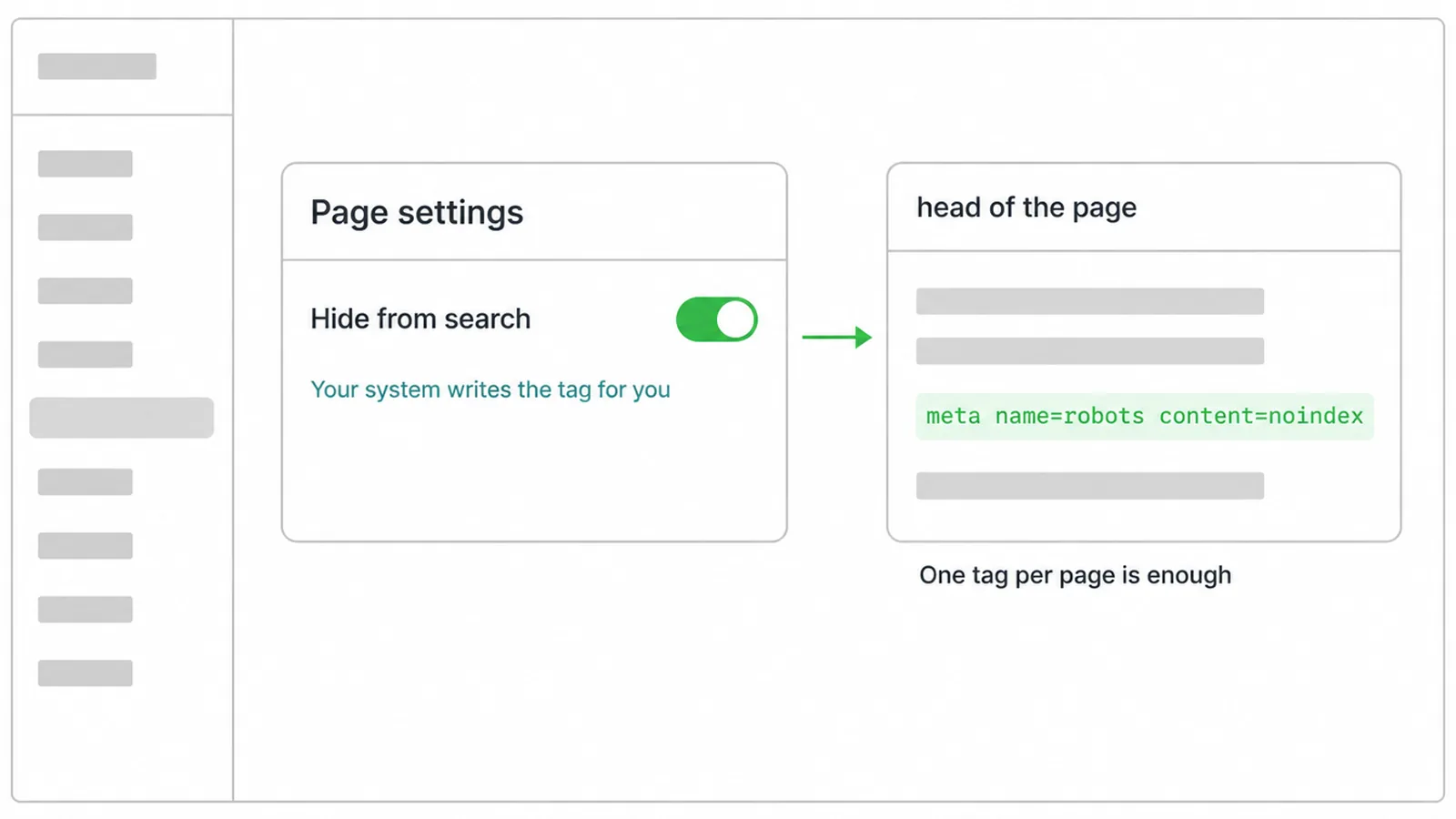
The meta robots tag goes in the head of your page, near the top, alongside your other meta tags. One tag per page is enough. You almost never type this by hand.
Most website systems and SEO plugins add it for you, usually as a simple toggle on each page that says something like "hide from search". When you flip that toggle, the plugin writes the tag for you.
6. The one catch: a page must be crawlable to be read
Here is the mistake that catches people out. For a noindex tag to work, a search engine has to open the page and read it. If you also block that page in your robots.txt file, the engine never crawls it, so it never sees the noindex inside.
Google puts it plainly: "for the noindex rule to be effective, the page or resource must not be blocked by a robots.txt file" (Google Search Central).
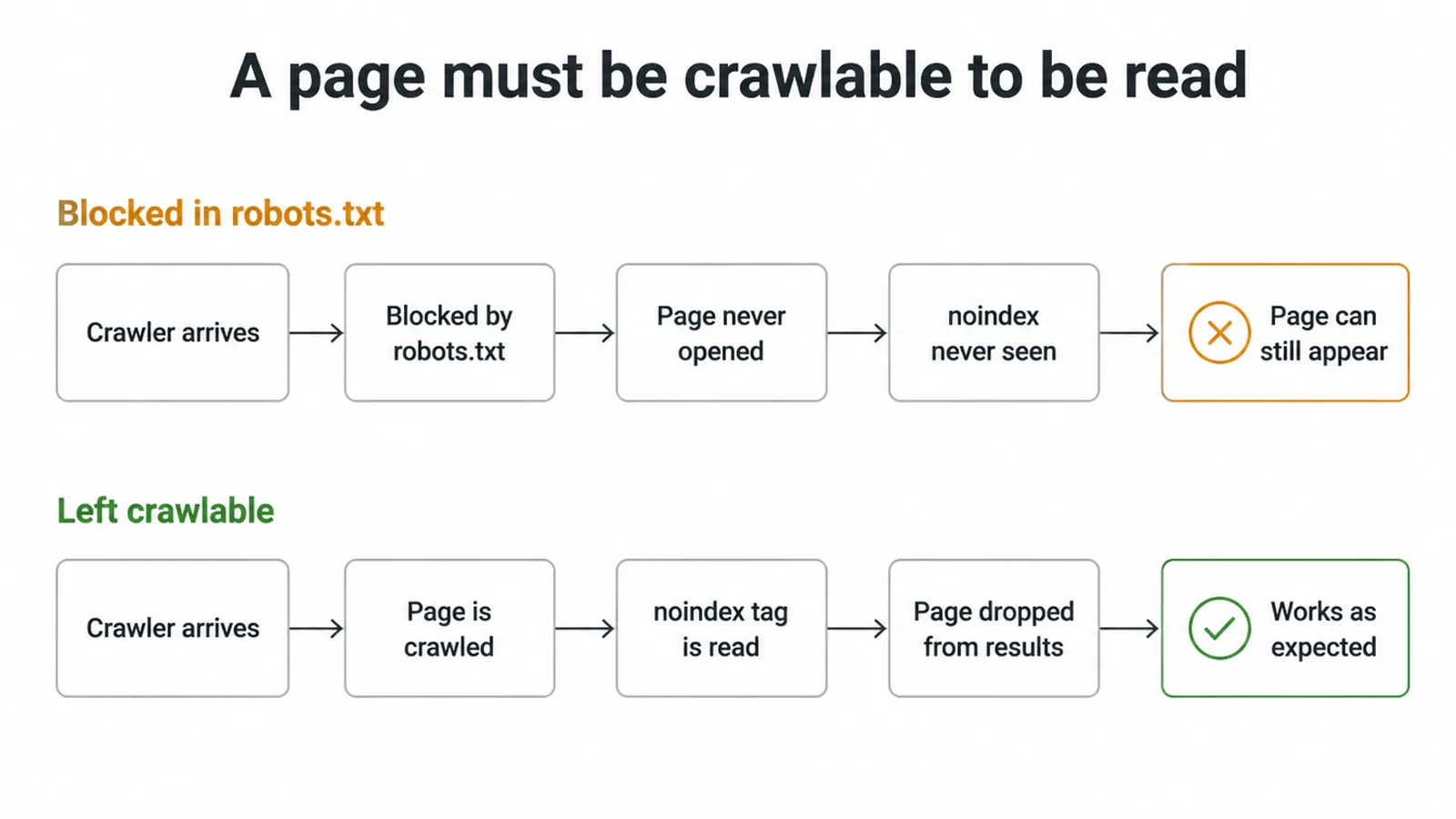
When you do let Google crawl the page and read the tag, it works as you expect. Google says that "when Googlebot crawls that page and extracts the tag or header, Google will drop that page entirely from Google Search results, regardless of whether other sites link to it" (Google Search Central).
So the rule is simple: if you want a page gone, keep it crawlable and add noindex, do not wall it off in robots.txt as well. The full difference between blocking a crawl and blocking an index is its own topic, and we cover it in our guide to robots.txt and noindex.
7. Worked examples
Here are three short examples you can match to your own pages.
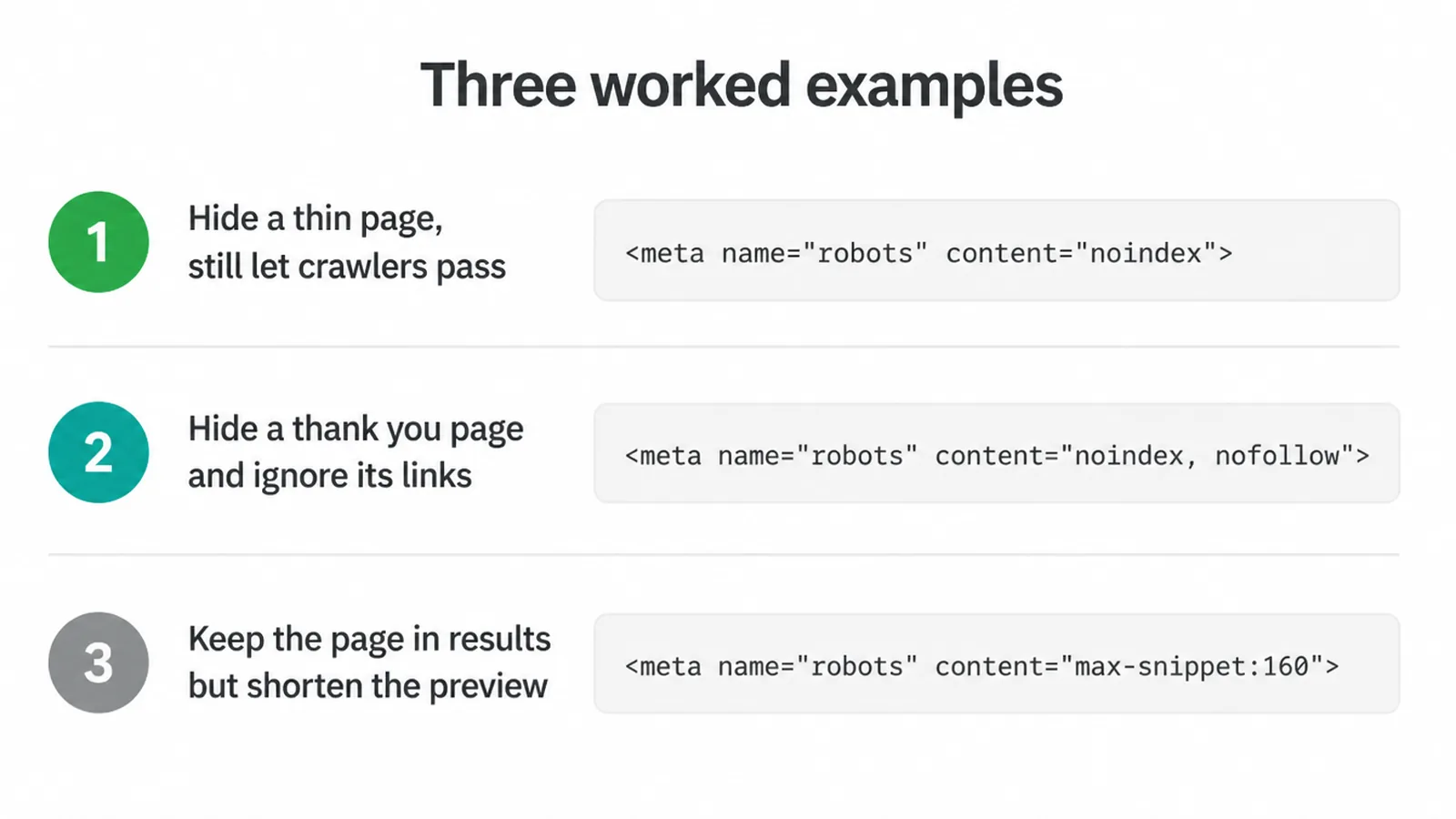
Hide a thin page but still let crawlers pass through it:
<meta name="robots" content="noindex">
Hide a thank-you page and ignore its links:
<meta name="robots" content="noindex, nofollow">
Keep a page in results but shorten its preview text:
<meta name="robots" content="max-snippet:160">
If a page you want indexed is missing from Google, the meta robots tag is one of the first things to check, along with your XML sitemap and the crawled but not currently indexed status in Search Console.
The meta robots tag is one small piece of the wider picture covered in our technical SEO overview.
Our SEO service checks these indexing rules across the site.
Frequently asked questions
1. What is a meta robots tag?
A meta robots tag is a small line in your page's head that tells search engines what to do with that one page. It can say hide this page, do not follow its links, or change how the page shows up in results. It only affects the page it sits on.
2. Where do I put the meta robots tag?
Put it in the head of the page, near the top, with your other meta tags. You only need one per page. Most website systems and SEO plugins add it for you with a simple per-page setting, so you rarely write it by hand.
3. What does noindex, nofollow do?
Noindex tells search engines to keep the page out of results. Nofollow tells them not to follow the links on that page. Used together they say hide this page and ignore its links. This pairing suits thank-you pages, login pages, and internal search results.
4. What is the X-Robots-Tag?
The X-Robots-Tag is the same set of rules sent as an HTTP response header instead of a tag in the page. It works for files that have no head to put a tag in, like PDFs, images, and video files. Your developer or host sets it on the server.
5. Why is my noindex being ignored?
Usually because the page is blocked in robots.txt. If a search engine is told not to crawl a page, it never opens the page, so it never reads the noindex inside. To make noindex work, the page must stay crawlable so the engine can see the tag.
6. What is the difference between meta robots and robots.txt?
Robots.txt controls crawling, whether an engine is allowed to open the page at all. The meta robots tag controls indexing and display, what happens once the page is read. They are different jobs and they sometimes clash, which is why a blocked page can ignore your noindex.
7. What does nosnippet do?
Nosnippet tells search engines not to show a text or video preview of the page in results. The page can still rank and appear, it just shows without the little description snippet. Most pages want a snippet, so use this one rarely.
8. Is the noarchive directive still used?
No. Google retired the noarchive rule in October 2024 because the cached-link feature it controlled no longer exists. You do not need to remove the tag if you still have it, it simply does nothing now.