Site Architecture for SEO: How to Organize a Site

Site architecture is the hierarchy, menus, URL paths and internal links that connect your pages. A flat shape, where key pages sit a few clicks from the homepage, helps crawlers reach everything and spreads link value. The three-click rule is a myth. Seed Light maps the structure before writing a single page.
Key takeaways
- Internal links matter a lot. In a study of 23 million internal links across 1,800 sites, pages with at least one exact-match anchor were associated with at least 5 times more traffic than pages without (Zyppy).
- Flat beats deep for most sites. Keep your important pages a short hop from the homepage so crawlers and people reach them easily.
- The 3-click rule is a myth. Research has not backed it up, so focus on clear paths, not a fixed click count.
- Group pages into clusters. One hub page plus linked spokes builds depth on a topic.
- Kill orphan pages. Any page with no internal links is hard to crawl and almost invisible to people.
1. What is site architecture for SEO?
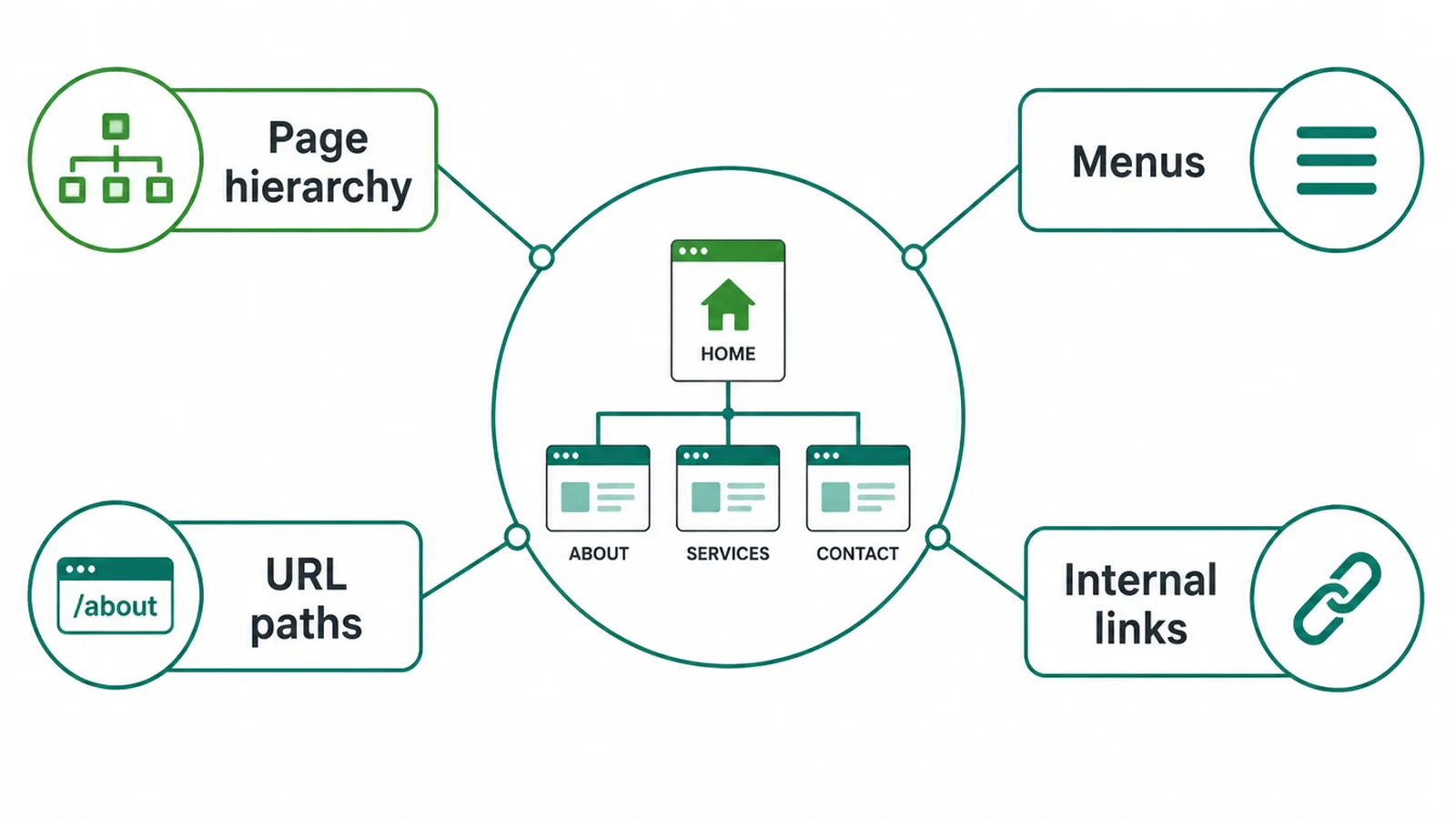
Site architecture for SEO is the way you structure and link your pages so search engines and people can find and understand everything quickly. It covers your page hierarchy, your menus, your URL paths, and the internal links between pages. Think of it as the map of your whole site.
Google is clear on why this matters. In its SEO Starter Guide, Google says to organize your site logically so search engines and users understand how your pages relate, and that grouping similar pages in directories helps Google learn how often the content in each directory changes. In plain words: a tidy site is easier for Google to read.
When your structure is clear, the right page shows up for the right search. When it is messy, your best pages compete with each other or hide, and untangling that is often part of a website redesign.
If you want help shaping all of this, our SEO services start with the structure first, then the content.
2. Flat vs deep: which structure is better?
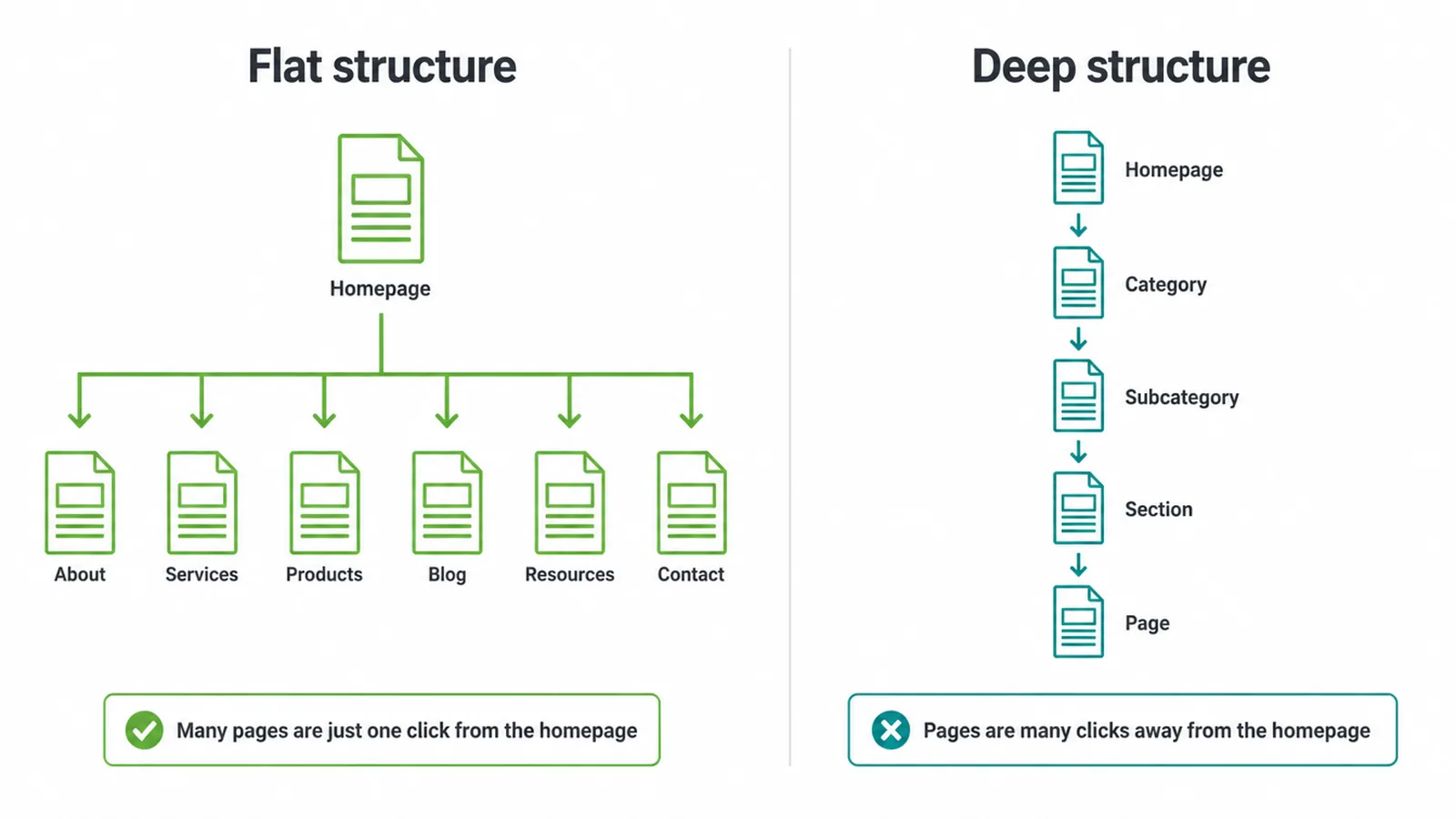
For most websites, a flat site architecture wins. Flat means almost every page is reachable in just a few clicks from the homepage. Deep means pages sit under many layers, so people and crawlers have to dig. Flat keeps your key pages near the top and spreads link value around your site.
You have probably heard the "3-click rule", the idea that every page must be within three clicks. It is a myth.
Nielsen Norman Group found the rule has not been supported by data in any published study, and that people do not give up more often once they pass three clicks (NN/g). So do not chase a magic number. Chase clear, short paths instead.
That said, keep your important pages, your services and main category pages, close to the homepage. They get linked more and crawled more when they sit near the top.
Your menu and your navigation choices do a lot of this work. If pages stay buried, that is also one reason your site may not show up on Google.
| Trait | Flat structure | Deep structure |
|---|---|---|
| Clicks from homepage | Few | Many |
| Ease of crawling | High, every page is close | Low, pages are buried |
| Link value spread | Even across pages | Thin on deep pages |
| Best for | Small and medium sites | Very large sites, used with care |
| Risk | Menus get crowded if overdone | Key pages hide too far down |
3. How do hub-and-spoke clusters work?
A hub-and-spoke cluster is one main hub page on a broad topic, plus several spoke pages on smaller parts of that topic. The hub links to each spoke.
Every spoke links back to the hub. This is one of the cleanest ways to organize content for SEO, and it is the backbone of strong site architecture.
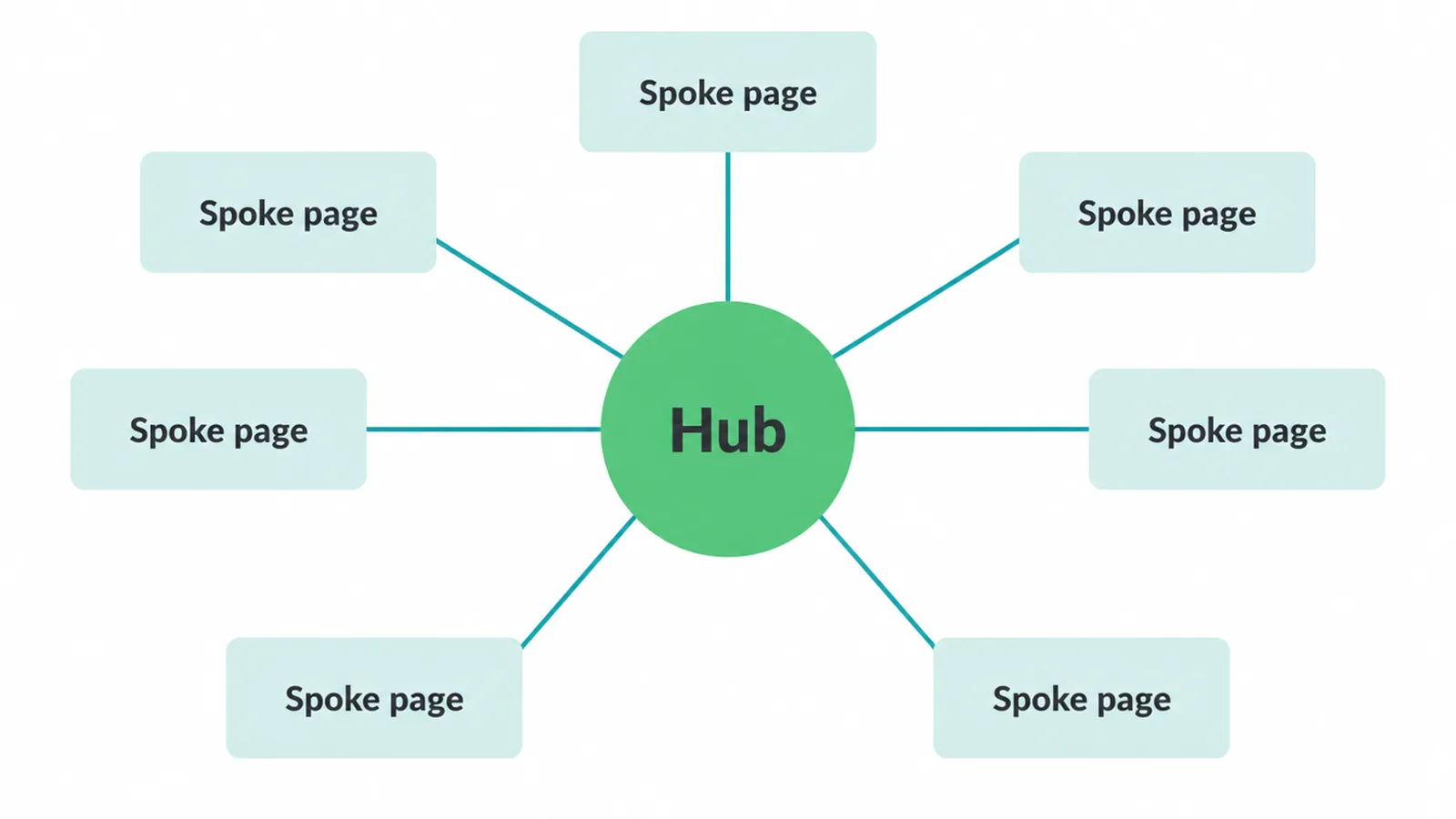
Why does this help? It gives people and crawlers clear paths between related pages. For sites with more than a few thousand URLs, Google says directory grouping can also help it learn how often content in each section changes.
The result is stronger topical authority on the subject you care about. Pick your big topics, give each one a hub, and feed it with focused spokes.
4. Why is internal linking part of structure?
Internal linking is the glue of site architecture. Links route people from page to page and pass ranking signals through your site. They also tell search engines which pages matter and what each page is about. Get this right and your structure actually works. Get it wrong and even a tidy hierarchy falls flat.
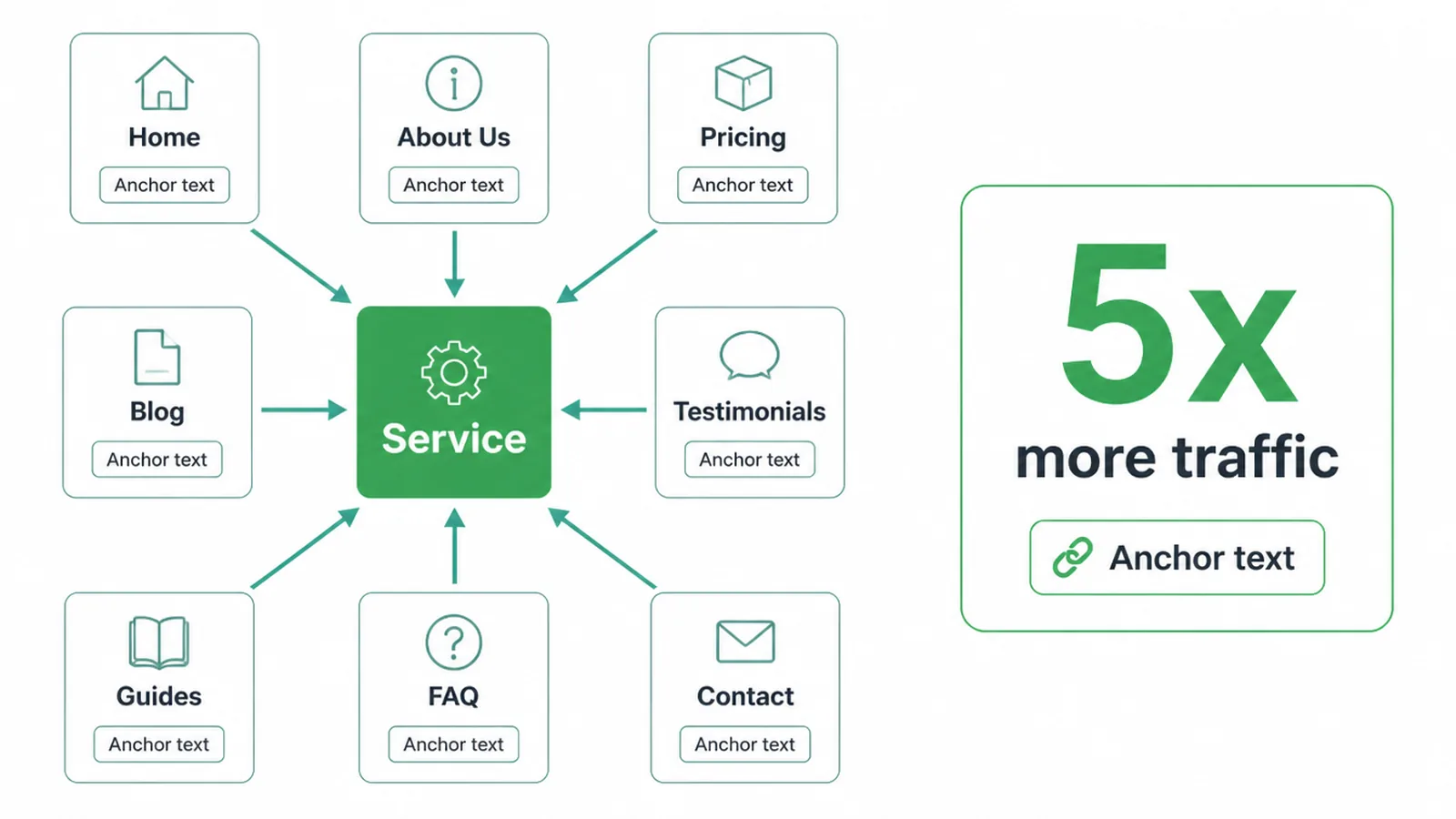
The numbers back this up. In a study of 23 million internal links, Zyppy found that pages with at least one exact-match anchor were associated with at least 5 times more traffic than pages with none.
But more is not always better. The same study found that after roughly 45 to 50 internal links to a single URL, the effect reverses and traffic starts to drop. So link with intent, not in bulk.
Use descriptive anchor text that tells people where they are going, and do not stuff the same keyword into every link. Adding strong internal links is a core item on any good on-page SEO checklist.
It works alongside the external links you earn through backlink building, but you control internal links fully, so they are the easiest win.
5. How should URLs and breadcrumbs reflect structure?
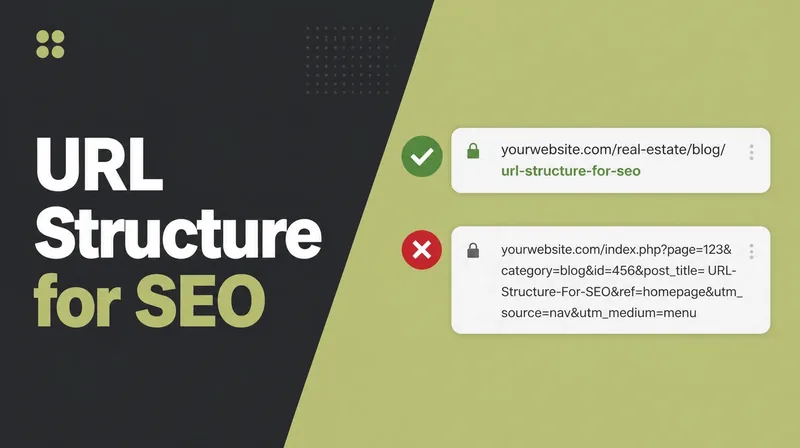
Your URLs and breadcrumbs should mirror your site architecture so the structure is obvious to everyone. A clean URL reads like a path: a category, then the page. Avoid long strings of messy parameters and random codes. A reader should be able to guess where a URL sits just by looking at it.
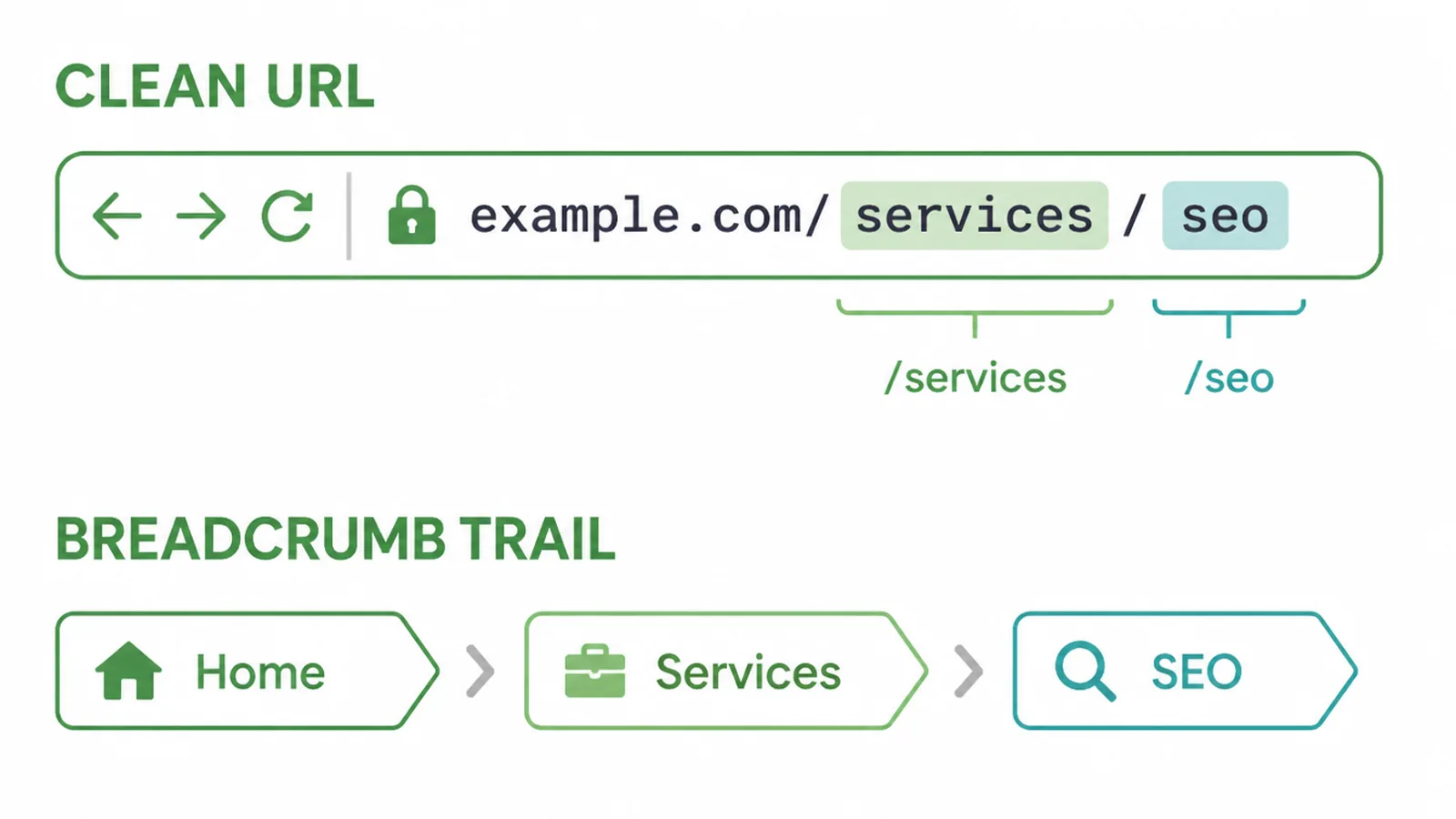
Breadcrumbs are the small trail near the top of a page, like Home then Services then SEO.
Google says a breadcrumb trail indicates the page's position in the hierarchy, and that it uses breadcrumb markup to categorize the page in search results. So they help people climb back up and help Google place your page.
Add BreadcrumbList structured data on deeper pages so search engines read the trail clearly. If structured data is new to you, our guide on schema markup walks through how to set it up without breaking anything.
6. What are orphan pages and how do you fix them?
Orphan pages are pages with no internal links pointing to them. Nothing on your site links to them, so they sit alone, off the map.
People rarely reach them, and search engines have a hard time finding them at all. They are one of the quietest ways good content goes to waste in a poor site structure.
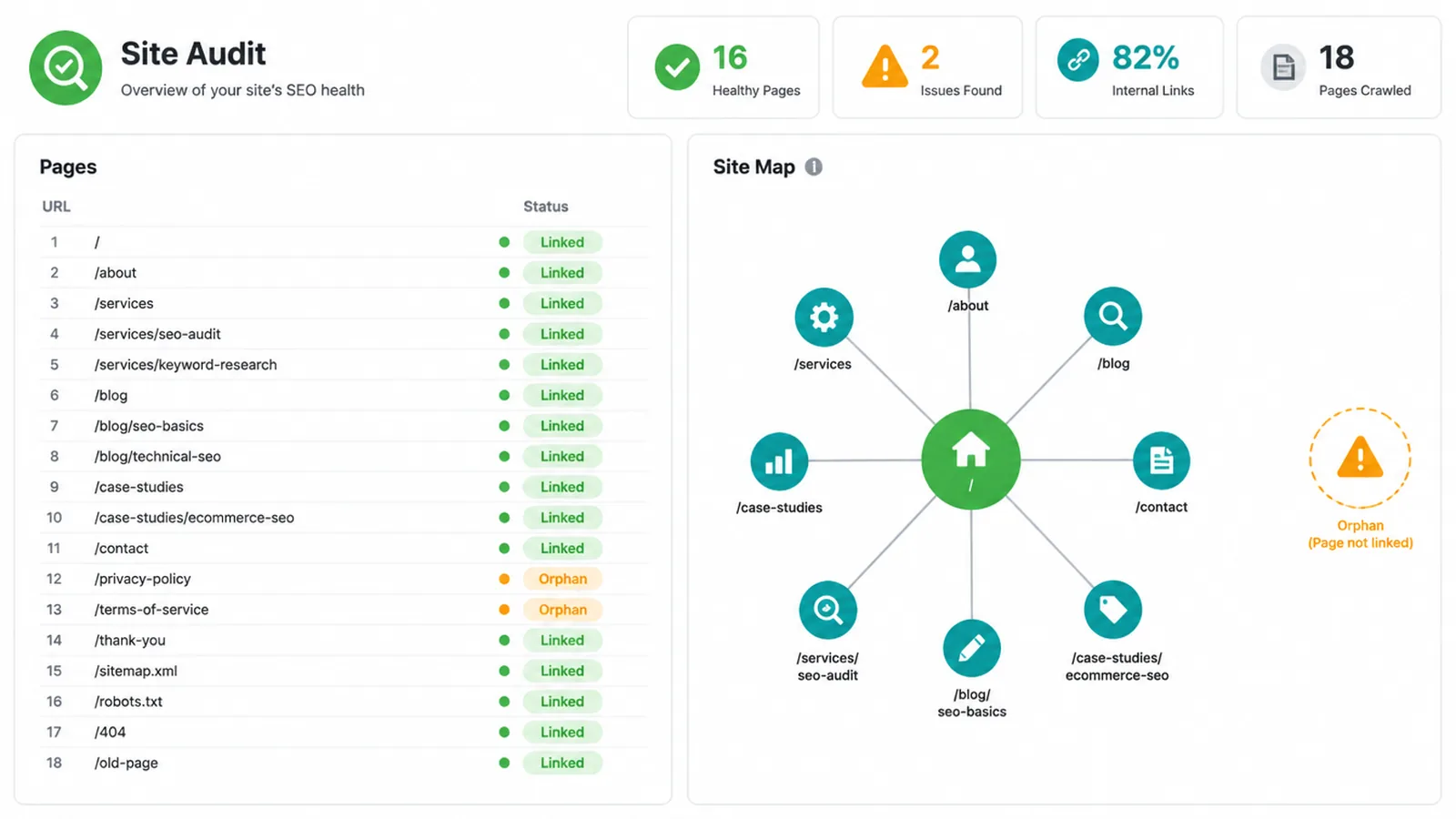
Orphans are hard for crawlers to discover because nothing links to them. Google's crawl-budget guide is aimed at very large sites with 1 million or more pages, so most small sites should focus on clear internal links instead.
To find orphans, run a crawler over your site and compare what it reaches against your sitemap and the pages Google knows about. If a page is in your sitemap but never crawled through links, it is likely an orphan.
Google Search Console helps you spot pages that are not getting found. The fix is simple: link to each orphan from related pages and from a relevant hub.
7. A simple structure example you can copy
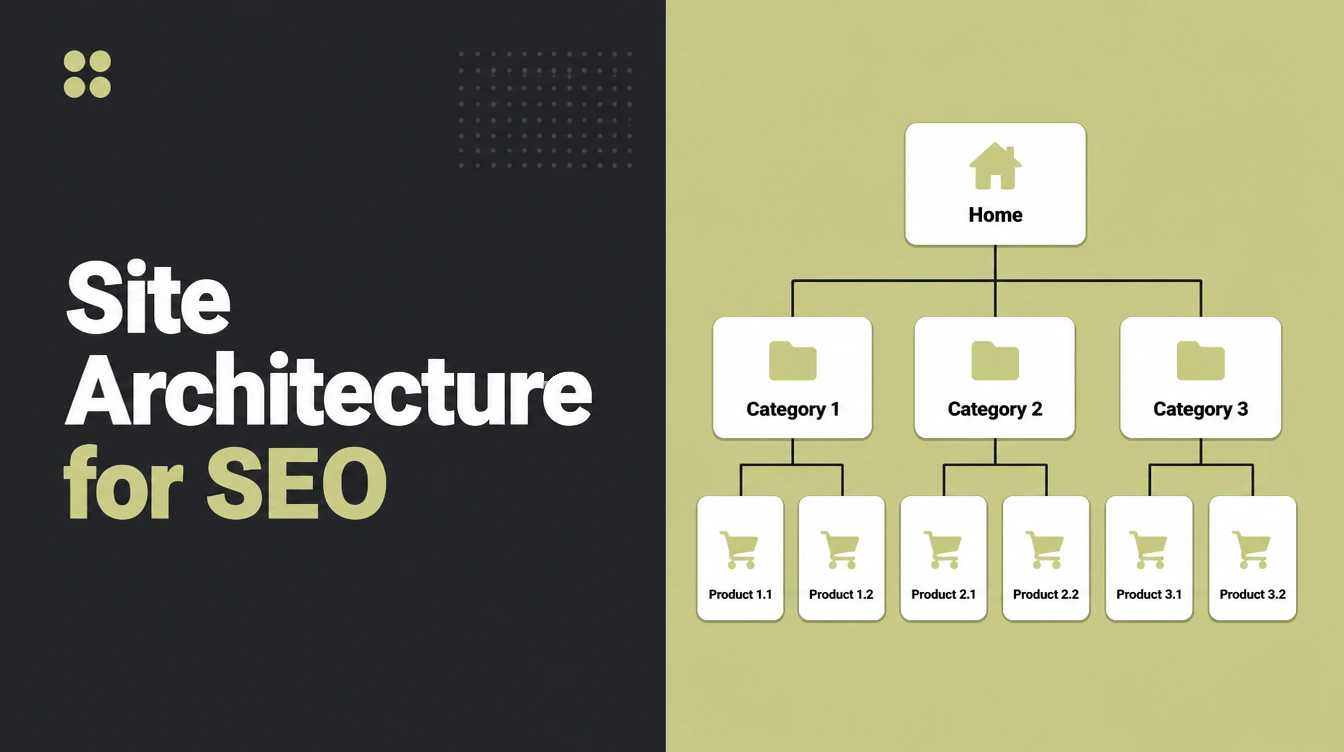
Here is a clean, flat structure for a small business site. It keeps money pages close to the homepage, groups content into clusters, and gives every page a link home. Copy the shape and swap in your own topics.
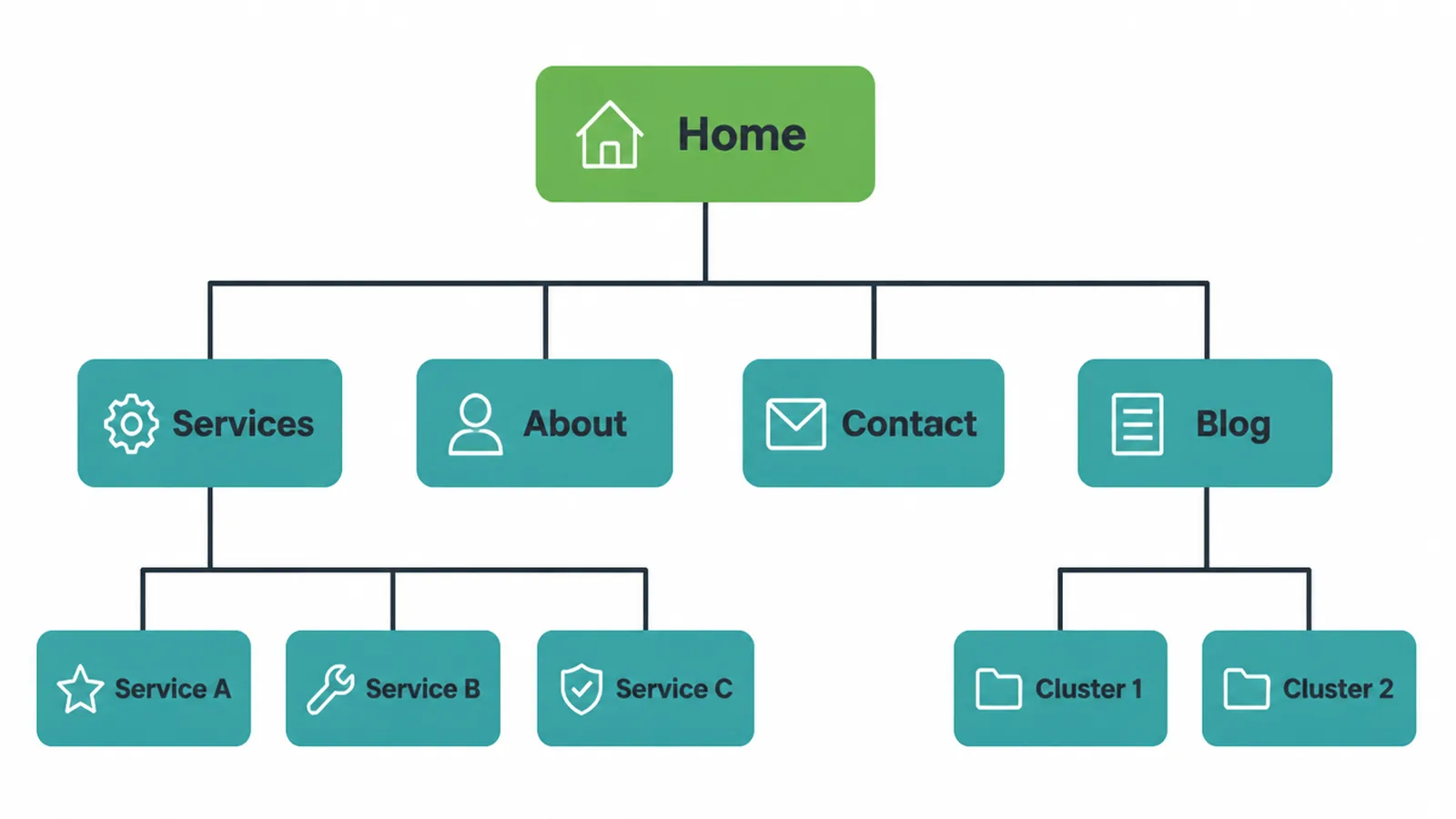
- Home
- Services (hub)
- Service A page
- Service B page
- Service C page
- About
- Contact
- Blog (hub)
- Topic cluster 1 hub, plus its spoke posts
- Topic cluster 2 hub, plus its spoke posts
- Services (hub)
Notice the pattern. The homepage links to your service hubs and your blog hub. Each hub links down to its pages, and each page links back up. Every page sits within a couple of clicks of home, and nothing is stranded. This is the same shape behind a strong small business website.
If you would rather have someone build this for you, that is what we do. Get in touch and we will map your structure first, then the pages.
Frequently asked questions
1. What is site architecture in SEO?
Site architecture is how you organize and connect the pages on your website. It covers your page hierarchy, your menus, your URL paths, and your internal links. Good architecture helps both search engines and people find everything quickly and understand how your pages relate to each other.
2. Why does site structure matter for SEO?
A clear structure helps search engines crawl and understand your pages, and it helps people find what they need without getting lost. When pages are grouped logically and linked well, search engines learn what your site is about and can show the right page for each search. A messy structure buries pages and confuses crawlers.
3. What is flat site architecture?
Flat site architecture means most pages are reachable in just a few clicks from the homepage. There are few layers between the top of the site and any single page. Flat structures help crawlers reach every page easily and spread internal link value across the site, which is why most small sites should aim for a flat shape.
4. Is flat or deep structure better for SEO?
Flat is usually better for most websites. It keeps important pages a short hop from the homepage and makes every page easy to reach. Very deep structures bury pages under many layers, so crawlers and people have to work harder to find them. Large sites still need some depth, but they should keep their key pages near the top.
5. Is the 3-click rule real?
No. The idea that every page must be within three clicks is a myth. Research has not found that people give up more often after three clicks. What matters is that the path is clear and easy to follow, not the exact click count. Aim for short, logical paths, but do not obsess over a fixed number.
6. What is a topic cluster or hub-and-spoke model?
A topic cluster is one main hub page on a broad topic, plus several spoke pages on smaller parts of that topic. The hub links to each spoke and every spoke links back to the hub. This grouping shows search engines you cover the topic in depth and helps build authority for that subject.
7. What are orphan pages?
Orphan pages are pages with no internal links pointing to them. Nothing on your site links to them, so crawlers struggle to find them and people almost never see them. Orphan pages waste effort and can sit unindexed. The fix is to link to them from related pages and from a relevant hub.
8. Do breadcrumbs help SEO?
Yes. Breadcrumbs show where a page sits in your hierarchy and give people an easy way back up. Google uses breadcrumb markup to understand a page's place in your site and to categorize it in search results. They also make your structure clearer to crawlers, so they are worth adding on deeper pages.