Brand Guidelines: What They Are and What to Include

Brand guidelines are a short rulebook for how your brand looks and sounds: logo use and clear space, colour values, typography, voice and imagery, plus a do's and don'ts list. One page covering logo, colours, fonts and voice already counts, and it can grow later. Seed Light writes them sized to the business.
Key takeaways
- Brand guidelines are your brand rulebook. They set how your brand looks and sounds everywhere it shows up.
- They keep five things consistent: logo, colour, type, voice and imagery, so you look like one brand, not ten.
- Consistency builds recognition. The brands people remember use the same look across every asset.
- You do not need a thick book. A single page that covers logo, colours, fonts and voice is a real guide, and it can grow later.
- You can start it yourself with a free template, and bring in a designer when your brand gets more complex.
1. What are brand guidelines?
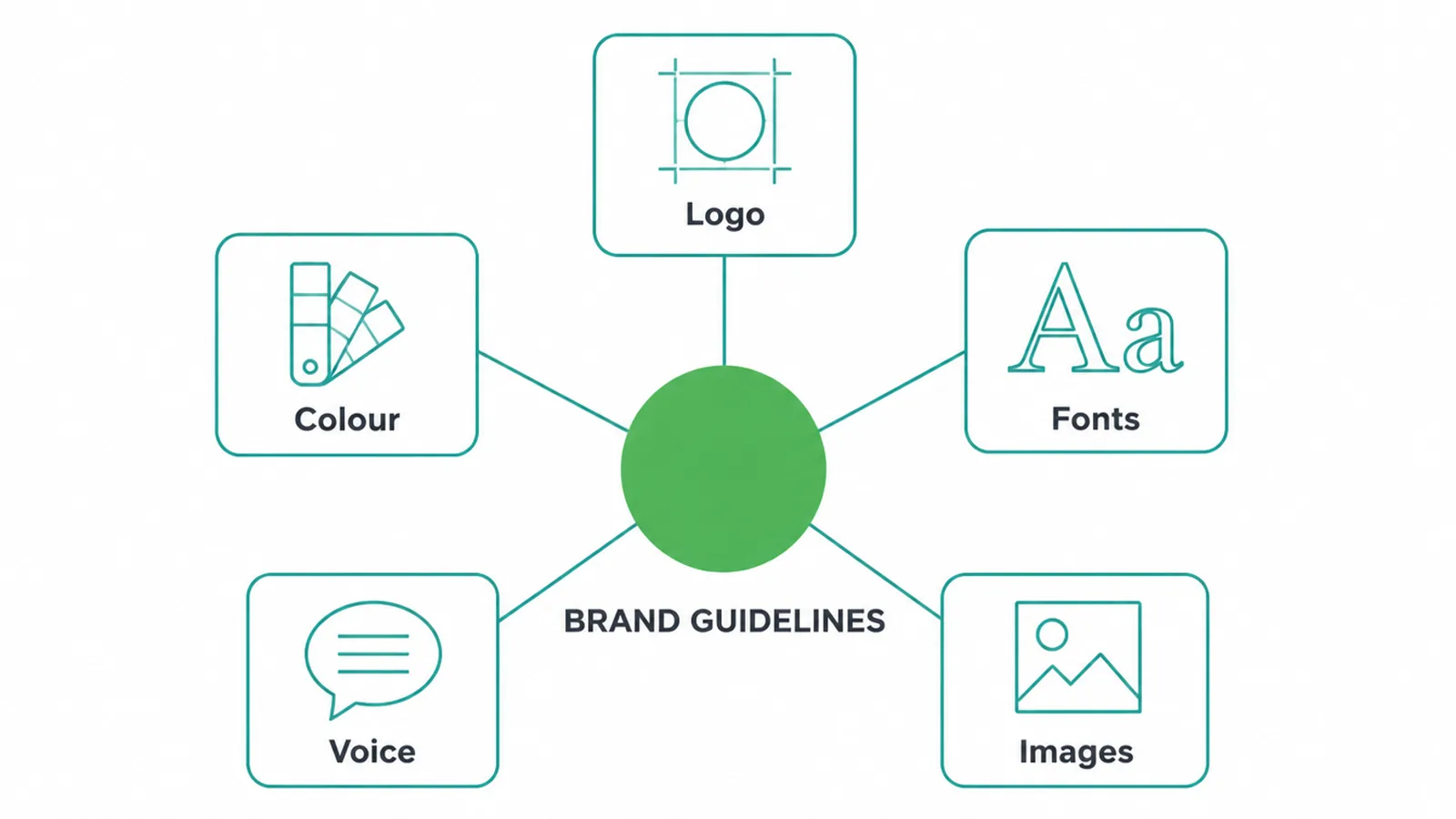
Brand guidelines are the rulebook for how your brand looks and sounds everywhere it shows up. They set the rules for your logo, colours, fonts, voice and images, so every post, flyer and web page looks like it came from one brand, not ten.
The team at HubSpot describes them as the document that governs the composition, design and general look and feel of your branding, and that can dictate the content of a logo, blog, website, advert and similar marketing collateral (HubSpot).
You will also hear them called a brand style guide or a brand book. Same thing, different names.
Here is the reassuring bit before we go further: you do not need a giant document to start. A single page that covers your logo, colours, fonts and voice is a real brand guide, and it can grow as your business does.
This post walks through what goes inside a guide, section by section, and shows you how to build a simple one for yourself.
2. Why even a small business needs brand guidelines
Because consistency is what makes people remember you. Recognisable brands succeed through consistency, keeping their messaging and visuals steady so the same brand colours show up across every asset (HubSpot).
Your customer does not see all your marketing at once. They see one post today, an advert next week, your website next month. If each one looks different, none of them add up. If they all match, they stack into something a person starts to recognise and trust.
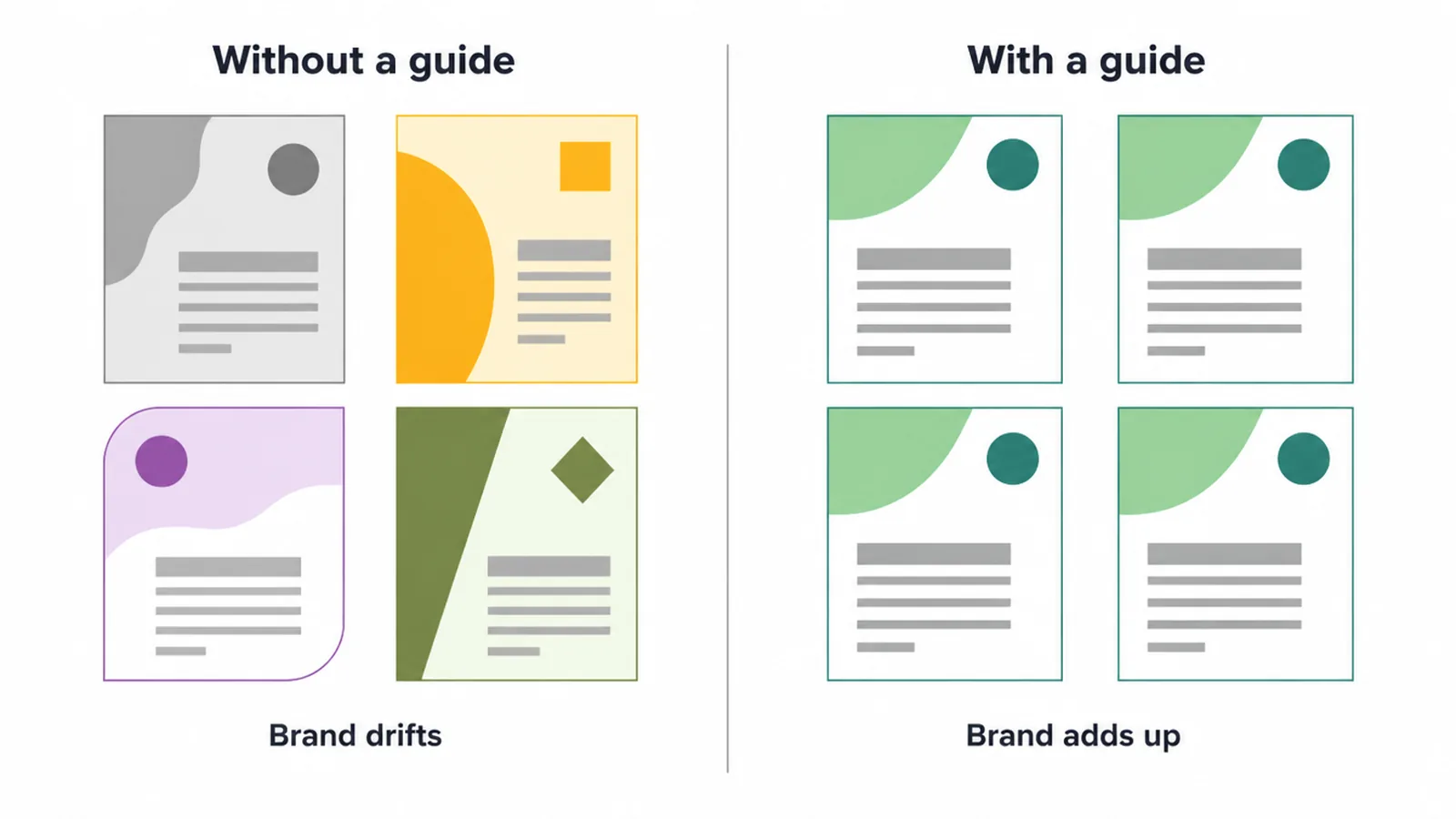
A guide also stops drift
A guide also stops drift. Without one, every new flyer, every new social post, every new freelancer quietly reinvents your look. One picks a slightly different green. One uses a different font. None of it is wrong on its own, but together it blurs the brand.
A short set of rules means anyone touching your brand, including future you, makes the same choices without a meeting.
Branding covers your look, your voice and how you behave, and a guide is where all of it lives. If you are still building the basics, our guide to small business branding covers the wider picture first.
3. What goes inside brand guidelines
A guide is a set of sections, each covering one part of how your brand shows up.
A comprehensive brand style guide typically includes the logo, a colour palette with specific colour codes such as HEX, RGB and CMYK, typography covering font families and sizing rules, imagery and iconography, and brand voice covering tone, messaging and writing style (HubSpot).
You do not need every section on day one. Start with the ones that keep you consistent, and add the rest when you need them.
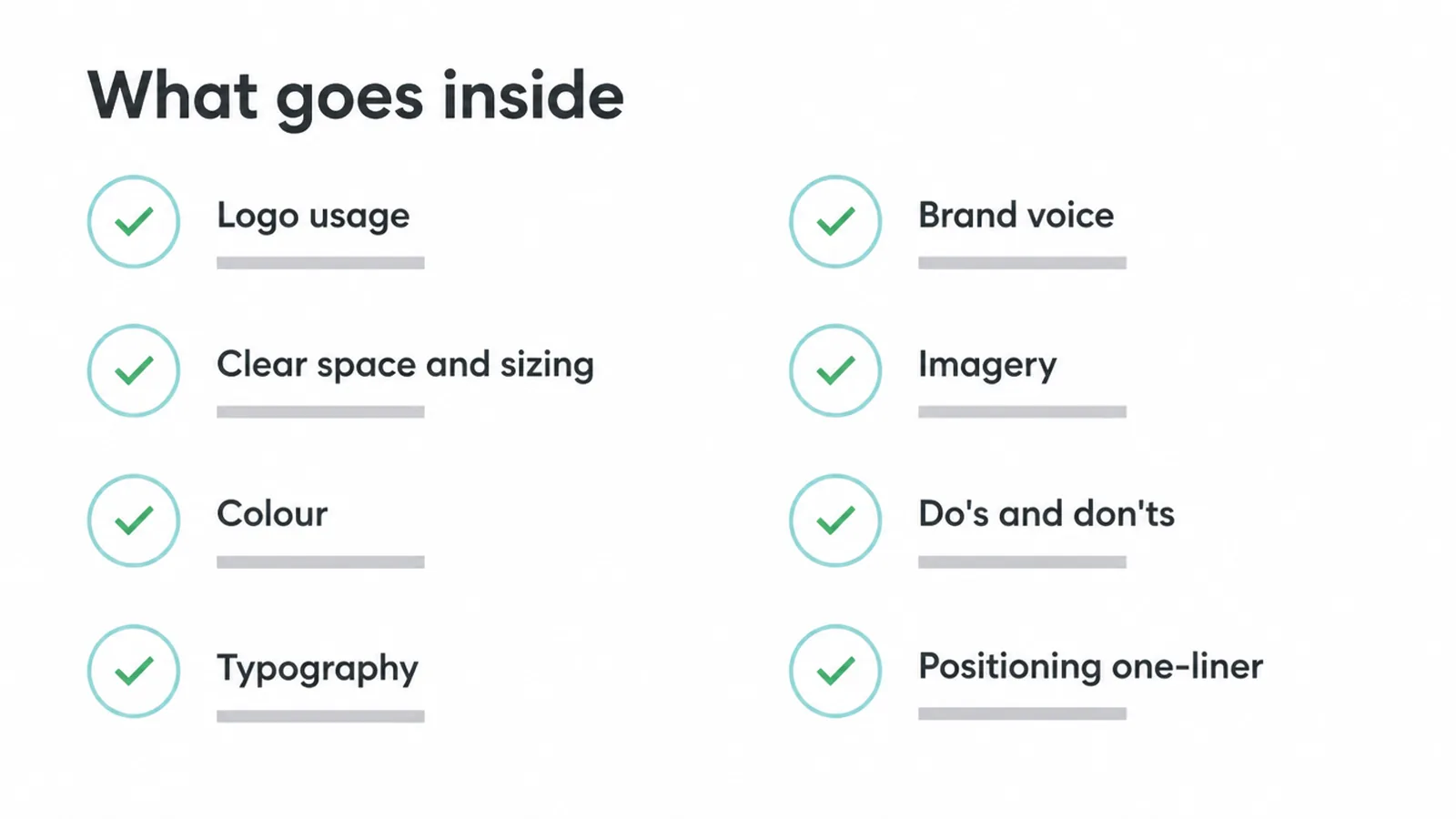
Here is the map. Read down the list, and think about which parts you already have and which you would have to decide today.
| Section | What it covers |
|---|---|
| Logo usage | Your approved logo versions, such as the primary, a reversed one for dark backgrounds, a plain monochrome one, and the icon or logomark on its own. |
| Clear space and sizing | The empty room to keep around the logo, and the smallest size it can go before it stops reading. |
| Colour | Your palette with exact codes for screen and print, so the colour never drifts from one design to the next. |
| Typography | Your heading font and body font, plus how to size and stack them so text has a clear hierarchy. |
| Brand voice | How your brand sounds in words: the tone, the messaging and the writing habits that make it feel like you. |
| Imagery | The style of photos, illustrations and graphics that fit the brand, and the style that does not. |
| Do's and don'ts | A short page of correct use next to common misuse, so people can see the rules in action. |
| Positioning one-liner (optional) | A single line on who you help and what you stand for, to anchor every choice above it. |
4. Logo usage and clear space
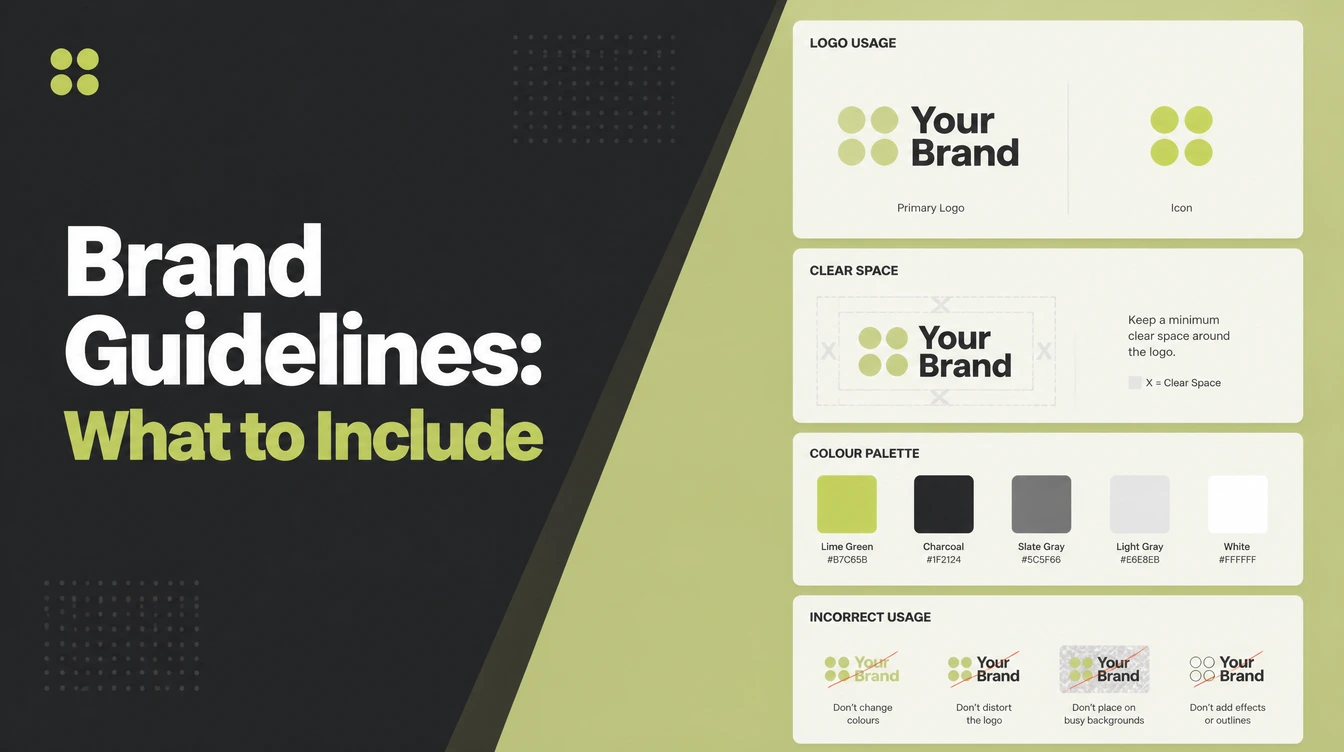
The logo section shows your logo, its variations, and the rules for using them, including a minimum size, clear space, and examples of incorrect use (Nela Dunato).
Most brands keep a small set of versions ready: a primary logo, a secondary or stacked one, an icon or logomark, a monochrome version, and a reversed version that reads on dark backgrounds. Having them all in one place means nobody ever has to stretch or recolour a logo to make it fit.
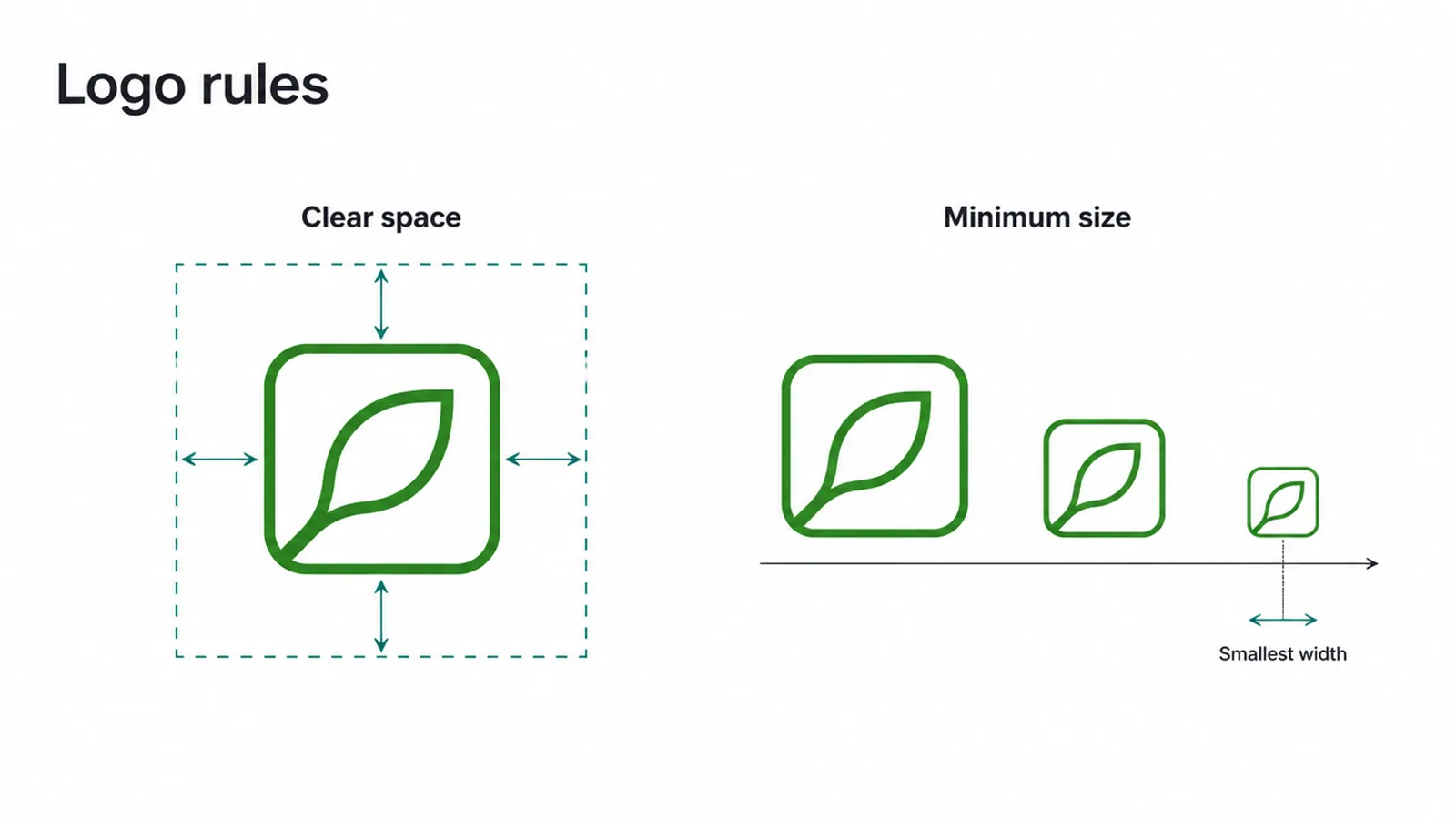
Clear space and minimum size
Clear space is the quiet rule that does a lot of work. It is the area around the logo that must stay free of other graphics, text or design elements, giving the logo room to breathe so it keeps its visual impact.
A common approach sets it as a buffer roughly equal to a letter, or a fraction of the logo's own width, on all sides (Vistaprint).
You also want a minimum size, so nobody shrinks the logo until it turns to mush on a business card. Pick a smallest width and write it down. Getting the mark itself right comes first, and our post on what makes a good logo covers that.
5. Colour values
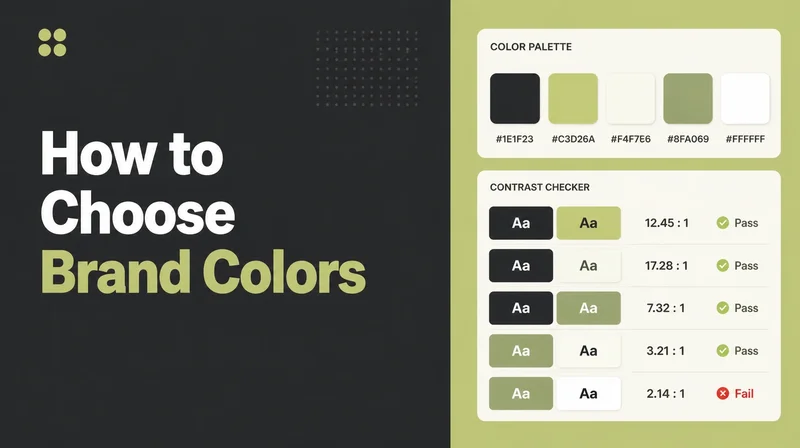
The colour section pins down your palette so it looks the same wherever it lands. A good guide specifies the palette across the standard colour spaces, for example Pantone or SPOT, CMYK, RGB and HEX, so the brand stays consistent whether it appears on a screen or a printed sign (HubSpot).
The reason is simple. HEX and RGB are how a colour renders on screens. CMYK and Pantone are how it renders in print. The same green will look different on a phone and a flyer unless you have written the right code for each. Codes are what stop your colours from slowly drifting apart.
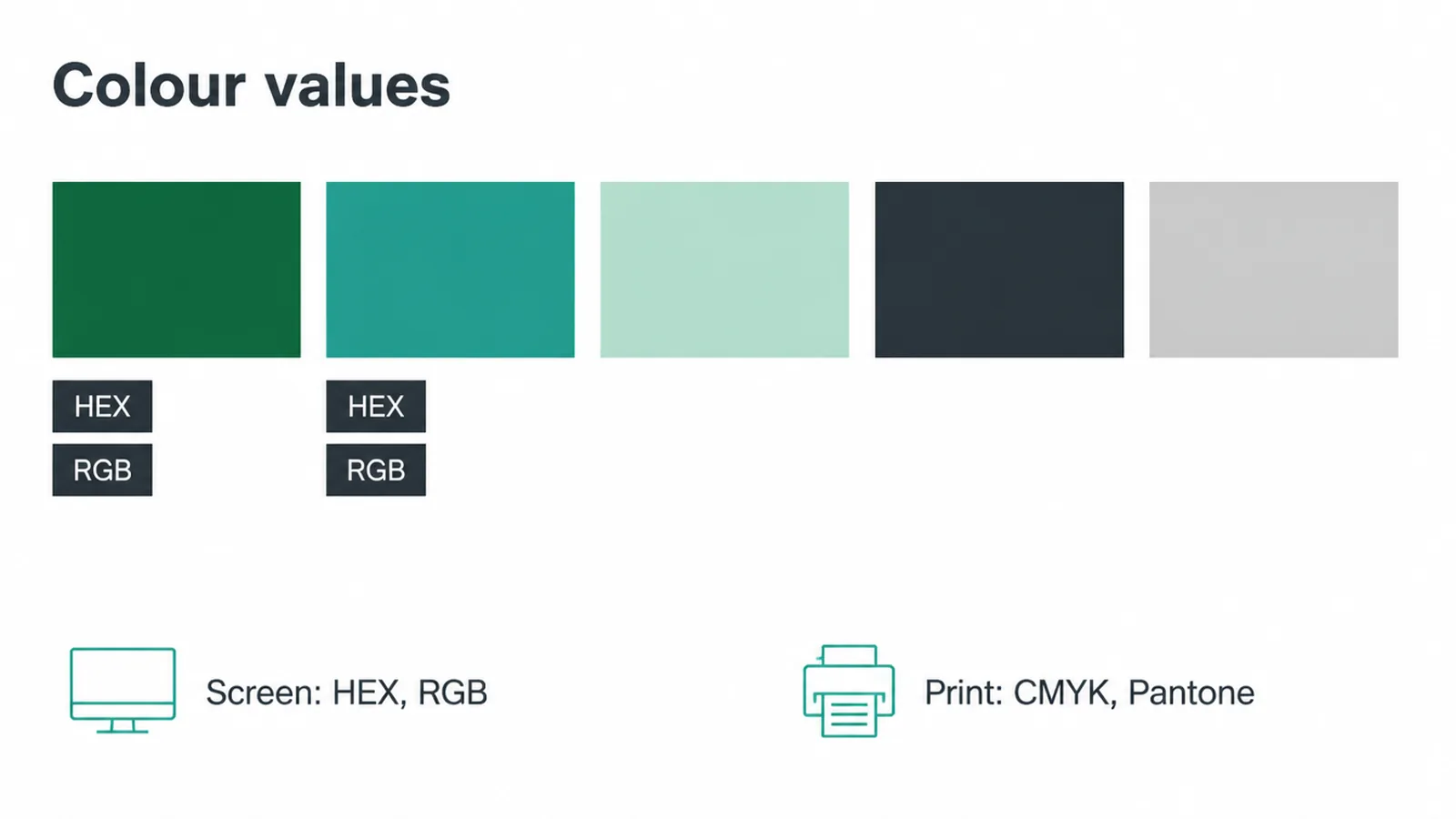
Building a small palette
Most small palettes have a primary colour, one or two secondary colours, an accent for buttons and highlights, and a couple of neutrals for text and backgrounds. You do not need a rainbow. A tight set is easier to stay loyal to.
One honest note before you fall down a rabbit hole: colour meanings are common patterns, not scientific laws.
They shift with culture and context, so treat any "this colour means that" advice as a starting nudge, not a rule. If you are choosing yours from scratch, our guide to how to choose brand colours walks through it.
6. Typography
Typography is the section that keeps your text looking deliberate. It communicates the type hierarchy, commonly one font for headlines and another for body copy, and shows how to use them in different situations (HubSpot).
Two fonts is plenty for most small businesses. Pick one for headings that has some character, and one for body text that stays easy to read at small sizes. Then set a simple hierarchy: how big a heading is, how big body text is, how much space sits between lines.
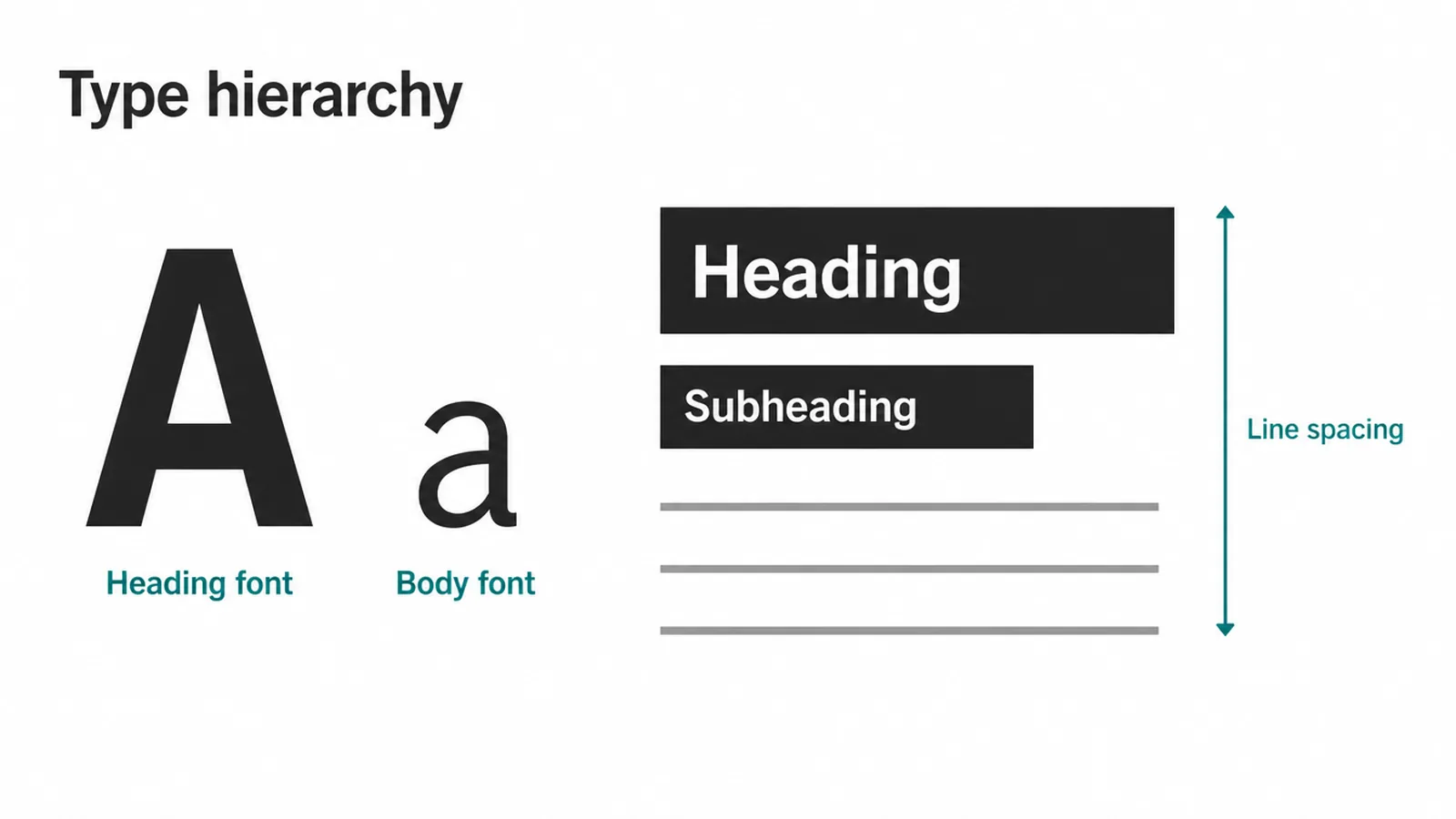
The point of writing this down is speed and calm. When the sizes and pairings are decided once, every new page, post or document starts from the same place instead of a fresh guess.
Note where the fonts came from too, and make sure you have a licence to use them, so nobody swaps in a lookalike later because they could not find the original. A font that is licensed and stored in one shared place saves a lot of quiet headaches.
7. Brand voice and imagery
Your brand is not only what people see. Brand guidelines cover verbal identity too, including voice, tone, messaging and writing conventions, sitting right alongside the visual identity (Bynder).
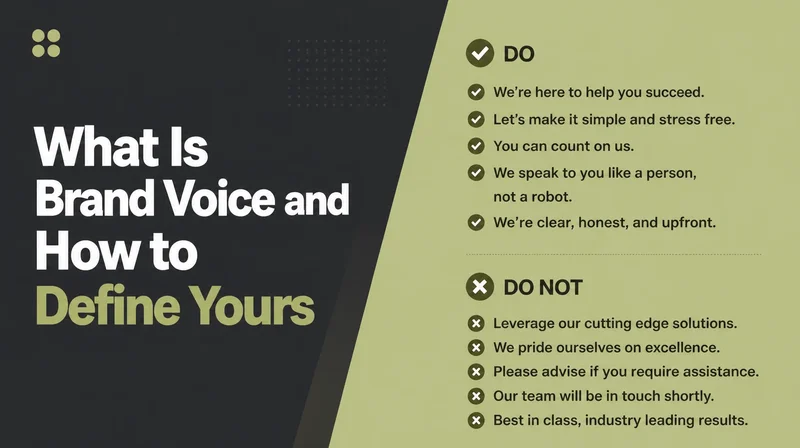
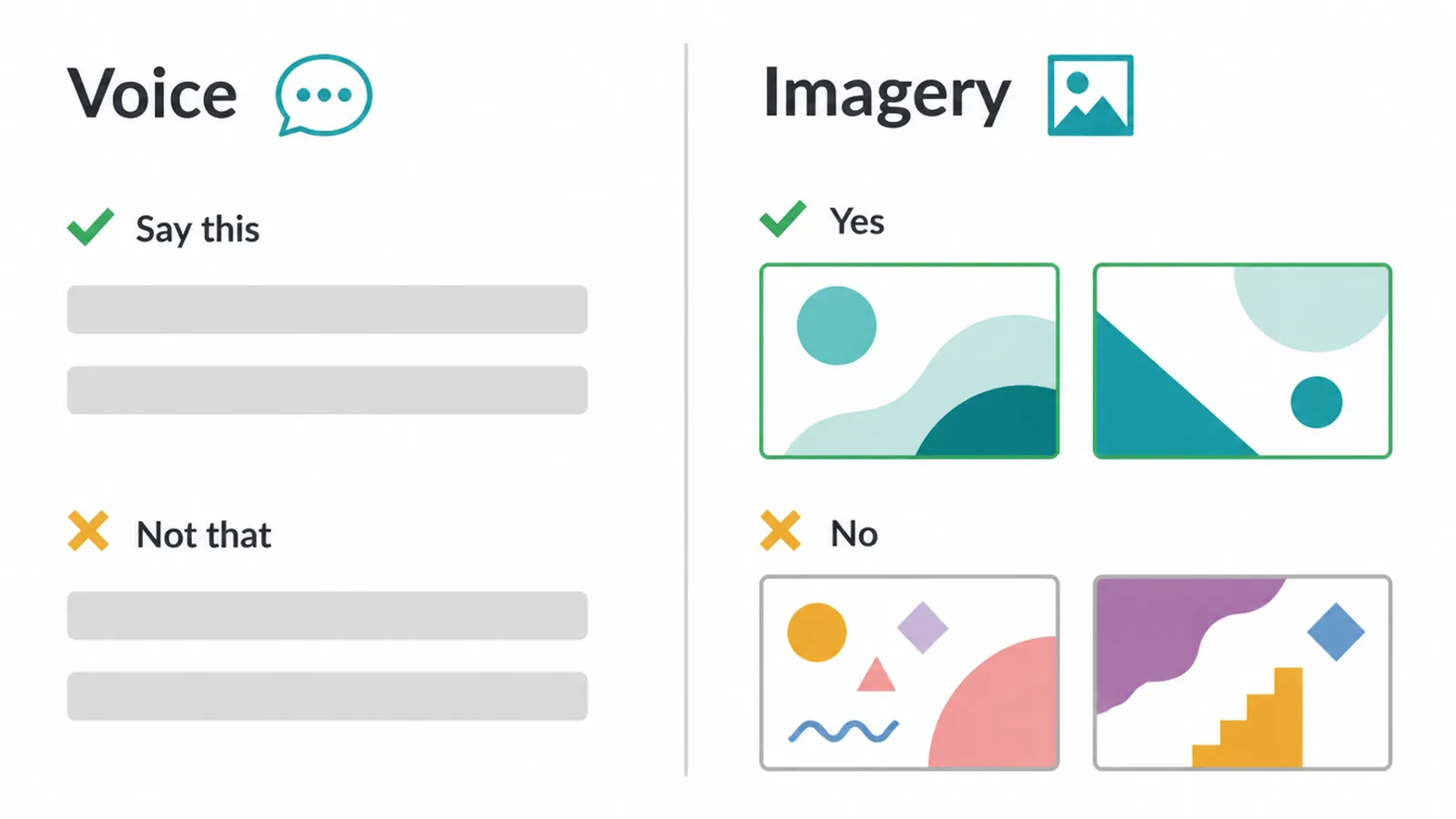
Voice is how your brand sounds in words. Are you plain and friendly, or formal and precise? Do you use short punchy lines, or longer explaining ones?
A few written rules and a handful of "say this, not that" examples keep every email, caption and page sounding like the same person wrote it. Voice is big enough to deserve its own guide, so keep this section short and practical.
Imagery
Imagery is the visual half of the same idea. Imagery guidelines specify the style, tone and composition of photographs, illustrations and graphics so all visual elements match the brand's personality (Bynder). You do not need a shoot to start.
Just decide the feel: bright and warm, or moody and minimal; real photos, or clean illustration. A couple of "yes" examples and a couple of "no" examples give anyone picking an image a target to aim at.
8. Do's and don'ts
The misuse page is where a guide earns its keep, because it is easier to see a rule than to read one.
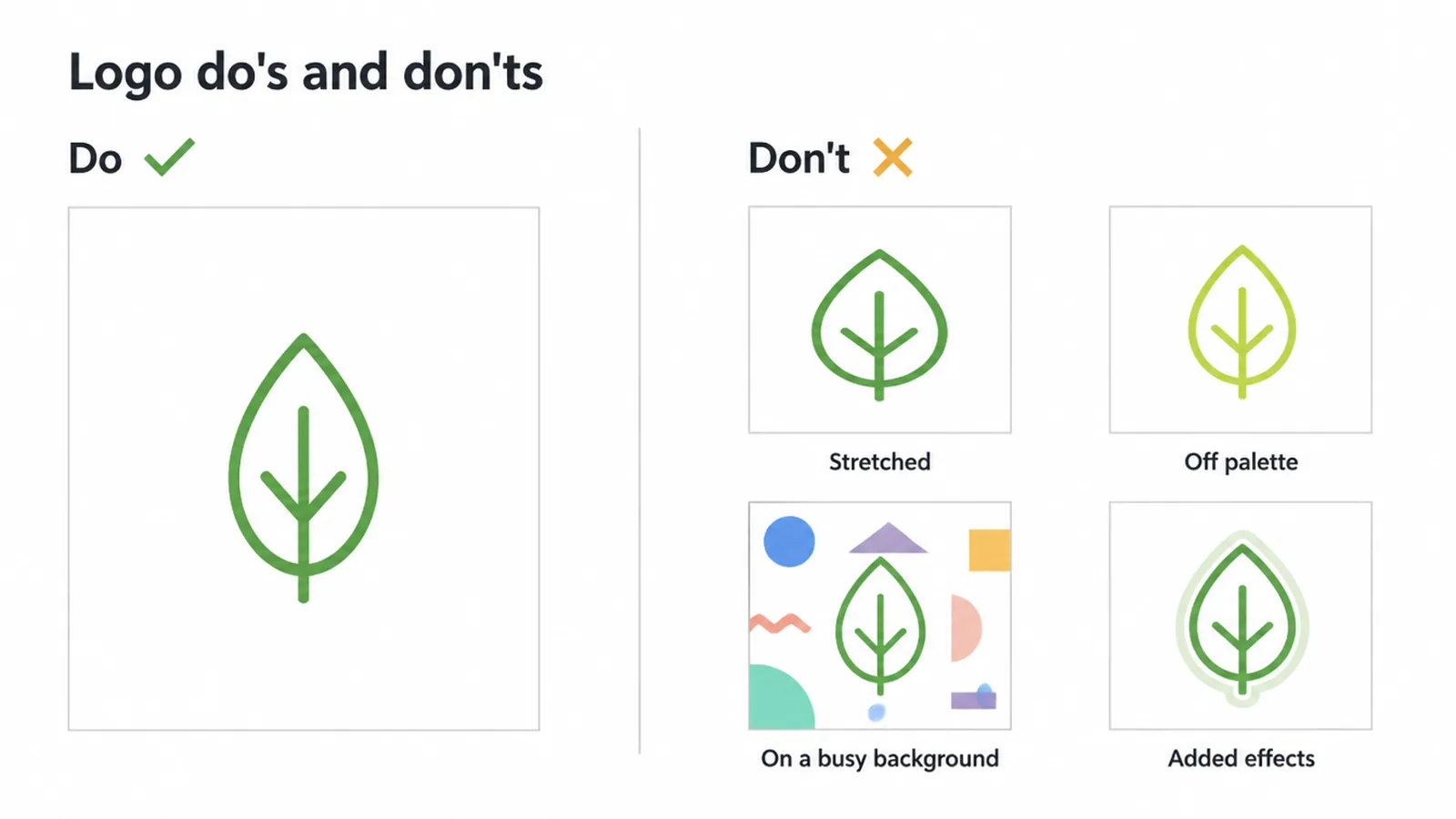
A common do-and-don't rule is to avoid placing the logo over busy photography, and to avoid adding outlines, drop shadows, gradients or glow effects that are not part of the approved guidelines, since these distort the logo and weaken consistency (Logo to Use).
Show the correct use on one side and the common mistakes on the other, and people copy the good one.
Keep your list of don'ts short
Keep your list of don'ts specific and short. Do not stretch or squash the logo. Do not recolour it outside the palette. Do not drop it on a cluttered photo where it disappears. Do not add effects that were never approved.
Each one is a small thing, but together they are the difference between a brand that looks cared for and one that looks improvised. When someone new joins or you brief a freelancer, this page saves the awkward correction later.
9. How to make a simple one-page brand guide
You can build a starter guide in an afternoon. It will not be a thick book, and it does not need to be. Here is a five-step version that covers the essentials and leaves room to grow.
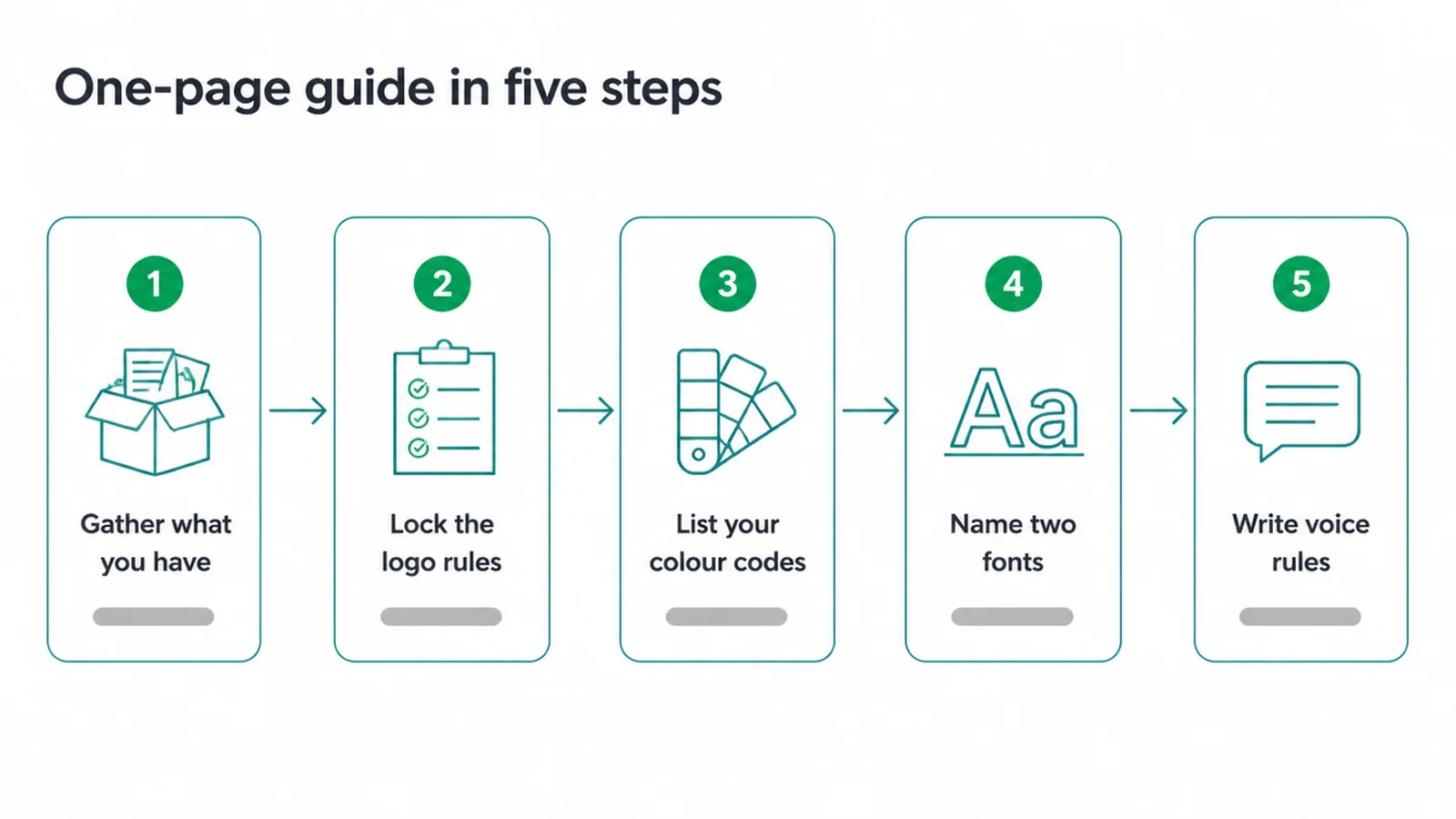
- Gather what you already have. Find your best logo file, note the colours you tend to use, and pull up the fonts on your current site or documents. You probably have more decided than you think.
- Lock the logo rules. List your approved versions, set a clear-space margin, set a smallest size, and jot down two or three things nobody should ever do to the logo.
- List your colour codes. Write the HEX and RGB for screen, and the CMYK or Pantone for print, for each colour. Name a primary, a secondary or two, an accent and your neutrals.
- Name two fonts. One for headings, one for body. Add rough sizes so text stays consistent, and note where the fonts are licensed from.
- Write three voice rules and a do's-and-don'ts strip. Three short lines on how you sound, plus a handful of visual do's and don'ts. Done.
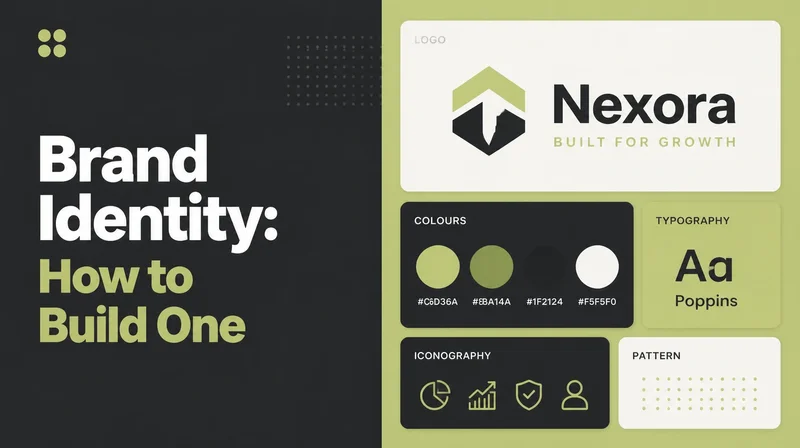
That single page is a working brand guide. As your brand grows, it can turn into the wider system it belongs to, and our post on brand identity shows how the pieces fit together. If you would rather have a proper guide built for you, that is exactly what our branding work does.
Either way, start small. A one-page guide you actually use beats a sixty-page book that sits in a folder. Want a hand pulling yours together? Tell us where your brand feels scattered and we will help you tidy it up.
Frequently asked questions
1. What are brand guidelines?
Brand guidelines are a short rulebook that shows how your brand should look and sound. They set the rules for your logo, colours, fonts, voice and images so everything you make looks like it came from one brand.
2. What is the difference between brand guidelines and a brand style guide?
There is no real difference. Brand guidelines, brand style guide and brand book all mean the same thing. They are all names for the document that holds your brand rules.
3. What should brand guidelines include?
At a minimum: how to use your logo with clear space and misuse examples, your colour values, your fonts and how to size them, your brand voice, your image style, and a short list of do's and don'ts.
4. Does a small business really need brand guidelines?
Yes. Even a one-page guide can help people recognise your brand over time by keeping it consistent when you post, print or hand work to a freelancer.
5. What is clear space on a logo?
Clear space is the empty room you keep around your logo. Nothing else, no text or graphics, sits inside that zone. It stops your logo from looking cramped and keeps it easy to see.
6. How long should brand guidelines be?
As long as you need and no longer. A big company may have a thick book. A small business can start with a single page that covers logo, colours, fonts and voice, then grow it later.
7. What are brand colour values?
They are the exact codes for each brand colour, such as HEX and RGB for screens and CMYK or Pantone for print. Codes stop your colours from drifting from one design to the next.
8. Can I make brand guidelines myself?
Yes. You can write a simple one-page guide yourself using a free template. If your brand gets more complex, or you want a full identity system, a designer can build a deeper guide for you.