What Is a UTM Code? Track Where Each Visit Came From

A UTM code is a short tag added to the end of a link so your analytics tool records exactly where a click came from. Five parameters exist, and three are used every time: source, medium and campaign. Seed Light keeps a written naming log and leaves internal links untagged, since a UTM there overwrites the real source.
Key takeaways
- A UTM is a link tag. It sits at the end of a URL and tells your analytics tool where the click came from, so you stop guessing.
- Three parameters do the heavy lifting. Google recommends you always use utm_source, utm_medium, and utm_campaign. The other two are optional.
- Each tag maps to a report field. In Google Analytics 4, utm_source becomes the Session manual source, and the others follow the same pattern.
- Consistency matters more than cleverness. GA4 treats Email and email as two different things, so pick a naming style and stick to it.
- Two mistakes ruin your data. Never tag links between your own pages, and do not manually tag Google Ads when auto-tagging is on.
1. What is a UTM code?
A UTM code is a snippet of text bolted onto the end of a link that tells your analytics tool where a visitor came from. Think of it like a luggage tag.
The bag is your web page, and the tag rides along so the airport knows exactly where it started and where it should go. When someone clicks a tagged link, those little tags travel with them and land in your reports as the traffic's source, channel, and campaign.
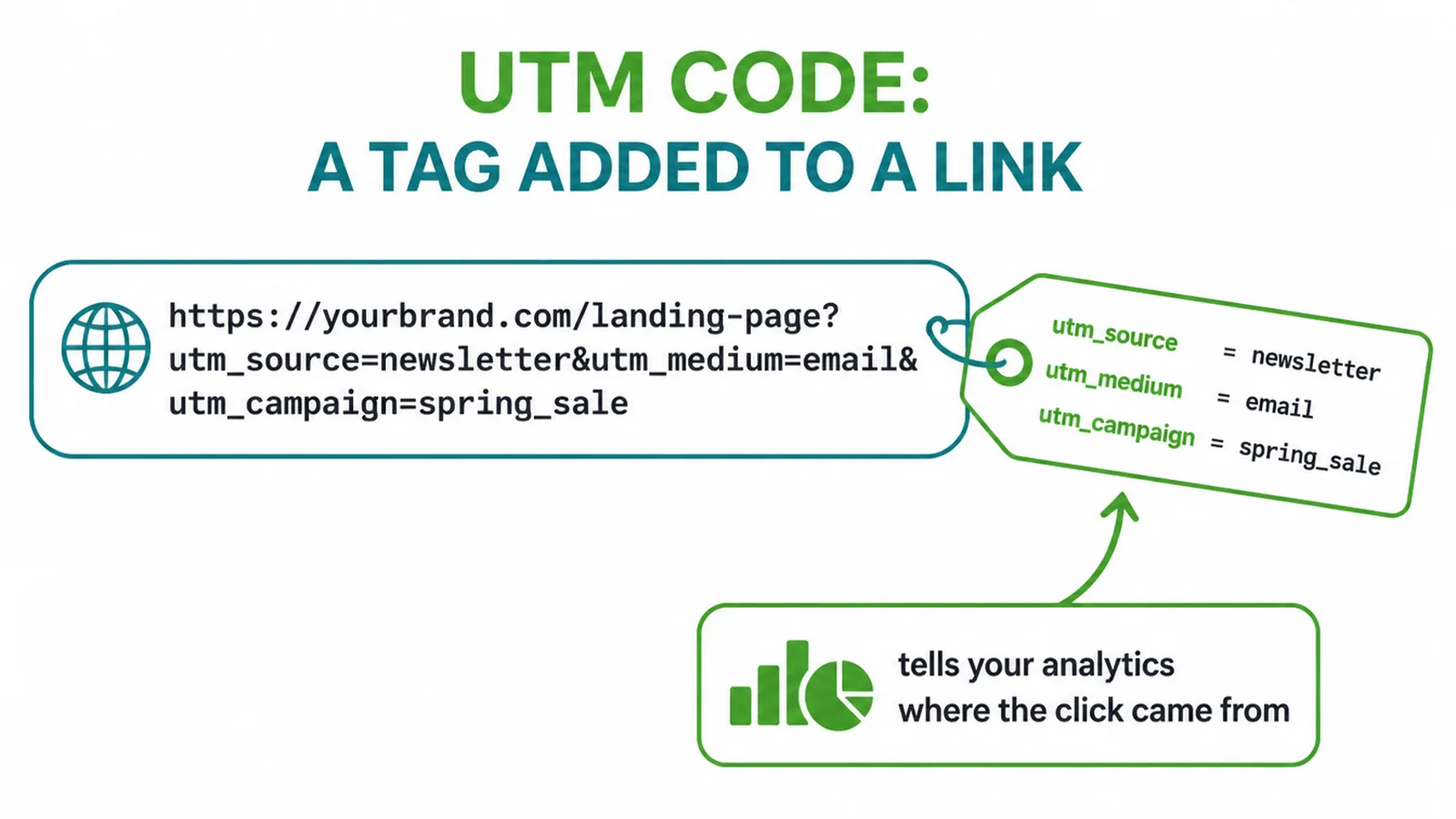
Without a UTM, your analytics has to guess. It can often see that a visitor arrived from another website, but it usually cannot tell whether that click came from your monthly email, a paid post, or a link in your bio. Tag the link and the guesswork disappears.
The name is a leftover from history. UTM stands for Urchin Tracking Module, after Urchin Software, a company Google bought in 2005 and reshaped into Google Analytics. Almost nobody says Urchin anymore, but the tags kept the name. Good news: you do not need any of that history to use them.
2. The five UTM parameters
There are five standard UTM parameters, and each one answers a different question about a click. Per Google Analytics Help, the practical rule is simple: whenever you tag a link, always use utm_source, utm_medium, and utm_campaign.
Those three are required in practice. The last two, utm_term and utm_content, are optional extras you add only when you need them.
| Parameter | Required? | What it tracks | Example value |
|---|---|---|---|
| utm_source | Yes | Where the traffic came from | newsletter |
| utm_medium | Yes | The type of channel | |
| utm_campaign | Yes | The specific campaign or promo | spring_promo |
| utm_term | Optional | The paid-search keyword | web_design |
| utm_content | Optional | Tells two similar links apart | header_button |
Here is the short version.
- Source is the specific place the click came from, like newsletter or facebook.
- Medium is the broad channel type, like email, social, or cpc for paid search.
- Campaign is the named effort, like your spring sale.
- Term is for paid-search keywords.
- Content lets you split-test two links in the same message.
GA4 also supports a few newer optional tags, such as utm_id, but the classic five above cover almost everything a small business needs.
3. How to build a UTM link
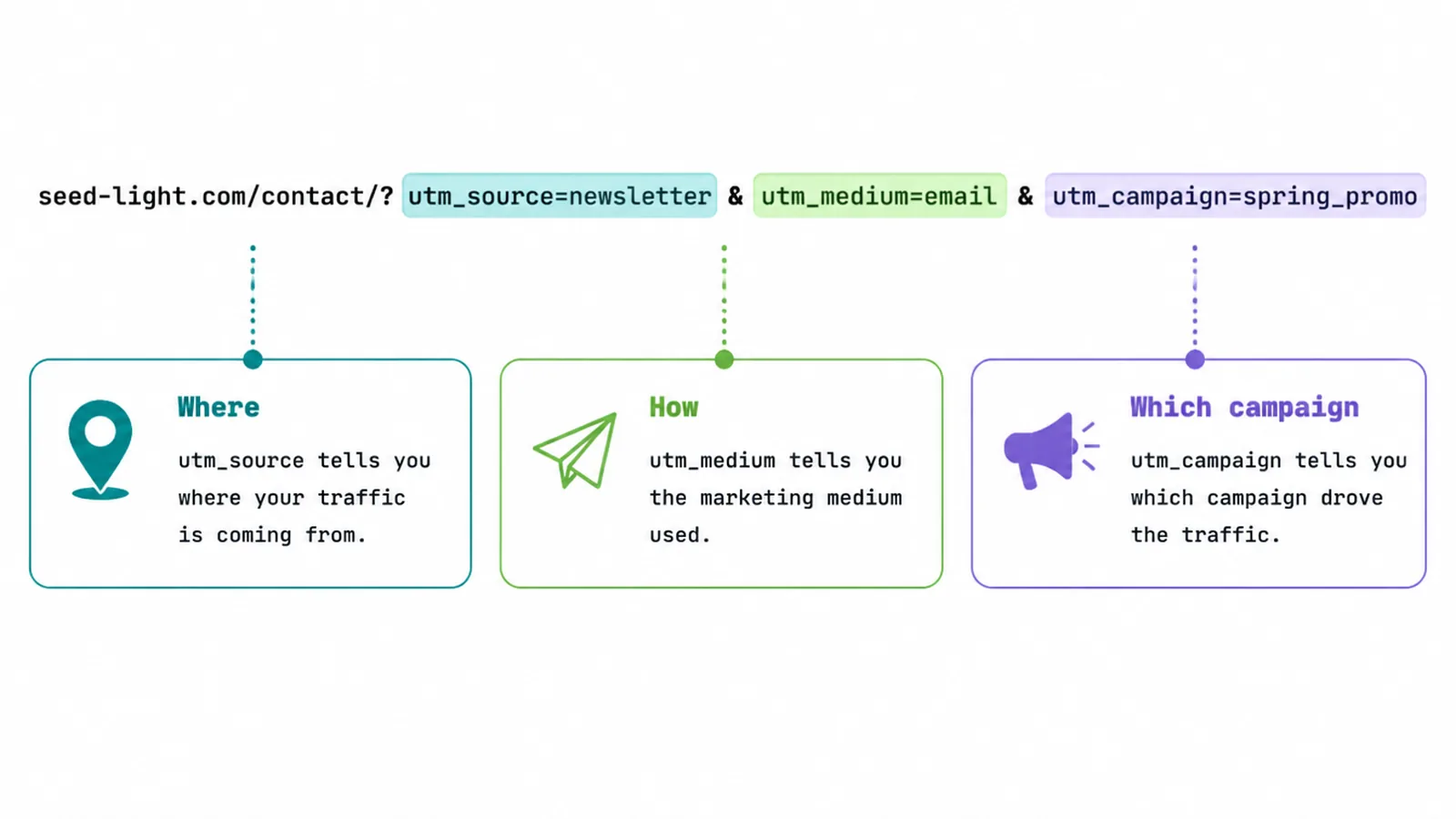
Building a tagged link is easier than it looks. You start with your normal page URL, add a question mark, then list the parameters. Say you are sending a spring email and you want to link to your contact page. Your finished tagged link would look like this:
https://seed-light.com/contact/?utm_source=newsletter&utm_medium=email&utm_campaign=spring_promo
What each part of the link means
Let us read it left to right.
- Everything before the question mark is your normal page URL.
- The question mark starts the parameters.
- Then utm_source=newsletter says the click came from the newsletter.
- The ampersand joins each parameter to the next.
- utm_medium=email says the channel is email, and utm_campaign=spring_promo names the campaign.
That is a complete, working UTM link.
Want to test two links in the same email? Add the optional fifth parameter to tell them apart. A button in your header could carry utm_content=header_button while a text link at the bottom carries utm_content=footer_link, and your report will show which one people actually clicked.
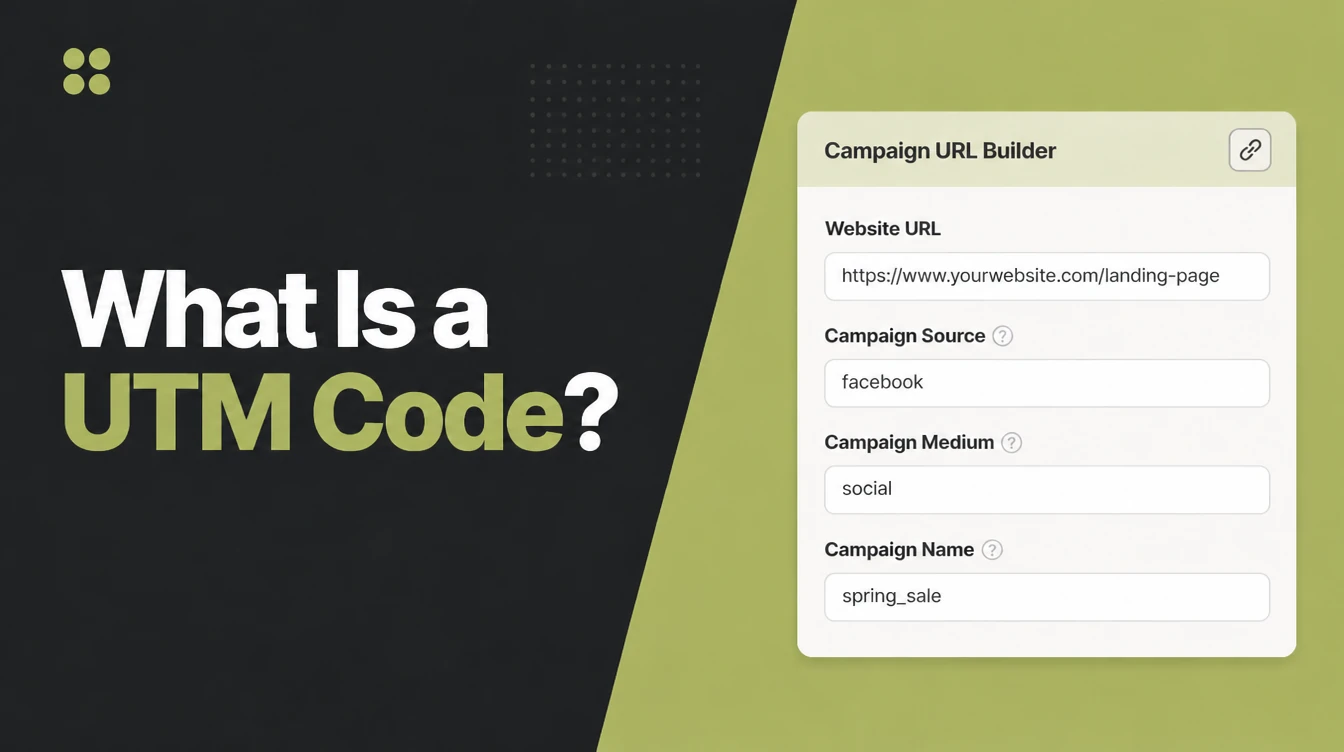
Google's free Campaign URL Builder
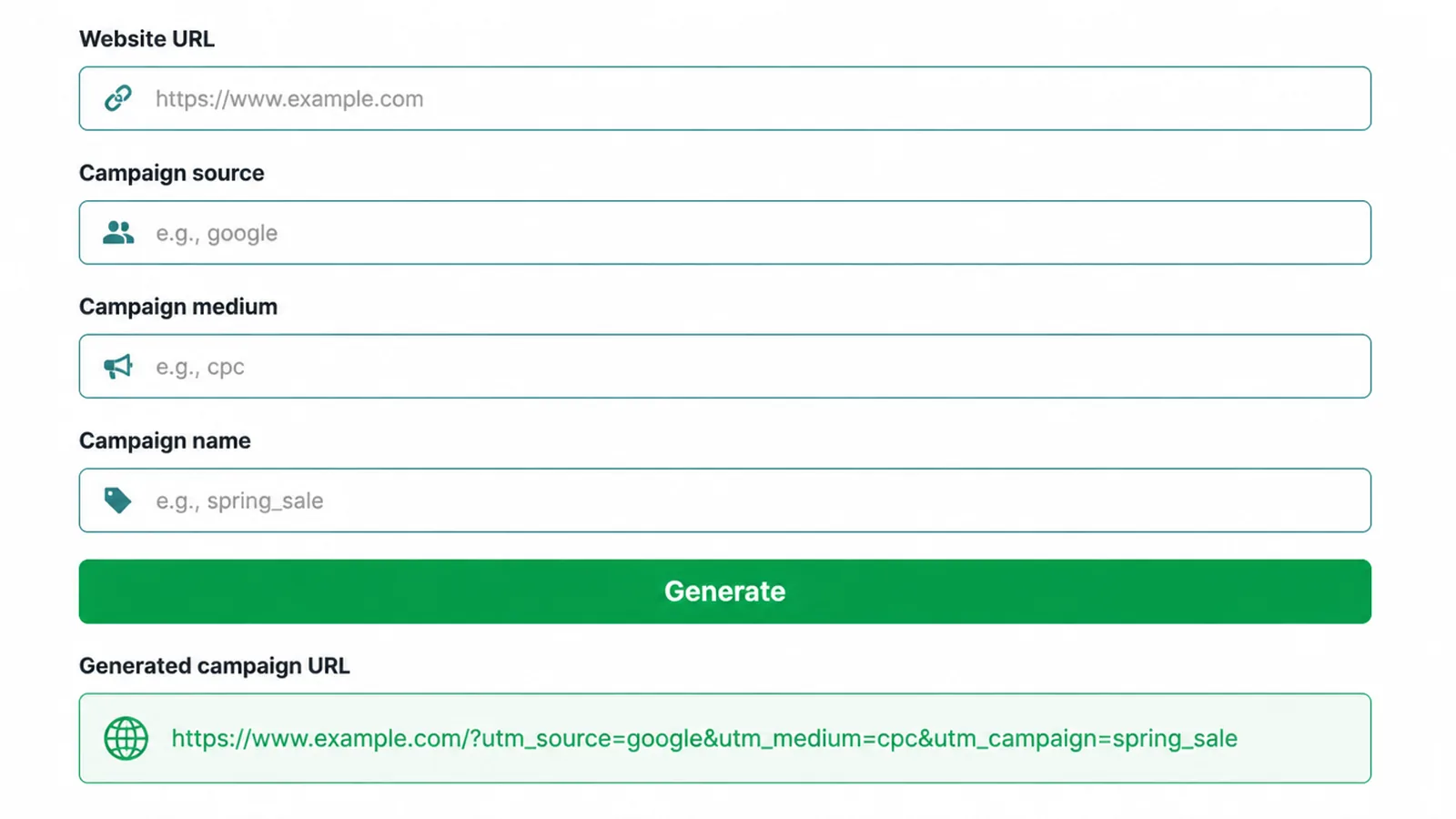
You do not have to type these by hand. Google's free Campaign URL Builder lets you paste your page link, fill in the source, medium, and campaign, and copy a finished tagged link.
If paid ads are a big part of your plan, our digital marketing team can set up a naming system so your campaigns stay tidy from day one.
4. Where UTM data shows up
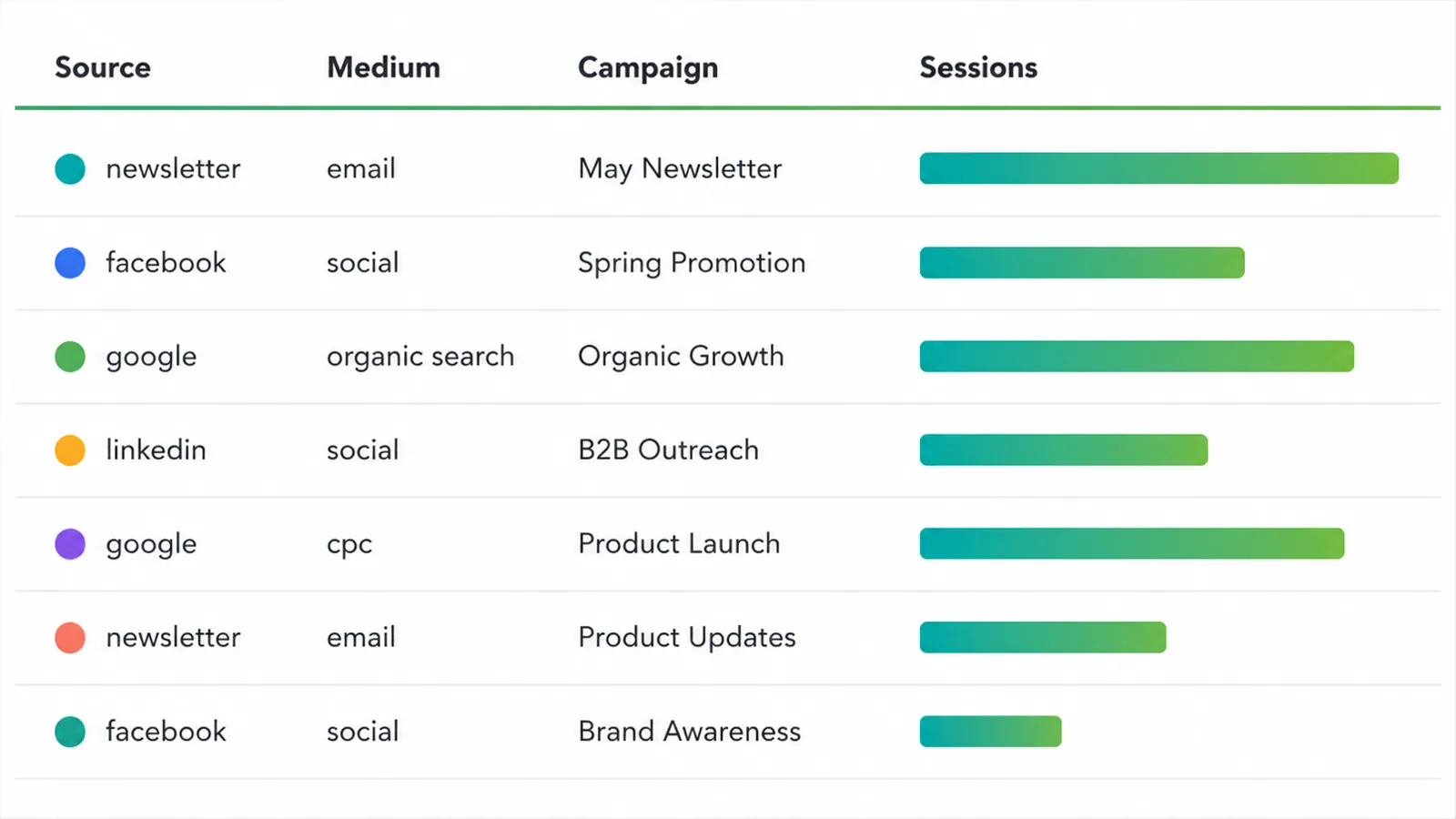
Once your tagged link is live and people start clicking, the data lands in Google Analytics 4. You will find it under Reports, in the traffic-acquisition and session-source reports, where GA4 groups your visitors by where they came from.
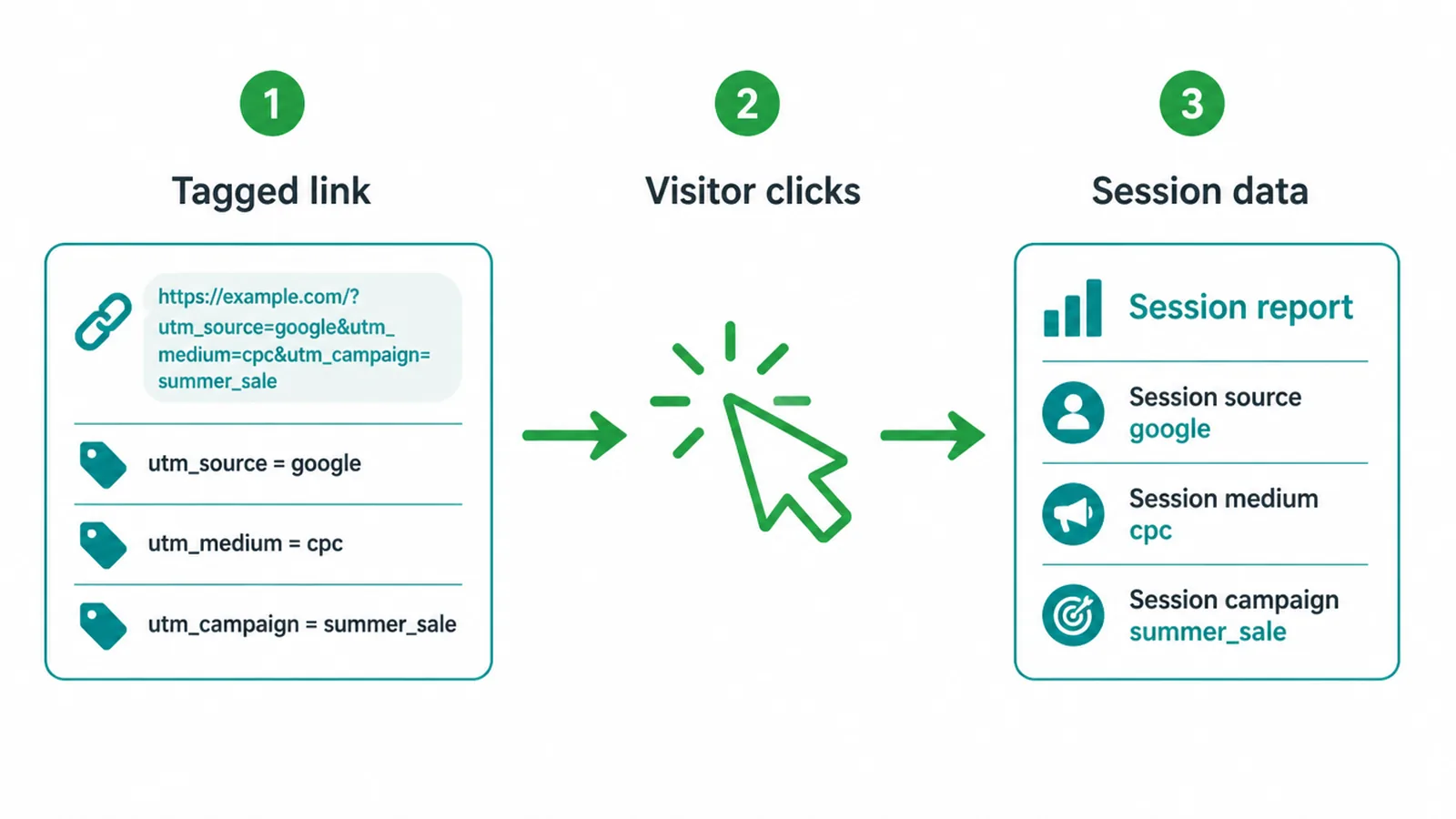
Each UTM parameter feeds a matching field, called a dimension, inside GA4. Per Google Analytics Help, utm_source becomes the Session manual source, utm_medium becomes the Session manual medium, and utm_campaign becomes the Session manual campaign name.
The optional two follow the same pattern: utm_term becomes the Session manual term, and utm_content becomes the Session manual ad content. So when you build a report and add the Session manual source dimension, your newsletter tag shows up there by name.
One thing to check first: none of this works unless GA4 is actually installed on your site and collecting data. If you have not set that up yet, start with our guide on how to set up Google Analytics 4, then come back and tag your links.
5. UTM naming conventions
UTMs only pay off if you name them consistently, because GA4 reads them literally. It treats Email and email as two separate mediums, and Spring_Promo and spring_promo as two separate campaigns. Mix your capitalisation and your reports split one channel into a messy pile of near-duplicates.
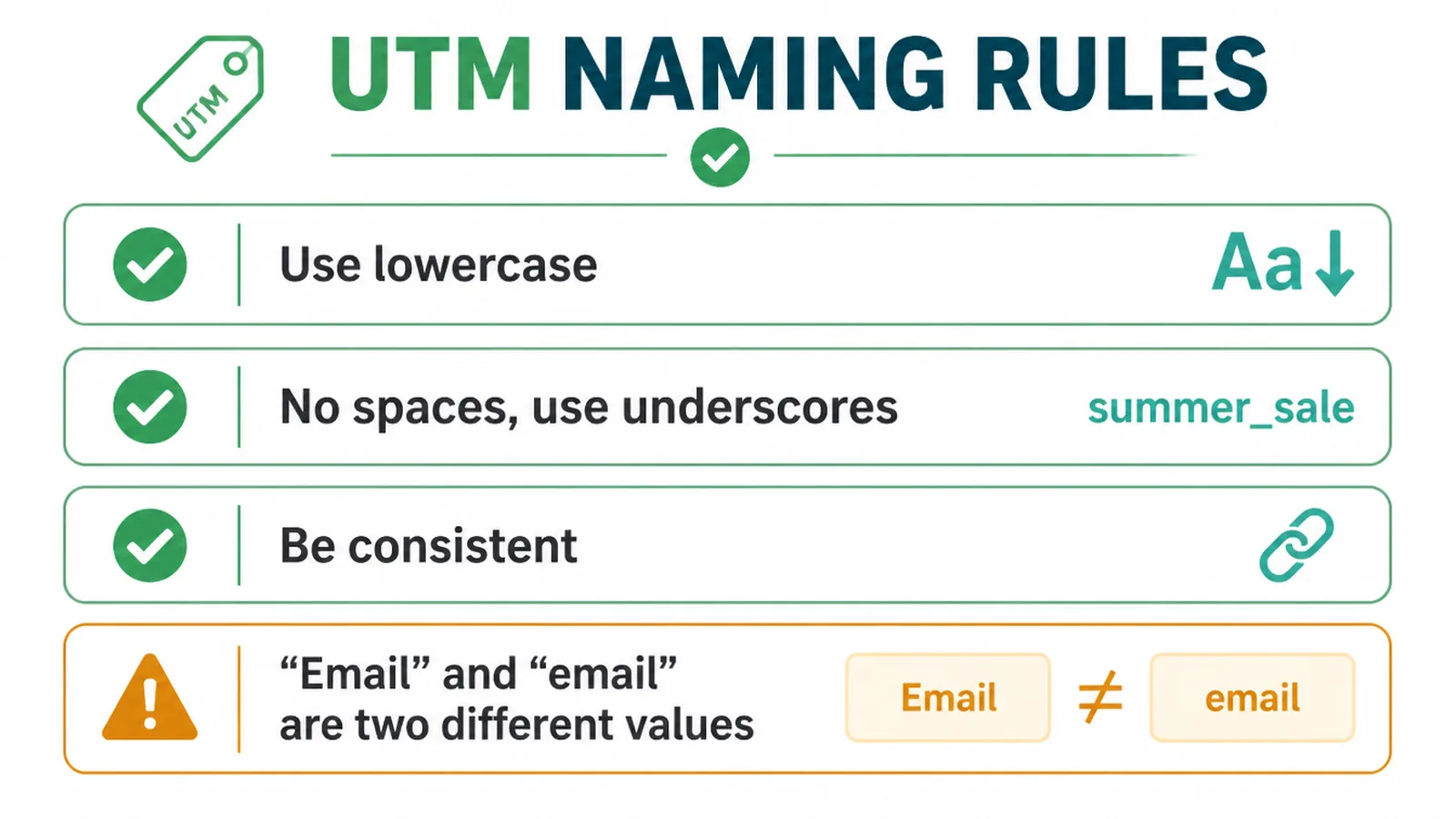
A few simple rules keep you safe
- Use lowercase for everything, always.
- Never use spaces, because they break the URL, so join words with underscores or hyphens instead, like spring_promo.
- Keep your values short and readable.
- Use the same words every time, so email is always email and never e-mail or Email.
Pick one convention and write it down
The real trick is to pick one convention and write it down. Keep a simple log, even a spreadsheet, listing every source, medium, and campaign value you use, plus the finished links.
Future you will thank present you when it is time to compare this year's spring campaign to last year's. A shared tracking sheet also stops two people on your team from tagging the same channel two different ways.
If you want the bigger picture of how all your channels fit together, our overview of digital marketing for small business puts UTMs in context.
6. Common UTM mistakes
Two mistakes cause most UTM headaches, and both are easy to avoid once you know them.
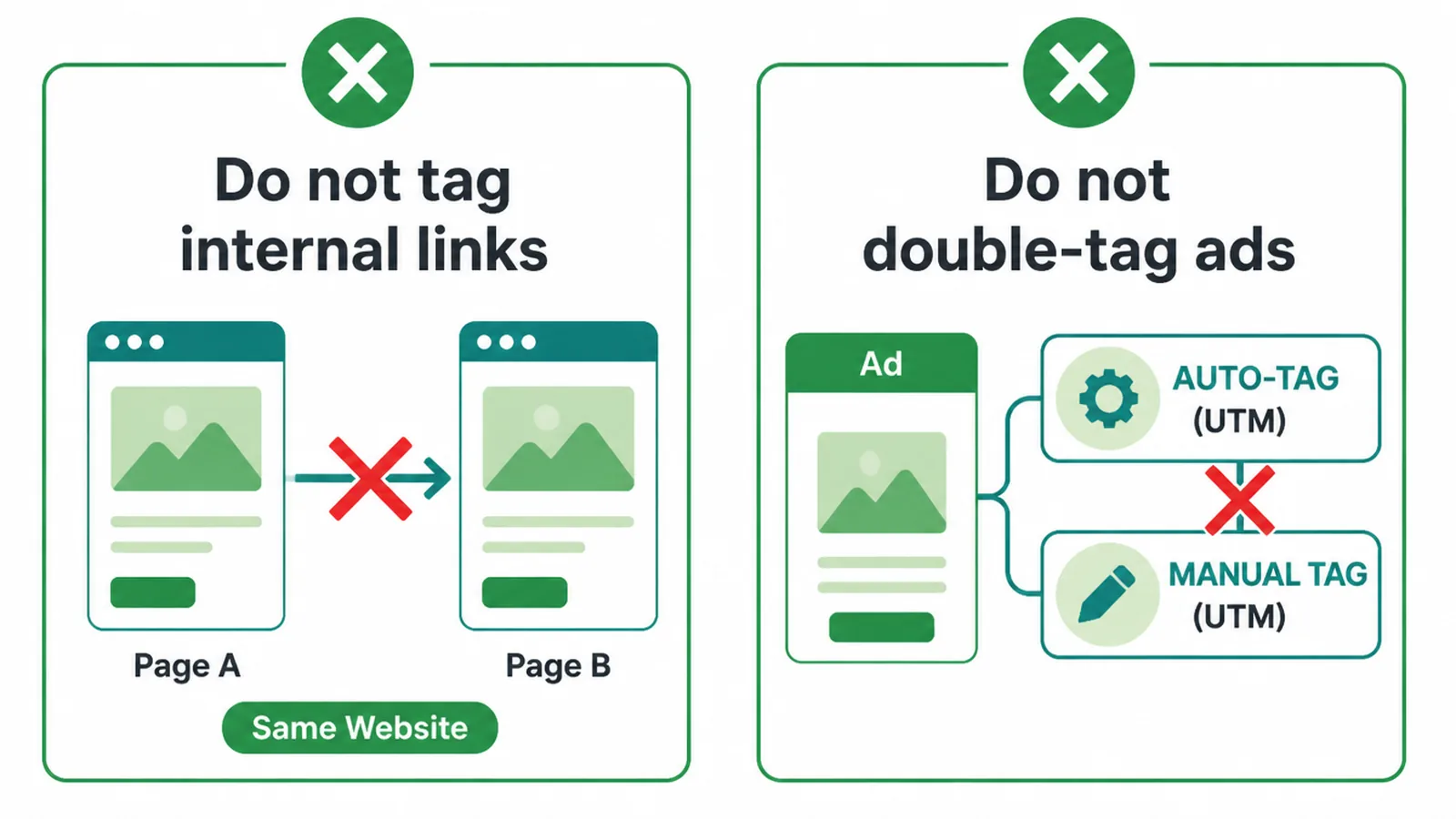
Tagging your own internal links
Internal UTMs overwrite the campaign values GA4 records, so reports credit your own site instead of the real source.
The result is that your reports credit your homepage for traffic that actually came from Google or your email, and the true source vanishes. Save UTMs for links that bring people to your site from somewhere else.
Double-tagging Google Ads
The second is double-tagging Google Ads. If you run Google Ads, the platform has a feature called auto-tagging that adds its own tracking automatically. Per Google Analytics Help, when both manual UTM tags and auto-tagging are used together, GA4 uses the auto-tagged values.
So auto-tagging is the preferred setup for Google Ads, and adding your own UTMs on top just creates confusion and duplicate work. Leave auto-tagging on and skip the manual UTMs there. Use UTMs for the channels Google cannot tag for you, like email, organic social, and partner links.
7. Should you use UTMs?
Yes, if you ever want a straight answer to "where do my customers come from?" UTMs are free, they take minutes to build, and they turn vague traffic into clear, named sources you can actually compare.
Tag your email links, your social posts, and your partner links, keep your naming tidy, and skip your internal links and your Google Ads. That is the whole game.
If you would rather have someone build your tracking so the numbers are trustworthy from the start, get in touch with our team and we will set it up with you.
Frequently asked questions
1. What is a UTM code?
A UTM code is a short tag you add to the end of a link so your analytics tool can record exactly where a click came from. When someone clicks the tagged link, the tags travel with them and show up as the traffic's source, channel, and campaign.
2. What does UTM stand for?
UTM stands for Urchin Tracking Module, named after Urchin Software, the company Google bought in 2005 and turned into Google Analytics. The name stuck even though almost nobody says Urchin anymore.
3. What are the five UTM parameters?
They are utm_source, utm_medium, utm_campaign, utm_term, and utm_content. The first three tell you where, how, and which campaign, and the last two are optional extras for paid keywords and for telling two similar links apart.
4. Which UTM parameters are required?
Google recommends you always use utm_source, utm_medium, and utm_campaign. Those three are the practical minimum. utm_term and utm_content are optional.
5. How do I create a UTM link?
The easiest way is Google's free Campaign URL Builder. You paste in your page link, fill in the source, medium, and campaign, and it hands back a finished tagged link to copy. You can also add the tags by hand if you prefer.
6. Where do I see UTM data?
In Google Analytics 4, under Reports, in the traffic-acquisition and session-source reports. Each UTM parameter feeds a matching dimension, for example utm_source becomes the Session manual source.
7. Should I tag internal links?
Internal UTMs overwrite the campaign values GA4 records, so reports credit your own site instead of the real source.
8. Do UTMs slow my site down or hurt SEO?
No. UTM parameters are just text on the end of a URL, so they do not affect page speed and are not a ranking factor. Set a canonical URL on your pages so search engines index the clean version rather than the tagged one.