
URL Structure for SEO: Build Cleaner, More Useful URLs

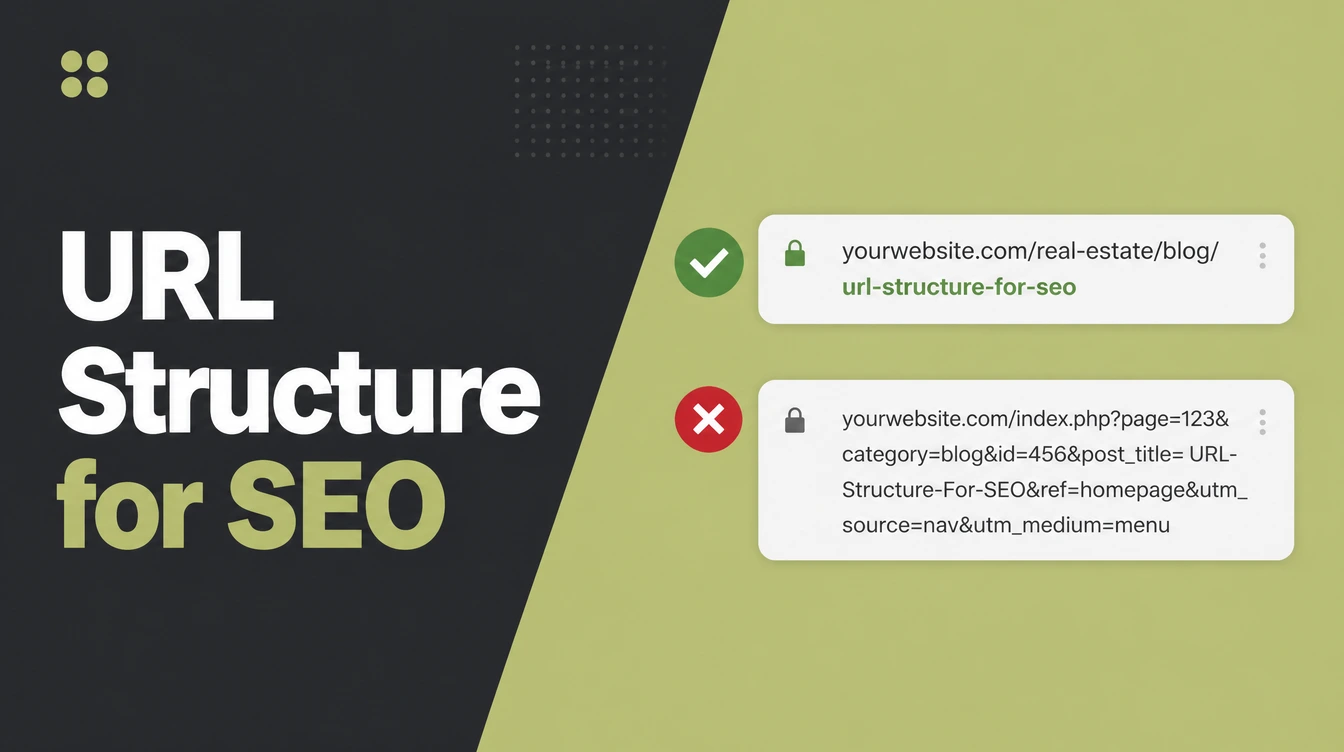
A clean URL is a short address made of real words, in lowercase, with hyphens between them and folders that mirror your site. Google reads underscores as joining words, and treats /APPLE and /apple as two pages. Seed Light sets the structure once, then uses a 301 whenever an address has to change.
Key takeaways
- Use words, not IDs. Google says to use readable words rather than long ID numbers in your URLs. That is the single most useful rule here.
- Keep it lowercase and hyphenated. Google treats
/APPLEand/appleas different URLs, and it reads underscores as joining words. Use lowercase with hyphens. - Mirror your folders. Group related pages into clear folders so the path itself shows the hierarchy.
- Do not change URLs on a whim. If you must, set a permanent 301 redirect from the old address to the new one.
- It helps, but it is not magic. A clean URL supports good content. It will not save a thin page on its own.
1. What does a clean URL look like?
A clean URL structure for SEO is a short readable address of real words that tells a person and Google what the page is about. No random numbers. No mystery codes.
Just plain words a human can read out loud. Google says to use readable words rather than long ID numbers in your URLs, and that single idea drives almost everything else.
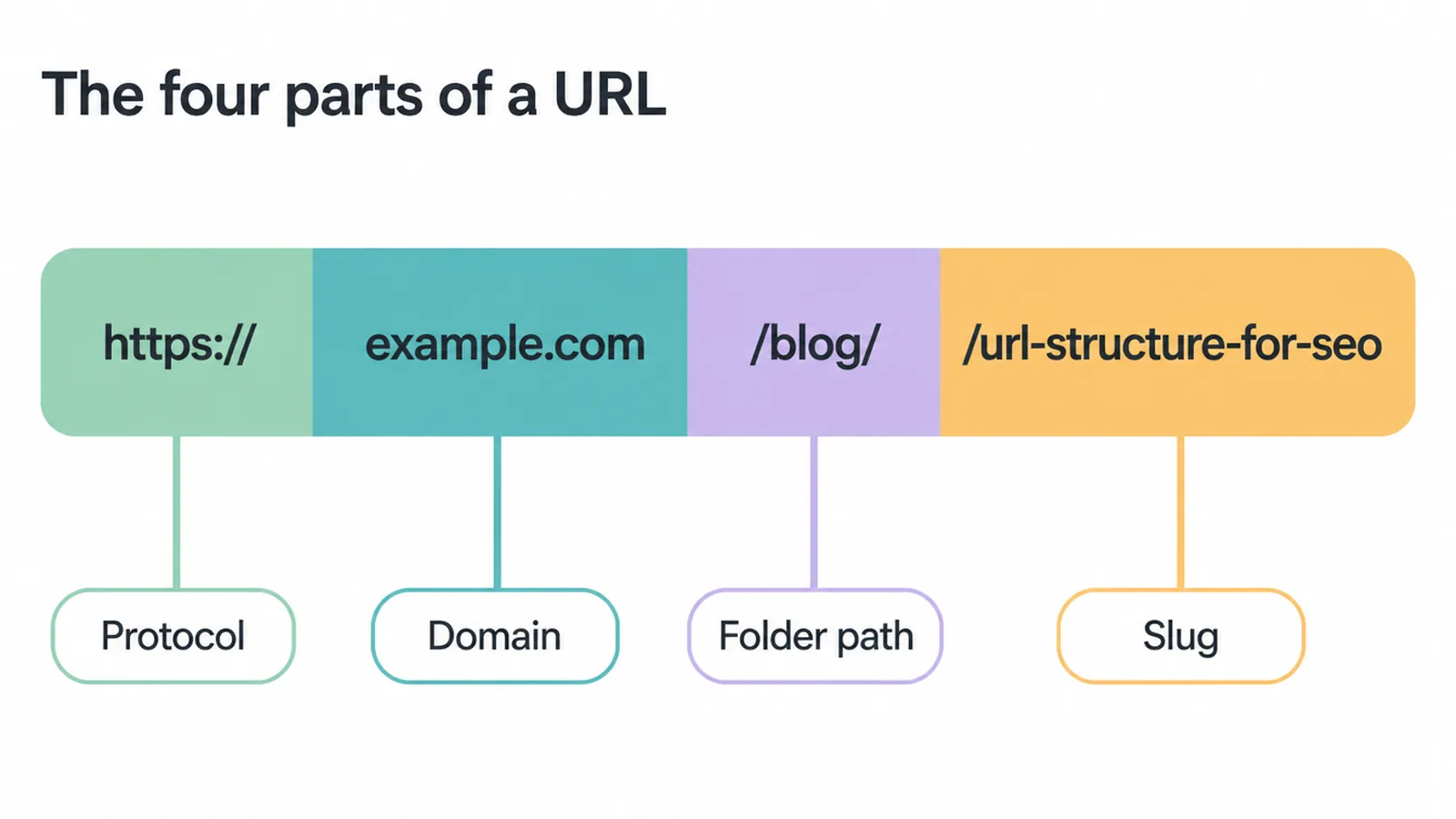
Every URL has a few parts. There is the protocol at the start, which should be https:// for the secure version. There is your domain, like seed-light.com.
Then comes the folder path, like /blog/, which groups similar pages together. Last is the slug, the final readable bit like /url-structure-for-seo that names the page. Read together, they form a tidy trail.
Here is why it matters beyond looks. Google says parts of the URL can show up as breadcrumbs in search results, so people can gauge how useful the page is before they click. A clear address is free advertising in the results page.
2. What are the 6 rules of good URL structure for SEO?
Good URL structure for SEO comes down to six plain rules: words over IDs, lowercase, hyphens not underscores, real words in your reader's language, folders that mirror your site, and HTTPS. Follow these and most of your addresses will sort themselves out.
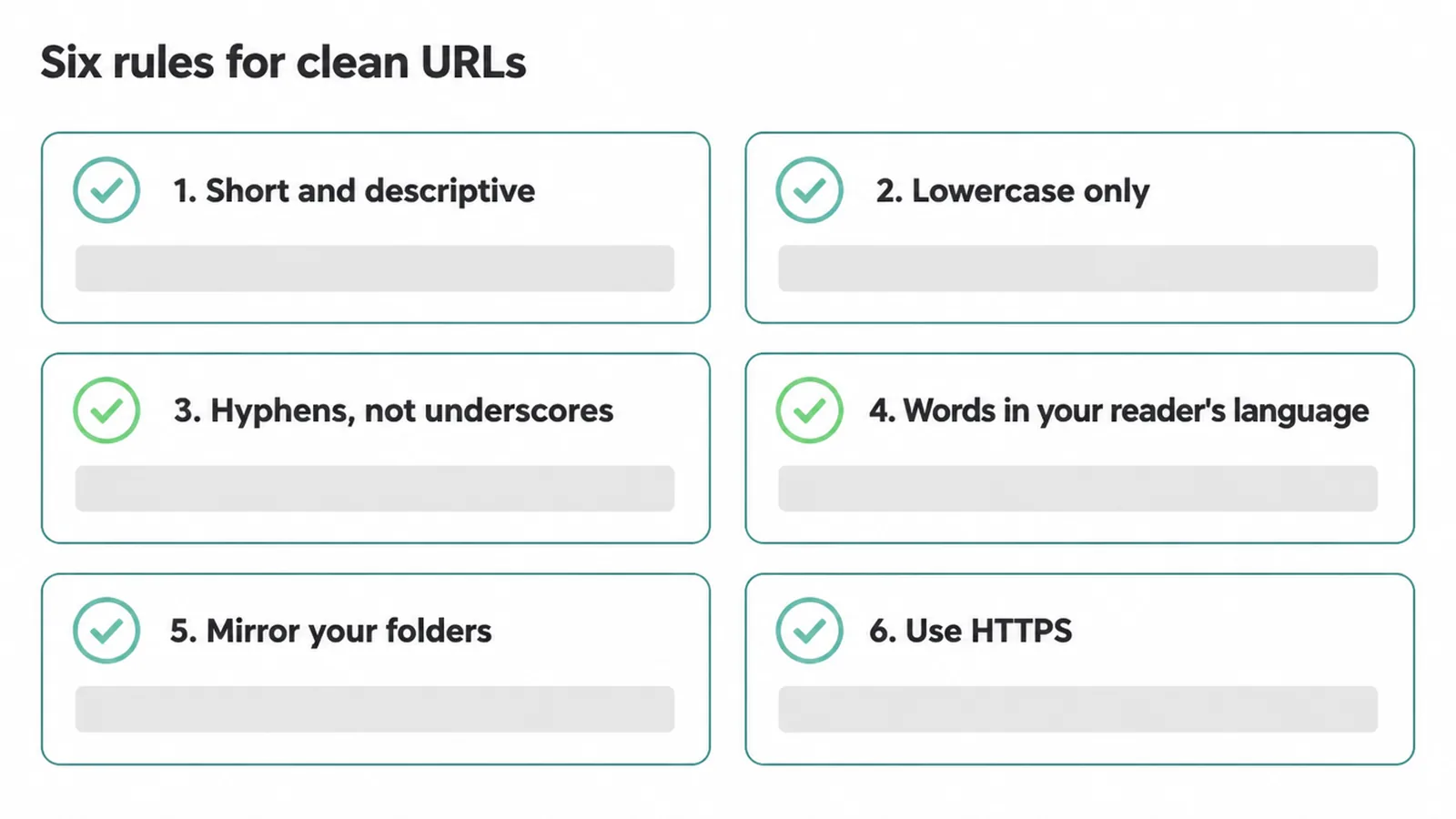
1. Short and descriptive. Use a handful of words that name the page. Google says to use readable words rather than long ID numbers. So /red-running-shoes beats /product?id=84621 every time.
2. Lowercase only. Google treats /APPLE and /apple as two different URLs. Mixed case can split your signals or create duplicates. Pick lowercase and stick to it across the whole site.
3. Hyphens, not underscores. Google recommends using hyphens to separate words instead of underscores. Google reads clean_urls as one joined word, but clean-urls as two. Hyphens keep your words readable.
4. Real words in your reader's language. Google says to use words in your audience's language in the URL. Write the slug the way a customer would describe the page, not in internal codes only your team understands.
5. Mirror your folders. Using directories to group similar topics helps Google learn how your pages relate, per Google's SEO Starter Guide. Group your guides under /blog/ and your services under /services/. That hierarchy is the heart of good site architecture.
6. Use HTTPS. The secure protocol protects your visitors and is the standard Google expects. We cover the ranking side in our guide to HTTPS and SEO.
3. Should you put your keyword in the URL?
Yes, put your main words in the URL when it reads naturally, because that is part of good URL structure for SEO. A slug like /url-structure-for-seo tells people exactly what they are about to read, and that builds a little trust before the click. It also makes the address easier to share and remember.
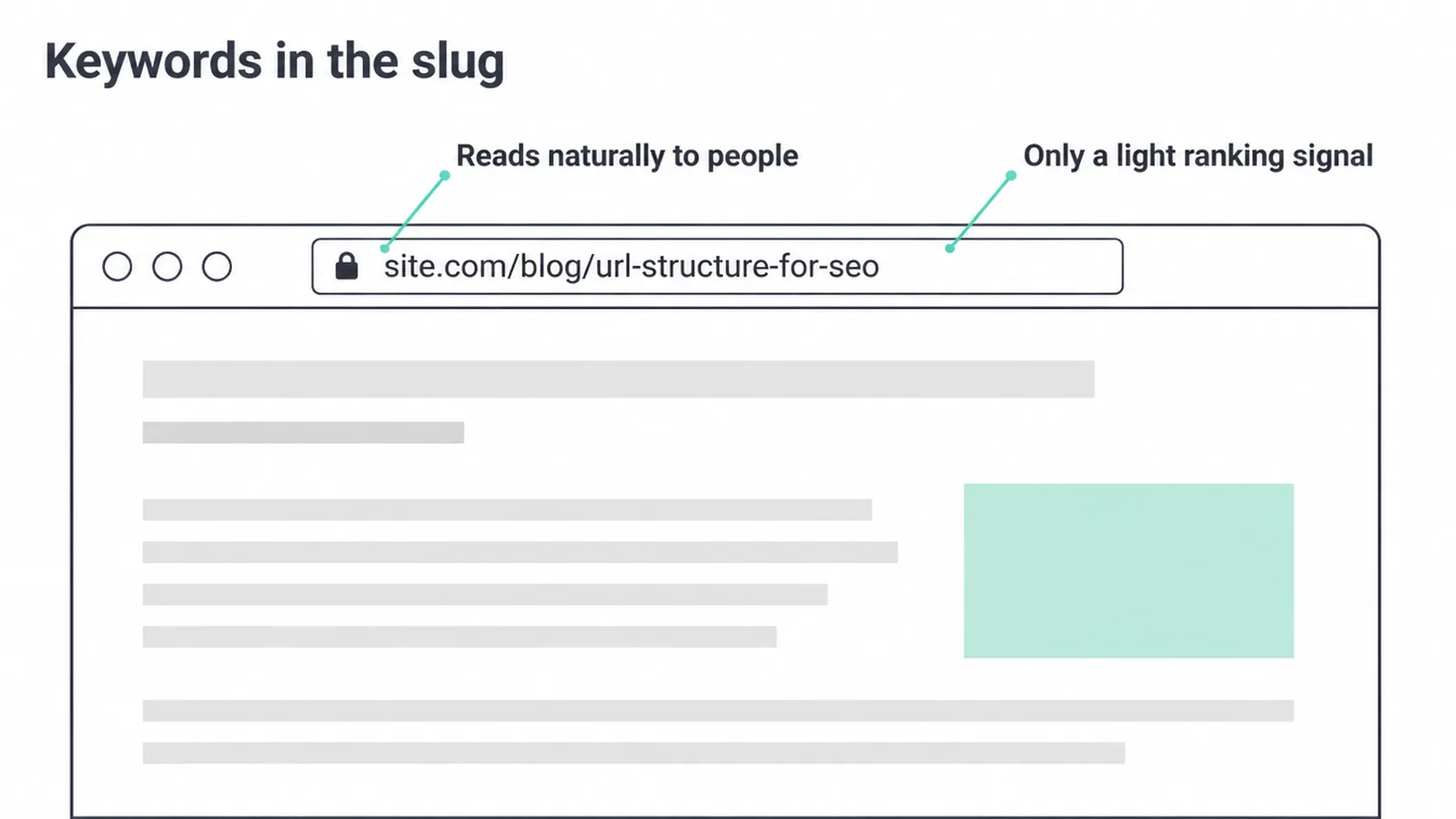
But keep your feet on the ground. Google has said the words in a URL are only a very light signal, and that signal gets smaller once a page is indexed. So write the slug for people first.
Do not stuff three keywords into one address, and do not rebuild your whole site just to cram a keyword into every URL. The juice is not worth the squeeze. If you want to find the right words in the first place, start with keyword research before you name the page.
4. What should you avoid in a URL?
Avoid anything that makes a URL harder to read or harder to manage. Good URL structure for SEO is as much about what you leave out as what you put in. Here are the usual offenders.
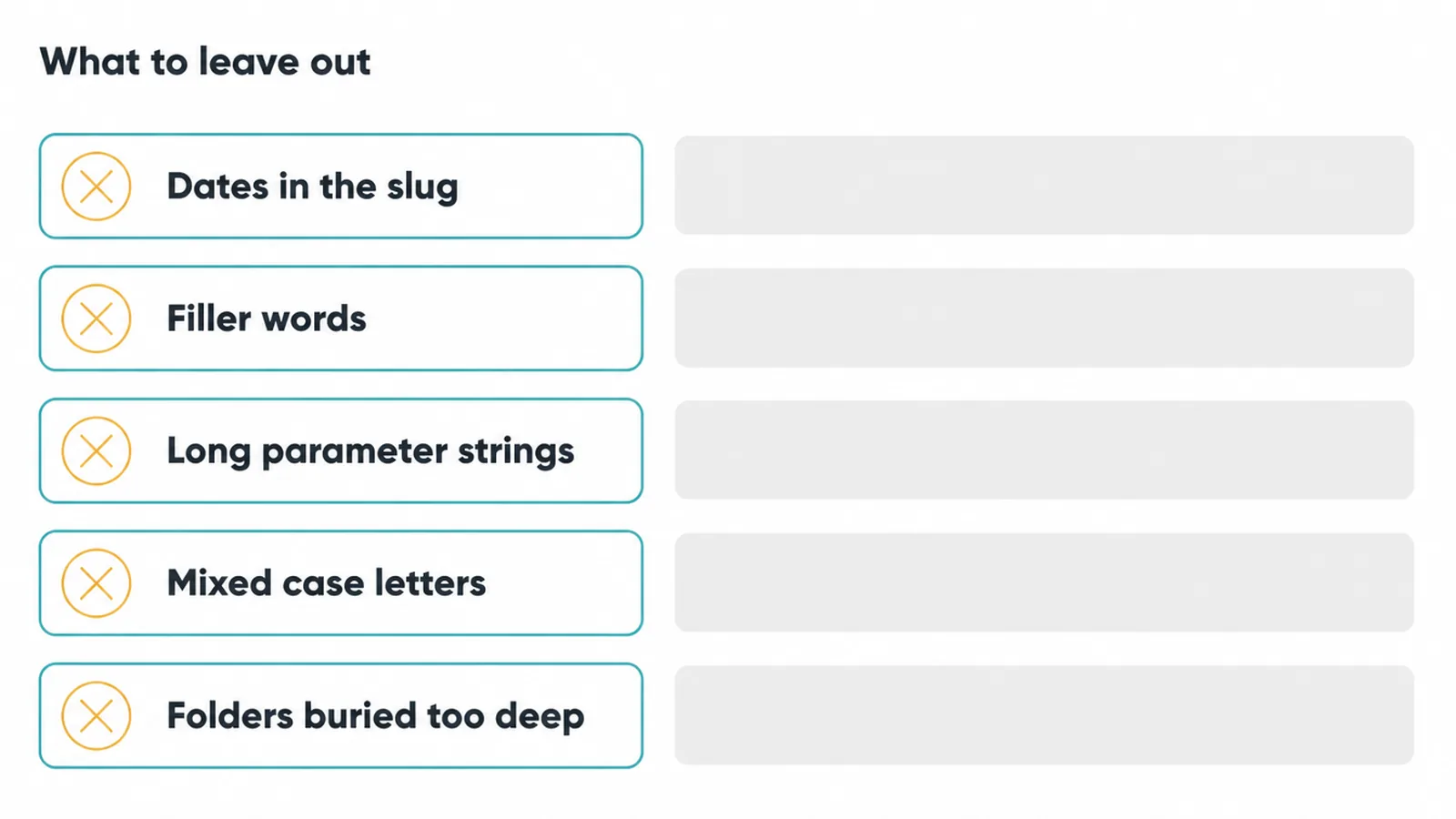
Dates, unless the page is news or a dated event. A date in the slug makes an evergreen page look stale next year, and you cannot fix it without a redirect.
Filler words like "a", "the", and "and" that add length but no meaning. Trim them. Length is not a ranking factor, so there is no prize for a long address, but a tidy one reads better.
Long parameter strings. Google says overly complex URLs, especially those containing multiple parameters, can cause problems for crawlers. They can also create near-identical pages, which leads to duplicate content headaches.
Mixed case, which we covered above, and folders buried too deep. If a page sits five folders down, it is hard for both people and link planners to reach. Keep your hierarchy shallow and back it with a smart internal linking strategy so important pages stay close to the surface.
5. Good vs bad URLs: a quick table
The fastest way to learn URL structure for SEO is to see clean and messy addresses side by side. Same page, very different first impression.
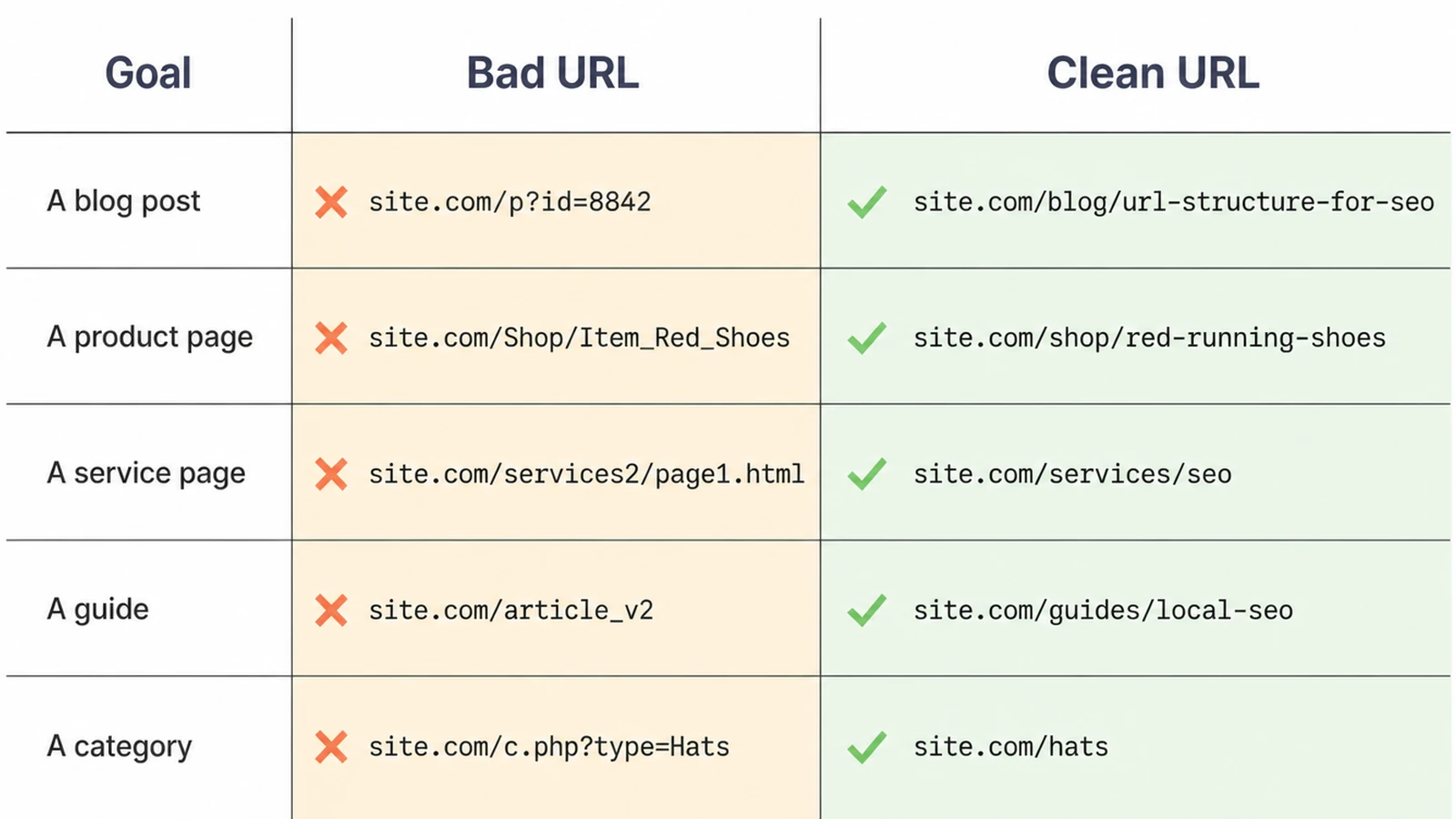
| Goal | Bad URL | Clean URL |
|---|---|---|
| A blog post | site.com/p?id=8842&cat=3 | site.com/blog/url-structure-for-seo |
| A product page | site.com/Shop/Item_Red_Shoes | site.com/shop/red-running-shoes |
| A service page | site.com/services2/page1.html | site.com/services/seo |
| A guide | site.com/2021/06/article_final_v2 | site.com/guides/local-seo |
| A category | site.com/c.php?type=Hats&sort=new | site.com/hats |
Notice the pattern. The clean column uses lowercase, hyphens, real words, and a folder that names the section. The bad column hides the page behind numbers, capitals, and code.
6. Why you should not change URLs casually
This is the rule that catches people out, so it gets its own section in any guide to URL structure for SEO. Changing a live URL can lose its rankings and break every link pointing at it.
The page's history, its backlinks, and its place in Google's index are all tied to that exact address. Swap the address without a plan and you can start from scratch.
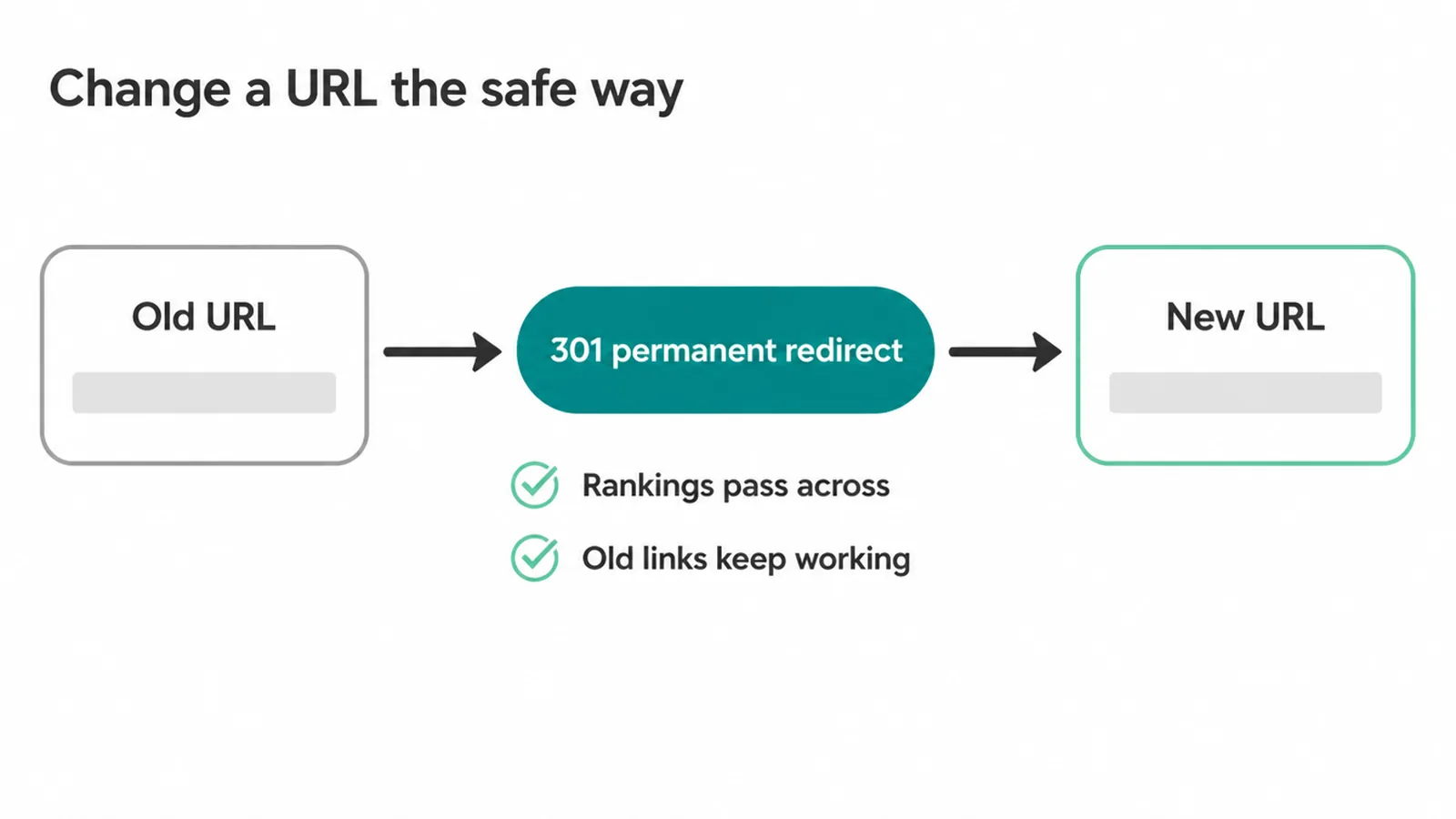
So only change a URL when you have a real reason, like fixing a genuinely broken structure. When you must, do it the safe way.
Google says that if you need to change the URL of a page, use a permanent server-side redirect whenever possible. A permanent 301 redirect passes the old page's value to the new address and sends visitors to the right place automatically.
If a big restructure is on the cards, treat it as a careful project, not a quick edit. Map every old URL to its new home, set the redirects, and check nothing breaks. This sits firmly in technical SEO territory, and it pays to get it right the first time.
Our SEO service handles the URL map and redirect checks.
Frequently asked questions
1. What is an SEO-friendly URL?
An SEO-friendly URL is a short web address made of real words that tells a person and Google what the page is about. It uses lowercase letters, hyphens between words, and a clear folder path. Google says to use readable words rather than long ID numbers in your URLs.
2. Do URLs affect SEO?
A little, and mostly through clarity. A clean readable URL helps people decide whether to click, and it can show up as a breadcrumb in search results. The bigger wins are still your content, your links, and your speed. A tidy URL helps, but it will not rescue a weak page.
3. Should I put my keyword in the URL?
Yes, if it reads naturally. Using your main words in the address makes the page easier to understand and builds a little trust before the click. But the words in a URL are only a very light signal, so do not stuff keywords and do not rebuild your whole site just to cram one in.
4. Hyphens or underscores in a URL?
Use hyphens. Google recommends using hyphens to separate words instead of underscores. Google reads two words joined by an underscore as a single word, so clean-urls works better than clean_urls for search.
5. How long should a URL be?
Keep it short enough to read at a glance, but length is not a ranking factor. Aim for a few clear words that describe the page, and drop filler words that add nothing. Short and descriptive beats long and stuffed every time.
6. Should URLs have dates in them?
Usually no. A date in the URL makes the page look old later, and you cannot easily change it without a redirect. Dates make sense for news or time-stamped events. For evergreen pages like services or guides, leave the date out.
7. Should URLs be lowercase?
Yes, keep them all lowercase. Google treats /APPLE and /apple as two different URLs, so mixed case can split signals or create duplicates. Pick lowercase and stay consistent across your whole site.
8. Is it bad to change a URL?
Changing a live URL can lose rankings and break links if you do it carelessly. Only change one when you have a real reason. If you must, set up a permanent server-side redirect from the old address to the new one. Google says to use a permanent redirect whenever possible.







