
Duplicate Content SEO: Causes, Risks and Practical Fixes

Duplicate content is the same or near-identical text sitting at several URLs. For normal sites there is no penalty, and Google treats some duplication as ordinary. The real cost is split signals and wasted crawl time. Fix it with canonical tags, consistent internal links and one preferred URL. Seed Light clears this up during technical SEO work.

Key takeaways
- It is usually not a penalty. Google says some duplicate content on a site is normal and it is not a violation of Google's spam policies.
- The real cost is confusion and waste. Google may pick the wrong main URL, split your signals across copies, and crawl your pages less.
- Most of it is accidental. www versus non-www, HTTP versus HTTPS, trailing slashes, and URL parameters all create copies without you noticing.
- The fixes are simple. Pick one URL format, redirect the rest, add canonical tags, tidy parameters, and rewrite borrowed text.
- Copying with intent is the real risk. Scraping other sites to manipulate rankings is a spam policy issue. Ordinary duplication is not.
1. What is duplicate content?
Duplicate content in SEO is the same, or nearly the same, page text living at more than one URL. That can be two full pages that match, or one page reachable through several addresses. For almost every site this is not a penalty.
It is a tidiness issue that confuses search engines and wastes their crawl time. The page might be a perfect copy, or it might just share most of its words with another page. Both count.
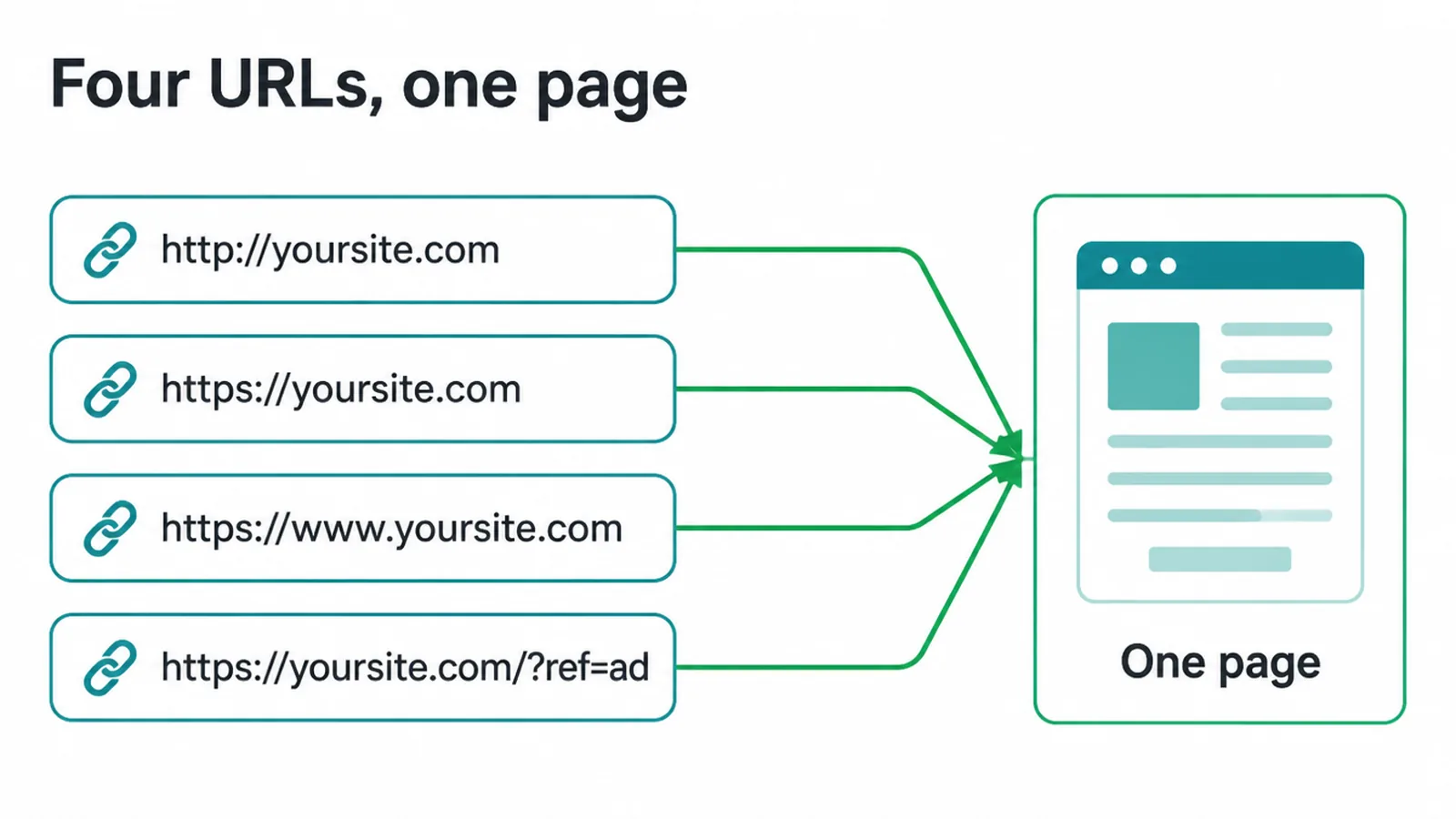
A quick example. Say your homepage loads at http://yoursite.com, https://yoursite.com, https://www.yoursite.com, and https://yoursite.com/?ref=ad. To you that is one page. To Google that is four URLs showing the same thing. None of that is cheating. It is just messy, and mess makes Google work harder to understand your site.
2. Is there a duplicate content penalty?
For nearly every normal website, no. Google is clear that some duplicate content on a site is normal and it is not a violation of Google's spam policies.
So the famous duplicate content penalty is mostly a myth. You do not get punished for having a printer-friendly page or the same product in two categories.
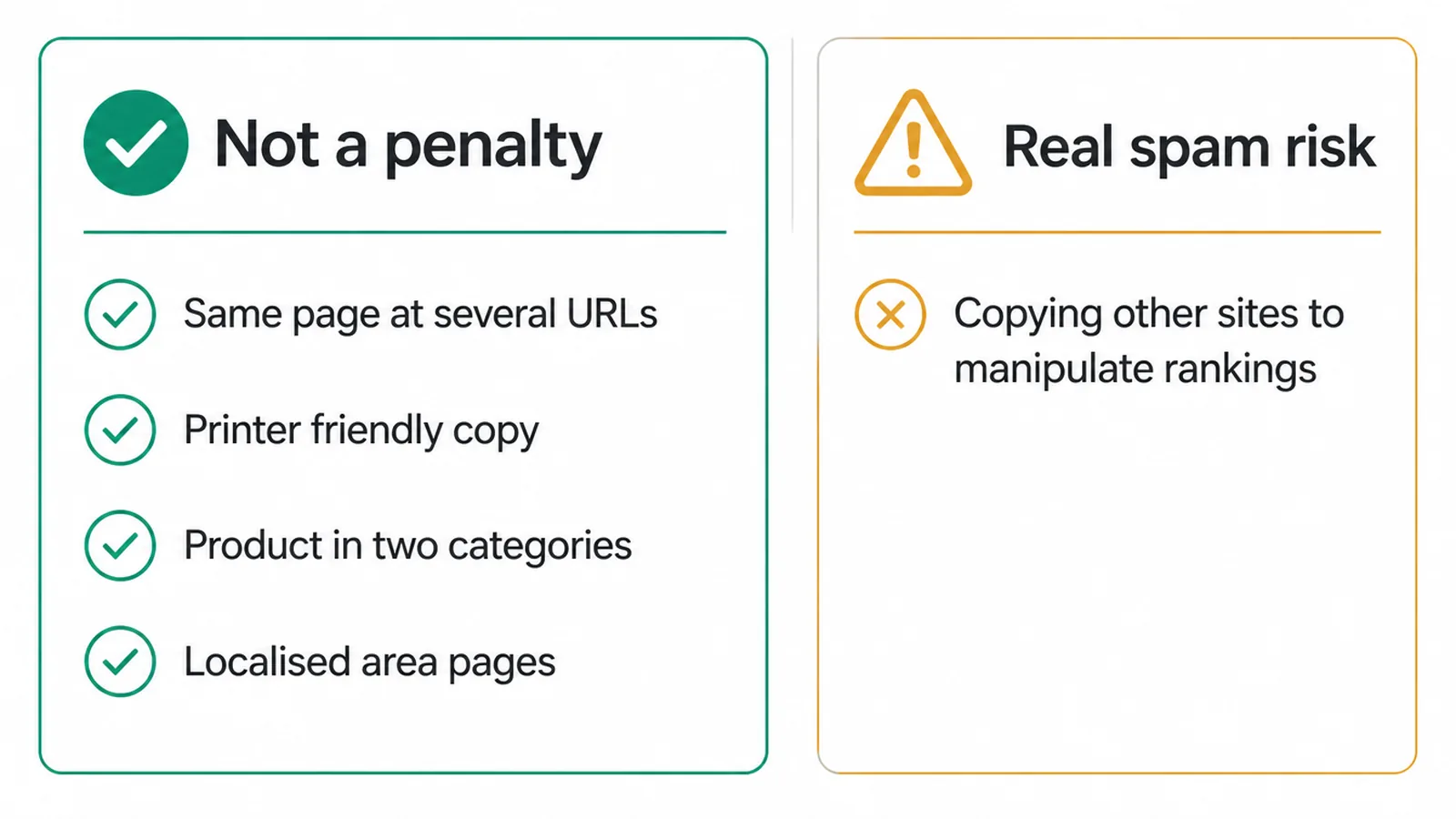
What does get punished is copying with bad intent. Google's spam rules describe scraping as taking content from other sites with the purpose of manipulating search rankings. The key words there are other sites and purpose. Stealing other people's work to game Google is the problem.
Your own page showing up at two addresses is not. There is even a localised side to this: Google's John Mueller has said that localised content is not considered duplicate content, so similar pages for different areas are fine.
3. If there is no penalty, why does it still hurt?
Even with no penalty, duplicate content quietly costs you. Google has to choose one URL to show from a set of copies, and it might not pick the one you want.
It calls that chosen one the canonical URL, the URL it chose as the most representative from a set of duplicate pages. If it guesses wrong, your best version may sit unseen.
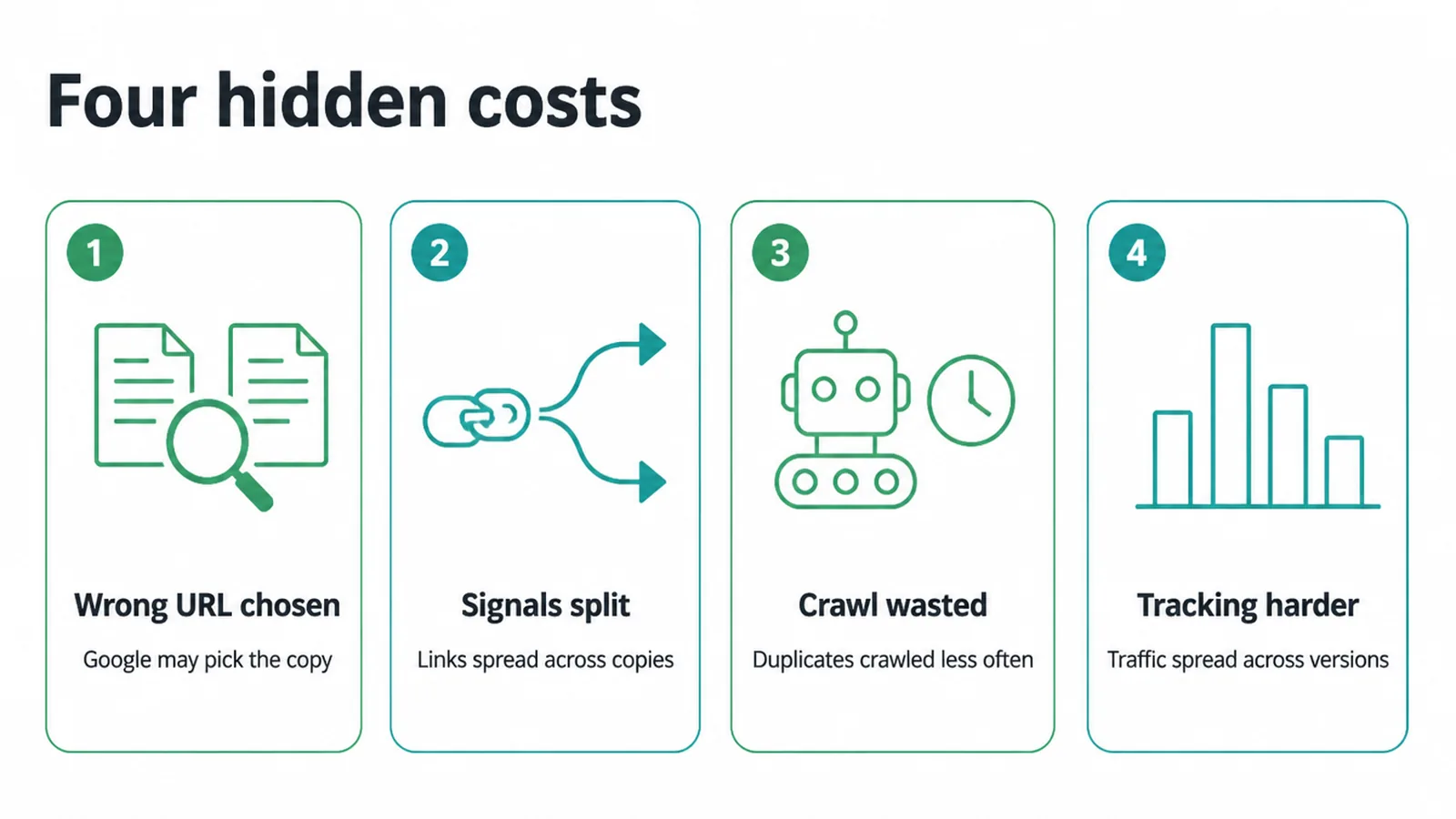
There are three other costs. First, your signals split. Links, shares, and ranking strength get spread across the copies instead of stacking on one page. Second, crawl gets wasted.
Google says duplicates are crawled less frequently in order to reduce the crawling load on sites, so time spent on copies is time not spent on your real pages.
Third, tracking gets harder, because traffic is spread across versions. If you have seen pages stuck as crawled but currently not indexed, duplication is often part of the story.
4. Why does duplicate content happen?
Most duplicate content is an accident of how websites are built. You rarely create it on purpose. Your platform, your URLs, or your suppliers do it for you. Here are the common causes and the usual fix for each.
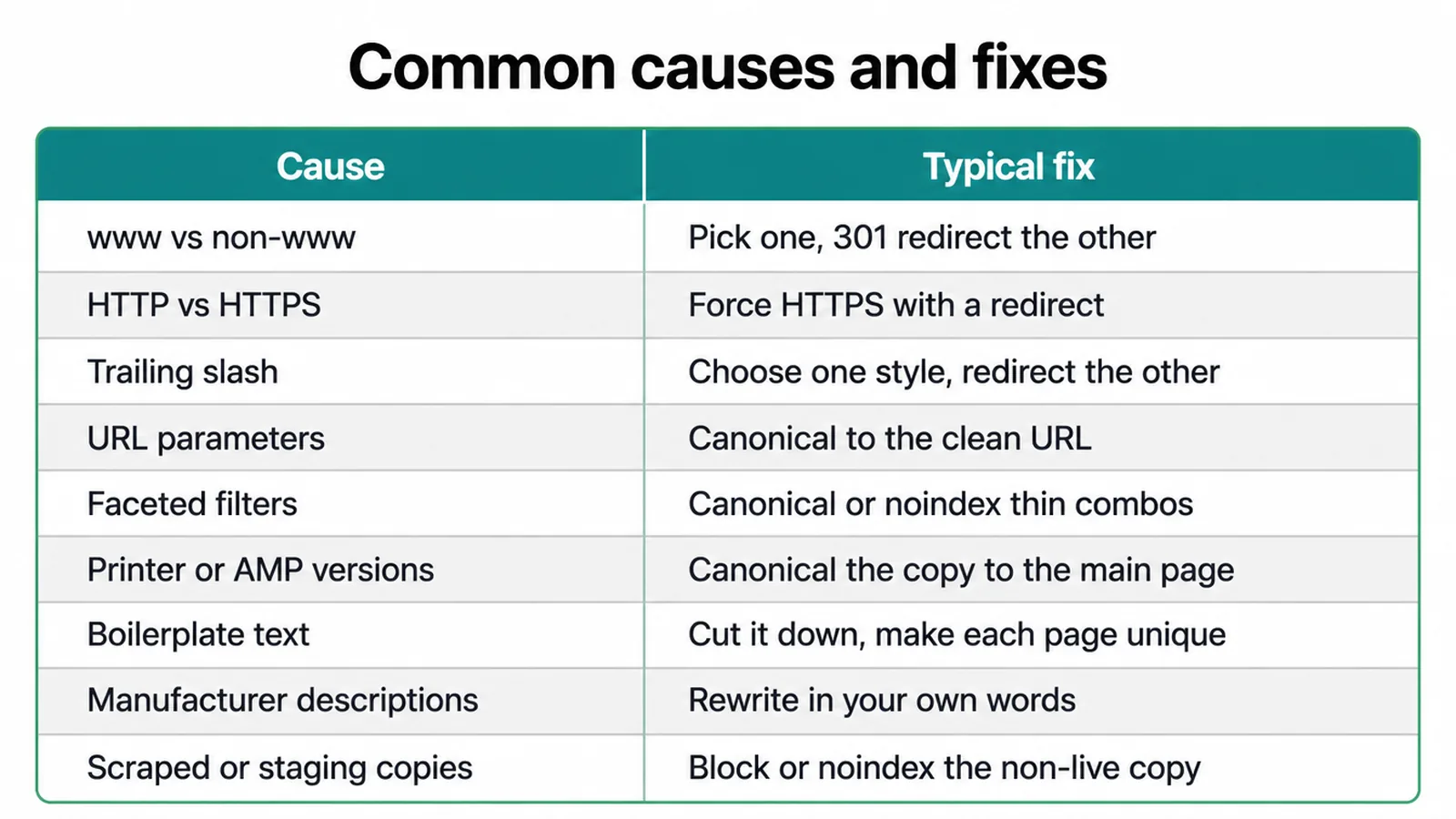
| Cause | What it looks like | Typical fix |
|---|---|---|
| www vs non-www | Site loads at both www.yoursite.com and yoursite.com | Pick one, 301 redirect the other |
| HTTP vs HTTPS | Old insecure pages still load alongside secure ones | Force HTTPS with a redirect. See HTTPS and SEO |
| Trailing slash | /page and /page/ both work | Choose one style, redirect the other. See URL structure for SEO |
| URL parameters | Tracking or sort tags like ?ref= or ?sort=price | Canonical to the clean URL |
| Faceted filters | Filter combos make endless near-identical pages | Canonical or noindex the thin combos |
| Printer or AMP versions | A second copy built for print or speed | Canonical the copy to the main page |
| Boilerplate text | The same long block repeated across many pages | Cut it down, make each page unique |
| Manufacturer descriptions | Supplier text copied onto every shop | Rewrite in your own words |
| Scraped or staging copies | A live demo or test site Google can crawl | Block or noindex the non-live copy |
5. How to fix duplicate content
Fixing duplicate content is mostly about choosing one main version of each page and pointing everything at it. You do not need fancy tools. You need a few consistent rules applied across your site. Here is the order to work in.
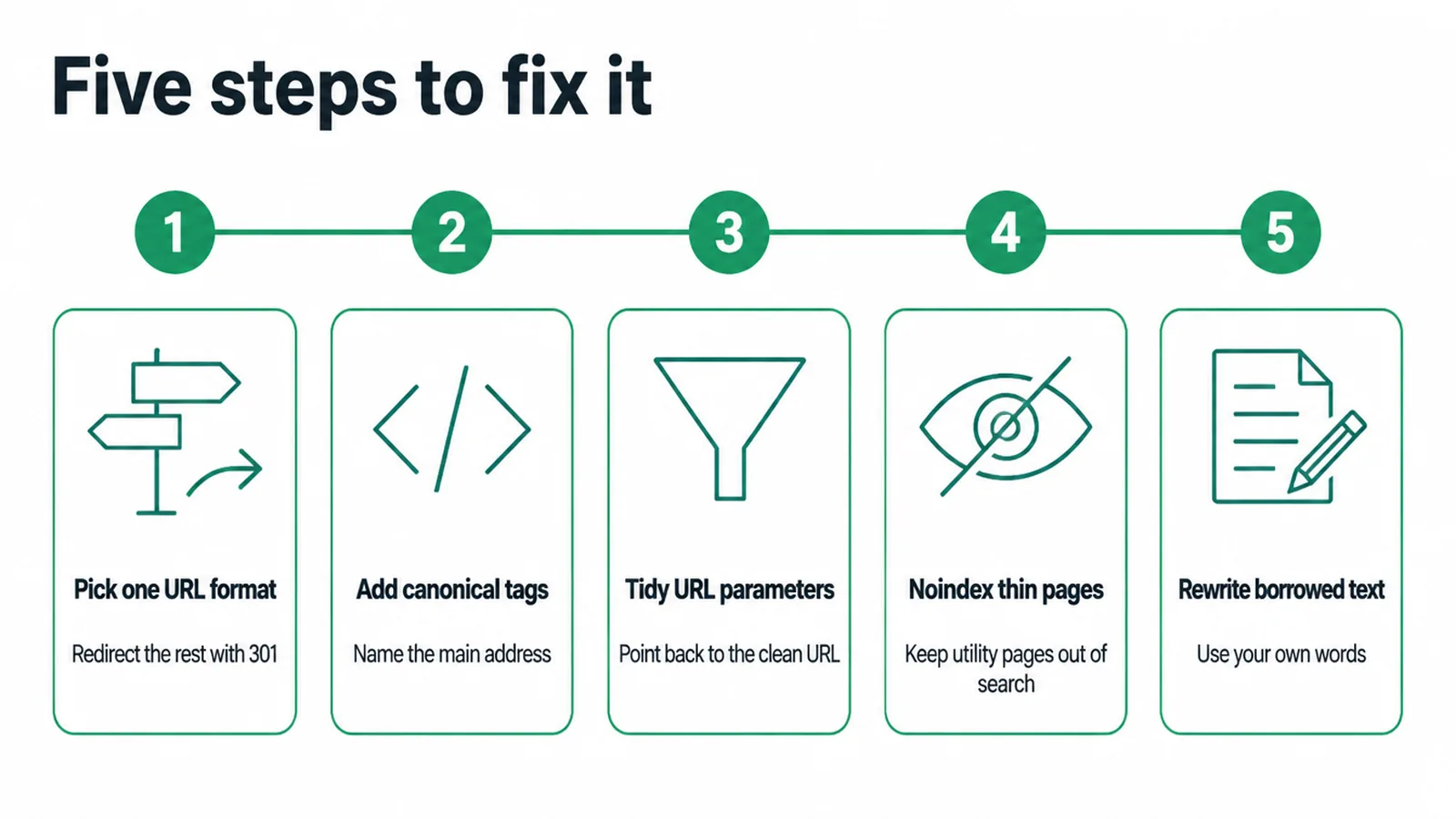
1. Pick one URL format and redirect the rest. Decide on www or non-www, HTTP or HTTPS, slash or no slash, then 301 redirect every other version to it.
A redirect is the cleanest fix because only one version survives. Google says a redirect is a strong signal that the target should become canonical. Use a 301 when only one version should ever exist.
2. Add self-referencing canonical tags. When both URLs need to stay reachable for people, like one product shown in two categories, keep them live but point them at one main address.
The tag looks like <link rel="canonical" href="https://yoursite.com/main-page/"> placed in the page head. Remember Google treats <link rel="canonical" href="https://yoursite.com/main-page/"> as a strong signal, not a hard rule, so keep your other signals matching.
3. Tidy your URL parameters. Sorting, filtering, and tracking tags create lots of copies. Point each parameter URL back to the clean canonical, and link internally to the clean version only.
4. Noindex thin or utility pages. Some pages should never be in search at all, like internal search results or filter combos. Tell Google to skip them so they stop competing with your real pages.
5. Rewrite borrowed text. Manufacturer descriptions and copy-paste boilerplate make your pages blend in, which hits online store product pages hardest. Write each page in your own words with real detail, and link to the canonical version from inside your site.
For the bigger picture, our guide to technical SEO ties these fixes together, and our SEO services can sort the lot if you would rather not.
Frequently asked questions
1. Is there a duplicate content penalty?
For almost every normal site, no. Google says some duplicate content on a site is normal and not a spam violation. Penalties target sites that copy other people's work on purpose to manipulate rankings, not sites that happen to show the same page at more than one URL.
2. What is a canonical tag?
A canonical tag is a small line in the head of your page that names which URL is the main one. Google describes the canonical URL as the page it picks as the most representative from a set of duplicate pages. The tag is a strong hint, not a hard rule, so keep your other signals pointing the same way.
3. Does www versus non-www cause duplicate content?
The www and non-www versions can cause duplicate content if both load the same pages. Pick one and redirect the other to it with a 301 redirect. Then visitors and Google always land on the same address.
4. Does HTTP versus HTTPS cause duplicate content?
Yes, if your old HTTP pages still load instead of redirecting. Google lists the HTTP and HTTPS versions of a site as a common cause of duplicate URLs. The fix is to force every page to the secure HTTPS version with a redirect.
5. Can I reuse manufacturer product descriptions?
You can, but you usually should not lean on them. The same text sits on hundreds of shops, so nothing makes your page stand out. Rewrite the description in your own words, add real detail, and your page has a far better chance of ranking.
6. How much duplicate content is okay?
There is no magic percentage. Google treats some duplication as normal. Repeated headers, footers and short boilerplate are fine. The thing to watch is full pages, or near-identical pages, living at several URLs with no canonical pointing to one main version.
7. Should I use a 301 redirect or a canonical tag?
Use a 301 redirect when only one version should exist, like forcing HTTPS or one domain version. Use a canonical tag when both URLs need to stay reachable for people, such as a product shown in two categories, but you still want Google to credit one main URL.
8. Do URL parameters cause duplicate content?
URL parameters can cause duplicate content. Sorting, filtering and tracking parameters often create many URLs that show the same or nearly the same page. Point each one back to a clean canonical URL, and keep your internal links pointing to that clean version too.







