
TTFB Explained: What a Good Time to First Byte Looks Like

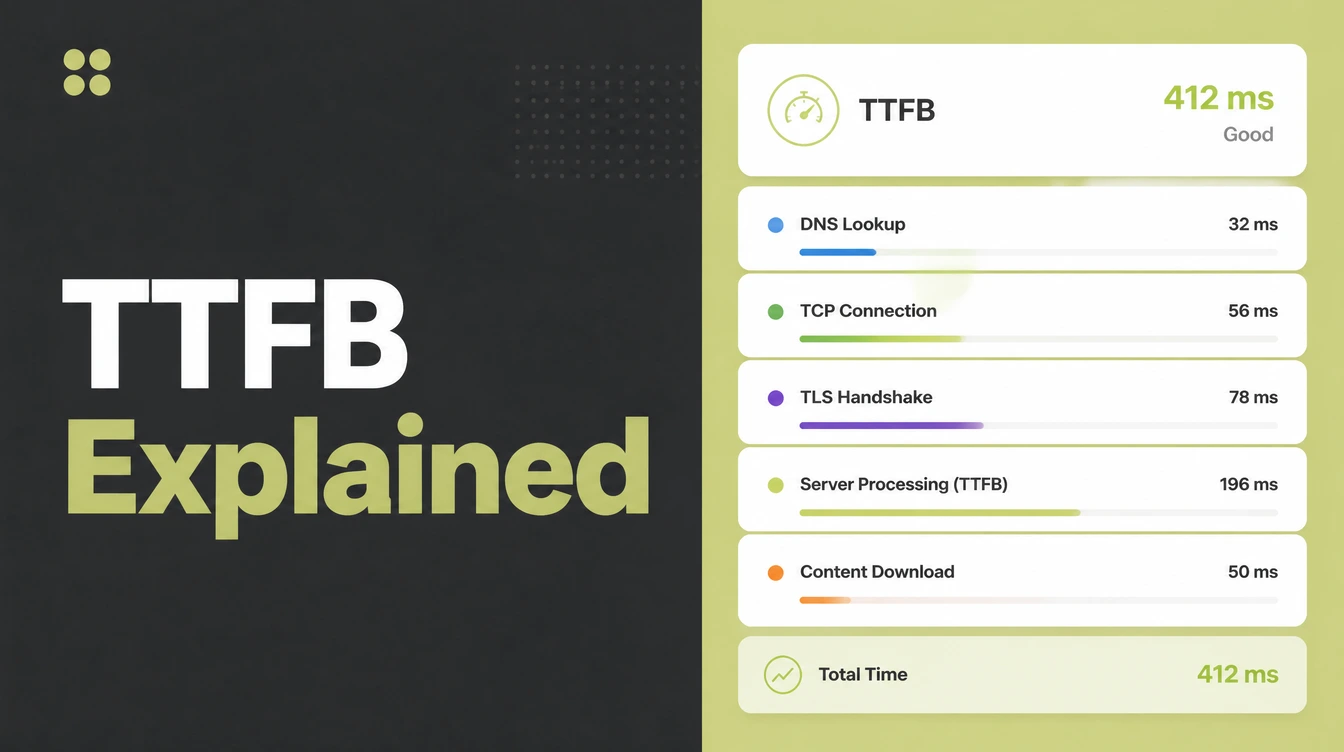
Time to first byte is the gap between a browser asking for a page and the server sending its first byte. Aim for 0.8 seconds or less, and treat anything over 1.8 seconds as poor. Caching, a CDN and better hosting fix most of it. Seed Light checks the server before the design.
Key takeaways
- Aim for 0.8 seconds or less. Most sites should target a TTFB of 0.8s or under, with over 1.8s counted as poor (web.dev).
- TTFB is the server step. It is the gap between a browser asking and the first byte arriving, not the whole page load.
- It is not a ranking factor. TTFB is not a Core Web Vital, but it comes first and adds time to the metrics that do matter.
- Caching is the cheapest win. Caching and a CDN fix most slow servers before you spend on a new host.
- Slow servers cost customers. 53% of mobile visitors leave a page that takes longer than 3 seconds (Google via Marketing Dive).
1. What is Time to First Byte?
Time to First Byte, or TTFB, is the time from the moment a browser asks for your page to the moment the first byte of the answer arrives. It is the server saying "got it, here you go".
Picture a kitchen. The order goes in, and TTFB is how long before the first plate starts coming out. If the kitchen is slow to start, every dish is late, even a simple one.
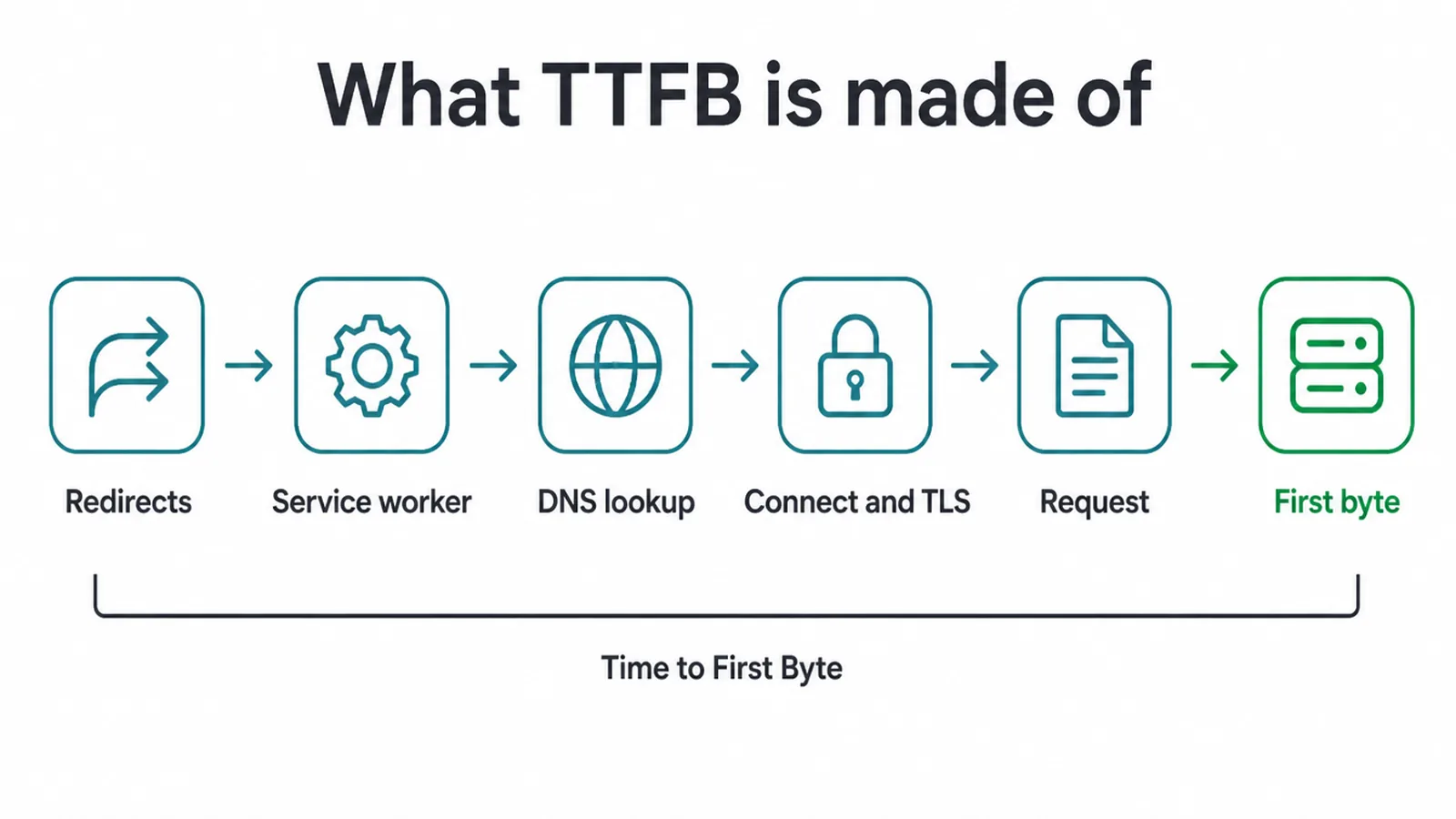
TTFB is not one single thing. It is the sum of a few steps: any redirects, a service worker starting up if you use one, the DNS lookup, the connection and TLS handshake, the request itself, and then the wait up to the first byte landing (web.dev).
Add those up and you get your TTFB. Any one of them can drag the whole thing down.
2. What counts as a good TTFB?
A good TTFB is 0.8 seconds or less. Between 0.8 and 1.8 seconds means it needs work, and anything over 1.8 seconds is poor (web.dev). These are the bands to aim for on most sites.
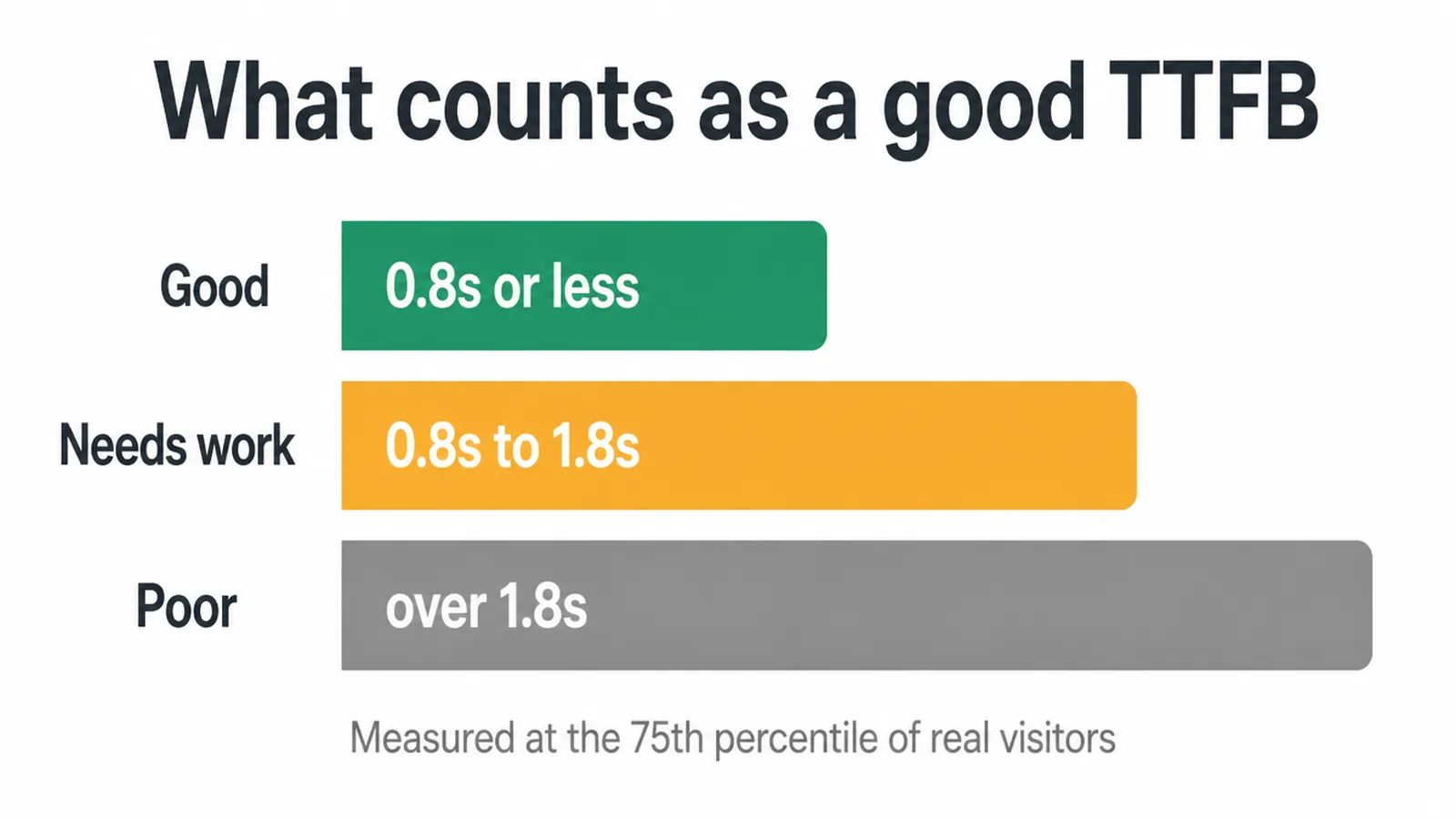
One thing to keep in mind: this is measured at the 75th percentile of your real visitors. That means three out of four real people should fall in the good band, including those on slow connections.
So if your own quick test looks fine but real visitors on slower connections are waiting, you still have work to do.
3. Why a slow server costs you customers
A slow TTFB costs you customers because it eats your time budget before a single pixel paints. 53% of mobile visitors leave a page that takes longer than 3 seconds to load (Google via Marketing Dive).
If your server alone burns a chunk of that, the rest of the page has almost no room left.
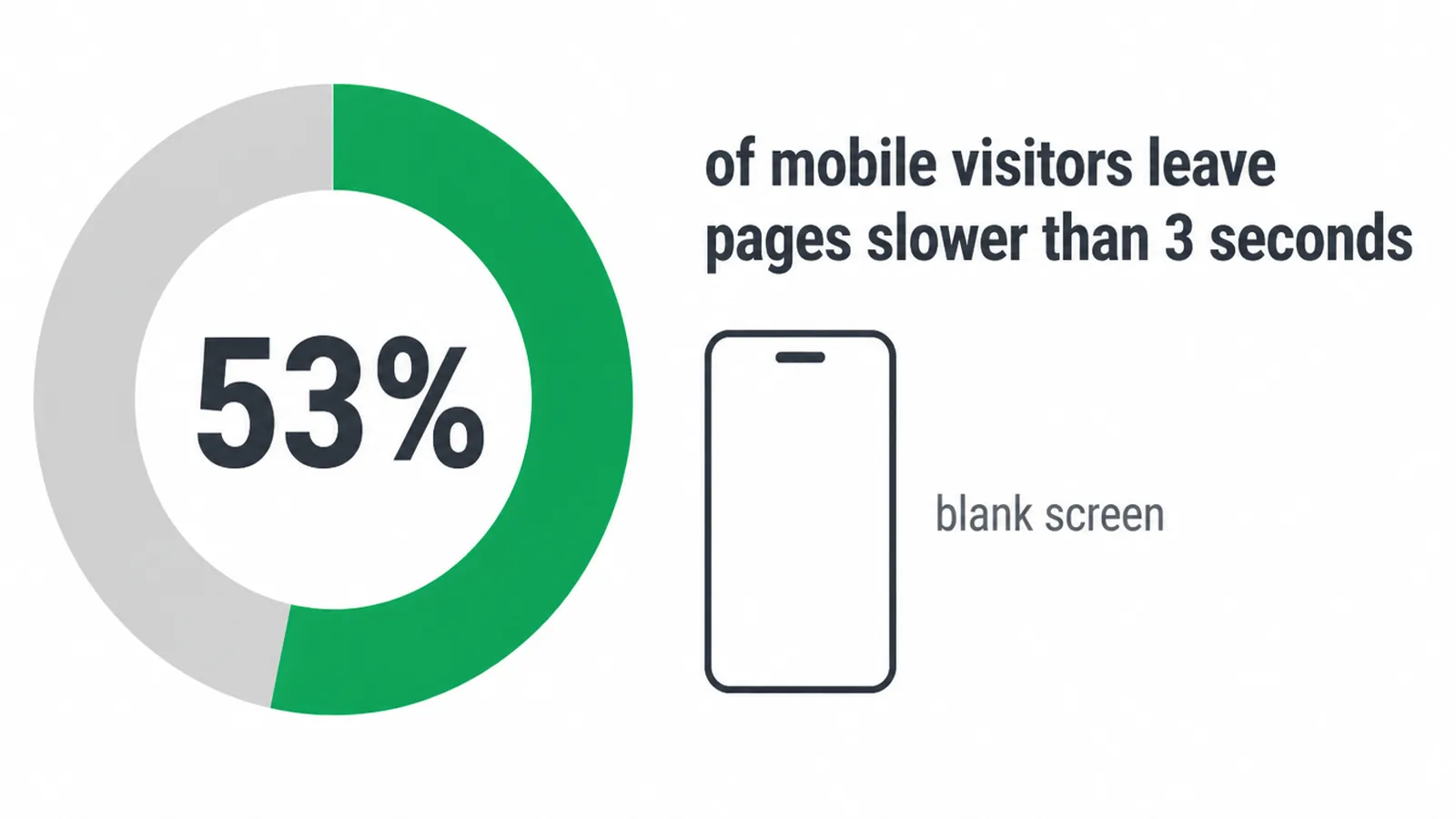
Here is the simple version. People do not see "TTFB". They see a blank screen. The longer that blank screen lasts, the more of them give up and go to a competitor. Fixing the first byte is one of the quietest ways to keep more of the visitors you already paid to bring in.
4. What slows your server down?
A slow TTFB usually comes from the server taking too long to do its work or sitting too far from your visitors. Cheap or overloaded shared hosting is the most common culprit. Your site shares one machine with many others, and when a neighbour gets busy, you wait.
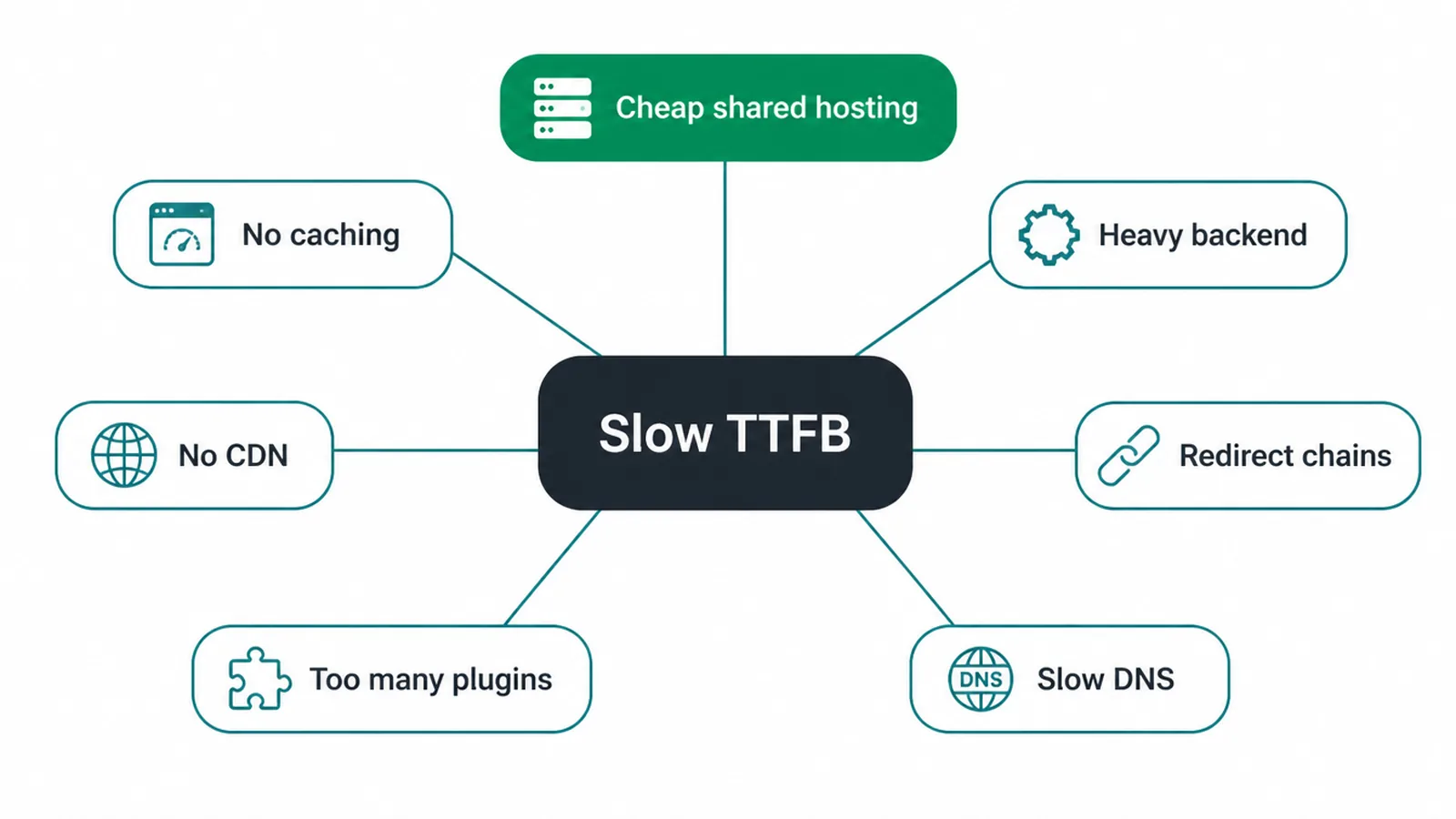
Other common causes pile on top: no caching, so the server rebuilds every page from scratch every time; a heavy backend with slow database queries; distance between your server and your users with no CDN to shorten it; redirect chains that add a hop or two before the real page; too many plugins doing work on every request; and slow DNS lookups.
Most slow sites have more than one of these at once, which is why the fixes below stack up.
5. TTFB causes and fixes
Here is the short version you can act on. Find what matches your site, then work down the list. Caching and a CDN are usually the cheapest, fastest wins.
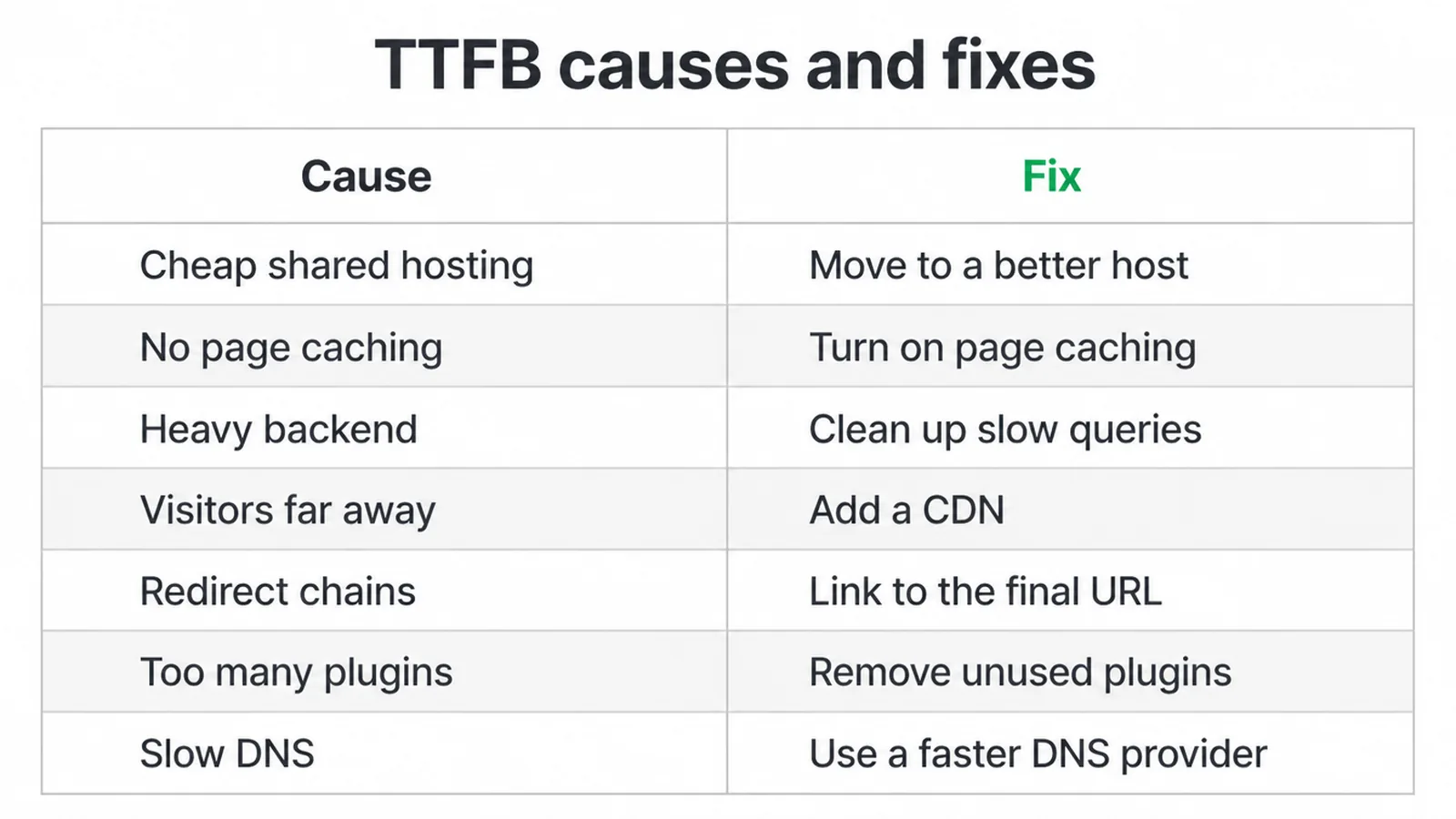
| What is slowing it | Why it hurts | How to fix it |
|---|---|---|
| Cheap or overloaded shared hosting | Your site fights other sites for the same machine, so the server is slow to answer. | Move to a better or managed host with room to breathe. |
| No page caching | The server rebuilds every page from scratch on every visit. | Turn on page caching so the server serves a ready-made copy. |
| Heavy backend or slow database | Slow queries and bloated code make the server think too long before replying. | Clean up queries, trim heavy plugins, and cache database calls. |
| Visitors far from your server | Distance adds travel time to every request. | Add a CDN so a nearby edge server answers instead. |
| Redirect chains | Each extra hop adds a round trip before the real page loads. | Point links straight at the final URL and remove old redirect steps. |
| Too many plugins | Each plugin can run code on every single request. | Remove what you do not use and replace heavy ones. |
| Slow DNS | The lookup that finds your server takes too long to start. | Use a fast, reliable DNS provider. |
6. How to measure your TTFB
To measure TTFB you do not need fancy tools. Run your page through Google PageSpeed Insights and look for a note that says "reduce initial server response time". That note is PageSpeed flagging a slow first byte in plain words. Our free website speed checker reports server response time next to the other load numbers.
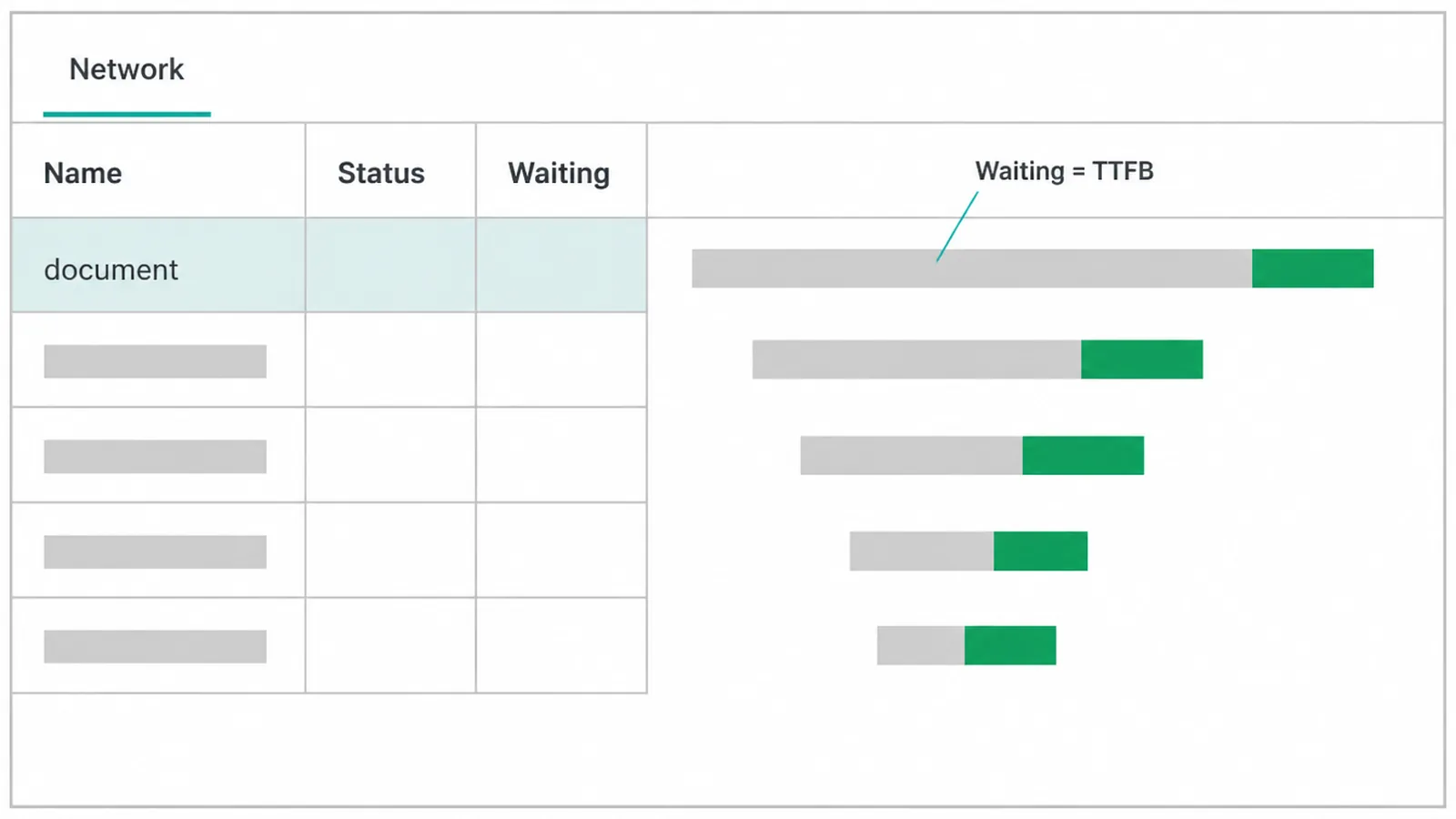
You can also check it yourself. Open your browser developer tools, go to the Network tab, reload the page, click the main document at the top of the list, and read the "Waiting" time. That waiting number is your TTFB for that request.
Third-party speed tools work too. Whatever you use, test from where your customers actually are. A site that answers fast in your home city can still be slow for visitors on the other side of the world.
7. How to fix a slow TTFB
To fix a slow TTFB, start with the cheapest changes and work up. Caching is almost always the biggest cheap win. With caching on, your server hands back a ready-made copy of the page instead of building it fresh every time, so the first byte goes out much faster.
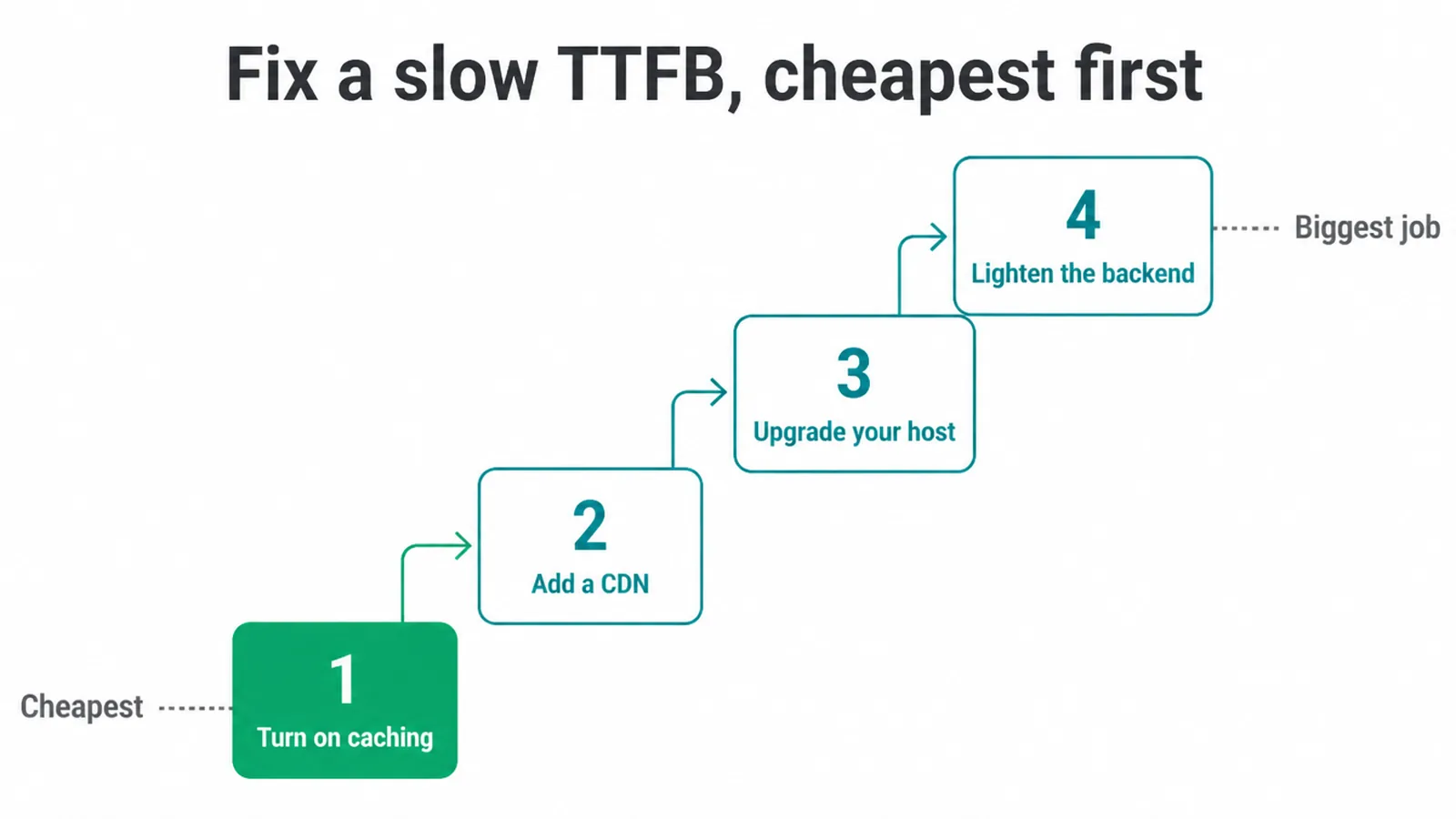
Next, add a CDN. A CDN cuts TTFB by caching your pages on servers placed physically closer to your users (web.dev), so a nearby edge server answers instead of a distant one.
After that, look at your host. If you are on cheap shared hosting, a better or managed host can make a real difference. Finally, lighten the backend: trim heavy plugins, fix slow database queries, and remove redirect chains.
If that sounds like a lot, it does not have to be. A good website care plan keeps caching, hosting, and plugins in shape so your server stays quick. And if your site is built on a heavy, ageing setup, a cleaner custom build often fixes the root cause for good.
8. How TTFB ties into Core Web Vitals
TTFB ties into Core Web Vitals because it comes first. TTFB is a foundational metric that comes before First Contentful Paint and Largest Contentful Paint, so a high TTFB adds time to the metrics that follow it (web.dev).
In plain terms, if the server is slow to answer, the visible page is slow to paint.
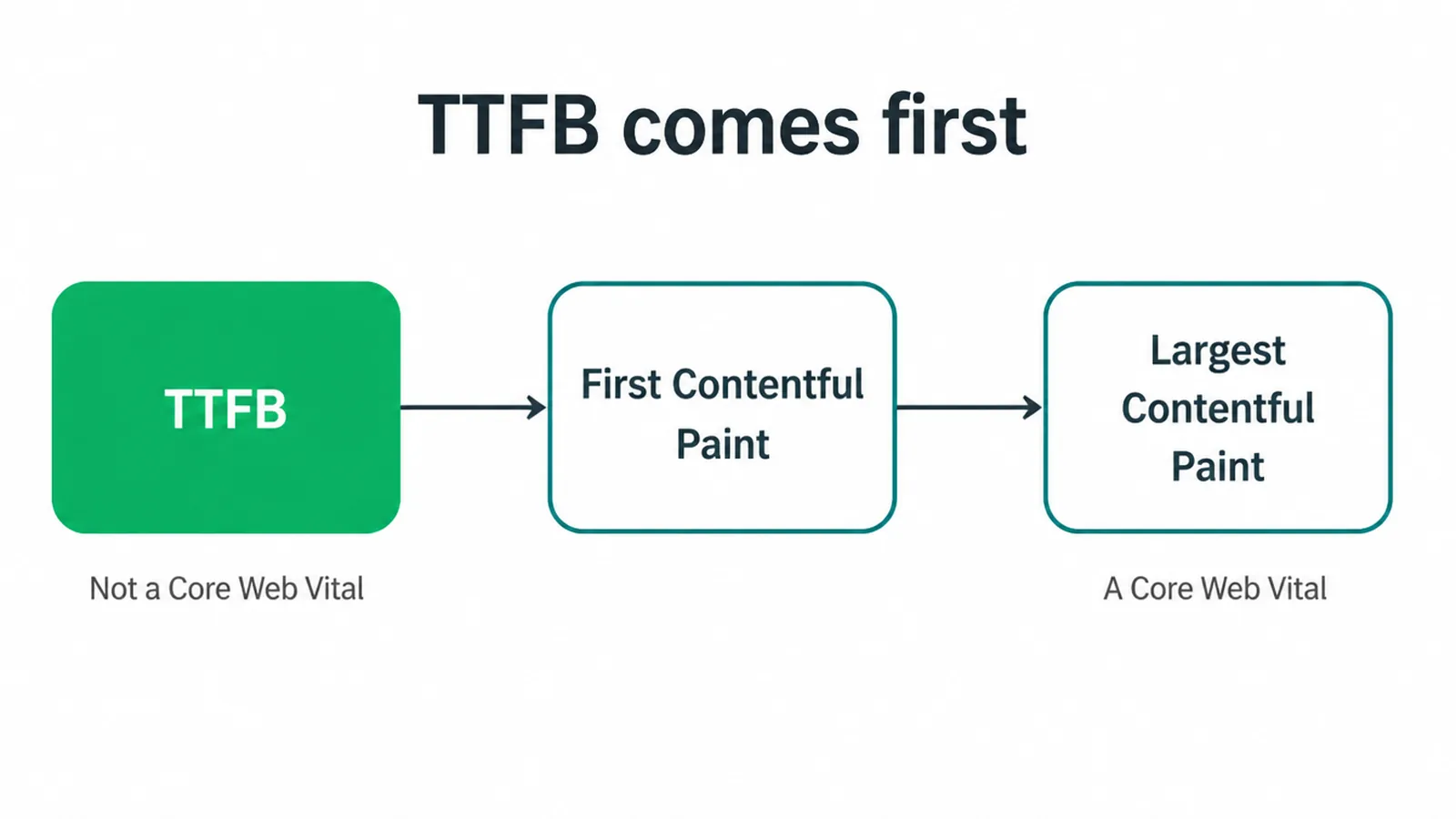
Now the honest part. TTFB is not a Core Web Vital, and it is not a direct ranking factor on its own. But it limits Largest Contentful Paint, which is a Core Web Vital. So a slow first byte can quietly hold back the numbers that do matter.
Think of speed as a trio. TTFB is the server-response slice, how fast the answer starts. Render-blocking CSS and JavaScript is the next slice, what holds up the first paint once the answer arrives.
And Core Web Vitals are the overall scoreboard that measures the result. Each owns one part of the same race. If you want the big-picture view of how these pieces fit, our technical SEO guide ties them together.
Frequently asked questions
1. What is TTFB?
TTFB stands for Time to First Byte. It is how long your server takes to send the first byte of a page after a browser asks for it. A short TTFB means your server answers quickly. A long TTFB means everything else starts late.
2. What is a good TTFB?
Most sites should aim for a TTFB of 0.8 seconds or less. Between 0.8 and 1.8 seconds needs work. Over 1.8 seconds is poor. This is measured at the 75th percentile of your real visitors, so most people should hit the good band.
3. What causes high TTFB?
Common causes are cheap or overloaded shared hosting, no caching, a heavy backend with slow database queries, distance between your server and your visitors with no CDN, redirect chains, too many plugins, and slow DNS. Most slow servers have more than one of these at once.
4. Does TTFB affect SEO?
TTFB is not a direct ranking factor and it is not one of the Core Web Vitals. But it comes before the metrics Google does measure, like Largest Contentful Paint. A slow first byte adds time to those metrics, so fixing TTFB helps the numbers that can affect rankings.
5. How do I measure my TTFB?
Run your page through PageSpeed Insights and watch for the reduce initial server response time note. Or open your browser developer tools, go to the Network tab, click the main document, and read the Waiting time. Test from where your customers actually are.
6. Does a CDN reduce TTFB?
Yes, often a lot. A CDN caches your pages on servers placed physically closer to your visitors. So when someone far from your main server asks for a page, a nearby edge server answers instead of the distant origin. Less distance means a faster first byte.
7. Does cheap hosting cause slow TTFB?
Often, yes. On cheap shared hosting your site sits on one machine with many other sites fighting for the same resources. When a neighbour gets busy, your server is slow to answer. Moving to a better or managed host is one of the most reliable ways to cut TTFB.
8. Is TTFB the same as page load time?
No. TTFB is only the first step, the time for the server to start answering. Page load time is the whole journey, including downloading and drawing all the content. A fast TTFB does not guarantee a fast page, but a slow TTFB makes a fast page nearly impossible.







