
Core Web Vitals 2026: What They Measure and How to Improve

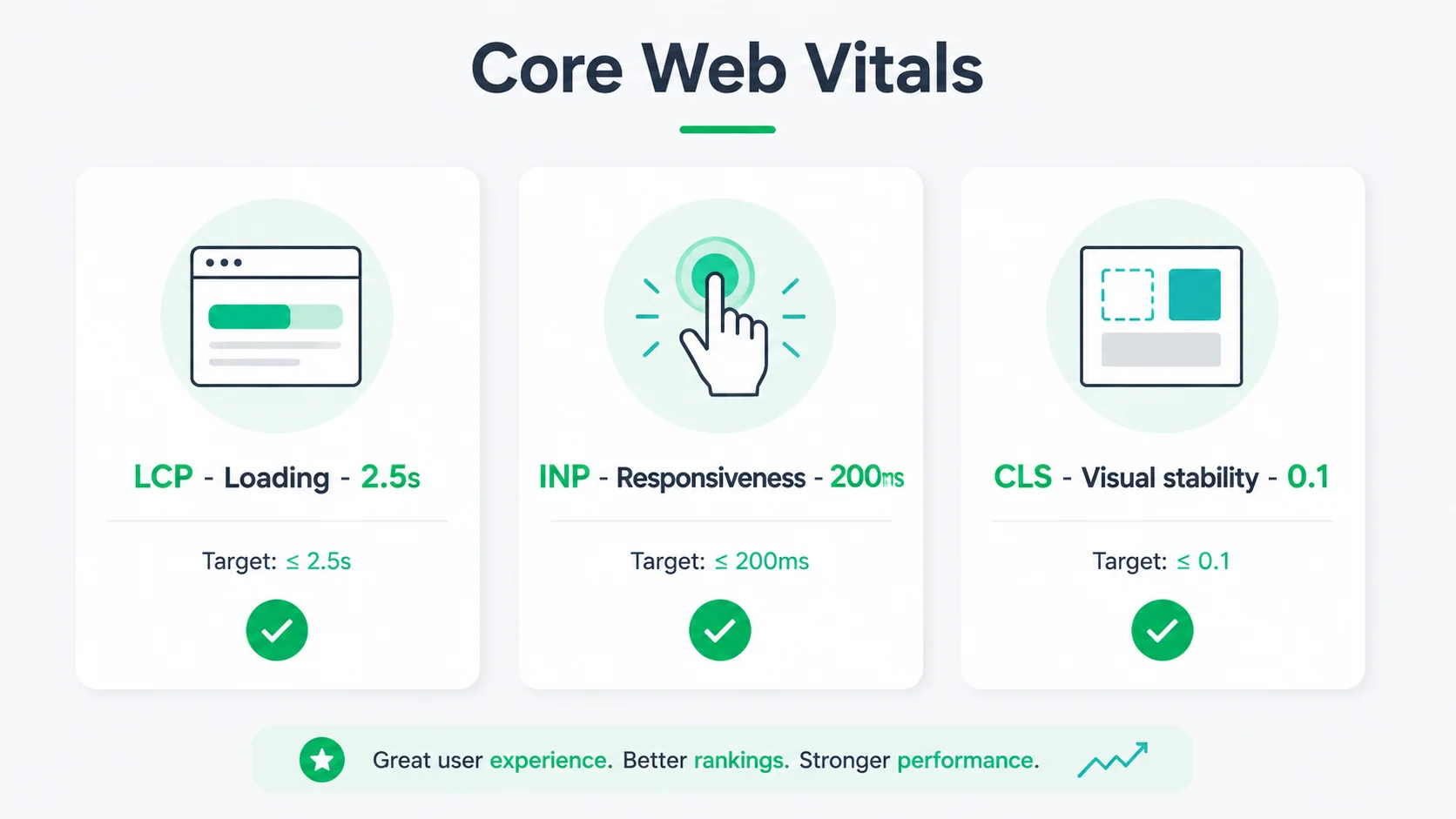
Core Web Vitals are three scores for how a page feels: Largest Contentful Paint under 2.5 seconds, Interaction to Next Paint under 200 milliseconds, and Cumulative Layout Shift under 0.1. Google grades them at the 75th percentile, so they have to hold for most visitors. Seed Light builds sites with Core Web Vitals in mind from day one.
Key takeaways
Short on time? Here is the whole thing in five lines before we break each score down.
- What are Core Web Vitals? Three scores Google uses for speed and stability: LCP, INP, and CLS.
- The pass marks. LCP within 2.5 seconds, INP at or below 200 milliseconds, and CLS of 0.1 or less (web.dev, 2024).
- INP replaced FID. It became a Core Web Vital on 12 March 2024 (web.dev, 2024).
- Speed sells. Every 100 milliseconds of extra load time costs about 3.5% of conversions (Shopify, 2026).
- It is fixable. Most failures come down to big images, slow hosting, and heavy scripts, all of which a developer can sort.
1. What are Core Web Vitals?
Core Web Vitals are three scores Google uses to measure how a page actually feels to a real visitor. Not how it looks. How it feels. They check three things: how fast the main content loads, how quickly the page reacts when you tap or click, and whether the layout stays still while it loads.
The three scores have names. Largest Contentful Paint (LCP) for loading. Interaction to Next Paint (INP) for responsiveness. Cumulative Layout Shift (CLS) for stability. Together they form one simple idea: a good page shows up fast, answers fast, and does not jump around.
Here is the catch. You have to pass all three to count as good. One weak score drags the whole page down. So let us walk through each one in plain English, then cover how to check yours and what to fix.
2. LCP (loading) explained
Largest Contentful Paint measures how long it takes for the biggest thing on screen to appear. Usually that is your hero image or your main heading. In short, it is the moment a visitor thinks "okay, this page is loading."
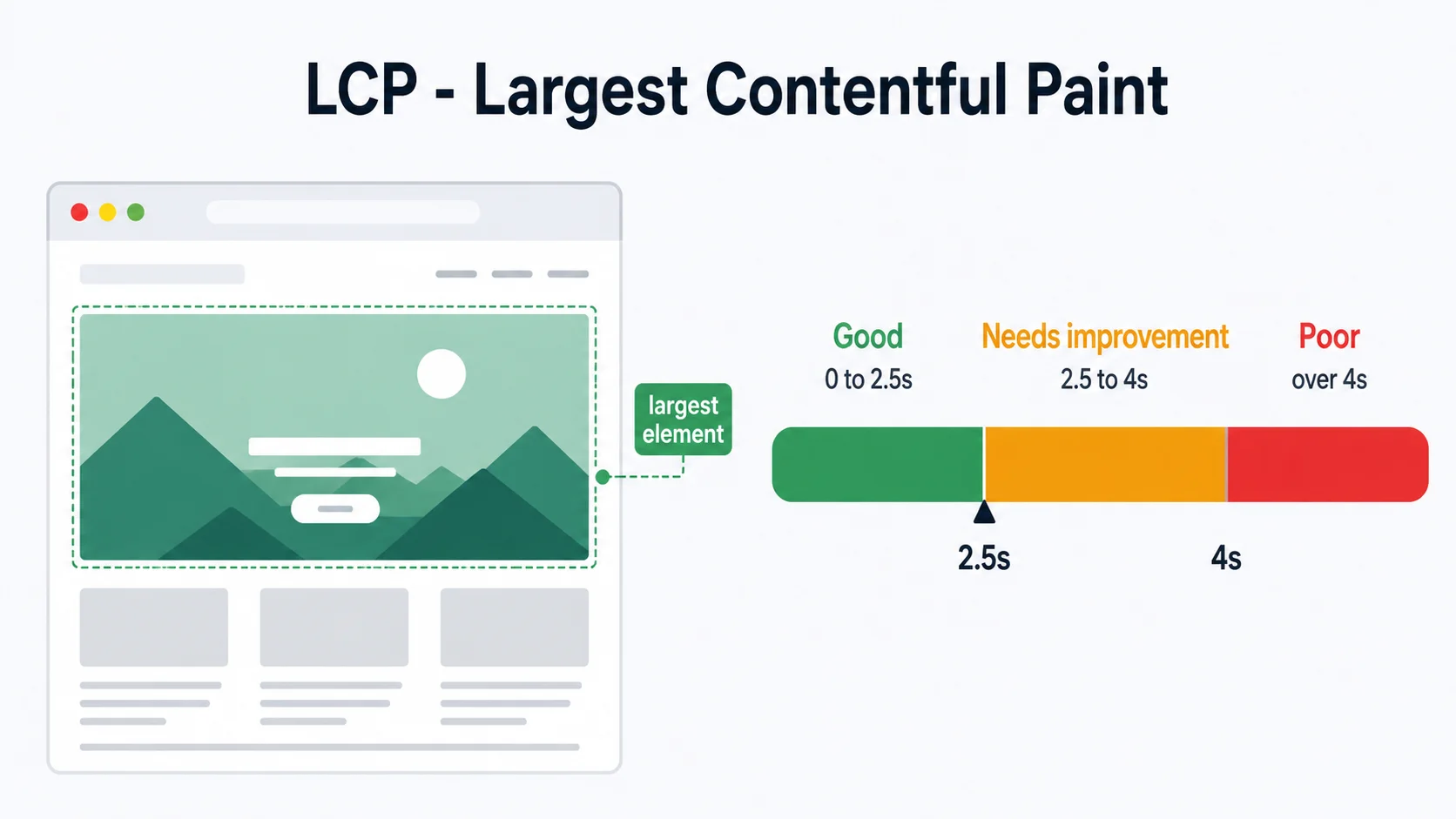
The target is clear. According to Google, your "LCP should occur within 2.5 seconds" of the page starting to load (web.dev, 2024). Above that, visitors start to feel the wait, and many bail before they ever see your offer.
What usually breaks LCP? A huge, uncompressed hero image. Slow hosting that takes ages to respond. Or fonts and scripts that block the page from drawing. The good news is these are all fixable, and we cover the fixes further down.
3. INP (responsiveness) explained, and how it replaced FID
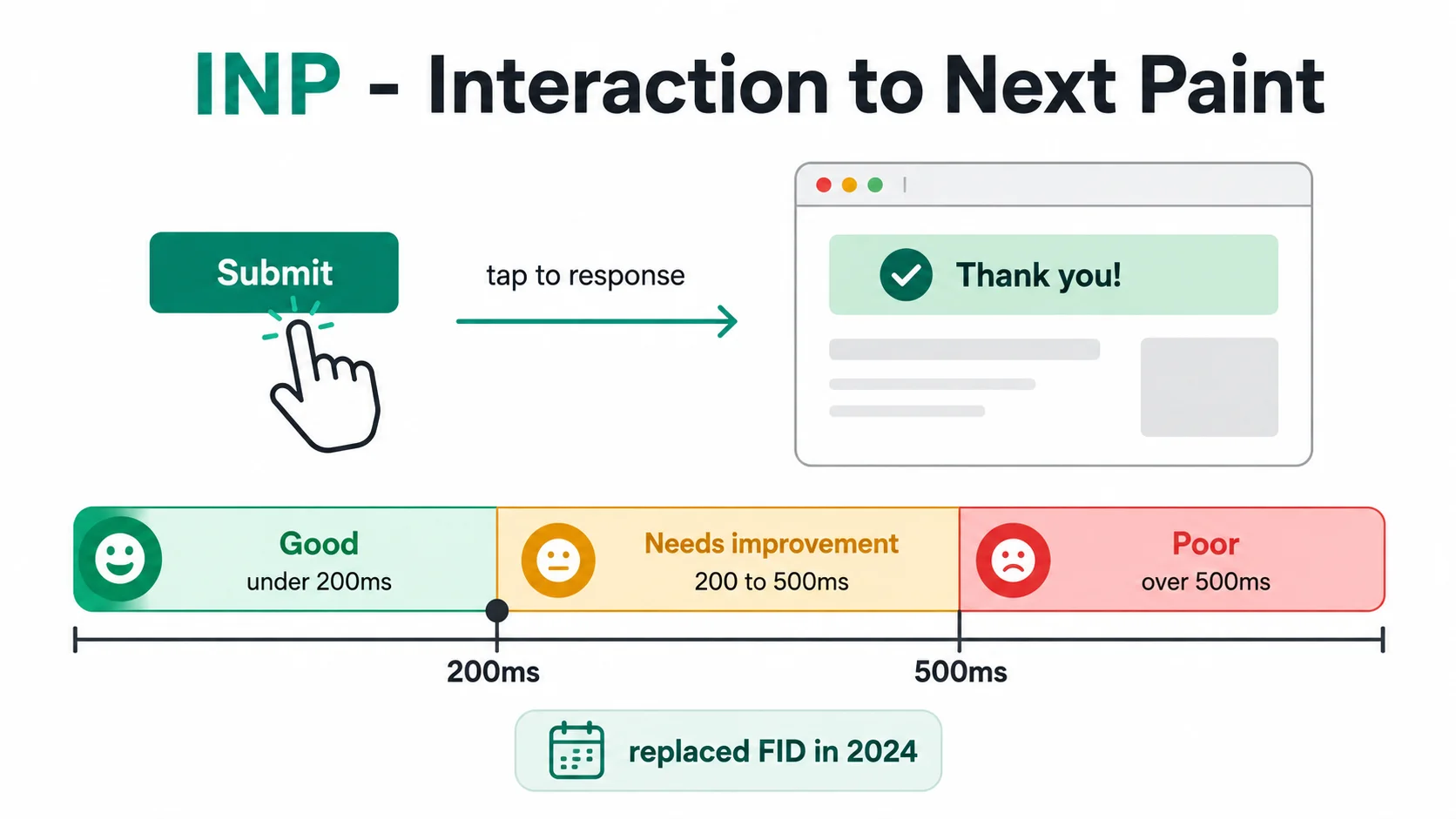
Interaction to Next Paint measures how quickly your page reacts when someone taps a button, opens a menu, or types in a box. In other words, it is the lag between you doing something and the page showing it happened.
The pass mark is snappy. Google states that "an INP below or at 200 milliseconds means a page has good responsiveness" (web.dev, 2024). Anything slower feels sticky, like the page is thinking too hard before it answers you.
INP is the newest of the three. It officially became a Core Web Vital and replaced First Input Delay on 12 March 2024 (web.dev, 2024). The old FID metric only looked at the very first interaction.
INP, by contrast, watches interactions across the whole visit, so it gives a much fairer picture of how responsive your site really is. Heavy JavaScript is the usual culprit when INP fails.
4. CLS (visual stability) explained
Cumulative Layout Shift measures how much your page jumps around while it loads. You know the feeling. You go to tap a button, an image pops in above it, and suddenly you have tapped an ad instead. That annoying shift is exactly what CLS scores.
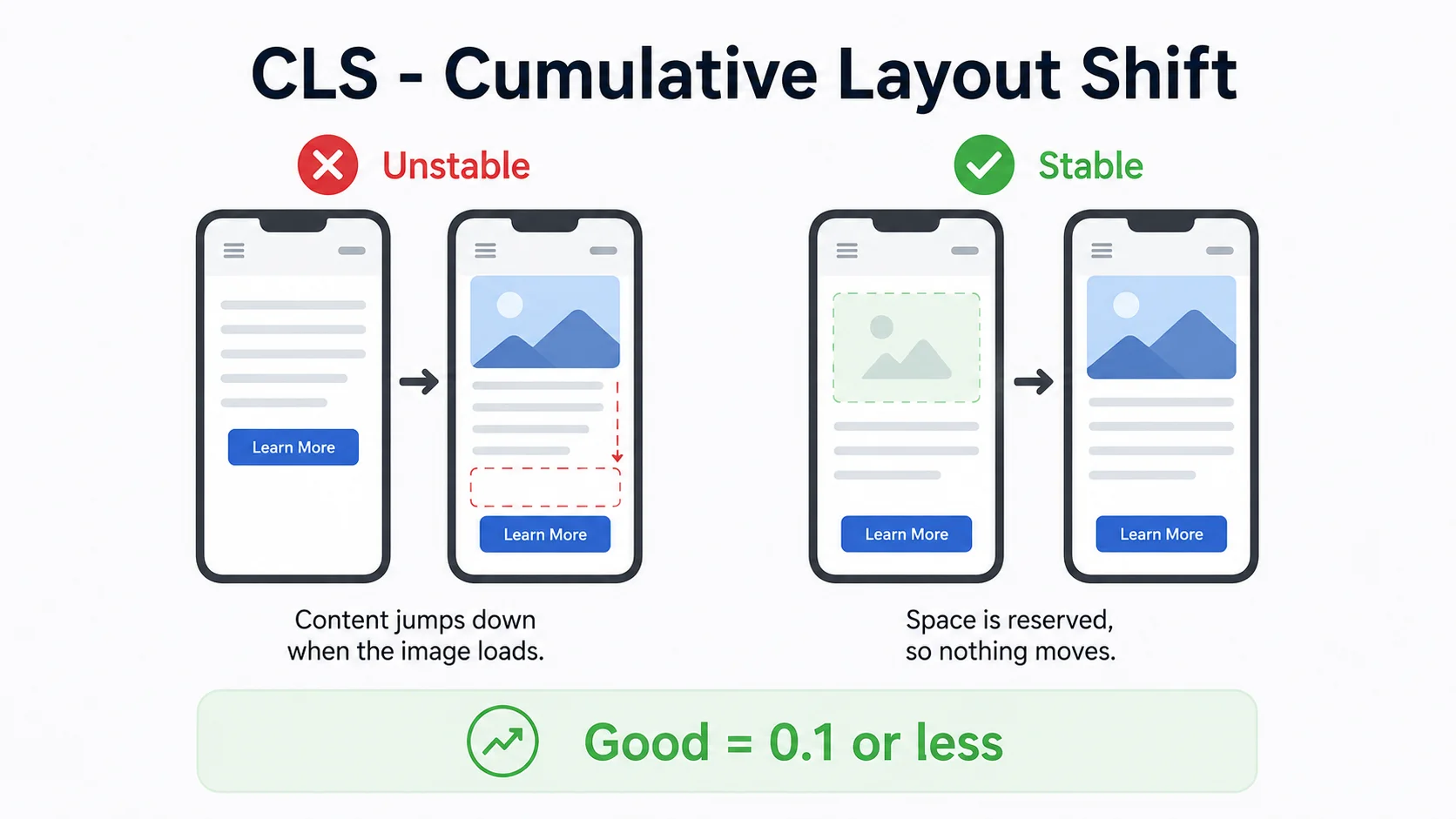
Lower is better here. Google says a "CLS of 0.1 or less" counts as good (web.dev, 2024). It is the one Core Web Vital that is not about time. It is about things staying put.
The fix is usually simple. Set a fixed width and height on every image so the browser reserves the space before the picture arrives. Reserve room for ads and banners too. Once the browser knows how big everything will be, nothing has to shove anything else out of the way.
5. Are Core Web Vitals a ranking factor?
Yes, but a gentle one. Core Web Vitals are part of Google's page experience signals. Specifically, Google Search Central says the metrics align "with what our core ranking systems seek to reward" (Google Search Central, 2025). So they do count.

That said, do not expect a slow page with great content to vanish. Content and relevance still come first. Think of Core Web Vitals as a tie-breaker. When two pages answer the same question equally well, the faster, more stable one tends to get the nudge.
One honest note on the numbers. Google grades these scores at the 75th percentile. That is a methodology choice, meaning your page has to hit the target for most of your visitors, including those on slower phones. If you want the bigger ranking picture, see our guide on how to rank higher on Google.
6. Why speed is about sales as well as SEO
Even if Google ignored speed entirely, you would still want it. Slow pages cost you customers before they ever read a word.
Shopify measured this across its live stores over 28 days in early 2026 and found that "for every 100 milliseconds slower a store loads, conversion tends to be about 3.5% lower" (Shopify, 2026).
Shopify reports the measured relationship per 100 milliseconds. The study does not say that rate compounds in a straight line across a full second.
Responsiveness carries a price tag too. The same study found that "for every 32 milliseconds slower a store responds to interactions, conversion tends to drop by about 1.5%" (Shopify, 2026). So INP is not an abstract score. It is the gap between a tap and a sale.
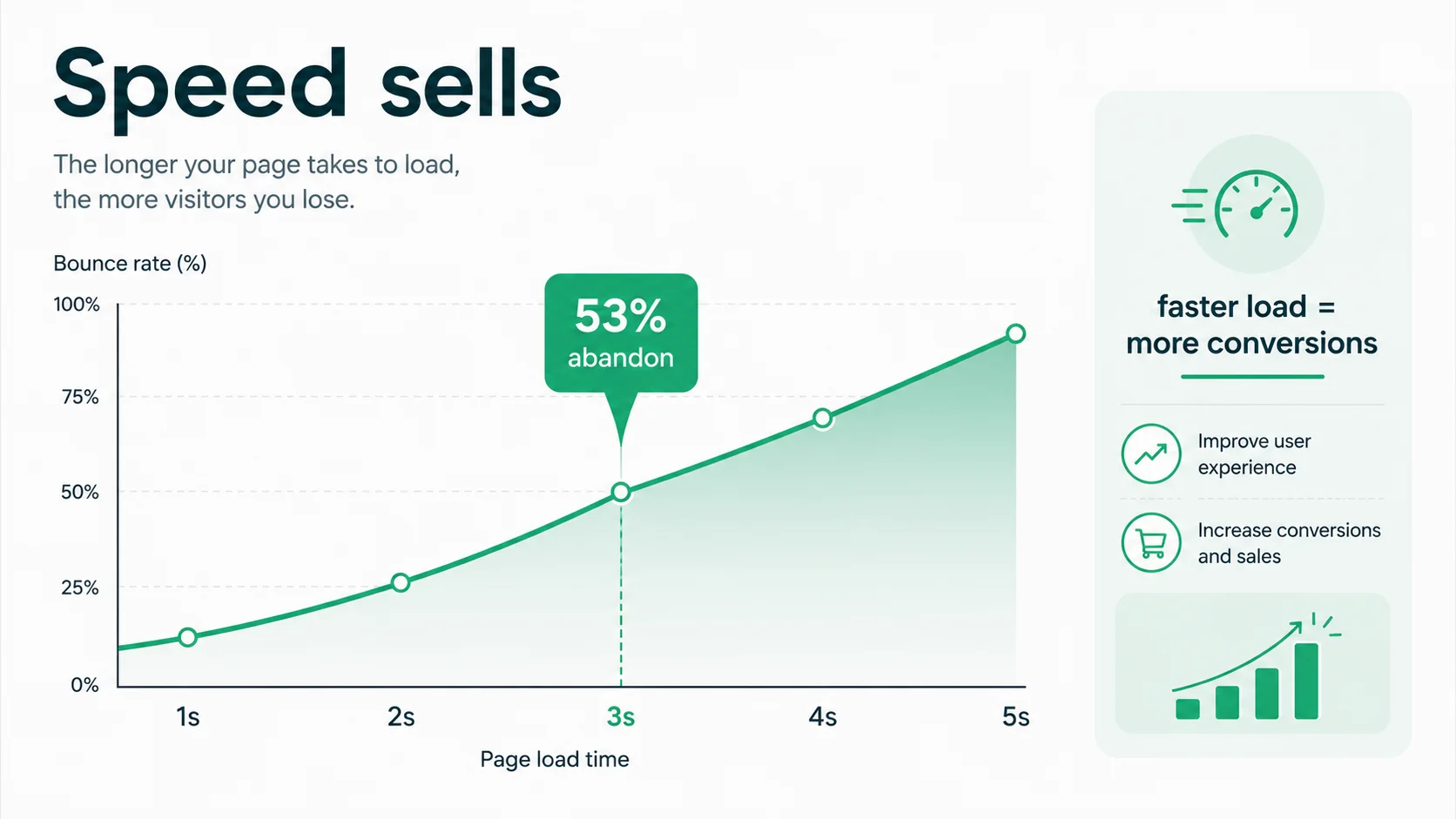
The older figure still holds up as a rule of thumb. Google's own guidance says "53% of visits are likely to be abandoned if pages take longer than 3 seconds to load" (Google AdSense Help).
That number comes from Google's earlier mobile speed research, so treat it as a broad signal from an older dataset.
Small speed wins add up to real money too. A 2020 Deloitte study found a 0.1 second improvement in load time "increases conversion rates by 8.4% for retail sites" and 10.1% for travel sites (web.dev, 2020). One tenth of a second. That is how much speed moves a buying decision.
And plenty of sites have room to grow. The latest HTTP Archive Web Almanac found that 48% of mobile sites and 56% of desktop sites passed all three Core Web Vitals (HTTP Archive, 2025).
Mobile has climbed steadily, from 36% in 2023 to 44% in 2024 to 48% now, but more than half of mobile pages still fail. Fix yours and you are ahead of the pack.
7. How to check your scores (PageSpeed Insights, Search Console)
You do not need fancy tools. Google gives you two free ones, and between them they cover almost everything.
PageSpeed Insights for a single page
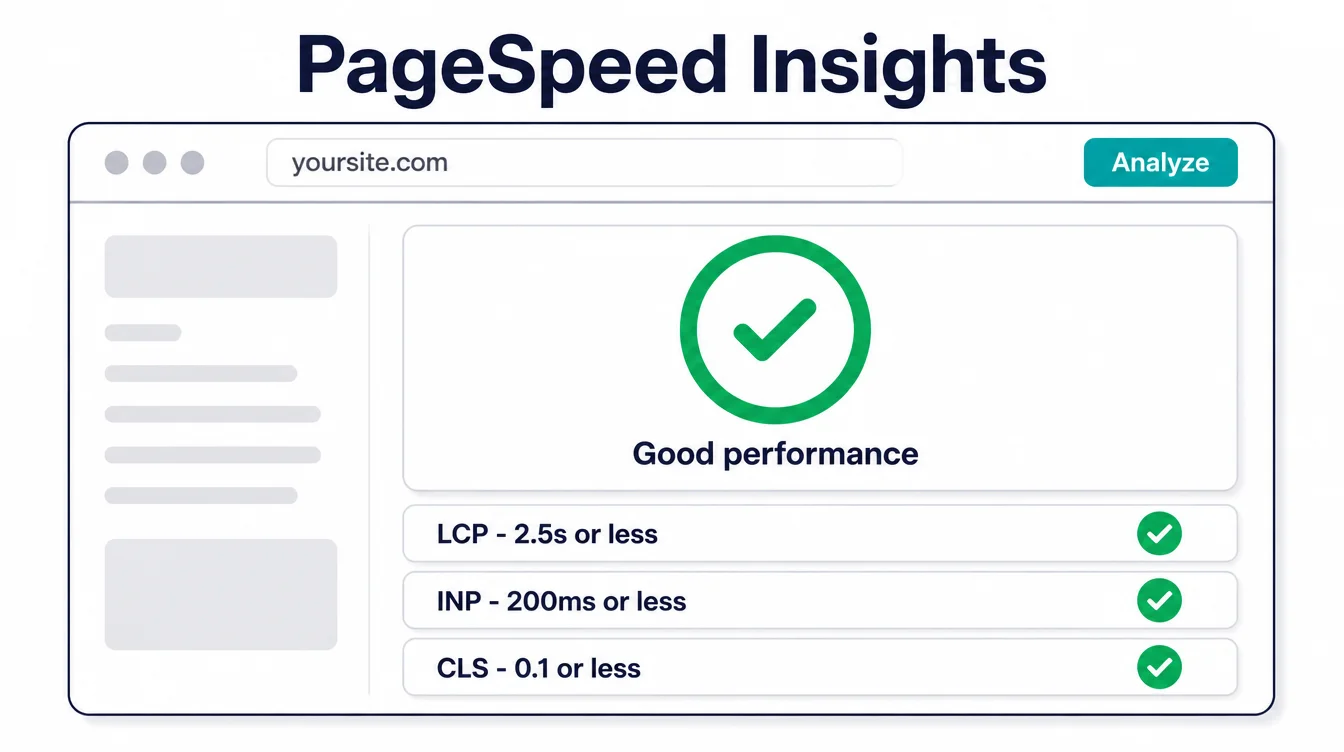
Go to PageSpeed Insights, paste in any URL, and hit analyze. You get a score out of 100, your three Core Web Vitals, and a list of suggestions.
It shows lab data (a clean test) plus real-world field data when enough visitors have loaded the page. Start here when you want to check one specific page. Our free Core Web Vitals checker reads the same real-user data and puts each score in plain words.
Search Console for the whole site
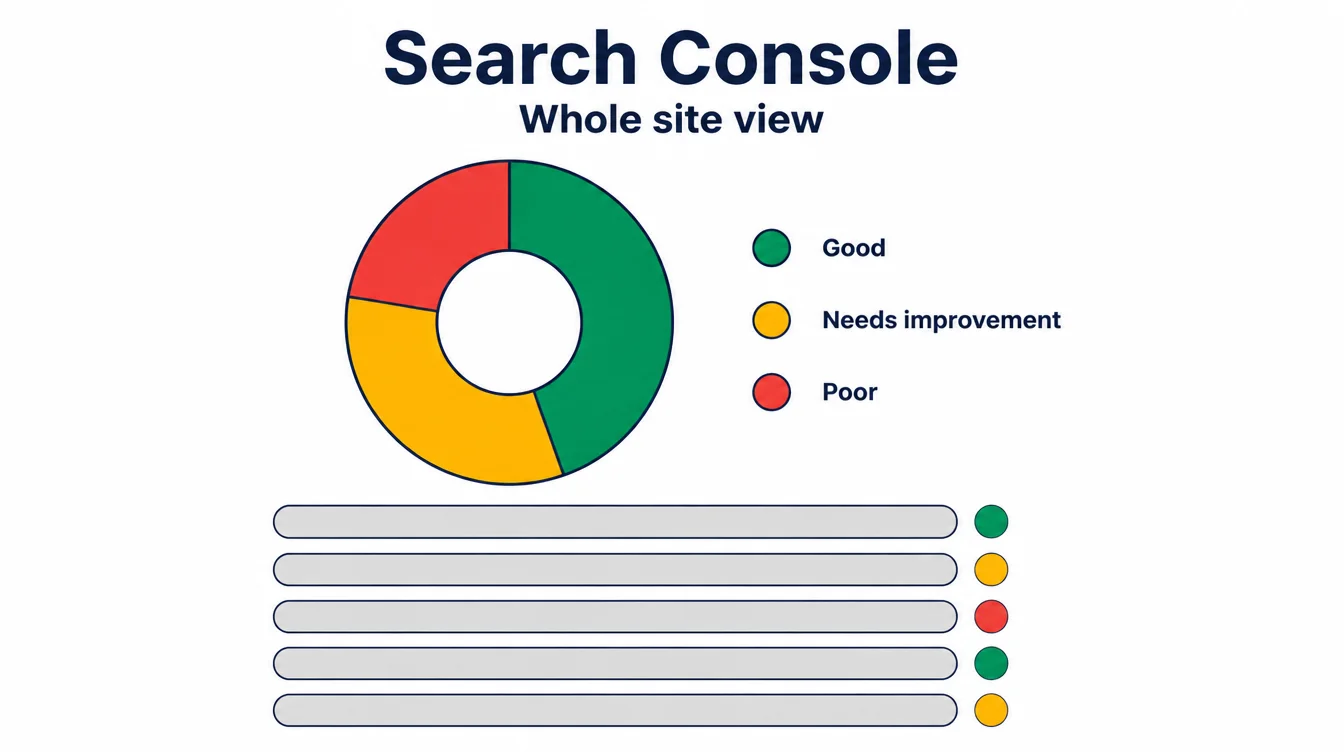
Google Search Console has a Core Web Vitals report built in. It groups every page on your site into good, needs improvement, and poor, using data from real visitors.
This is the better view when you want to spot patterns, like every product page failing the same way. For more on keeping a site healthy over time, see our website maintenance checklist.
8. What has actually changed recently
Search the topic and you will find posts announcing a fourth Core Web Vital or new pass marks for 2026. Ignore them. There are still three metrics, and the targets are still 2.5 seconds, 200 milliseconds, and 0.1. Google's own documentation, updated in December 2025, lists the same three (Google Search Central, 2025).
One real change is worth knowing if your site is built as a single page app, where clicking a link swaps the content without a full page reload. Those apps have always been hard to measure, because the scores only counted the first load.
At Google I/O in May 2026 Chrome announced "the Soft Navigations API, available in an upcoming Chrome release, to bring Core Web Vitals measurement to Single Page Applications" (Chrome for Developers, 2026).
For most small business websites this changes nothing. The work is the same as it has always been: lighter images, faster hosting, fewer scripts, and space reserved for anything that loads late.
9. How to make your site faster (the fixes to ask for)
Here is the part that matters. Most Core Web Vitals problems trace back to a handful of causes. You do not have to do this work yourself, but knowing the list helps you ask your developer for the right thing.
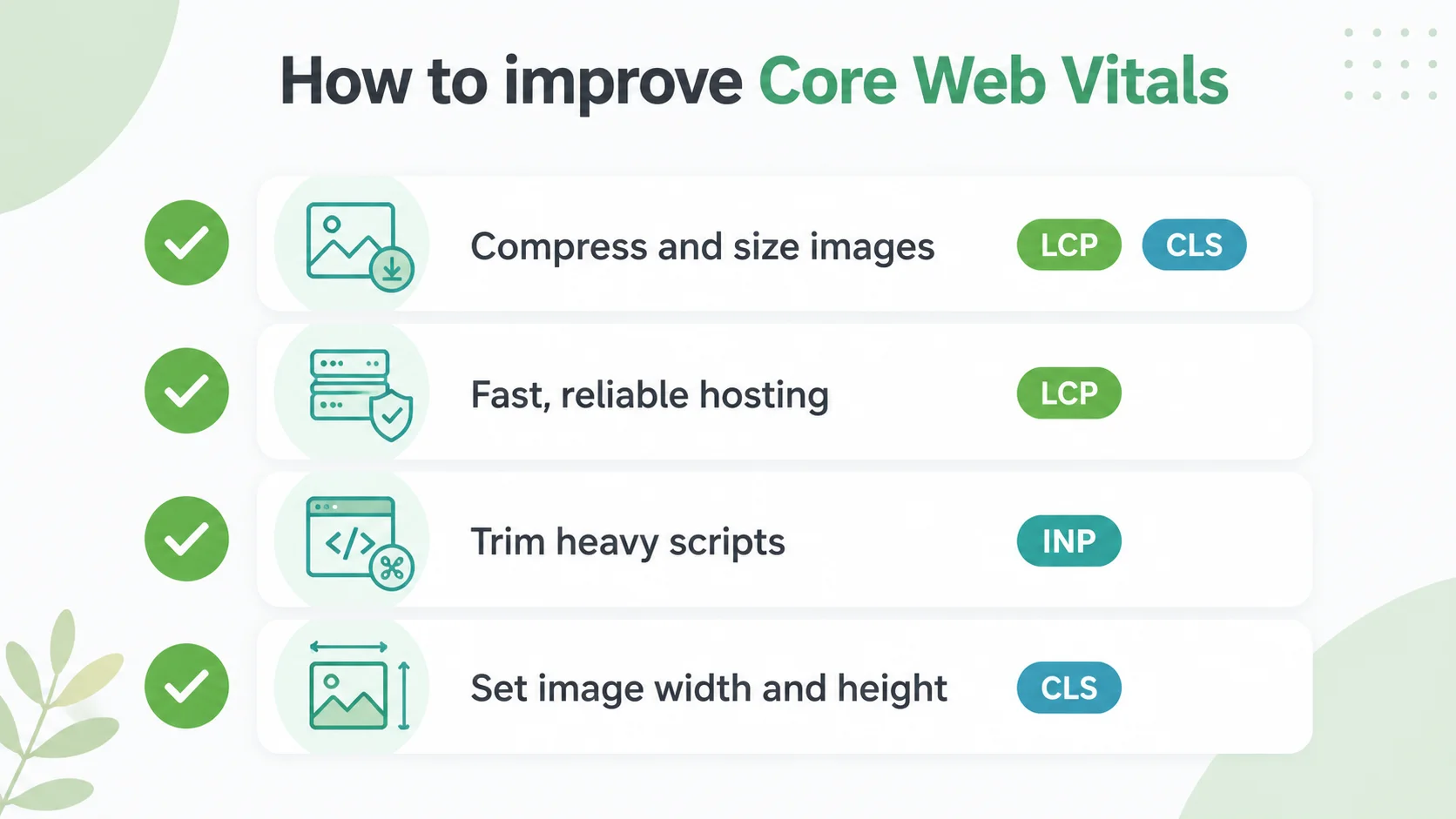
Fix your images (helps LCP and CLS)
Big images are the number one cause of slow loading. Compress them, size them to fit, and use modern formats like WebP. Also set a width and height on each one so the layout does not shift. Our image SEO guide walks through this in detail.
Choose fast hosting (helps LCP)
Cheap, crowded hosting makes your server slow to respond, which delays everything. Good hosting is the cheapest big speed win there is.
Trim heavy scripts (helps INP)
Every chat widget, popup, and tracking tool adds weight. Remove the ones you do not use and load the rest carefully. This is the main lever for INP.
Make it mobile-friendly
About half of worldwide web traffic is mobile, so phone speed deserves careful testing. See our guide on how to make a website mobile-friendly, and pair it with our on-page SEO checklist so the page is fast and findable.
10. A Core Web Vitals cheat sheet
Want it all on one card? Here are the three scores, their pass marks, and what each one actually measures. Print it, screenshot it, or send it to whoever builds your site.
| Metric | Good score | What it measures |
|---|---|---|
| LCP (Largest Contentful Paint) | 2.5 seconds or less | How fast the main content loads |
| INP (Interaction to Next Paint) | 200 milliseconds or less | How fast the page responds to taps and clicks |
| CLS (Cumulative Layout Shift) | 0.1 or less | How much the layout jumps while loading |
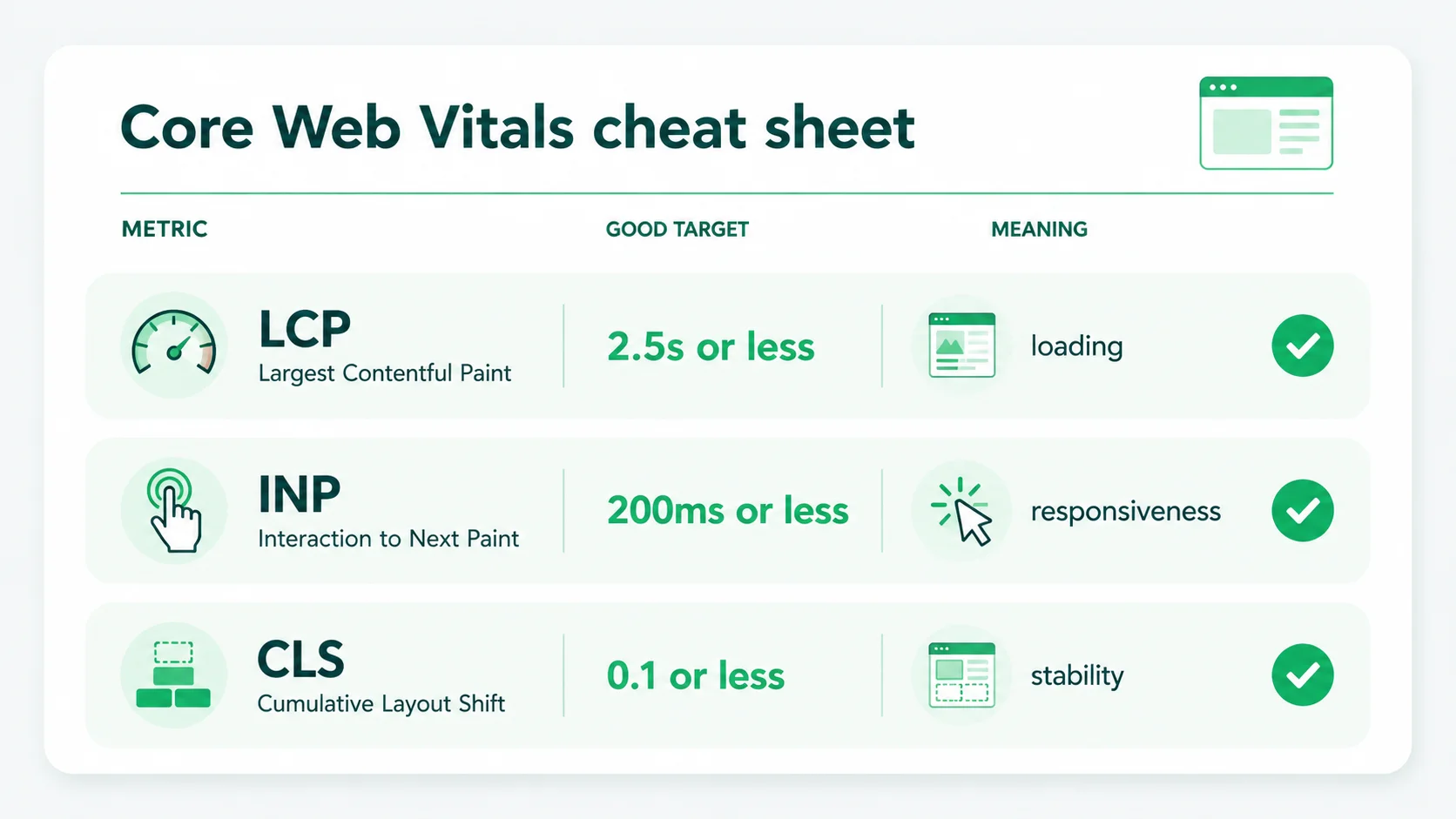
Remember, you pass only when all three are green. If you want this handled rather than added to your list, our web design and SEO teams build fast by default, and a website care plan checks the scores as the site changes and fixes regressions. For more plain-language guides, browse the Seed Light blog.
11. How we structured the Libulbs catalogue
On the Libulbs wholesale LED lighting site, speed optimisation was part of the e-commerce design and build for its large technical catalogue. We organised product discovery, specifications and ordering into a clear buying journey for trade buyers.
Frequently asked questions
1. What are Core Web Vitals?
Core Web Vitals are three scores Google uses to measure the real experience of a page. They cover loading speed, how fast the page responds when you tap or click, and whether things jump around while it loads. The three are Largest Contentful Paint (LCP), Interaction to Next Paint (INP), and Cumulative Layout Shift (CLS). Pass all three and your page feels fast and stable to a real visitor.
2. What is a good Core Web Vitals score?
A good score means LCP happens within 2.5 seconds, INP is at or below 200 milliseconds, and CLS is 0.1 or less. You need to pass all three to count as good. Google measures these at the 75th percentile, which means the scores have to hold up for most of your visitors, including the ones on slower phones and slower connections.
3. Did INP replace FID?
Yes. Interaction to Next Paint (INP) officially became a Core Web Vital and replaced First Input Delay (FID) on 12 March 2024. FID only measured the delay on your very first interaction. INP looks at the responsiveness of interactions across the whole visit, so it is a fairer picture of how snappy the page feels in real use.
4. Are Core Web Vitals a ranking factor?
Yes, but a gentle one. Core Web Vitals are part of Google's page experience signals, and Google says the metrics align with what its core ranking systems seek to reward. They are a tie-breaker, not a magic switch. Good content still wins first. But when two pages are close, the faster, more stable one tends to get the edge, and a slow page quietly loses visitors anyway.
5. How do I check my Core Web Vitals?
Use two free Google tools. PageSpeed Insights gives you a one-off test of any URL, with lab results and real-world field data when enough exists. Google Search Console has a Core Web Vitals report that groups your whole site into good, needs improvement, and poor URLs using real visitor data. Start with PageSpeed Insights for a single page, then use Search Console to spot site-wide problems.
6. How do I improve my Core Web Vitals?
Most fixes fall into a short list. Compress and right-size your images, and use modern formats. Choose fast, reliable hosting. Cut down heavy scripts and trim third-party tools you do not need. Set width and height on images and reserve space for ads so nothing jumps. If that sounds technical, it is the kind of work a developer can do quickly once they know which metric is failing.







