
JavaScript SEO: Make Dynamic Content Crawlable and Indexable

Google does render JavaScript, using an evergreen version of Chromium, but it happens in a second pass after crawling. The median render delay was about 10 seconds, with a tail stretching to hours. Server-side rendering removes the wait. Seed Light traces indexing problems back to how the HTML is delivered.

Key takeaways
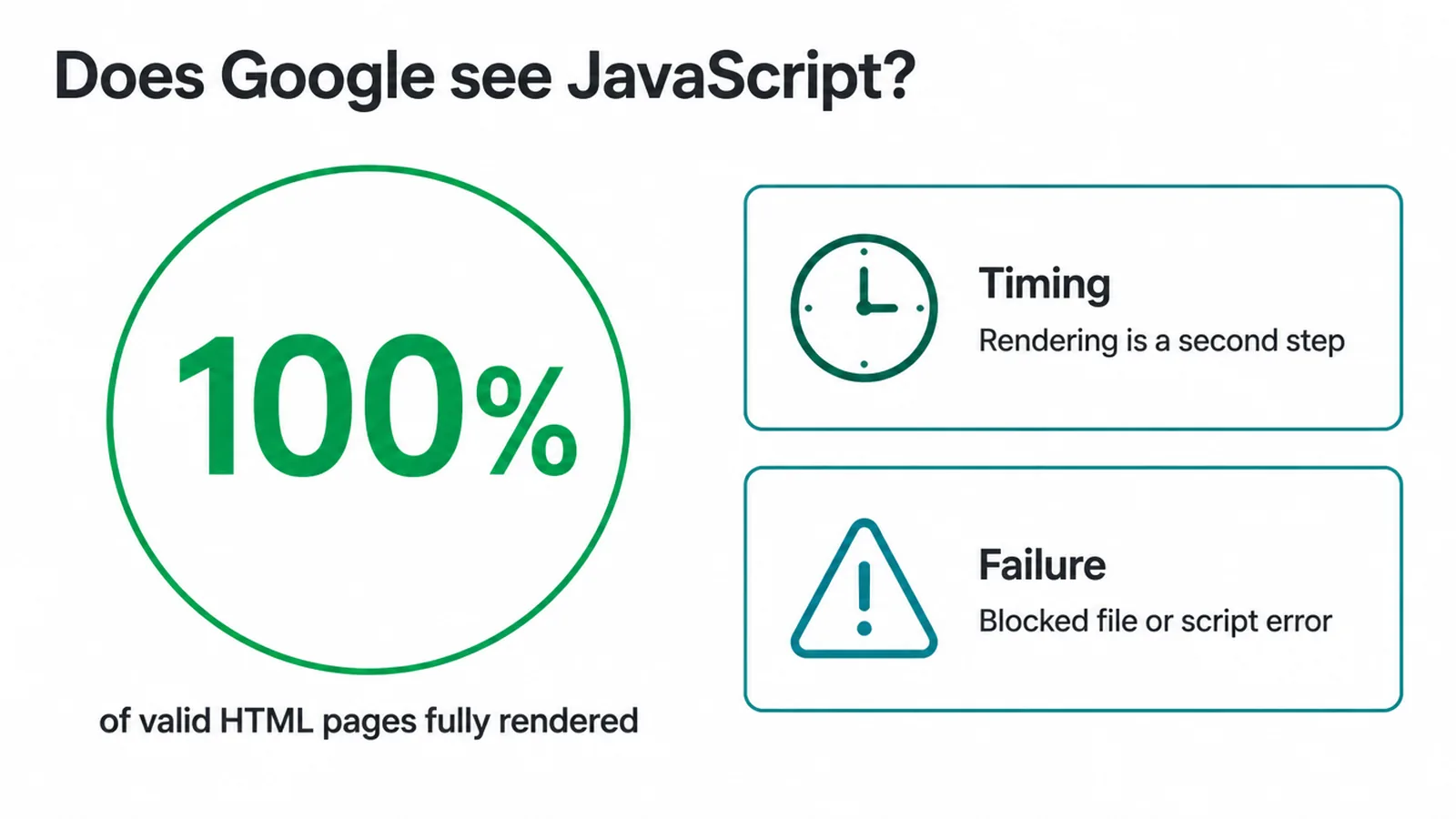
- Google does render JavaScript. In one large study, 100% of valid HTML pages got fully rendered across more than 100,000 Googlebot fetches (Vercel and MERJ, 2024).
- Rendering happens later, not instantly. The median render delay was about 10 seconds, but the slow tail stretched to hours (Vercel and MERJ, 2024).
- It is three phases. Google crawls, then renders, then indexes (Google Search Central).
- Server HTML is the safe path. Send finished HTML with server-side rendering so Google does not have to wait.
- Test it, do not guess. The URL Inspection tool in Search Console shows you the exact HTML Google rendered.
1. Does Google see JavaScript?
Yes, Google sees JavaScript, with a few caveats. JavaScript SEO starts here because this is the question that scares site owners. Google runs your JavaScript with an evergreen version of Chromium (Google Search Central).
That means it uses a current browser engine, not an old one. The Vercel and MERJ study backed this up. They found 100% of valid HTML pages resulted in full-page renders (Vercel and MERJ, 2024).
Where the risk is: timing and failure
Rendering is a second step. Google does not run your code the instant it crawls the page. It comes back to it later. That gap creates two problems: timing and failure.
- Timing. If your render is delayed, your fresh content shows up in search slower.
- Failure. If your render fails for any reason, like a blocked file or a script error, Google may index an empty page.
So "can Google see JS" is the wrong question. The real question is whether Google sees it reliably and on time.
2. How does Google handle JavaScript?
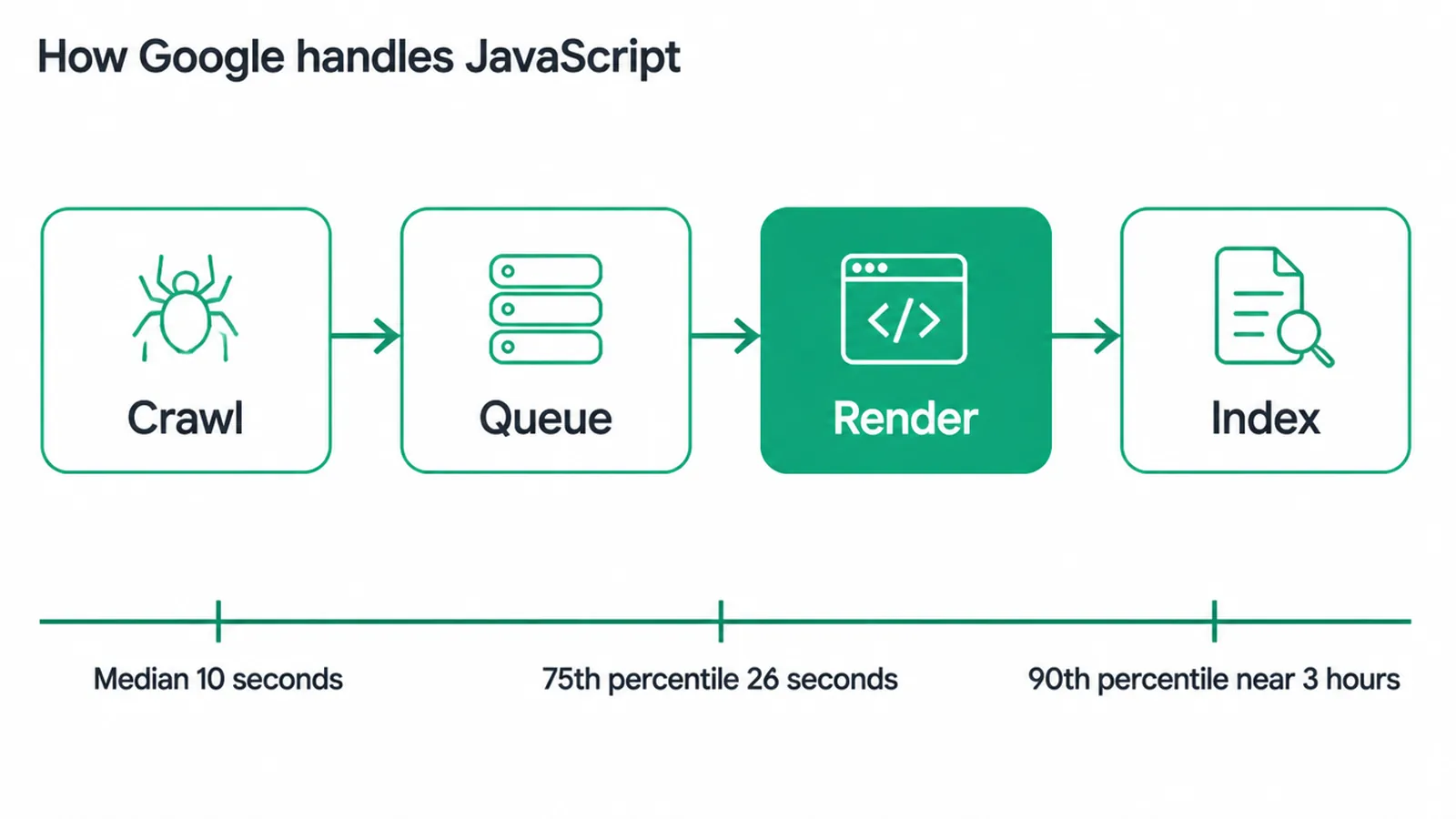
Google handles JavaScript in three phases, and JavaScript SEO is about getting all three to go right. Google processes JS in three phases: crawling, rendering, and indexing (Google Search Central). Think of it as two waves. In the first wave, Googlebot grabs your raw HTML. In the second wave, it renders the page.
How the queue works
Google queues all pages with a 200 status code for rendering, unless a robots meta tag or header tells it not to index the page (Google Search Central). Then, once Google's resources allow, a headless Chromium renders the page and runs the JavaScript (Google Search Central).
How long is the wait?
It varies a lot. The Vercel and MERJ study measured a median render delay of about 10 seconds, with the 75th percentile at 26 seconds and the 90th percentile near 3 hours (Vercel and MERJ, 2024).
So most pages render fast. But a slow minority can wait a long time. If your JavaScript-only content sits in that tail, it can show up in Search Console as crawled but not yet indexed. We cover that exact status in our guide on pages that are crawled but currently not indexed.
3. CSR vs SSR vs dynamic rendering for JavaScript SEO
The biggest JavaScript SEO choice is where your HTML gets built. There are three main approaches, and they carry very different risk. Client-side rendering builds the page in the browser. Server-side rendering builds it on the server and sends finished HTML. And dynamic rendering was an old workaround that Google no longer recommends.
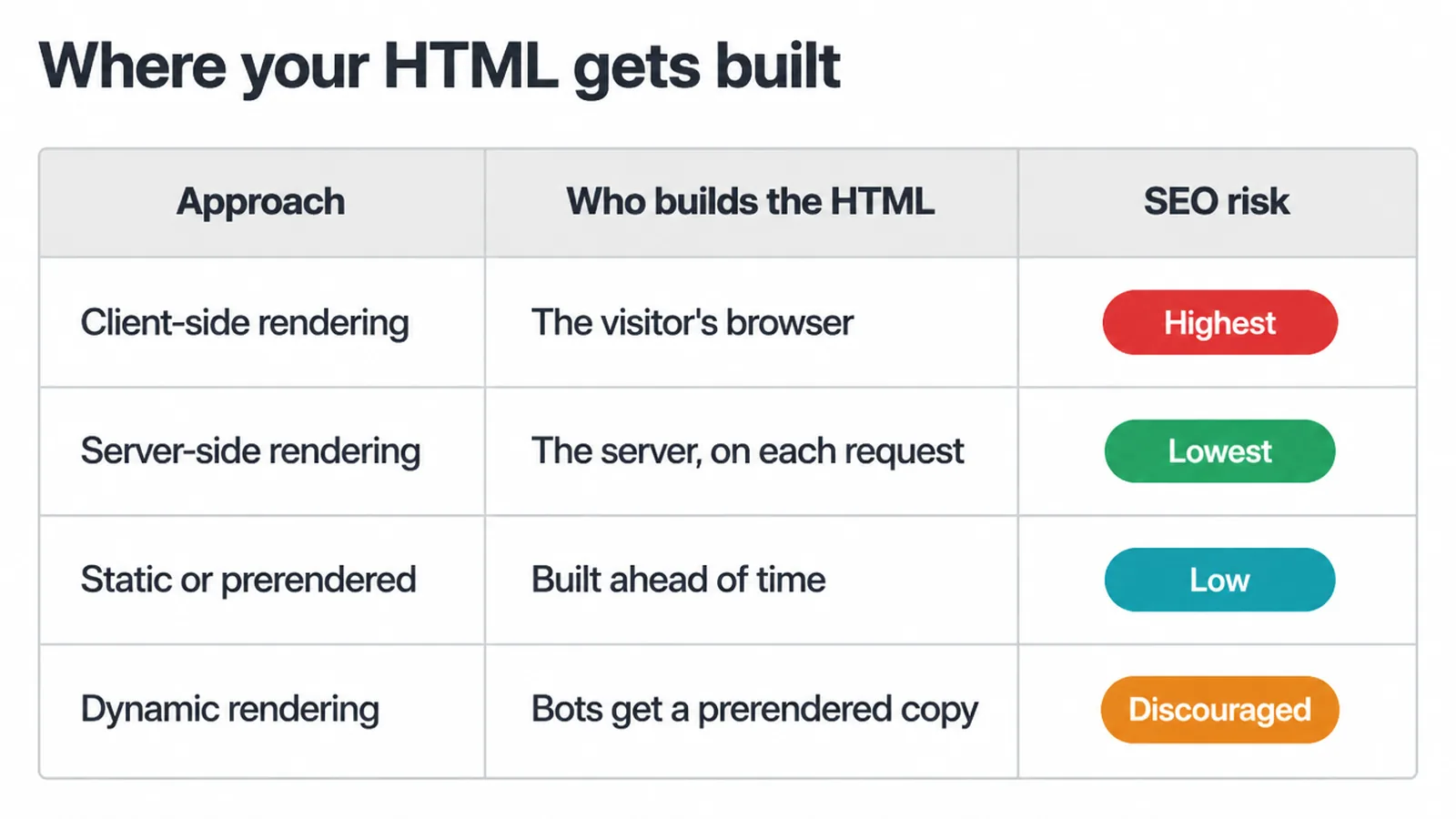
| Approach | Who builds the HTML | SEO risk | Best for |
|---|---|---|---|
| Client-side rendering (CSR) | The visitor's browser, after loading JavaScript | Highest. Google must render before it sees your content, so timing and failures matter most | App-like screens behind a login, not pages you want ranked |
| Server-side rendering (SSR) | The server, on each request | Lowest. Google gets finished HTML right away | Pages that must rank and stay fresh |
| Static or prerendered (SSG) | Built ahead of time into HTML files | Low. Same finished HTML benefit, served fast | Content that does not change every minute |
| Dynamic rendering | The server sends bots a prerendered version, users get JavaScript | Discouraged. Google calls it a workaround, not a long-term fix | Nothing new. Avoid it for new builds |
Why dynamic rendering is discouraged
On dynamic rendering, Google is clear. They say dynamic rendering was a workaround and not a long-term solution (Google Search Central). For most sites, the answer is to send real HTML, either with server-side rendering or static generation.
That removes the render-queue gamble. If you are picking a framework or planning a rebuild, this is the kind of decision our web design and development team sorts out at the start, before it becomes an indexing headache.
4. Common JavaScript SEO mistakes
Most JavaScript SEO problems are not deep bugs. They are a handful of repeat mistakes that hide content from Google. Here are the ones we see most.
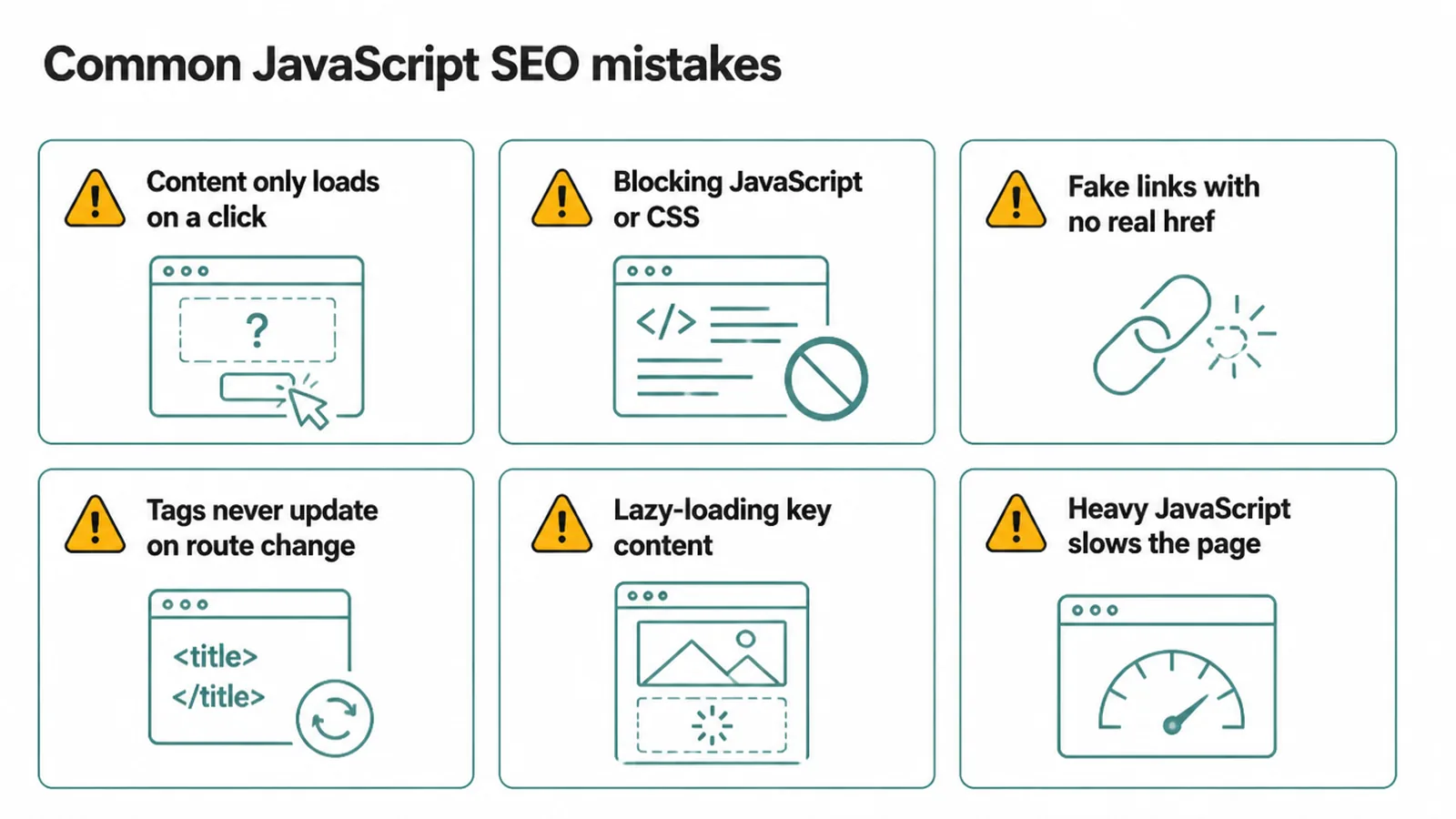
- Content only loads on a click or scroll. If your main text only appears after a tab click or an infinite scroll, Google may never trigger it. Put important content in the first render.
- Blocking JavaScript or CSS in robots.txt. Google needs those files to build the page. Block them and it renders a broken or empty version.
- Fake links with no real href. Google follows links written as proper anchor tags, like
<a href="/page">. If you build navigation with a click handler on a<span>or<div>and no real<a href>, Google may not crawl onward. - Tags that never update on a route change. In single-page apps, the title, meta description, and canonical can stay stuck from the first page load. Each route needs its own correct tags.
- Lazy-loading the content that matters. Lazy loading is fine for images far down the page. It is risky for your main heading or copy.
- Heavy JavaScript that slows everything down. Bloated scripts hurt your load speed and your Core Web Vitals, which affects both users and ranking. We break the metrics down in Core Web Vitals explained.
5. How to test what Google sees
The honest way to win at JavaScript SEO is to stop guessing and test what Google rendered. Your best free tool is the URL Inspection tool inside Google Search Console. It shows you the actual rendered HTML and a screenshot of what Googlebot built.
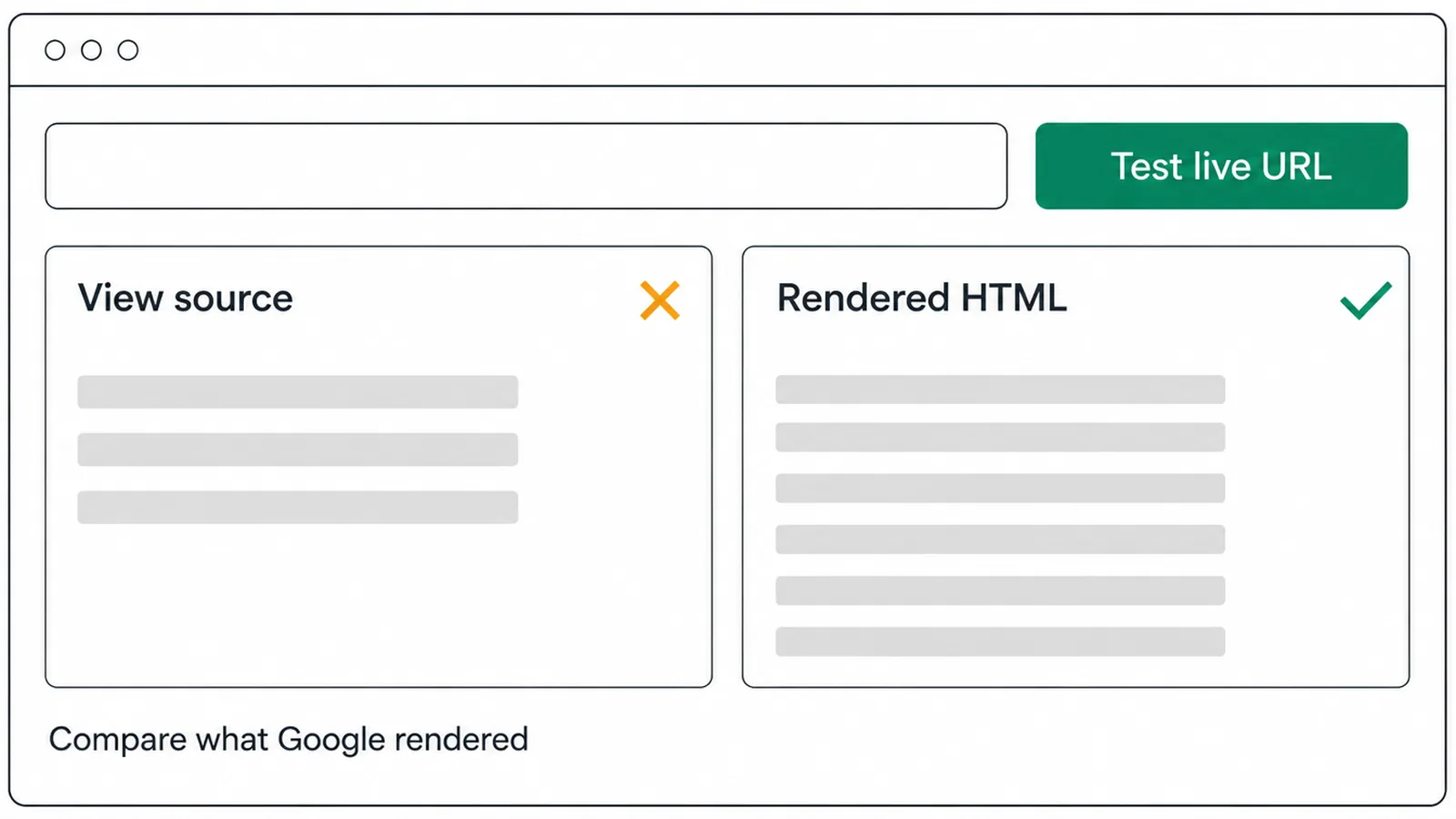
The quick check
- Paste your URL into URL Inspection.
- Run Test Live URL.
- Open View Tested Page, then look at the rendered HTML and the screenshot.
- Compare that to your page's plain view source, which is the raw HTML before any JavaScript runs.
If your main text and links are in the rendered HTML but missing from view source, your content is JavaScript-built, and the test confirms Google can see it. If your important content is missing from the rendered HTML too, Google is not seeing it, and you have a real fix to make.
Use the screenshot as well as the code
If the screenshot looks empty or broken, a file is probably blocked or a script is failing. This kind of check sits inside the wider work of technical SEO, which is the pillar that ties speed, indexing, and rendering together.
6. How to fix JavaScript SEO problems
Fixing JavaScript SEO comes down to giving Google finished HTML and clear signals. None of this is exotic. It is a short checklist.
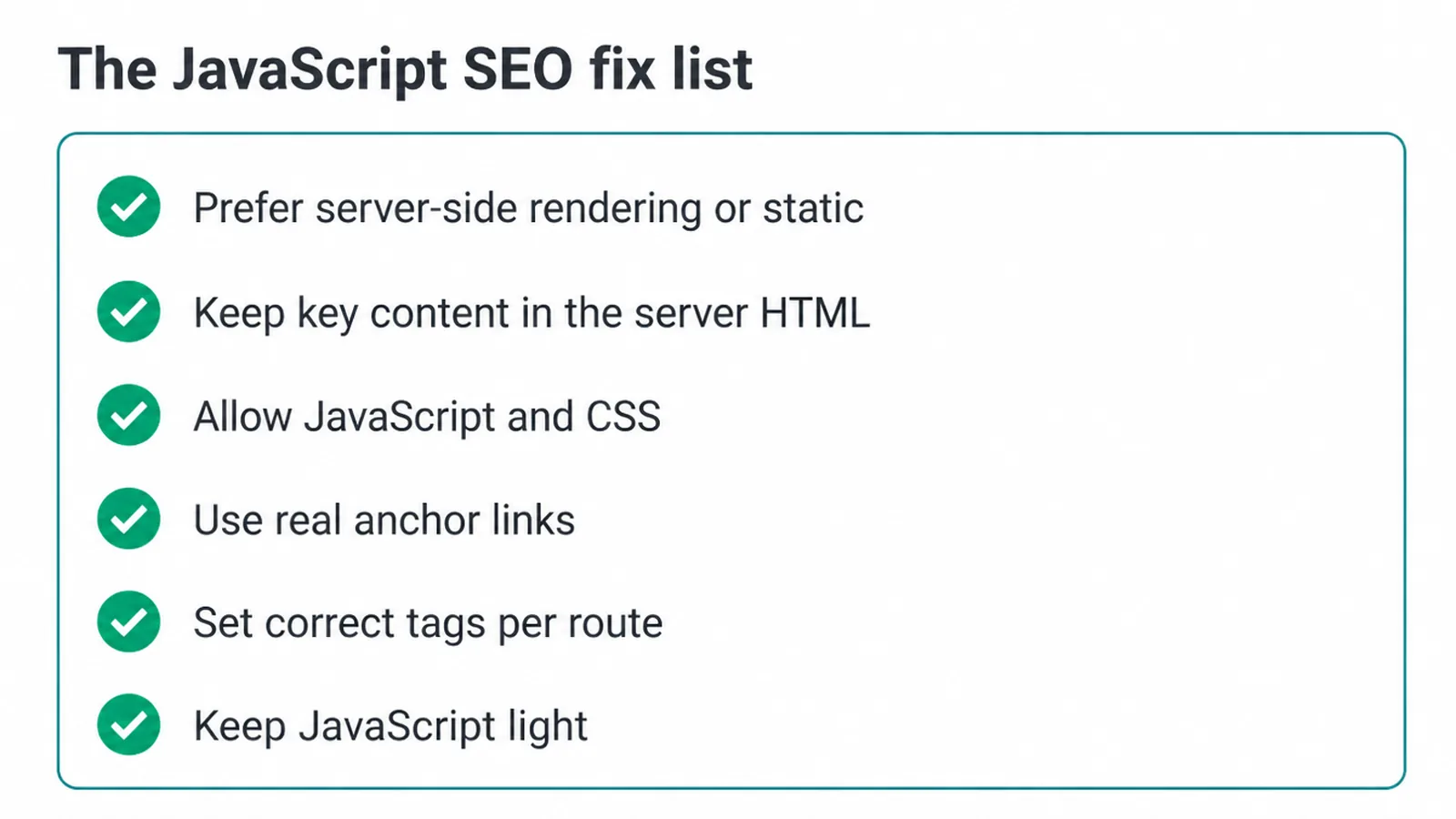
- Prefer server-side rendering, static generation, or prerendering. Send real HTML so Google does not depend on the render queue.
- Keep critical content and links in the server HTML. Your main heading, body copy, and navigation links should exist before any JavaScript runs.
- Allow JavaScript and CSS. Make sure robots.txt does not block the files Google needs to render.
- Use real links. Build navigation with proper
<a href>anchor tags, not click handlers. - Set correct tags per route. Each page needs its own title, meta description, and canonical that update on navigation.
- Keep JavaScript light. Less code renders faster, ranks better, and feels better to use.
Do these and your dynamic site competes just like a plain HTML one. The framework is rarely the problem. How you deliver the HTML is.
Frequently asked questions
1. Does Google index JavaScript?
Yes. Google can run JavaScript and index what it builds. It uses a current version of Chromium to do it. The catch is timing. Google reads your raw HTML first, then renders the JavaScript in a second step when its resources allow. So the content shows up, but not always straight away.
2. What is JavaScript SEO?
JavaScript SEO is the work of making sure Googlebot can render and index the content your JavaScript builds. If key text, links, and tags only appear after the browser runs your code, you need to check that Google sees them. It also covers fixing common JavaScript mistakes that hide content from search engines.
3. How does Googlebot render JavaScript?
Googlebot crawls the page, queues it, then a headless version of Chromium runs the JavaScript when resources allow. After that, Google indexes the rendered result. So there are three phases: crawling, rendering, and indexing. Rendering is the middle step that many people forget about.
4. Is CSR or SSR better for SEO?
Server-side rendering is the safer choice for SEO. The server sends finished HTML, so Google sees the content right away without waiting to render. Client-side rendering puts that work on the browser, which adds delay and risk. If rendering fails, the content can be missed. Static or prerendered HTML is also a strong option.
5. Why is my JavaScript content not indexed?
Common reasons are content that only loads after a click, JavaScript or CSS files blocked in robots.txt, links built with click handlers instead of real anchor tags, or page tags that never update on a route change. Heavy, slow JavaScript can also delay rendering. Test the page in Search Console to see what Google actually got.
6. Is React or Vue bad for SEO?
No, frameworks like React and Vue are not bad for SEO by themselves. The problem is when everything is built in the browser and the server sends an empty shell. Use server-side rendering, static generation, or prerendering so finished HTML reaches Google. Done that way, modern frameworks rank fine.
7. How do I test what Google sees on a JavaScript page?
Use the URL Inspection tool in Google Search Console. Run Test Live URL, then open the rendered HTML and screenshot. Compare that to your page view source. If important text or links are missing from the rendered HTML, Google may not be seeing them, and you need to fix how the content is delivered.
8. Should I block JavaScript in robots.txt?
No. Google needs to load your JavaScript and CSS to render the page the way a visitor sees it. If you block those files in robots.txt, Google may render a broken or empty page and miss your content. Allow Google to fetch the scripts and styles your page needs to build itself.







