Technical SEO: The Site Issues That Can Hold Rankings Back

Technical SEO is the work that lets search engines crawl, render, index and trust your pages. It covers speed, mobile, HTTPS, site structure, sitemaps, duplicate pages and JavaScript. Fix what blocks ranking before you polish what improves it. Seed Light starts with indexing and the mobile version, because that is what Google judges.
Key takeaways
- It is the foundation. Technical SEO is the plumbing that lets search engines crawl, load, index, and trust your pages. Get it wrong and good content stays invisible.
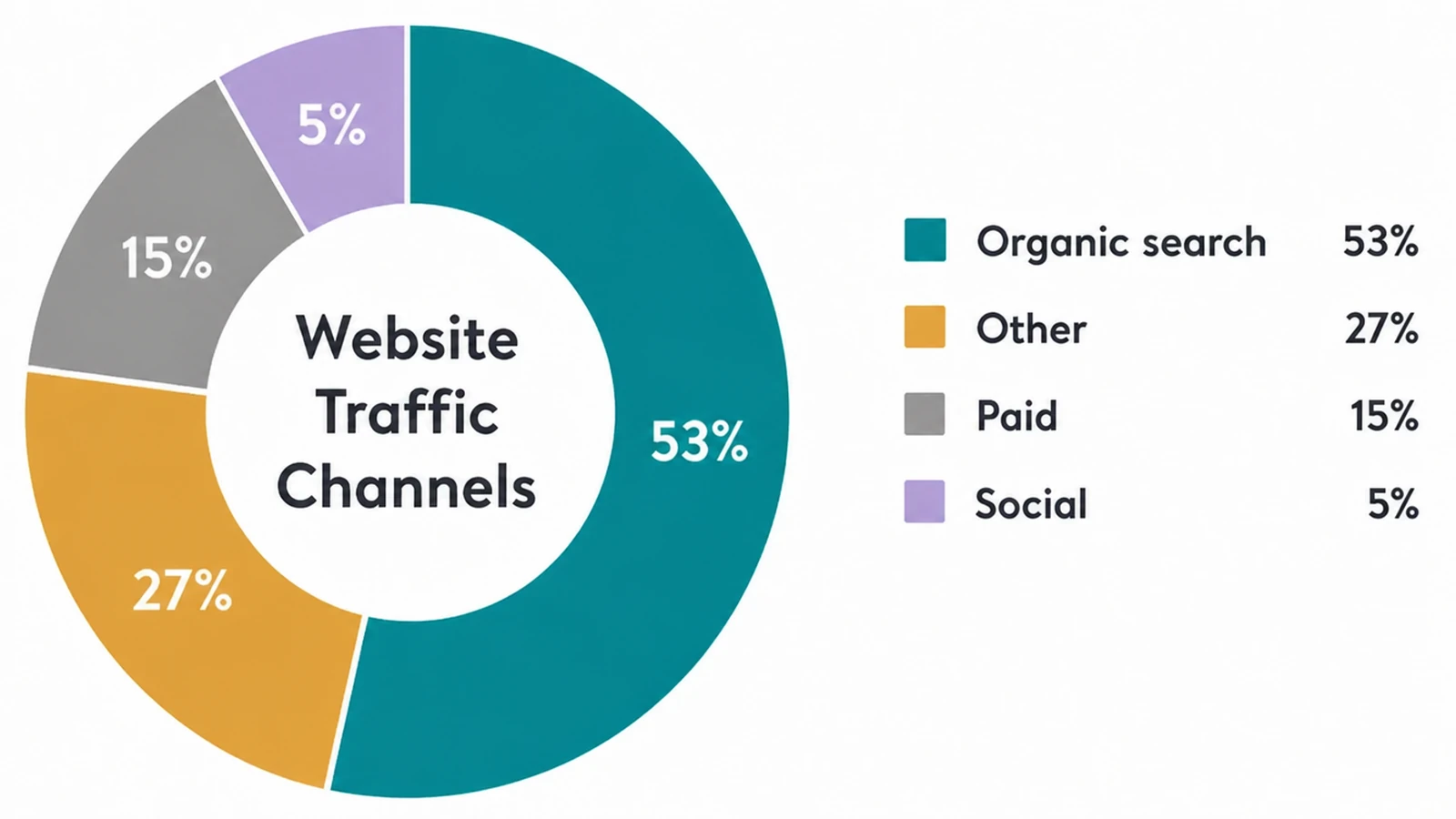
- Organic search is huge. Organic search drives 53% of all trackable website traffic (BrightEdge, 2019), so a site that search engines struggle to read is leaving a lot on the table.
- Speed matters and has a target. Aim for a largest content load of 2.5 seconds or less (web.dev), one of the speed scores that lines up with what search engines reward.
- Small sites are not exempt. Search engines judge every site the same way. The upside is small sites have fewer problems, so fixes are quicker and cheaper.
- You can start it yourself. The basics are doable in an afternoon. Bring in help for audits, site moves, and JavaScript rendering.
1. What technical SEO actually means
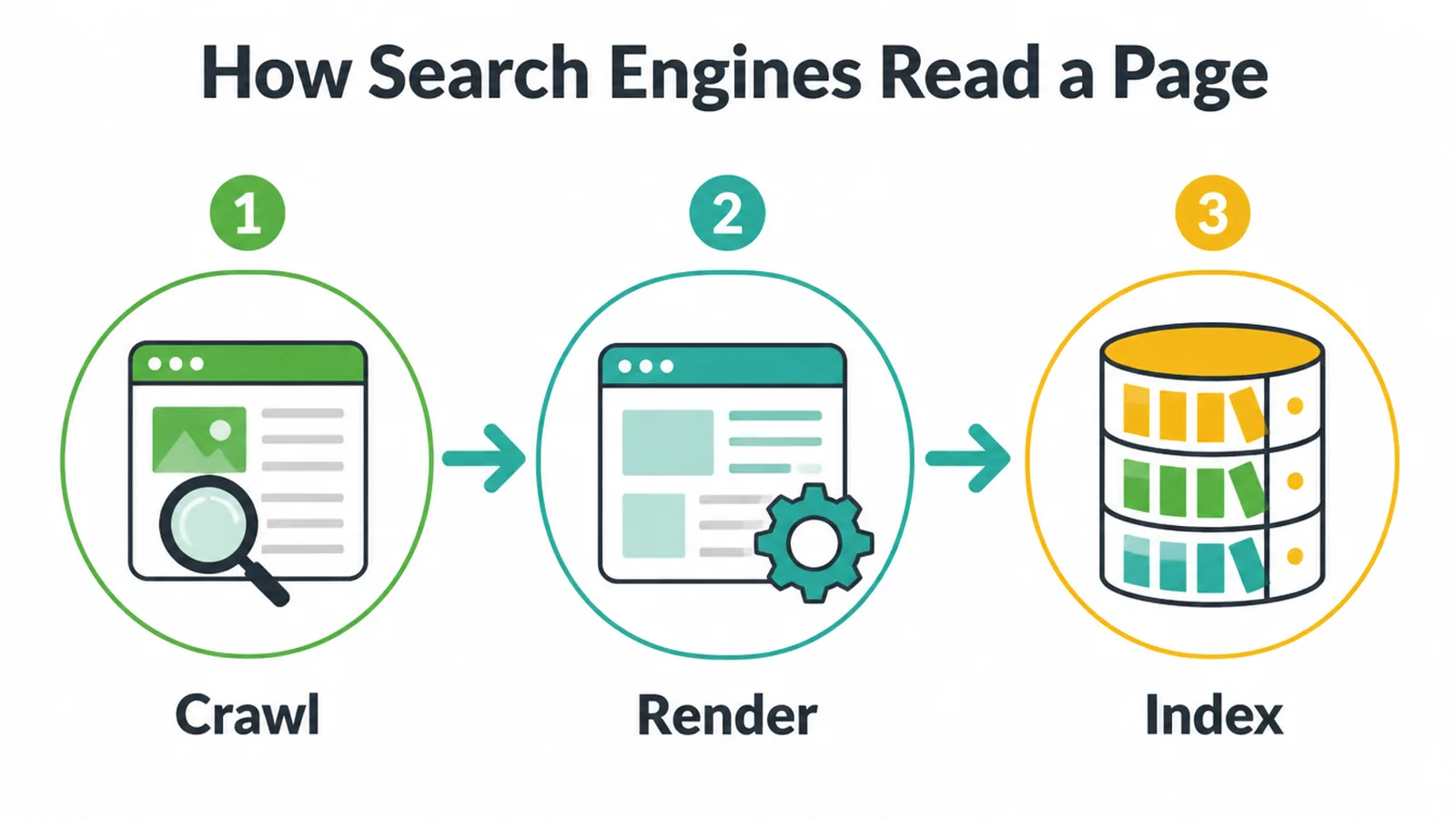
Technical SEO is the work that helps search engines crawl, render, index, and trust your site. To see why that matters, it helps to know how search works.
Google describes it as three stages: crawling, indexing, and serving (Google). During the crawl, Google also renders the page and runs your JavaScript with a recent version of Chrome, just like a visitor's browser would.
Here is the plain version. First, a crawler visits your page and reads it. Then it loads the page fully, runs any code, and tries to understand what is on it.
Then it stores that page in a giant library called the index. Only pages in the index can show up in results. Technical SEO is about making every one of those steps go smoothly.
The three kinds of SEO
People often mix up three kinds of SEO, so let us split them cleanly.
- On-page SEO is the content, your words, headings, and images.
- Off-page SEO is the trust you earn from other sites, mostly through links.
- Technical SEO is whether the machine can reach and read the page at all.
Think of a building. On-page is the rooms and furniture inside. Off-page is the reputation of the neighbourhood. Technical SEO is the road that lets anyone get to the front door. Without the road, the nice rooms do not matter.
2. Why your small business site needs it
Technical SEO matters for small businesses because broken crawling, slow loading, or hidden content quietly cost you rankings that you never see leaking.
Organic search drives 53% of all trackable website traffic (BrightEdge, 2019). That is the biggest single channel for most sites, so anything that makes your pages harder to reach hurts more than it looks.
Technical problems are invisible from the front
The tricky part is that technical problems are invisible from the front. Your site can look perfect to you while a crawler is being blocked, a page is set to noindex by accident, or a script is hiding your text. You would never know unless you check.
Small sites are not safe from this. Search engines apply the same rules to everyone. The good news is a small site has fewer pages, so there is less to break and the fixes cost less.
The phone version is the one being judged
One more thing every small business needs to know. Google uses the mobile version of a site's content for indexing and ranking (Google).
So if your site is great on a laptop but cramped or slow on a phone, the phone version is the one being judged. That alone makes the mobile check below worth doing today.
3. The main parts of technical SEO
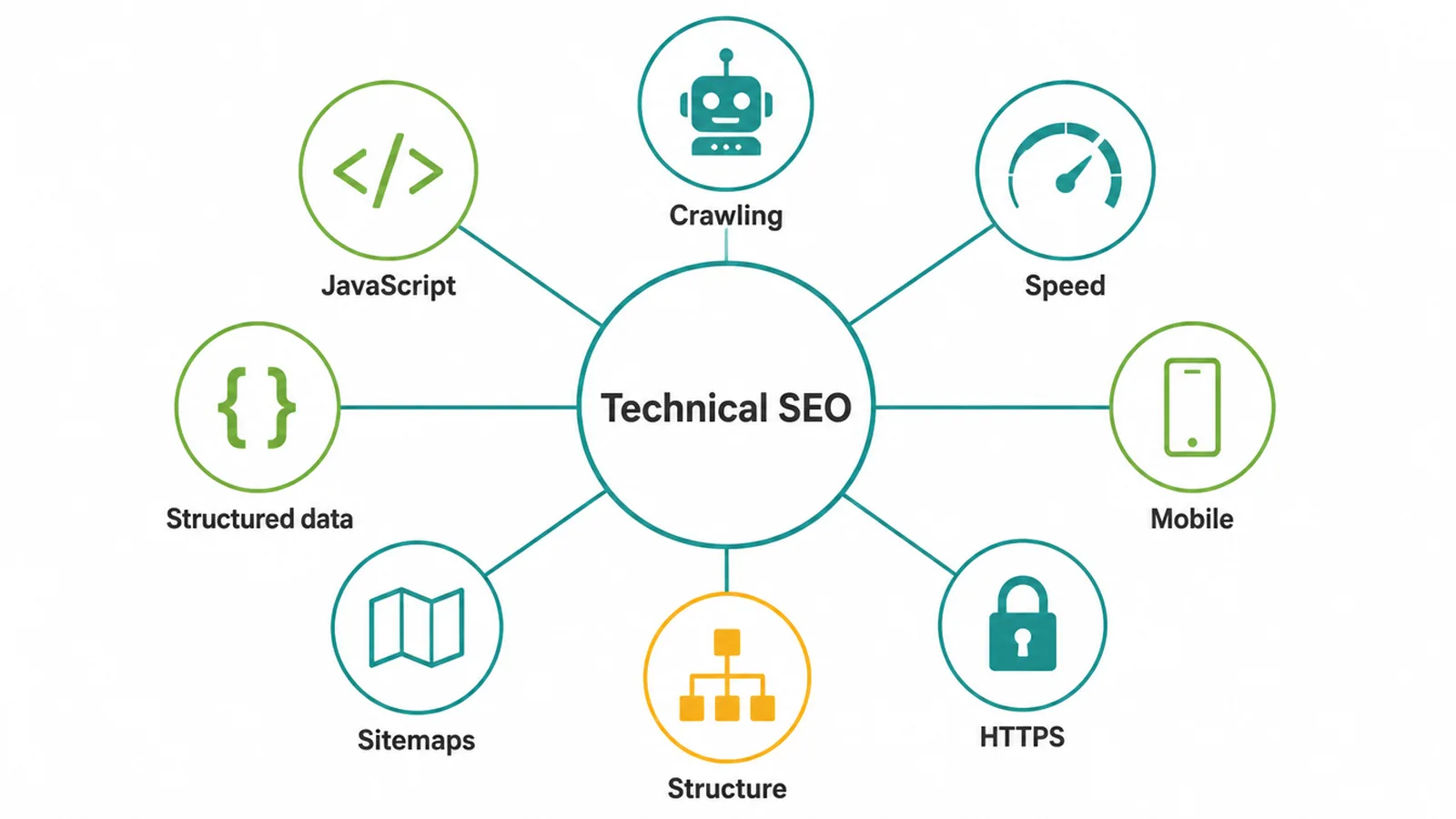
Technical SEO breaks into a handful of areas. Here is a short summary of each, with a link to a fuller guide if you want to go further on one. The point of this pillar is to show you the whole map. You do not need to learn every street.
Crawling and indexing
This is the most important bucket. If your pages cannot be crawled, or they get crawled but never added to the index, nothing else matters.
A common headache is a page that shows up in Search Console as "crawled but not indexed". We break down why that happens and how to fix it in our guide to pages that are crawled but not currently indexed.
Site speed and Core Web Vitals
Search engines measure how fast and steady your pages feel using scores called Core Web Vitals. The good targets are a largest content load of 2.5 seconds or less, an interaction delay of 200 milliseconds or less, and a layout shift score of 0.1 or less (web.dev).
Google says page experience aligns with what its core ranking systems seek to reward (Google).
For the full picture see Core Web Vitals explained. Two big speed pieces have their own guides too: your server response time (the very first byte), and code that blocks the first paint.
Mobile
Because search engines use your mobile version to judge your site, a phone-friendly layout is not optional. Text should be readable without zooming, buttons should be easy to tap, and the page should load quickly on a slower connection. Our guide to mobile SEO covers what to check and fix.
HTTPS and security
HTTPS is the padlock in the address bar. It encrypts the connection between your visitor and your site, and it is a confirmed ranking signal, so a site without it is at a disadvantage.
Beyond ranking, it keeps data safe and stops browsers from warning people away. Read more in our guide to HTTPS and SEO.
Site structure and URLs
A clean structure helps both people and crawlers find their way around. That means a sensible hierarchy, no orphan pages, and tidy readable web addresses. We cover the big-picture layout in site architecture for SEO, and the addresses themselves in URL structure for SEO.
Sitemaps and robots
These two work as a pair to control what gets found. A sitemap tells search engines what pages exist, while robots rules and noindex tags keep certain pages out.
They are easy to mix up and easy to get wrong, which can hide pages by accident. See how an XML sitemap works and robots.txt versus noindex for the difference between blocking a crawl and blocking the index.
Structured data
Structured data is extra code that spells out what a page is about, like a recipe, a product, an event, or a review. It helps search engines understand the page and can earn you richer results, like stars or prices in the listing. Our schema markup guide shows how it works in plain terms.
Duplicate content
Duplicate content is when the same or near-same page exists at more than one address. It happens more than people think, often from URL parameters, www versus non-www, or an old http version still hanging around.
It splits your signals and confuses crawlers. Learn how to spot and fix it in our guide to duplicate content and SEO.
JavaScript
If your site is built with a lot of JavaScript, there is a real question of whether search engines see your content. Google does render JavaScript, but it can go wrong, and content that only appears after heavy scripting can be missed or delayed.
If this is your situation, read our JavaScript SEO guide, and our web design and development service can help build a site that renders cleanly from the start.
4. A prioritised technical SEO checklist
You do not have to do everything at once. Work top to bottom. The high-priority items stop pages from ranking at all, so they come first. The lower ones make good pages better.
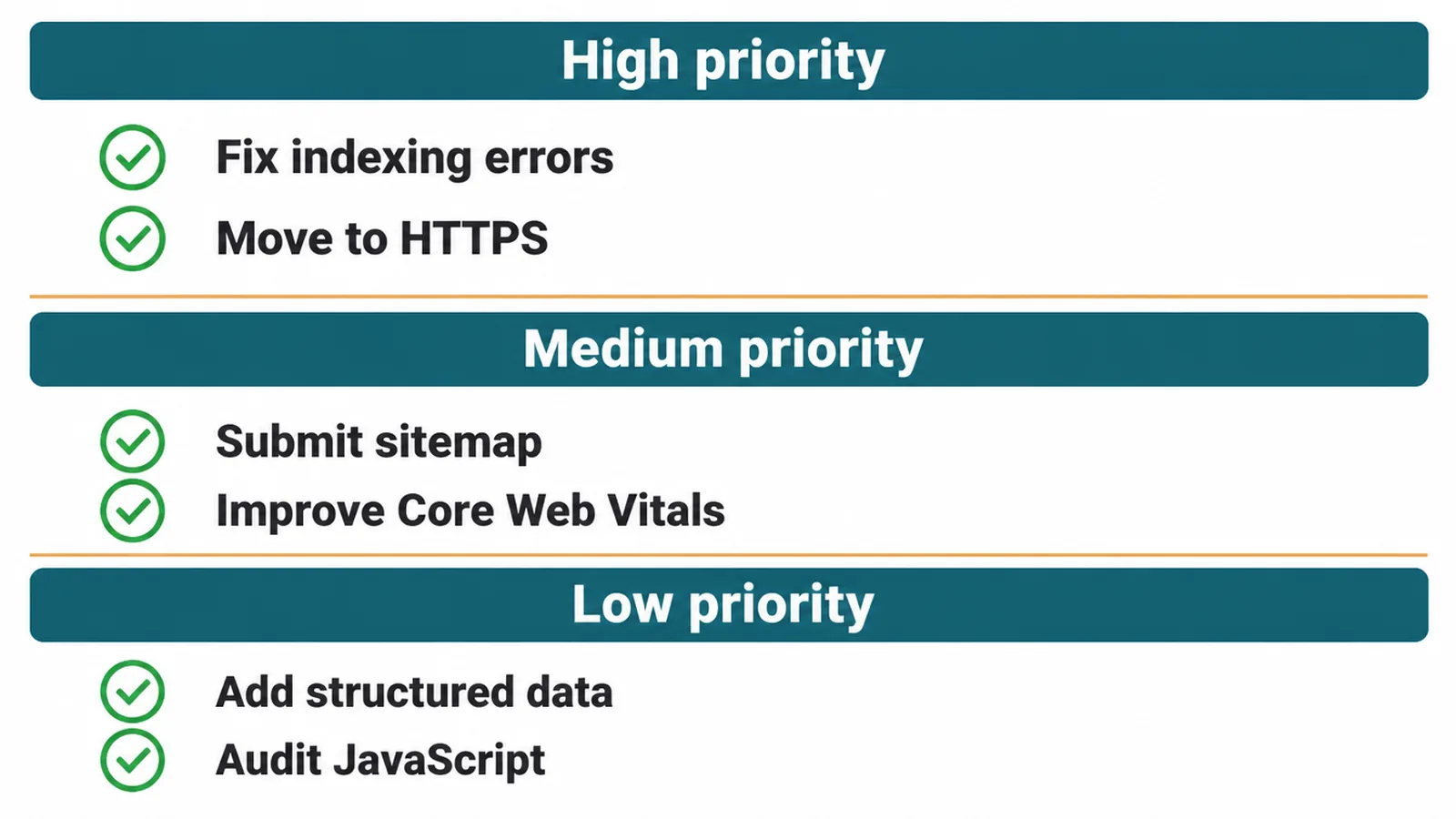
| Priority | Fix | What it does | DIY or pro |
|---|---|---|---|
| High | Set up Search Console | Shows you crawl and index errors straight from Google | DIY |
| High | Check key pages are indexed | Confirms your important pages are actually in the search library | DIY |
| High | Remove accidental noindex or blocks | Stops pages being hidden from search by mistake | DIY or pro |
| High | Move the whole site to HTTPS | Adds the padlock, a confirmed ranking signal, and protects visitors | DIY or pro |
| High | Check the site on a real phone | Makes sure the version search engines judge actually works | DIY |
| Medium | Submit an XML sitemap | Tells search engines what pages exist so they get found faster | DIY |
| Medium | Improve Core Web Vitals | Faster, steadier pages that line up with what search rewards | DIY or pro |
| Medium | Fix broken links and bad redirects | Stops dead ends that waste crawl effort and annoy visitors | DIY or pro |
| Medium | Sort out duplicate pages with canonicals | Points search to the one true version so signals do not split | Pro |
| Low | Tidy URL structure and hierarchy | Makes the site easier to crawl and understand | DIY or pro |
| Low | Add structured data | Helps search understand pages and can earn richer listings | Pro |
| Low | Audit JavaScript rendering | Confirms search engines can see content built with scripts | Pro |
5. Do it yourself or hire help?
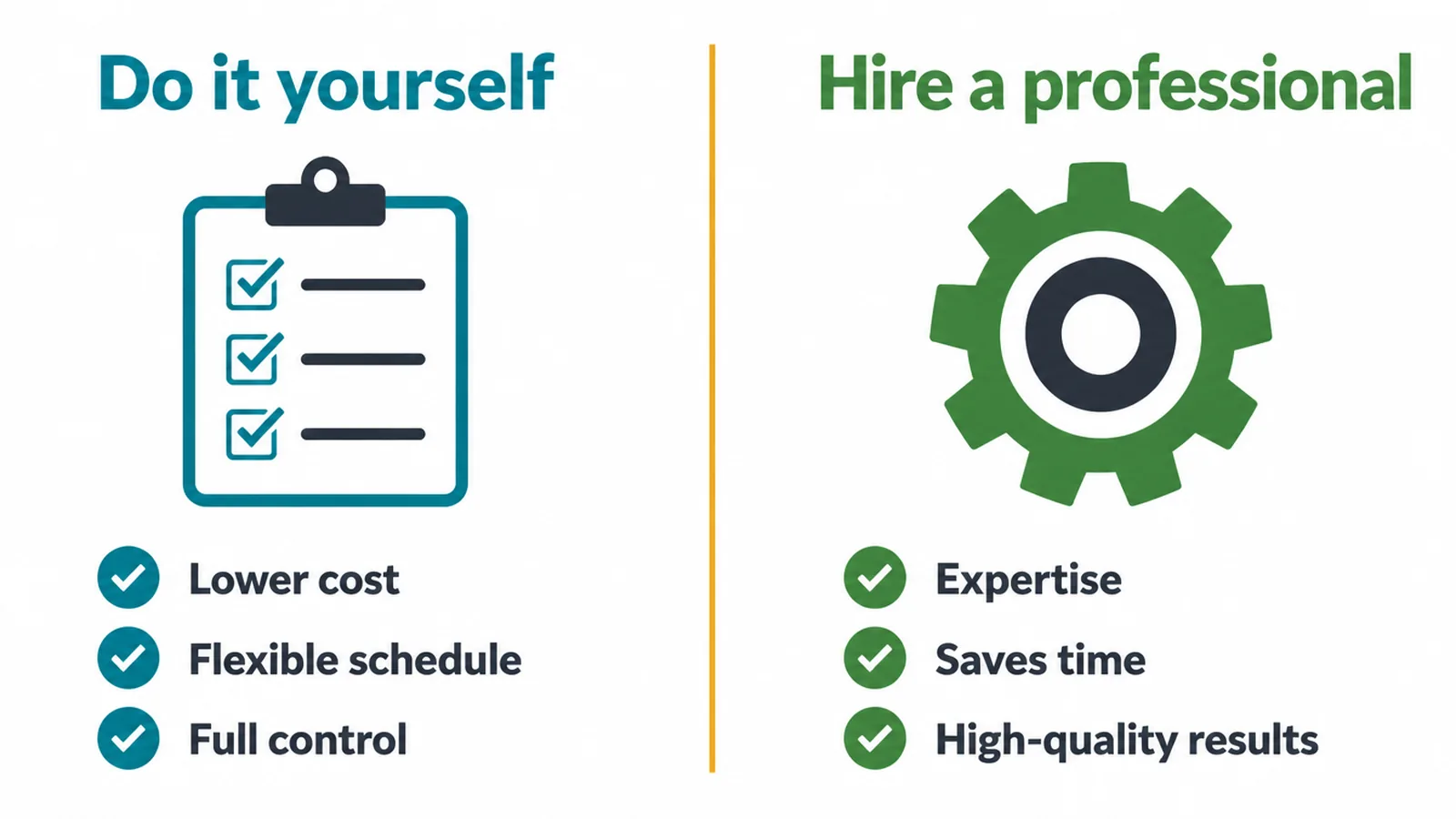
Technical SEO is not all-or-nothing. Some of it is genuinely simple, and some of it is fiddly enough that a mistake can hurt. Here is an honest split so you spend your time and money where it counts.
You can usually do these yourself
Setting up Search Console, submitting a sitemap, switching to HTTPS, checking your site on a phone, and clearing the obvious crawl or index errors that Search Console flags for you.
These are clear, low-risk, and there are plenty of step-by-step instructions for each. Basic speed wins, like compressing big images, are also fair game for most owners.
Get help with these
A full technical audit across the whole site, JavaScript rendering problems, a site move or redesign with redirects, slow server response time, and structured data set up across many pages. For a first look before you decide, our free website health checker scores speed, SEO basics and tracking on one page.
These are the jobs where a wrong move can drop your traffic, so it is worth having someone who does them every week. Our SEO service handles audits and the harder fixes, and our website maintenance service keeps the technical side healthy month to month so small problems do not pile up.
One honest note
Be careful with anyone who promises a number-one ranking or a fixed timeline. Technical SEO removes the blockers that hold you back, which is real and valuable, but no one controls exactly where you land or how fast. Good work clears the road. It does not guarantee the destination.
Frequently asked questions
1. What is technical SEO in simple terms?
Technical SEO is the work that helps search engines find your pages, load them, understand them, and trust them. Think of it as the plumbing and wiring of your site. If a search engine cannot reach or read a page, that page cannot rank, no matter how good the writing on it is. It covers things like speed, mobile, security, site structure, and how your pages get into the search index.
2. What is the difference between technical, on-page, and off-page SEO?
On-page SEO is the content on the page, like your words, headings, titles, and images. Off-page SEO is the trust your site earns from other sites, mostly through links. Technical SEO is whether the machine can reach and understand the page in the first place. You need all three. Technical SEO is the foundation the other two stand on.
3. Do small businesses really need technical SEO?
Yes. Search engines judge every site the same way, big or small. A small site is not exempt from being slow, blocked, or hard to crawl. The good news is a small site usually has fewer pages and fewer problems, so the fixes are quicker and cheaper than they would be for a giant site. A few hours of cleanup can free up rankings you were leaking without knowing.
4. Can I do technical SEO myself or should I hire someone?
You can do the basics yourself. Setting up Search Console, submitting a sitemap, moving to HTTPS, checking your site on a phone, and fixing obvious indexing errors are all doable. Hire help for the harder parts, like a full audit, JavaScript rendering problems, a site move, slow server response, or structured data across many pages. A good rule is do what is clear, and get help with what is risky or fiddly.
5. What is a technical SEO audit?
A technical SEO audit is a full check of the parts of your site that affect crawling, loading, indexing, and trust. It looks at speed, mobile, broken pages, redirects, duplicate pages, your sitemap, your robots file, security, and which pages are actually in the index. The result is a list of problems sorted by how much they matter, so you fix the big things first instead of guessing.
6. How often should I do a technical SEO check?
Do a proper check once or twice a year, and after any big change like a redesign, a platform move, or adding a lot of new pages. Beyond that, glance at Search Console every few weeks for new errors. Technical SEO is not a one-time job. Plugins update, pages get added, and things break quietly, so a little regular attention keeps small problems from becoming big ones.
7. Which technical SEO fix should I do first?
Start with the things that stop pages from ranking at all. Make sure your important pages can be crawled and are in the index, and make sure nothing is accidentally blocked or set to noindex. Next, check your site works well on a phone, since search engines use the mobile version. After that, work on speed and clean structure. Fix what blocks ranking before you polish what improves it.
8. How does technical SEO relate to site speed?
Site speed is one slice of technical SEO. Search engines measure real-world loading and stability with a set of scores called Core Web Vitals. A fast, steady page is easier for people to use and lines up with what search engines want to reward. Speed will not save weak content, but a slow page can quietly drag down good content. So speed is part of the technical foundation, not a separate thing.