
Internal Linking Strategy: Build Better Paths for SEO and Users

An internal linking strategy is a plan for how your pages link to each other. Give every important page a link from at least one other page, use real anchor tags, write descriptive anchor text, and clear out orphan pages. Seed Light maps internal links this way for small business sites.
Key takeaways
- Exact-match anchors stood out. In a study of 23 million links, pages with at least one exact match anchor tended to get at least five times more traffic than pages without one (Zyppy). That is a correlation, not a promise.
- Every page needs a way in. Google says every page you care about should have a link from at least one other page on your site.
- Anchor text matters. Make it descriptive and relevant, not "click here".
- Point your strong pages at your target pages. That is how authority flows where you want it.
- More is not better. A handful of helpful links beats dozens of stuffed ones.
1. What does internal linking do for SEO?
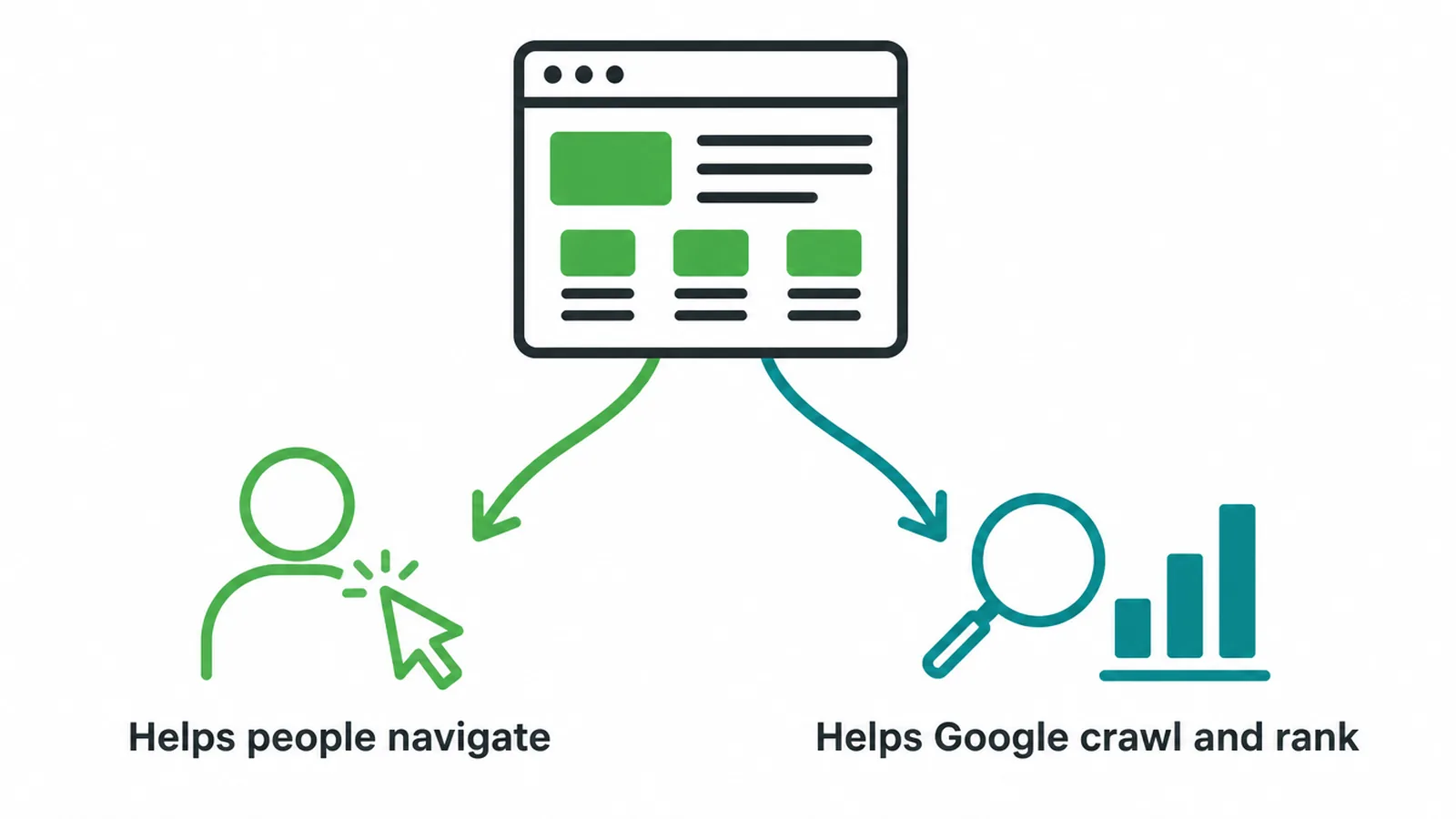
An internal linking strategy works because internal links do two jobs. First, they help people get around your site. Second, they pass authority and help Google crawl. In a study of 23 million internal links across 1,800 sites and around 520,000 URLs, internal links lined up with real differences in traffic (Zyppy).
Google is clear on the basics. It says every page you care about should have a link from at least one other page on your site. It also says Google can only crawl a link that is a real <a> tag with an href.
A button styled to look like a link, or text with no href, may not be followed at all. So the plan starts simple. Make sure your important pages are linked, and make sure those links are real ones.
2. How do you write anchor text that helps?
Anchor text is the clickable words in your internal link, and it tells Google what the linked page is about.
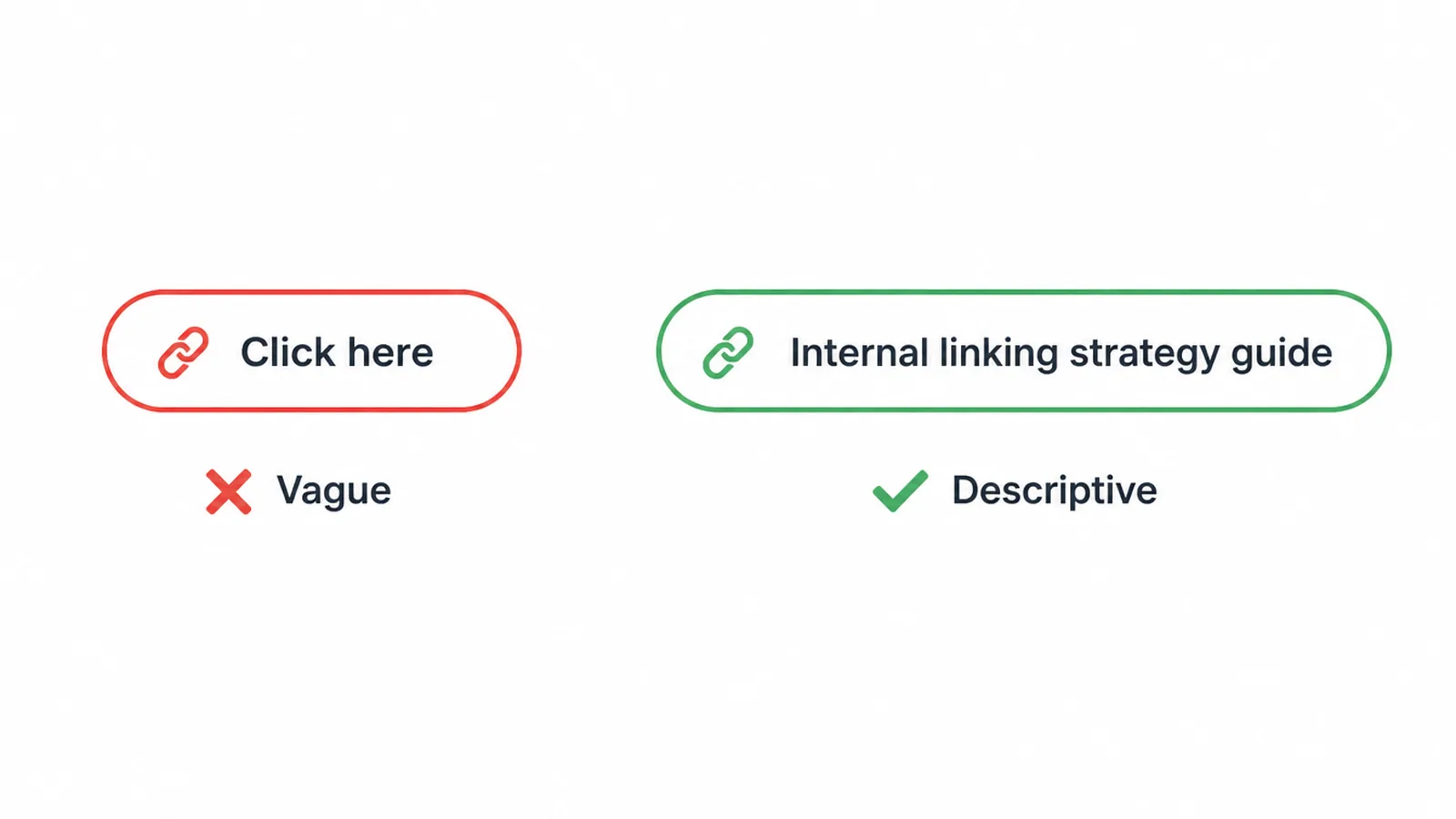
Google says good anchor text is descriptive, reasonably concise, and relevant, and to avoid vague phrases like "click here" or "read more" (Google Search Central). Those words tell a reader nothing and tell Google even less.
The link data backs this up. In the Zyppy study, pages with at least one exact match anchor tended to get at least five times more traffic than pages with none (Zyppy). That is a correlation, so do not read it as a guarantee.
The same study also found that pages with more anchor text variety from internal links tended to get more search traffic. So the smart move is to describe the target page in a few natural ways, not to repeat one exact phrase everywhere.
3. Which pages should link to which?
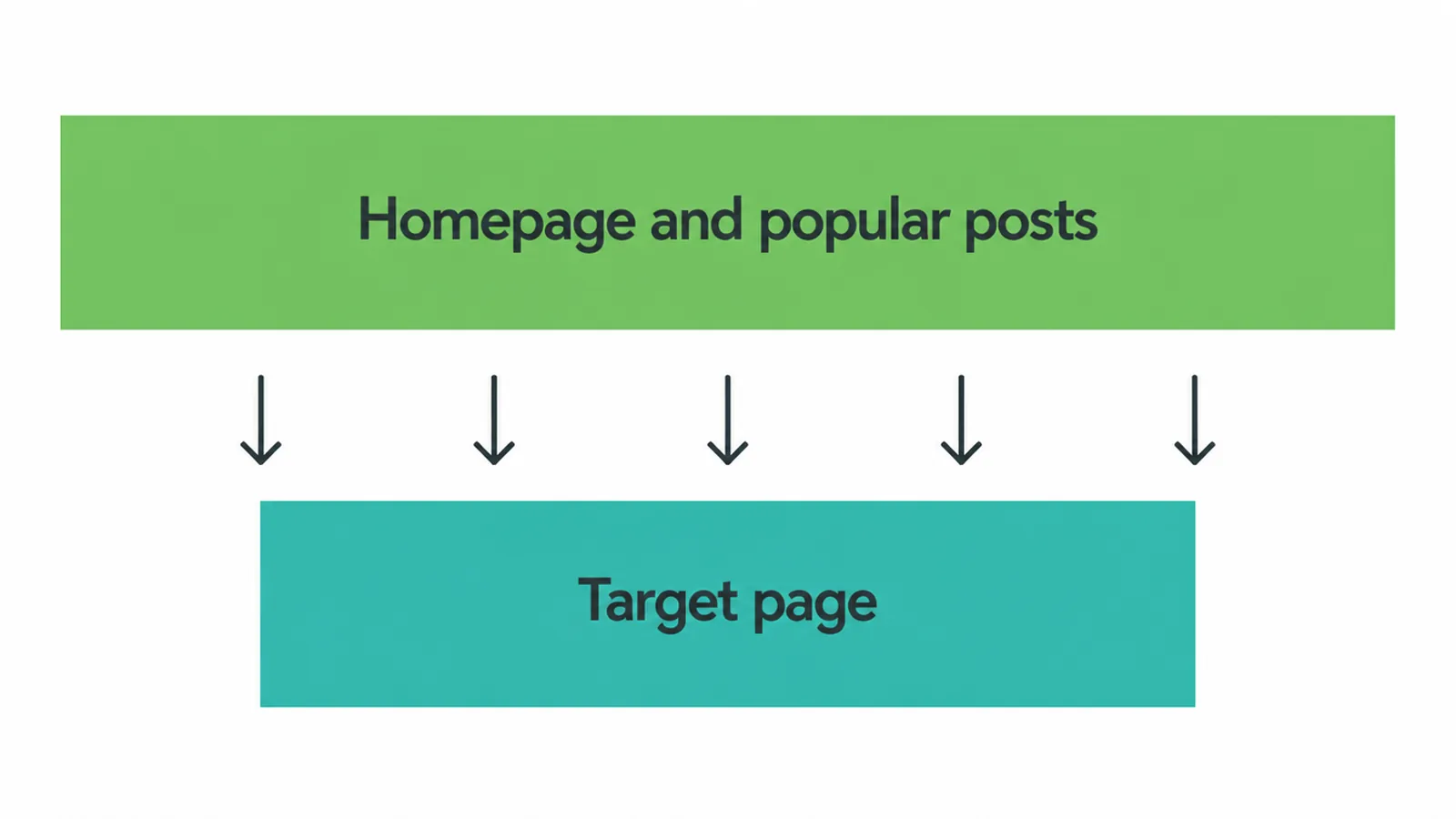
A strong internal linking strategy points your most powerful pages at the pages you most want ranked. Think of authority as a budget. Your homepage and your best-performing posts usually hold the most. So link from those strong pages to the ones that need a push.
This matters for money pages, like an SEO service page, that rarely earn many links on their own. A service page is hard to link to from the wider web.
But you can hand it authority from inside your own site. Find your popular blog posts on related topics and add a relevant link down to the page you want to grow. Do it where it genuinely fits the reader's question.
4. How does the hub-and-spoke model work?
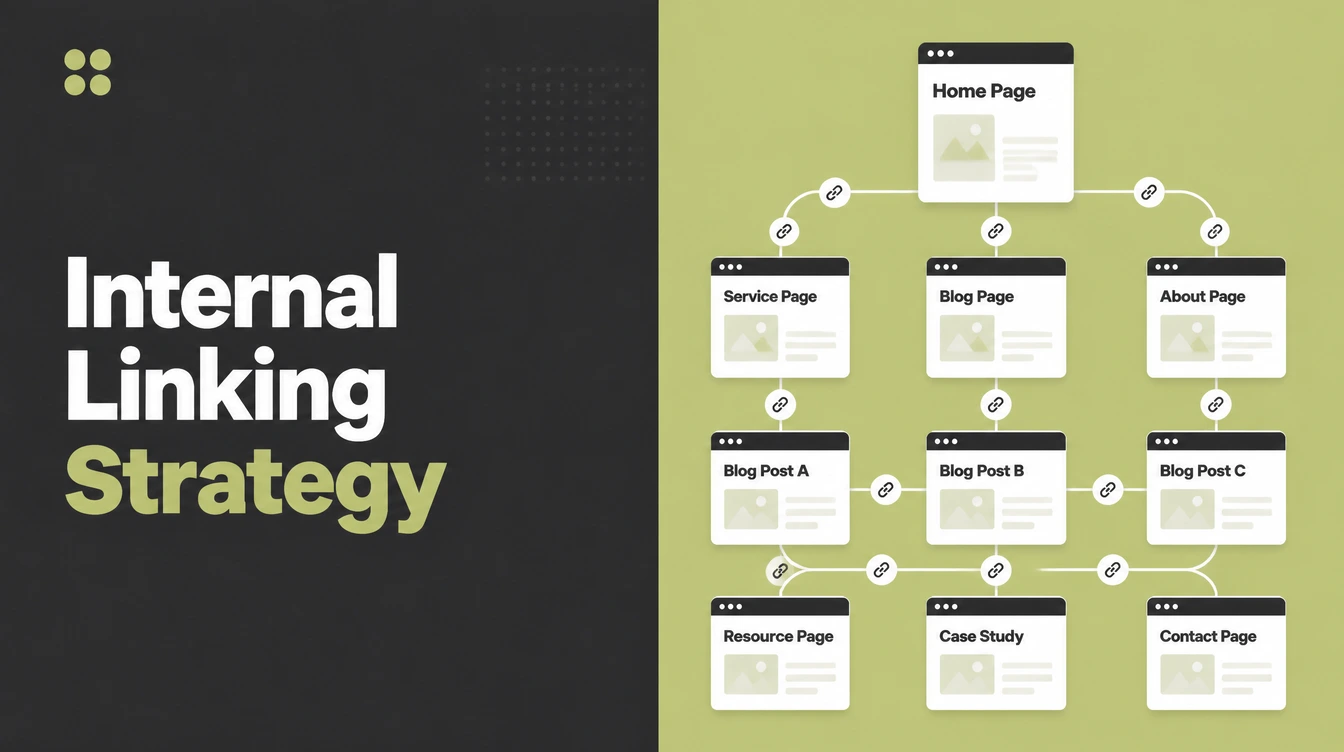
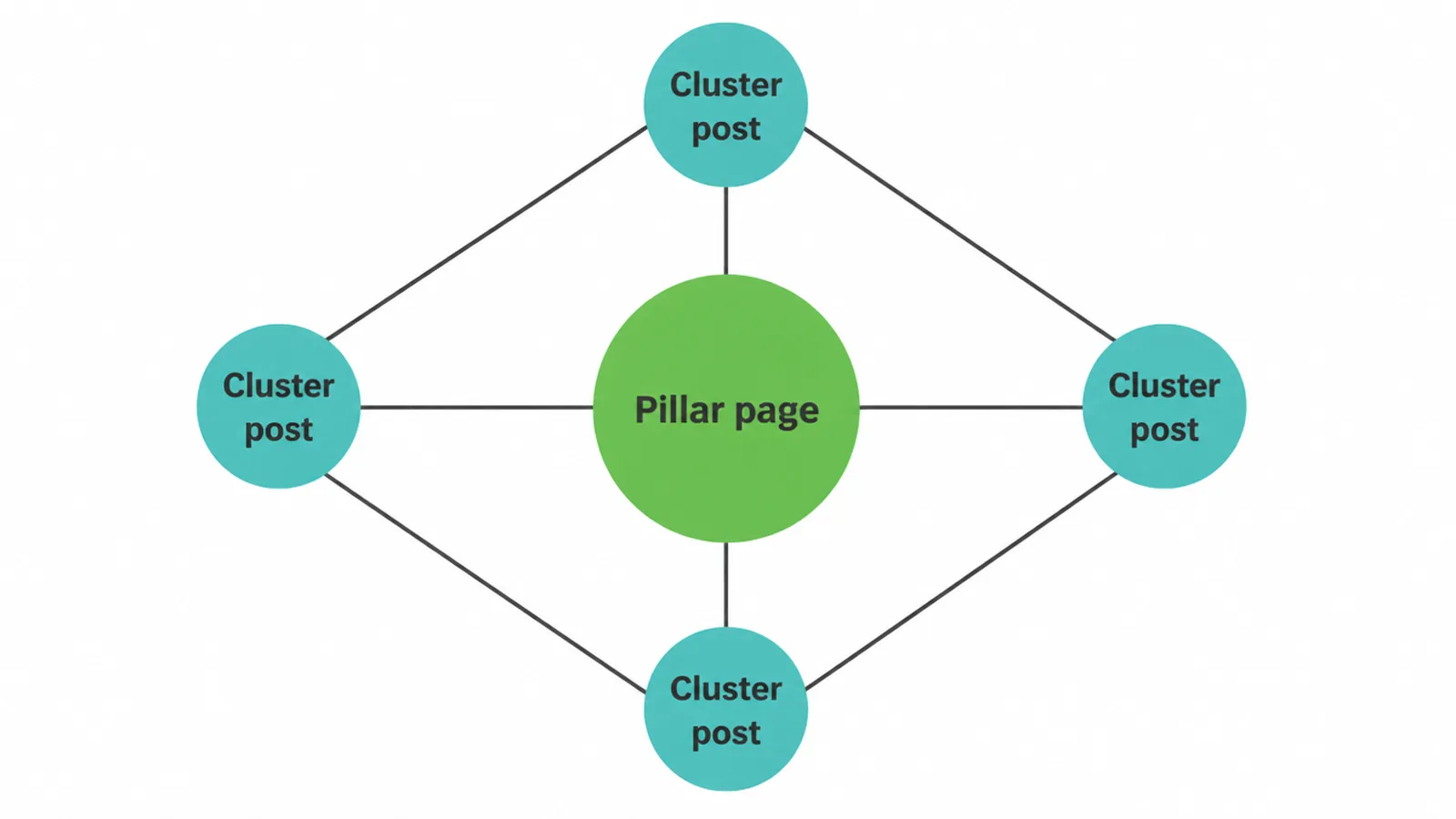
Hub-and-spoke is the internal linking strategy that builds topical authority fastest. A "hub" is a broad pillar page on a big topic. The "spokes" are detailed posts on smaller parts of that topic. The pillar links out to each spoke. Each spoke links back to the pillar and sideways to its siblings.
This pattern tells Google you cover a subject in depth, which is the core of building topical authority. It also keeps related pages tightly connected. If you want the bigger picture of how your pages fit together, our guide to planning your site architecture shows how hierarchy and hub-and-spoke work alongside each other.
5. Are body links better than nav links?
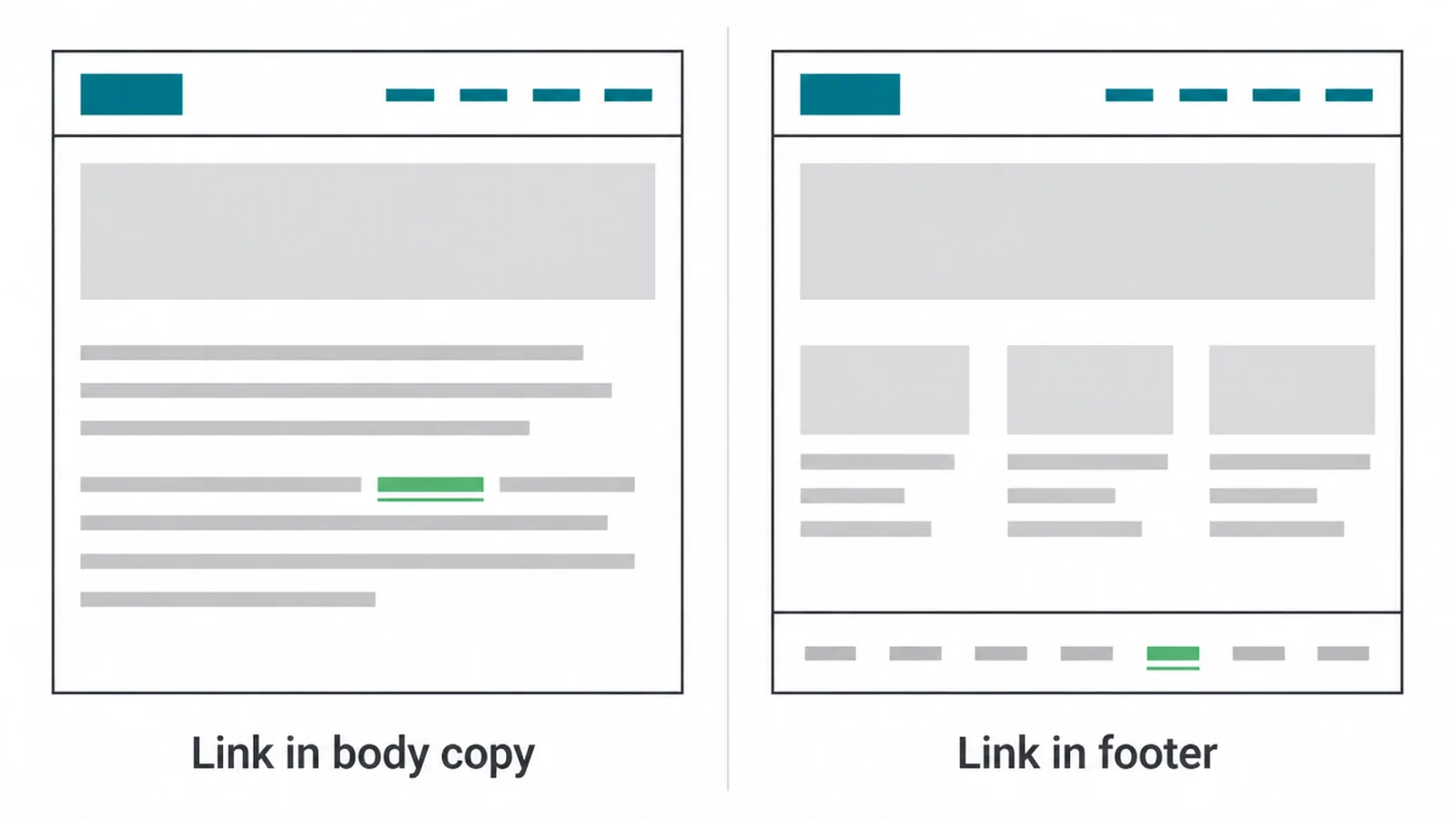
Links inside your body copy usually carry more weight in your internal linking strategy than menu or footer links. The reason is context.
A link inside a paragraph sits among words that describe the topic, so Google gets a clearer signal about the page it points to. A footer link sits among dozens of unrelated links on every page.
This does not mean you drop your menu. Navigation and footer links are great for usability, and people rely on them. But do not expect your menu alone to rank a page. Earn your rankings with helpful, relevant links written into the content itself.
6. What is an orphan page and how do you fix it?
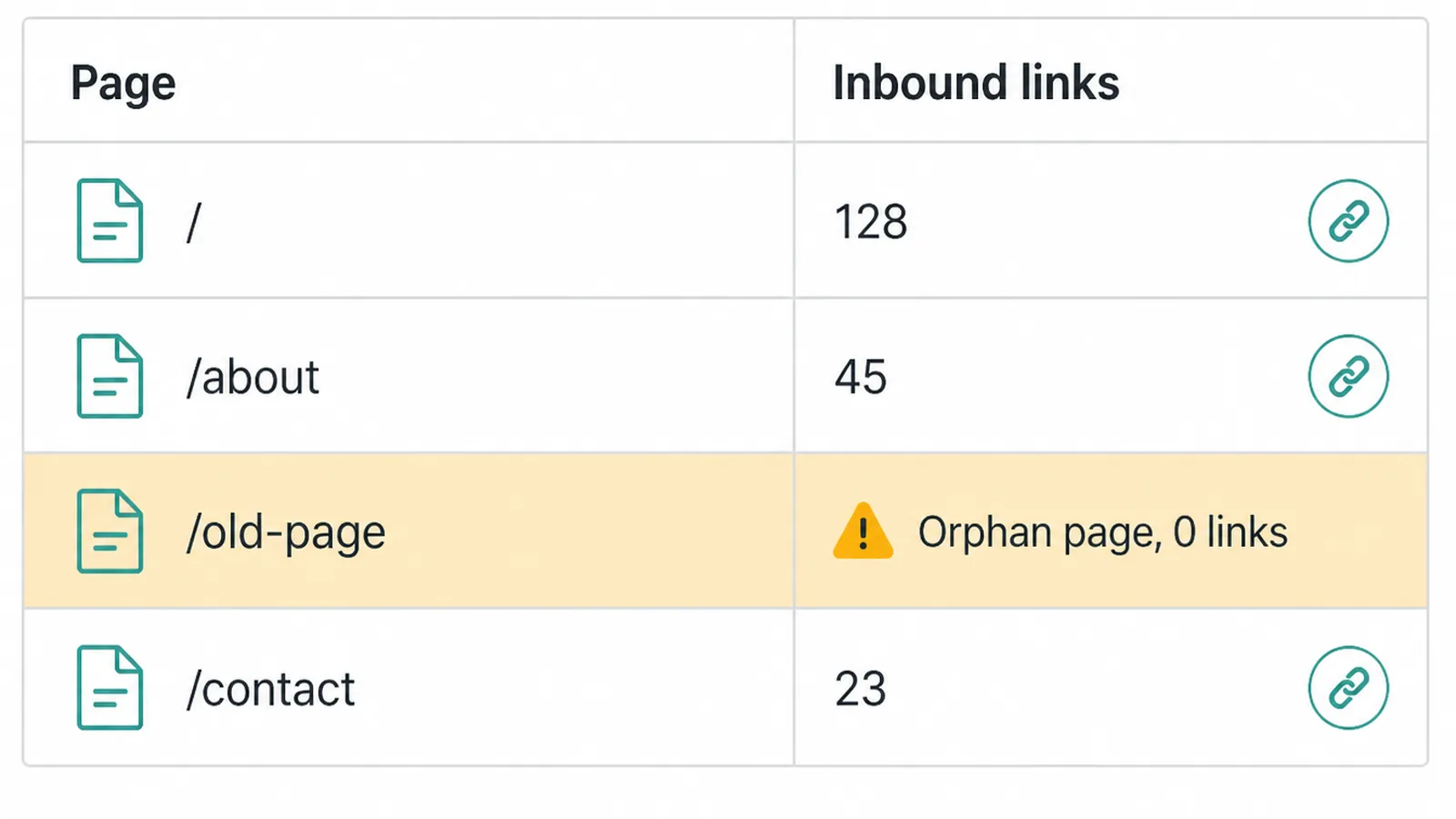
An orphan page is the enemy of any internal linking strategy. It is a page with no internal links pointing to it. Nothing on your site links to it, so Google struggles to find it and people almost never land on it. Even great content can sit unranked simply because it is cut off.
The fix is quick. Find a relevant page that already gets traffic and add a natural link to the orphan from inside its content. One good inbound link gets the page discovered.
To stop orphans appearing in the first place, plan your structure up front. Our guide to site architecture for SEO covers how to keep every page within easy reach of your homepage.
7. How many internal links is too many?
There is no magic number for an internal linking strategy, but more is not always better. The Zyppy study found a pattern.
URLs with around 40 to 44 internal links tended to get about four times the clicks of those with very few, but after roughly 45 to 50 links the benefit reversed (Zyppy). Again, that is a correlation, not a rule you should chase.
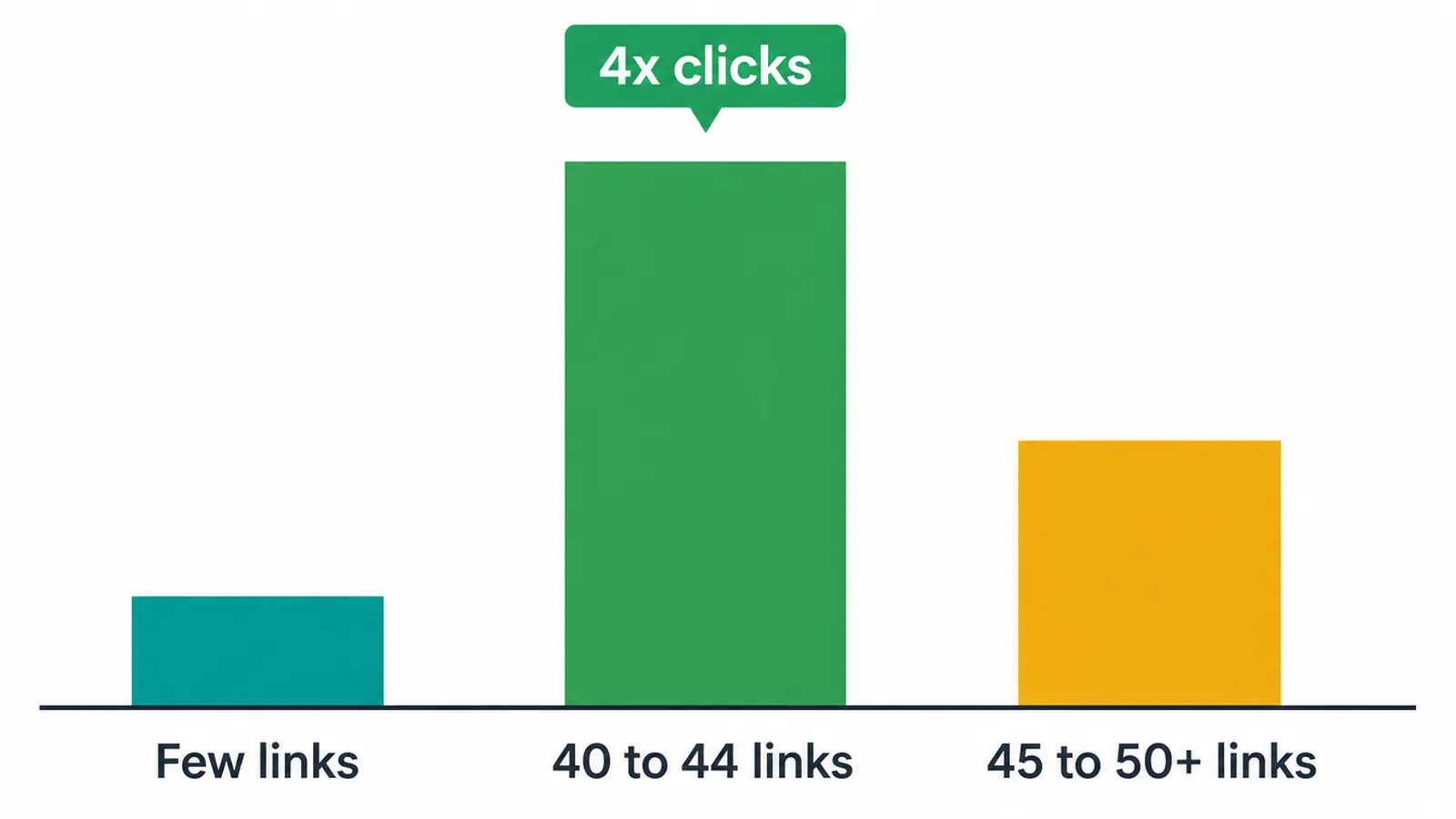
The takeaway is simpler than the numbers. Add a handful of links that genuinely help, not dozens stuffed in for SEO. Every extra link splits your page authority across more pages and buries the ones that matter. It also makes the page harder to read. Purposeful links win.
8. Internal linking dos and don'ts
Here is the short version you can act on today.
| Do | Don't |
|---|---|
| Use descriptive, relevant anchor text | Use "click here" or "read more" |
| Vary your anchor wording naturally | Repeat one exact phrase on every link |
| Link strong pages to target pages | Leave money pages with no inbound links |
| Add a handful of helpful links | Stuff in dozens of links per page |
| Place links inside body copy | Rely on the menu or footer alone |
| Give every page at least one inbound link | Let pages sit as orphans |
Use real <a> links with an href | Use buttons or scripts Google can't crawl |
9. Where internal linking fits in the bigger picture
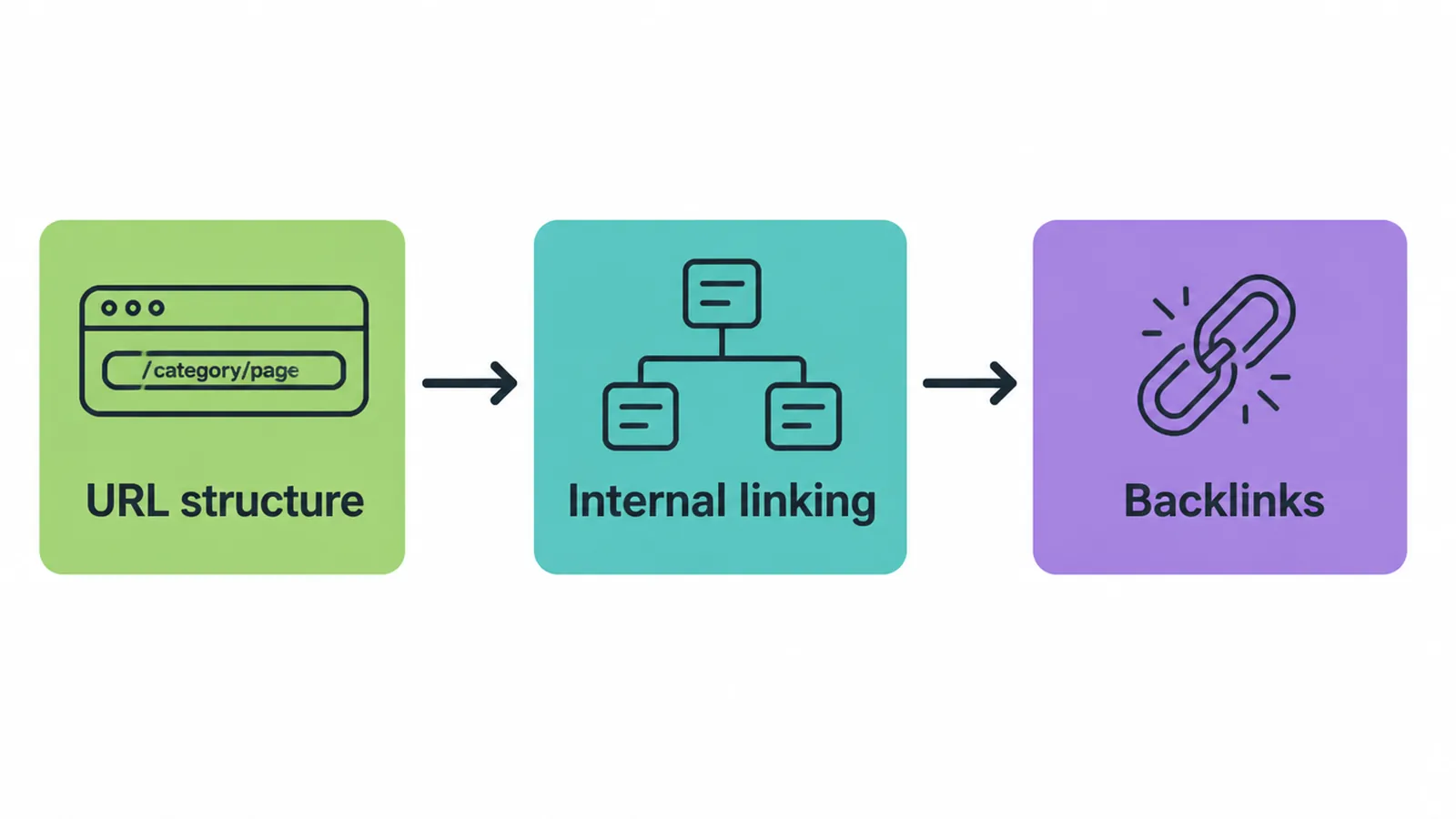
Your internal linking strategy works best when the pages it connects are tidy. Clean addresses help, so it pairs well with smart URL structure for SEO. Internal links also support, but do not replace, links from other sites. If you want to grow those too, see our guide on how to get backlinks.
Start small. Pick your three most important pages this week and make sure each one has a few relevant, descriptive links pointing at it from your stronger content. If you would rather have a team plan the whole map for you, get in touch with Seed Light and we will take it from there.
Frequently asked questions
1. What is internal linking?
Internal linking is when one page on your site links to another page on the same site. It is different from an external link, which points to a different website. Internal links help people move around your site and help Google find and rank your pages.
2. Do internal links help SEO?
Yes. Internal links help Google find your pages and pass authority between them. Google says every page you care about should have a link from at least one other page on your site. Without an internal link, a page is much harder to find and rank.
3. How many internal links should a page have?
There is no magic number. Add a handful of helpful links that fit the content, not dozens. A large study found that pages with very high internal link counts stopped seeing the same benefit. Link to what is genuinely useful and stop there.
4. What is good anchor text for an internal link?
Good anchor text is the clickable words in a link. Google says it should be descriptive, reasonably concise, and relevant to the page it points to. Avoid vague phrases like click here or read more. Use words that describe what the reader will get.
5. What is an orphan page?
An orphan page is a page with no internal links pointing to it. Nothing on your site links to it, so Google has a hard time finding it and people rarely reach it. The fix is to add a link to it from a relevant page that already gets traffic.
6. Are contextual links better than nav or footer links?
Links inside your body copy give Google more context because the words around them describe the topic. Navigation and footer links are great for usability and appear on every page. Use both, but earn your rankings with helpful links inside the content.
7. Should I use the same anchor text for every internal link?
No. Vary the wording. A study of millions of links found that pages with more anchor text variety from internal links tended to get more search traffic. Describe the target page in a few natural ways instead of repeating one exact phrase everywhere.
8. Can you have too many internal links on one page?
Yes. Too many links split your page authority across all of them and bury the ones that matter. They also make the page harder to read. Keep links purposeful and point your most important pages clearly, rather than stuffing in every link you can.







