
Toxic Backlinks 2026: When to Worry and What to Do

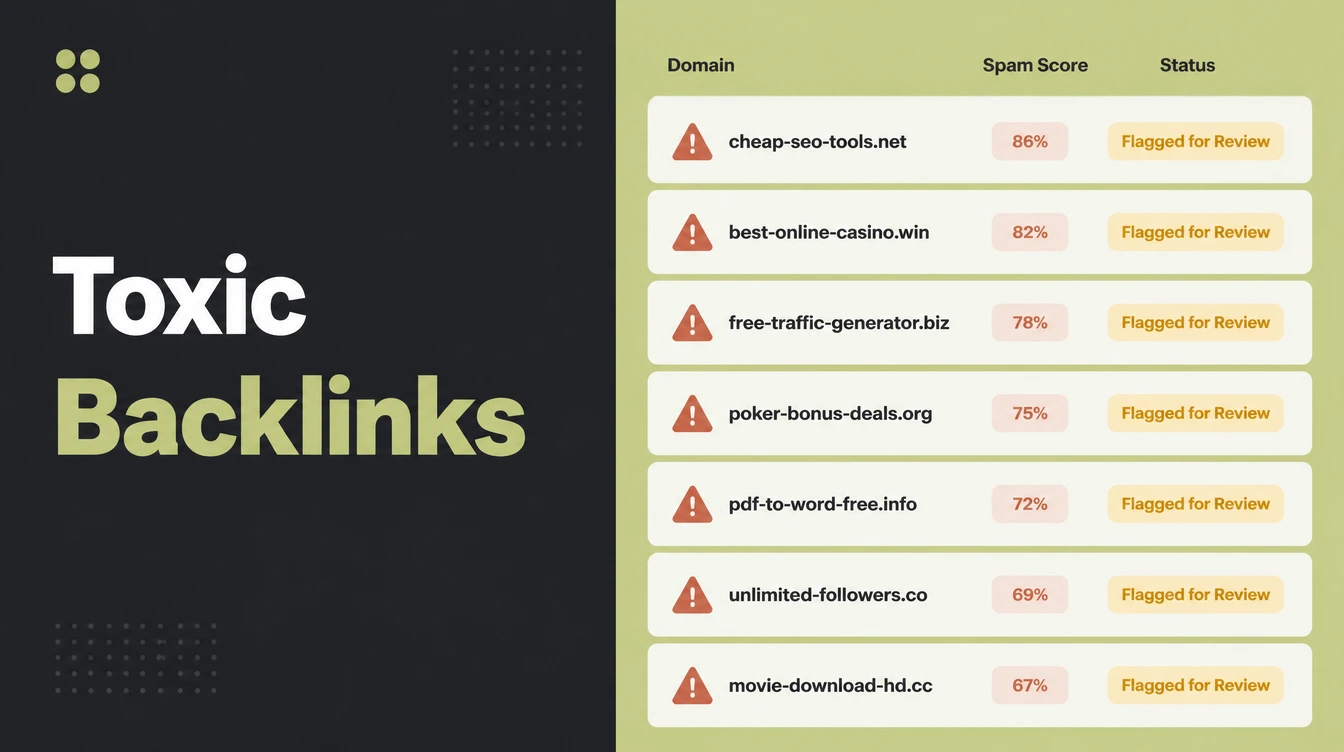
Toxic backlink is a tool label for spammy links pointing at your site. Google calls them link spam, gives no toxicity score, and discounts most of them on its own. They matter in two cases: you built them, or you have a manual action. Seed Light treats disavow as a last resort.
Key takeaways
- Google handles spam links for you. John Mueller of Google said its systems are really good at dealing with random spammy links (Search Engine Journal, 2024), so you usually do not need to lift a finger.
- Most sites never disavow. Google says it can assess which links to trust without help, so most sites will not need the tool (Google Search Console Help).
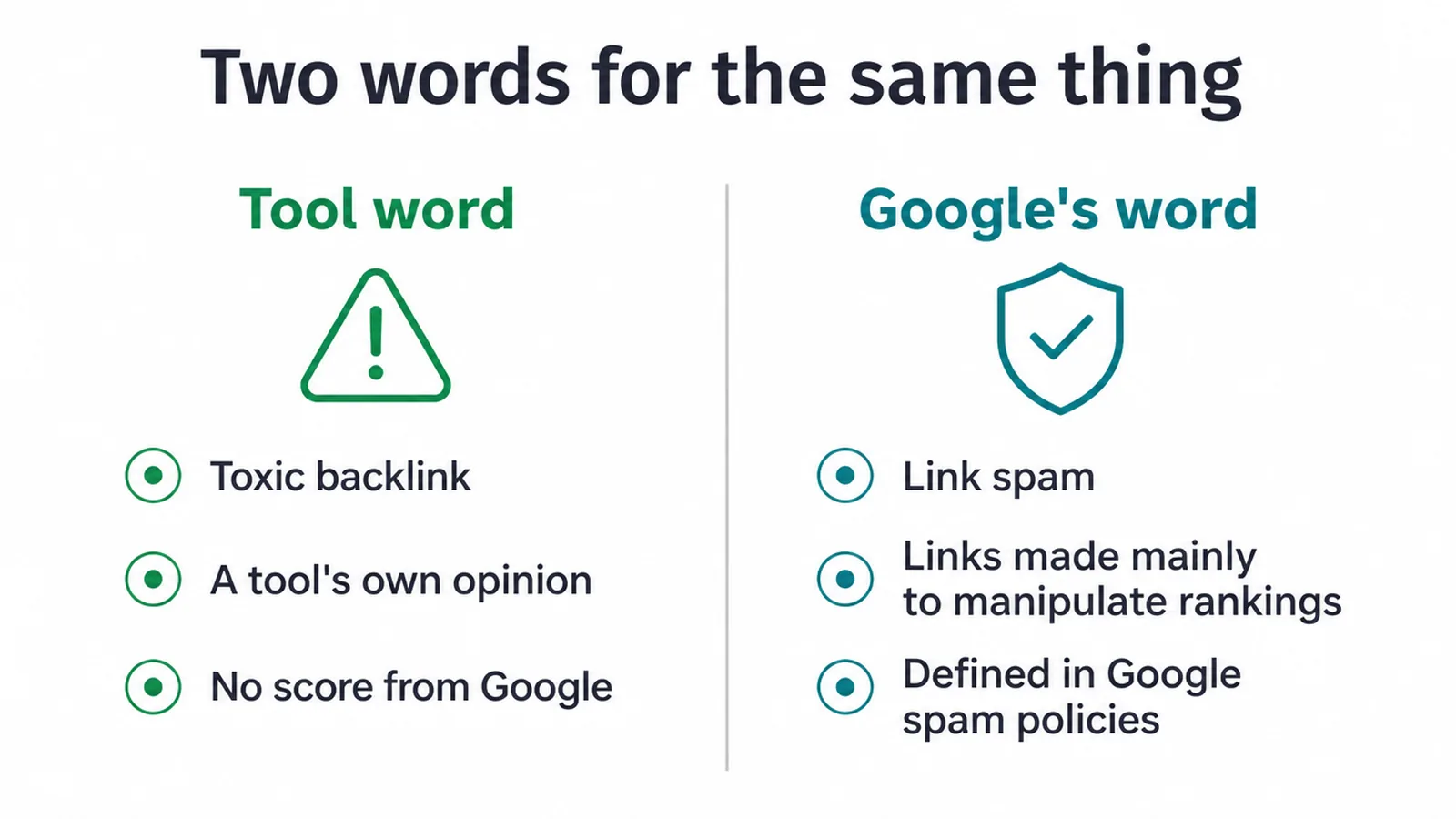
- "Toxic" is a tool word, not a Google word. Google calls manipulative links link spam and gives no public toxicity score.
- They only matter in two cases. You built or bought the links, or you have a manual action in Search Console. Otherwise, ignore them.
- Disavow is a last resort. Used wrongly it can hurt your own site, so it is the final step, not a monthly habit.
1. What is a toxic backlink?
A toxic backlink is the SEO industry's label for a spammy or low quality link pointing at your website. Google does not use the term "toxic backlinks". Its own word for manipulative links is link spam, which Google defines as creating links to or from a site primarily to manipulate search rankings (Google spam policies).
The key thing to understand is that Google gives no public "toxicity score". When a paid tool stamps a link as toxic, that is the tool's own opinion, not a signal from Google.
Google has also said it does not work with an internal idea of toxic backlinks at all. The phrase exists because tools need a scary label to sell clean up services.
2. The honest truth about spammy backlinks
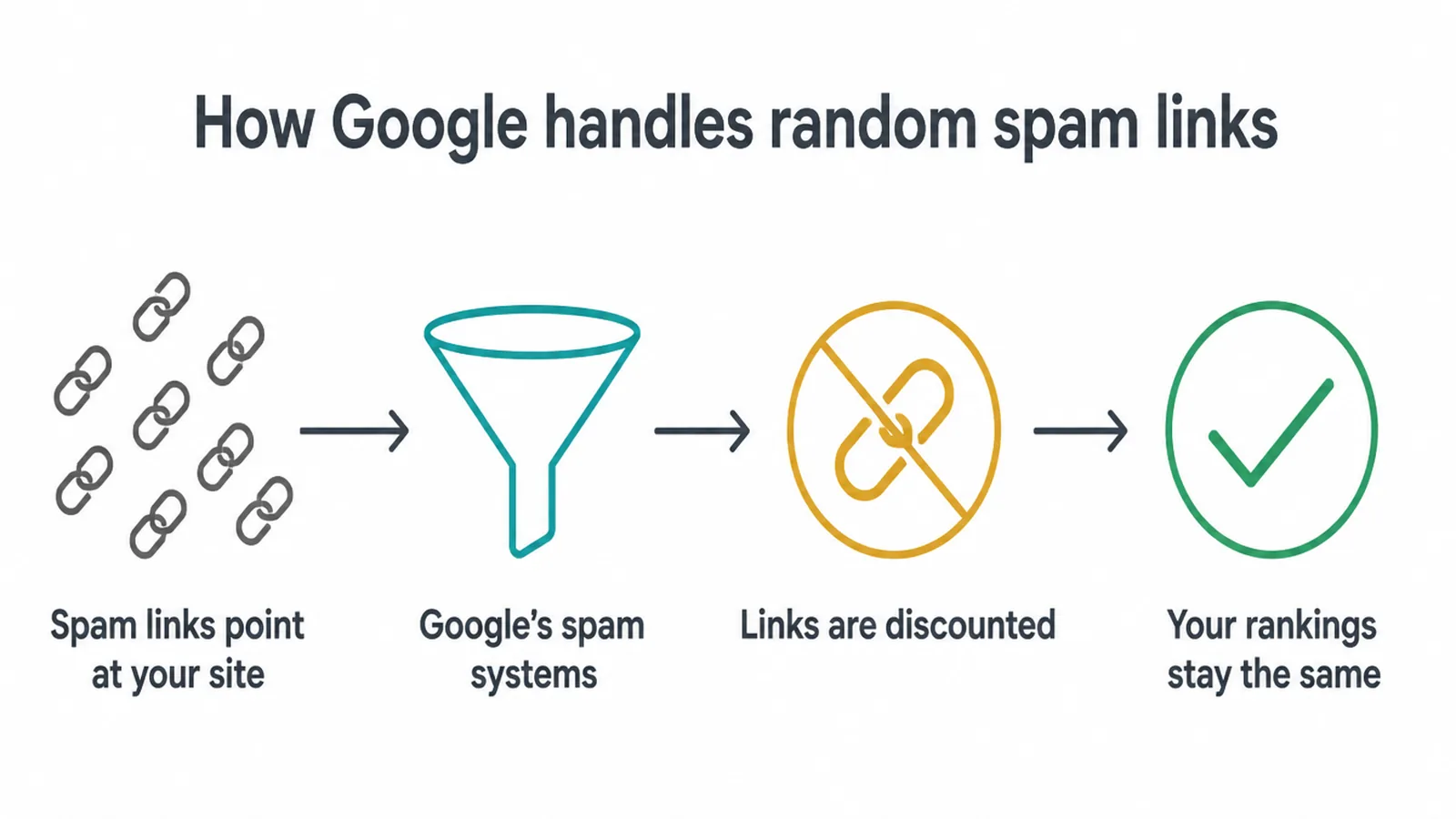
Here is the part most clean up tools will not lead with: Google ignores most spammy backlinks on its own. John Mueller of Google said he would strongly recommend focusing on other things, because Google's systems are really good at dealing with random spammy links (Search Engine Journal, 2024).
Google's spam systems are built to neutralise manipulative links, not to punish the site they point at. So when a thousand junk domains link to you out of nowhere, Google usually just discounts them and moves on.
Why a paid toxic score can be misleading
This is why the paid "toxic score" can be misleading. A tool scans the web, finds links you never asked for, and labels them dangerous. That score is not coming from Google.
Acting on it can cause more harm than the links ever would, because you might tell Google to ignore links that were actually helping you. Reviewing your links is fine.
Panicking over a tool's red number is not. If you want the bigger picture on earning links the right way, our guide on how to get backlinks covers it.
3. When toxic backlinks actually matter
Toxic backlinks only matter in two situations, and most sites hit neither.
- You built or bought them. If you paid for links at scale, joined a link scheme, or ran mass paid guest posts to game rankings, those are your responsibility to clean up.
- You have a manual action. That means a person at Google reviewed your site and flagged a problem with your links.
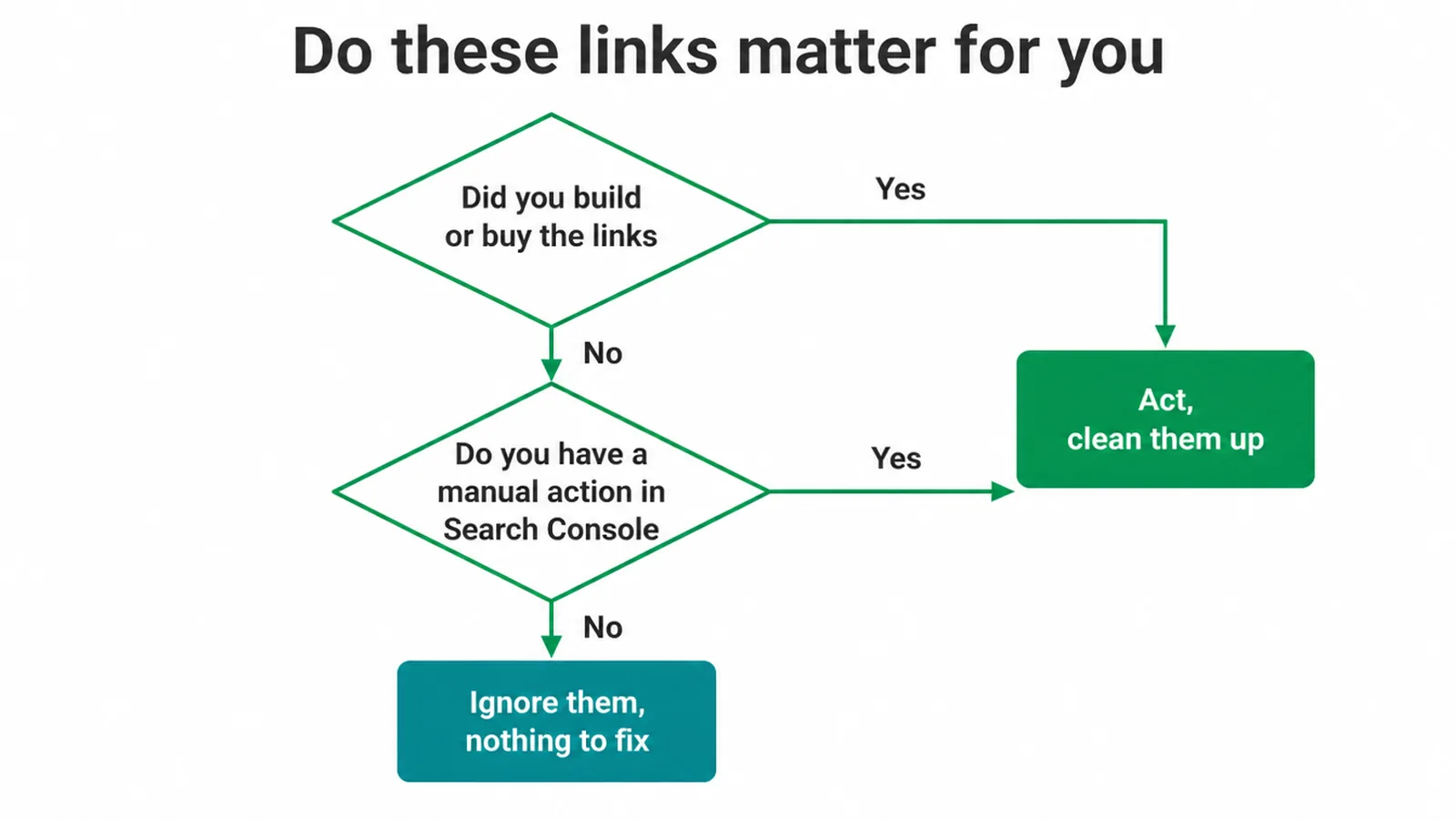
If neither applies, random spam links from across the web are not your problem to fix. The honest test is simple: did you create these links to manipulate rankings?
If not, you are almost certainly fine. For the right way to earn links by writing for other sites, see our piece on earning links through guest posts rather than buying them.
4. How to review your link profile for free
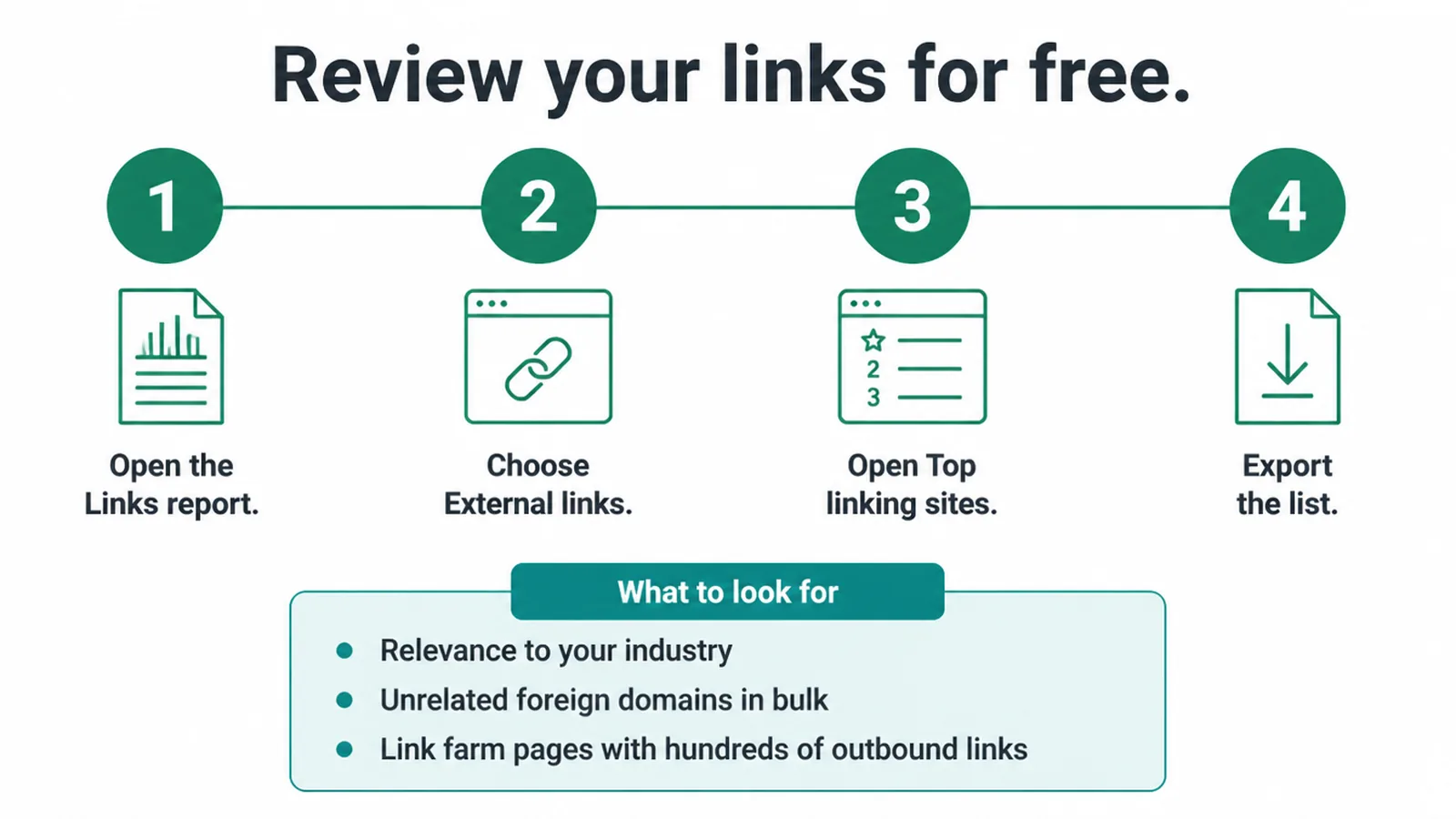
You do not need a paid tool to look at your links. Google Search Console shows them for free, and that is the source that actually matters. Open the Links report, choose External links, then Top linking sites, and export the list. Now you can see who links to you in plain sight.
What should you look at?
- Relevance first. A link from a site in your industry makes sense.
- A flood of unrelated foreign domains, like a sudden wave of .ru, .cn, or .xyz pages with no connection to you, stands out.
- Obvious link farm pages stuffed with hundreds of outbound links are another tell.
But remember, spotting these is not the same as removing them. Reviewing is information gathering, not action. If you are new to the tool, our walkthrough on getting started with Search Console shows you around.
5. Ignore versus act: a quick guide
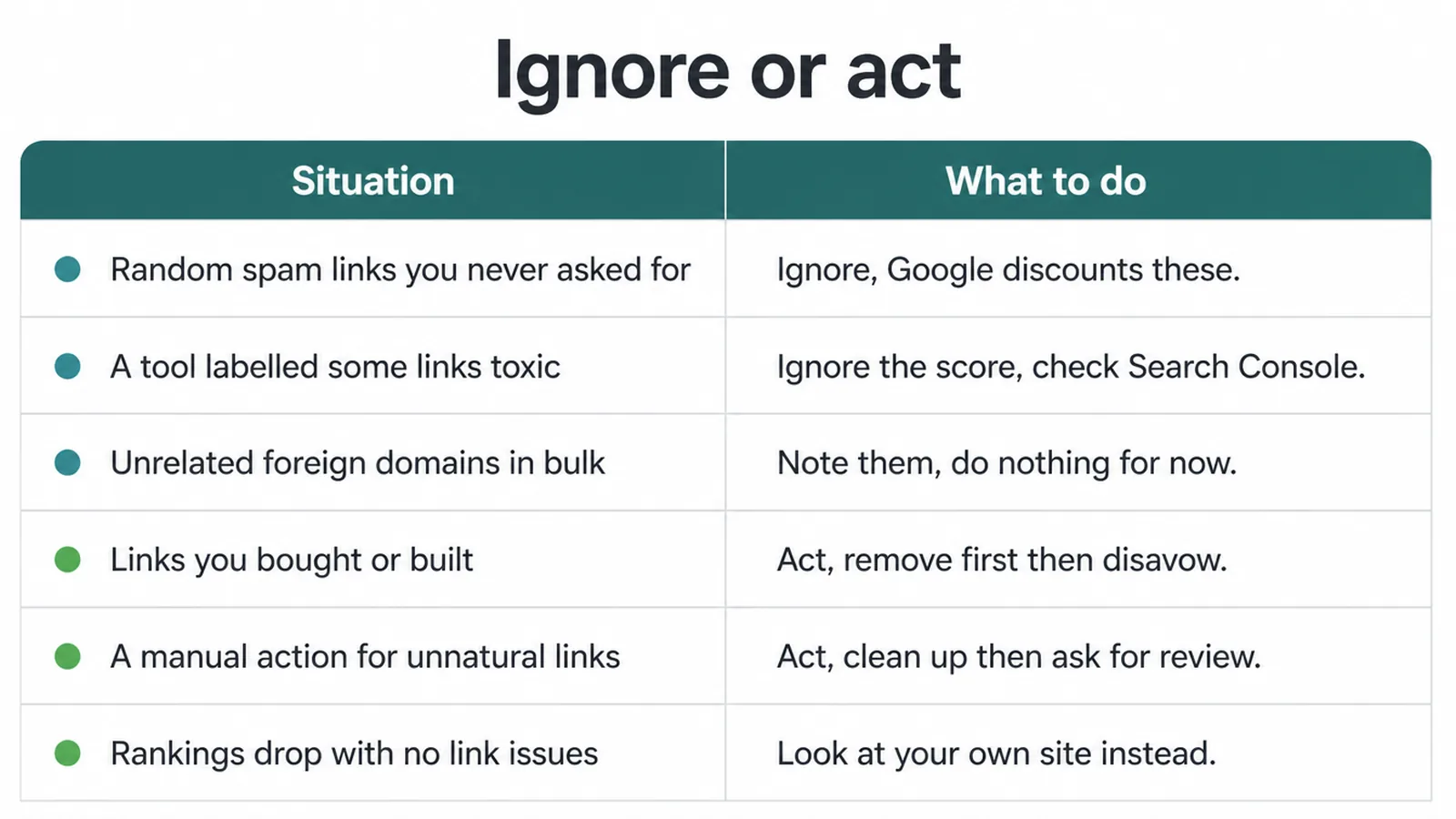
Most links you find will fall into the "ignore" pile. Only a small set ever needs action. Use this table to sort what you are looking at before you do anything.
| Situation | What to do |
|---|---|
| Random spam links you never asked for | Ignore. Google discounts these on its own. |
| A tool labelled some links "toxic" | Ignore the score. Check the actual links in Search Console instead. |
| Unrelated foreign domains appearing in bulk | Note them, but do nothing unless you built them or have a manual action. |
| Links you bought or built to game rankings | Act. Try removing them first, then disavow what is left. |
| A manual action for unnatural links in Search Console | Act. Clean up, disavow if needed, then file for reconsideration. |
| A drop in rankings with no link issues flagged | Look at your own site, not your links. The cause is almost always on page or technical. |
6. The disavow tool is a last resort
The disavow tool lets you tell Google to ignore certain links when it assesses your site. It sounds tidy, but Google is blunt about the risk.
Google says disavow is an advanced feature that should only be used with caution, because if used incorrectly it can potentially harm your site's performance (Google Search Console Help). That is Google warning you off, not encouraging you on.
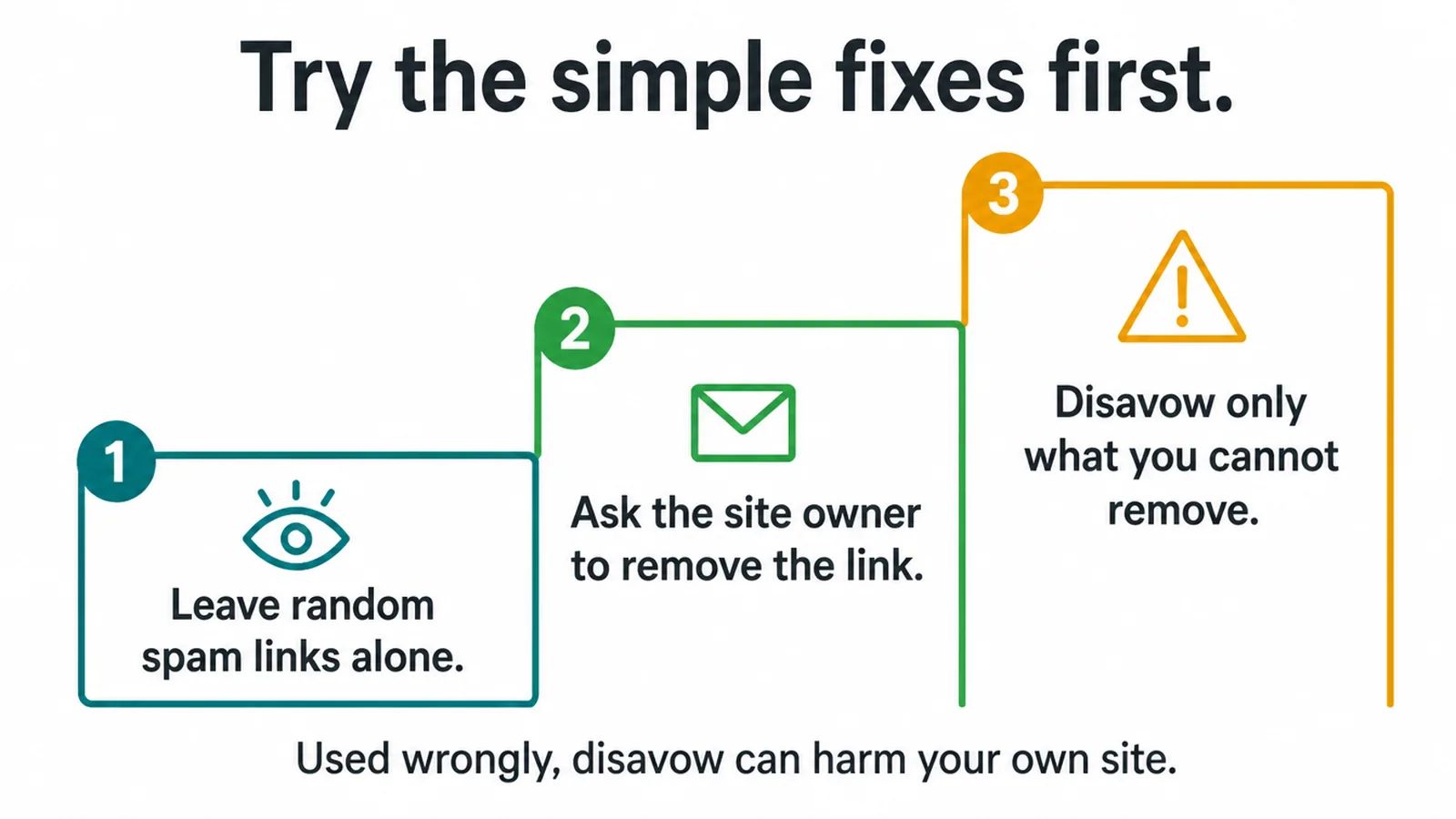
Google's own advice is to use it only if you have a considerable number of spammy, artificial, or low quality links, and those links have caused a manual action or likely will (Google Search Console Help).
Before you reach for disavow, try the simpler fix: contact the site owner and ask them to remove the link. Manual removal is cleaner, because the link is actually gone rather than just ignored. Disavow is the step you take only for the links you cannot remove.
7. How to disavow, if you truly need to
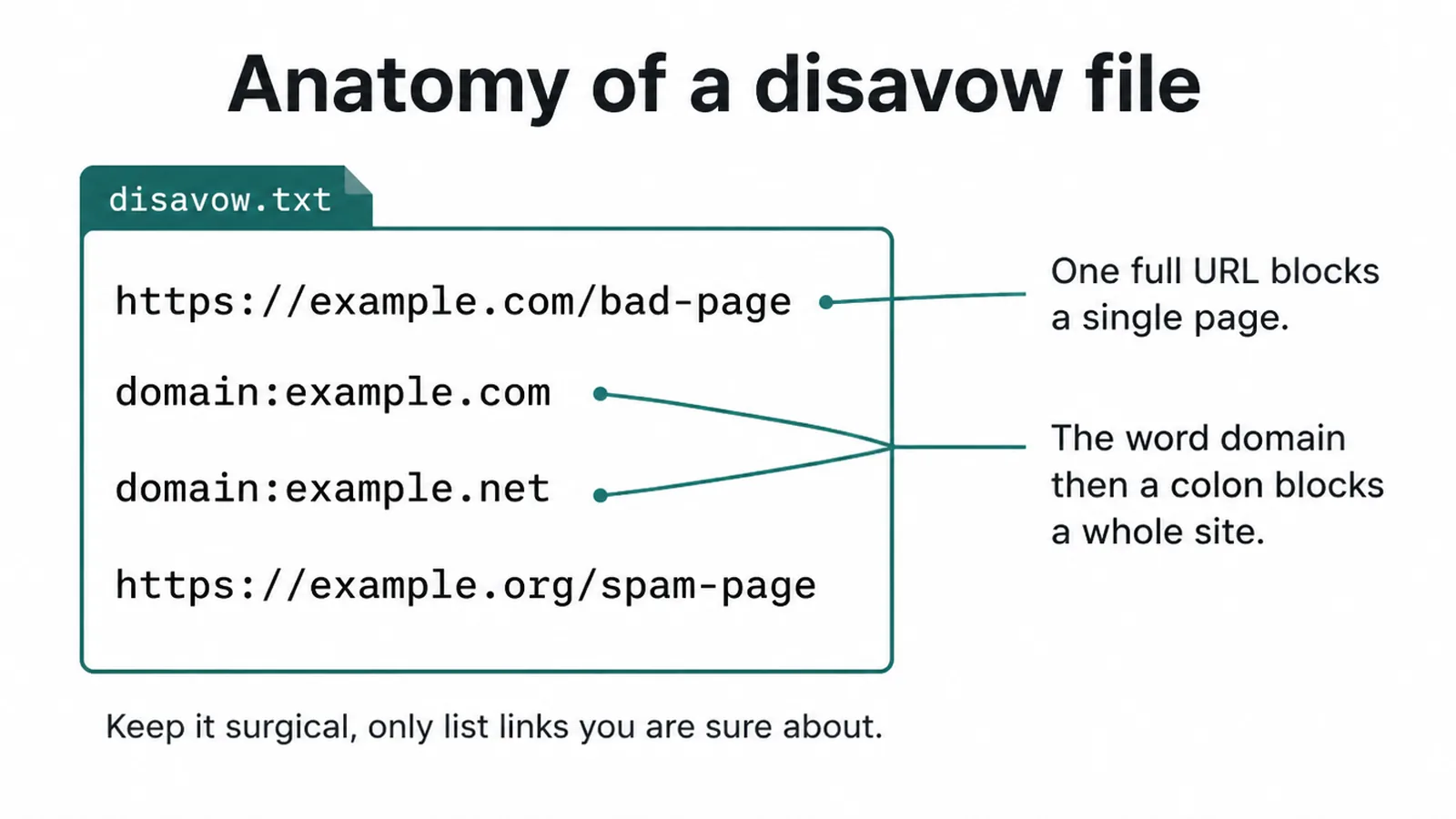
If you genuinely fall into one of the two real cases, here is the plain version. You create a simple text file, with one entry per line. An entry is either a full URL of a single bad page, or a whole domain written as domain:example.com.
To shut out one page only, you list the URL by itself. To shut out an entire spammy site, you write domain:example.com on its own line.
Save the file and keep it surgical
Save the file as plain text, then upload it at Google's disavow tool. Processing takes weeks, not minutes, so do not expect an overnight change.
Keep the file surgical. Only list links you are confident about, because every domain you add is one Google will stop counting, and some of those might have been helping you. When in doubt, leave it out. For most sites this file should never exist at all.
8. Negative SEO: the reality
Plenty of owners worry a competitor will point a pile of spam links at their site to tank their rankings. In practice, this rarely sticks.
Google built its systems to ignore exactly this kind of junk, which is the whole point of the work Mueller described. The links a rival could buy are the same random spammy links Google already discounts.
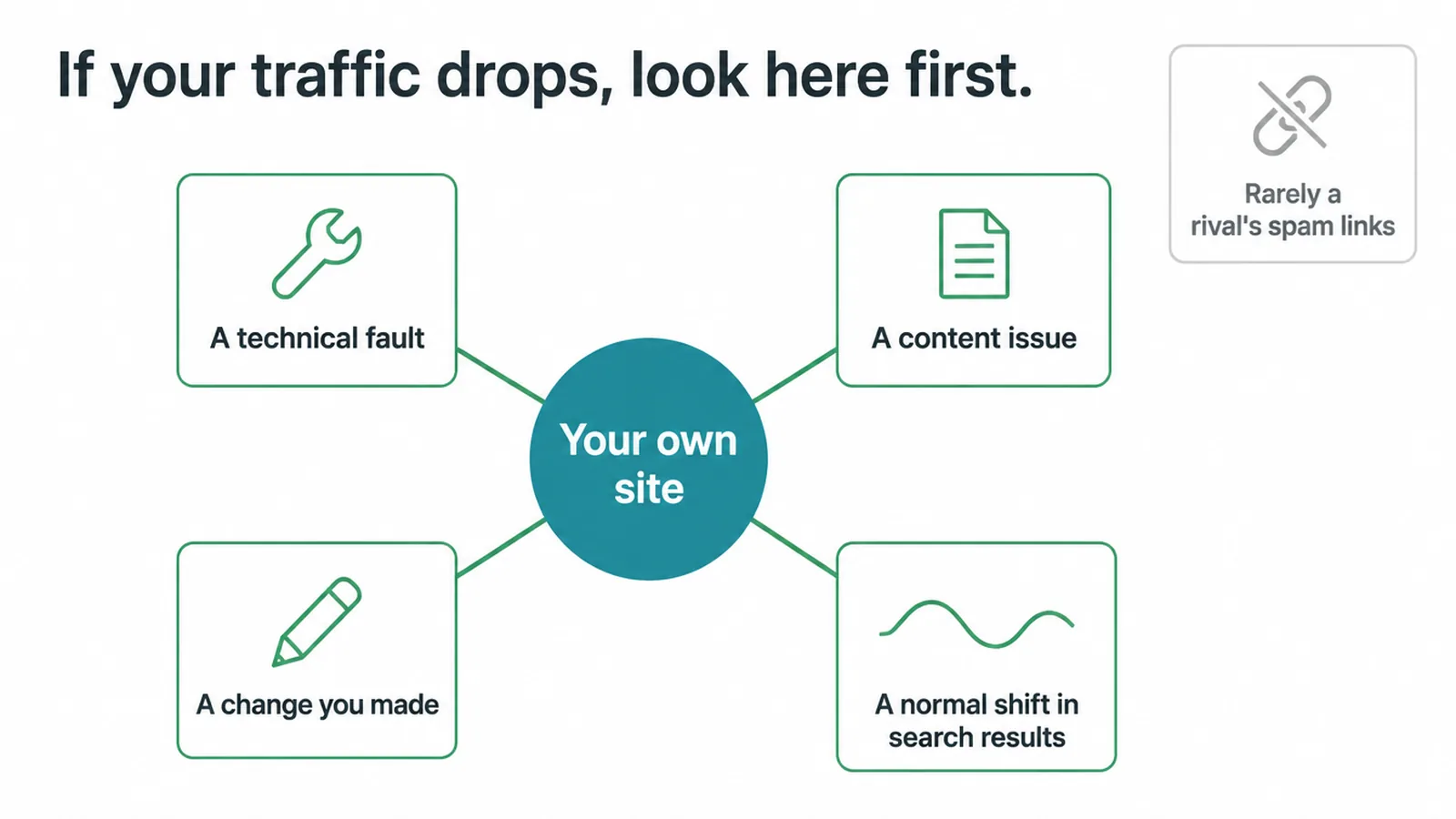
So do not disavow out of fear of negative SEO. If your traffic drops, the cause is almost always on your own site, a technical fault, a content issue, a change you made, or a normal shift in the search results.
Chasing phantom links wastes your time and can do real damage if you disavow good links by accident. If you want a clear plan for steady, honest growth, our SEO service focuses on the things that actually move your rankings, and our guide on choosing a link building partner helps you avoid the spammy ones.
Frequently asked questions
1. What are toxic backlinks?
Toxic backlinks is a label SEO tools use for spammy or low quality links pointing at your site. Google does not use that term. Google calls manipulative links link spam. There is no public toxicity score from Google, so a tool flagging a link does not mean Google is punishing you for it.
2. Do toxic backlinks hurt my SEO?
In most cases, no. Google says it can usually work out which links to trust on its own. Random spammy links pointing at your site rarely cause a problem. The main exceptions are links you built or bought to game rankings, and a manual action in Search Console. For most sites, those never happen.
3. Does Google ignore spammy backlinks automatically?
Yes, in most cases. Google has said its systems are good at dealing with random spammy links and that most sites will not need the disavow tool. Its spam systems try to neutralise manipulative links rather than punish the site they point at, so you usually do not need to do anything.
4. Should I disavow my backlinks?
Almost certainly not. Google says most sites will not need the tool. Disavow only if you have a large number of spammy or artificial links you built yourself, or if you have a manual action for unnatural links. Used wrongly, disavow can hurt your own site, so it is a last resort, not a routine task.
5. How do I find bad backlinks?
Use the free Links report in Google Search Console. Open Links, then External links, then Top linking sites, and export the list. Look for floods of unrelated foreign domains and obvious link farms. Reviewing your links is not the same as disavowing them, so do not rush to act on what you see.
6. Can competitors hurt me with negative SEO?
Negative SEO from competitors is very rare. Google built its systems to ignore spam links pointing at your site, which is exactly what a competitor would try to create. If your rankings drop, first check your own site for a technical issue or content problem.
7. How do I know if I have a manual action?
Check Google Search Console. Open Security and Manual Actions, then Manual actions. If Google has taken action against your links, you will see a notice there, often labelled unnatural links to your site. If that page says no issues detected, you do not have a manual action and you do not need to disavow.
8. Do I need to disavow links every month?
No. There is no need to disavow on a schedule. Some tools push monthly clean ups to keep you paying, but Google handles random spam links on its own. A clean, surgical disavow file is only for the rare case of self built links or a manual action. For most sites the file should stay empty.







