Local SEO Checklist: Steps to Work Through

A local SEO checklist covers your Google Business Profile, categories, photos and posts, reviews and replies, consistent name, address and phone details across listings, pages naming the areas you serve, and local links. Work one task at a time. Seed Light runs this list for local businesses every month.
Key takeaways
Short on time? Here is the whole local SEO checklist in five lines before we break each item down.
- Start with your Google Business Profile. The right primary category and a complete profile do most of the work, and your profile is free.
- Reviews are make or break. 97% of consumers read reviews for local businesses, and 68% will only use one with four or more stars (BrightLocal, 2026).
- Keep it fresh. 74% of people look for reviews from the last three months, so a steady trickle beats a one-time burst (BrightLocal, 2026).
- Make your details match everywhere. 62% would avoid a business after finding incorrect information online (BrightLocal, 2023).
- Treat this as a monthly habit. Tick off a few items each month and your local visibility climbs steadily.
1. Why a local SEO checklist beats a big plan
Local SEO feels huge when you look at it all at once. So most owners freeze and do nothing. A checklist fixes that. It turns one scary project into small tasks you can finish between customers.
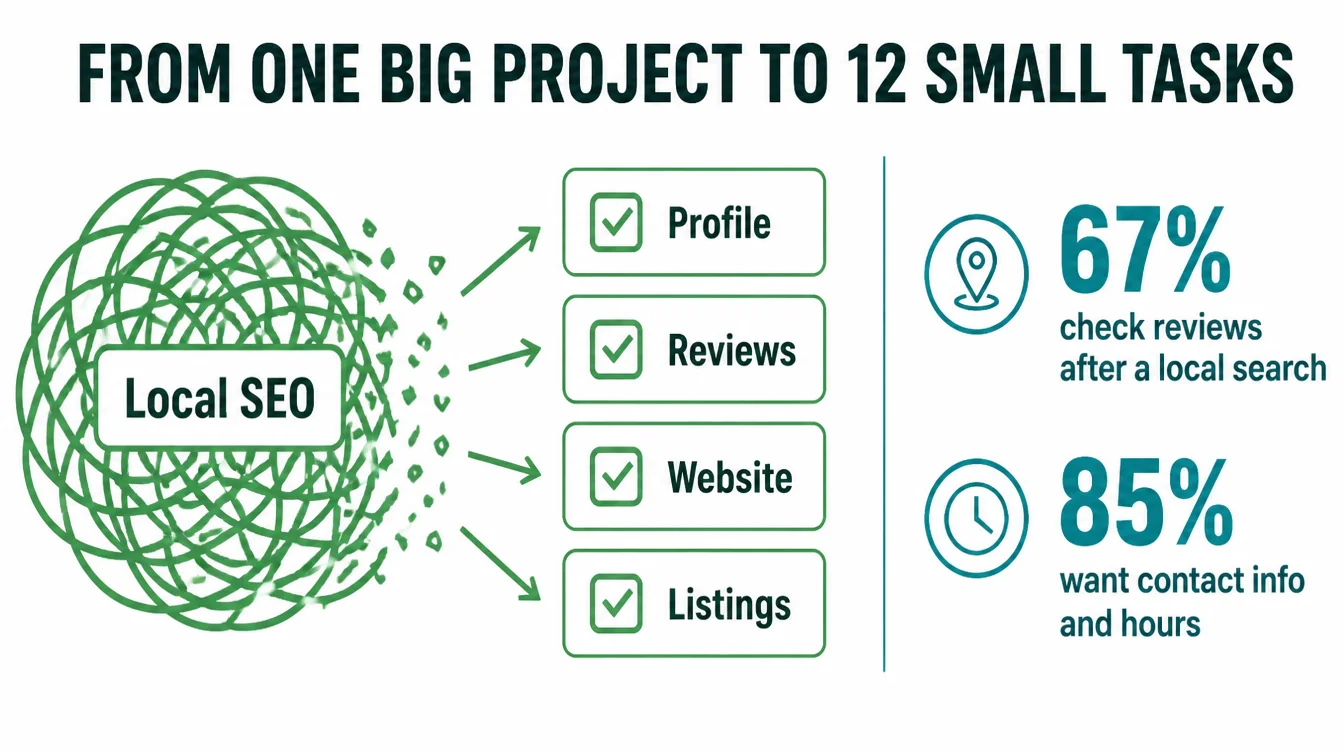
Here is why it matters. Local search is where nearby customers decide. In particular, around 67% of consumers go on to look at reviews after a local search, and 85% say contact information and opening hours are important when they research a local business (BrightLocal, 2025).
As a result, if your details are wrong or thin, you lose the click before you ever get a chance.
The plan below has 12 items in four groups. Do not try to do them all today. Pick a few, finish them, and come back next month. For the full background on how local search works, read our complete local SEO guide. This page is the do-this-now companion.
2. Your Google Business Profile: items 1 to 4
Your profile is the engine of local search. Get these four right before you touch anything else. If you want a deeper walk-through, our Google Business Profile checklist goes step by step.
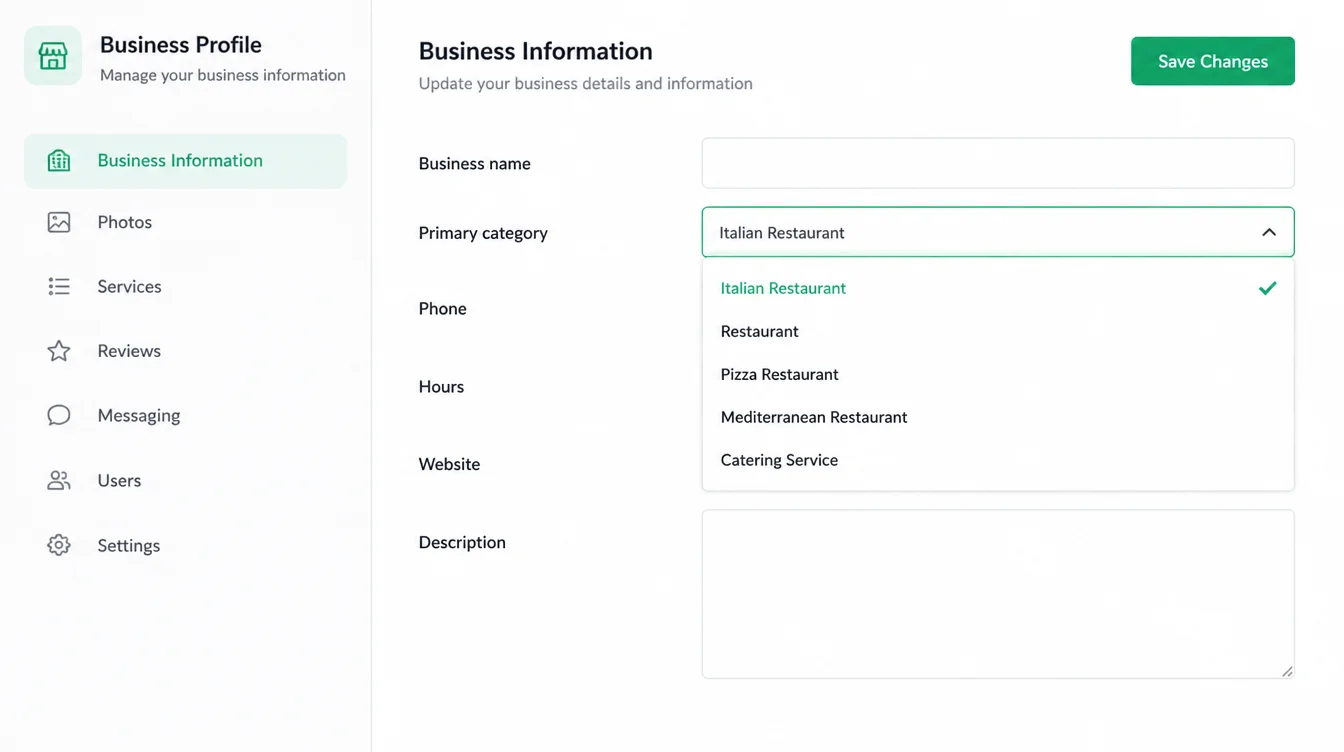
1. Fix your primary category
This is the single most important setting on your profile. Be specific. "Italian Restaurant" beats "Restaurant." "Emergency Plumber" beats "Contractor." Open your profile, look at the primary category, and ask if a customer would describe you that way.
If not, change it today. The same rule shapes a contractor website: name the trade on every page.
2. Fill in every field
Blanks read as "maybe closed." Add your hours, phone, website, services, and a real description. A complete profile is also where customers decide, since contact details and hours are an important factor for 85% of them (BrightLocal, 2025).
3. Add real photos
Upload your storefront, your team, and your actual work. Real photos build trust and give people a reason to pick you over a profile with one blurry logo. Add a few new ones each month.
4. Confirm you are verified and live
If you cannot find your business on the map at all, the problem is usually status, not ranking. Check your dashboard for a verification or suspension notice. Our guide on why a business is not showing on Google Maps covers the fixes.
3. Your reviews: items 5 to 7
Reviews do double duty. They help you rank, and they help you get picked. They are also where most owners leave the easiest wins on the table. For the full system, see our guide on how to get more Google reviews.
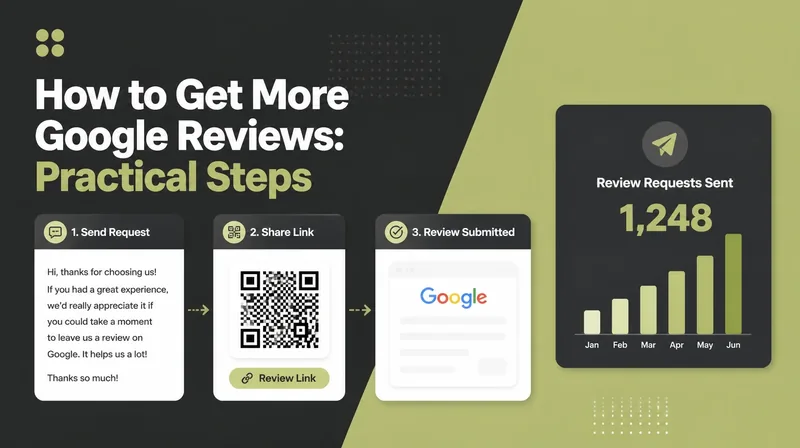
5. Get your review link and ask this week
Grab the direct review link from your Business Profile and send it to every customer this week. That is the whole secret. Most owners do great work then wait and hope. Asking is what fills the gap.
6. Aim for a steady flow, not a burst
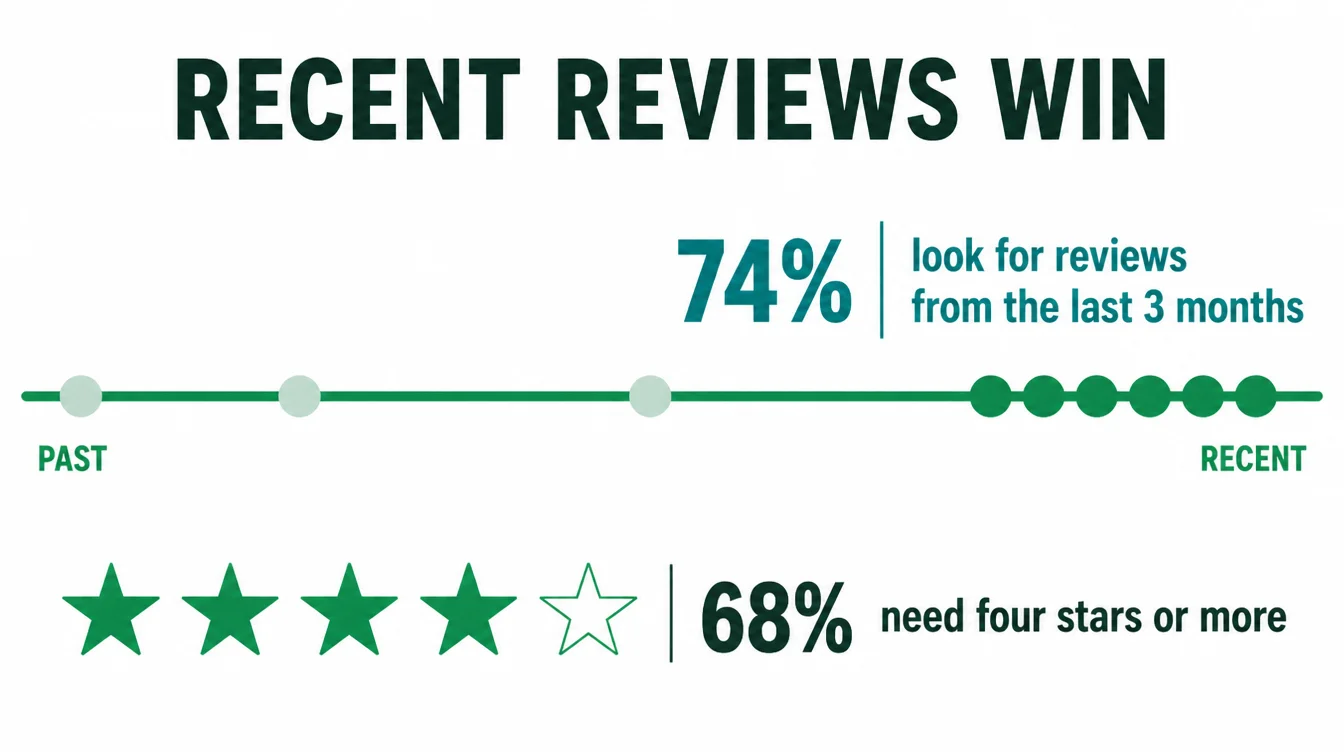
Recency wins. 74% of consumers look for reviews from the last three months, so a few fresh ones every week beat twenty in one go then silence (BrightLocal, 2026). The bar is rising too: 68% will only use a business with four or more stars.
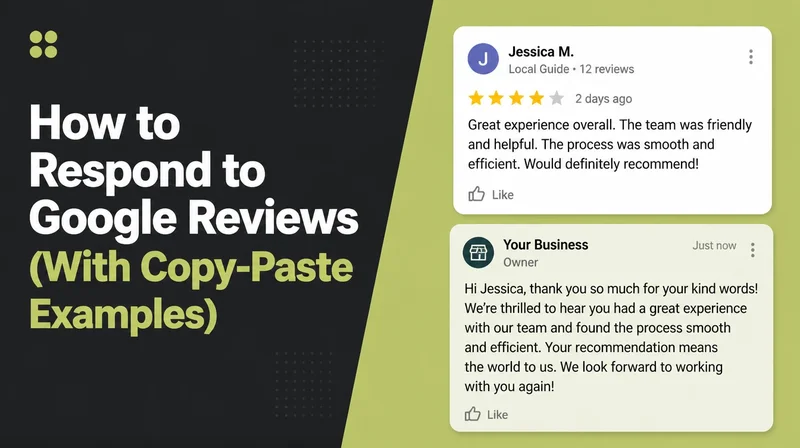
7. Reply to every review
Reply to the good ones and the bad ones. A calm, specific reply to a tough review often wins more trust than a five-star one. Furthermore, it shows future customers that a real person is paying attention.
4. Your website and details: items 8 to 10
Your website backs up what your profile claims. When the two agree, you look solid. When they clash, you look risky. These three items keep them in sync.
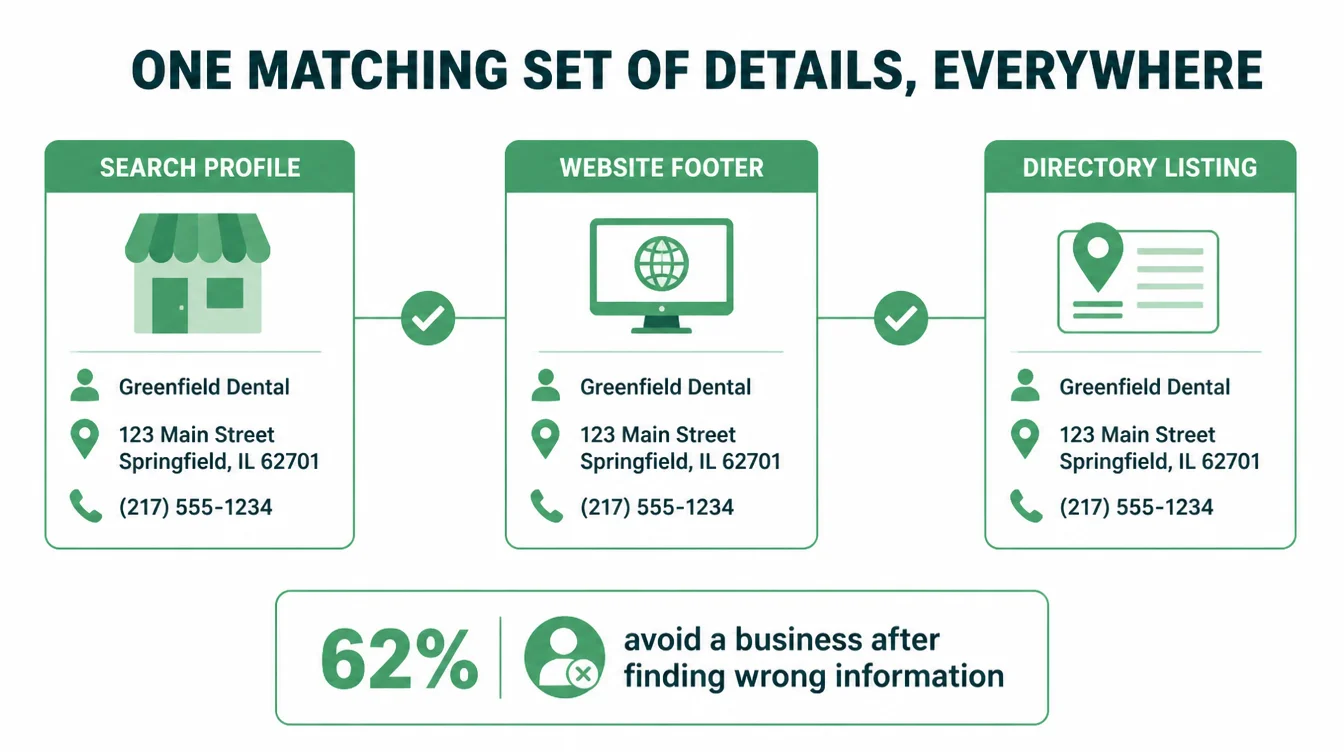
8. Make your name, address, and phone match everywhere
Pick one exact version of your details and use it across Google, your website footer, and every listing. Same suite number, same phone format. This is NAP consistency, and it matters because 62% of consumers would avoid a business if they found incorrect information online (BrightLocal, 2023).
9. Put your contact details in your website footer
Show your name, address, and phone in the footer of every page. Add a simple page about the areas you serve.
This gives Google clear, matching signals and makes life easy for customers who just want to call you. Our free local SEO checker reads a page and reports which of those signals it can actually find.
10. Make sure your site is fast and works on a phone
Most local searches happen on a phone, and 1 in 5 people search directly inside a maps app (BrightLocal, 2025). If your site is slow or hard to read on mobile, that is a build problem. See how we approach web design for small businesses.
5. Your listings and tracking: items 11 to 12
The last two items keep you accurate beyond Google and tell you whether any of this is working.
11. Fix your top listings, then stop
You do not need to be on a hundred directories. Get the big ones right: Apple Maps, Bing, and the main directory for your industry. By contrast with the old "submit to 100 sites" advice, accuracy matters more than volume now, especially because AI assistants pull stale data.
Specifically, business information was only about 68% accurate on some AI tools in 2026 (Search Engine Land, 2026), so correct listings help you get described right across the web.
| Week | Focus | One concrete action |
|---|---|---|
| Week 1 | Profile | Fix your primary category and fill any blank fields |
| Week 2 | Reviews | Send your review link to every customer |
| Week 3 | Website | Match your name, address, and phone everywhere |
| Week 4 | Listings | Correct your top five listings and check your rank |
12. Check your local ranking once a month
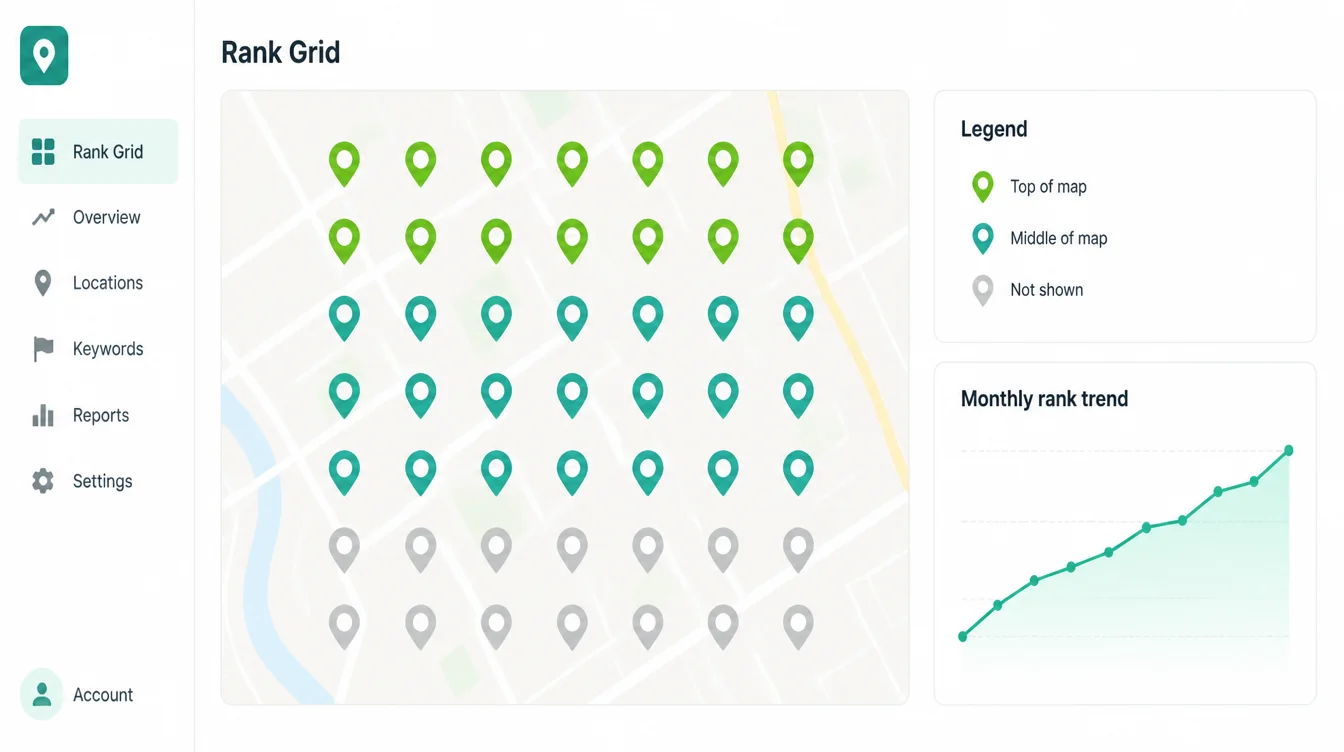
Your map rank changes with the searcher's location, so a quick search from your desk lies to you. Use a grid or geo-scan rank tracker that checks your position from many points across your area.
Write the numbers down and compare month to month. Slow and steady upward is exactly what healthy local SEO looks like. For more practical guides, browse the Seed Light blog or see our local SEO services.
Frequently asked questions
1. What is a local SEO checklist?
A local SEO checklist is a short list of the actions that help a business show up in local search and on Google Maps. It usually covers your Google Business Profile, your reviews, your name, address, and phone details, your website, and your listings on other sites. The point is to turn a big, vague goal into small tasks you can tick off one at a time.
2. Can I do local SEO myself?
Yes. Most of the high-impact work is free and does not need code. You can pick the right Business Profile category, fill in every field, fix your contact details across the web, and ask every customer for a review. Those tasks drive most of your local visibility, and this checklist walks you through them in order.
3. How long does local SEO take to work?
Some fixes show up fast. Google Business Profile fixes can show within days. For wider local SEO, early movement often shows in three to six months, with fuller results over four to twelve. Keep working on reviews, listings and the site while results develop.
4. What is the most important local SEO ranking factor?
Your Google Business Profile does the heavy lifting, and your primary category is the single most important setting on it. After that, reviews matter a lot, and recent reviews matter more than old ones. Get the category right, keep your details consistent everywhere, and build a steady flow of fresh reviews, and you have covered most of what moves local rankings.
5. Why does NAP consistency matter for local SEO?
NAP means your name, address, and phone number. When those match across Google, your website, and other sites, you look trustworthy to both customers and search engines. When they clash, you create doubt. In one survey, 62% of consumers said they would avoid a business if they found incorrect information online, so consistency protects sales as well as ranking.
6. How many Google reviews do I need for local SEO?
There is no magic number, and recency beats raw total. People want to see fresh proof, and 74% of consumers look for reviews written in the last three months. So aim for a steady trickle of new reviews every week rather than one big burst that then goes quiet. A regular flow keeps you looking active and trustworthy.
7. Do business listings still matter in 2026?
Yes, but for consistency more than for ranking power. Accurate listings on the big platforms keep your details correct everywhere people and AI tools look. AI assistants in particular pull stale data, and business information was only about 68% accurate on some AI tools in 2026, so getting your top listings right helps you get described correctly across the web.