
Ecommerce SEO Strategy: 7 Steps to Grow Store Traffic

An ecommerce SEO strategy covers seven areas: keyword research, on-page work, product schema, a flat store structure, technical fixes, buyer content and reviews. PowerReviews data reported by Search Engine Land says half of product searches start on Amazon, versus 31.5% on search engines. Seed Light builds store SEO so independent shops can compete in Google's free results.
Key takeaways
- Speed is money. A 0.1 second improvement in mobile site speed lifted retail conversions by 8.4% (and average order value by 9.2%), per Deloitte's "Milliseconds Make Millions" study.
- Write your own words. Unique product and category copy beats pasted manufacturer text every time.
- Add product schema and reviews. They make your listings richer and build buyer trust.
- Mind the faceted-nav trap. Filters can spawn thousands of duplicate URLs that waste Google's crawl.
- Start with the high-impact, low-effort fixes in the priorities table near the end.
1. What is ecommerce SEO?
An ecommerce SEO strategy is how you get your online store found in Google's free results, so shoppers land on your category and product pages without you paying per click.
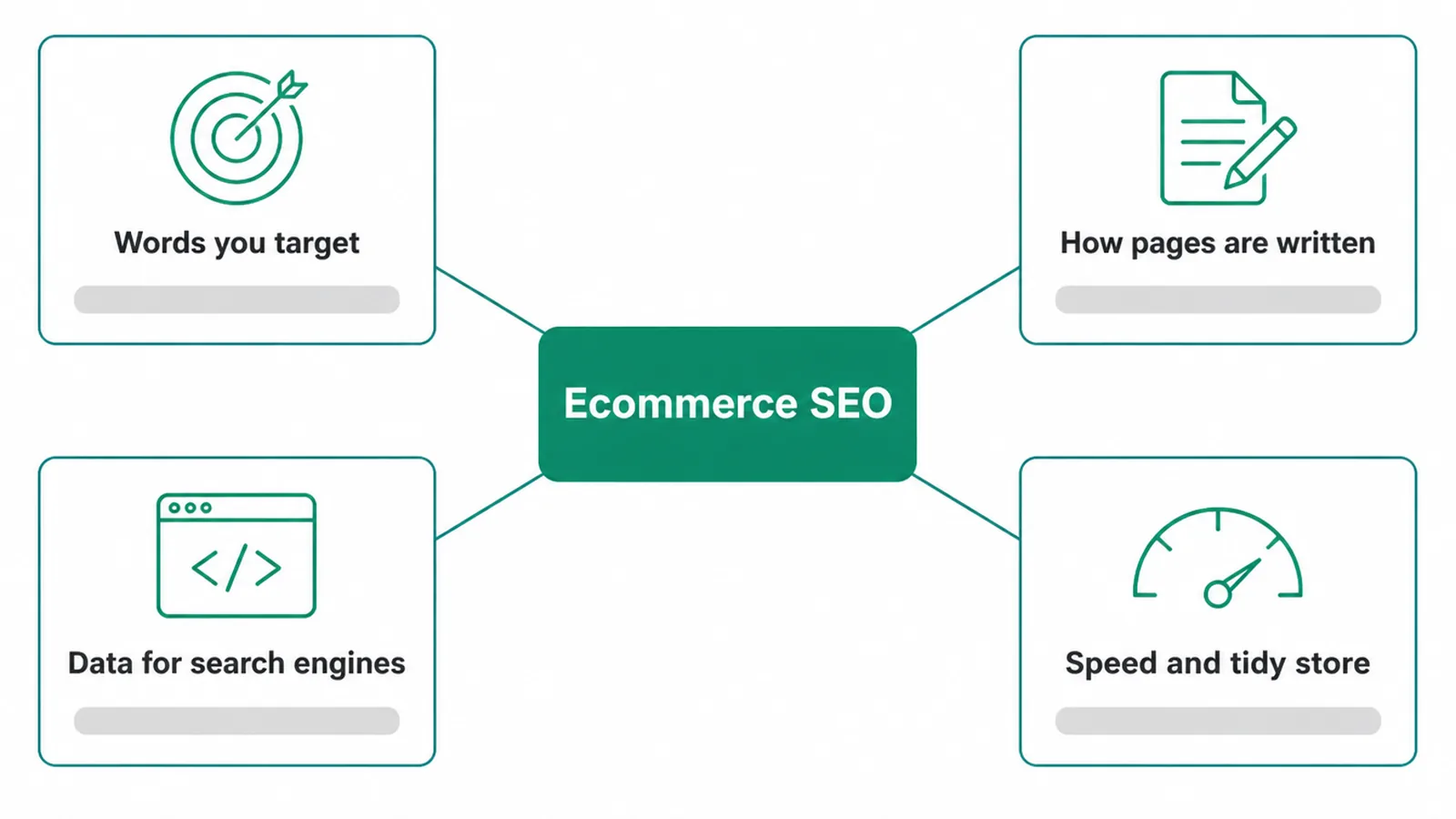
It covers the words you target, the way your pages are written, the data you give search engines, and how fast and tidy your store is.
Here is why it matters so much for independent stores. Half of all product searches start on Amazon, versus 31.5% on search engines, according to PowerReviews data reported by Search Engine Land.
You may not beat Amazon on Amazon. But winning Google is how stores outside the giant marketplaces get discovered. That is the prize.
The rest of this post is a 7-step plan. Work top to bottom. If you want the deeper how-to on building the store itself, see our guide to ecommerce website design.
2. Step 1: Find the right keywords
Your ecommerce SEO strategy starts with keywords, because every page needs to target what people actually search. Shoppers search in three rough ways, and each one maps to a different page type on your store.
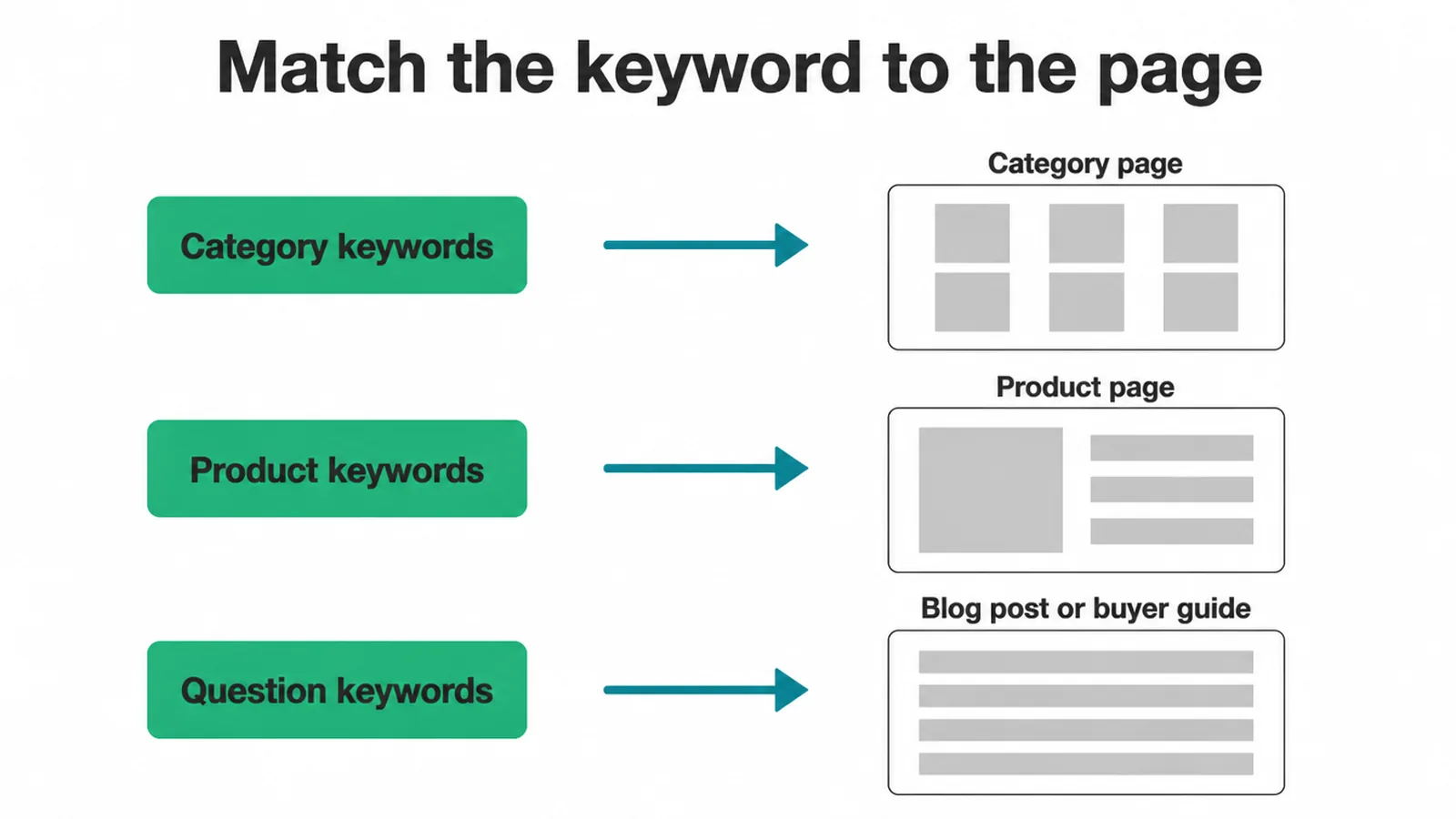
- Category keywords like "running shoes" or "leather sofas". These point at your category pages.
- Product keywords like a specific model or style. These point at single product pages.
- Question keywords like "best shoes for flat feet". These point at blog posts or buyer guides.
Match each keyword to the right page so you are not aiming two pages at the same term. For the full method, read our walkthrough on how to do keyword research.
3. Step 2: Optimise your product and category pages
These pages are where the money is, so give them care. Each one needs a unique title tag, a meta description that earns the click, and exactly one H1. Add descriptive alt text to every product image too.
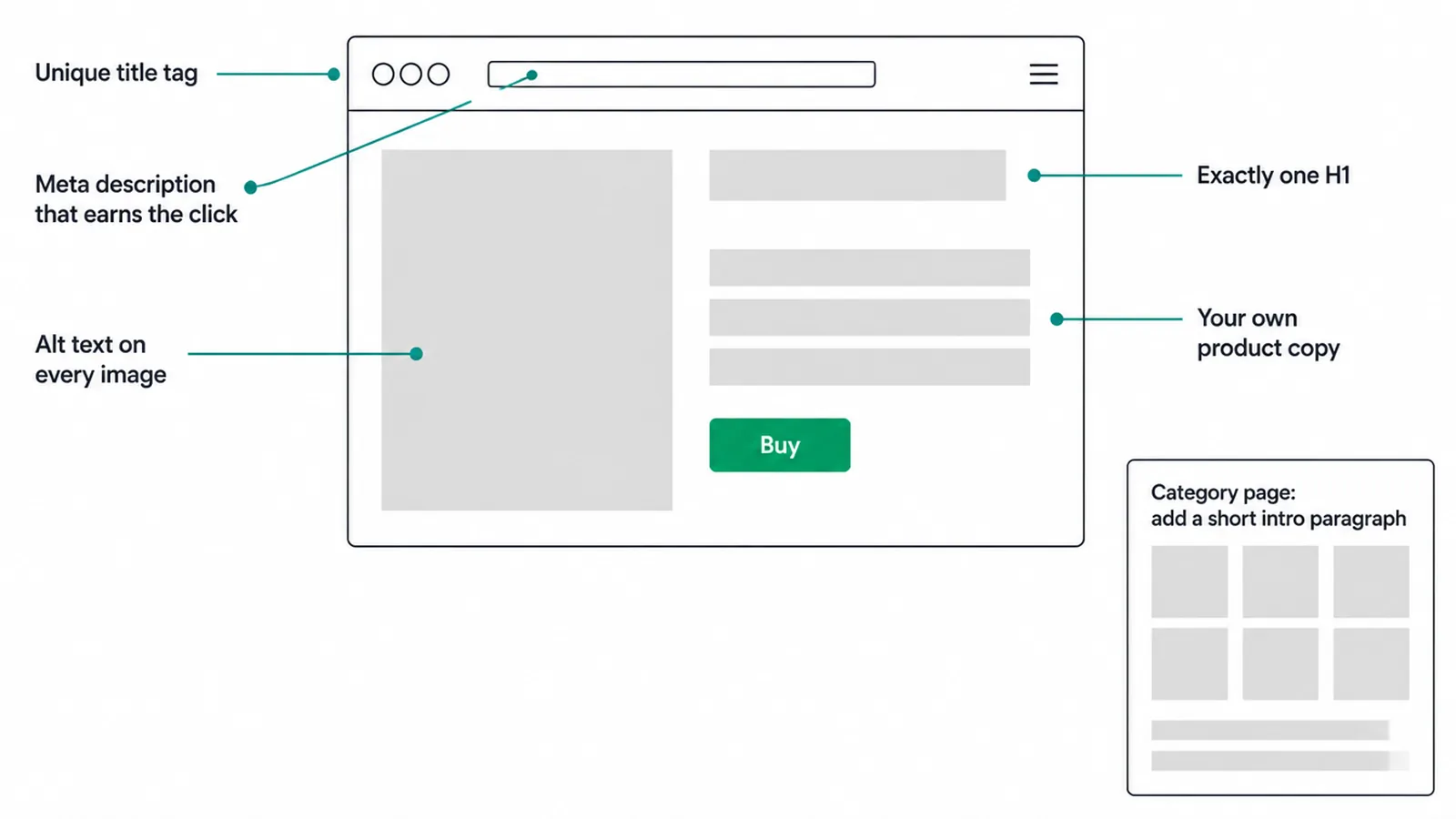
The big one: write your own product copy. Never paste the manufacturer's description. That same text sits on hundreds of other stores, so it gives Google nothing fresh and nothing to rank you for. Your own words let you answer real buyer questions and use the phrases shoppers type.
Category pages need help too. Most are just a grid of products with no words. Add a short, real intro paragraph that explains the category and uses your target term. It gives Google something to read and shoppers something useful.
4. Step 3: Add product schema and reviews
Product structured data is code that tells Google exactly what your page is selling. Google says it lets shoppers see "price, availability, review ratings, shipping information, and more right in search results", per Google Search Central. A richer listing tends to win more clicks.
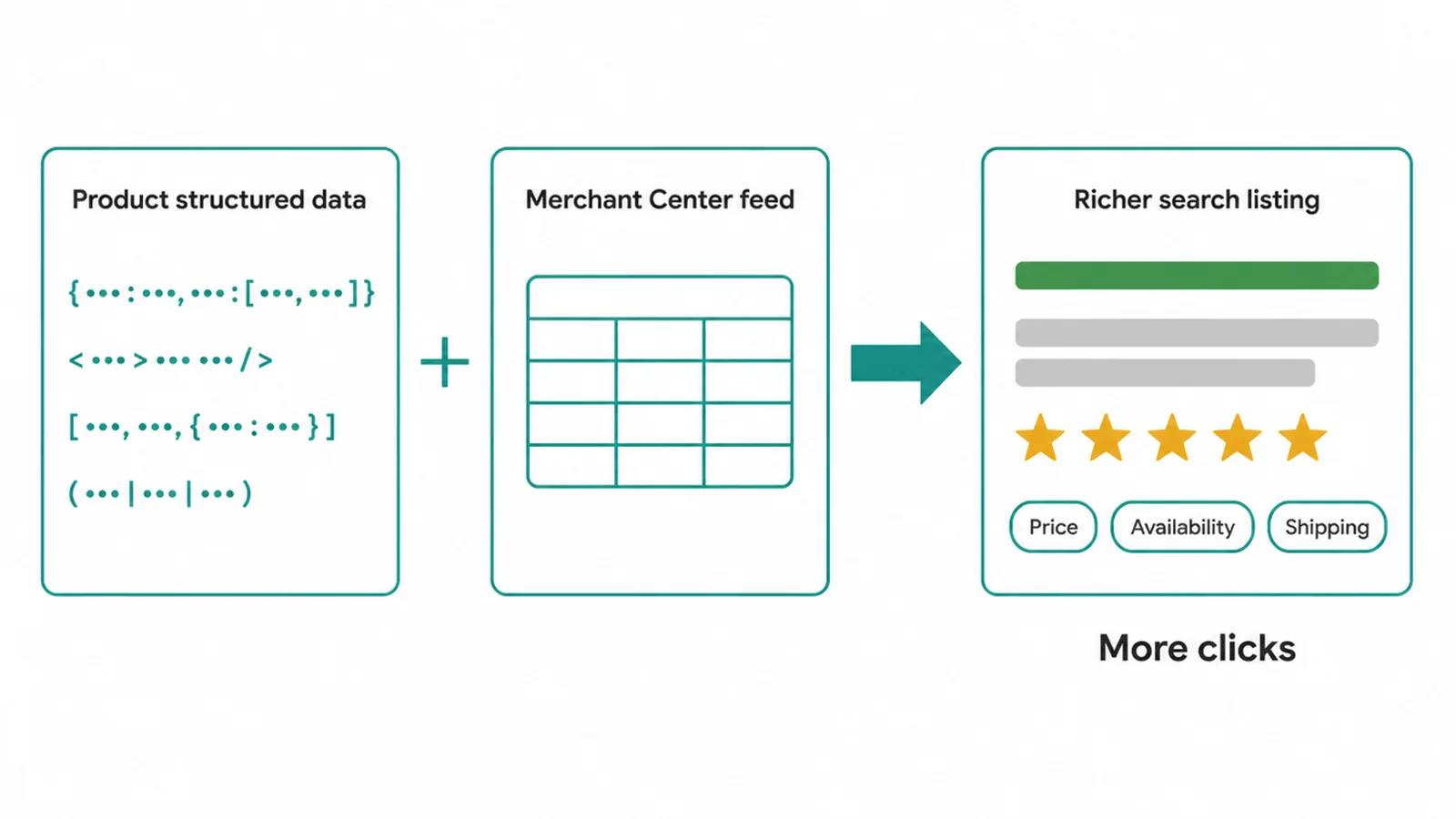
Google also notes that providing both on-page structured data and a Merchant Center feed "maximizes your eligibility to experiences", so pairing the two is worth it. If schema is new to you, start with our plain guide to schema markup.
Reviews do double duty. They build buyer trust, and they can show as star snippets in search. They matter to people, too: 97% of consumers read online reviews for local businesses, according to BrightLocal. Collect real reviews and show them on the product page.
5. Step 4: Keep your store structure flat
A tidy structure helps both shoppers and Google. Aim for a flat shape: home, then category, then subcategory, then product, all reachable within about three clicks. Pages buried five clicks deep rarely get found.
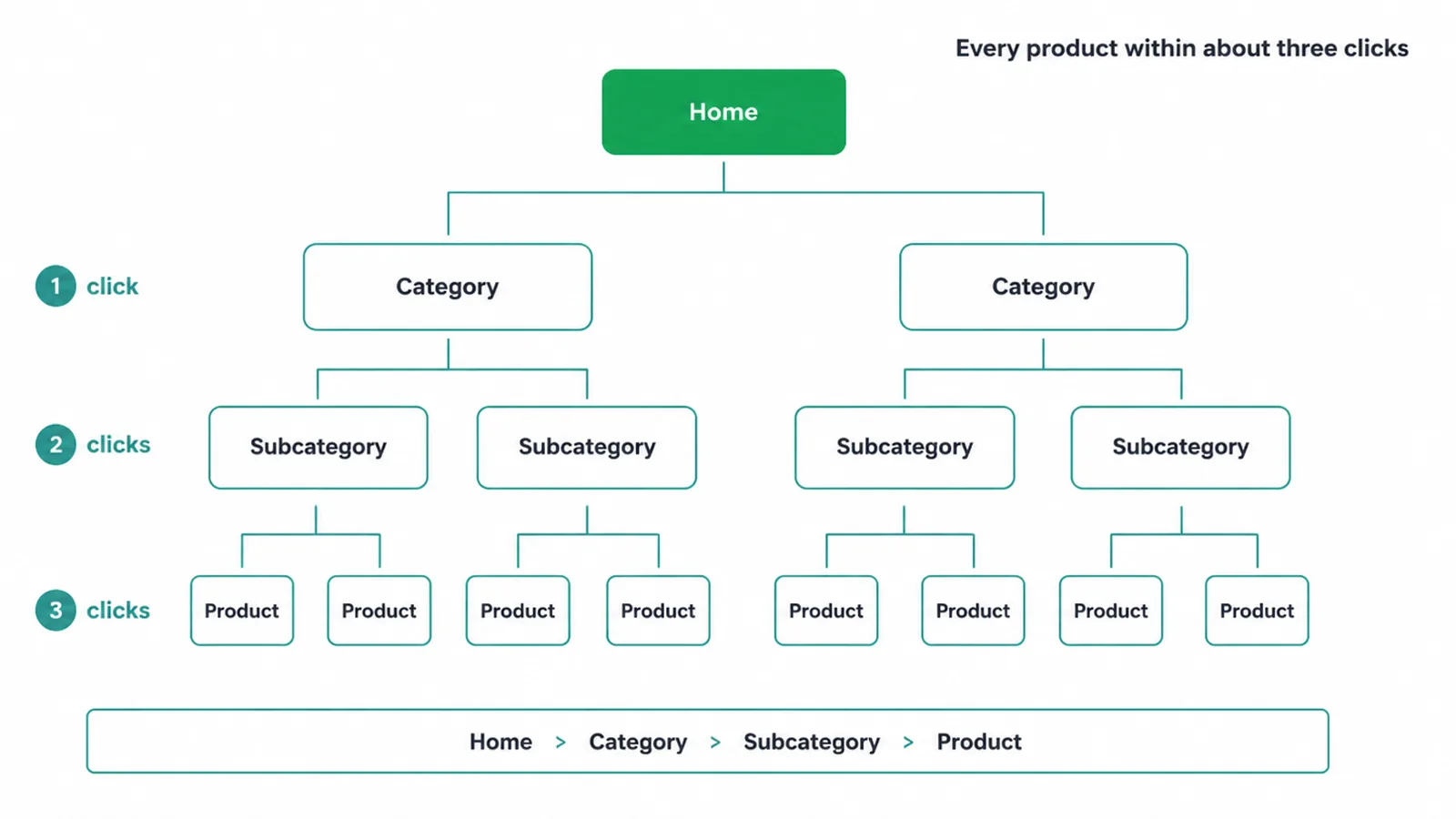
Link between related pages. Point category pages at their best products, and link products to the categories they sit in. Add breadcrumbs so people (and crawlers) always know where they are. This is part of how you build a sensible SEO plan on a small budget, which applies to stores too.
6. Step 5: Fix the technical basics
The technical layer is where many stores quietly lose sales. Three things matter most: speed, mobile, and the faceted-nav trap.
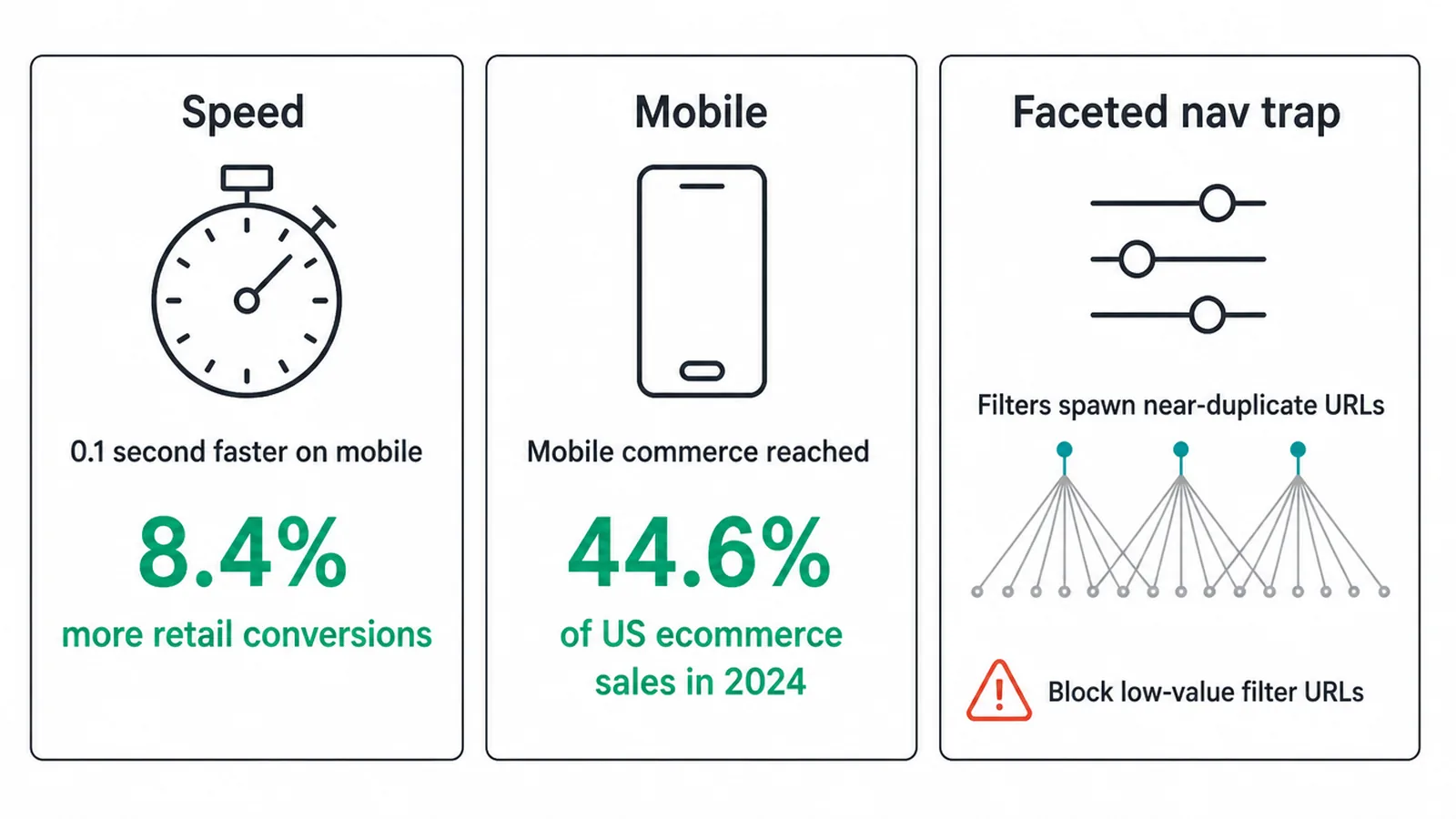
Speed. Faster stores sell more. A 0.1 second improvement in mobile speed lifted retail conversions by 8.4%, per Deloitte. To learn what to measure, read Core Web Vitals explained.
Mobile. Phones are now where shopping happens. Mobile commerce reached 44.6% of US ecommerce sales in 2024, per eMarketer data via MobiLoud. Make sure your store is easy to use on a small screen, which we cover in how to make a website mobile-friendly.
The faceted-nav trap. Filters like size, colour, and price often create a new URL each time. Stack a few filters and you get thousands of near-duplicate pages.
Google recommends using robots.txt to disallow crawling of faceted-navigation URLs, since allowing them "consumes server resources for no or negligible benefit", per Google's faceted navigation docs. Block the low-value filter URLs and point canonical tags back to the main category page.
7. Step 6: Publish helpful buyer content
Not every shopper is ready to buy. Many are still deciding, and they search with questions. Buyer guides and comparison posts catch those "best X" and "X vs Y" searches.
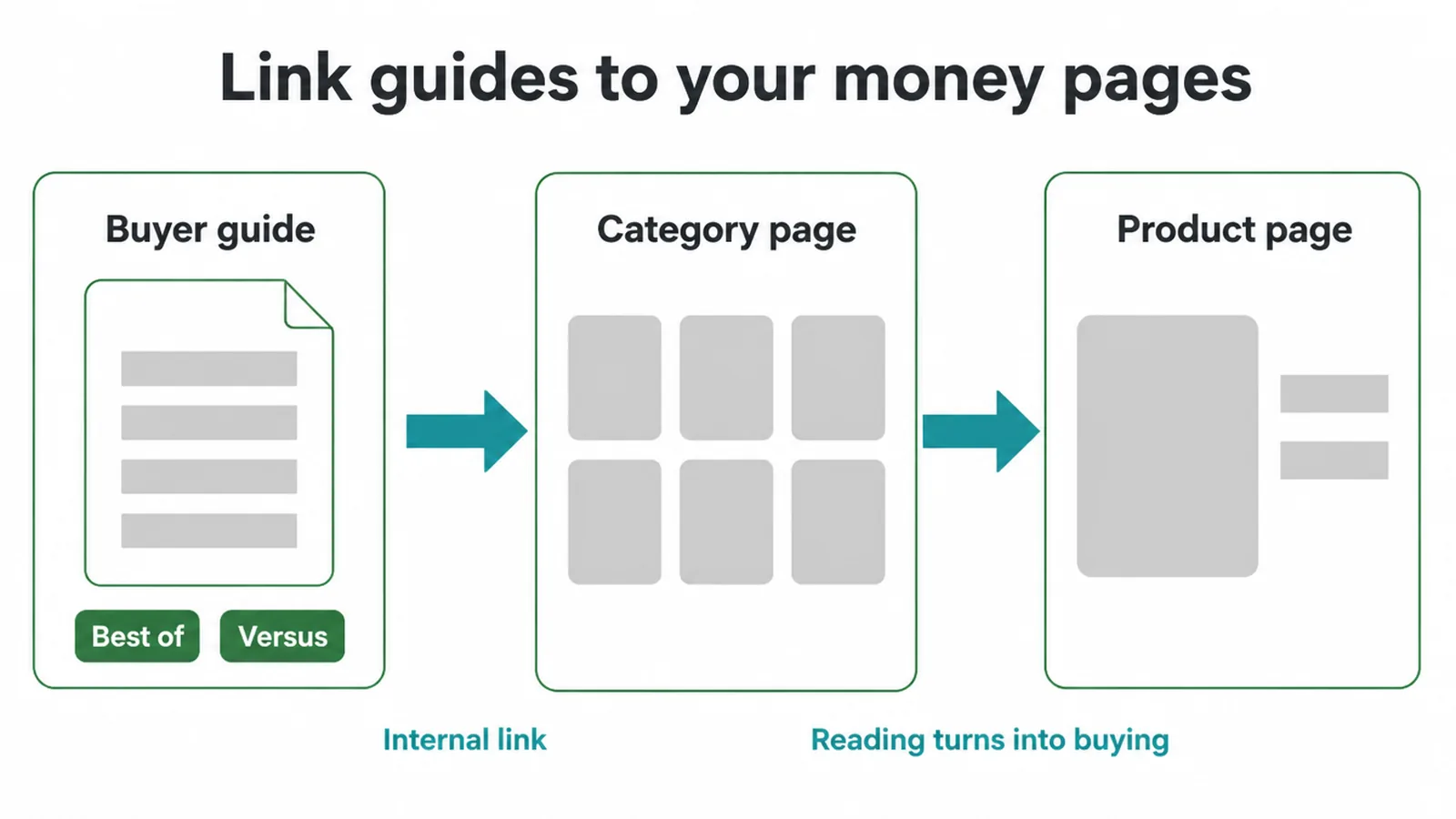
The trick is to link each guide to the matching category or product pages. A "best beginner road bikes" post should send readers straight to your road bike category. That turns reading into buying, and it spreads ranking strength to your money pages. To plan this out, use a simple content calendar.
8. Step 7: Build reviews and trust signals
Trust is the last mile of an ecommerce SEO strategy. You can rank a page, but a nervous shopper still needs reasons to buy.
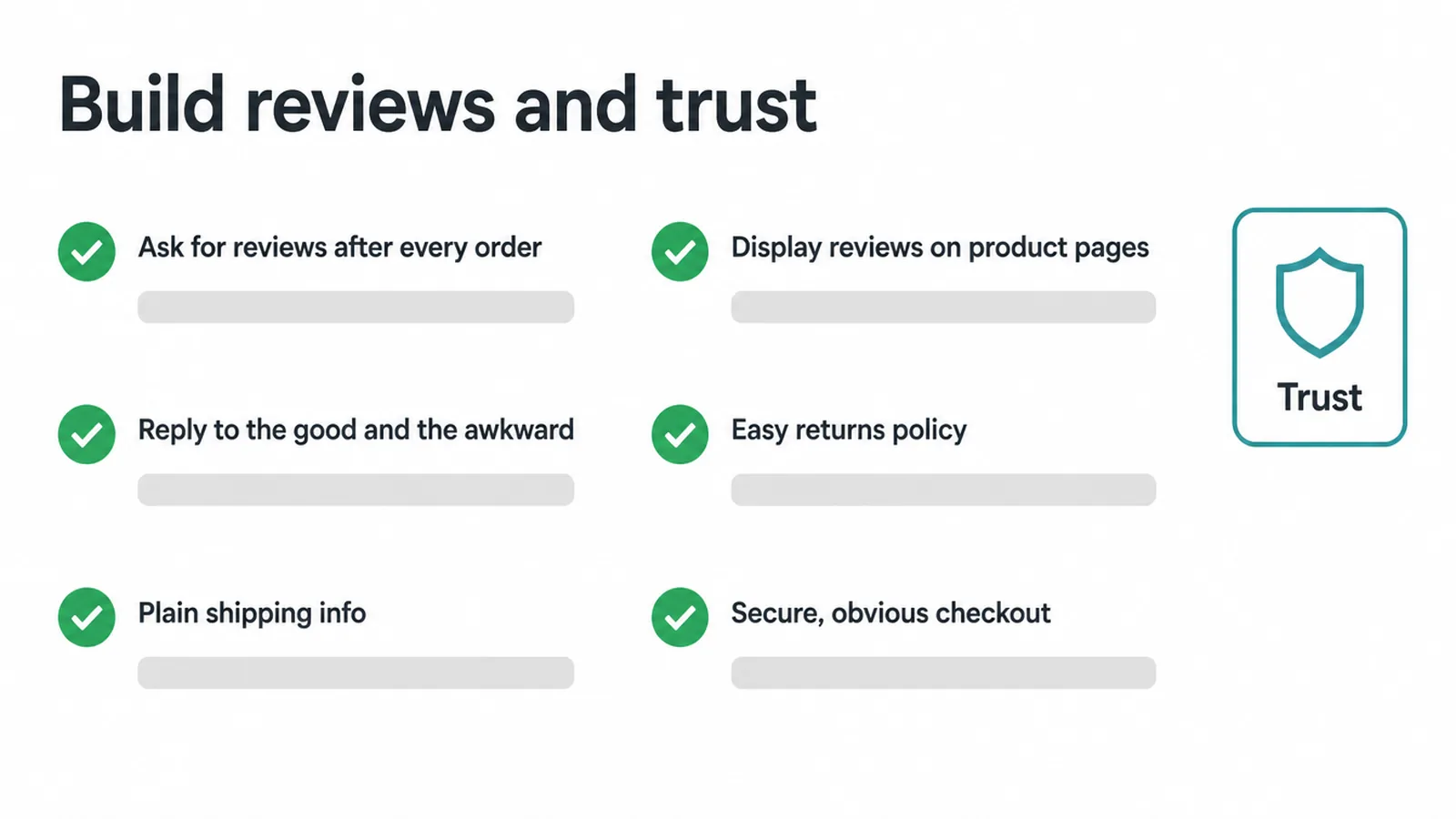
Ask for reviews after every order, with a short follow-up email. Display them on product pages, and reply to them, the good and the awkward ones.
Then back them up with clear trust signals: an easy returns policy, plain shipping info, and a secure, obvious checkout. These calm buyers, and they help your wider SEO by keeping people on the page and reducing bounces.
9. Where to start first
Seven steps can feel like a lot. So do not do them all at once. Start with the work that gives the most return for the least effort. Here is how we order it.
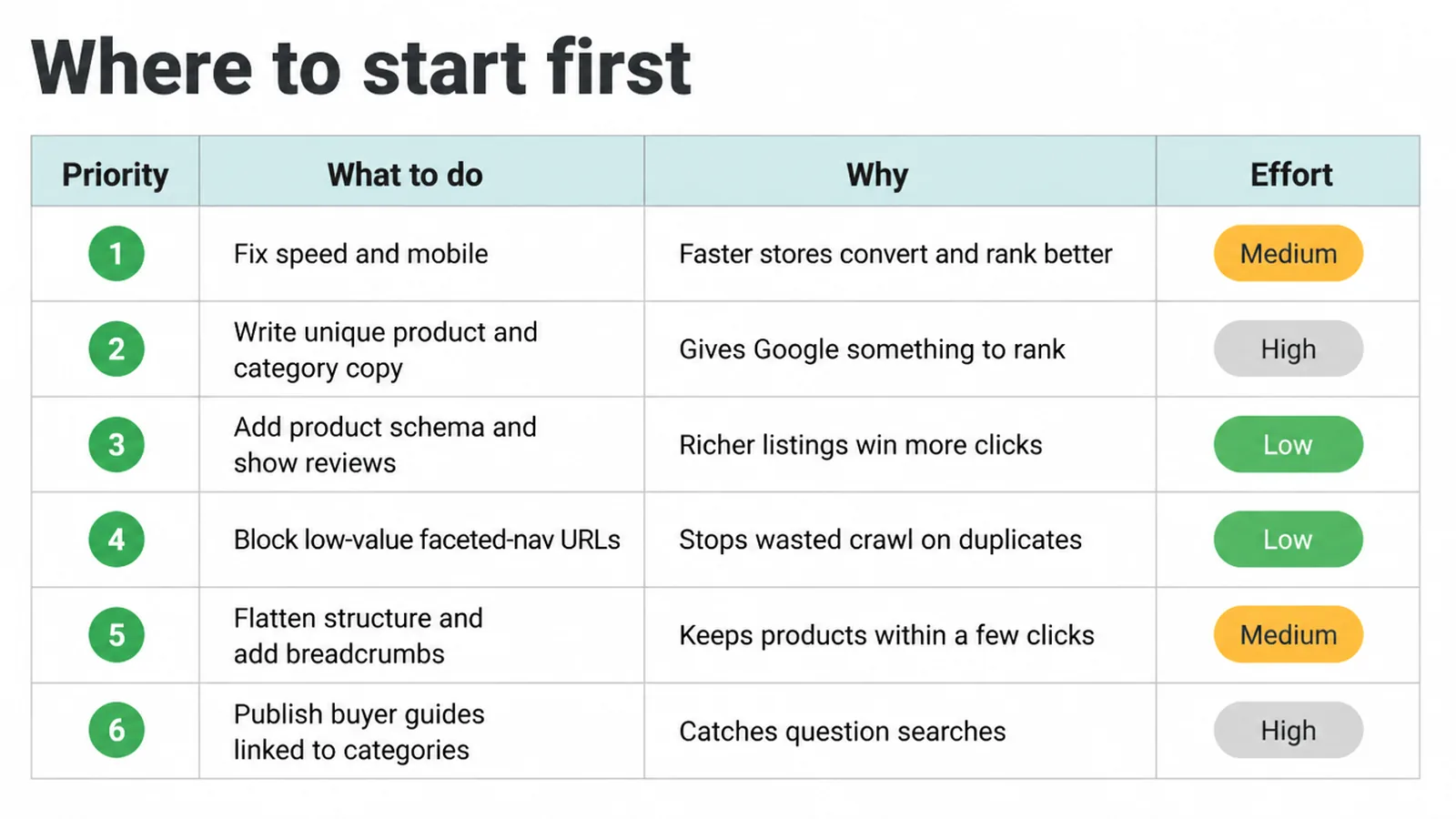
| Priority | What to do | Why | Effort |
|---|---|---|---|
| 1 | Fix speed and mobile | Faster, mobile-ready stores convert more and rank better | Medium |
| 2 | Write unique product and category copy | Gives Google something to rank, beats copied text | High |
| 3 | Add product schema and show reviews | Richer listings and star snippets win more clicks | Low |
| 4 | Block low-value faceted-nav URLs | Stops Google wasting crawl on duplicate filter pages | Low |
| 5 | Flatten store structure and add breadcrumbs | Keeps every product within a few clicks | Medium |
| 6 | Publish buyer guides linked to categories | Catches question searches and feeds money pages | High |
10. Ecommerce SEO vs ads
A fair question: should you just run ads instead? An ecommerce SEO strategy and paid ads do different jobs, and most stores use both.
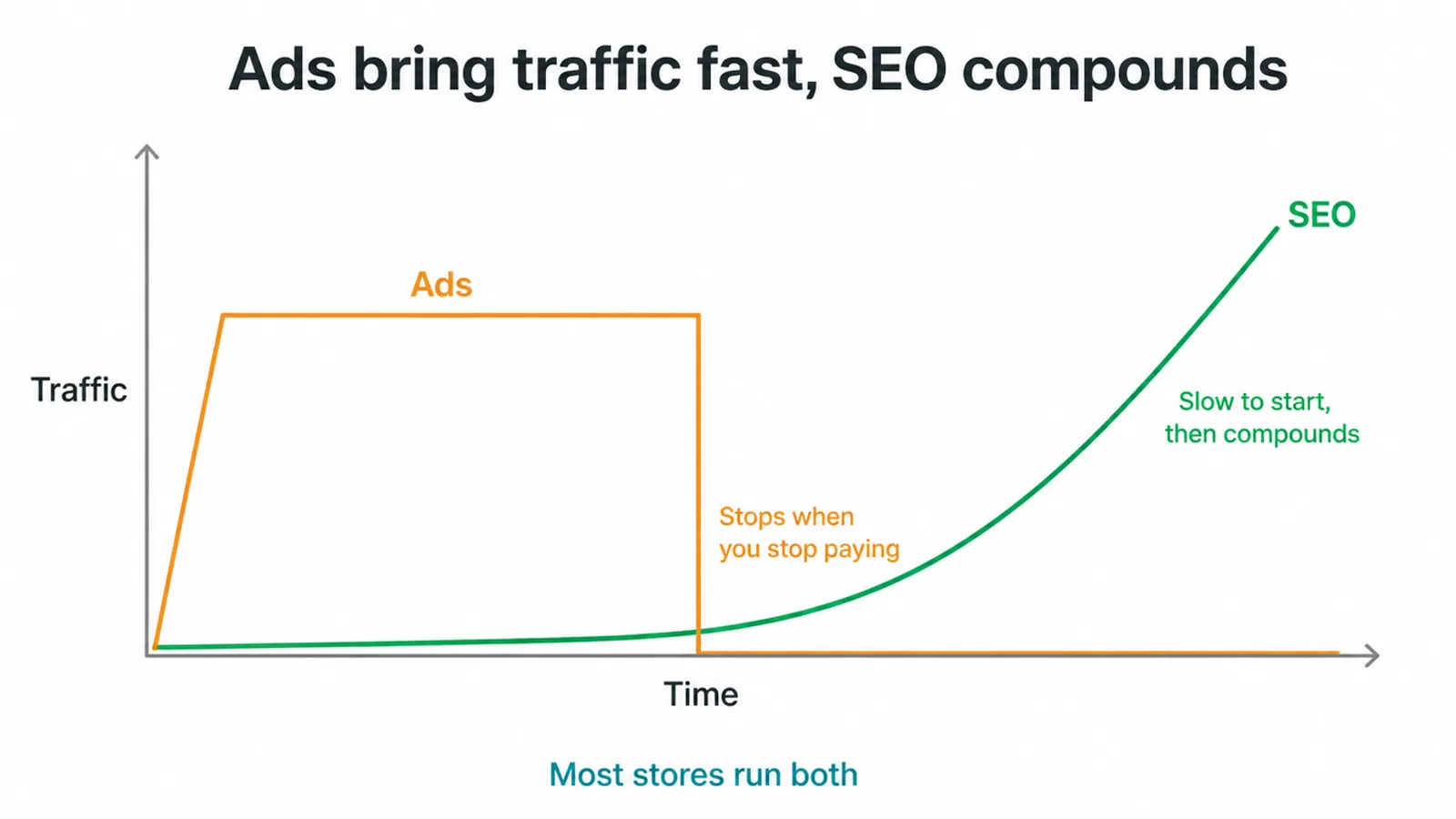
Ads are instant. You pay, traffic shows up the same day. But it stops the moment your budget runs out. SEO is the opposite.
It is slow to start, then it compounds and keeps bringing free traffic month after month. The smart play is to run ads for quick sales while SEO grows in the background, then lean less on paid clicks over time.
Your store might also be one slice of a bigger picture. If you sell to other businesses, the playbook shifts toward higher-value buyers and longer sales cycles, which we cover in our B2B SEO strategy guide.
And if you are a smaller shop watching every pound, our small business SEO strategy keeps it lean. Pick the cut that fits you.
11. How the HypMotors and Libulbs stores are structured
We build stores this way. HypMotors, an electric bike and motorbike retailer, has its category and product pages structured so search engines can read the range. Libulbs, a wholesale LED lighting distributor, is built around its catalogue, with categories, filters and product codes helping buyers narrow the range.
Frequently asked questions
1. What is ecommerce SEO?
Ecommerce SEO is the work you do so your online store shows up in Google's free search results. The goal is to get your category pages and product pages ranking for what shoppers type, so buyers land on your store without you paying for every click.
2. How do I do SEO for an online store?
Start with keyword research, then optimise your product and category pages with unique titles and copy. Add product structured data and reviews, keep your store structure flat and easy to crawl, fix speed and mobile, publish helpful buyer content, and collect real reviews over time.
3. How do I optimise a product page?
Give each product page one clear H1, a unique title tag and meta description, and descriptive alt text on images. Write your own product copy instead of pasting the manufacturer text. Add product structured data and show real customer reviews on the page.
4. Should I write my own product descriptions?
Yes. Write your own. The manufacturer text is copied across hundreds of stores, so it gives Google nothing fresh and nothing to rank you for. Your own words let you answer real buyer questions and use the phrases shoppers actually search.
5. Does product schema help SEO?
Product structured data can make your listing richer in search, showing details like price, availability, and star ratings. It does not guarantee a higher rank, but a richer listing tends to earn more clicks, and more clicks help. Google also suggests pairing on-page schema with a Merchant Center feed.
6. What is faceted navigation and why is it a problem?
Faceted navigation is the set of filters on a category page, like size, colour, or price. Each filter can create a new URL, so you end up with thousands of near-duplicate pages. Google can waste time crawling them all, so it suggests blocking low-value filter URLs and using canonical tags to point back to the main category page.
7. How long does ecommerce SEO take?
Plan for months, not weeks. New pages take time to get crawled, indexed, and trusted, and competitive product terms take longer. You often see early movement on easier, long-tail terms first, then steady growth as your store earns links and reviews.
8. Is ecommerce SEO better than ads?
Ecommerce SEO and ads do different jobs. Ads bring traffic quickly but stop when you stop paying. SEO is slower to start but builds traffic that keeps coming. Many stores run both, using ads for quick sales while SEO grows in the background.







