
Content Calendar: Plan, Create and Publish Consistently

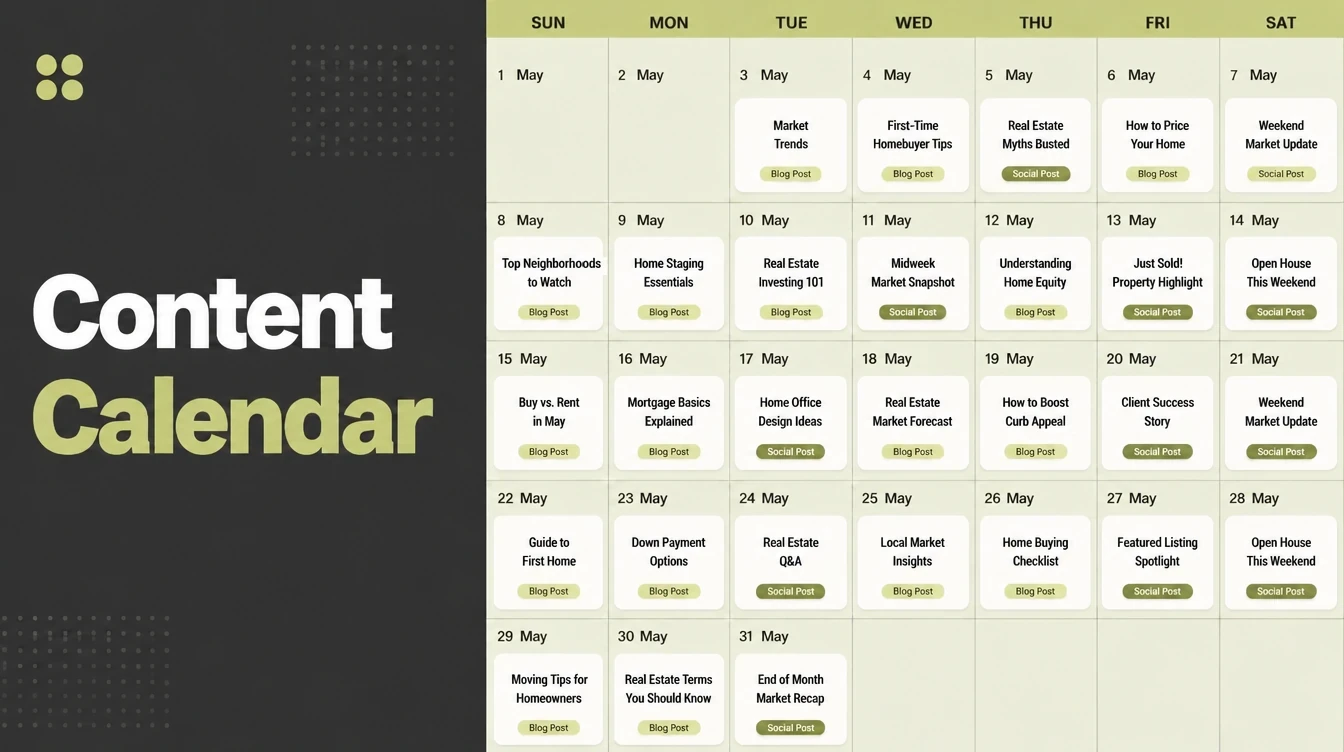
A content calendar lists what you will post, where, and when, turning vague intentions into dated slots. Build it in six steps, pick a cadence you can hold for a year, then batch and repurpose so one idea becomes several posts. Lack of resources is the top content problem. Seed Light plans calendars owners actually keep.
Key takeaways
- A content calendar is a simple plan of what you post, where, and when. The best one is the one you can keep, not the prettiest.
- Consistency beats volume. Marketers who publish more often are more likely to report strong results, per the Orbit Media 2025 blogger survey, but a steady cadence you can hold for a year beats a short burst.
- Resources are the real bottleneck. A lack of resources is the most-cited content challenge at 54%, per CMI's 2025 Outlook. A calendar stretches what you have.
- Use eight simple columns (date, channel, topic, format, goal, status, owner, repurpose-from) in a spreadsheet or Notion. No fancy tool required.
- Batch and repurpose. Plan a month in one or two sessions, then turn one parent piece into an email, three social posts, and a short video.
1. What a content calendar is (and why it matters)
A content calendar is one simple plan that lists what you will post, where you will post it, and when. That is the whole idea. It turns a pile of "I should post something" guilt into dated slots you just fill and follow.
You can build a content calendar in a spreadsheet, a Notion board, or even a paper wall planner. The tool matters far less than the habit.
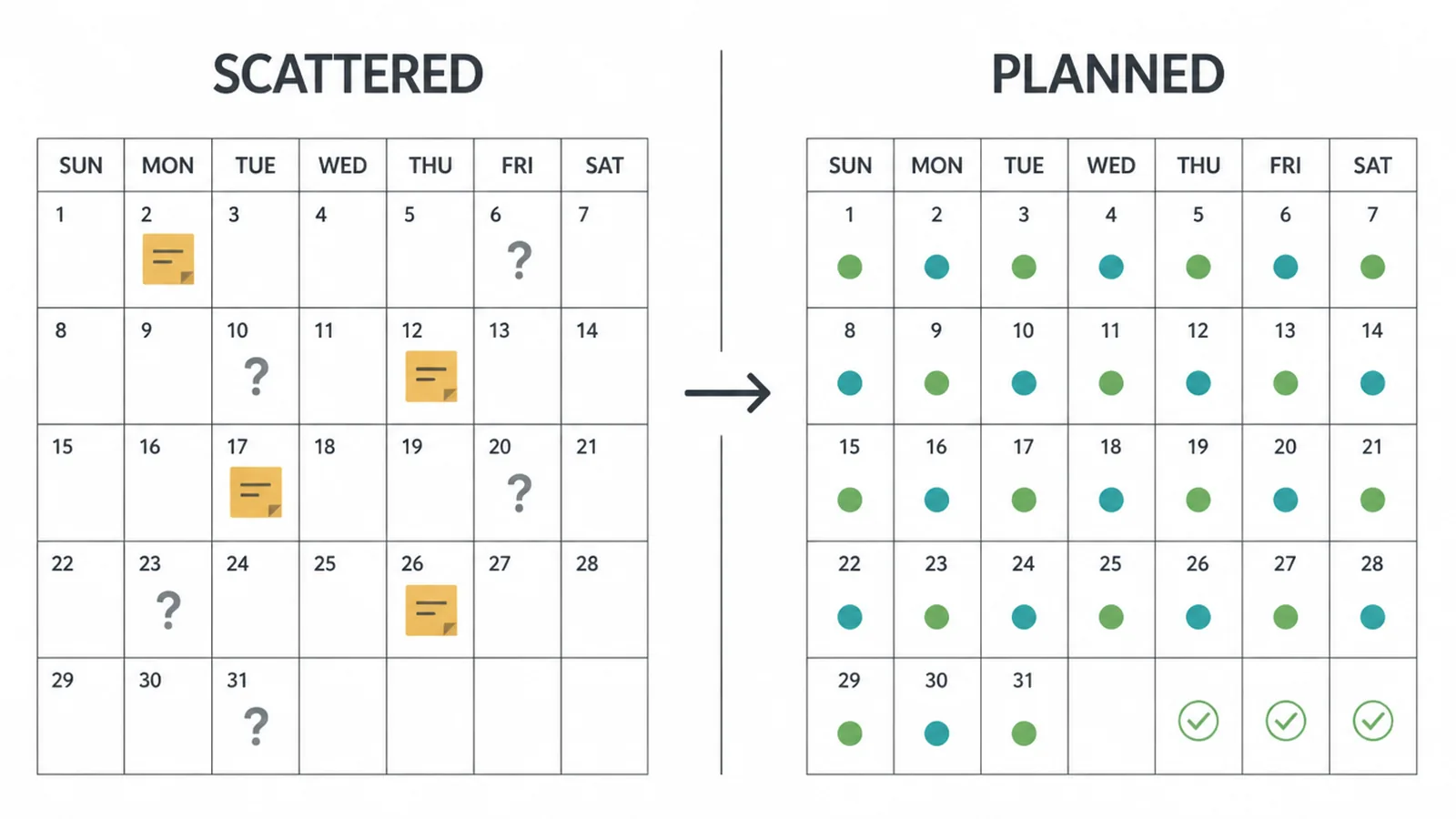
Here is why it matters. The hardest part of marketing is not making one good post. It is showing up week after week when you are busy running the business.
A lack of resources is the most-cited content challenge at 54%, per CMI's 2025 Outlook, and almost half of marketers (45%) say they lack a repeatable model for creating content.
A calendar is that repeatable model. It removes the daily question of "what do I post today?" so your energy goes into making the post, not deciding on it.
Consistency also pays off. Marketers who publish more often are more likely to report strong results, according to the Orbit Media 2025 survey. But notice the trap. "More often" only works if you can keep it up.
A planned, steady rhythm beats a heroic burst that dies in three weeks. The calendar is the system that protects that rhythm. Think of it less like a schedule and more like a promise to yourself that you can actually keep.
2. What goes in a content calendar
You do not need twenty columns. You need the handful you will update without resenting them. Below is the copyable table we hand to owners who are starting fresh.
Each row is one post. Each column answers one question about that post. Copy these straight into a spreadsheet or a Notion table and you have a working calendar in five minutes.
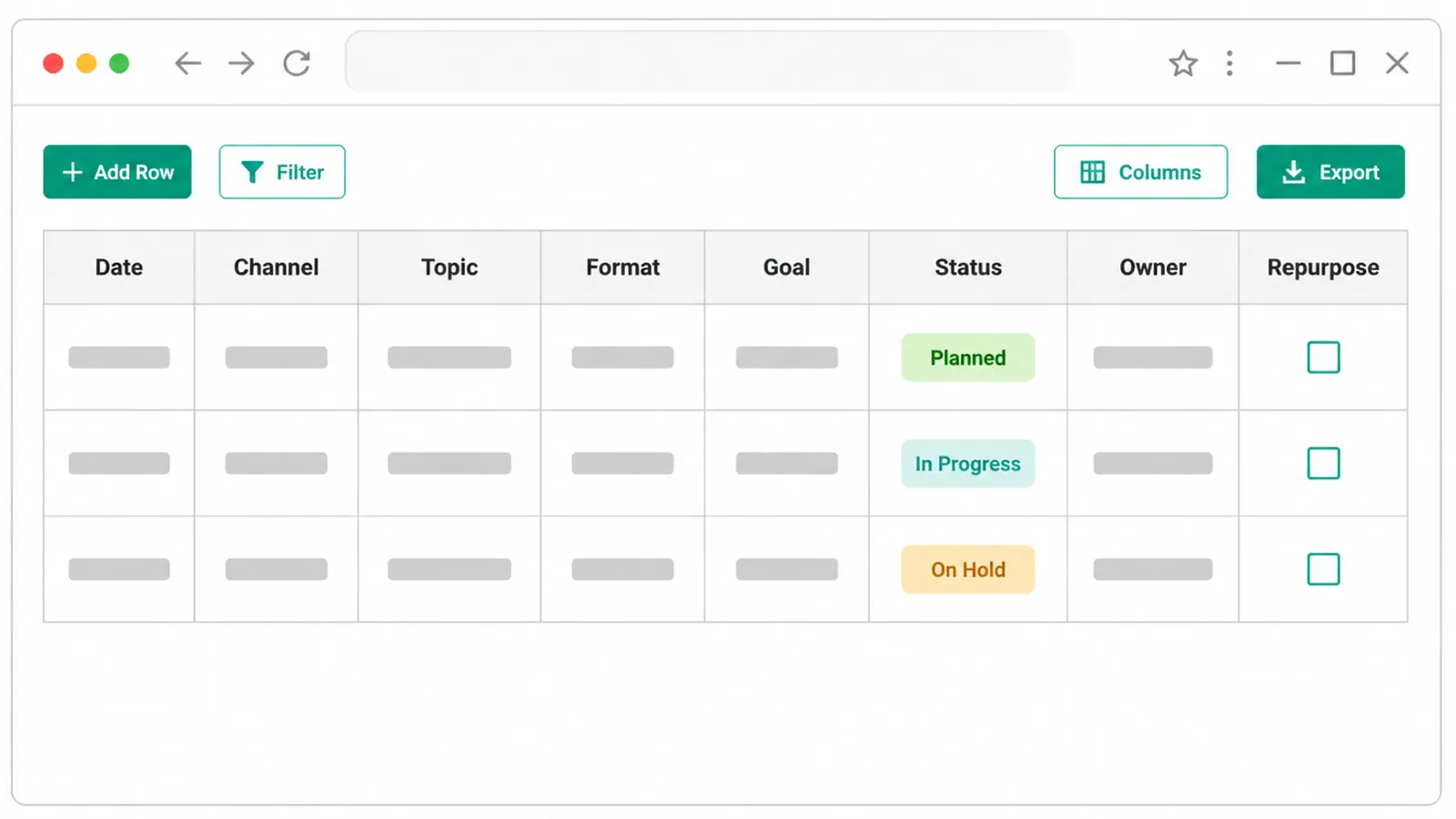
| Column | What it holds | Example |
|---|---|---|
| Date | The day it goes live | Mon, 14 July |
| Channel | Where it gets posted | Blog, email, Instagram |
| Topic / title | The idea in plain words | "5 questions to ask before you hire us" |
| Format | What kind of post it is | Article, reel, carousel, newsletter |
| Goal | What this post is for | Get leads, build trust, answer FAQs |
| Status | Where it is in the pipeline | Idea, drafting, ready, scheduled, live |
| Owner | Who makes it | You, a freelancer, the team |
| Repurpose-from | The parent piece it came from | "July blog post on pricing" |
Two columns earn their keep more than people expect. The status column shows you at a glance what is stuck, so nothing silently misses its date.
The repurpose-from column links small posts back to a big parent idea, which is how one piece of work becomes a week of content. Skip the columns that do not fit you yet. You can always add them later once the basic habit is solid.
3. Build your content calendar in 6 steps
You can build a calendar that lasts in about an hour. The goal is not a perfect plan. It is a plan you can actually run next week. Follow these six steps in order and stop when you have something usable.
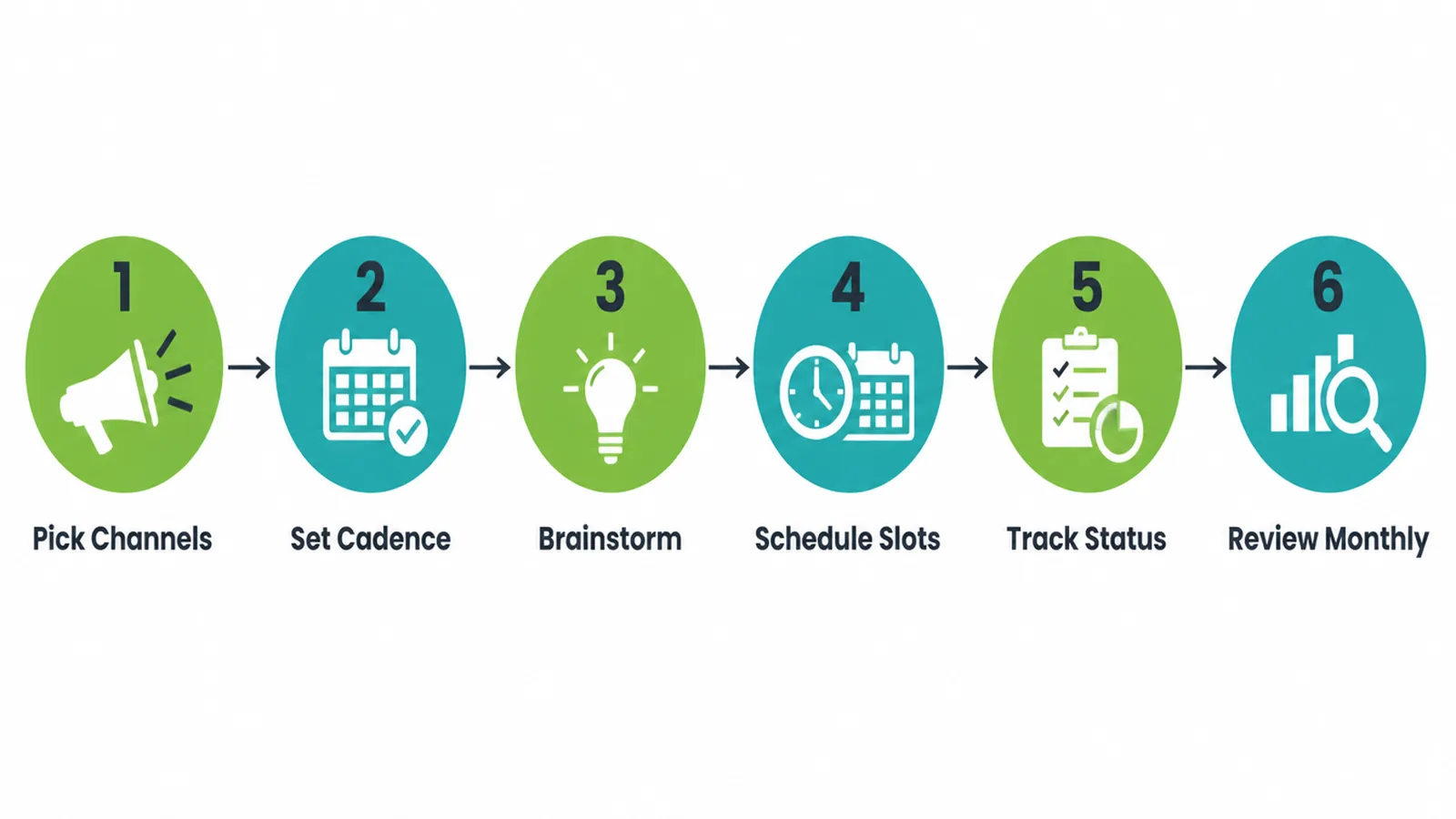
- Pick one or two channels. Not all of them. Choose where your customers already are and where you can post comfortably. One blog plus one social platform is plenty to start.
- Set a cadence you can keep. Be honest about your week. Once a week, every week, is a fine and strong starting point. We cover how to pick this below.
- Brainstorm topics from real customer questions. The best ideas are the things people already ask you. List every question a customer has emailed, asked on a call, or typed into search. A little keyword research here shows you the exact phrases your audience uses, so your posts answer real demand instead of guesses.
- Drop topics into dated slots. Spread your ideas across the next month, one per posting day. Now you have a plan, not a wish.
- Add a status column and update it. Mark each post as idea, drafting, ready, or live. This one column is the difference between a plan and a graveyard.
- Review it monthly. Spend twenty minutes at month's end. See what got posted, what slipped, and refill the next month. The review is the loop that keeps the calendar alive.
Spreadsheet or Notion, it does not matter. What matters is that you open it. A working calendar is part of a wider marketing routine, and the same rule applies everywhere: the simplest system you will actually follow beats the clever one you abandon.
4. Pick a cadence you can sustain
This is the step that decides whether your calendar survives. Most owners start too big. They commit to daily posts on four platforms, run hot for two weeks, then burn out and go silent.
Silence is the real enemy here, because an audience that stops hearing from you forgets you. Once a week, every single week, builds far more trust than five posts followed by a month of nothing.
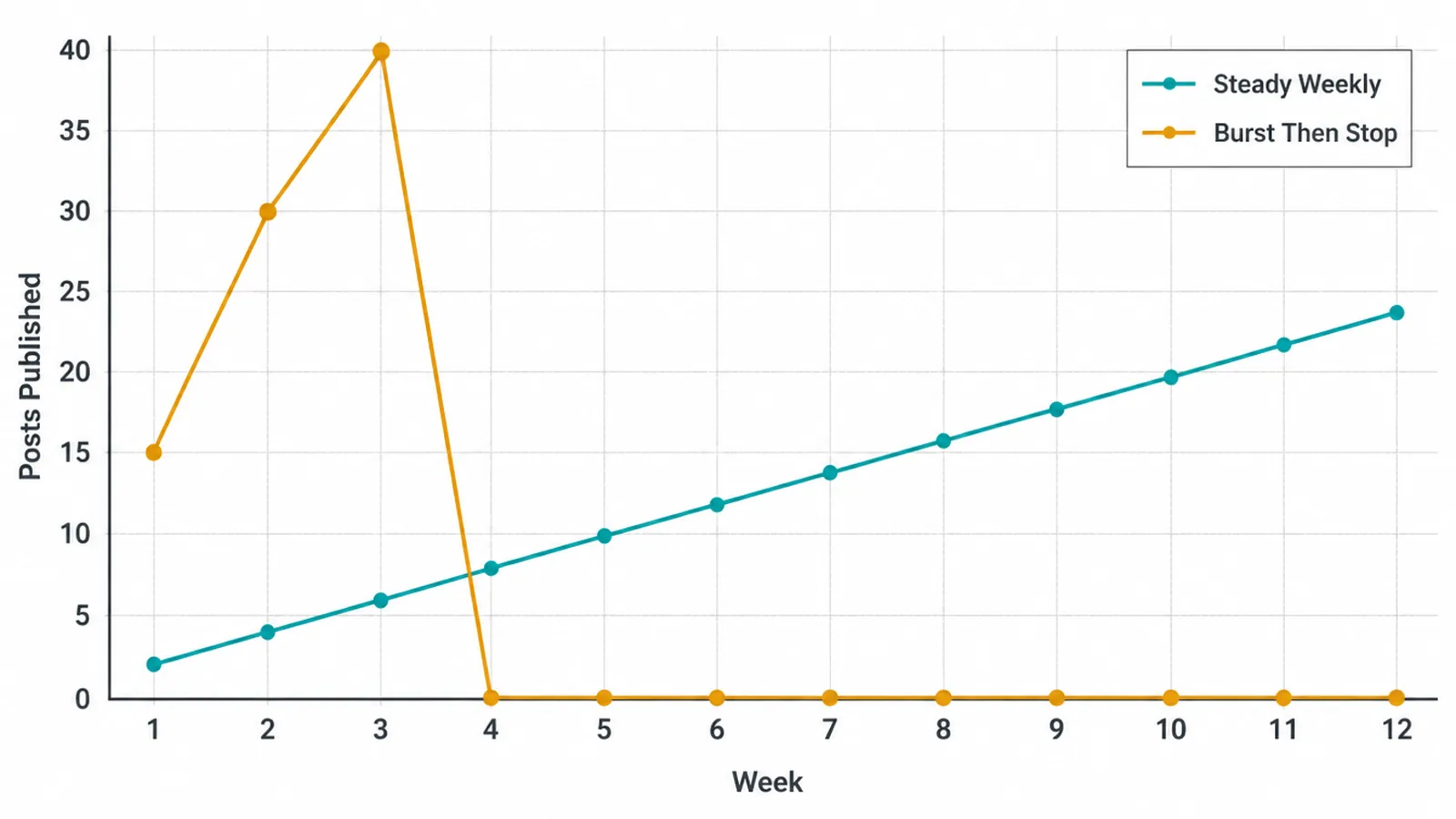
Frequency does help when you can hold it. The Orbit Media 2025 survey found that bloggers who publish multiple times a week are more likely to report strong results than the typical blogger. So if you can sustainably post more, do. But notice the key word: sustainably.
The same survey puts the average time per blog post at just under 3.5 hours. Multiply that by your cadence and you get an honest picture of the hours you are signing up for. Pick the number you can still hit on a bad week.
Start by planning a month. Once posting feels automatic, stretch your plan to a quarter so you are always working ahead of the deadline, not against it. Working ahead is what removes the panic. When next week is already planned and half drafted, a busy day cannot knock you off your rhythm.
5. Batch and repurpose to save hours
Here is how busy owners actually keep a calendar full: they stop making content one post at a time. Two habits do the heavy lifting, batching and repurposing.
Batching means making many posts in one sitting. Instead of writing one post on Monday and filming one on Thursday, you block one or two focused sessions a month and produce everything at once.
This cuts the start-stop tax, the slow warm-up you pay every time you switch tasks. With each post averaging close to 3.5 hours, removing that repeated friction adds up fast. Set up your tools once, knock out four posts, and you are a month ahead.
Repurposing means turning one idea into many posts. You write one solid parent piece, then spin it into smaller pieces for other channels.
One blog post can become an email to your list, three short social posts pulled from its main points, and a quick video clip of the best tip. The repurpose-from column in your table tracks all of this, so you always know which parent each small post came from.
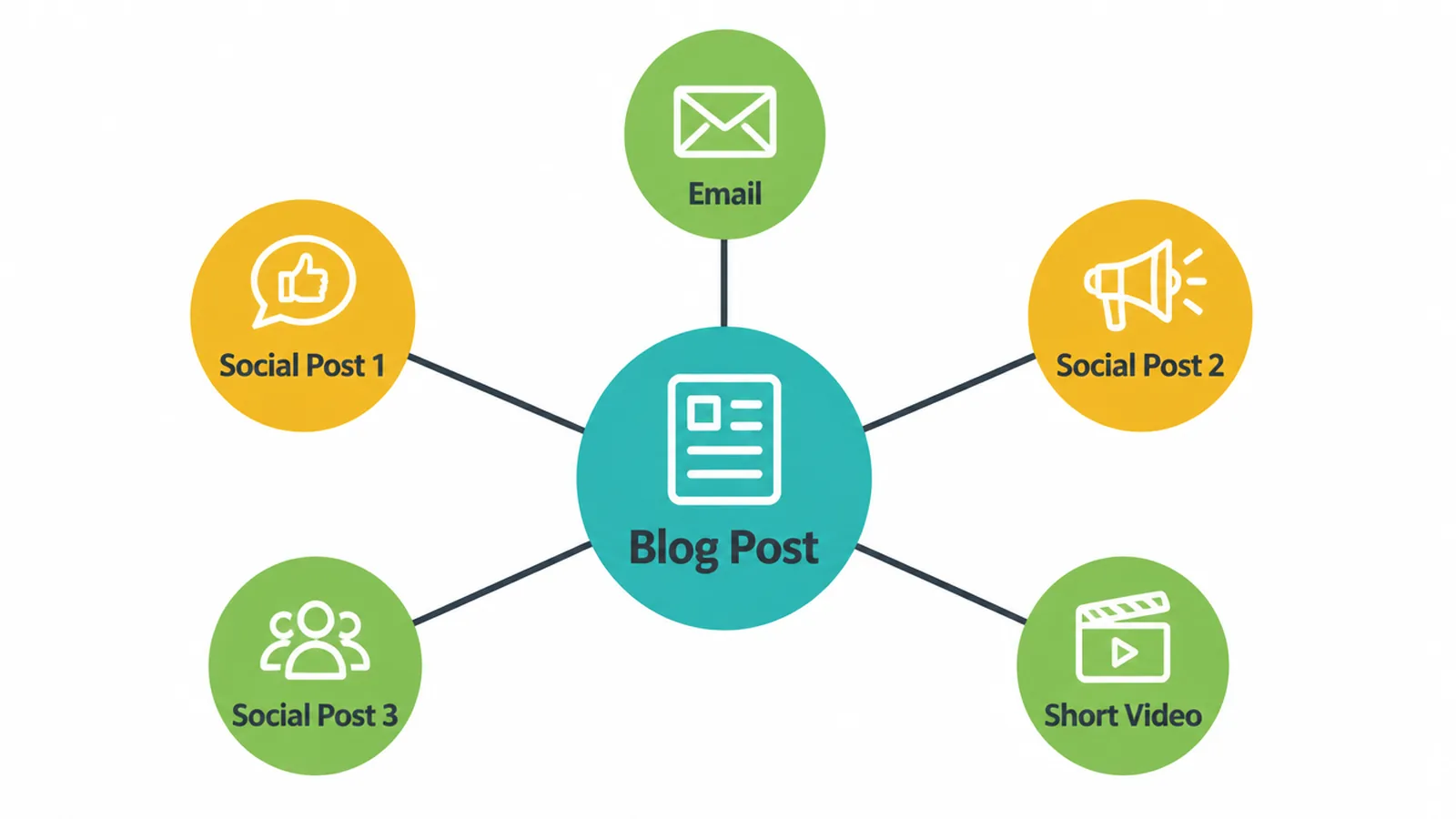
Plan the spin-offs in your calendar before you make the parent. When you write the post knowing it also feeds an email and three social slots, you write it with those pieces in mind, and the repurposing almost does itself.
This is the single biggest lever a small team has. It is how a month of content comes from a week of work.
6. Common content calendar mistakes to avoid
Most calendars fail for the same few reasons. Watch for these and yours will outlast the rest.
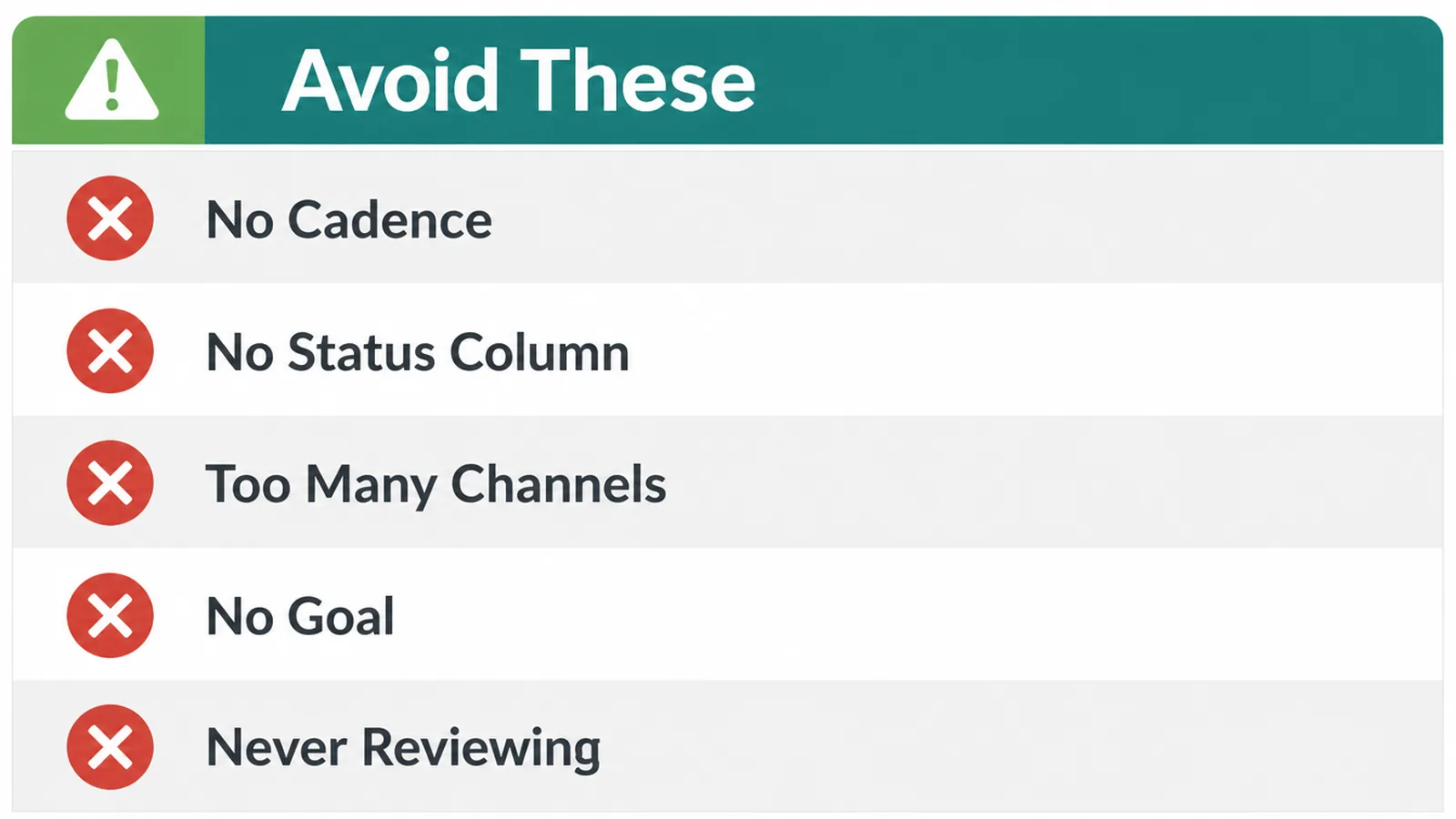
- A cadence you cannot keep. The number one killer. If you cannot post weekly without stress, post every other week. A slower rhythm you hold beats a fast one you drop.
- No status column. Without it, posts quietly stall and miss their dates. You only find out when the slot is empty and live is today.
- Every channel at once. Spreading thin across five platforms means doing all of them badly. Win one or two first, then add more.
- No goal on the post. If a post is not for getting leads, building trust, or answering a question, ask why it exists. A goal keeps you from posting filler.
- Never reviewing. A calendar you set and forget drifts within a month. The monthly twenty-minute review is what keeps it true.
A documented plan is not a magic switch, either. Only 29% of marketers with a documented strategy call it extremely or very effective, per CMI's 2025 Outlook. The plan still has to be realistic and followed.
That is exactly why the angle of this whole guide is sustainability over ambition. Still, content done consistently works: 87% of B2B marketers say content marketing built brand awareness for them in the last year, per CMI's 2025 B2B research. The calendar is how you get there without burning out.
Frequently asked questions
1. What is a content calendar?
A content calendar is a simple plan that lists what you will post, where you will post it, and when. It turns scattered ideas into dated slots so you never sit down wondering what to make. It can live in a spreadsheet, a Notion board, or even a wall planner. The format matters less than the habit of filling it and following it.
2. What should a content calendar include?
At a minimum, include the date, the channel, the topic or title, the format, the goal, and a status column. Many owners add an owner column for who makes it and a repurpose-from column that links each piece back to a parent idea. Keep it to the columns you will actually update, because an over-built calendar gets abandoned fast.
3. How far ahead should I plan content?
Plan a full month at a time, then stretch toward a quarter once the habit sticks. A month is far enough to batch and stay ahead, but close enough that your topics still feel fresh. Leave a few open slots each month for timely posts, like an offer or a question a customer just asked you.
4. How often should a small business post?
Post as often as you can sustain every week, not as often as you can manage for one busy week. Marketers who publish more often are more likely to report strong results, so frequency does help. But a cadence you can keep for a year beats a burst that fizzles out in three weeks. Start with once a week and build from there.
5. Is a content calendar worth it?
Yes, because the hardest part of marketing is showing up consistently, and a calendar makes that the default. The most-cited content challenge is a lack of resources, and a calendar stretches the resources you have by removing the daily decision of what to post. It is the cheapest system you can build to protect your consistency.
6. Spreadsheet or Notion for a content calendar?
Use whichever one you already open every day. A spreadsheet is fast, free, and sorts well. Notion gives you a board view, checklists, and a place to draft the post right beside the plan. Both work. The only wrong choice is a tool you never open, so pick the one that fits your habits and start filling it today.
7. What is the difference between a content calendar and an editorial calendar?
Content calendars and editorial calendars are usually the same thing under different names. An editorial calendar usually focuses on longer pieces like blog posts and the writing pipeline behind them. A content calendar tends to cover every channel, including email and social. For a small business, treat them as one document so all your posts share a single plan.
8. How do I repurpose one piece of content into many?
Start with one solid parent piece, like a blog post or a long video. Then break it down. Pull the main points into an email, turn three tips into three social posts, and clip a short video from the best part. One idea can fuel a week of posts when you plan the spin-offs in your calendar instead of inventing each one from scratch.







