How to Structure a Google Ads Account

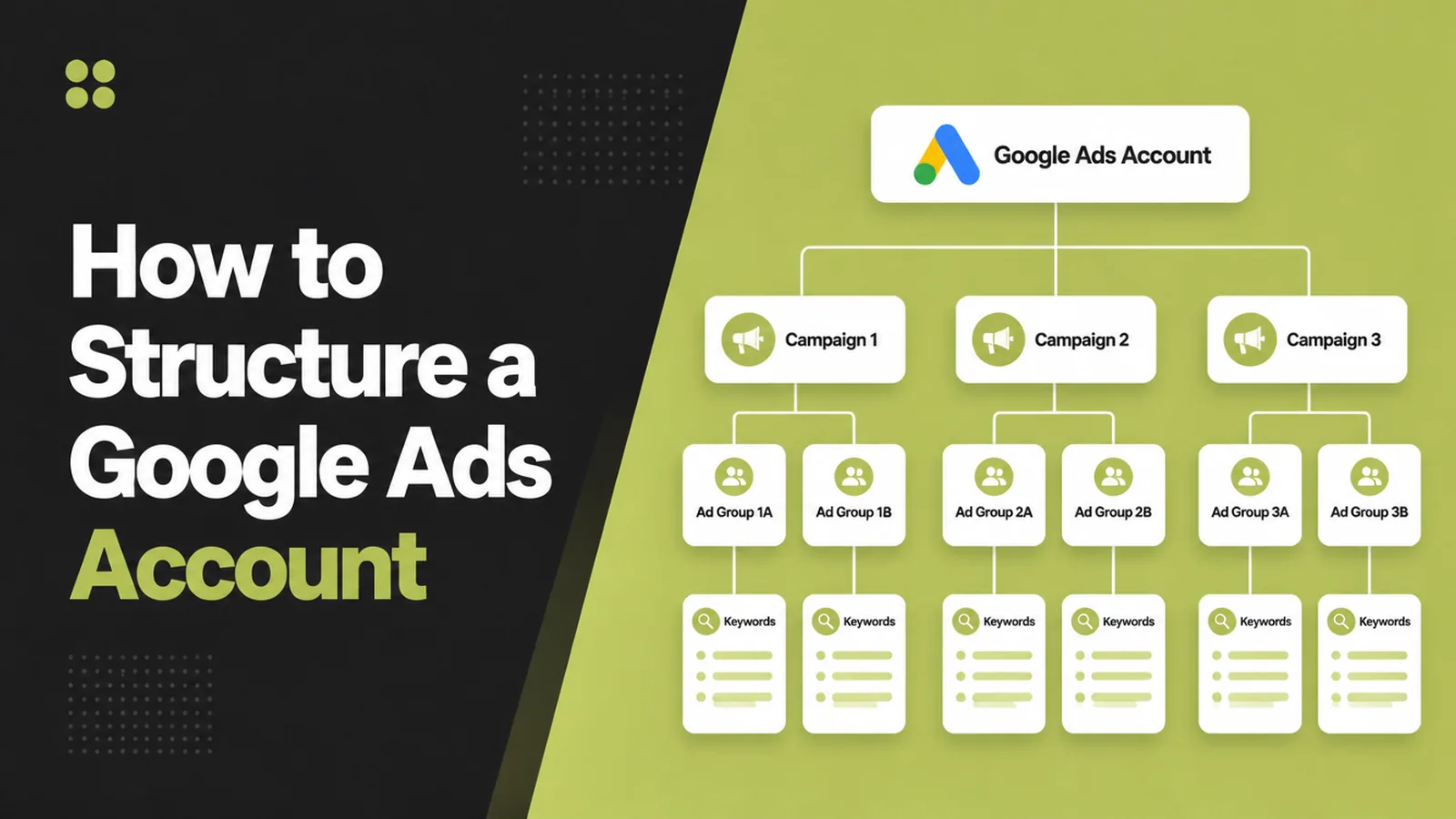
Google ads account structure is three levels: an account has campaigns, ad groups and keywords, and each level controls something different. Seed Light builds campaigns around services, because budget, location and schedule sit at campaign level, so one big campaign leaves you unable to fund or pause anything separately.
Account structure sounds like filing, so it gets done carelessly and then blamed for nothing in particular.
It is not filing. Where something sits decides what you can control, what you can see, and which searches your money ends up on.
This guide covers the three levels of an account, why one big campaign goes wrong, and how to lay the thing out around your own services.
Key Takeaways
- Three levels. Campaign, ad group, keyword, each controlling something different.
- Budget sits at campaign level. So does location and schedule.
- Split by service. That is what you want to fund or pause separately.
- Keep ad groups tight. One ad should answer every keyword in the group.
- Name things plainly. You will read these names for years.
The rule underneath all of it is simple. Structure follows the decisions you want to make.
If you will never want to spend differently on two things, they do not need separate campaigns.
That is the whole test. Google ads account structure gets complicated when people split things they will never treat differently.
Google Ads Account Structure: The Three Levels
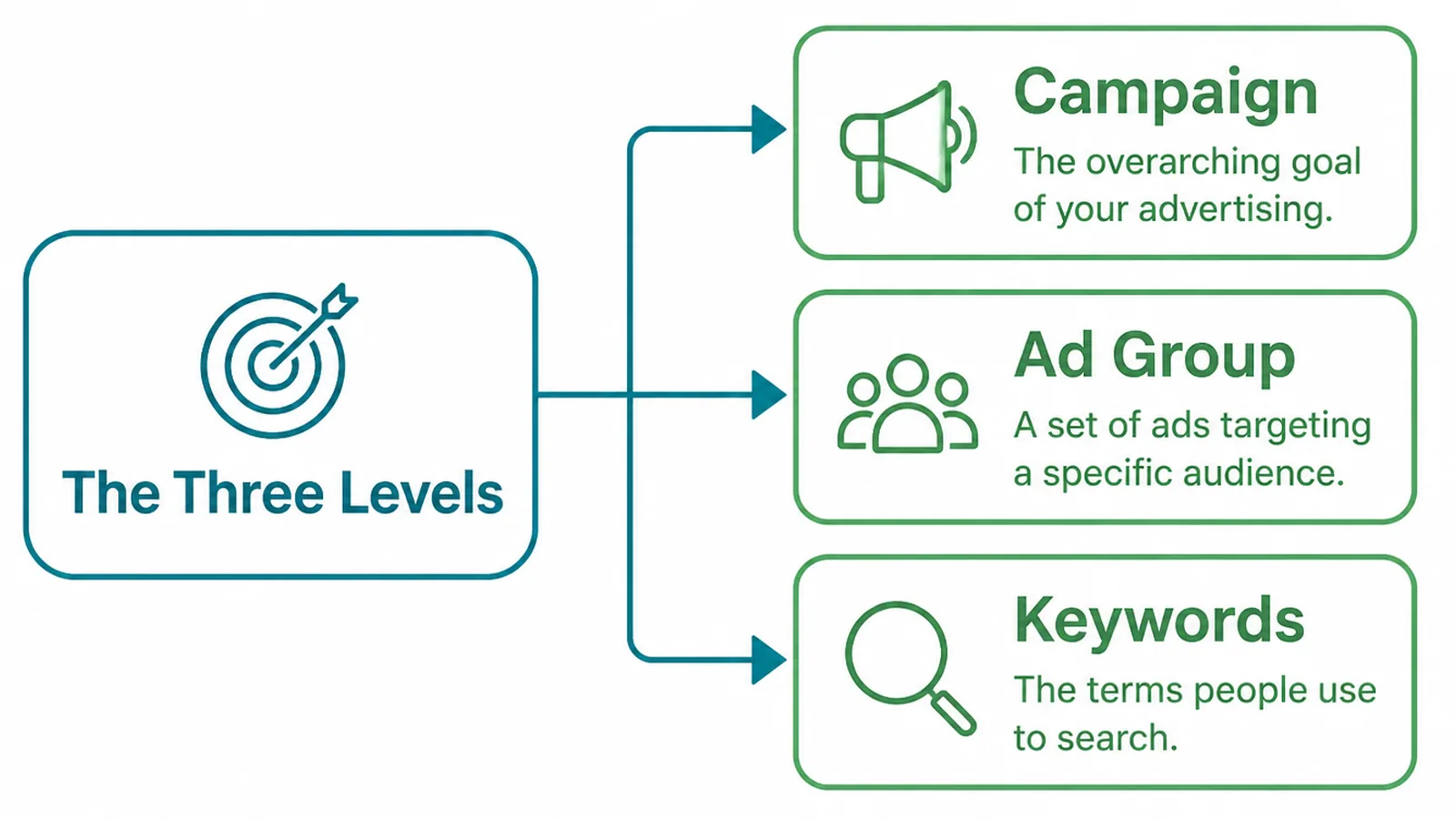
An account is a tree with three levels that matter day to day.
- Campaign. Budget, locations, schedule, bidding. The money and reach controls.
- Ad group. A tight theme: a handful of keywords and the ads that answer them.
- Keywords. The searches you are willing to pay for, with their match types.
The campaign level is the one that decides your arrangement, because that is where budget and location live.
Ask what you want to be able to turn up, turn down, or switch off on its own. Each of those answers is a campaign.
Write those answers down before you open the account. It takes ten minutes and it is the whole design.
Everything else follows. Ad groups exist to keep ads relevant; keywords exist to describe demand.
Negatives sit at all three levels. That is useful, and it is a common source of confusion later.
Write down where you put each negative list as you go. Finding out later why a search still triggers an ad is otherwise a slow afternoon.
Why One Big Campaign Goes Wrong
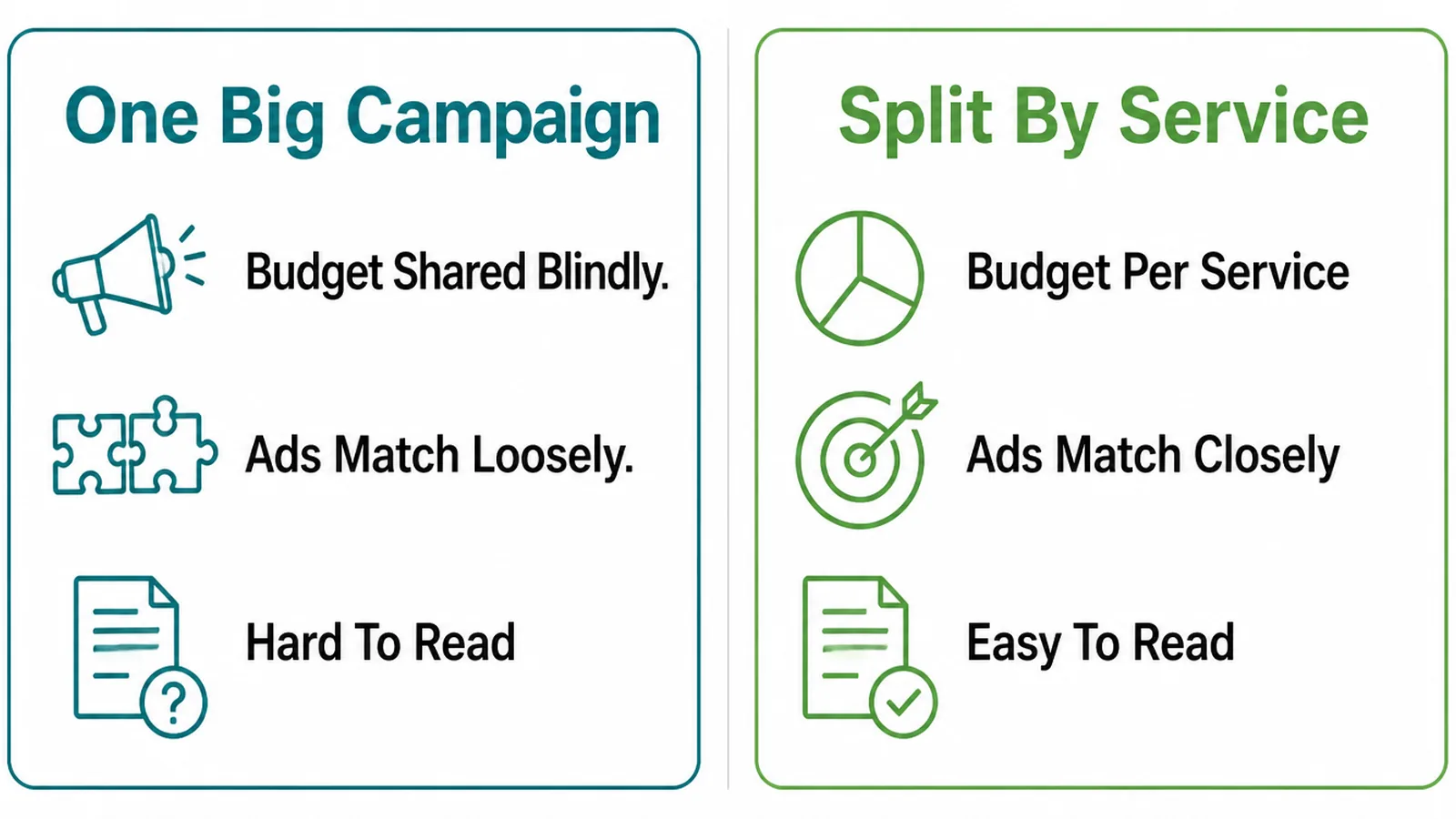
A single campaign holding every service looks tidy and removes every control you might want.
You cannot give the profitable service more money, because the budget is shared. You cannot pause the seasonal one. You cannot run one service in a different town.
The spend also drifts towards whatever is cheapest, which is usually the vaguest searches rather than the ones that produce work.
You see it in the search terms report as a long tail of nearly relevant phrases, each costing a little and converting into nothing.
Reporting suffers in the same way. One line in a report tells you the account spent money; it does not tell you which service paid for itself.
The fix is not complicated and it is tedious to retrofit. Do it on the day the account is built.
Three or four campaigns is usually enough for a small business, each one a service you would genuinely fund on its own.
Build it that way from the start if you can. Rebuilding an account later means losing the history attached to what was there.
How To Structure A Google Ads Account, Step By Step
Three steps, and the first one happens on paper rather than in the interface.
1. Start From Your Services
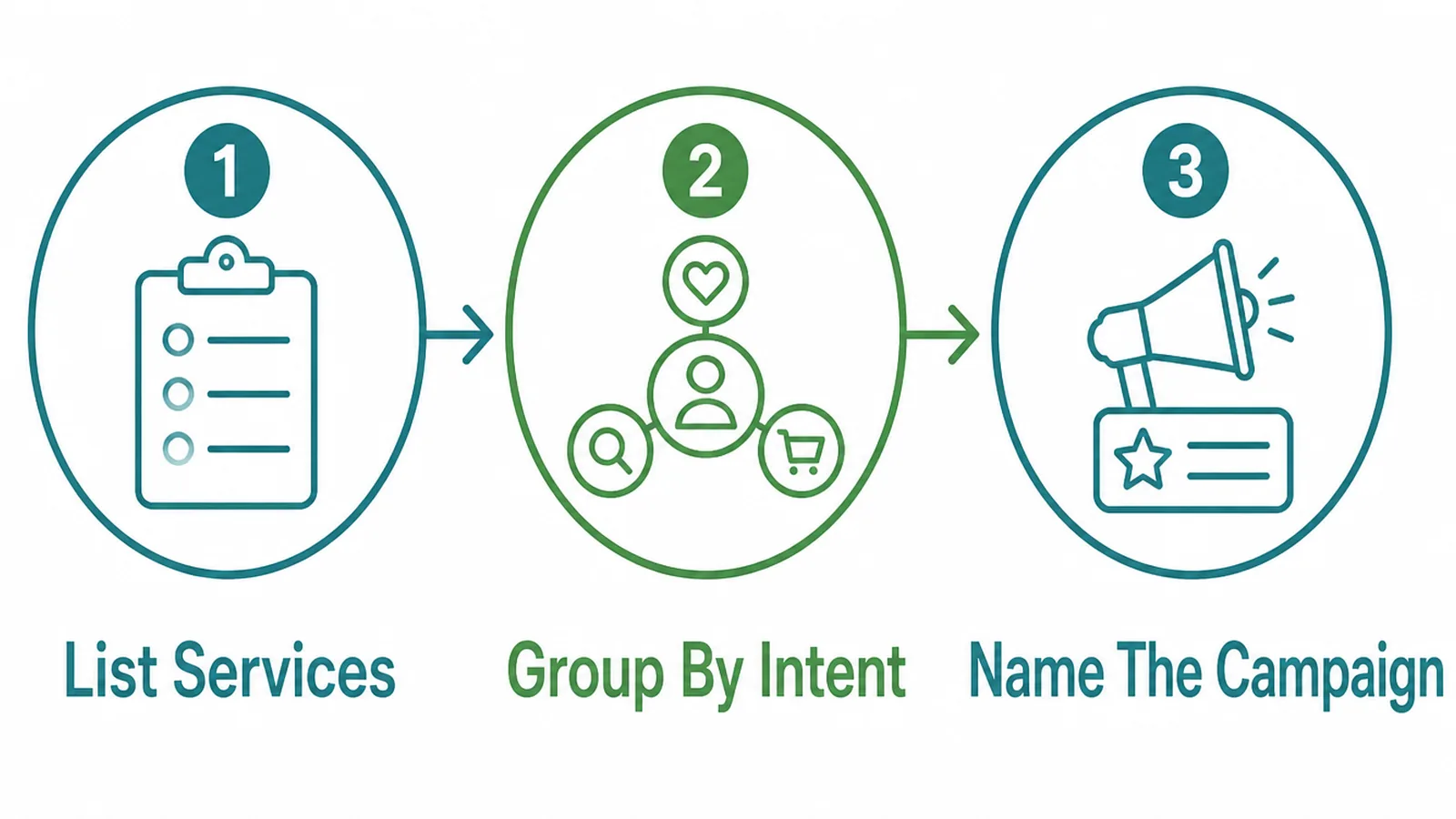
Write the account out as a list before you build anything.
- List services. Everything you would advertise, in the words customers use.
- Group by intent. Put together the ones a single ad could honestly answer.
- Name the campaign. After the service and the area, plainly.
Names matter more than they look. You will read them in reports for years, and a campaign called Campaign 2 tells nobody anything.
Use a consistent pattern, something like Service, then Area, then match type if you separate them. Consistency is worth more than cleverness.
Write the convention down somewhere. The next person to add a campaign will follow whatever they see, and inconsistency compounds.
Leave out the services you cannot serve well right now. An account built on aspiration spends money attracting work you will turn down.
Keep that list though. It becomes the plan for the account when capacity changes.
2. Build The Tree
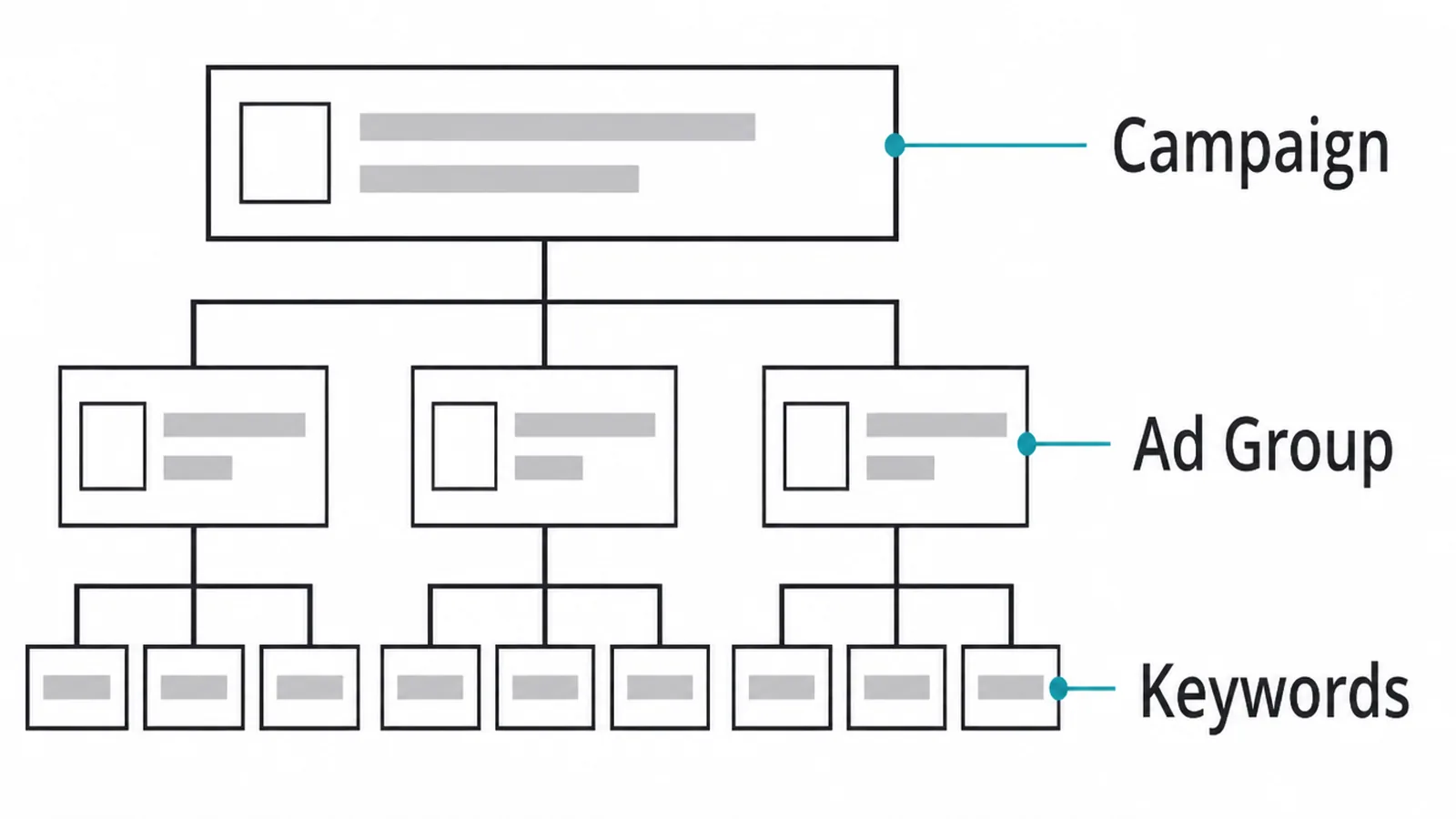
Now build it in the account, from the top down.
- Campaign. One per service you want to fund or pause on its own.
- Ad group. One per tight theme inside that service, with its own ads.
- Keywords. A handful per ad group, close enough that one ad answers all of them.
The test for an ad group is whether you could write a single headline that is honest for every keyword in it. If not, split it.
Write that headline as you build the group. It is quicker than adding keywords first and discovering later that no ad fits them.
Keep each group small. Twenty loosely related keywords in one group produces an ad that is vague about all of them.
Three to ten keywords is a reasonable range for most small accounts. The number matters less than whether one ad can answer them.
Write the ads for the ad group, not for the campaign. That is the whole reason ad groups exist.
Point each group at the page that answers it rather than at the home page. Sending every ad to a home page is a separate and equally common mistake.
3. Set The Controls Where They Belong
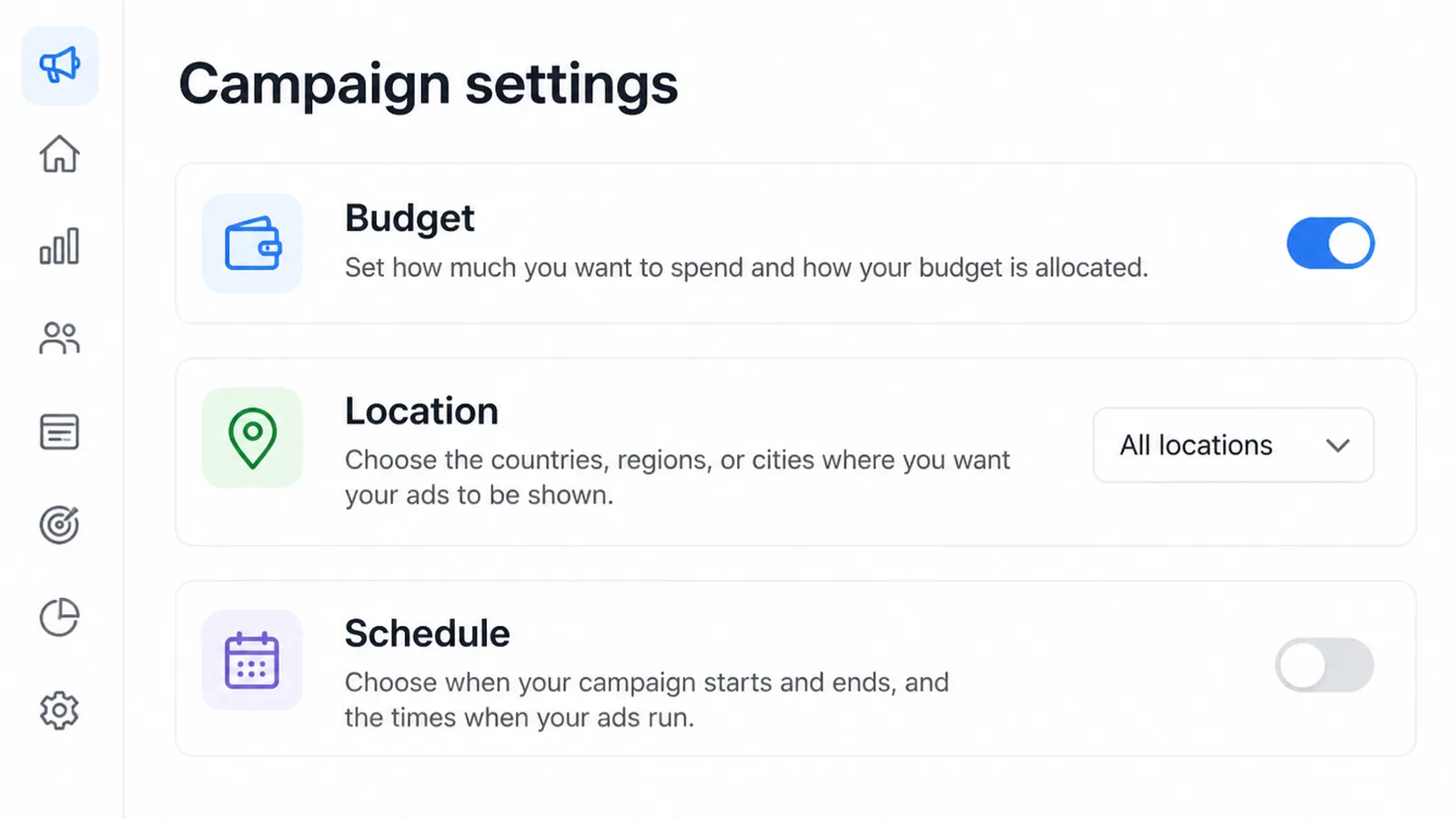
These three live at campaign level, and that is why the campaign split matters.
- Budget. Per campaign, so each service gets what it is worth.
- Location. The area that campaign serves, as tightly as the business really covers.
- Schedule. When the ads run, matched to when enquiries can be handled.
Check the location settings carefully, including whether you are targeting people in the area or people interested in it. The difference is real money.
For a local service business, presence in the area is almost always the right choice. Interest brings in people planning a trip rather than people who need you today.
Then add negative keywords at the right level: account-wide for things you never want, campaign level for service-specific exclusions.
Account level is the right home for the obvious ones: free, jobs, salary, DIY and anything naming a service you do not offer.
Review the settings after any change of plan, since location and schedule are the two that quietly stay wrong for months.
Take a screenshot of the settings when you are happy with them. It makes the next review a comparison rather than a fresh reading.
Ways To Split A Campaign
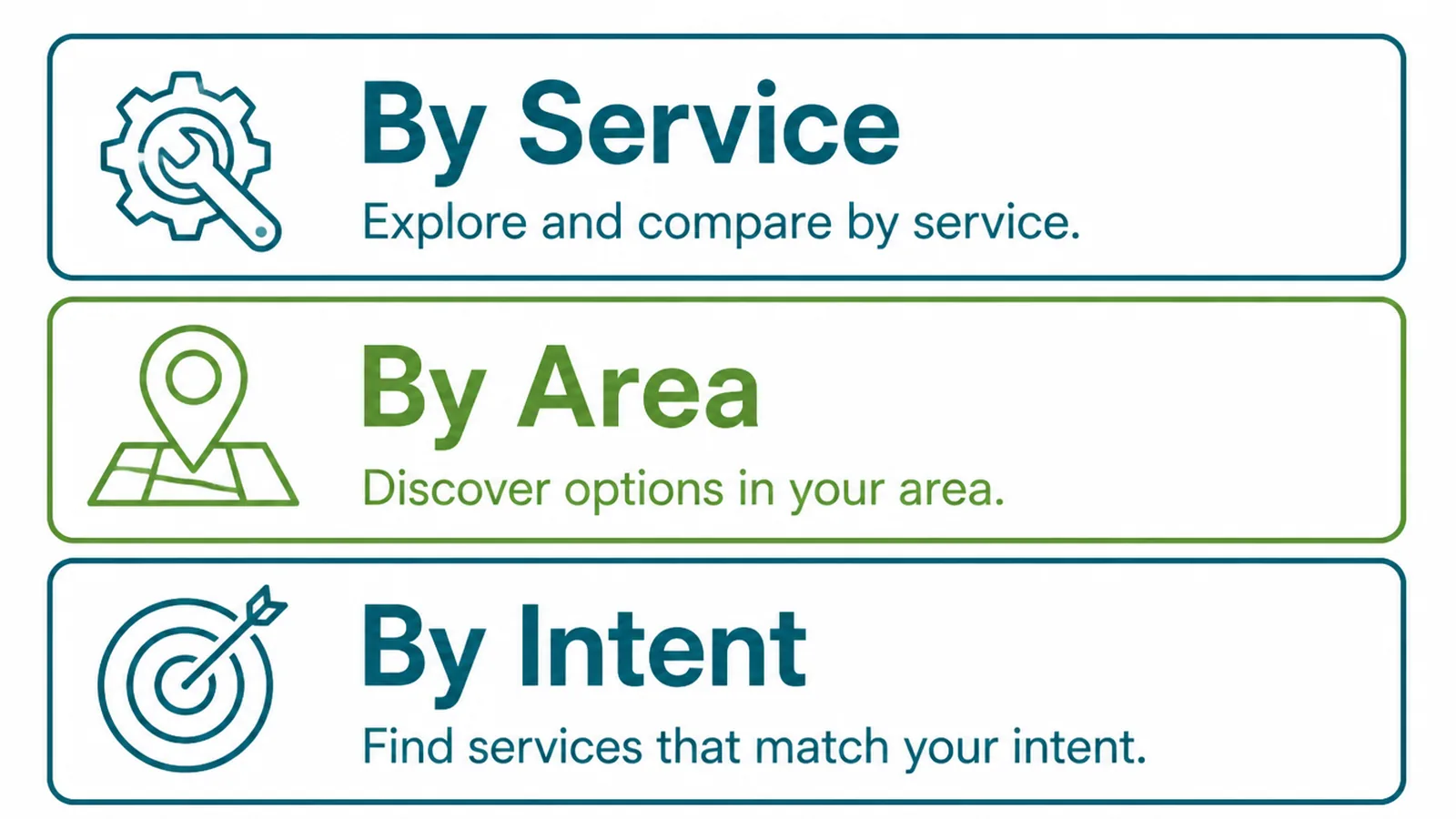
There are three splits that genuinely earn their complexity.
- By service. The default, because budget and value differ by service.
- By area. Where demand or price differs enough to need separate budgets.
- By intent. Ready-to-buy searches separated from research ones.
Start with the first. Add the others only when you can name the decision the split will let you make.
Intent splits are the most useful of the three once there is enough spend. Separating ready-to-buy searches lets you bid properly for the ones worth winning.
Every extra campaign divides a budget further, and a campaign with too little spend produces numbers nobody can read.
Merge rather than split when a campaign is starving. Two half-fed campaigns usually perform worse than one properly funded one.
Account Structure Tools
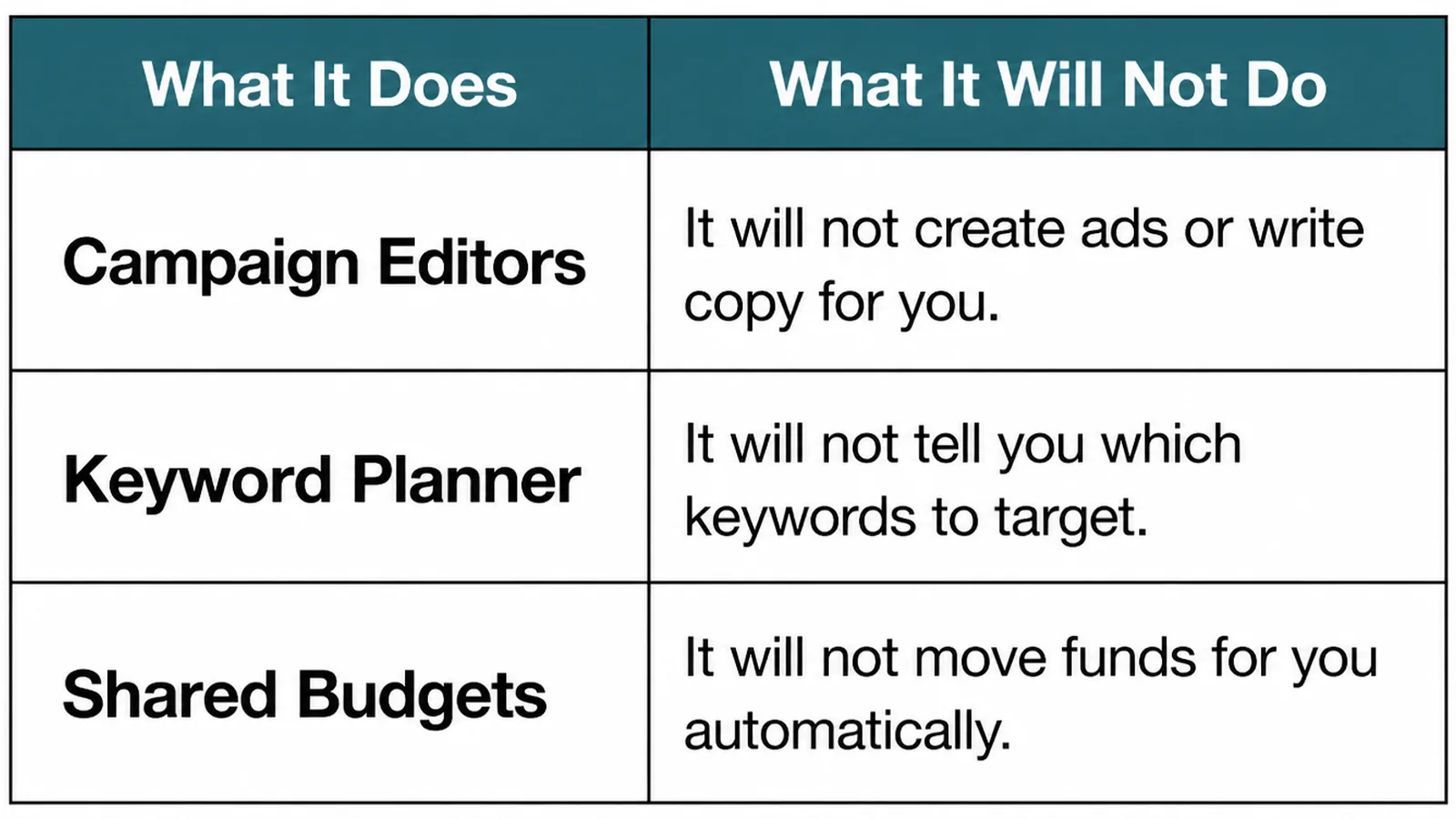
| What it does | What it leaves to you |
|---|---|
| The account interface builds and edits the tree | Deciding what the tree should be before you start clicking |
| Editor tools handle bulk changes across many groups | Checking the result, since bulk mistakes are bulk sized |
| Recommendations suggest changes automatically | Judging each one, because they are not all in your interest |
Treat automatic recommendations as suggestions from somebody paid by the click. Some are genuinely useful and some widen your targeting in ways you would not have chosen.
The useful ones tend to be about broken links, missing assets and conflicting negatives. Those are worth acting on the day they appear.
Read what each one actually changes before accepting it, especially anything described as expanding reach.
Turn off automatic application if it is on. A change applied while nobody was looking is the hardest kind to explain afterwards.
Common Structure Mistakes
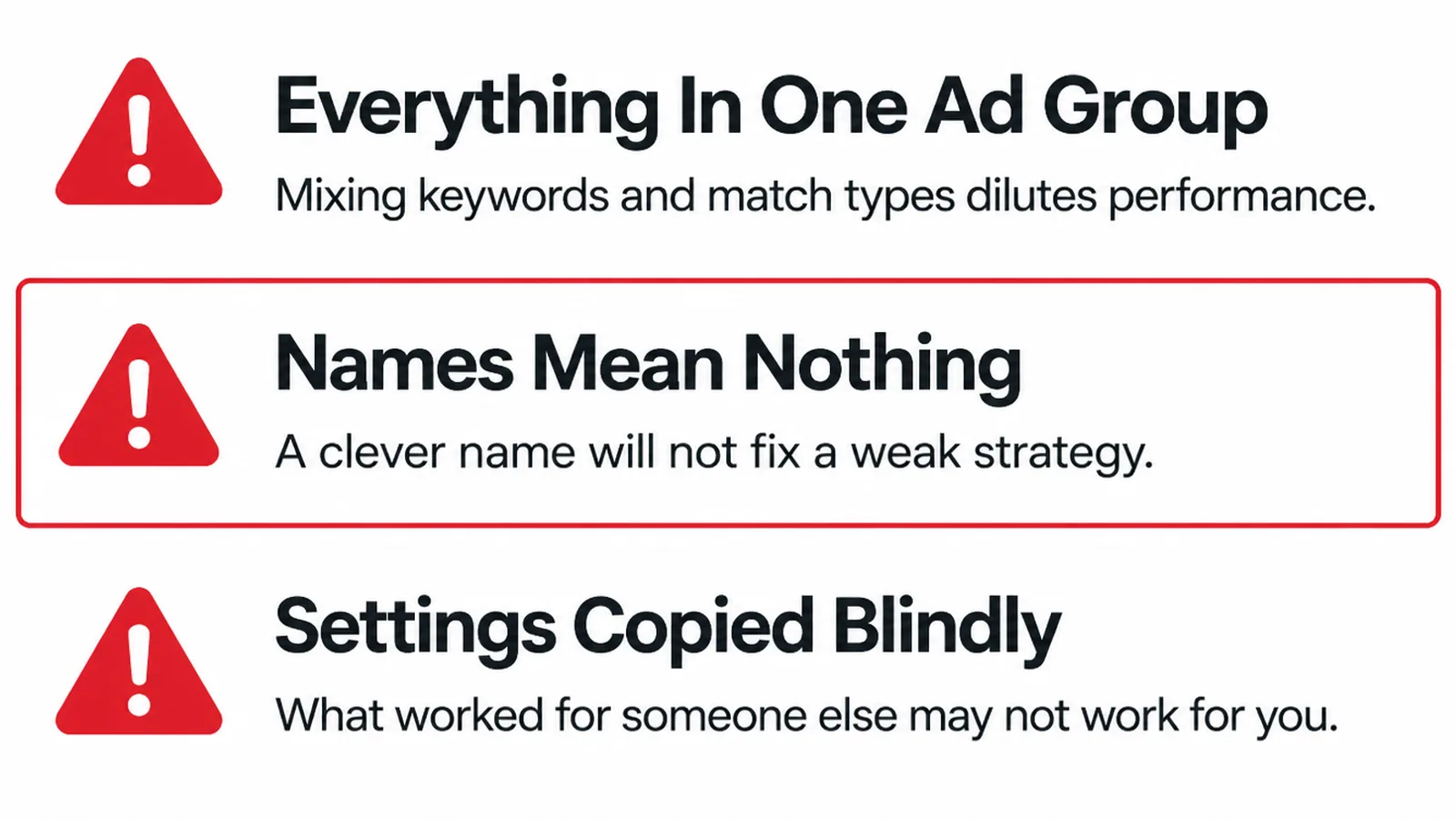
- One campaign for everything. No separate budgets, no pausing, no readable reporting.
- Huge ad groups. Thirty keywords sharing one ad that fits none of them.
- Everything to the home page. Ads that promise a service and land on a menu.
A fourth is structure for its own sake. Fifteen campaigns on a small budget looks organised and starves every one of them.
The same applies to match types. Splitting every keyword three ways makes a tidy looking account that nobody can read on a modest budget.
Build the smallest structure that lets you make the decisions you actually make, and add to it when a real decision needs it.
The budget question sits alongside this one: how much to spend is easier to answer once the account is split sensibly.
FAQs
How many campaigns should a small business run?
One per service you genuinely want to control separately, which for most small businesses is two to four. More than that spreads a small budget too thin, and fewer leaves you unable to fund or pause one service without affecting the rest.
What is the difference between a campaign and an ad group?
A campaign holds the settings that control money and reach: budget, locations, schedule and bidding. An ad group holds a tight set of keywords and the ads that answer them. Settings live at campaign level, relevance lives at ad group level.
How many keywords per ad group?
Few enough that one ad can answer all of them honestly. If the keywords in a group need two different headlines to make sense, that is two ad groups, and splitting them usually improves both the ads and the reporting.
Should I separate by location?
Only where the locations genuinely differ in budget, demand or wording. Location targeting is a campaign setting, so separate campaigns per area are worth having when you want to spend differently in each one, rather than merely to look organised.
Conclusion
Google Ads account structure is three levels arranged around the decisions you want to make.
Write the services out first, build one campaign per thing you would fund or pause on its own, keep ad groups tight enough for one honest ad, and set budget, location and schedule deliberately.
If an existing account has grown into something unreadable, see how we run Google Ads, or get in touch and we will map what is in there now.