
How to Read an SEO Report: Focus on Metrics That Matter

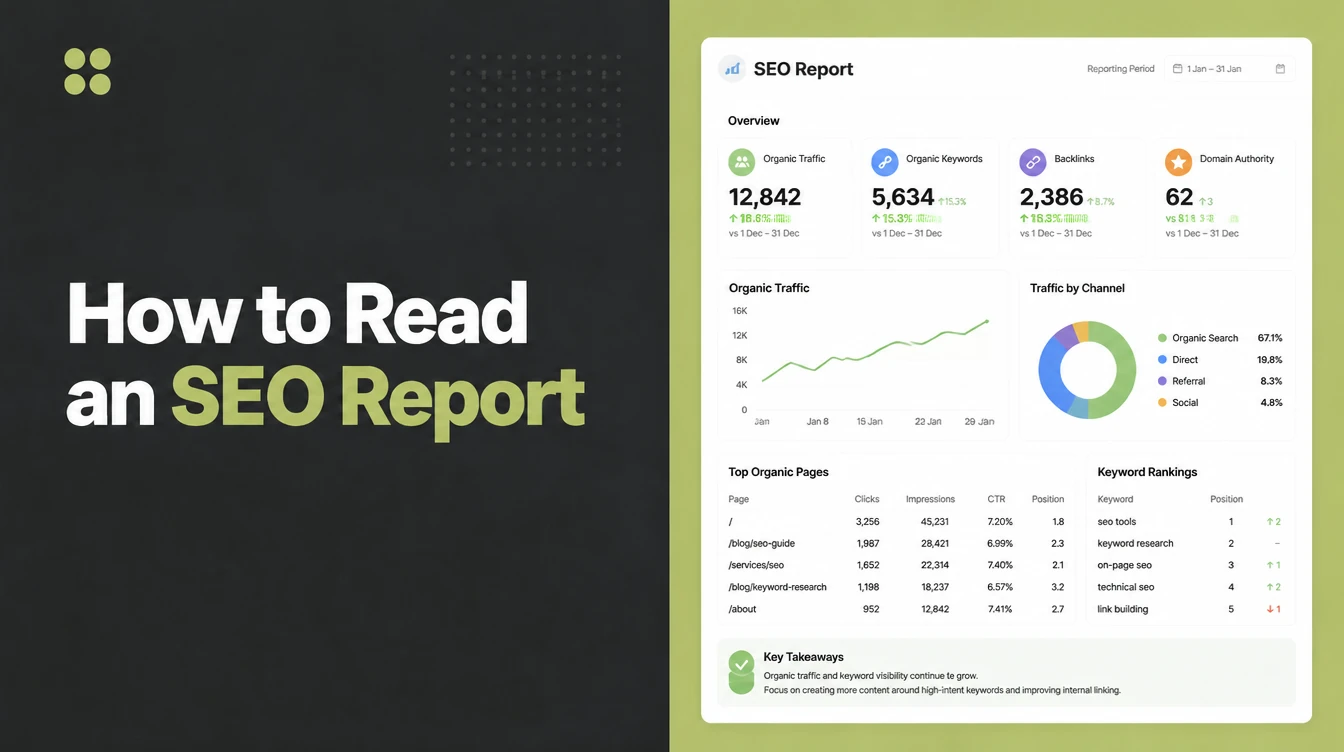
Read an SEO report by starting at conversions, the leads and sales from organic search, then working back through non-branded traffic, money keyword rankings and clicks. Raw impressions, indexed pages and domain authority are context, never the headline. Seed Light's rule is that every number ties back to a customer.
Key takeaways
- Search is your biggest free channel. Organic search drives 53% of all trackable website traffic, while paid ads bring around 15%, so your SEO report is reporting on a big part of your business.
- Every number should ladder up to leads or sales. If a metric cannot be tied to a customer, it belongs in the footnotes, not the headline.
- Split branded from non-branded traffic. People already searching your name are not proof your SEO grew. Non-branded growth is.
- Domain authority is not a Google ranking factor. It is a tool score, useful as rough context, useless as a success headline.
- The biggest red flag is a missing conversions section. No leads, no calls, no form fills means the report is dodging the only question that counts.
1. What an SEO report is actually for
An SEO report exists to show whether search is bringing you customers. That is it. Everything else is supporting detail.
The problem is that most reports lead with the supporting detail and never reach the point. You scroll through traffic, rankings, and backlinks, then close the file still unsure if any of it made you money.
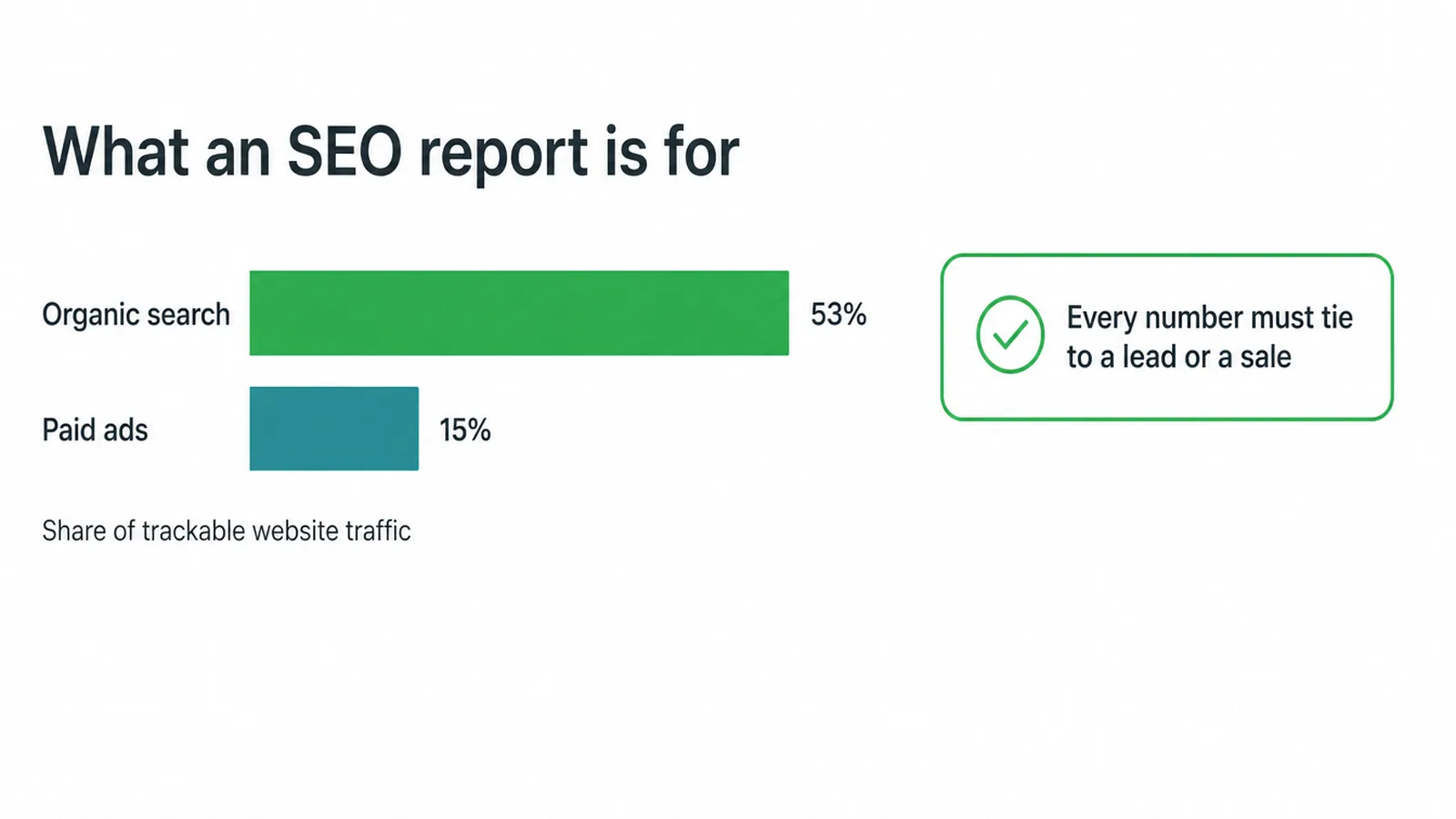
It matters because search is huge for small businesses. Organic search drives 53% of all trackable site traffic compared with about 15% for paid.
So when you read a report, hold every number to one test: does this ladder up to a lead or a sale? A chart that cannot answer that is decoration. Keep that test in your head and the whole report gets easier to judge.
2. The sections decoded, one by one
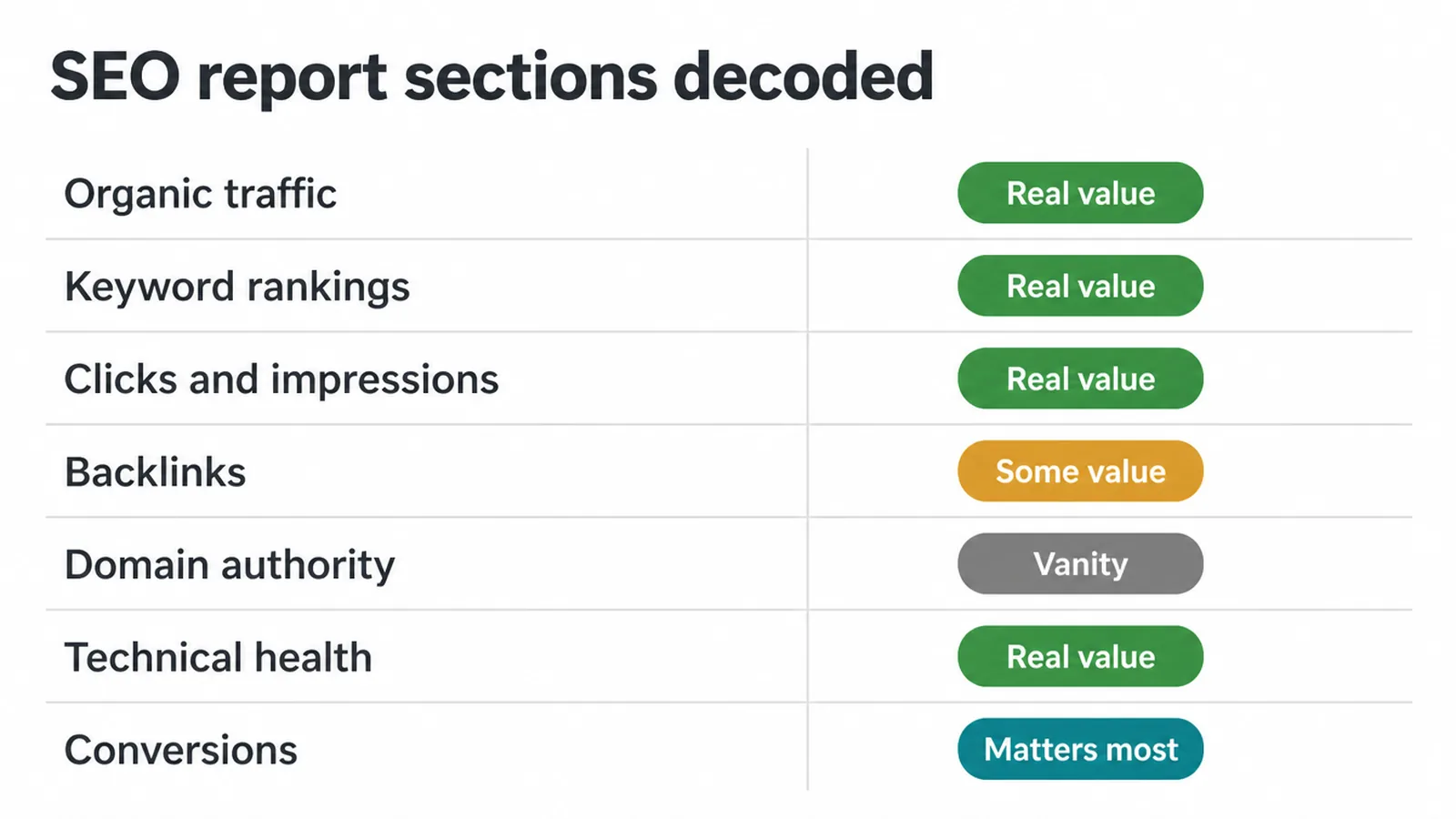
Most SEO reports use the same handful of sections. Once you know what each one really means, the confusion drops away. The table below decodes the common sections and gives each a blunt verdict: real value, or vanity dressed up to look like progress.
| Section | What it means | Real value or vanity? |
|---|---|---|
| Organic traffic | Visits from unpaid search results. Should be split into branded (your name) and non-branded. | Real value, but only the non-branded split. A total traffic line alone is half a story. |
| Keyword rankings | Where your pages sit in search for given terms. | Real value for money keywords. Vanity if it lists hundreds of low-intent terms. |
| Clicks and impressions | Impressions mean you showed up. Clicks mean someone visited. | Clicks are real value. Raw impressions on their own are mostly vanity. |
| Backlinks | Other sites linking to yours. | Some value as a trend. A raw count with no quality context is vanity. |
| Domain authority | A tool-made score guessing your site strength. | Vanity. Google does not use it to rank you. |
| Technical health | Crawl errors, speed, broken pages, indexing. | Real value. A healthy site is the floor everything sits on. |
| Conversions | Leads, calls, and form fills from organic search. | The one that matters most. If it is missing, the report is incomplete. |
If you want to know which numbers deserve the most weight, our guide to the SEO metrics that actually matter goes deeper. For the layout a clear report should follow, see our SEO report template.
And much of the raw data behind these sections lives in one free tool, so it helps to learn how to use Google Search Console yourself.
3. The numbers that actually matter
When you read an SEO report, put conversions and lead quality first. Everything else is a means to that end.
A report that opens with leads from organic search, then explains the traffic and rankings behind them, is telling the story the right way round. One that hides conversions on the last page, or skips them, has its priorities backwards.
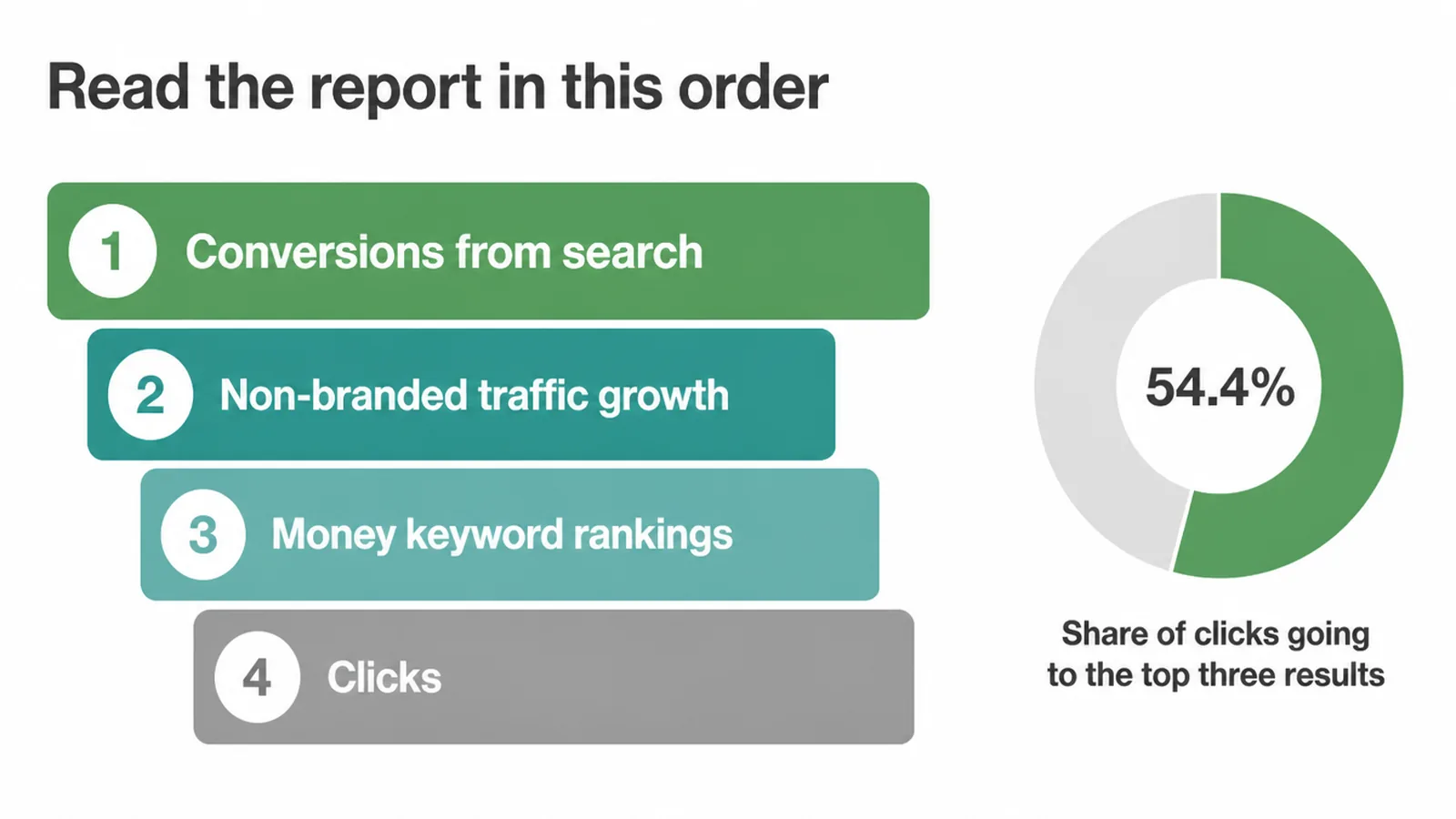
After conversions, watch non-branded organic growth. This is people finding you who did not know your name, which is the whole point of SEO.
Then check rankings for your money keywords, the terms people type when they are ready to buy. The top three organic results capture 54.4% of all clicks, so climbing into that group is worth a lot.
But here is the catch. Position one click rates have been falling fast, dropping by about a third as AI Overviews take more space. So a ranking alone tells you half the story. Pair rankings with actual clicks and conversions, and you see the full picture.
4. Vanity metrics you can mostly ignore
Vanity metrics are the numbers that look great in an SEO report but never tie to money. The classic ones are raw impressions, total indexed pages, a worshipped domain authority score, and traffic spikes with no matching leads.
They are not lies. They are just the wrong things to celebrate. A report built around them is dressing up effort as results.
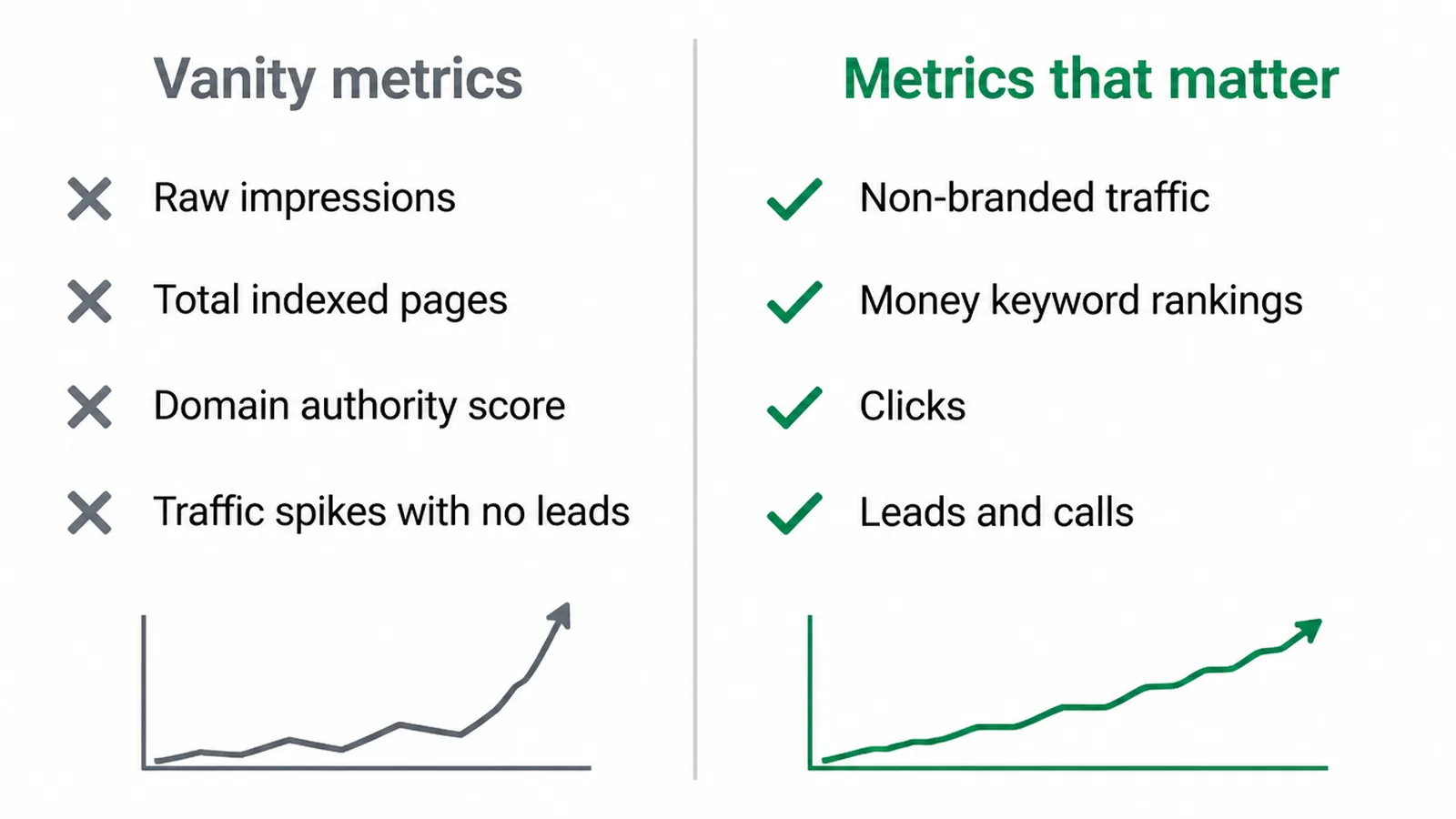
The sneakiest trap is the "traffic up, customers flat" report. Often the extra visits are branded, people already searching for you, or low-intent visitors who were never going to buy. The headline says growth. Your bank account says otherwise.
The fix is simple: ask for branded and non-branded to be split, and ask what each new visitor actually did. Hundreds of rankings for keywords nobody buys from fall in the same bucket. Impressive count, empty till.
5. Red flags an agency is hiding behind charts
When you read an SEO report, a few warning signs tell you an agency is hiding weak results. The biggest is no conversions section at all. If a report never mentions leads, calls, or sales, ask why. Another is traffic that is never split into branded and non-branded, which lets soft numbers look like wins.
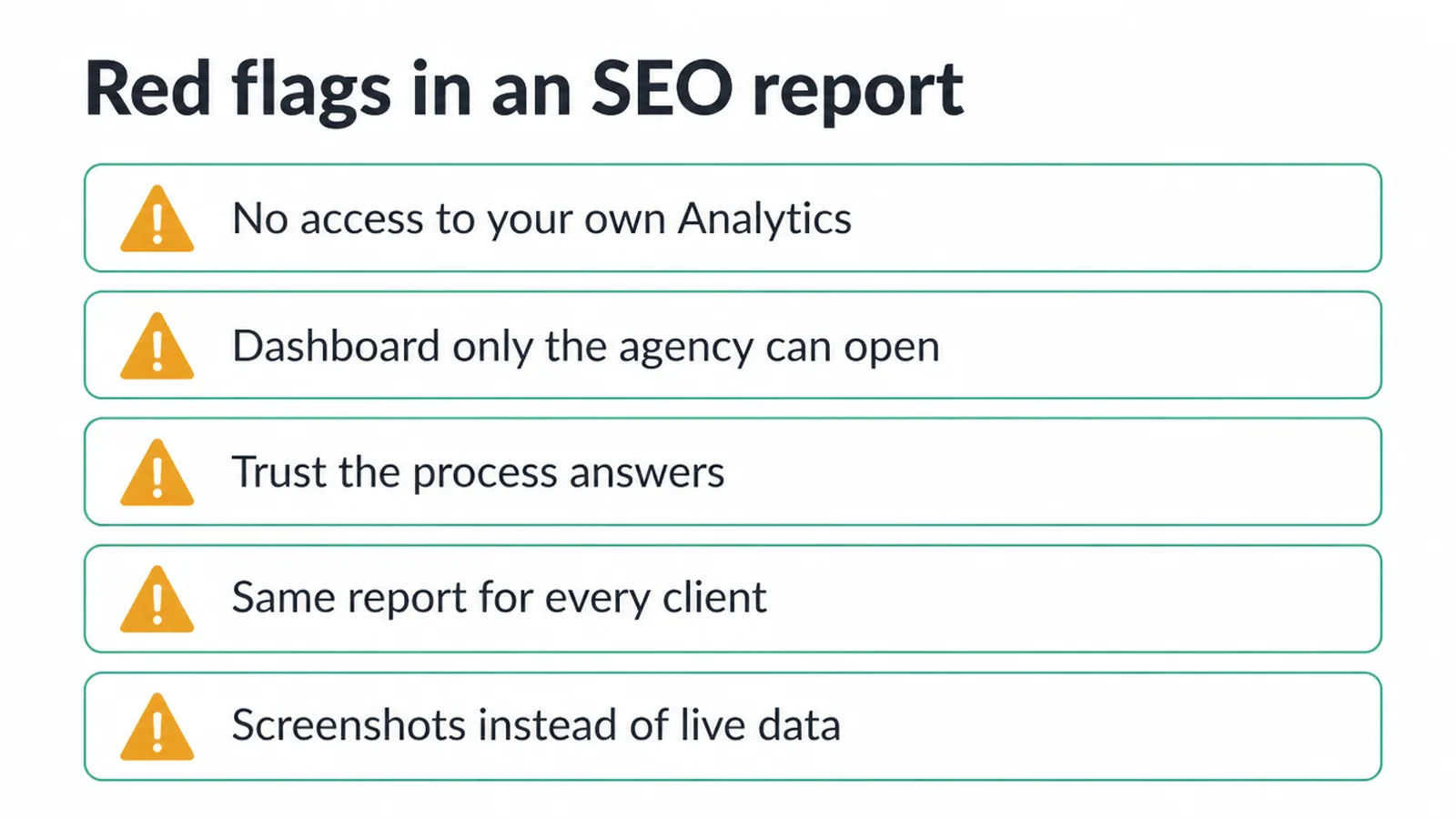
Watch for these too:
- You cannot access your own Google Analytics or Search Console.
- A proprietary dashboard that only the agency can open, locking your history inside it.
- "Trust the process" answers instead of a clear line to customers.
- The same report and the same package handed to every client, with no tailoring.
- Screenshots pasted into a slide deck instead of live data you can check.
None of these prove bad work on their own. But two or three together usually mean someone is managing how things look rather than how things go. A confident agency shows you the messy real data and explains it.
6. The questions to ask about your SEO report
The fastest way to read an SEO report well is to ask sharp questions tied to each section. You do not need to be an SEO to do this. You just need to keep pointing every number back at customers. Print the report, sit with the person who made it, and work down this list.
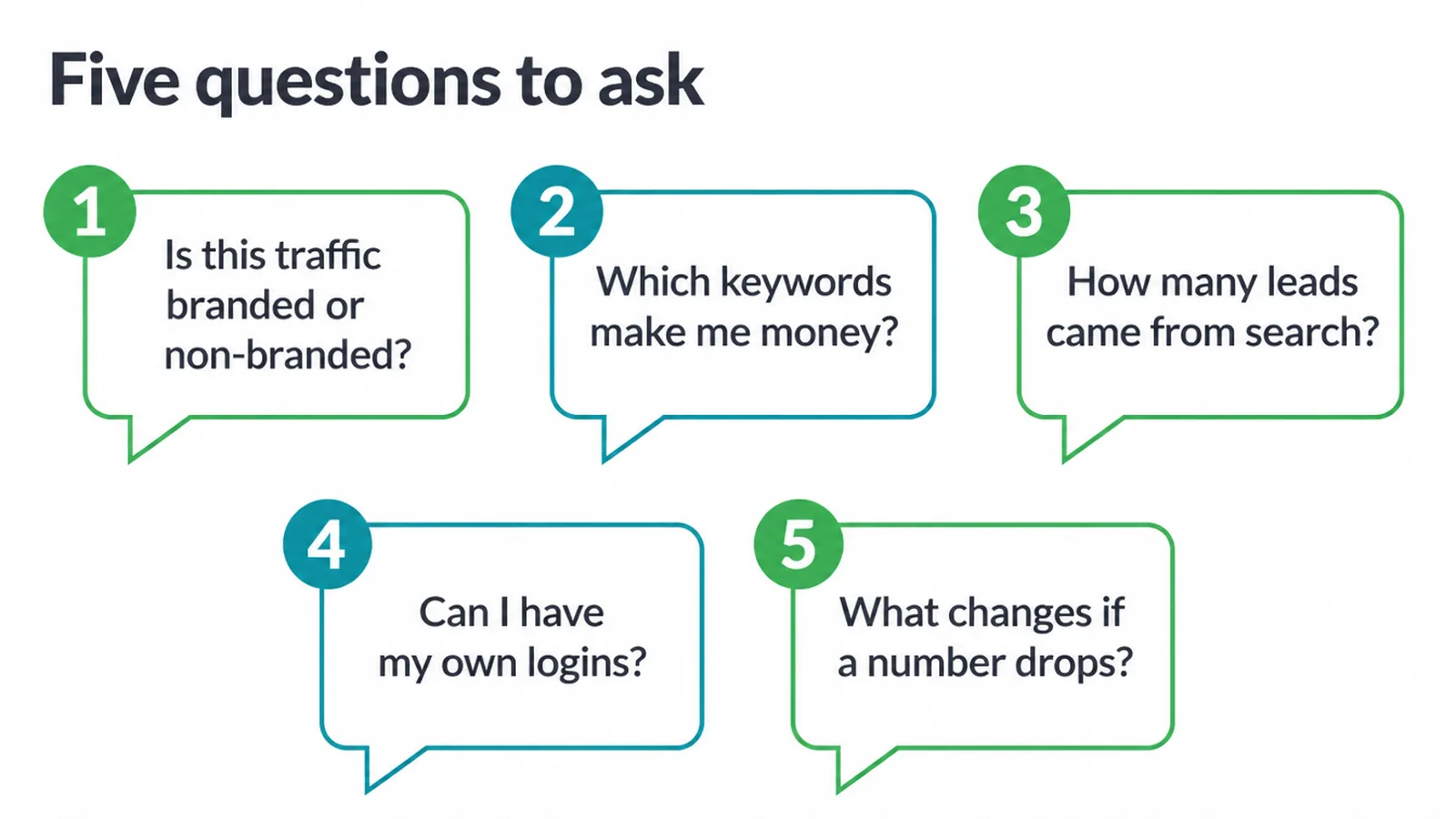
- Is this traffic branded or non-branded, and how is it growing?
- Which keywords here actually make me money?
- How many leads or sales came from organic search this month?
- Can I have my own logins for Analytics and Search Console?
- If a number drops next month, what changes for my business?
If the answers are clear and tied to your bottom line, you have a good partner. If they are vague or defensive, that tells you more than any chart.
A team doing real work will happily explain what each section means for you. That is exactly how we run reporting in our SEO service: plain numbers, tied to customers, with your logins in your name.
7. How often you should get a report
You should get a written SEO report once a month, paired with a live dashboard you can check any time and a short monthly call.
That rhythm gives you a clear written summary, the raw data on demand, and a human to ask "so what does this mean?" Monthly is the sweet spot. Often enough to spot problems, slow enough to avoid noise.
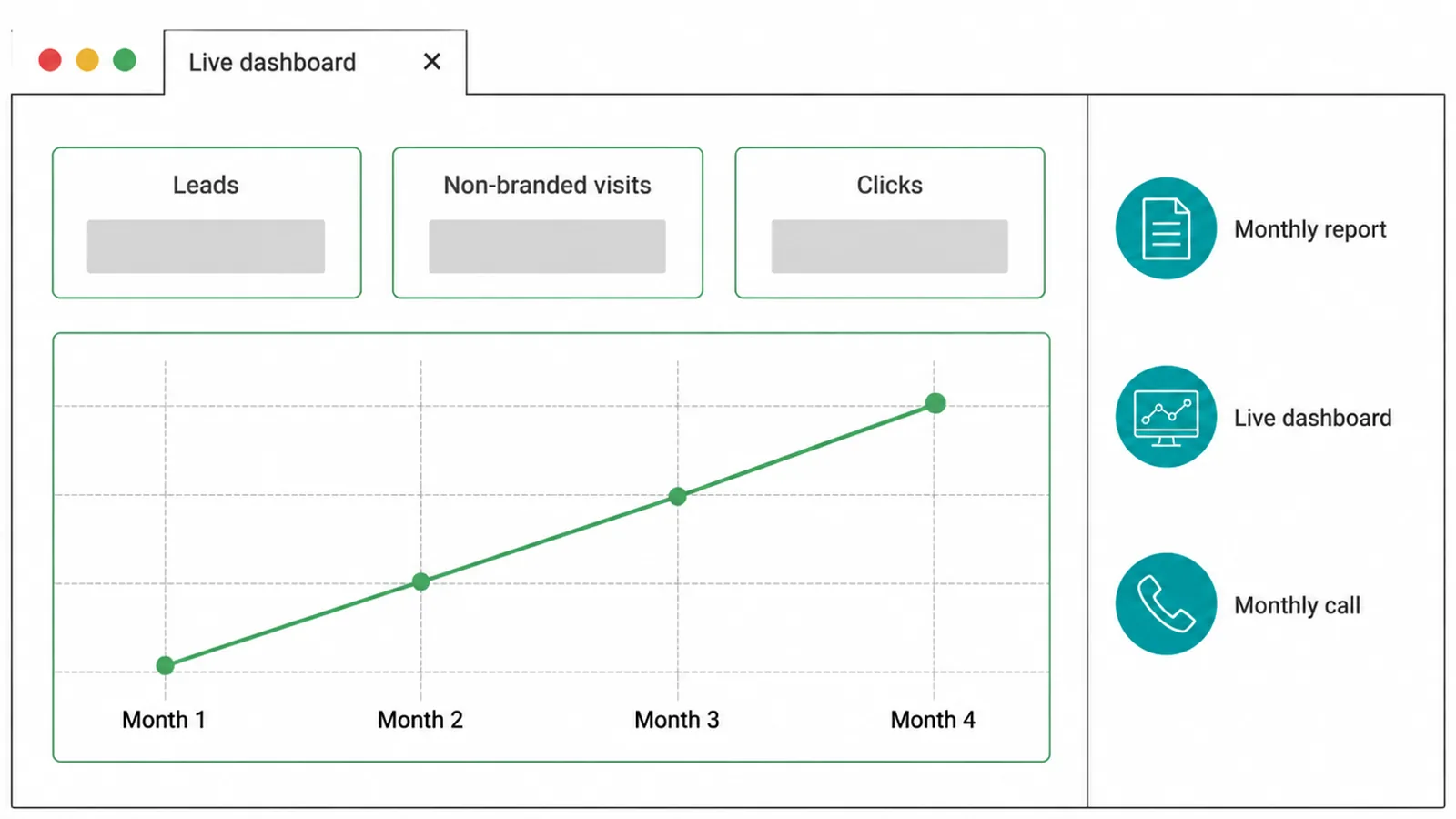
Most of all, judge direction over months, not single weeks. SEO moves slowly. One week can wobble for reasons that have nothing to do with the work, like a Google update or a seasonal dip.
Three or four months of steady, non-branded growth feeding real leads is the trend you want. Read each report as one data point in that longer line, and the noise stops fooling you.
Frequently asked questions
1. What should an SEO report include?
A good SEO report should include organic traffic split into branded and non-branded, rankings for the keywords that make you money, clicks and impressions, technical health, and the part most reports skip: leads and sales from organic search. If a report shows charts but never ties them to customers, it is not finished.
2. How do I know if my SEO is actually working?
Look at three things over a few months: are you getting more leads or sales from organic search, is non-branded traffic growing, and are you ranking for keywords people use when they want to buy. Traffic going up on its own does not prove SEO works. Customers from search do.
3. What are vanity metrics in SEO?
Vanity metrics look impressive but do not tie to money. Raw impressions, total indexed pages, domain authority scores, and hundreds of rankings for keywords nobody buys from are common ones. They are fine as context, but they should never be the headline of your report.
4. My traffic is up but I am getting no customers. Why?
Often the extra traffic is branded, meaning people already searching for your name, or it is low-intent traffic that was never going to buy. Ask your agency to split branded from non-branded traffic. Real growth shows up in non-branded visits that turn into leads, not in a traffic number alone.
5. Is domain authority a real Google ranking factor?
No. Domain authority is a score invented by SEO tools to estimate strength. Google does not use it to rank pages. It can be a rough guide when comparing sites, but a rising domain authority number on its own does not mean more customers, so do not treat it as proof of success.
6. What is the difference between impressions and clicks?
An impression means your page showed up in search results. A click means someone actually visited. Impressions can climb while clicks stay flat, which usually means you are ranking lower down or your titles are not tempting people to click. Clicks are closer to real visitors, so weigh them more.
7. How often should I get an SEO report?
A written report once a month is enough, ideally paired with a live dashboard you can check any time and a short monthly call to walk through it. SEO moves slowly, so judge the direction over several months, not single weeks. Weekly reports tend to create noise, not clarity.
8. Should I own my Google Analytics and Search Console accounts?
Yes. You should always own the accounts and give your agency access, not the other way round. If an agency owns your data or hides it inside a dashboard only they control, you lose your history the day you part ways. Owning your own logins keeps you in control.







