Google Business Profile Posts: What to Post and How Often

Google Business Profile posts carry one short update, offer or event at a time, with a photograph and a button. Seed Light treats them as proof the business is active, because a listing nobody has touched in two years reads as a business that might have closed.
Most of a business listing is set once and left. The name, the hours, the address and the photographs all sit there for years.
Posts are the one part that moves, and they are the only signal on the profile that says somebody is still minding it.
This guide covers what a post can carry, why posting changes what a chooser sees, and a rhythm that survives a busy month.
Key Takeaways
- One idea per post. An update, an offer or an event, with a photograph.
- Posting shows the business is open. That is most of the benefit.
- A fortnightly rhythm beats a burst. Consistency is the whole trick.
- Posts pass. Anything permanent belongs in the description or services.
- Write like a message, not a notice. Plain sentences, one photograph, one action.
Posting is low effort and low drama. Ten minutes a fortnight keeps a listing looking alive.
The businesses that benefit most are the ones whose competitors have not touched their listings since the year they created them.
Google Business Profile posts are also the easiest part of local marketing to delegate. The material is the work you already did, and the writing is three sentences.
What Google Business Profile Posts Are
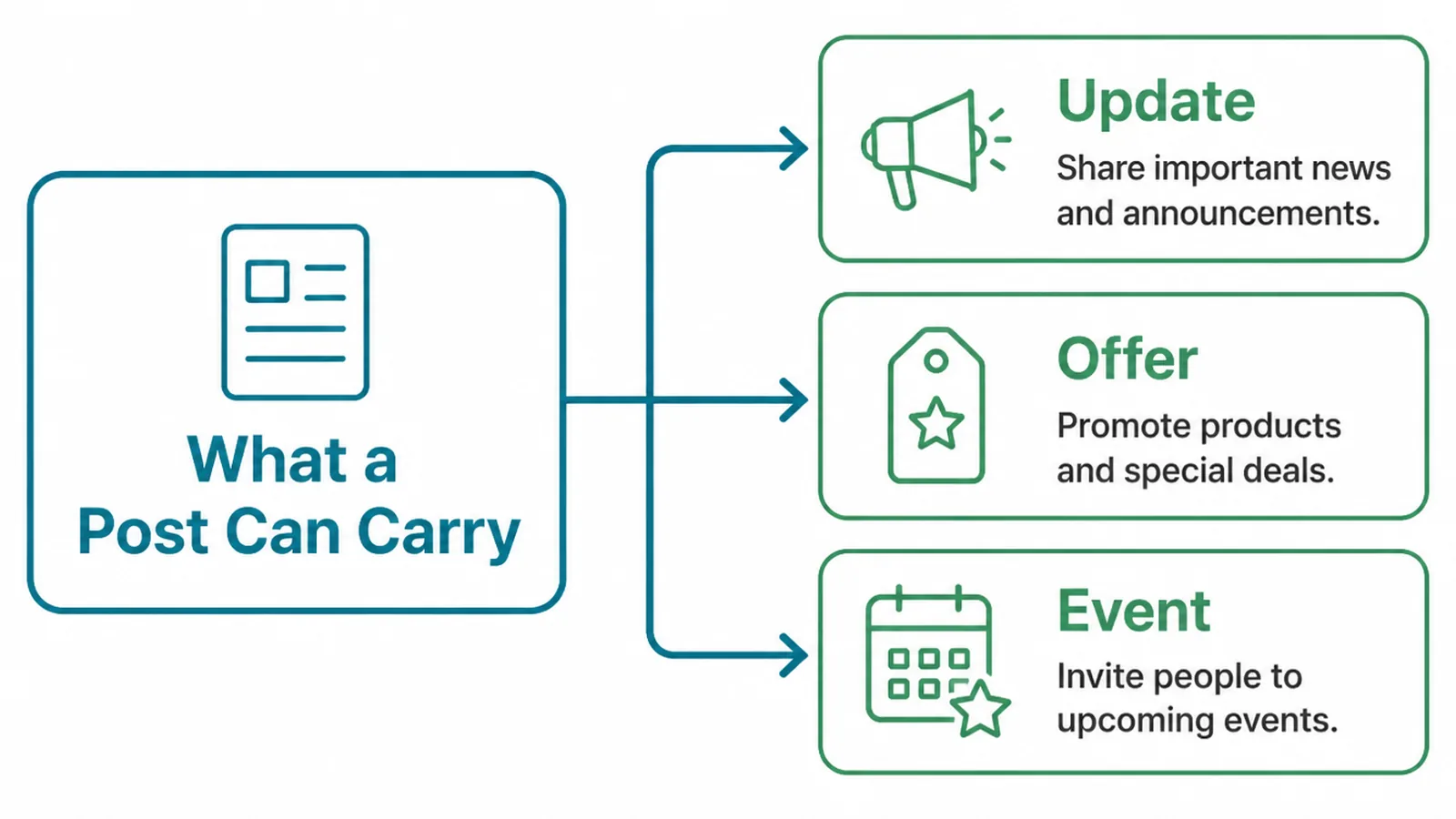
A post is a short piece of content attached to your listing, and it comes in a few types.
- Update. The general one. A job finished, a new service, a change in how you work.
- Offer. Something with a start and an end date, shown as a deal on the profile.
- Event. Something happening at a time, with its own dates attached.
The update is the one most businesses should use most. Offers and events are useful when you genuinely have one and awkward when invented to fill a slot.
Each post takes a few sentences, a photograph and an optional button. That is the whole format, and it rewards being specific rather than polished.
Think of it as the shop window rather than the website. Short, current, and about one thing.
Google posts sit beneath the main listing information, so they are seen by people who have already found you and are deciding. That audience is small and unusually close to buying.
It also means a post does not need to explain the business. It can assume the reader has the rest of the profile in front of them.
Why Posting Changes What People See
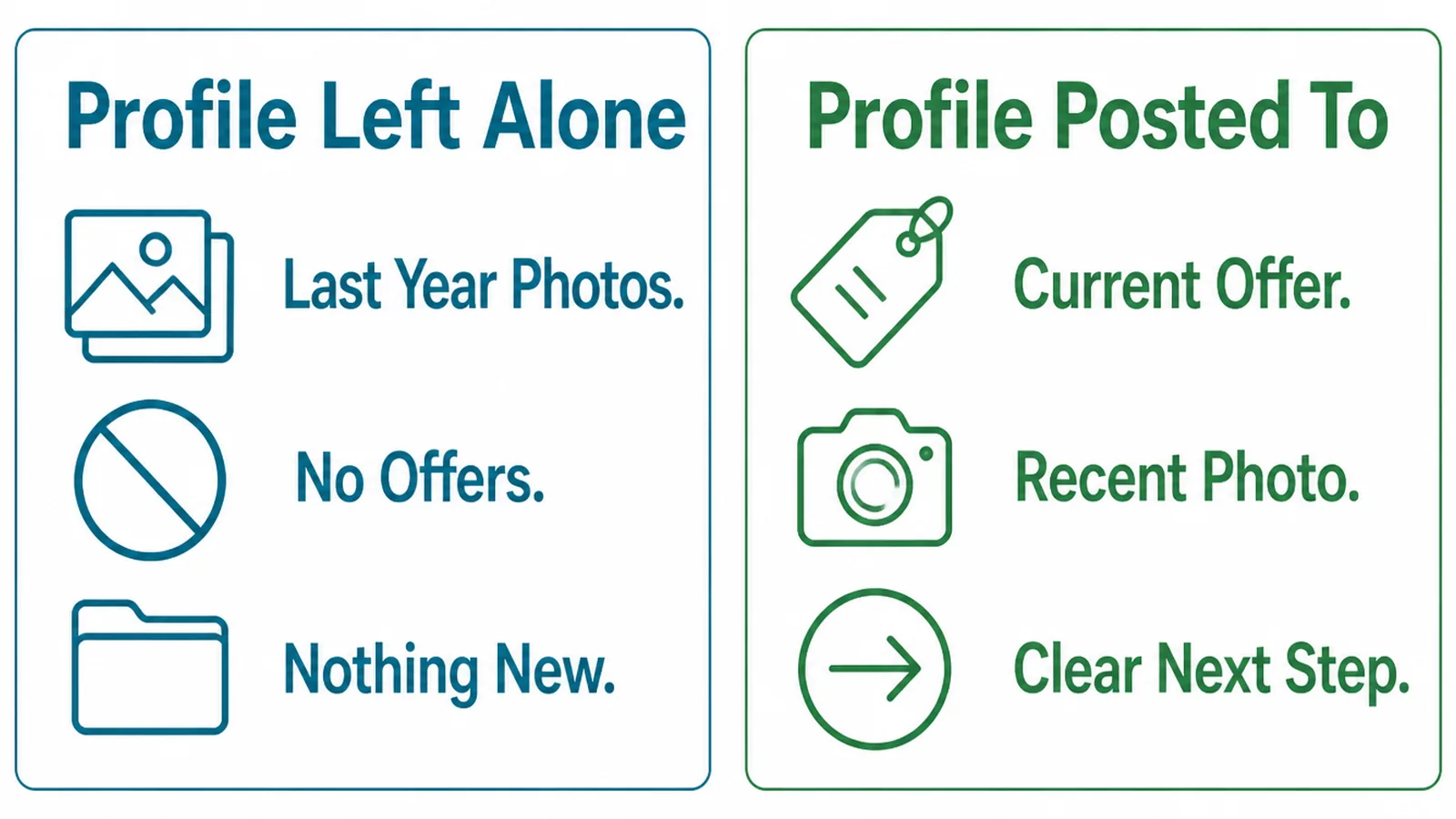
Somebody comparing two local businesses is making a judgement about risk as much as about quality.
A listing with recent posts says somebody is there, the hours are probably right, and a message will be read. A listing with nothing since 2023 raises the opposite question.
That is the honest case for posting, and it does not require any claim about rankings. It is about what a person concludes in the two seconds they spend looking.
It is the same instinct people use with a shop. Lights on, door open, something new in the window, and the place feels like it is trading.
Posts also give you somewhere to answer the seasonal questions. Holiday hours, the busy period, a service that is paused, all of it in the place people are already looking.
And they give your photographs somewhere to go. A picture of a finished job sitting in a post is doing more work than the same picture sitting on a phone.
Business profile updates are also read by people who already use you. Regulars check the listing for hours more often than they check a website.
How To Use Google Business Profile Posts, Step By Step
Three steps, and the last one is the only part that takes any discipline.
1. Pick One Thing To Say
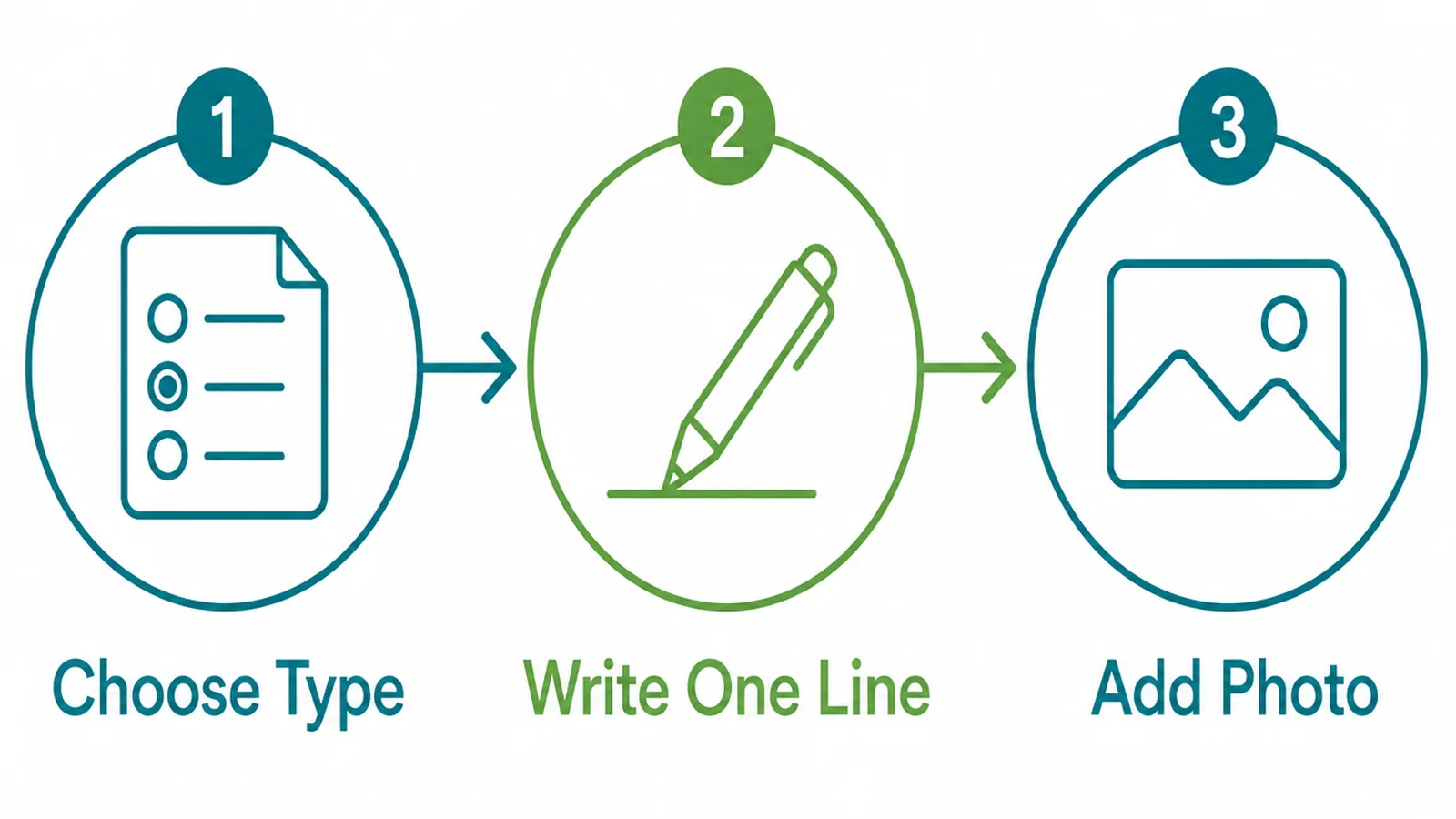
Decide what the post is about before you open the composer, and keep it to one thing.
- Choose the type. Update unless you genuinely have an offer or an event.
- Write one line. The thing you would tell a regular customer who walked in.
- Add a photo. Of the thing itself, taken on the day where possible.
The easiest source of posts is the work you did last week. A job finished, a problem solved, a delivery arrived.
Avoid anything that needs a disclaimer or a careful claim. The point of the format is that it takes five minutes.
Specific beats impressive. "We refitted a shop kitchen in Bayan Lepas this week" says more than any sentence about commitment to quality.
Keep a note on your phone as things happen. Finding something to post about is far harder on a Friday afternoon than it is in the moment.
Three lines of notes is enough. What the job was, where it was, and what was interesting about it.
2. Write The Post
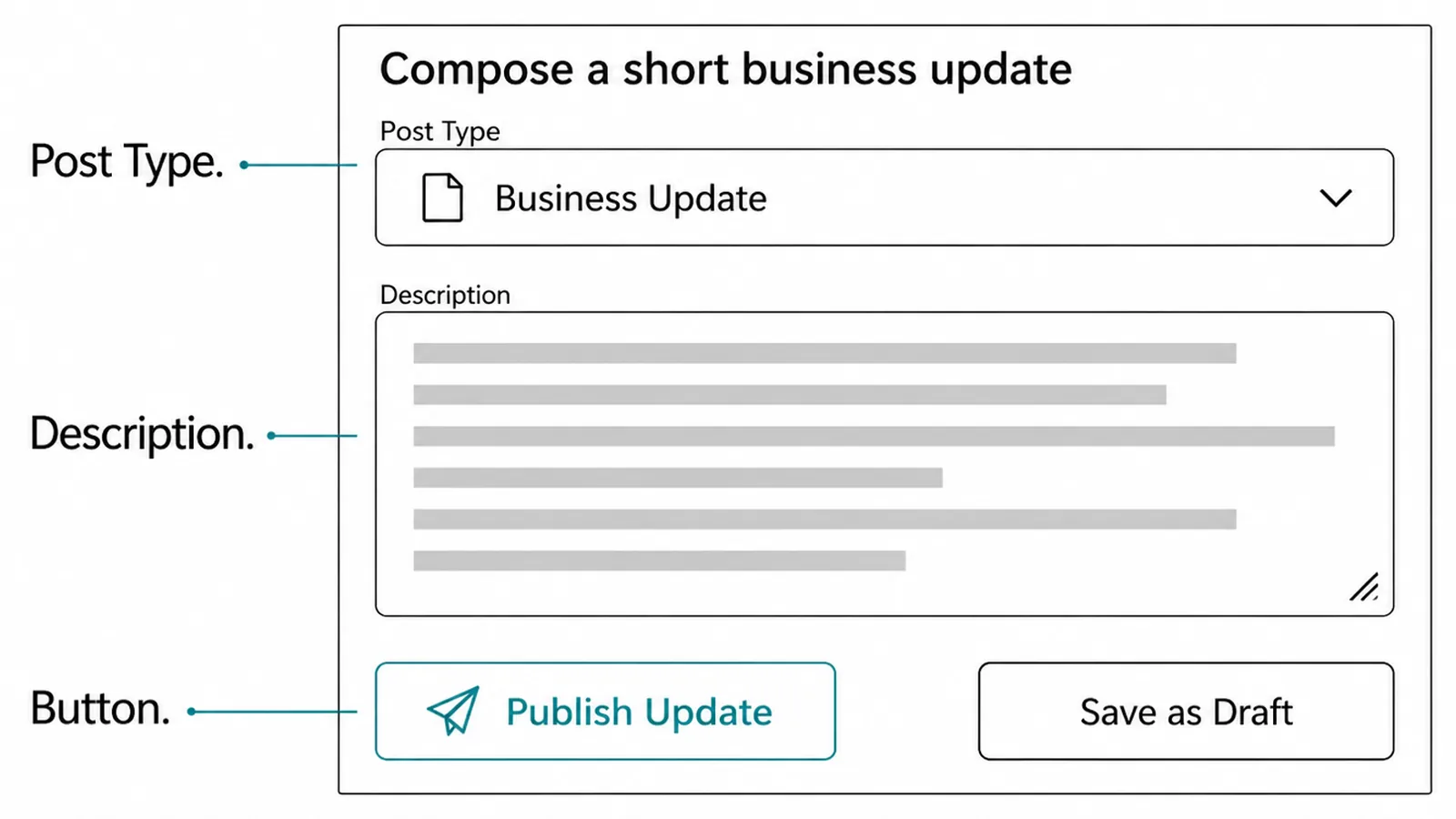
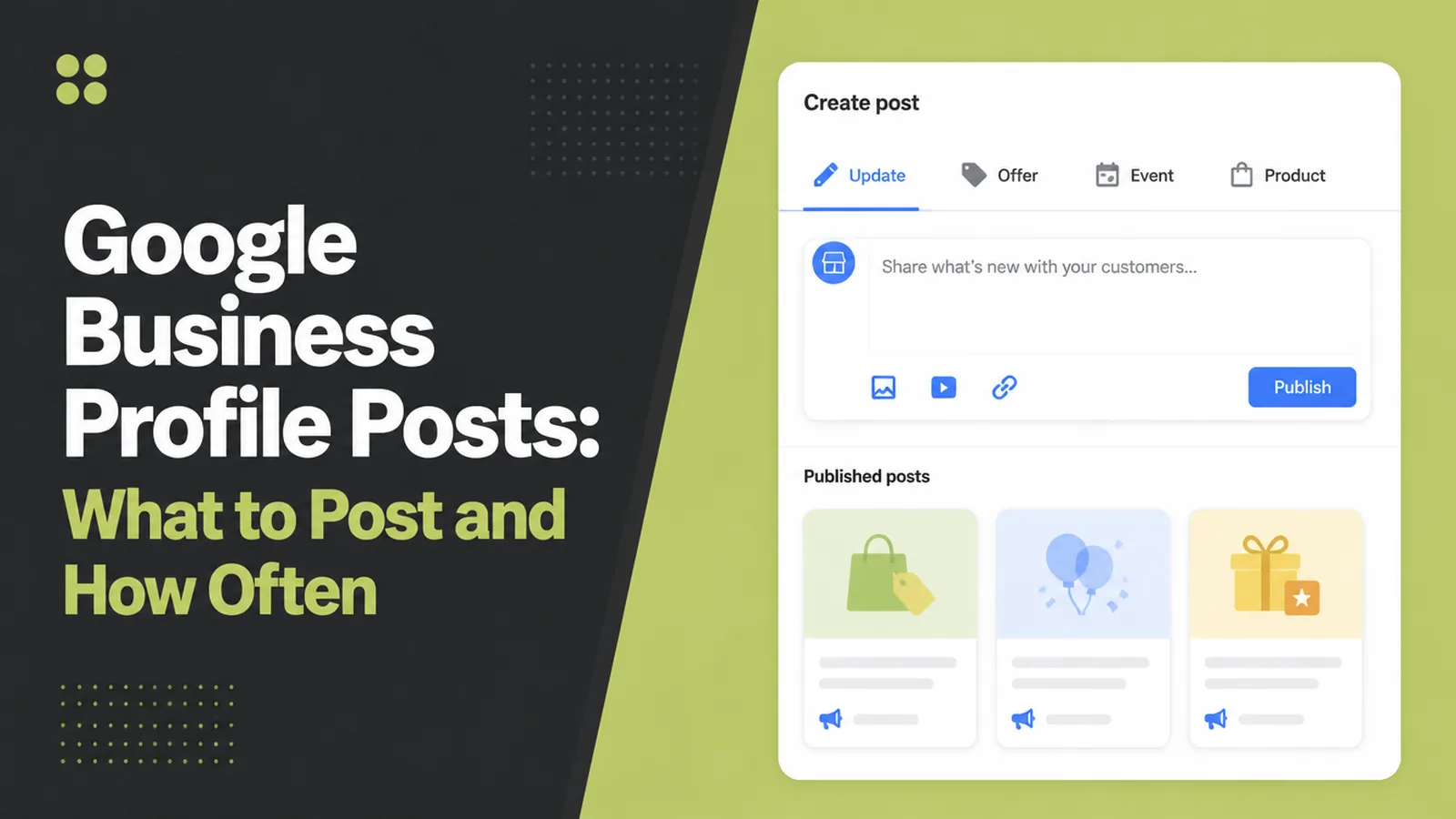
The composer is short on purpose. Three fields and you are finished.
- Post type. Set first, because it changes which other fields appear.
- Description. A few plain sentences, front loaded, since the preview cuts it short.
- Button. Only where there is a genuine next step, pointing at the right page.
Write the first sentence as though it is the only one anybody reads, because on a small preview it often is.
Keep the whole thing short enough to read in one glance. Nobody opens a listing expecting to settle in with a long update.
Point the button at the page that answers the post rather than at the home page. A post about a service should lead to that service.
Check the link afterwards. A broken button on a listing post is the kind of small fault nobody reports and everybody notices.
Skip the button when there is nothing to click towards. A Learn More that lands on a home page is worse than no button at all.
3. Keep A Simple Schedule
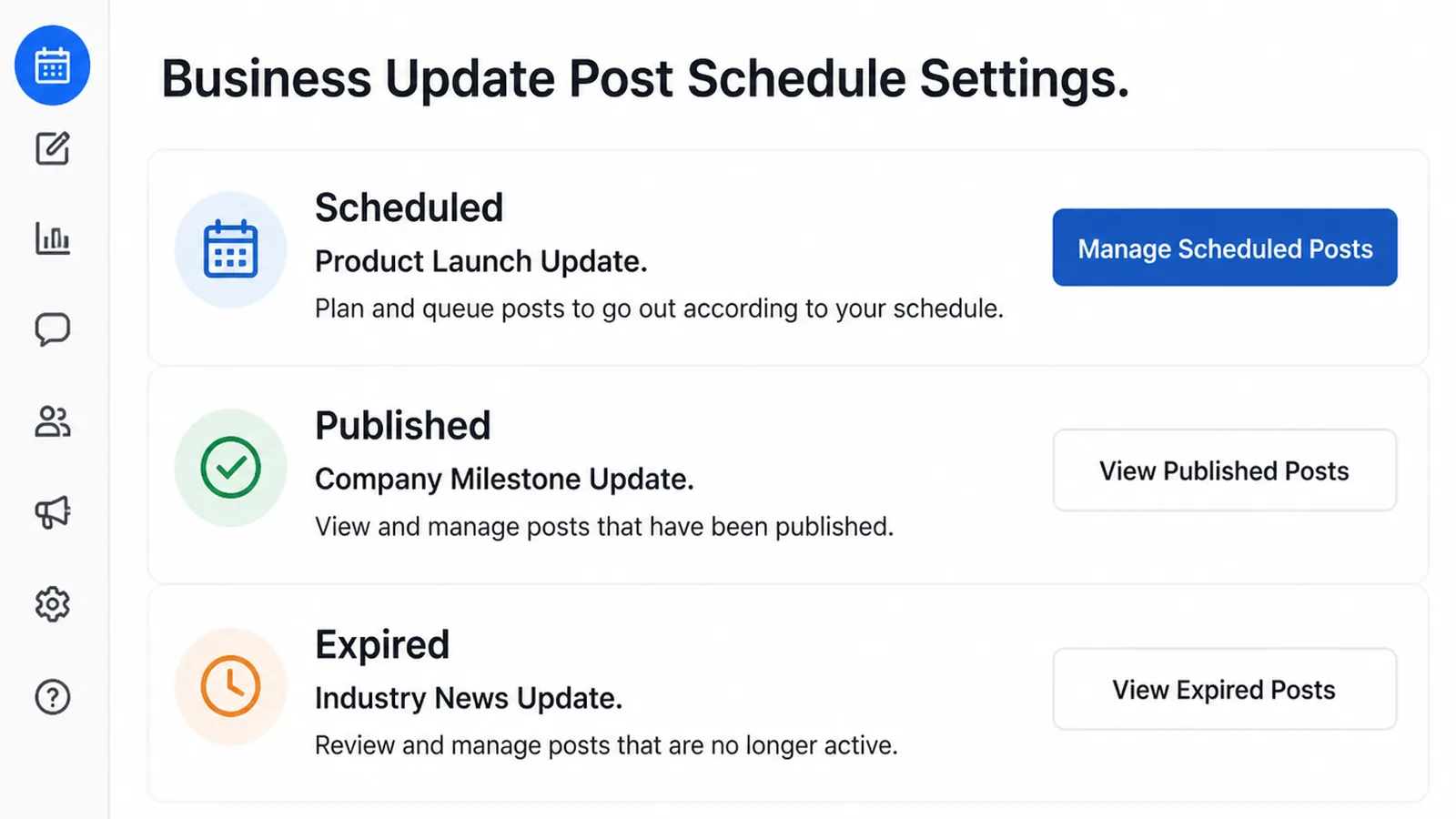
A rhythm you can hold in a bad month is worth more than an ambitious one.
- Scheduled. Written ahead, so a busy fortnight does not break the habit.
- Published. Live on the profile, doing its job.
- Expired. Past its dates, no longer shown prominently.
Fortnightly suits most small businesses. Weekly is fine where there is genuinely something to say each week, and daily posting is almost always somebody running out of material in public.
Pick the day as well as the interval. A habit attached to a particular morning survives far longer than one attached to good intentions.
Write three at once, every month or so. Batching is what makes this survivable alongside actual work.
Schedule them a fortnight apart and forget about it. Listing posts are one of the few marketing habits that genuinely can be set up in advance.
Put a reminder in the calendar rather than relying on remembering. The habit fails quietly, and nobody notices for a year.
Post Ideas That Work Right Now
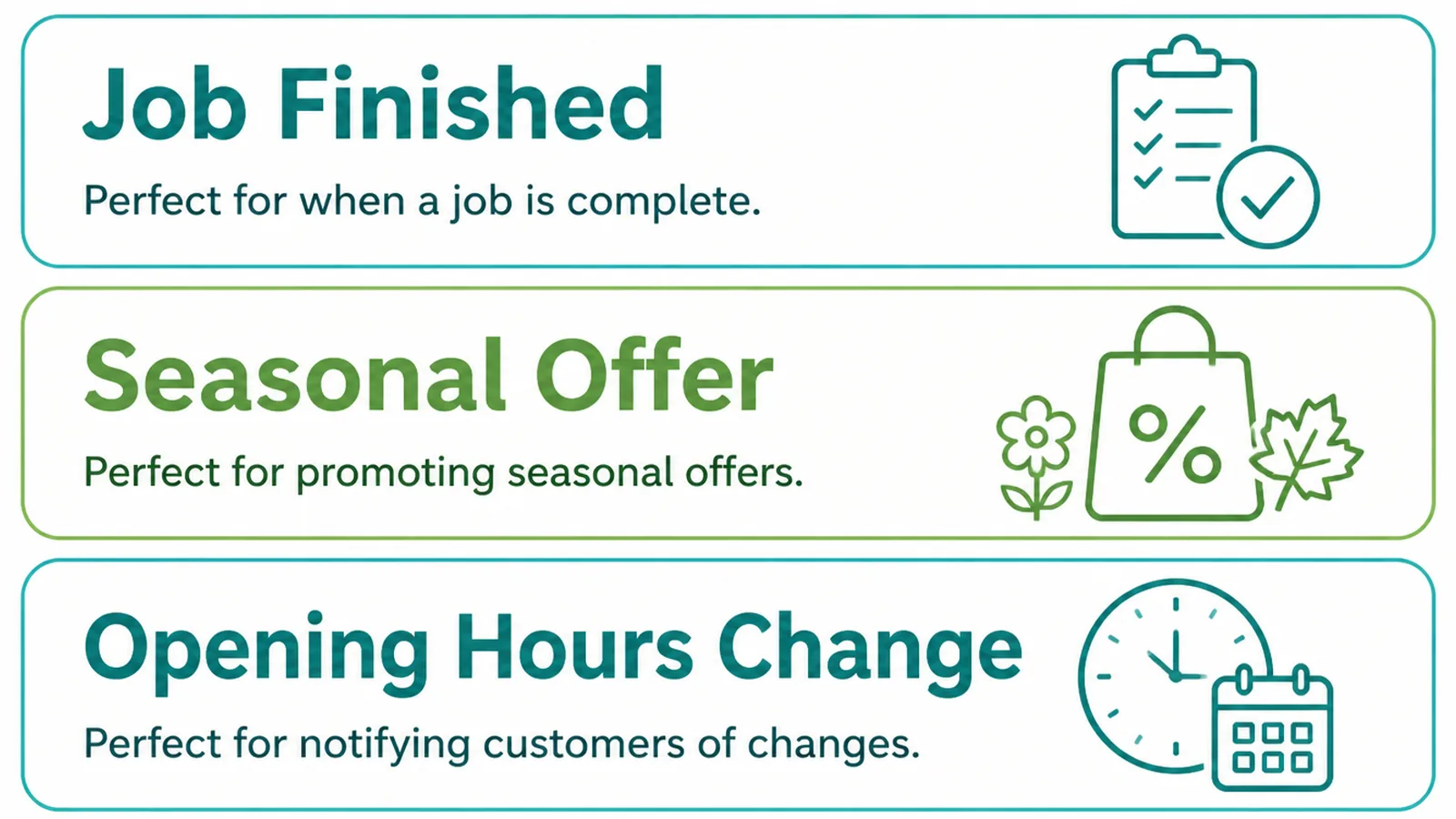
| The post | Who it is for |
|---|---|
| A job you finished, with a photograph | Somebody checking whether you do work like theirs |
| Hours over a holiday or a busy season | Somebody deciding whether to travel to you today |
| A service you now offer, or one you have stopped | Past customers and anybody comparing two listings |
The middle row is the one customers actually thank you for. Holiday hours posted in advance prevent a wasted journey and a bad review about something that was never a service failure.
Finished work is the easiest to keep producing, because it happens anyway. Photograph it as you go and the posts write themselves.
Rotate the three so the profile does not read as one note repeated. A finished job, then a practical notice, then something you have changed.
Business Profile Posting Tools
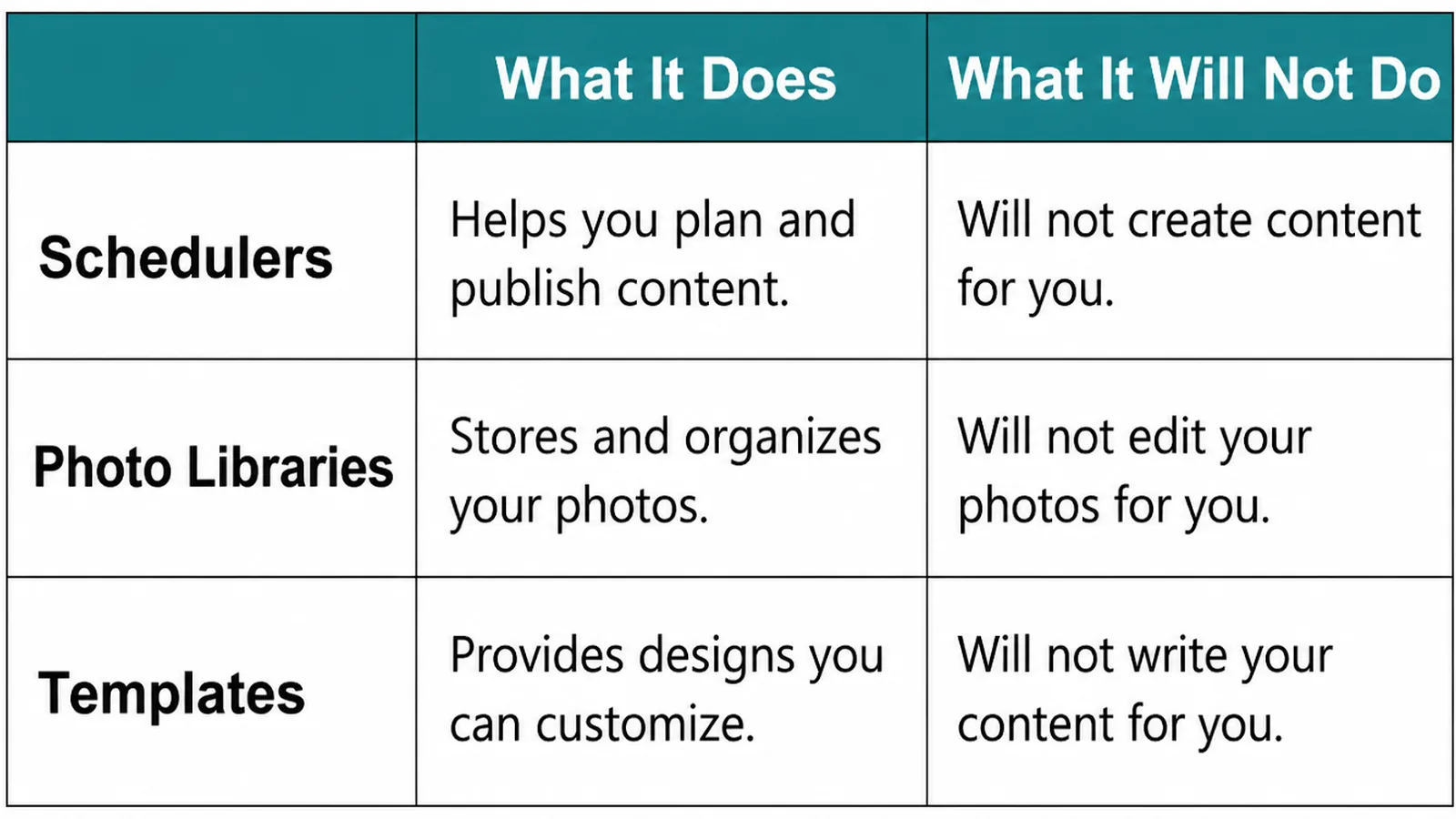
| What it does | What it will not do |
|---|---|
| The profile itself composes and schedules posts | Decide what is worth saying this fortnight |
| Listing management tools post to several profiles at once | Make a generic post feel local to each one |
| Your phone gallery holds the pictures the posts need | Label them, so you can find the right one later |
Multi-location tools are genuinely useful once you run more than two or three listings. Below that they add a layer between you and a five minute job.
If you do use one, vary something per location. A post that mentions the town and the branch reads as though a person wrote it for that place.
Whatever you use, keep the writing human. A post that reads like a template is doing the opposite of what posting is for.
Common Business Profile Post Mistakes
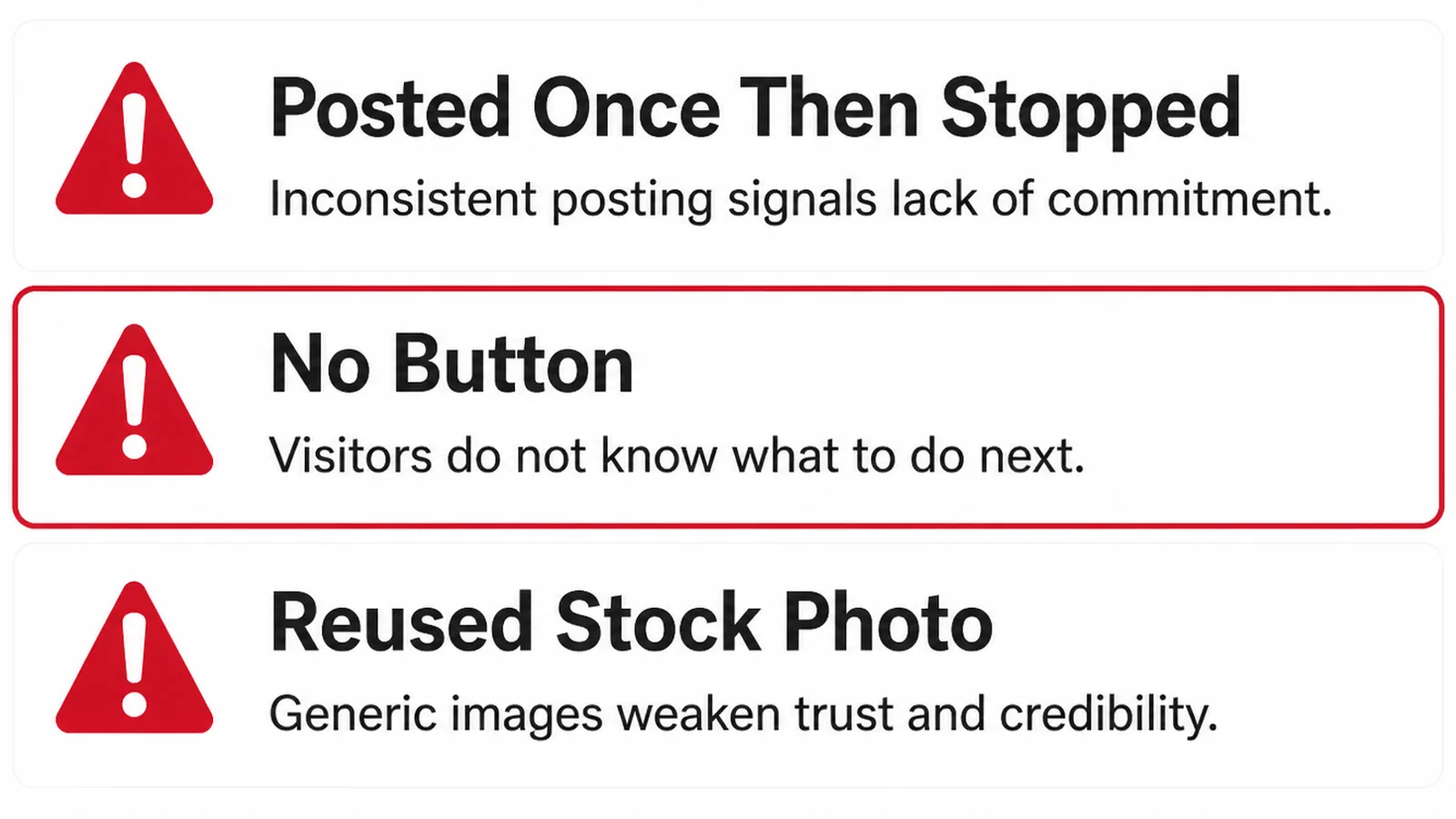
- Starting strong and stopping. Daily for three weeks, then nothing for a year.
- Posts about nothing. Motivational lines and stock images with no news in them.
- Expired offers left up. A deal that ended in March, still the most recent thing you said.
A fourth is treating posts as a noticeboard for permanent information. Anything that must stay true belongs in the description, the services or the hours.
Check the profile once a quarter for any of the three above. Expired offers in particular tend to sit there until somebody looks.
If the rest of the listing needs attention too, adding photos properly is the other job worth doing on the same afternoon.
FAQs
How often should I post?
Often enough that the listing never looks abandoned, which for most small businesses is every week or two. A steady fortnightly rhythm you can keep beats a burst of daily posts that stops after a month and leaves the profile stale again.
Do posts help my ranking?
Treat them as a way to inform people rather than as a ranking tactic. Google describes posts as a way to share updates with customers, and the honest benefit is that somebody choosing between two listings sees one that is clearly still trading.
What should I post about?
What you would tell a regular customer: a job you finished, a service you now offer, a holiday closure, a seasonal reminder. One idea per post, with a photograph, is more useful than a long update covering four things at once.
Do old posts disappear?
Updates stop being shown prominently after a while, and offers and events run to the dates you set. Treat posts as something that passes rather than as a filing cabinet, and keep anything permanent in your description or services list.
Conclusion
Google Business Profile posts are a fortnightly habit, one idea at a time, with a photograph and a button where there is somewhere to go.
Keep a note of the work as it happens, batch three posts a month, and put the permanent information where it belongs instead.
If the whole listing needs work, see how we approach local SEO, or get in touch and we will set up a rhythm you can actually keep.