Should You Use a Review QR Code to Collect More Reviews?

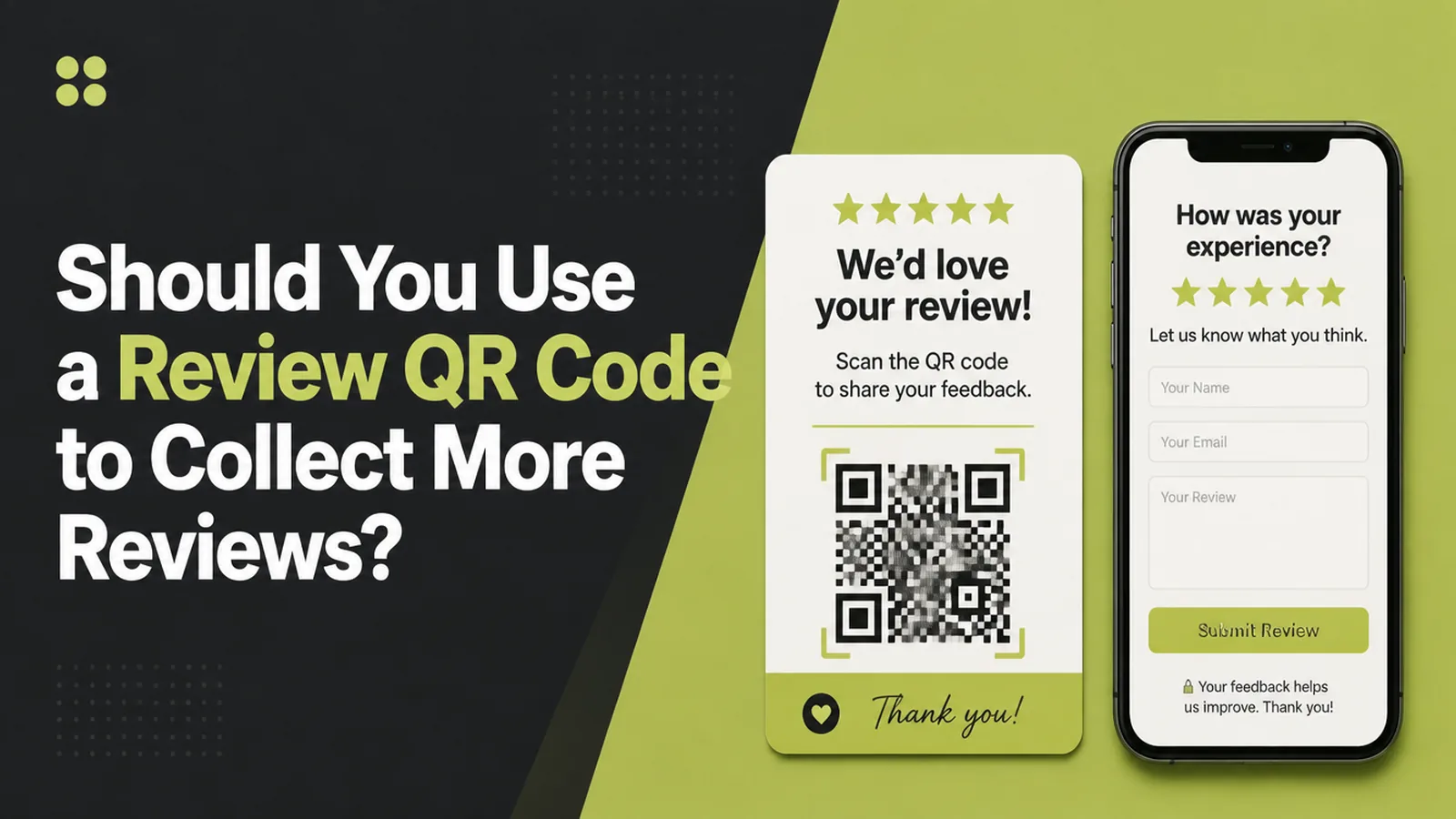
A Google review QR code is your review link printed as a code, so a customer scans and lands on the review form. Seed Light uses them at the moment a job ends, and never with an incentive attached, because Google prohibits offering rewards in exchange for reviews.
Most review requests fail on logistics rather than goodwill.
A customer is pleased, says so, and leaves. Three days later an email asks them to find your listing, sign in, and write something. By then the moment has gone.
This guide covers what a review code is, why asking on the spot works better, and how to make one without breaking the rules on incentives.
Key Takeaways
- A code is just your review link, printed. Scan, profile, review form.
- Ask at the end of the job. Goodwill has a short half life.
- Never attach a reward. Google prohibits incentives in exchange for reviews.
- Ask everybody. Selecting only happy customers is against the rules too.
- Test the code yourself. On a phone that is not signed in as you.
Google is explicit that this method is allowed. Its tips page says you can ask customers to visit a Google link or scan a QR code to leave a review.
The rule that matters is the one about incentives, not the one about codes.
What A Google Review QR Code Does
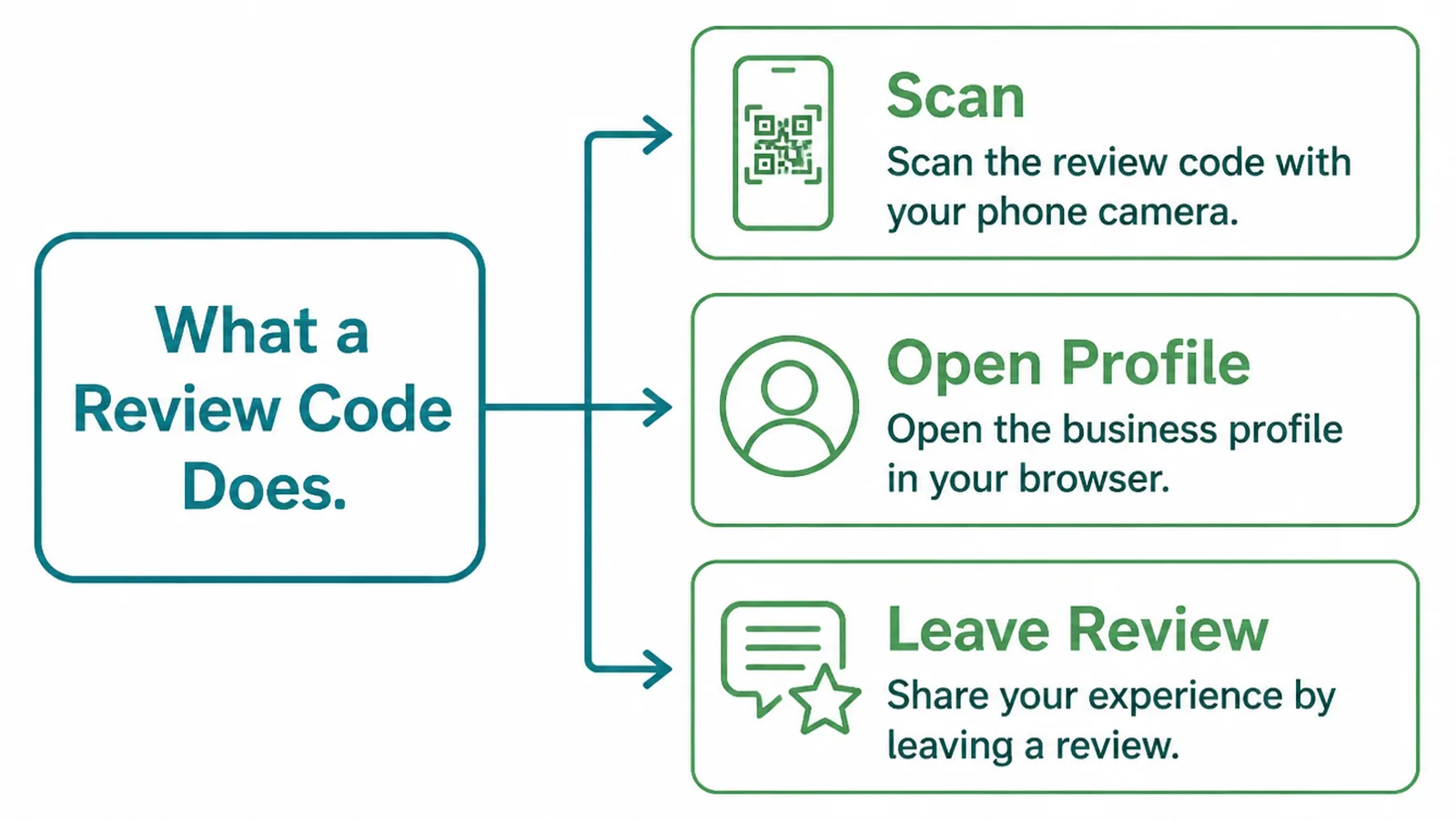
A review code is not a separate system. It is a link, drawn as a square somebody can point a camera at.
- Scan. The customer opens their camera and taps the notification.
- Open profile. The link takes them straight to your listing's review form.
- Leave review. They write it, sign in if they are not already, and post.
The code removes the searching, not the writing. That is still the biggest drop-off, and nothing you print changes it.
It also removes the most common failure of all. Customers land on the wrong listing, and businesses with similar names in the same town lose reviews to each other constantly.
A Google review QR code is therefore most useful where the business is hard to find by name. Common names, shared buildings and recent rebrands all qualify.
Google notes that a customer needs a Google Account to leave a review, and that one can be created with a non-Gmail address. Some scans end there, and that is normal.
Nothing on your side fixes that step, so judge the code on scans rather than on reviews alone. A good placement that produces four scans and one review is still working.
Why Codes Work Better Than Asking Later
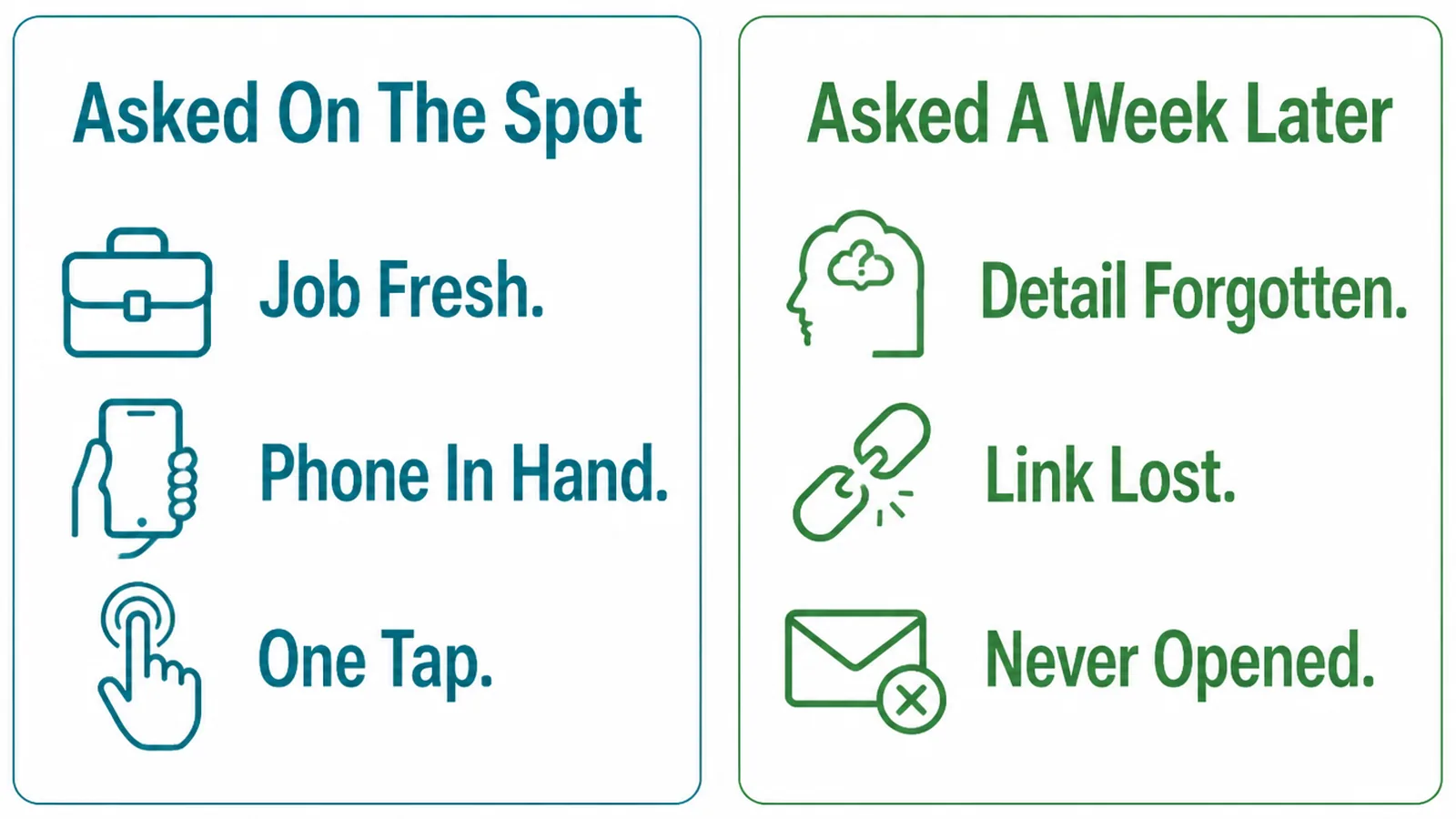
Asking later means asking somebody to do three things: remember, find you, and write. Each step loses people.
Asking on the spot means asking one thing, at the moment the customer is most pleased and already holding their phone.
There is a second advantage. A code handed over by the person who did the work is a personal request rather than a marketing message.
People respond to the person, not the system. A card from the technician who fixed the problem carries weight that an automated email never will.
Say it out loud as you hand it over. "If you have a minute, a review really helps us" does more than the card does on its own.
Then stop. Nothing about the ask should feel like pressure, and nothing should suggest the review needs to be positive to count.
Ask everybody who buys from you, including the ones you suspect were less delighted. Selecting who gets asked is the thing the rules actually prohibit.
How To Set Up A Review QR Code, Step By Step
Three steps, fifteen minutes, and the third one is the part people skip and regret.
1. Generate The Review Link
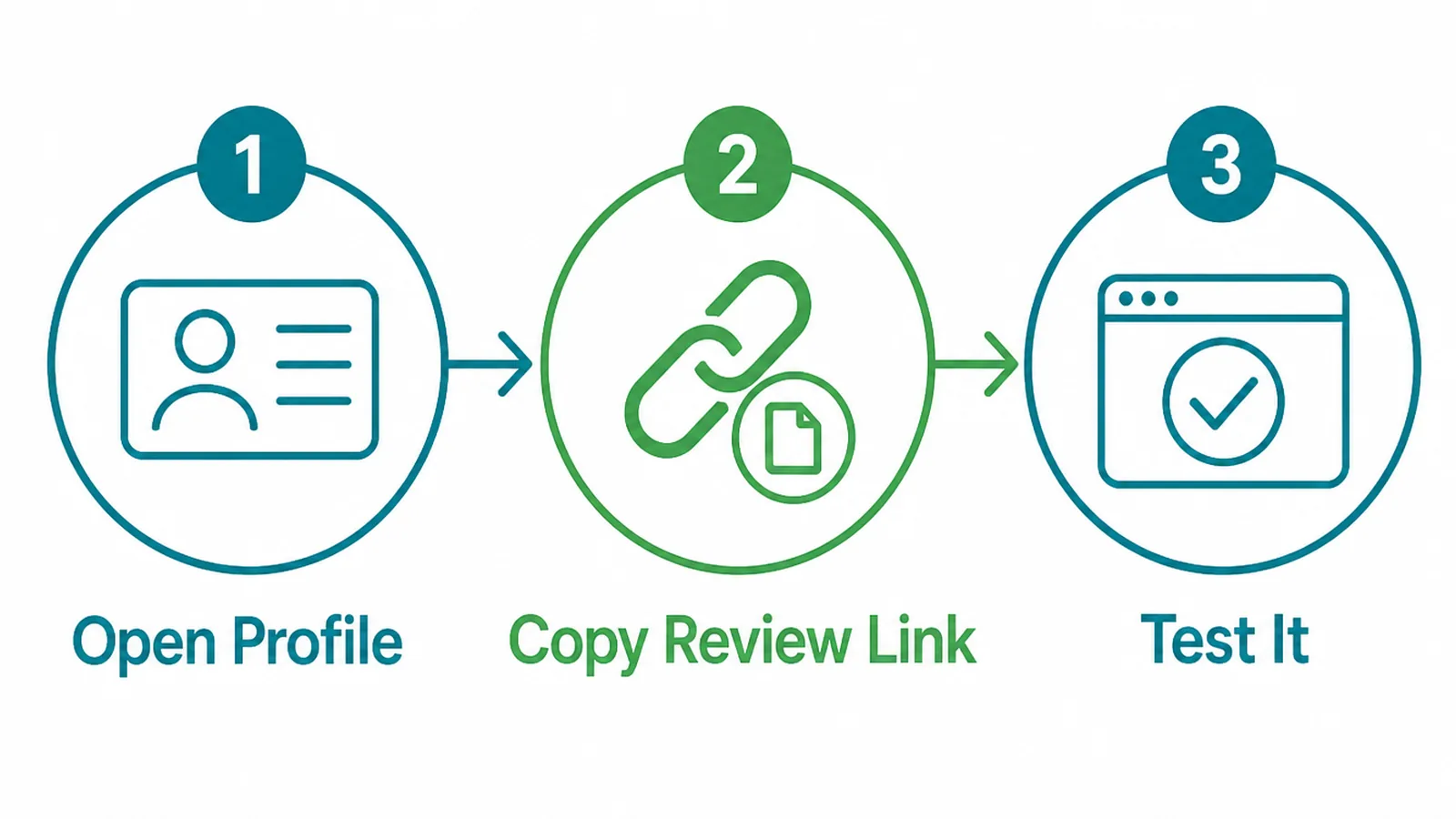
Start from your own profile rather than from a third party service.
- Open your profile. Signed in as the business, not as a customer.
- Copy the review link. Google provides one for asking customers for reviews.
- Test it. Paste it into a phone browser and check it opens the right listing.
Keep that link somewhere you can find it again. It is useful in email signatures, invoice footers and messages, with or without a code.
Give a copy to whoever handles invoicing as well. The review link belongs in the templates people already send rather than in one person's notes.
Check the listing it opens is yours. Businesses with branches or similar names sometimes find the link points at the wrong one.
2. Turn The Link Into A Code
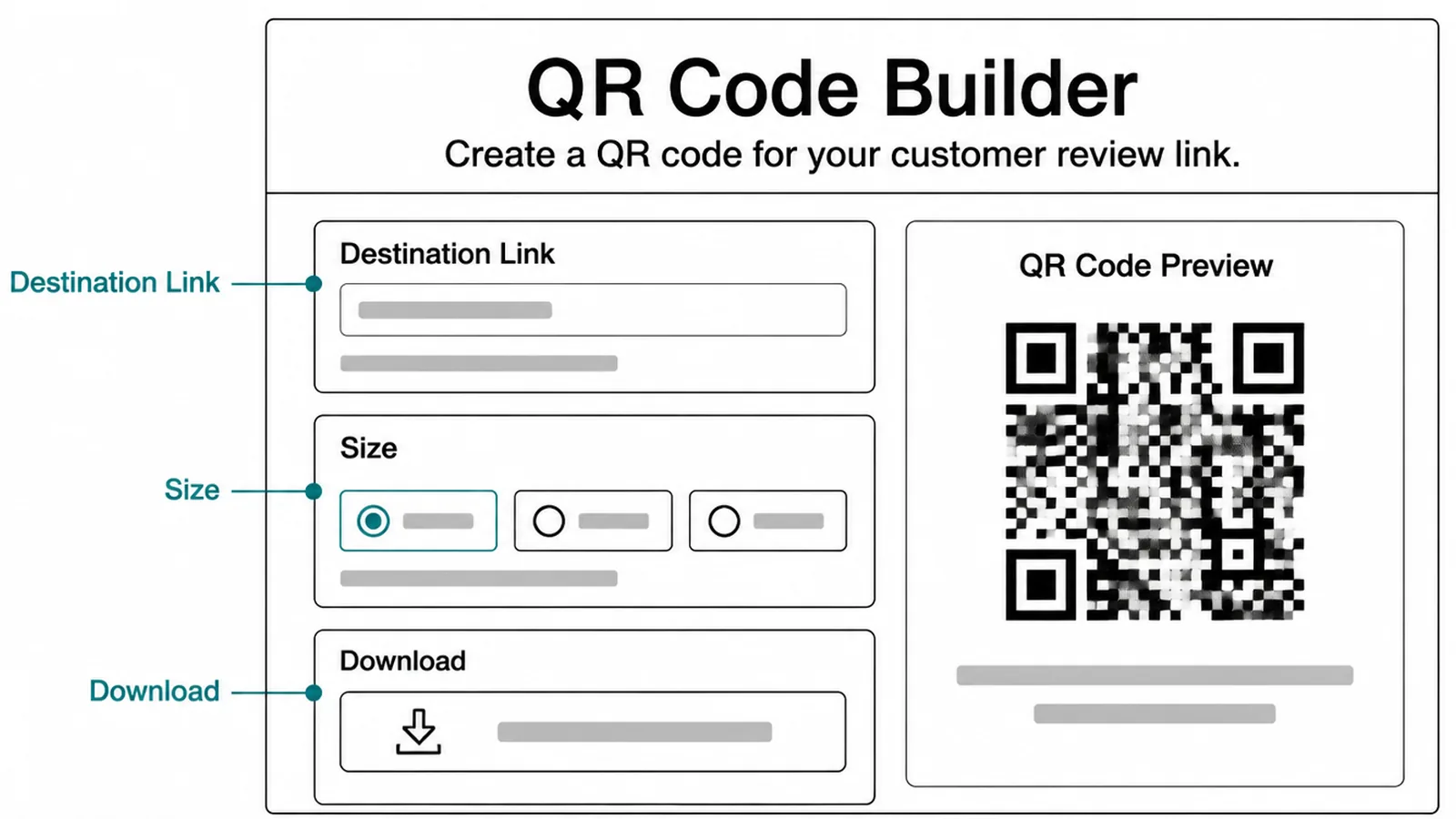
Any code generator will do, and the settings matter more than the brand.
- Destination link. The review link, pasted exactly, with no tracking wrapper added.
- Size. Large enough to scan from where it will sit, usually bigger than you expect.
- Download options. A high resolution file, so printing does not blur the edges.
Avoid generators that redirect through their own domain unless you are paying for the service. Free dynamic codes sometimes stop working or start showing adverts.
Save the generated file somewhere shared, with the link written beside it. Reprinting a year later should not mean regenerating from scratch.
A code that stops working is a printed card that now does nothing. A static code pointing straight at the review link cannot expire.
Print a test copy at the real size before ordering anything. A code that scans on screen can be too small on a receipt.
Leave a clear margin around the square. Codes printed to the edge of a card scan badly, and the saving in space is not worth it.
3. Put It Where The Job Ends
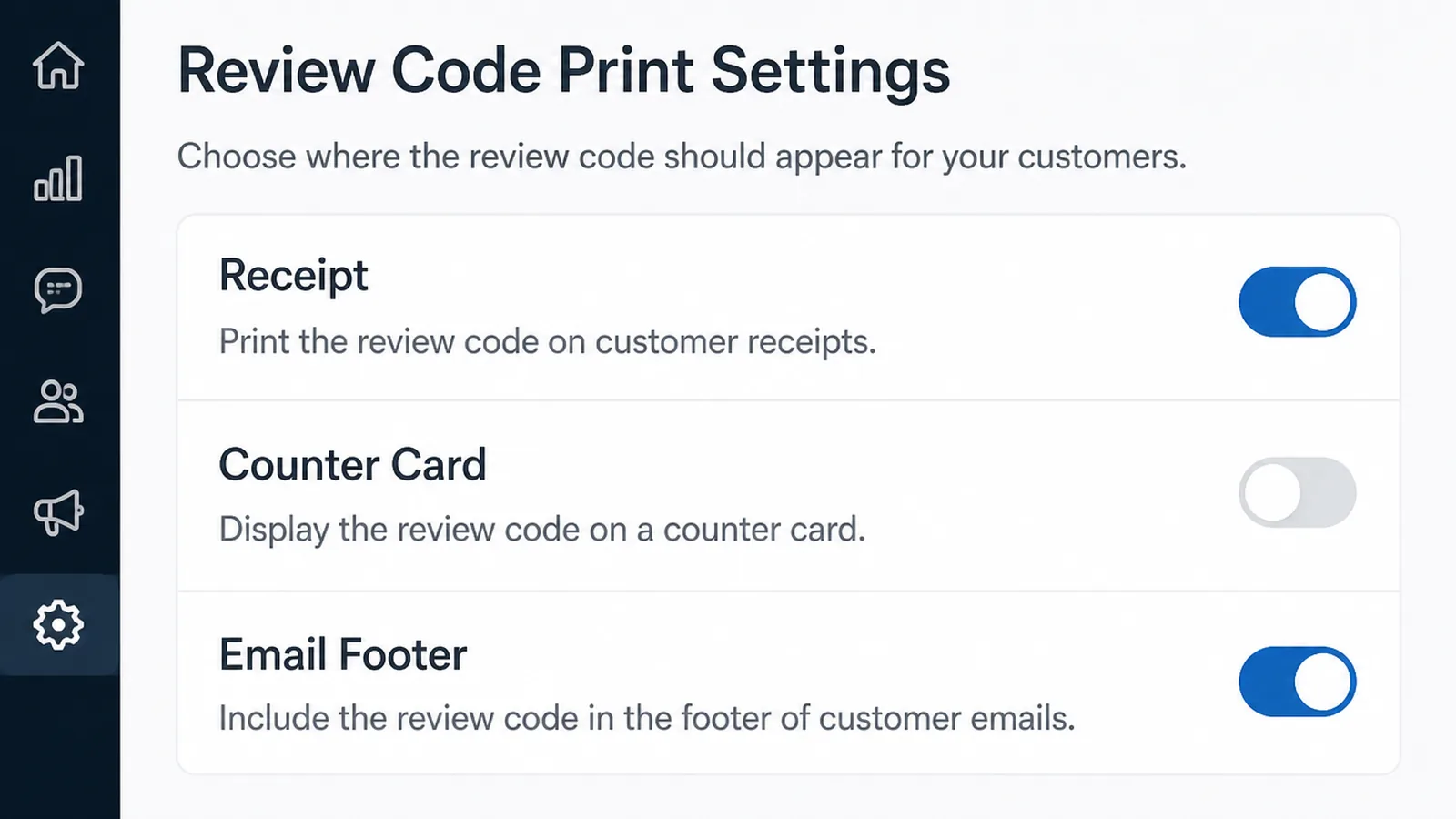
Placement decides whether the code is ever scanned, and the rule is to put it where the work finishes.
- Receipt. Printed at the bottom, for anybody paying in person.
- Counter card. A small stand where people wait or settle up.
- Email footer. On the invoice or the thank you message, as a link as well as a code.
For trades who work at a customer's home, a card handed over at the end works better than anything emailed later.
Keep a few in the van. The usual reason a code is not handed over is that nobody had one to hand.
Keep the wording plain. "Leave us a review" with the code beneath it is enough, and anything longer gets read as advertising.
Put it where the hands are. A code behind the counter, visible only to staff, is a surprisingly common and entirely wasted placement.
Ask the staff what the end of a transaction actually looks like. They know where a customer's attention is in the final thirty seconds better than anybody.
Review Code Ideas That Work Right Now
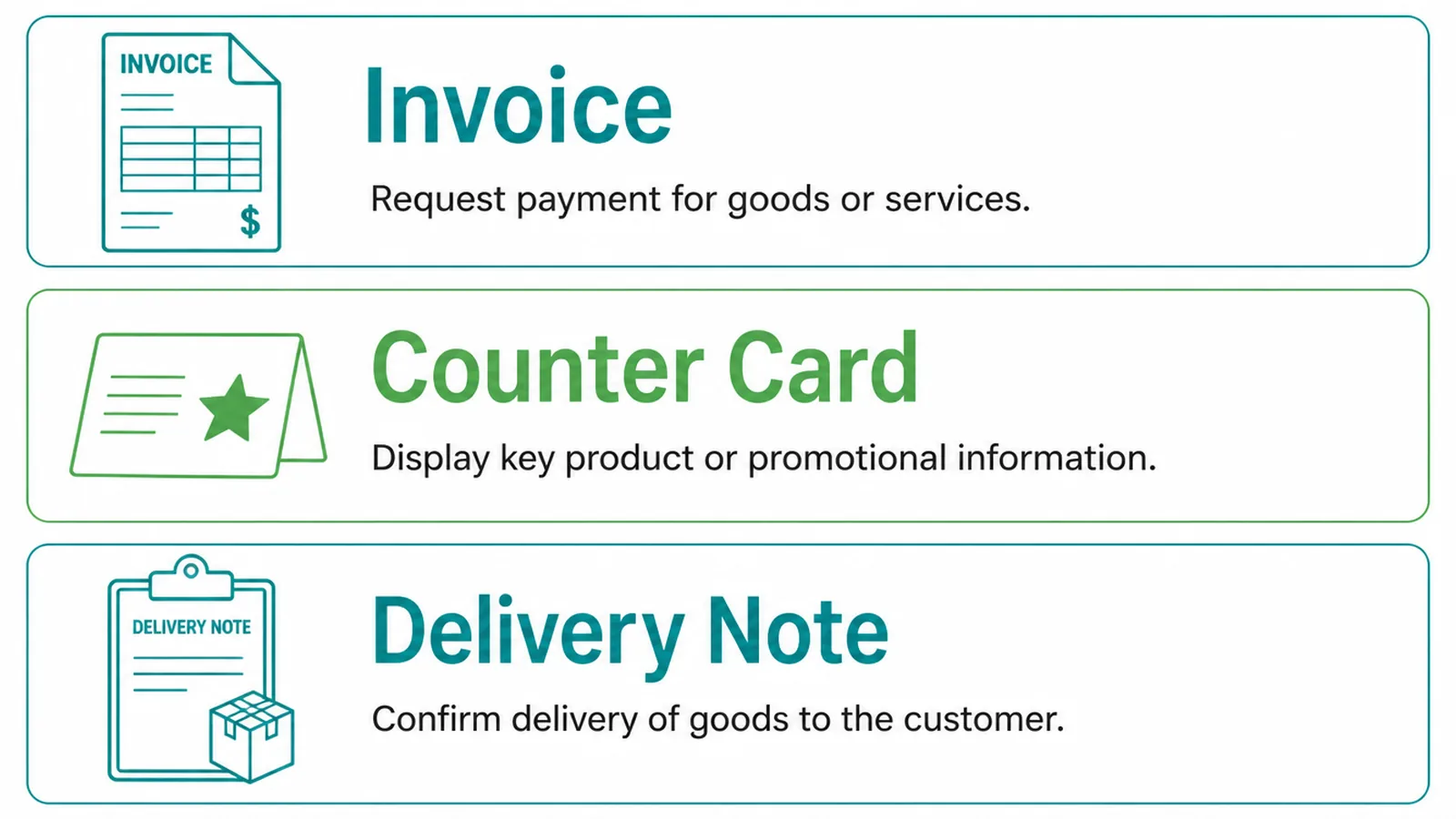
| The placement | Why it works |
|---|---|
| On the receipt or invoice | Reaches everybody who pays, at the moment the job ends |
| A card handed over as you leave | Personal, and the request comes from whoever did the work |
| In the follow up message | Catches the people who were busy, with the link one tap away |
Use two of the three rather than all of them. A business that asks everywhere starts to feel like it is asking constantly.
Pick the two that match how your customers actually finish. A shop and a visiting trade have completely different last moments.
Keep the follow up single. One message, a few days later, with the link in it and no second reminder.
Keep a rough note of how many you hand out. A code that is scanned by nobody is usually a placement problem rather than a customer problem.
Review Code Tools
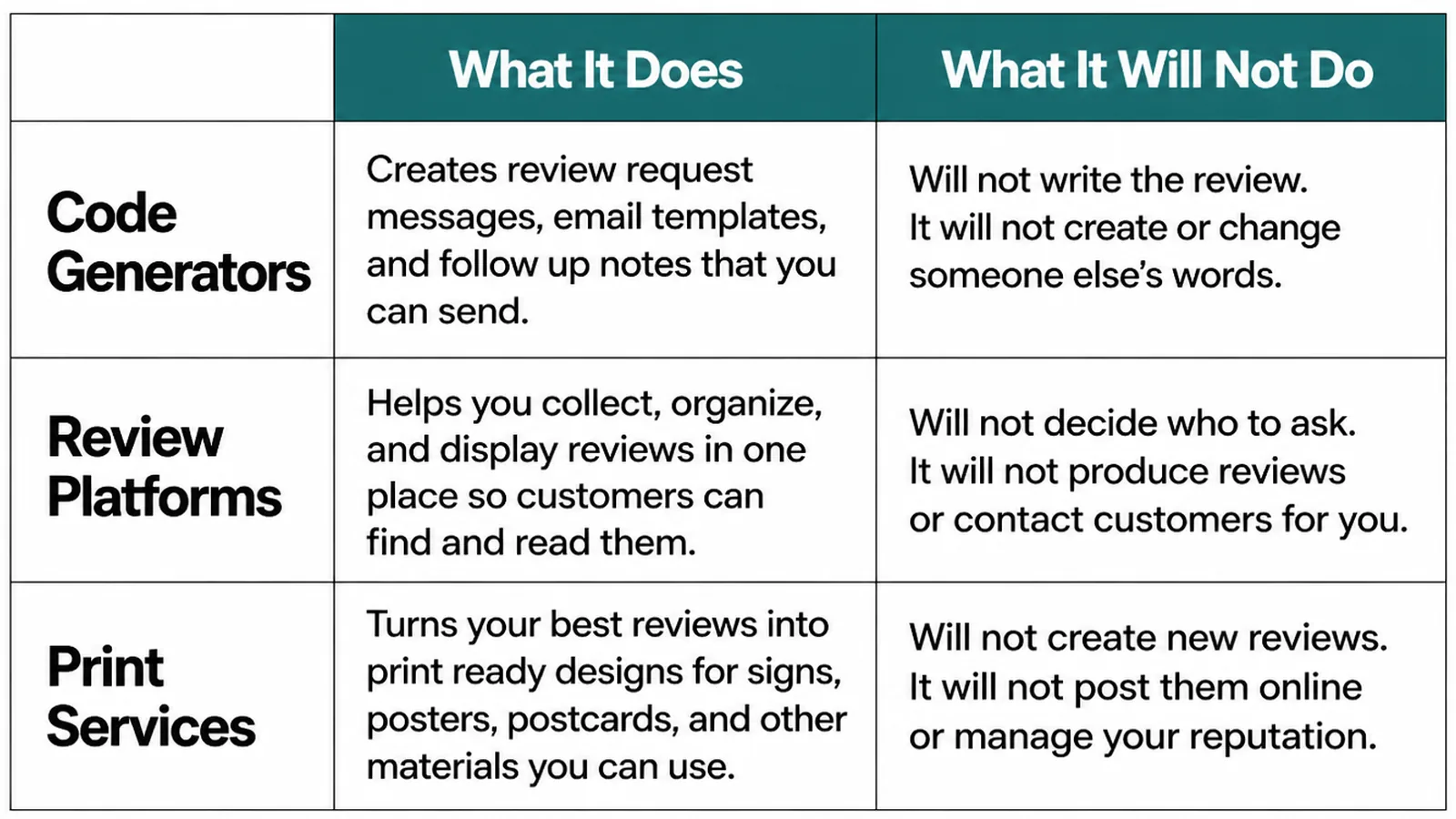
| What it does | What it will not do |
|---|---|
| Code generators turn your link into a printable square | Guarantee a free dynamic code keeps working |
| Print services put the code on cards, stickers and stands | Check the size scans from where it will sit |
| Review management tools track what arrives and prompt replies | Make the asking itself happen |
Review management tools earn their place once reviews arrive steadily and replying becomes a job. Before that, the profile itself is enough.
Replying matters more than collecting, once a few are in. A business that answers its reviews reads as one that is paying attention.
Whatever you use, keep the destination the plain Google review link. Routing it through something else adds a point of failure for no benefit.
Common Review Code Mistakes
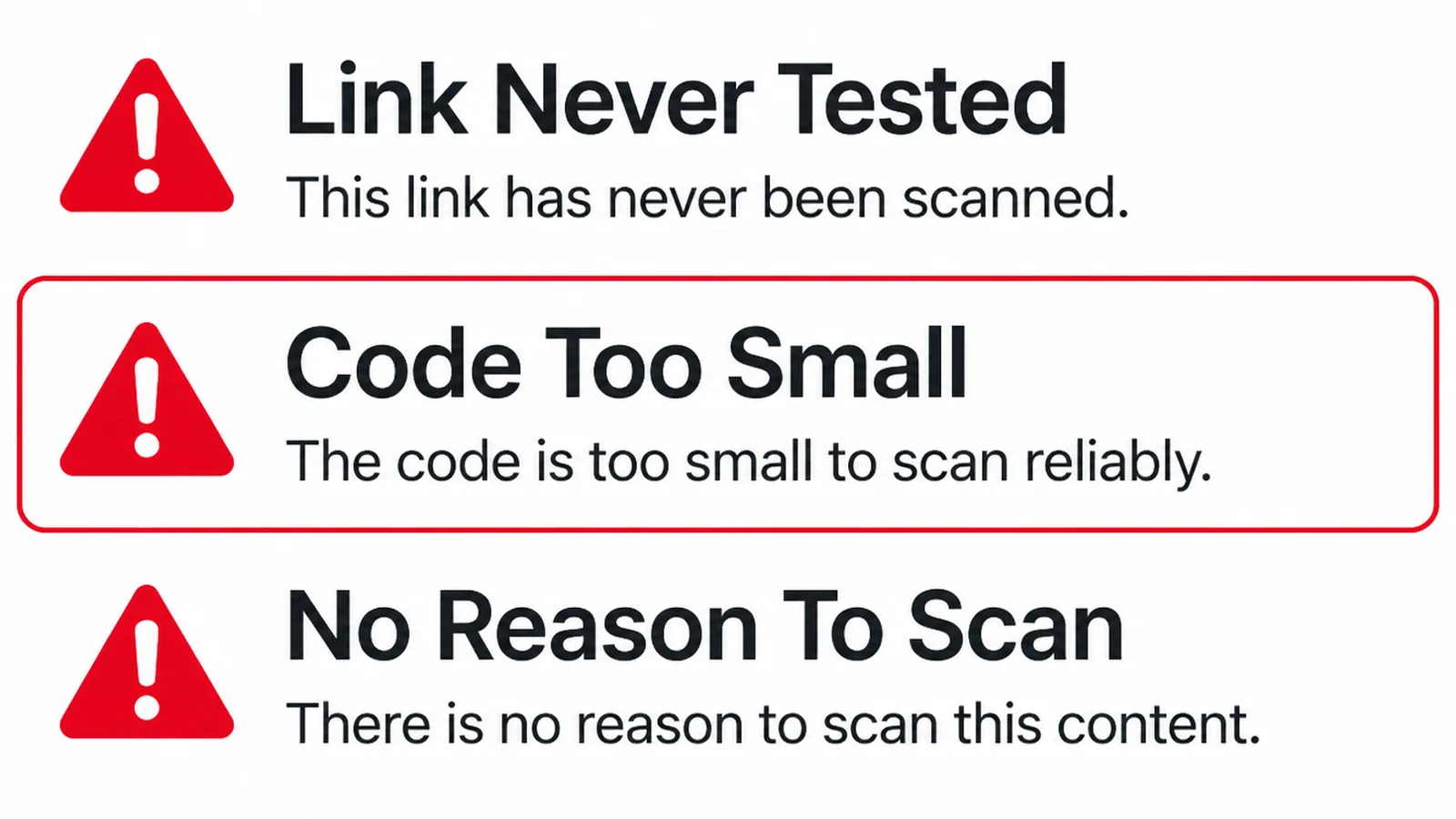
- Attaching a reward. A discount for scanning, prohibited whatever the wording.
- Asking only the happy ones. Filtering who gets asked is also against the rules.
- Never testing it. A code printed on five hundred cards, pointing nowhere.
The first two come from the same policy. Google prohibits offering incentives, like free or discounted goods or services, in exchange for customers to post reviews, and discouraging negative reviews.
The third is avoidable in two minutes. Scan it with a phone that is not signed in as the business, from the distance a customer will stand.
Re-test after any reprint. The file that goes to a printer is not always the file somebody approved.
If reviews are the wider project, the full guide to asking for reviews covers the timing and the wording in more detail.
FAQs
Is a review QR code allowed?
Yes. Google's own tips page says you can ask customers to visit a Google link or scan a QR code to leave a review. What is prohibited is offering incentives, such as free or discounted goods or services, in exchange for somebody posting one.
Can I offer a discount for scanning it?
No. Offering rewards in exchange for reviews is prohibited, and that applies however the ask is delivered. You can hand the code to everyone and simply say you would be grateful for a review. That is allowed, it is quick, and it is more effective than most people expect.
Do customers need an account?
Yes. Google notes that a customer needs a Google Account to leave a review, though it can be created with a non-Gmail address. That is the main reason some scans never turn into reviews, and nothing about the code changes it.
Where should the code go?
Wherever a job ends: the receipt, a card at the counter, the bottom of the invoice email. The best placement is the one that reaches somebody while they are still pleased, and that window is usually minutes rather than days.
Conclusion
A Google review QR code is your review link made scannable, and it works because it removes the searching rather than the writing.
Copy the link from your own profile, turn it into a static code, test it on a phone that is not yours, then put it where the job ends. Ask everybody, and never attach a reward.
If you want the whole review habit set up properly, see how we approach local SEO, or get in touch and we will build the ask into how you finish a job.