Key takeaways
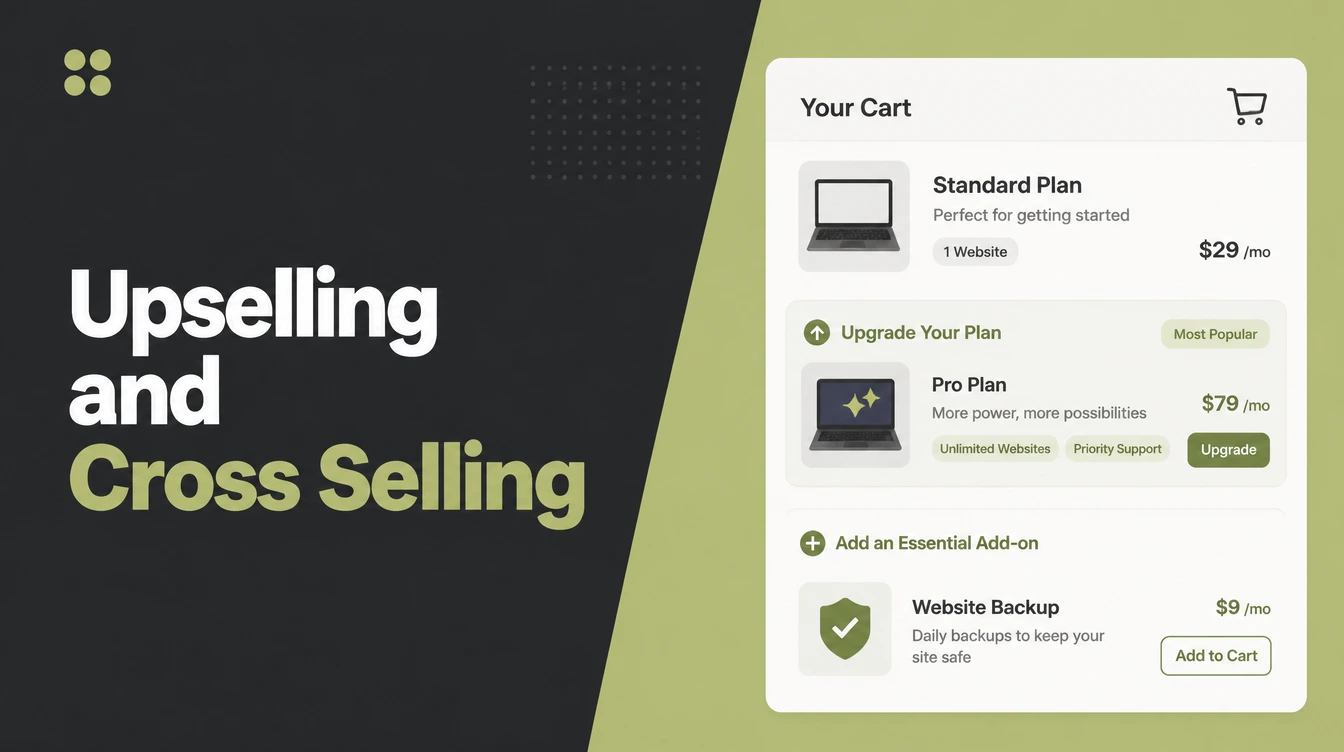
- Upselling moves someone to a better or bigger version of what they already want. It changes the value of one product.
- Cross-selling adds a different, matching item that goes with it. It changes how many products they buy.
- Placement matters. Upsells belong on the product page. Cross-sells work best in the cart. Keep checkout clean.
- Relevance beats volume. Baymard found that even one questionable suggestion can make shoppers distrust all of them (Baymard).
- Bundles are the friendly middle ground: the whole matching set in one click, often at a small saving.
1. Upselling and cross selling, in one line
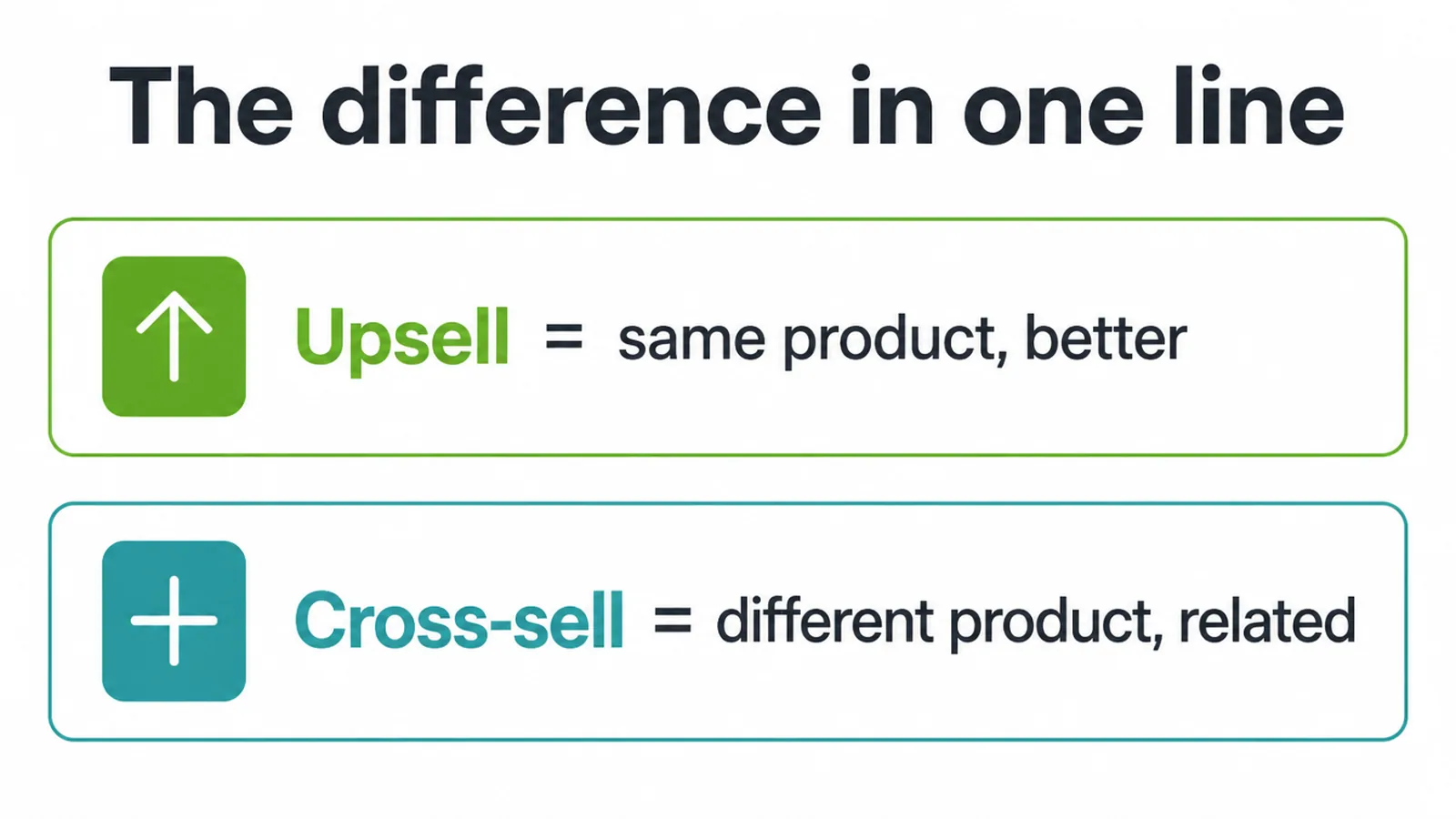
Here is the short version. Upselling is offering a better or bigger version of the thing a shopper already wants. Cross-selling is offering a different item that goes with it. That is the whole difference.
An upsell trades up one product. A cross-sell adds a second product. Both only work when the suggestion is relevant and the timing is right, which is the part most stores get wrong.
In this guide you will get plain definitions of each, a simple table so the difference sticks, the four places to show these offers, and how to do it helpfully instead of pushily. No jargon, no hard sell. The goal is suggestions that feel like good service, not sales pressure.
2. What is upselling?
Shopify puts it simply. "Upselling is a sales technique in which a seller encourages a customer to purchase a more expensive item, upgrade, or add on to increase the overall value of the sale." (Shopify) In plainer words, you nudge the shopper to trade up to a premium, larger, or upgraded version of the same thing they already picked.
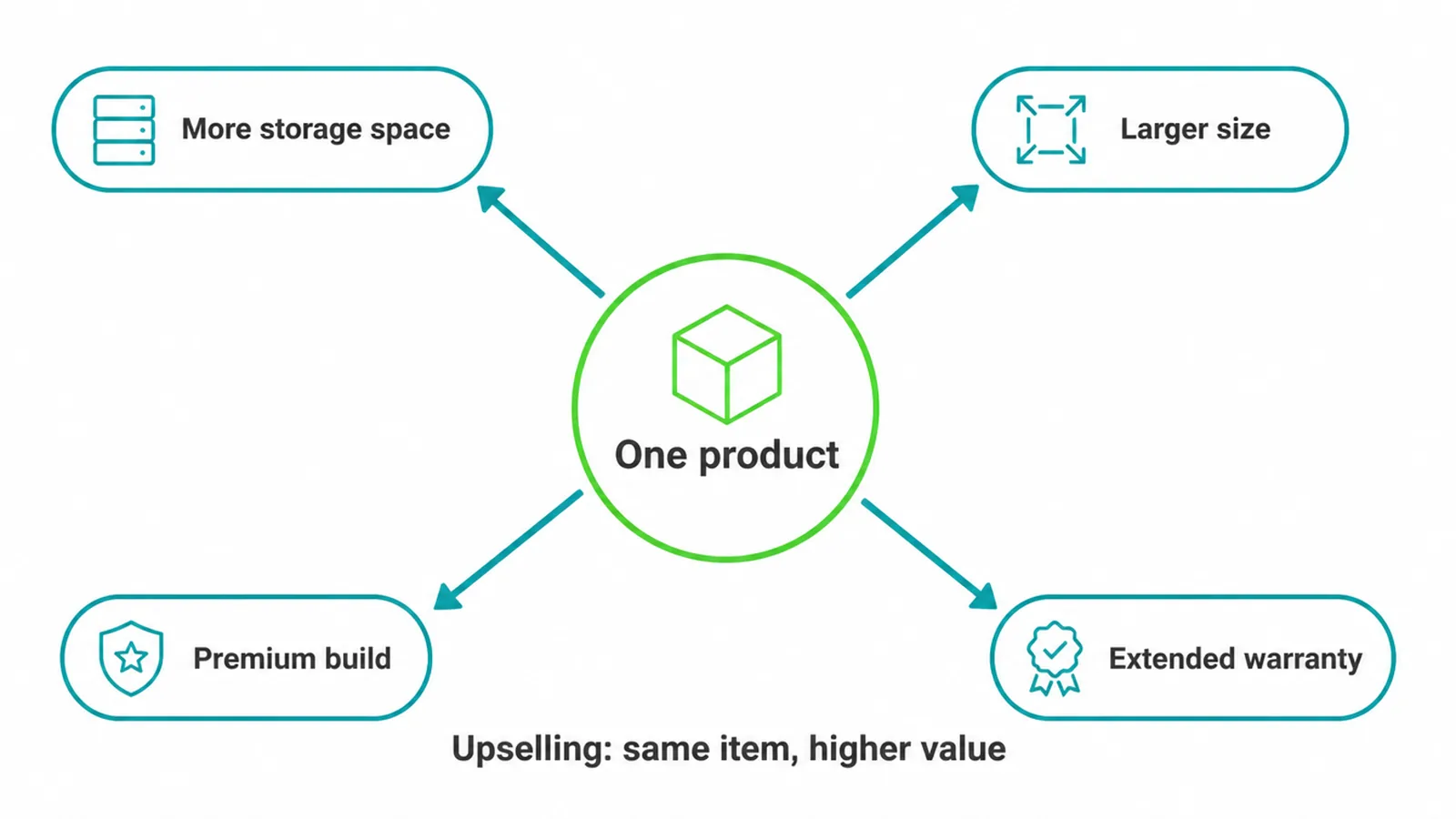
Think of it as the same product, but better. Someone is looking at a storage plan and you show the tier with more space. They are choosing a size and you highlight the larger one.
They are eyeing a basic model and you point out the premium build with a longer guarantee. An extended warranty offered as an upgrade counts too.
In every case the item stays the same in spirit. Only its value goes up. That is the heart of upselling: you are helping the buyer get more out of one purchase, not selling them a pile of extra stuff.
3. What is cross-selling?
Cross-selling is different. Instead of upgrading one product, you add a second one that pairs with it. Shopify frames the split cleanly: an upsell moves the customer to a higher-priced version of what they already want, while a cross-sell adds complementary items that round out the main purchase. (Shopify)
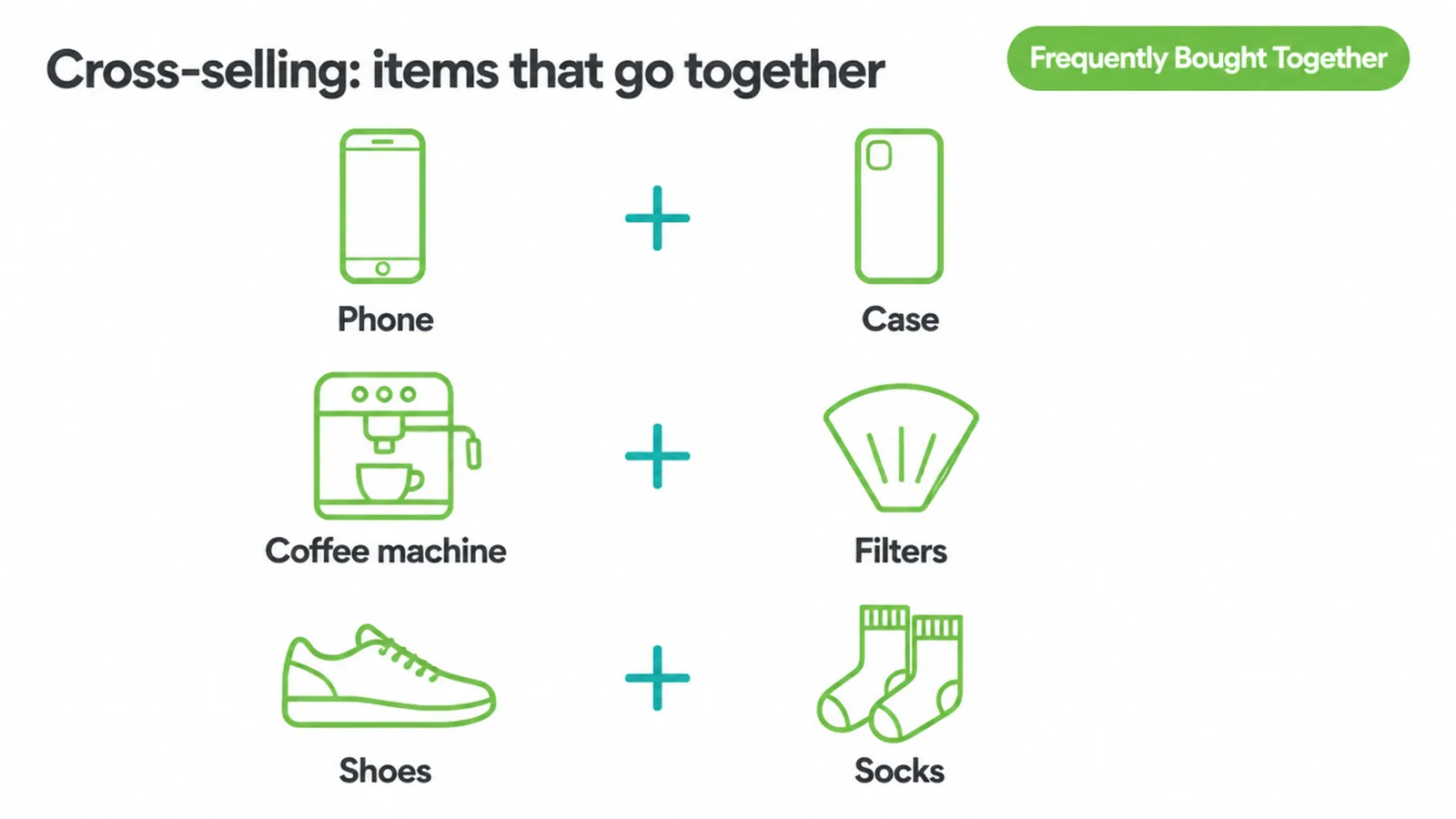
The everyday examples are easy to picture. A case with a phone. Filters with a coffee machine. Socks with a new pair of shoes. None of these replace or upgrade the main item. They complete it.
So while an upsell changes the value of one product, a cross-sell changes the number of items in the basket. You will often see this dressed up with a label like "Frequently Bought Together", which is one of the clear tags Baymard recommends so shoppers instantly read what the suggestion is. (Baymard)
A good cross-sell answers a question the buyer was about to ask anyway: what else do I need to actually use this?
4. The difference, side by side
If you only remember one thing, make it this. Upsell equals same thing, better. Cross-sell equals different thing, related. The table below shows how that plays out across a few common products.
Notice the pattern: the upsell column always trades up the original item, and the cross-sell column always adds something that goes with it. These are generic examples to show the shape, not real offers.
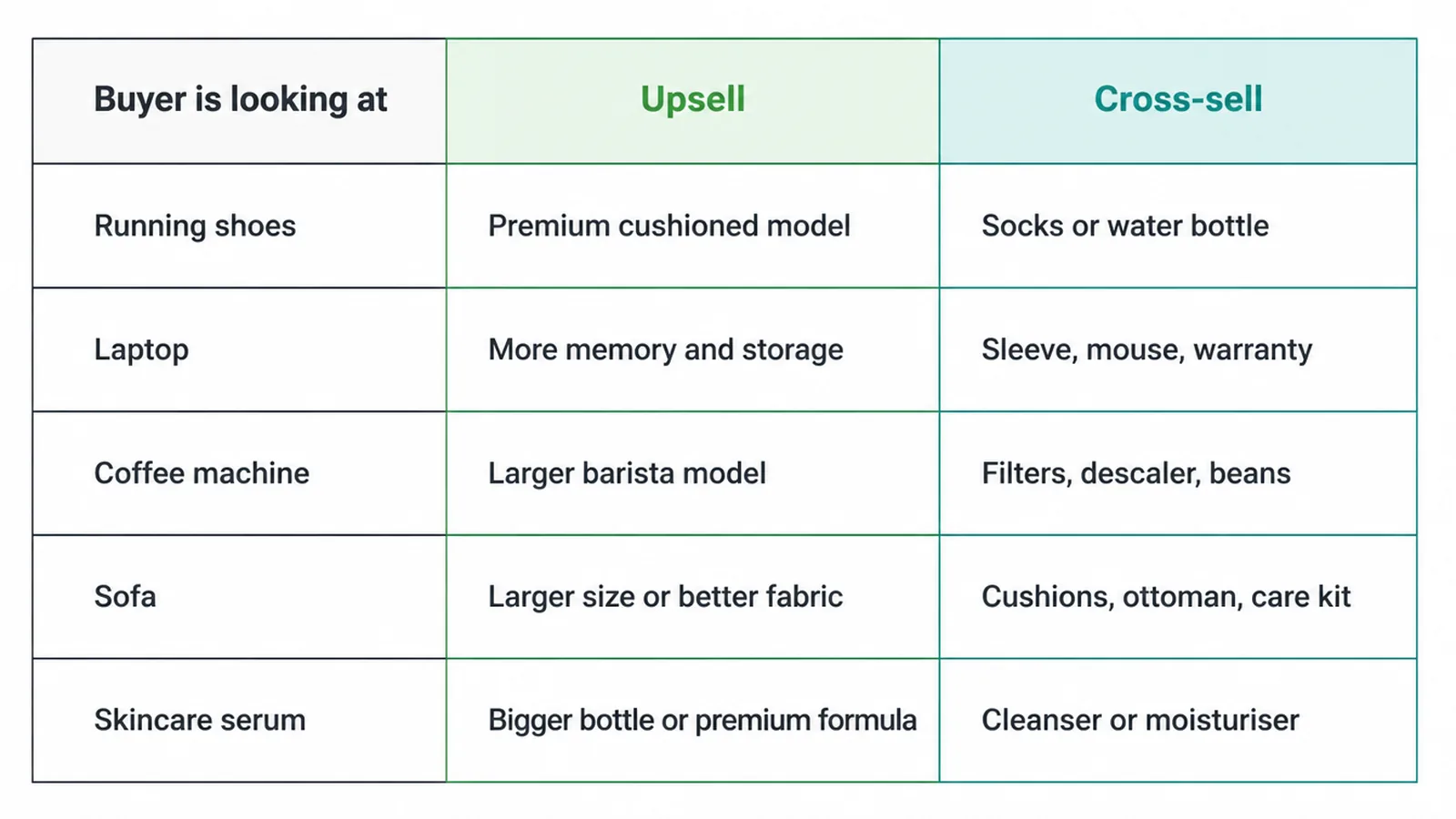
| Buyer is looking at | Upsell (better or bigger version) | Cross-sell (goes-with add-on) |
|---|---|---|
| A pair of running shoes | The premium model with more cushioning | Running socks or a water bottle |
| A laptop | A model with more memory and storage | A sleeve, mouse, or extended warranty |
| A coffee machine | The larger or barista-grade model | Filters, descaler, or a bag of beans |
| A sofa | The larger size or upgraded fabric | Cushions, a matching ottoman, fabric care |
| A skincare serum | A bigger bottle or the premium formula | A matching cleanser or moisturiser |
Read any row out loud and it clicks. The upsell keeps you on the same product and lifts it. The cross-sell hands you the thing you would have gone looking for next.
Both are useful. Both can also annoy if they land at the wrong moment, which is why placement matters just as much as the offer itself.
5. Where to place them
The same offer can feel helpful or annoying depending on where it appears. Shopify notes that these moments span the whole journey, from the product page before purchase, to the cart and checkout, to the order confirmation after the sale. (Shopify) Here is how to match each type of offer to the right stop.
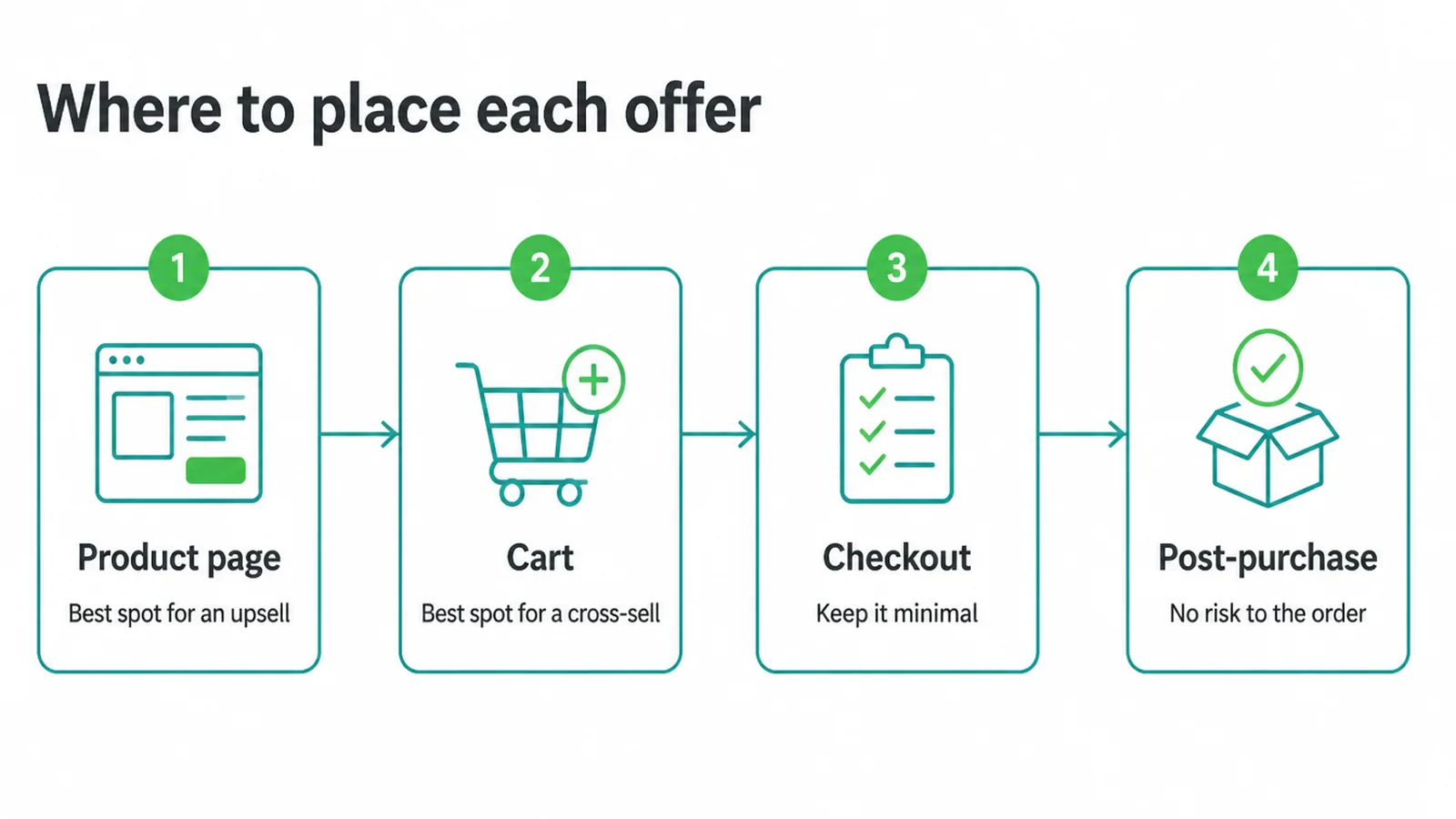
Product page: the main upsell zone
This is the strongest spot for an upsell. The shopper has a specific item in mind but has not committed yet, so an upgrade prompt reads as useful, not pushy.
Baymard found that suggesting alternative products is genuinely helpful while a user is still shopping, which is exactly what the product page is. (Baymard)
Show the upgrade inline with the product options, right next to the size or tier choices. Do not spring it as a popup that covers the thing they came to see.
Cart: the strong cross-sell zone
Once an item is in the basket, the mood shifts. Now complementary add-ons make the most sense.
The same Baymard testing showed that as a user moves toward checkout, alternative products become less helpful and complementary items should take precedence. (Baymard) So the cart is where a clearly labelled "goes with this" suggestion earns its place. Keep it to items that obviously pair with what they are already buying.
Checkout: keep it minimal
The payment step is not the place to open new decisions. Every extra choice here is friction that can lose the whole order. At most, offer one low-effort add-on such as gift wrap or faster shipping.
If you want the full picture of protecting this step, our guide to checkout optimization goes deep on removing friction where it hurts most.
Post-purchase: the underused spot
The order confirmation is the offer moment most stores forget. The sale is already safe, so anything you suggest here carries zero risk to the original order.
A gentle "add this to your order" or "here is the upgrade for next time" on the confirmation page or in the account area can work well precisely because there is no pressure. Nothing you show can scare off a purchase that is already done.
6. How to do it helpfully, not pushily
This is the part that decides whether your offers build trust or burn it. Baymard's research is blunt here.
Baymard found that 52% of desktop sites present cart cross-sells that are irrelevant or based only on what other customers happened to buy. (Baymard) That is a huge share of stores showing suggestions that miss the point. And the cost is bigger than one ignored offer.
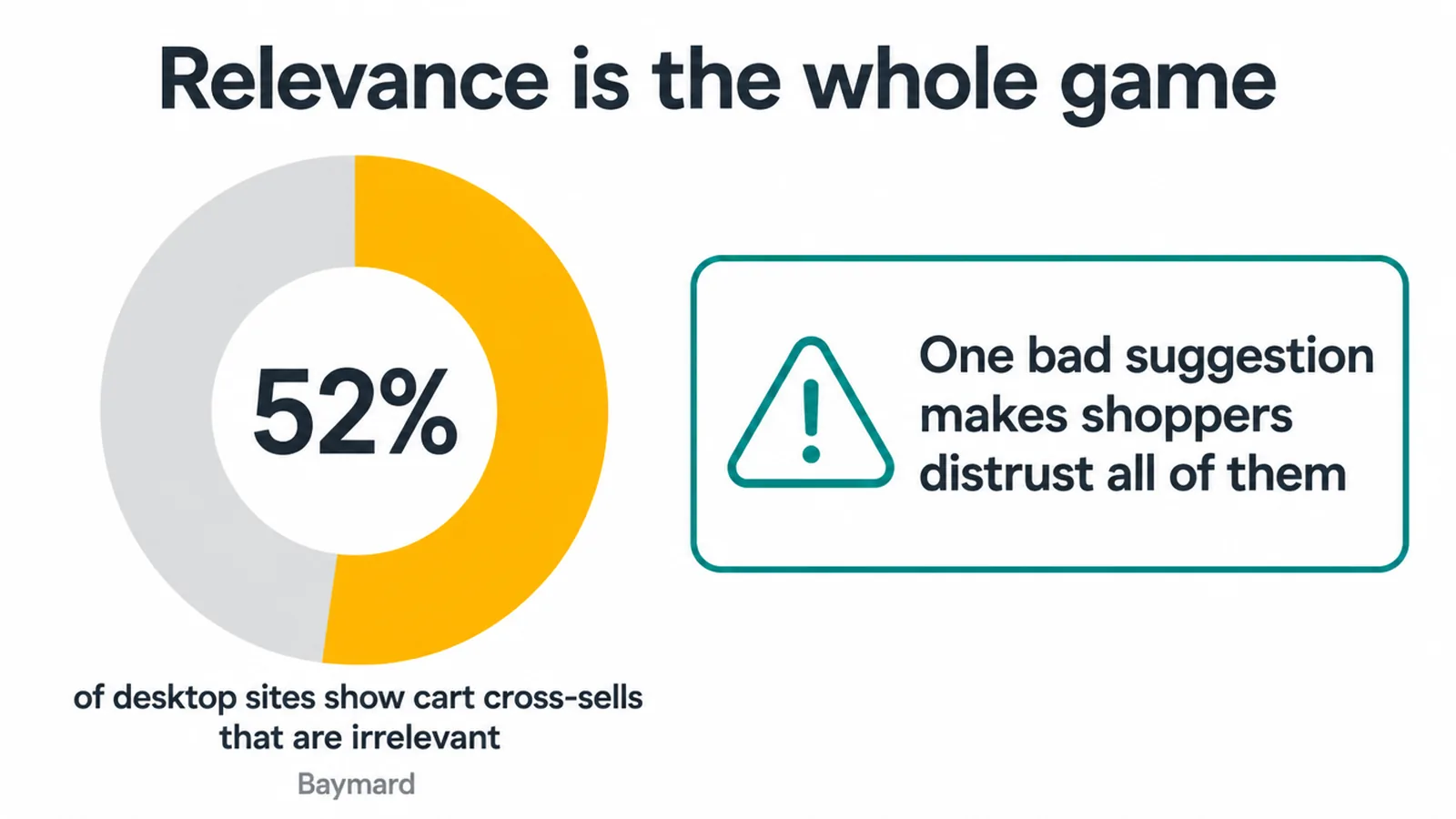
In the same testing, even a single questionable recommendation caused users to lose faith in all the suggestions on a site. (Baymard) One bad pick poisons the rest. So relevance is not a nice-to-have. It is the whole game.
Keep the suggestion relevant and low-pressure. Aggressive prompts can distract or annoy someone who already knows what they came to buy.
Put together, that gives you a short set of rules.
- Keep every suggestion tightly relevant to what the shopper is looking at.
- Keep the number small so you never overwhelm.
- Label offers clearly with plain tags like "Frequently Bought Together" or "Complete the Look" so people read them correctly. (Baymard)
- Match the offer to the cart, so you are not pitching a big add-on to a small order.
- And never block the buy. The main action, adding to cart and paying, must always be the easiest thing on the page.
If you want the wider view on turning browsers into buyers, our guide on how to increase your website conversion rate pairs well with this.
7. Bundles: the friendly middle ground
A bundle groups items that are used together and sells them as one package, usually at a small saving. It is one of the easiest, lowest-pressure ways to cross-sell, because the shopper sees the full matching set in a single click instead of hunting for each piece.
There is no nagging and no popup. Just a clear "here is everything you need" offer they can take or leave.
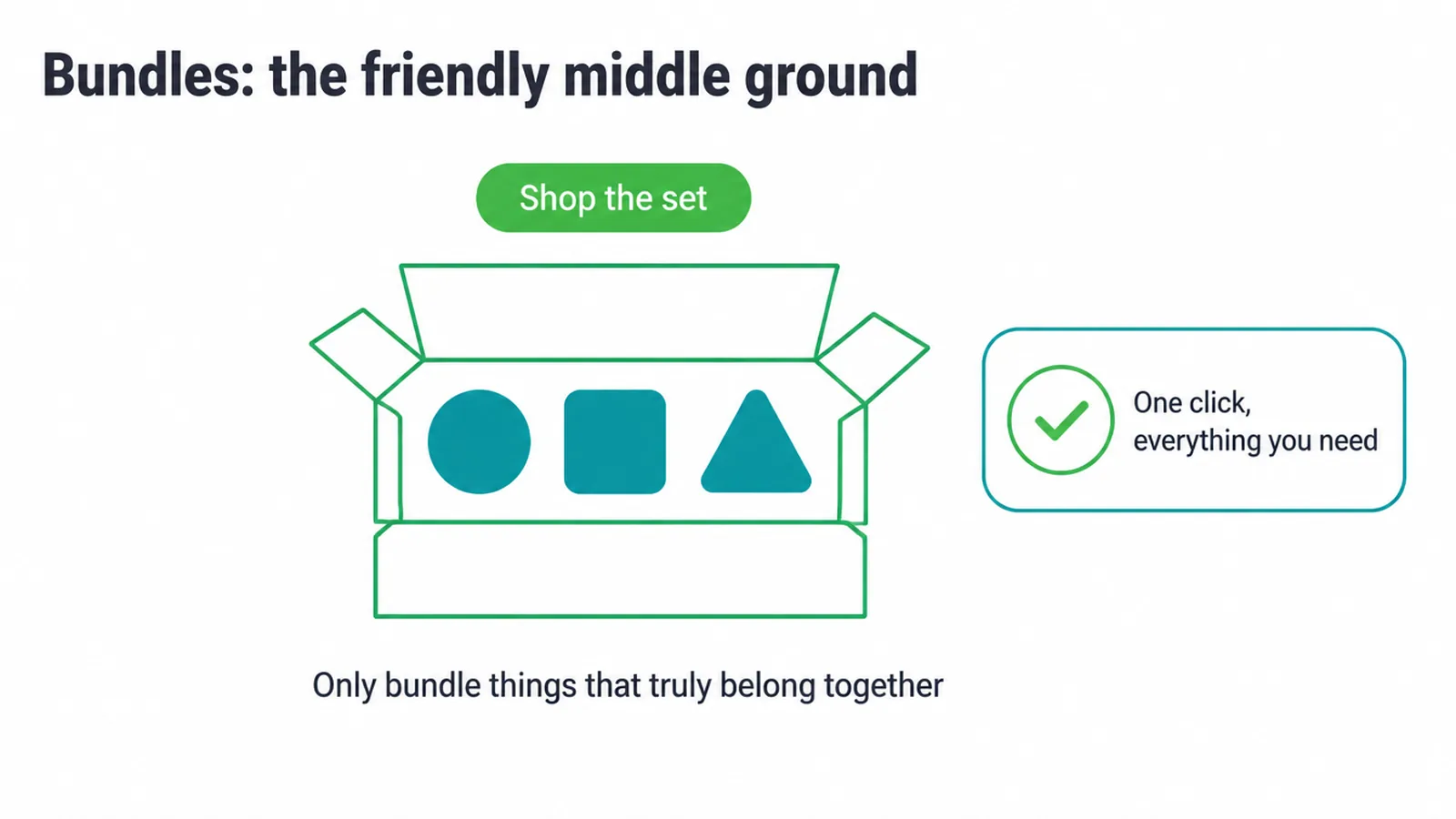
Bundles work nicely on the product page as a "shop the set" option, or as a ready-made kit in its own right. The one honest rule: only bundle things that truly belong together.
A set that makes real sense feels like a favour, because you have done the thinking for the buyer. A set stuffed with filler to pad the value does the opposite, and shoppers see through it fast. Keep bundles genuine and they quietly lift orders without ever feeling like a sell.
8. A simple way to start
You do not need a fancy tool or a hundred offers to begin. Start small and let the results guide you. Here is a sequence any store can run this week.
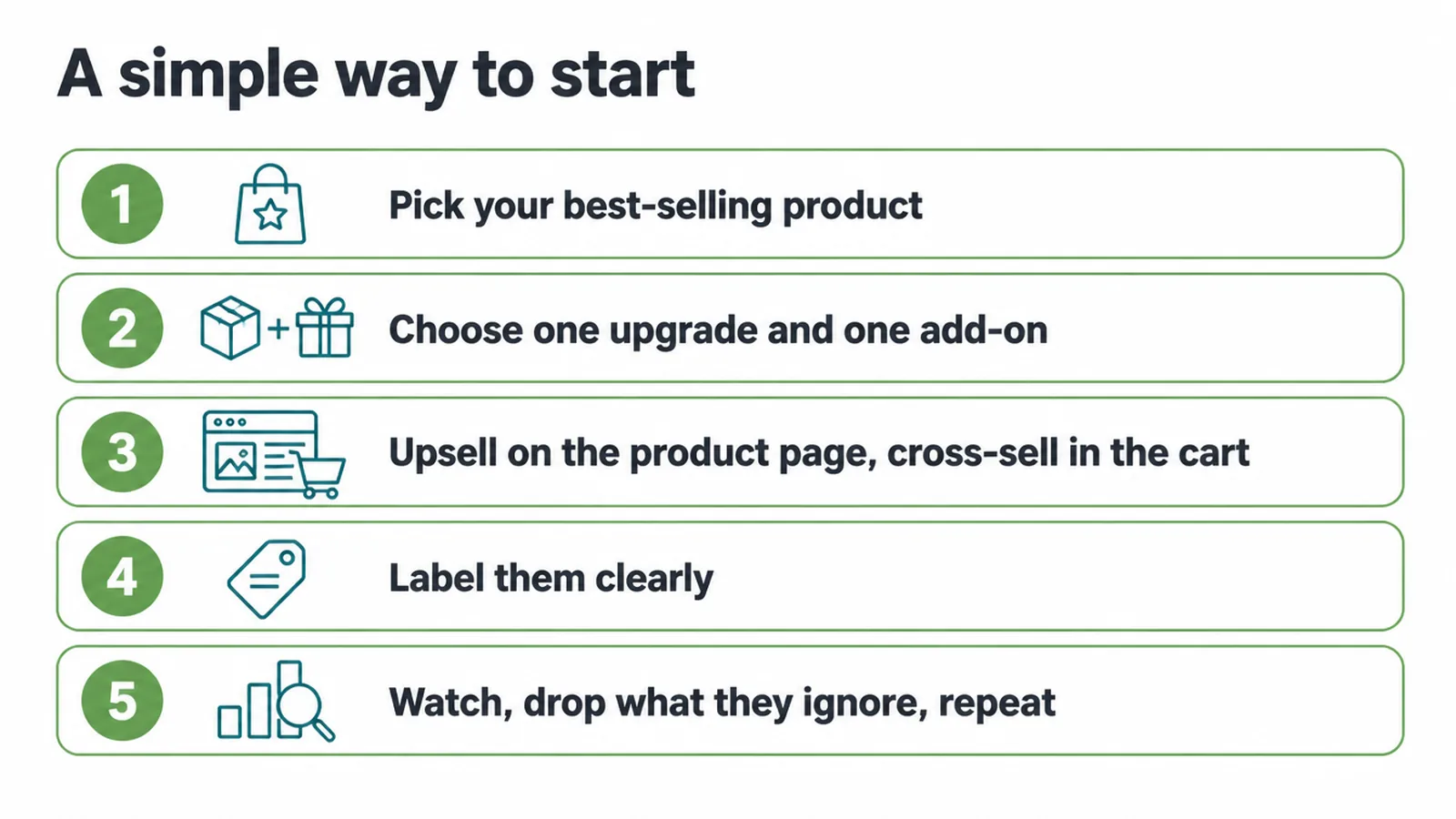
- Pick your best-selling product. Start where you already have traffic and sales, so you learn fast.
- Choose one genuine upgrade and one genuine add-on. One real upsell, one real cross-sell. No more.
- Place them. Put the upsell on the product page, inline with the options. Put the cross-sell in the cart.
- Label them clearly. Use a plain tag so shoppers know exactly what each suggestion is.
- Watch and refine. See what people actually take, drop what they ignore, and repeat on your next product.
One thing underpins all of this: the pages carrying your offers have to be good in the first place. If your product pages are slow, thin, or hard to find, no suggestion will save them.
Getting those pages built well and found in search is its own job, and our guide to product page SEO covers it.
If you would rather have a store merchandised so these suggestions feel like service from day one, that is a big part of what merchandising a store properly involves.
Get the basics right and upselling and cross selling stop feeling like tricks. They become part of good service: the right upgrade at the right moment, and the matching add-on the buyer was going to need anyway.
Want a hand setting yours up? Tell us about your store and we will help you make it feel helpful, not pushy.
FAQ
1. What is the difference between upselling and cross-selling?
Upselling moves a shopper to a better or bigger version of the thing they already want. Cross-selling adds a different, complementary item that goes with it. Upsell changes the value of one product. Cross-sell adds more products.
2. Can you upsell and cross-sell at the same time?
Yes. A common pattern is to offer an upgrade first, since it relates to the product they picked, then suggest complementary add-ons once they have chosen. Just do not stack so many offers that you overwhelm the buyer.
3. Where is the best place to put an upsell?
The product page is the strongest upsell spot. The shopper has a specific item in mind but has not committed, so an upgrade prompt feels useful. Show it inline with the product options, not as a popup.
4. Where should cross-sells go?
Complementary items work well in the cart and on the product page. Near checkout, keep suggestions to items that clearly go with what is being bought, and avoid distractions inside the payment step itself.
5. Is upselling pushy or bad for customers?
It is only pushy if the suggestion is irrelevant or aggressive. When you recommend something that genuinely helps the buyer, it reads as good service. Get one suggestion badly wrong and shoppers start ignoring every suggestion you make after it.
6. What is a product bundle?
A bundle groups items that are used together and sells them as one package, often at a small saving. It is a friendly way to cross-sell because the shopper sees the full set in one click instead of hunting for each piece.
7. Why are my product recommendations not working?
Usually they are not relevant enough. If suggestions are based only on what other people bought, rather than what goes with the current item, shoppers ignore or distrust them. Label them clearly and keep them related.
8. Do upsells and cross-sells help average order value?
Done well, they can lift the value of an order by helping people buy the right upgrade or the matching add-on. The key word is helpful. Relevant, well-placed suggestions add value. Random ones just add clutter.