Key takeaways
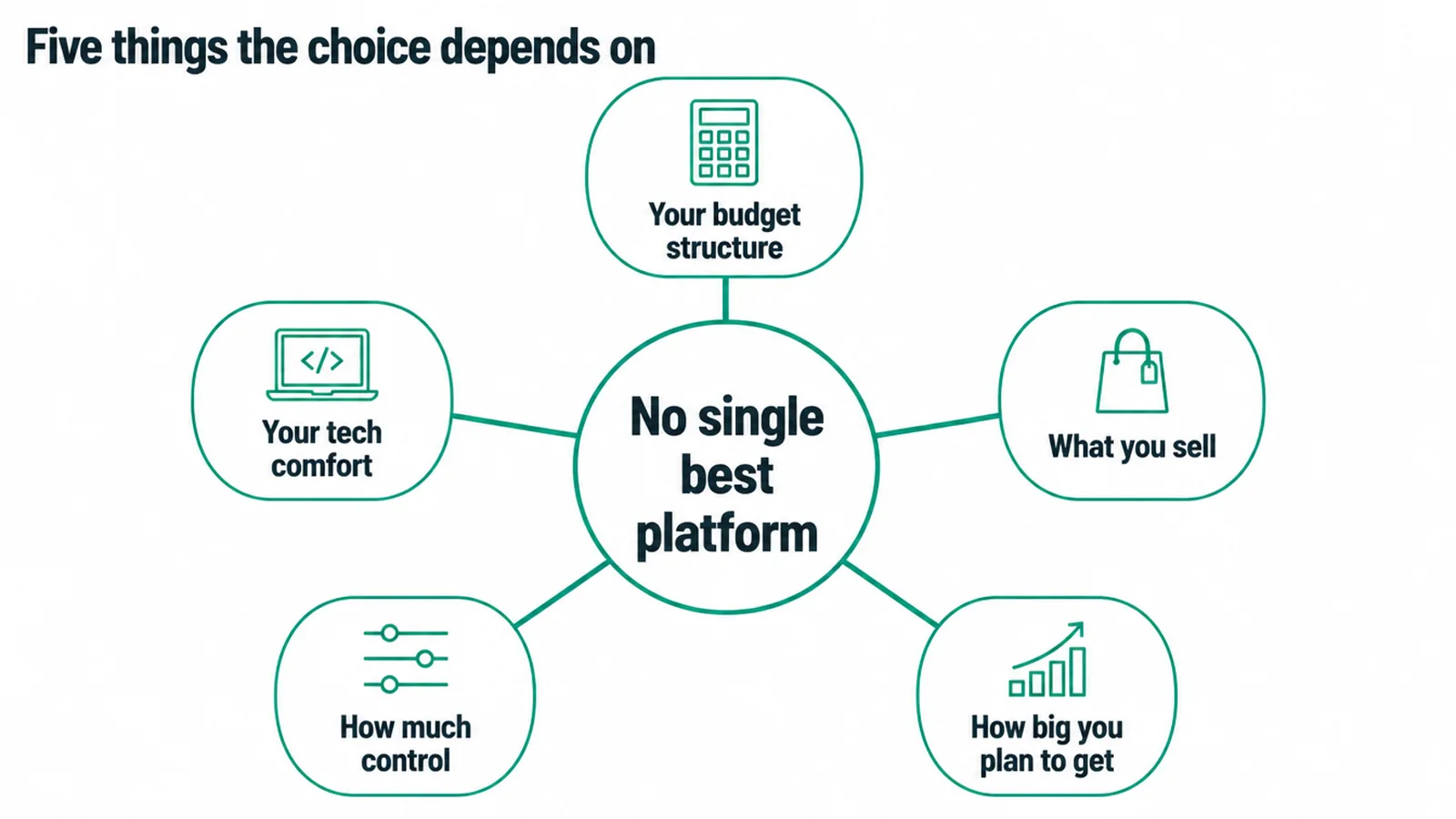
- There is no single best. The right platform depends on your budget, tech comfort, what you sell and how big you plan to get.
- Two routes: build your own store on a builder, or sell on a marketplace. Owning your brand versus borrowing someone else's crowd.
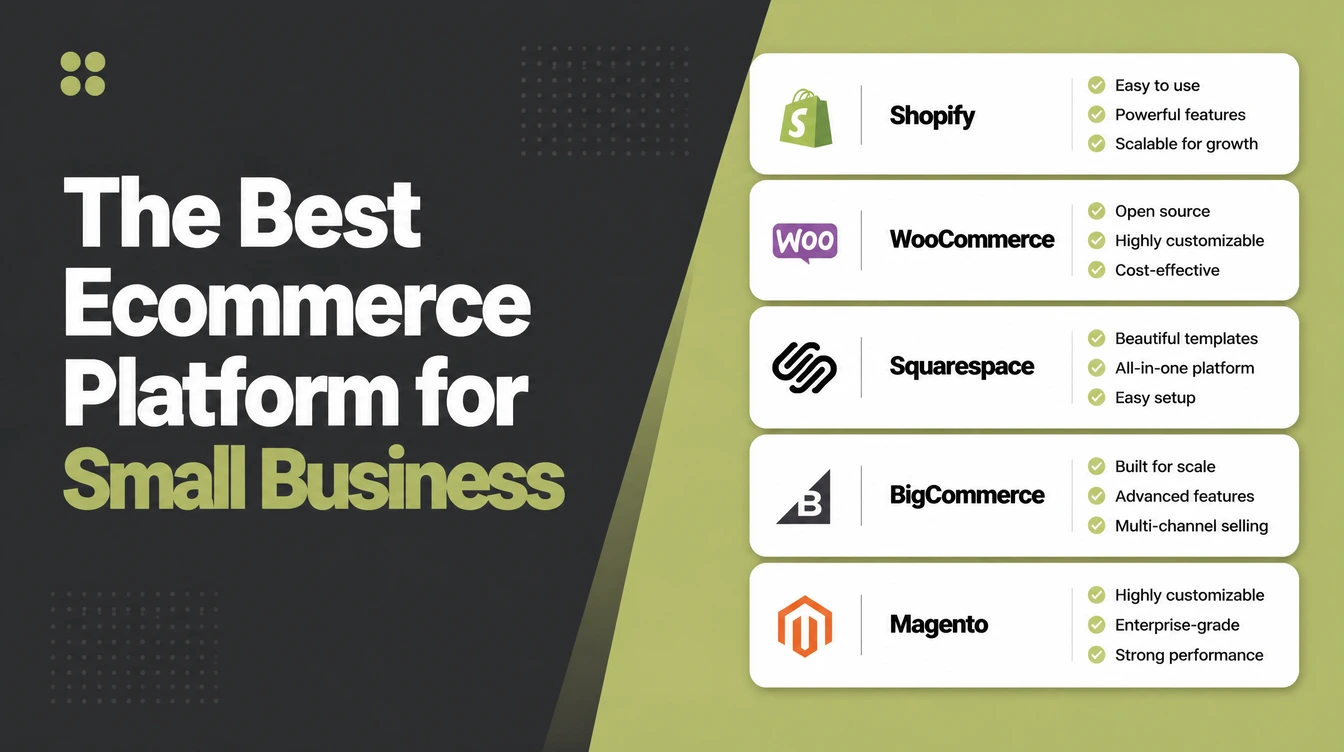
- Shopify suits most owners who want an all-in-one hosted store. WooCommerce suits those who want full control on WordPress.
- Wix and Squarespace are the friendliest for beginners. BigCommerce leans toward growing and B2B sellers.
- Use the five-question framework at the end to match a platform to your situation, not to a review site's screenshot.
1. The honest short answer: there is no single best platform
There is no single best ecommerce platform for a small business. Anyone who tells you "just use this one" is guessing about your situation. The right pick depends on five things:
- how your budget is structured
- how comfortable you are with tech
- what you sell
- how much control you want
- how big you plan to get
A market stall selling a few handmade candles and a shop shipping hundreds of orders a week need very different tools.
So this is not a "the winner is X" list. It is a quick tour of the real options, honest about who each one suits and what to watch out for, then a simple five-question framework so you can pick with confidence.
Read the tour, answer the five questions, and the shortlist gets very short very fast.
2. The short version, by who you are
If you want the answer before the detail, here it is by profile.
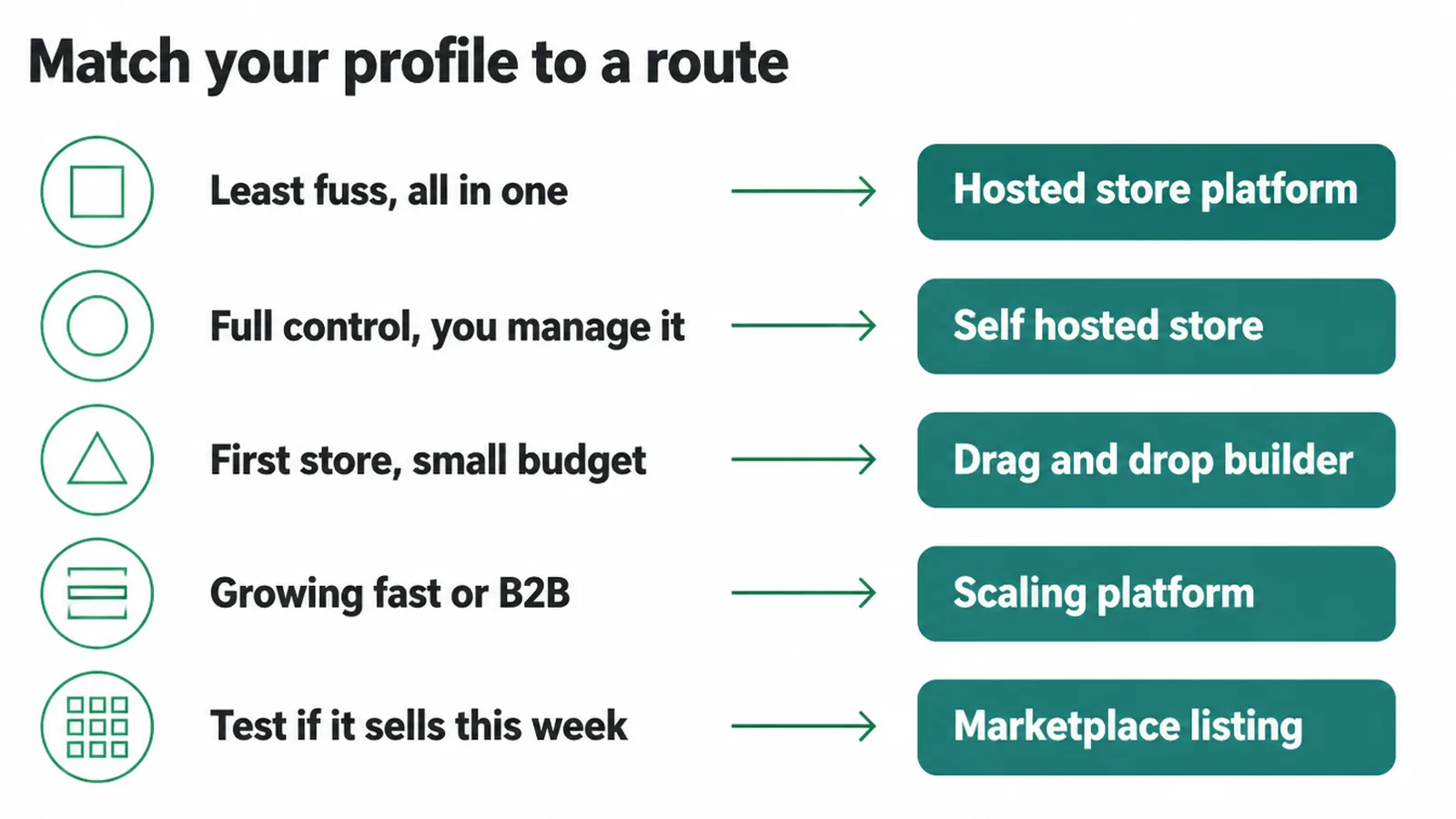
- Want an all-in-one hosted store with the least fuss? Shopify is the safe default.
- Want full control on WordPress and do not mind managing it? WooCommerce.
- Building your first simple, good-looking store on a small budget? Wix or Squarespace.
- Growing fast, selling across channels, or doing B2B? BigCommerce is built for that.
- Just want to test if anything sells at all, this week? List on a marketplace like Etsy or Amazon first.
The rest of this post explains why each of those lands where it does, so you can trust the match instead of taking my word for it.
3. Two routes: build your own store or sell on a marketplace
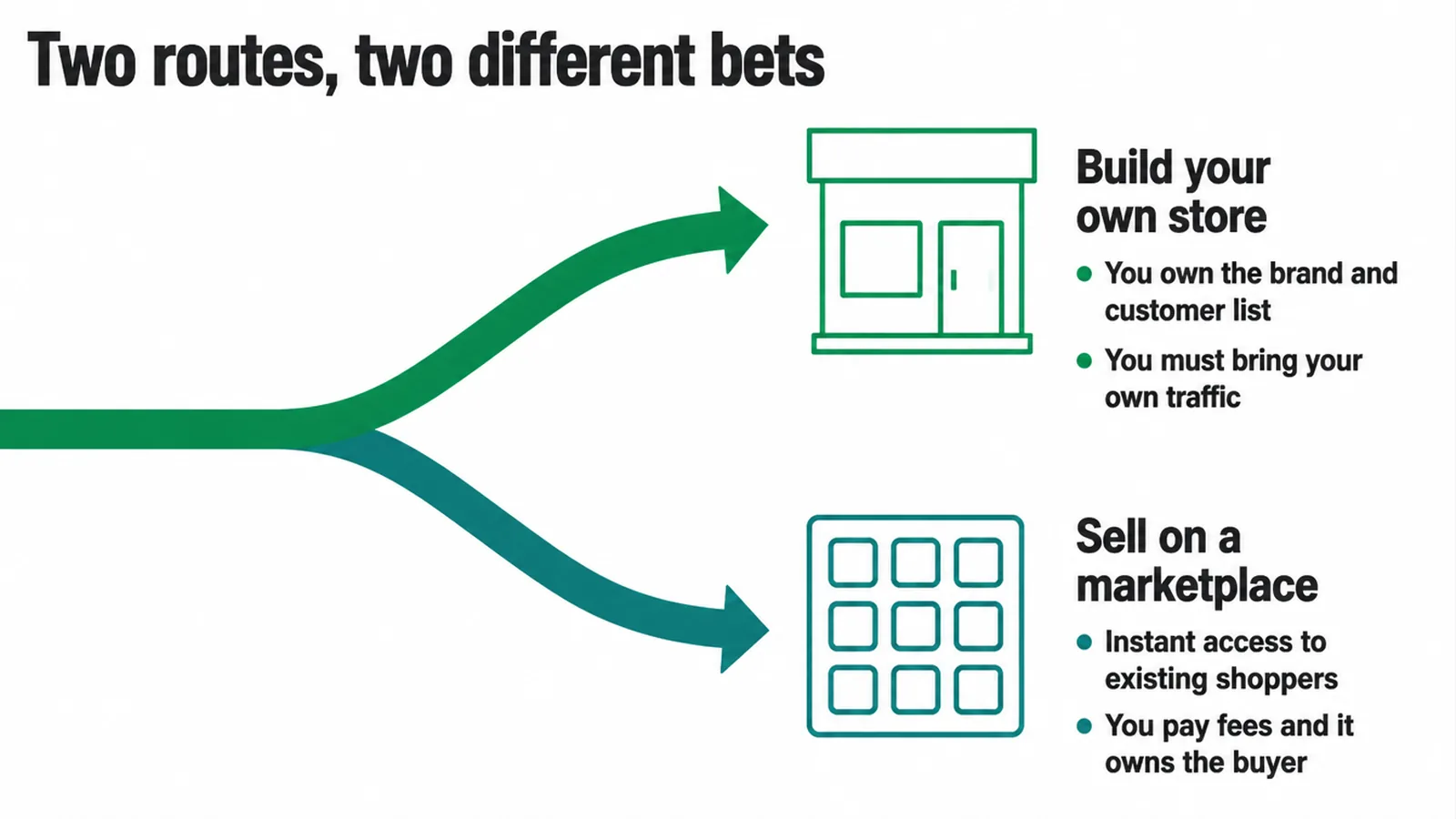
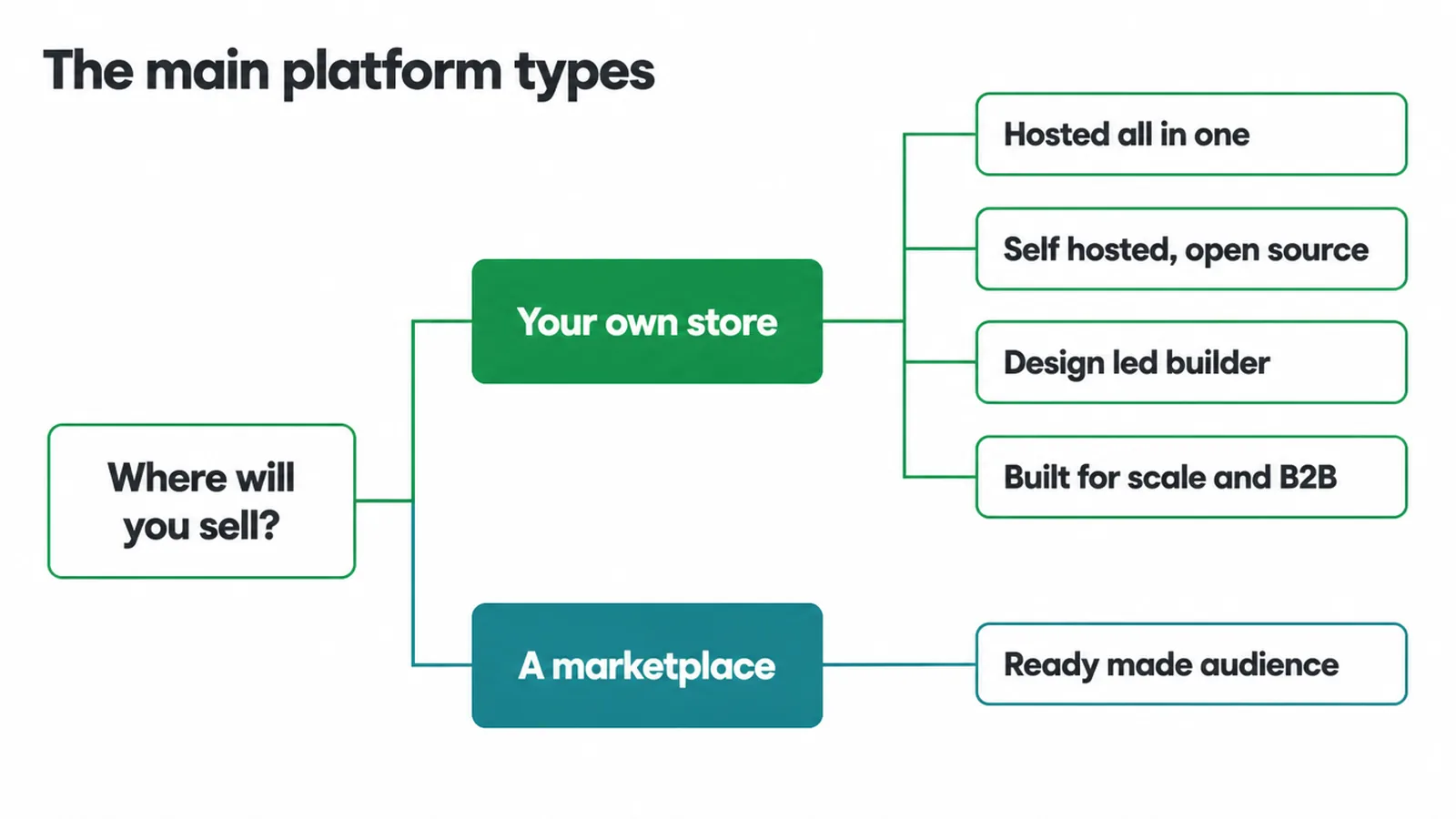
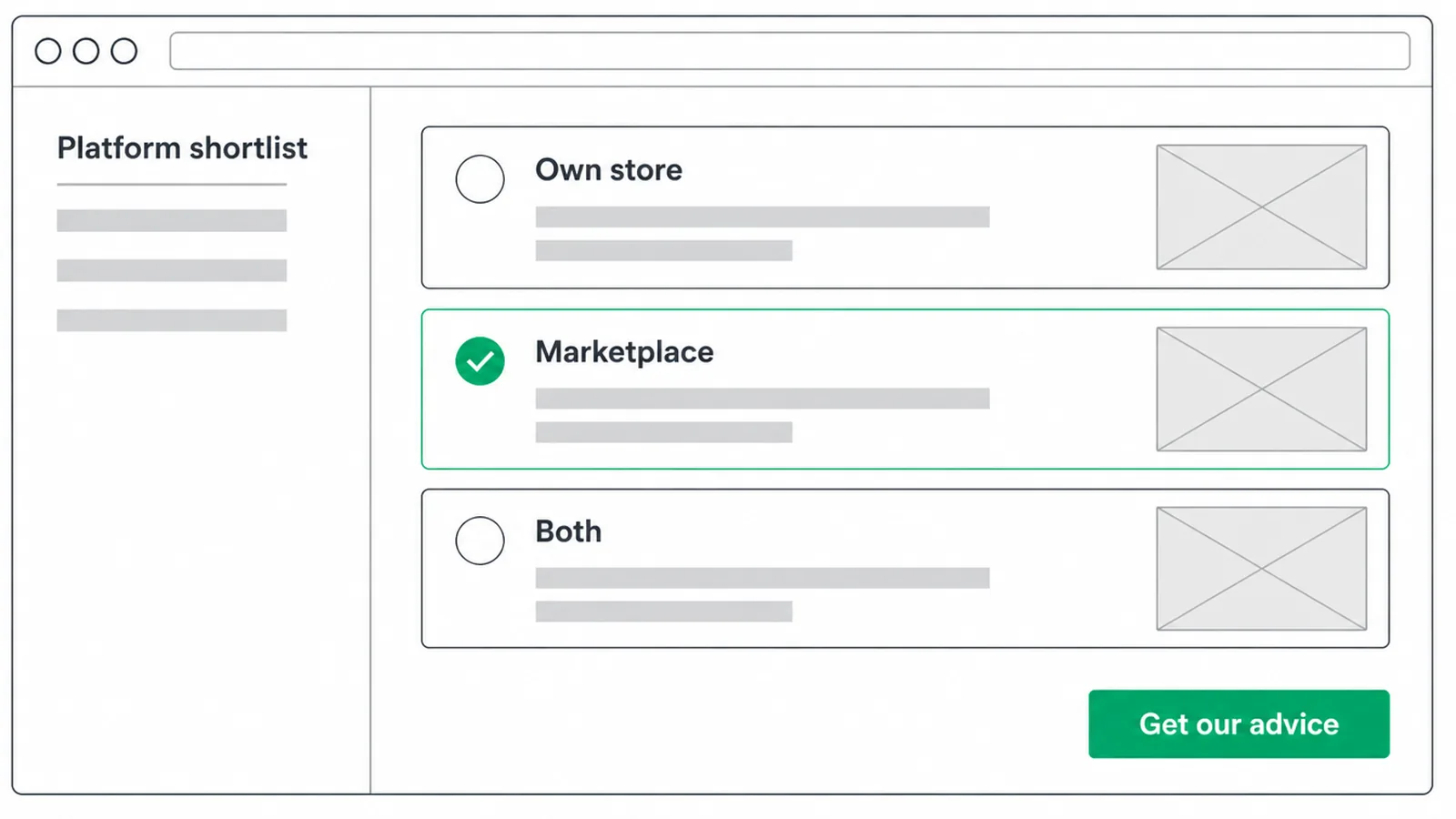
Before you compare brand names, pick your road. There are two. You can build your own store on a website builder, or you can sell inside a marketplace. They are not rivals so much as two different bets, and plenty of businesses run both at once.
Building your own store
Building your own store means the shop is yours. Your brand, your design, your customer list, your rules. You keep the relationship with the buyer and you can market to them again.
The trade is that you have to bring your own traffic, because an empty new store has no crowd walking past.
Selling on a marketplace
A marketplace flips that. You get instant access to shoppers who are already there with a card in hand, but you rent that reach. The marketplace takes fees and, crucially, owns the buyer, so you often cannot even email them afterwards.
Many owners test on a marketplace to prove demand, then build their own store to own the growth. If you are at the very start, our guide on how to start an online store walks the first steps in order.
4. The main platforms, and who each one suits
Here are the options most small businesses actually weigh up. For each one, the plain job it does, who it fits, and the thing to watch out for. No prices here on purpose, because plans and fees change and the right choice rarely comes down to a monthly number anyway.
Shopify
Shopify is a hosted, all-in-one commerce platform, which means the hosting, security and management are built in and handled for you (Shopify). You log in, add products and sell. Nothing to install, nothing to patch on a server.
That is why it is the safe default for most owners who just want a reliable store without becoming a part-time web admin. It fits people who value their time over total control and want to be selling quickly.
The watch-out is that you live inside Shopify's world. You work the way it works, and you can lean on paid add-ons to fill gaps, which can quietly stack up as you grow. If you are weighing it against the self-hosted route, our head-to-head on WordPress versus Shopify lays out the trade cleanly.
WooCommerce
WooCommerce is open-source commerce that runs on WordPress. It is self-hosted, and it gives you full control of your checkout, your data and your costs (WooCommerce). That control is the whole point.
Nothing is locked away, you can change almost anything, and you are not tied to one company's roadmap. It suits owners who already use WordPress, want to own their stack, or have someone technical to lean on.
The watch-out is that the control comes with responsibility. Hosting, updates, security and backups are now your job, or your developer's. It is more powerful and more work. If you are torn between the two most popular routes, our Shopify versus WooCommerce comparison is the honest tie-breaker.
Wix and Squarespace
Wix is a cloud-hosted, drag-and-drop website builder with a store attached (Wix). Squarespace is an all-in-one hosted builder known for its design-led templates, and it lets you sell products, subscriptions, services and digital goods (Squarespace).
Both are hosted, so like Shopify there is nothing to self-host. What sets them apart is how beginner-friendly and design-first they feel. They fit owners building their first simple, good-looking store who want the website and the shop in one tidy place.
The watch-out is depth. They are wonderful for a clean store with a modest catalogue, but heavier commerce needs, complex shipping, big inventories or lots of custom logic, can outgrow them faster than a dedicated commerce platform would. For a small, tasteful shop, though, they are hard to beat on ease.
BigCommerce
BigCommerce is a hosted platform that serves both B2C and B2B, and it is built so you can launch quickly or integrate, build and scale (BigCommerce). Think of it as the option that leans toward growth from day one.
It suits sellers who already know they are scaling, want to sell across several channels, or need B2B features like selling to other businesses with their own pricing and accounts.
The watch-out is that its strengths point at bigger operations. If you are selling a handful of products from your kitchen table, its growth features are power you are not using yet. Pick it when your plan clearly points at scale, not because scale sounds nice.
Marketplaces: Amazon and Etsy
Marketplaces are a different animal. Amazon lets you sell inside a store customers already trust, with fulfilment options and a huge existing customer base to tap (Amazon). Etsy is a marketplace built for handmade, vintage, creative and curated goods, so it comes with an audience already hunting for exactly that (Etsy).
The pull is obvious: you skip the hardest part of a new store, which is finding buyers. They suit anyone who wants to test demand fast, or whose product is a natural fit for the crowd already shopping there.
The watch-out is that the crowd is not yours. You pay fees, you play by the marketplace's rules, and it owns the customer relationship. Great to start and prove people will pay. Risky as your only home long term, which is why so many sellers add their own store once sales are steady.
5. Platform comparison at a glance
Here is the whole tour on one screen. Read across each row: the platform, who it fits best, and the one thing to keep an eye on before you commit.
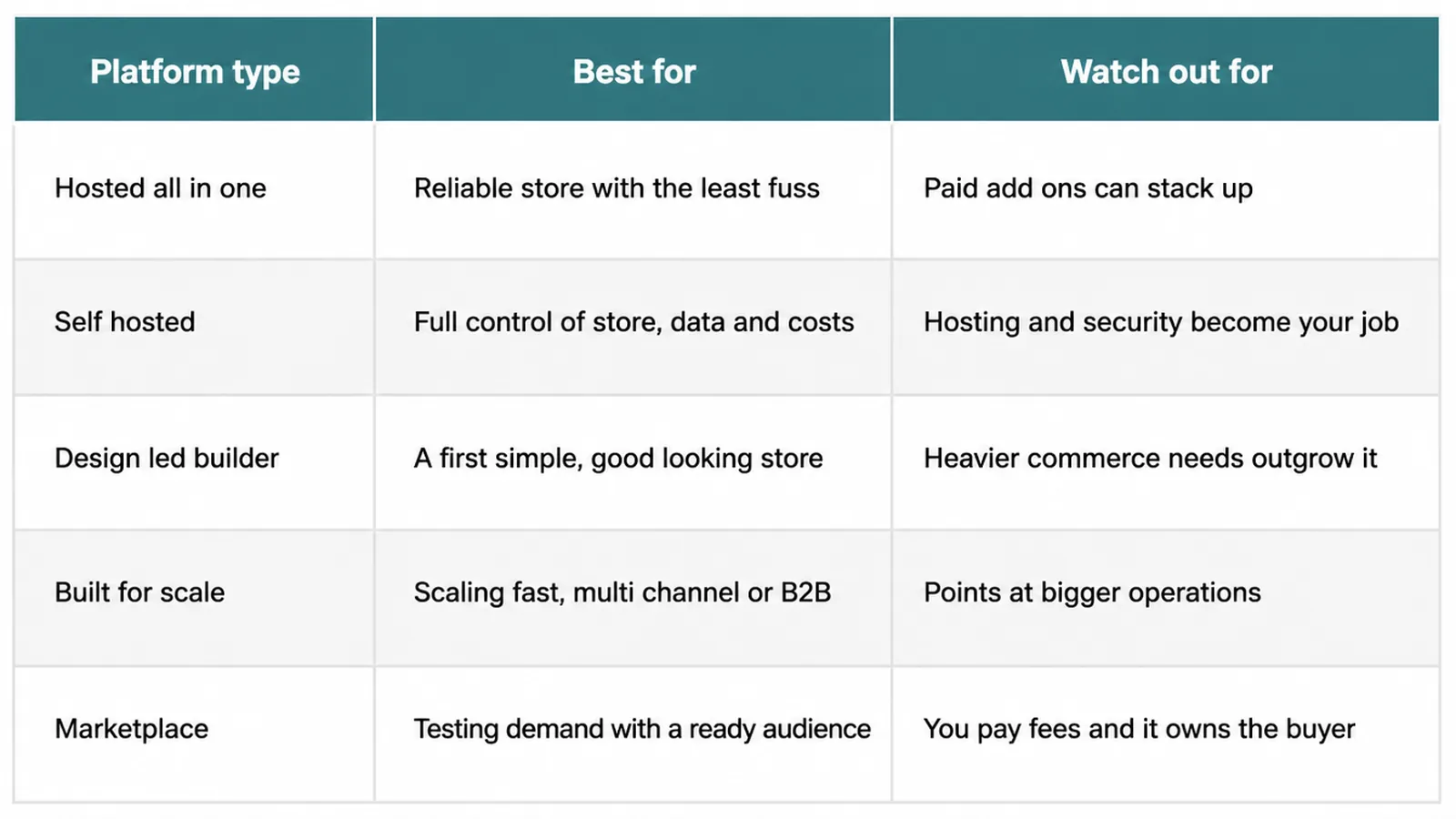
| Platform | Best for | Watch out for |
|---|---|---|
| Shopify | Owners who want a reliable all-in-one hosted store with the least fuss | You work inside its world, and paid add-ons can stack up as you grow |
| WooCommerce | WordPress users who want full control of their store, data and costs | Hosting, updates and security become your job, or your developer's |
| Wix and Squarespace | Beginners building a first simple, design-led store in one place | Heavier commerce needs can outgrow them faster than a dedicated platform |
| BigCommerce | Sellers scaling fast, going multi-channel, or doing B2B | Its strengths point at bigger operations you may not need yet |
| Amazon and Etsy | Testing demand fast using an audience that is already there | You rent the reach, pay fees, and the marketplace owns the buyer |
6. The five-question framework
Now make it personal. Instead of chasing the platform with the best review score, answer these five questions about your own business. Your answers will point at the shortlist far better than any listicle.
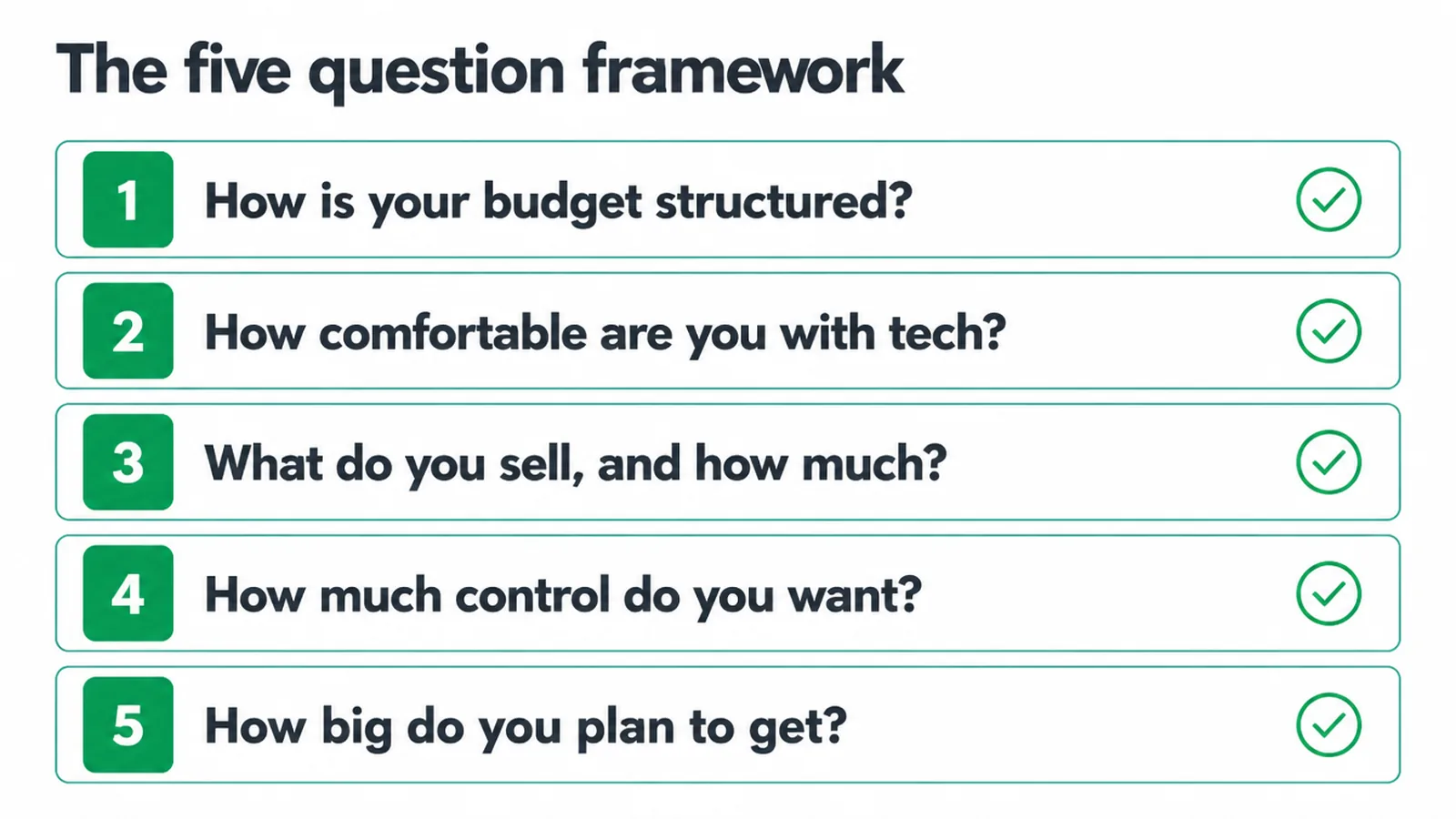
1. How is your budget structured?
Not how much you have, but how you would rather spend it. Do you prefer a steady, predictable monthly cost with everything handled, or a lower ongoing base where you pay for hosting and pieces yourself?
Hosted builders bundle the costs into one bill for convenience. Self-hosting can cost less to run but asks for more of your time and skill. Cheapest to start is not the same as cheapest to run once fees and add-ons pile up, so think a year ahead.
2. How comfortable are you with tech?
Be honest here, because it changes everything. If the idea of hosting, updates and backups makes you tired, a hosted builder like Shopify, Wix or Squarespace removes all of that.
If you happily tinker, or you have a developer on call, WooCommerce hands you the keys. There is no wrong answer, only a wrong match. Picking a powerful platform you dread logging into helps nobody.
3. What do you sell, and how much of it?
A few handmade items behave nothing like a catalogue of hundreds. Simple stores with a small range are a joy on Wix, Squarespace or Shopify.
Large catalogues, tricky variants, subscriptions or complex shipping rules push you toward Shopify, WooCommerce or BigCommerce, which handle depth better. And if your product is handmade or vintage, a marketplace like Etsy already has the exact shopper you want walking past.
4. How much control do you want?
Some owners want to open the store and never think about the plumbing. Others want to own every inch of it. Hosted platforms trade a little control for a lot of convenience.
Self-hosted WooCommerce trades convenience for total ownership of your checkout, your data and your costs. Decide which one you will actually be happier living with day to day, because you will live with it for years.
5. How big do you plan to get?
Buy for where you are heading. If you expect steady, modest sales, a simple builder is plenty.
If you can already see multi-channel selling, B2B, or serious volume on the horizon, Shopify and BigCommerce are built to grow with you, and BigCommerce in particular carries B2B out of the box. WooCommerce scales too, but the scaling work is on you. Match the ceiling to your ambition.
7. You can switch later, but choose well now
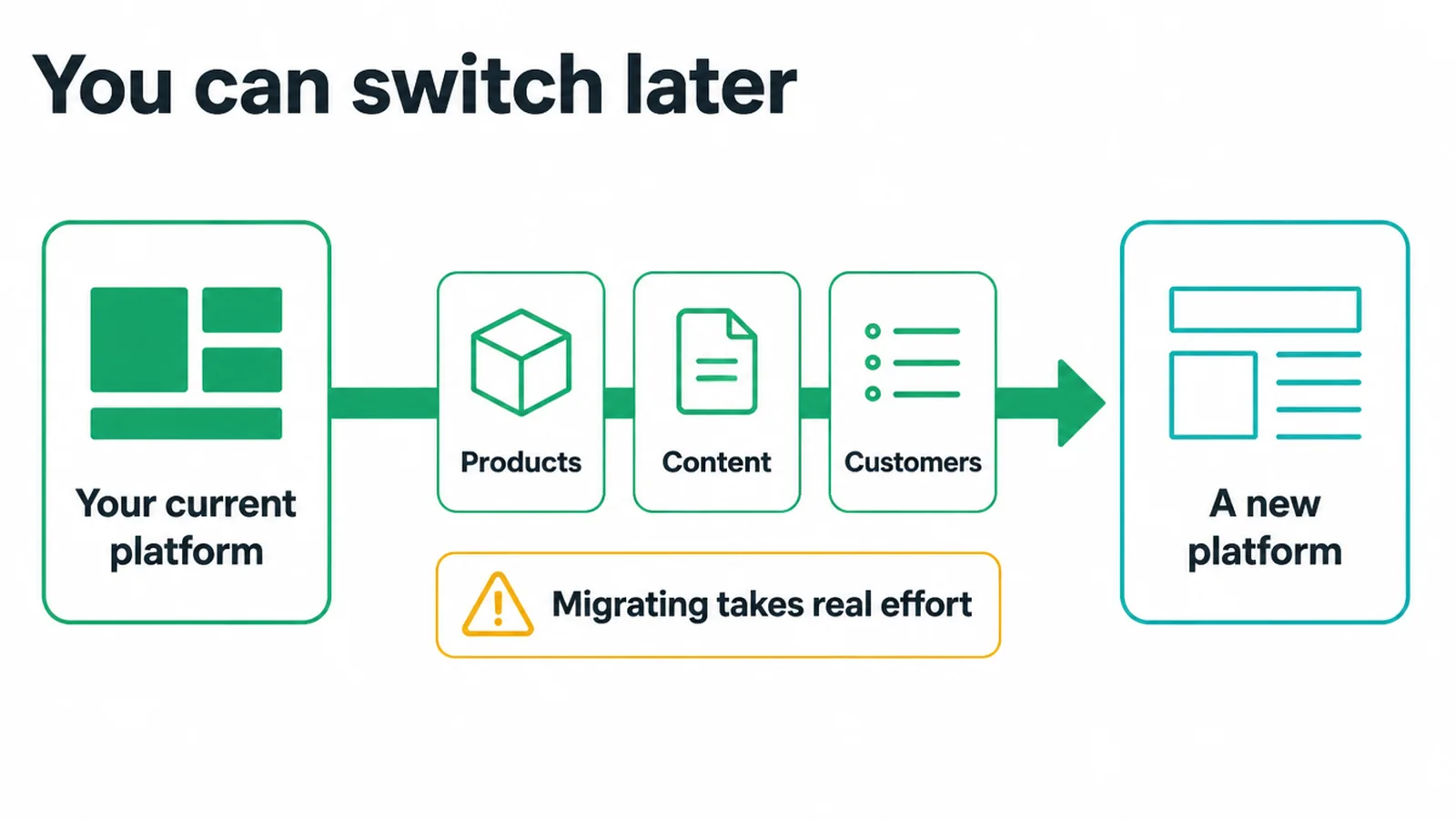
Feeling the pressure to get this perfect? Ease off a little. Nothing here is permanent. You can migrate your products, content and customers between platforms if you outgrow one or picked wrong. Plenty of businesses do exactly that as they grow.
The catch is that moving a store to a new platform takes real effort and can get messy, so it is worth doing well the first time. Choose for roughly a year out and you will dodge most painful moves.
8. Want a hand picking, or building it right?
If you have read this far and still feel torn, that is normal. The best platform is the one that fits your budget, your comfort and your plan, and an outside view often makes the choice obvious in minutes. We do this for small business owners all the time.
Our e-commerce website design service covers picking the platform and building a store that actually sells, and our broader web design work makes sure the whole site earns its keep, from the first page to the checkout. No jargon, no pressure. Tell us what you sell and we will point you at the right route.
9. The platforms we run for client stores
We build and run stores on these platforms every week, so this comes from live accounts. Client stores include Libulbs, a wholesale LED lighting distributor in New York running on WooCommerce, and Ottoman Malaysia, a furniture retailer. Seed Light also works in Shopify, BigCommerce and Shopee dashboards for clients.
FAQ
1. What is the best ecommerce platform for a small business?
There is no single universal best. It depends on your budget structure, tech comfort, product type and scale plans. Shopify suits most owners who want an all-in-one hosted store, and WooCommerce suits those who want full control on WordPress.
2. What is the easiest ecommerce platform to use?
Hosted all-in-one builders like Wix, Squarespace and Shopify are easiest for non-technical owners, because hosting, security and updates are handled for you.
3. What is the cheapest way to start selling online?
Listing on a marketplace like Etsy or Amazon, or a starter plan on a hosted builder, needs the least upfront setup. But cheapest to start is not the same as cheapest to run once fees stack up.
4. Should I use a website builder or a marketplace?
A builder gives you your own branded store and customer relationship, while a marketplace gives instant access to existing shoppers but takes fees and owns the buyer. Many businesses do both.
5. What platform is best for a beginner?
A hosted builder like Wix, Squarespace or Shopify is the most beginner-friendly, because there is nothing to self-host or maintain.
6. Do I need a separate website if I sell on a marketplace?
Not to start, but a marketplace does not give you a brand home or an owned customer list, so most growing sellers eventually add their own site.
7. Which platform scales best?
Shopify and BigCommerce are built to grow with you, including multi-channel and B2B on BigCommerce. WooCommerce scales too, but the scaling work is on you.
8. Can I switch platforms later?
Yes. You can migrate products, content and customers between platforms, though it takes effort, so choosing well upfront saves a painful migration.
About the author
Gregory Yeoh is the founder of Seed Light, which builds websites and runs marketing for small businesses. He helps owners pick an e-commerce platform and then builds the store around it, so the choice fits the business instead of the other way round. We wrote this to cut through the "just use this one" noise and give you a way to choose for yourself. If you want a second pair of eyes on your shortlist, get in touch.