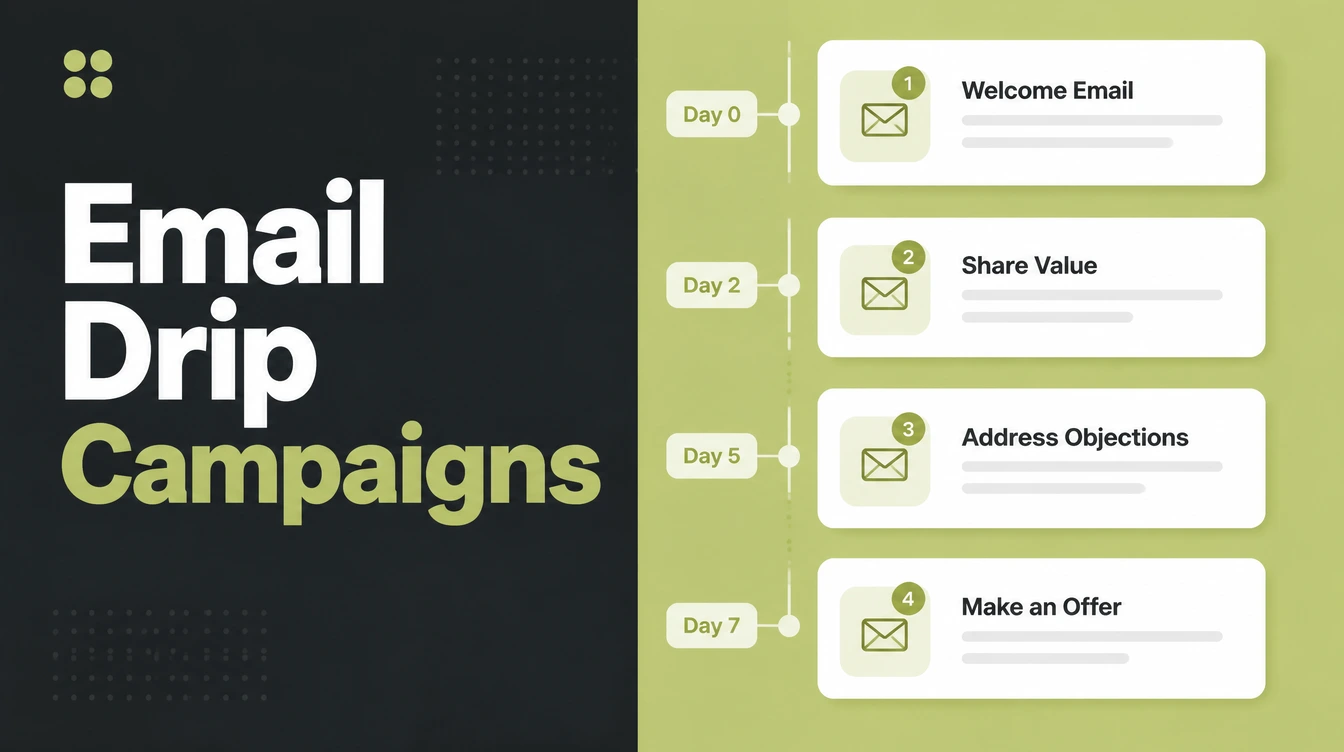
Email Drip Campaigns: What They Are and How to Build One

An email drip campaign is a short series of emails sent automatically from a trigger, spaced by a timer, and stopped by a goal. Three to five emails covers most cases. Seed Light judges a drip on clicks and replies, because Apple Mail now records opens nobody made.
A drip campaign is the one piece of marketing automation that keeps working while you are on a job.
It is also the one most often built backwards, starting with the emails rather than the trigger and the goal.
This guide covers what a drip actually is, how it differs from a newsletter, the five sequences worth building first, and why the number everybody reports on is the one you cannot trust.
Key Takeaways
- A drip starts on a trigger. A newsletter starts when you press send.
- One goal per sequence. Two goals produces a sequence that reaches neither.
- Open rates are unreliable now. Apple Mail fetches content before anybody reads it.
- Judge it on clicks and replies. Then find the email where clicks fall away.
- It saves hours, not guarantees. The plan decides whether it earns anything.
What an Email Drip Campaign Is
An email drip campaign is a short series of emails sent automatically, starting from something a person did.
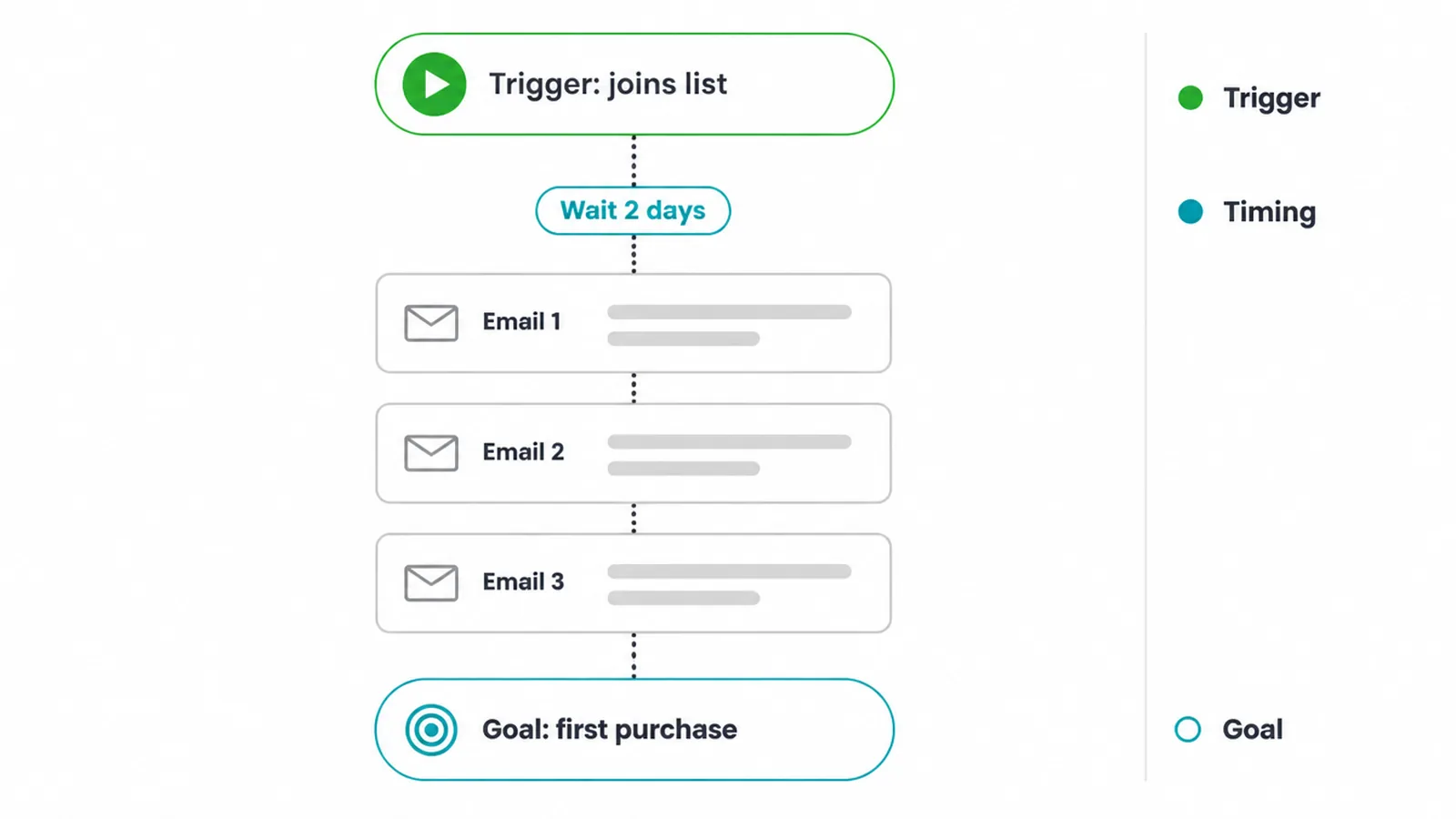
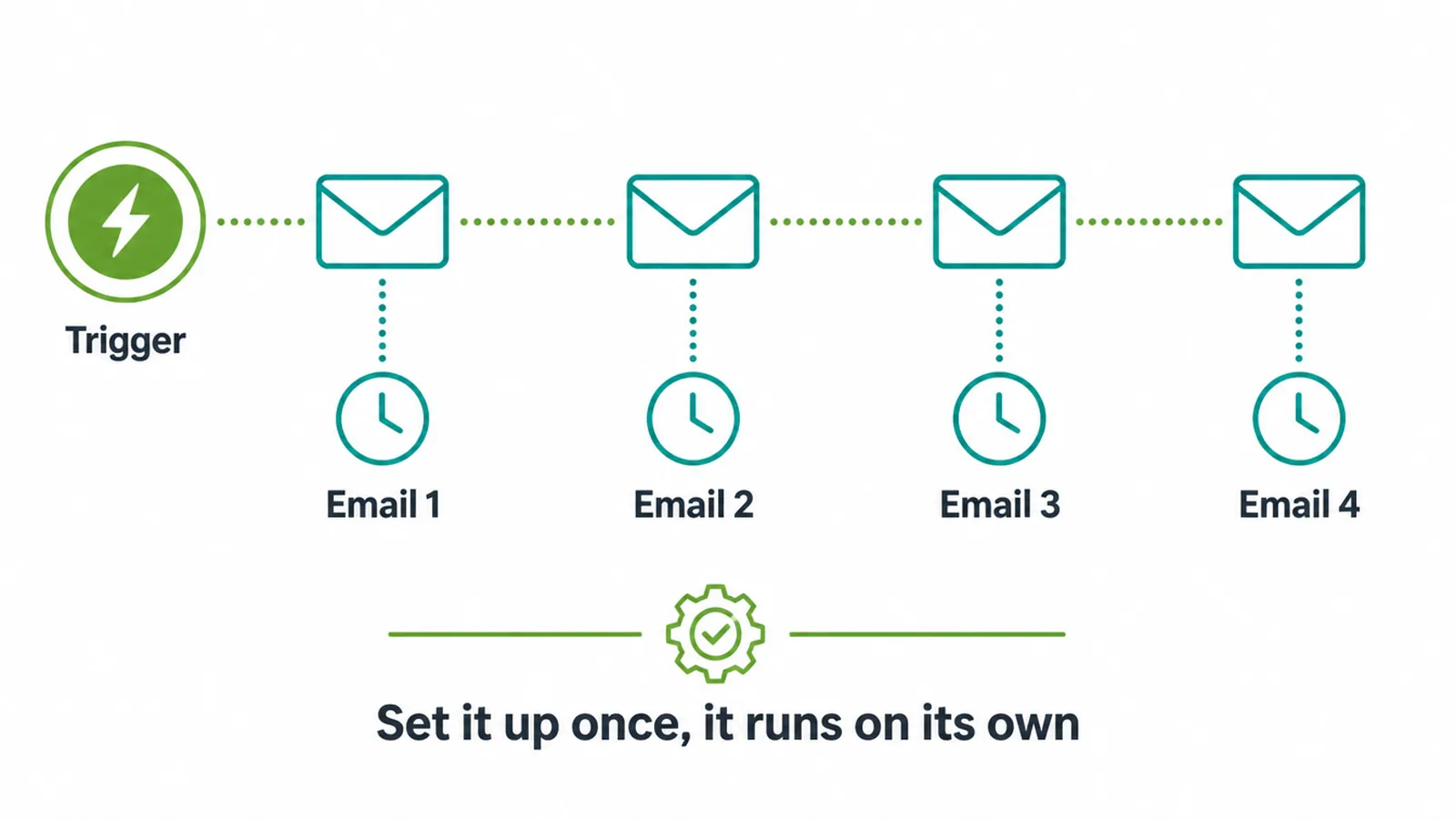
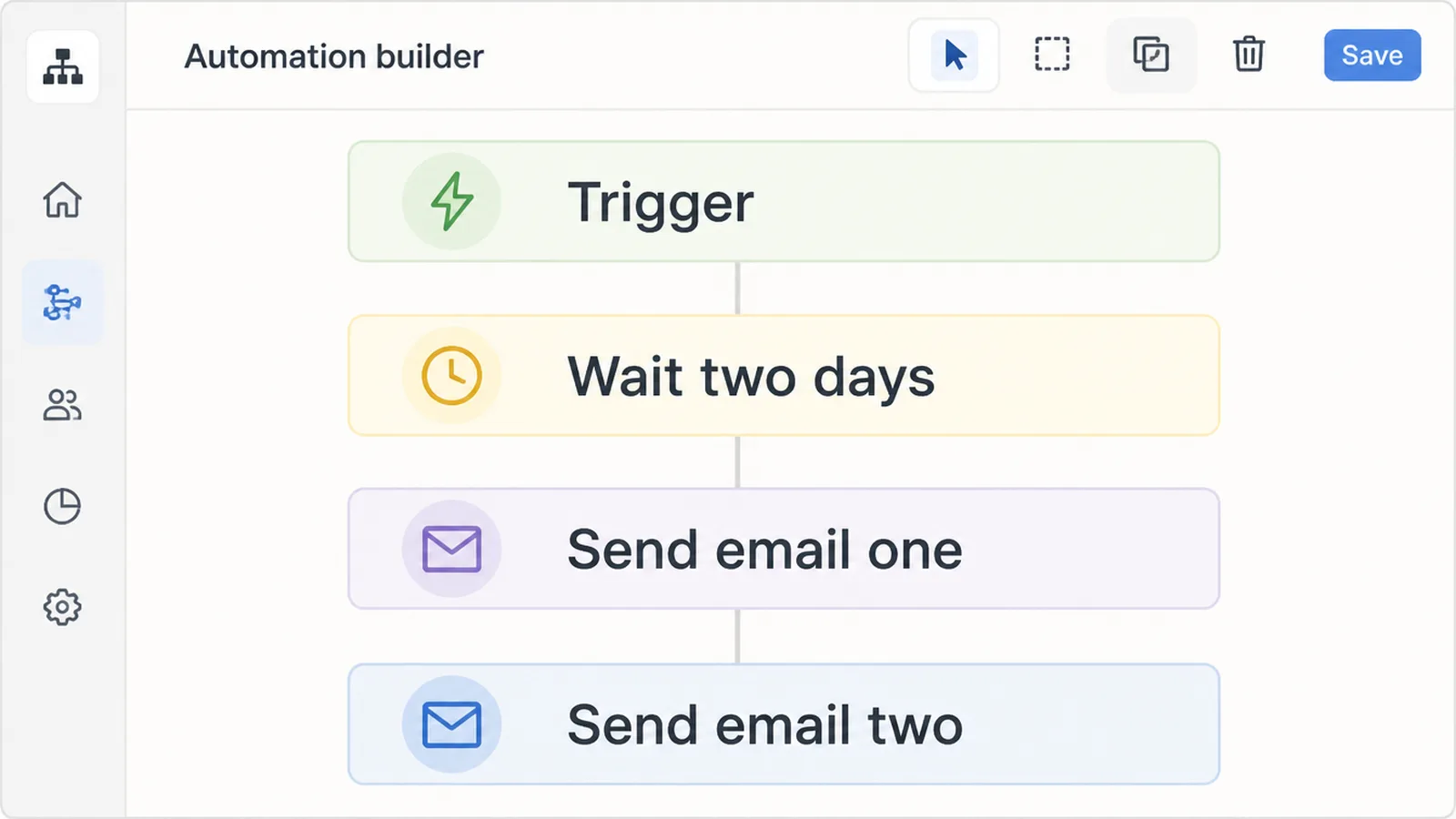
Three parts define it. A trigger that starts the clock, a set of emails with gaps between them, and a goal that ends it.
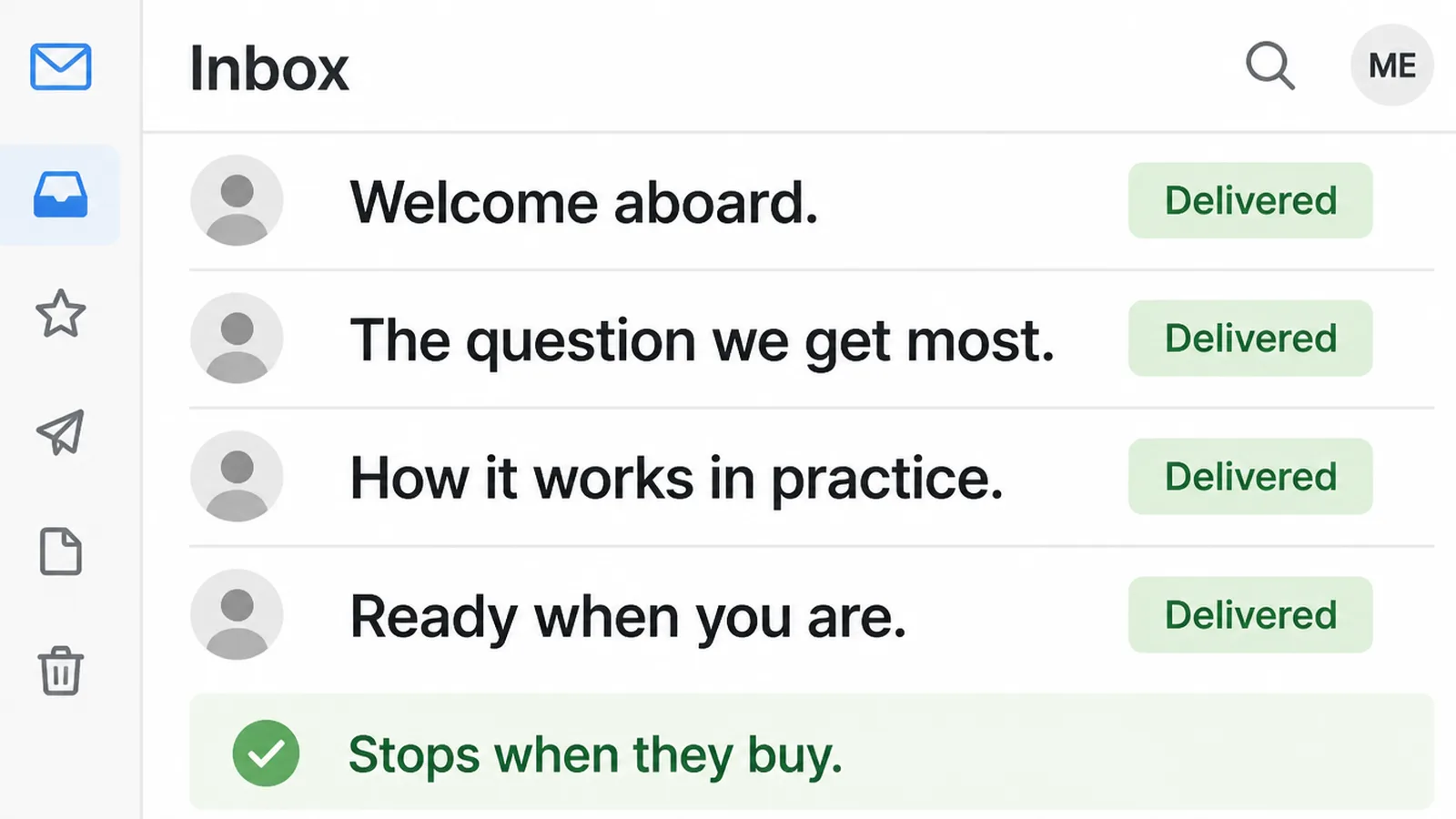
Somebody joins your list, waits two days, receives the first email, then the second and third on a timer. Buying something stops the sequence.
The goal is the part people leave out, and without it the emails just keep arriving.
Nothing about it requires a large list. A sequence running for twenty people a month still runs itself, and it still catches the ones who would otherwise be forgotten.
Built properly, drip marketing is the closest thing a small business has to a salesperson who never forgets to follow up.
How a Drip Differs From a Newsletter
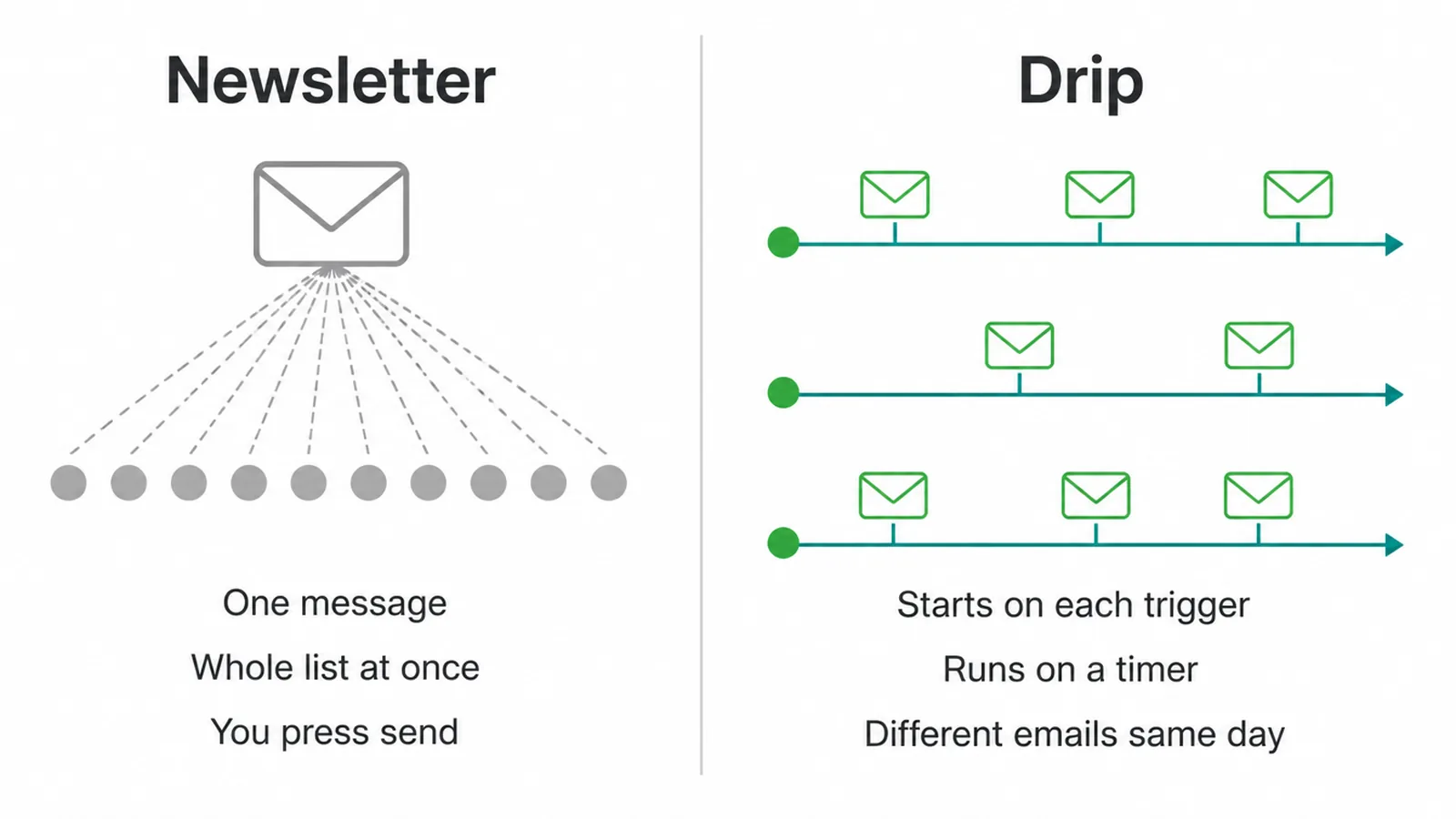
The difference is the clock, and everything else follows from it.
A newsletter goes to your whole list at once, when you decide to write one. Everybody receives the same thing on the same day.
A drip starts separately for every person, on the day they did the thing. Two people can be on email one and email four of the same sequence simultaneously.
That changes what the writing can assume. A newsletter can mention the season. A drip cannot know what month it is.
It also changes the maintenance. A newsletter is work every week forever, and an automated email sequence is work once, then a review every few months.
There is a volume difference too. A newsletter needs enough people to be worth writing, while a drip is worth building the day the first person triggers it.
Most small businesses need both. They are answering different questions.
How to Build a Drip Campaign
Three steps, and the first one takes the longest to get right. Most of an email drip campaign is decided before a single email is written.
1. Pick one trigger and one goal
The trigger is an action, not a category. Joined the list, downloaded the guide, added to cart and left, bought something.
The goal is what makes the sequence stop. A first purchase, a booked call, a reply.
Write both down in one sentence before anything else. When somebody downloads the guide, I want them to book a call.
Be specific about the trigger as well. Joined the list covers three different situations if you have three different forms, and each one deserves its own sequence.
One goal only. A sequence trying to sell, educate and collect a review will do all three weakly.
If you cannot name the goal, you are not ready to write the emails.
2. Map the emails and the gaps
Three to five emails covers almost every sequence a small business needs. Drip marketing rewards restraint more than volume.
Give each one a single job. Welcome and set expectations, answer the main objection, show proof, make the offer, remove the last doubt.
Space them by the decision, not by habit. A cart reminder belongs hours later, a nurture sequence belongs days apart.
Write the gaps down as part of the plan. Timing is a design decision and it usually gets left to the default.
Decide what happens at the end as well. A sequence that simply stops leaves people on your list with no reason to hear from you again.
Then map where the goal cuts the sequence short, so nobody who bought yesterday gets sold to tomorrow.
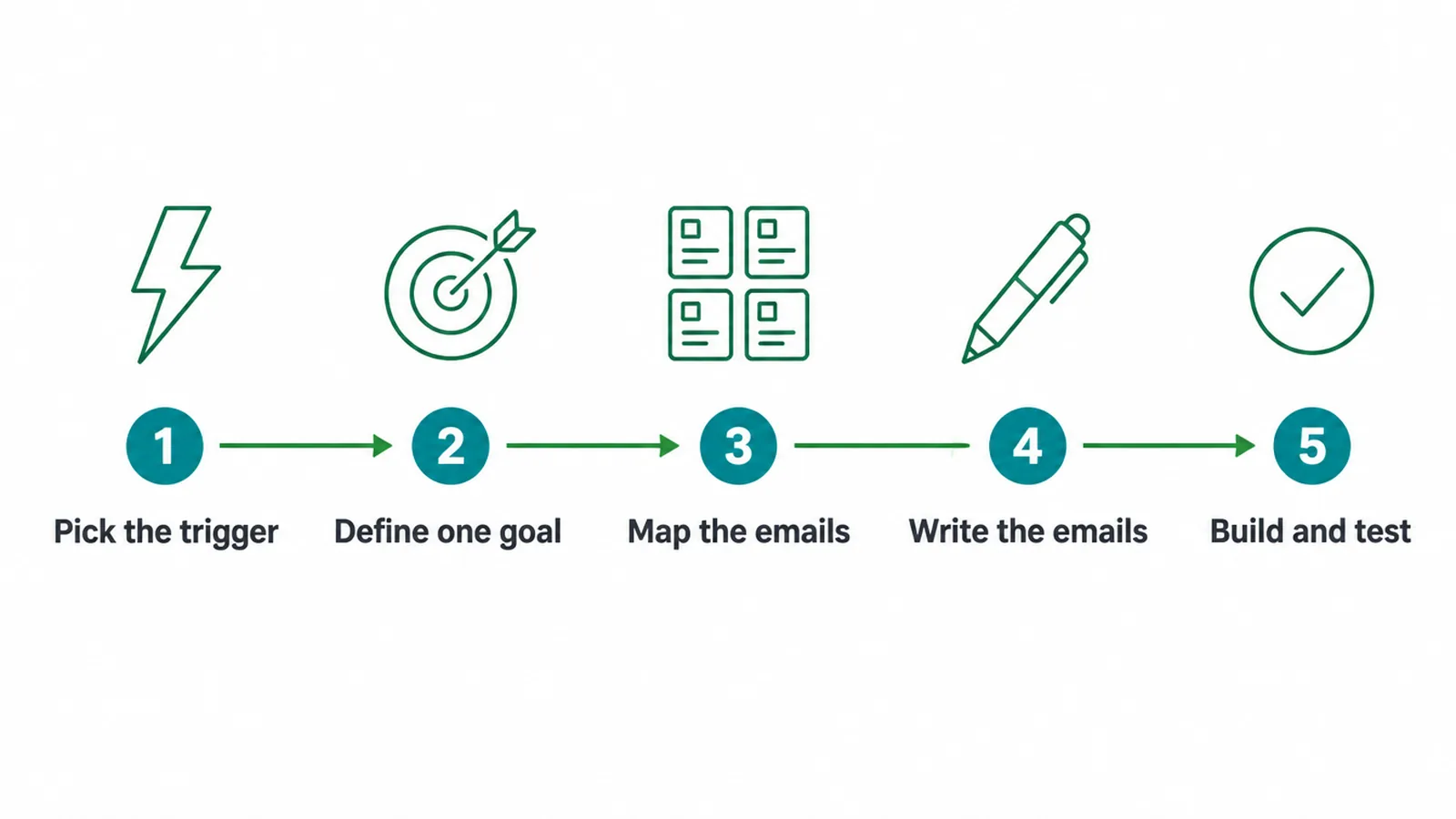
3. Write them, then walk the whole path
Write every email short enough to read on a phone, with one action in each.
Subject lines get their own pass. They are a different craft from the body of the email, and they deserve the attention separately.
Then trigger the sequence yourself with a real address and let it run at real speed.
Check what a person actually receives. Broken links, the wrong name, two emails arriving the same morning, and whether buying really does stop it.
Send it to an address on a different provider too. Rendering and spam handling differ enough between them to be worth ten minutes.
That last check is the one that gets skipped, and it is the one customers notice.
Drip Sequences That Work Right Now
Each of these is a complete email drip campaign in its own right rather than a stage of a bigger one.
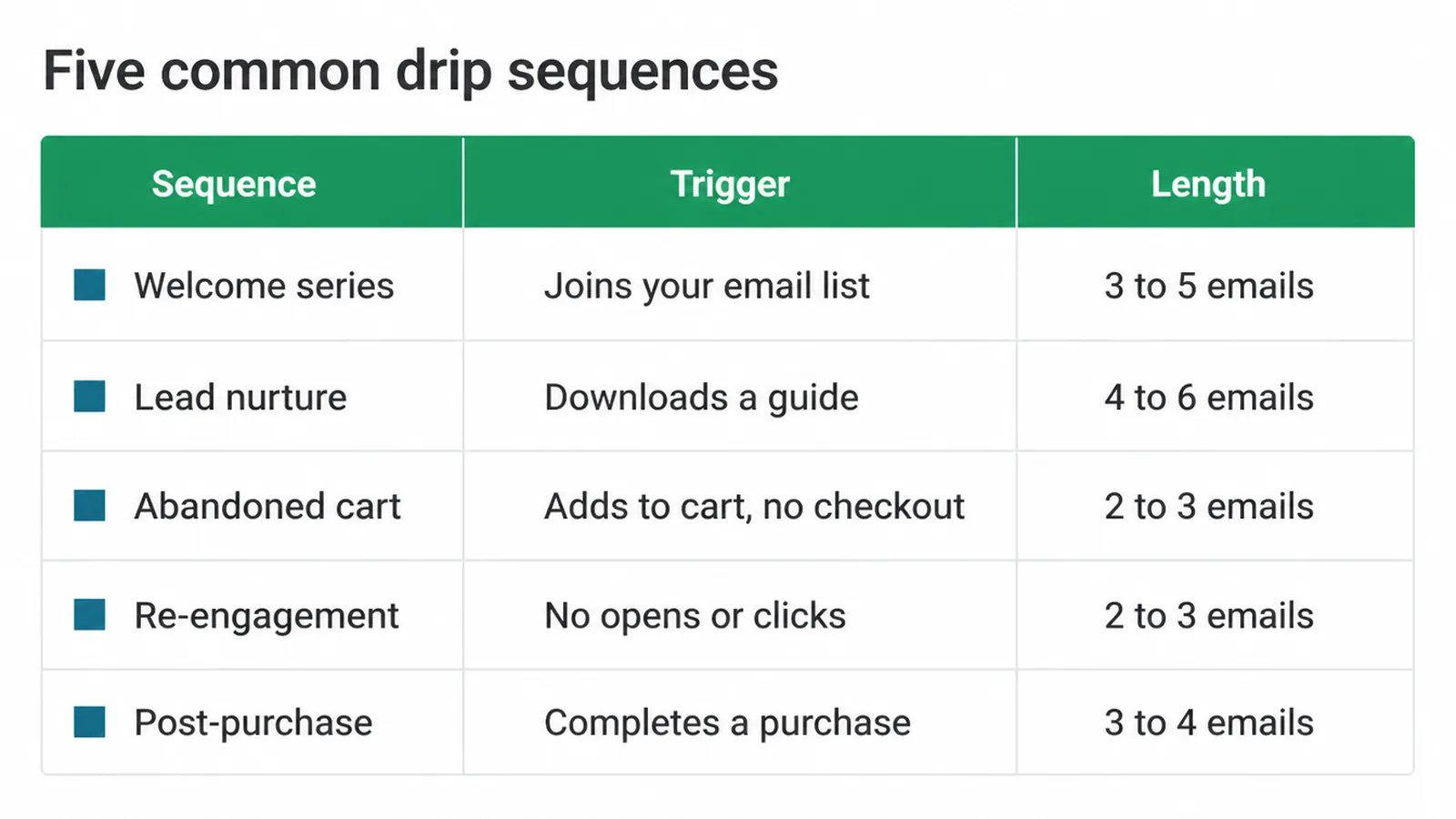
Five sequences cover most of what a small business needs, and the first one earns its place fastest.
- Welcome series. Starts when somebody joins. Three to five emails.
- Lead nurture. Starts on a download. Four to six emails.
- Abandoned cart. Starts on a cart left behind. Two to three emails.
- Re-engagement. Starts after a long silence. Two to three emails.
- Post-purchase. Starts on a sale. Three to four emails.
Email Automation Tools
| Tool | What it settles |
|---|---|
| Your email platform's automation | Triggers, waits and the stop rule, usually included in what you already pay |
| A form or tag on your site | What counts as the trigger, and whether it fires reliably |
| Link tracking | Which email produced the click, since opens no longer tell you |
| A test address | Walking the whole path at real speed before anybody else does |
Almost nobody needs a separate automation product. Email automation is built into every mainstream platform, and the free tiers usually include it.
Check what the platform counts as a trigger before designing around it. Tags, form submissions and purchases behave differently, and the differences only appear once something is live.
Spend the effort on the trigger instead. A sequence that never fires is the most common failure, and it looks exactly like a sequence that is not working.
How to Measure a Drip
Open rates stopped being trustworthy, and it is worth understanding exactly why.
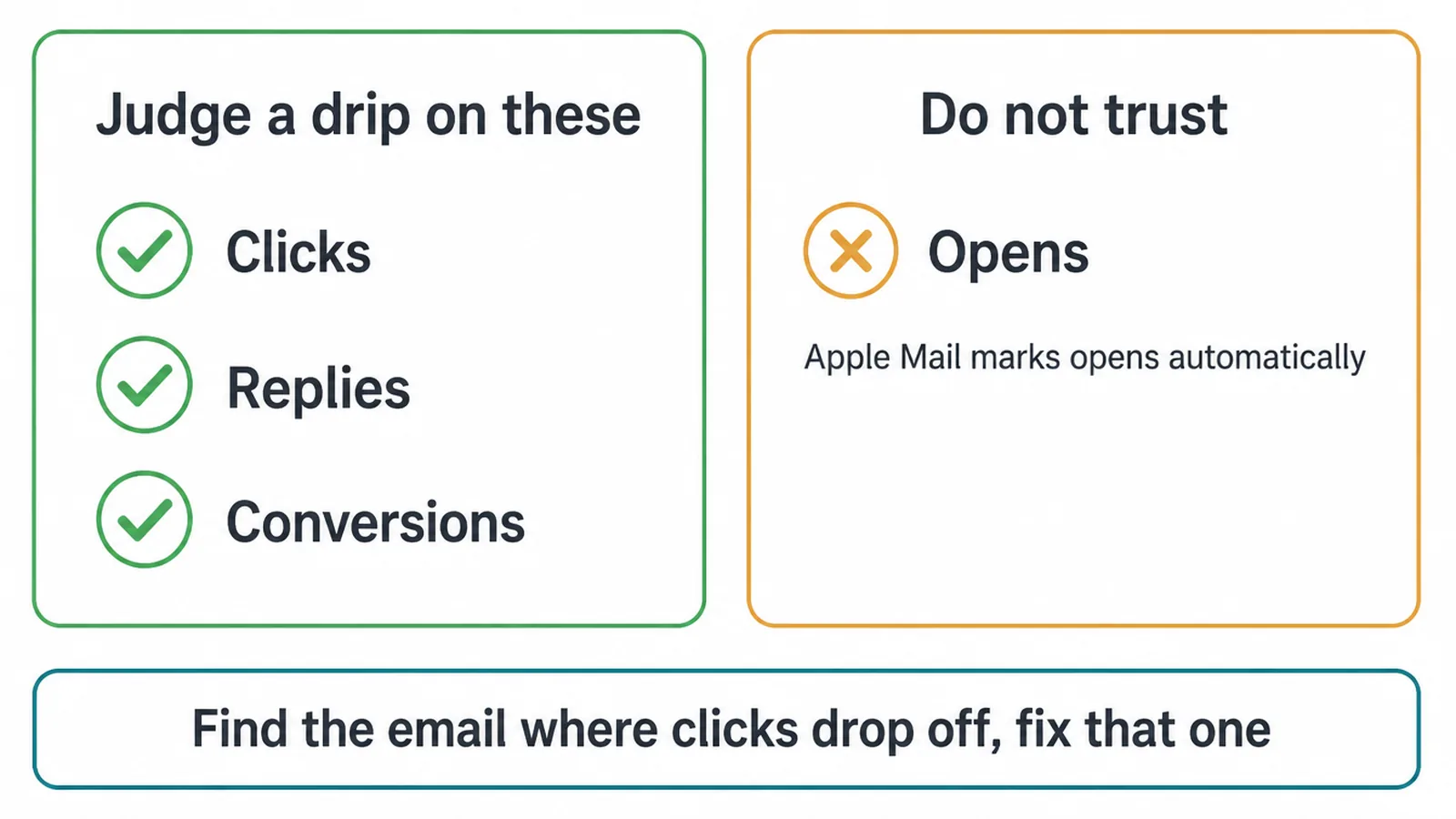
Apple's Mail Privacy Protection fetches remote content in the background when a message arrives, rather than when somebody opens it, and Apple says this happens whether or not you engage with the email.
So an open is recorded for messages nobody read. A rising open rate can mean nothing at all.
Judge the sequence on clicks, replies and whatever the goal was. Those require a person to do something.
Compare against the sequence rather than against an industry figure. What matters is whether this month beats last month on the same sequence.
Then read it email by email. The one where clicks fall away is the one to rewrite, and fixing it is worth more than adding a sixth.
Common Drip Campaign Mistakes
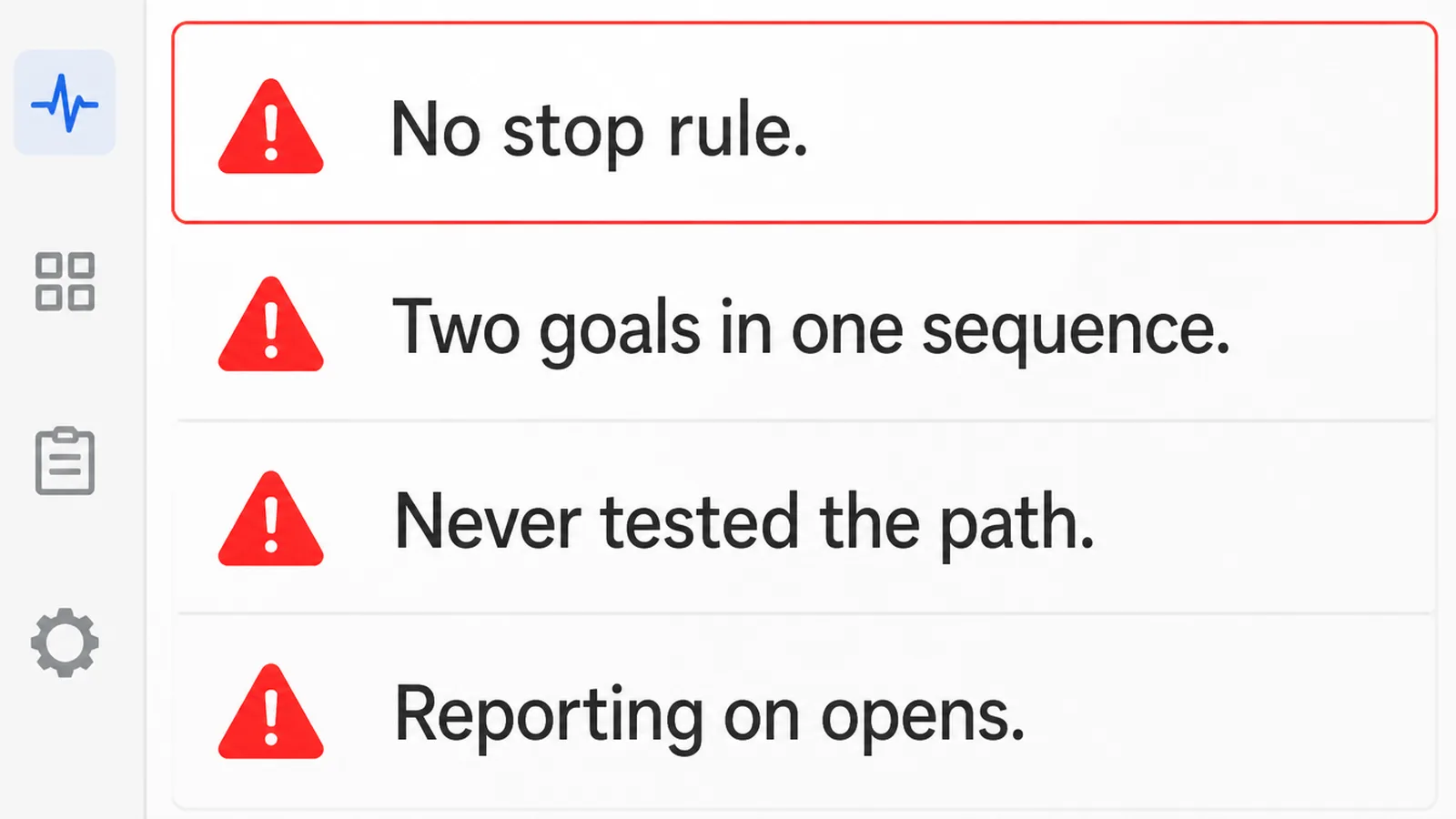
- No stop rule. Customers keep getting sold what they already bought.
- Two goals in one sequence. It reaches neither of them.
- Never testing the path. Broken links and wrong names survive for months.
- Reporting on opens. The number moves without anybody reading.
- Too many emails. Three good ones beat six written to fill a plan.
- Writing seasonally. A drip cannot know what month somebody arrives.
The Honest Take
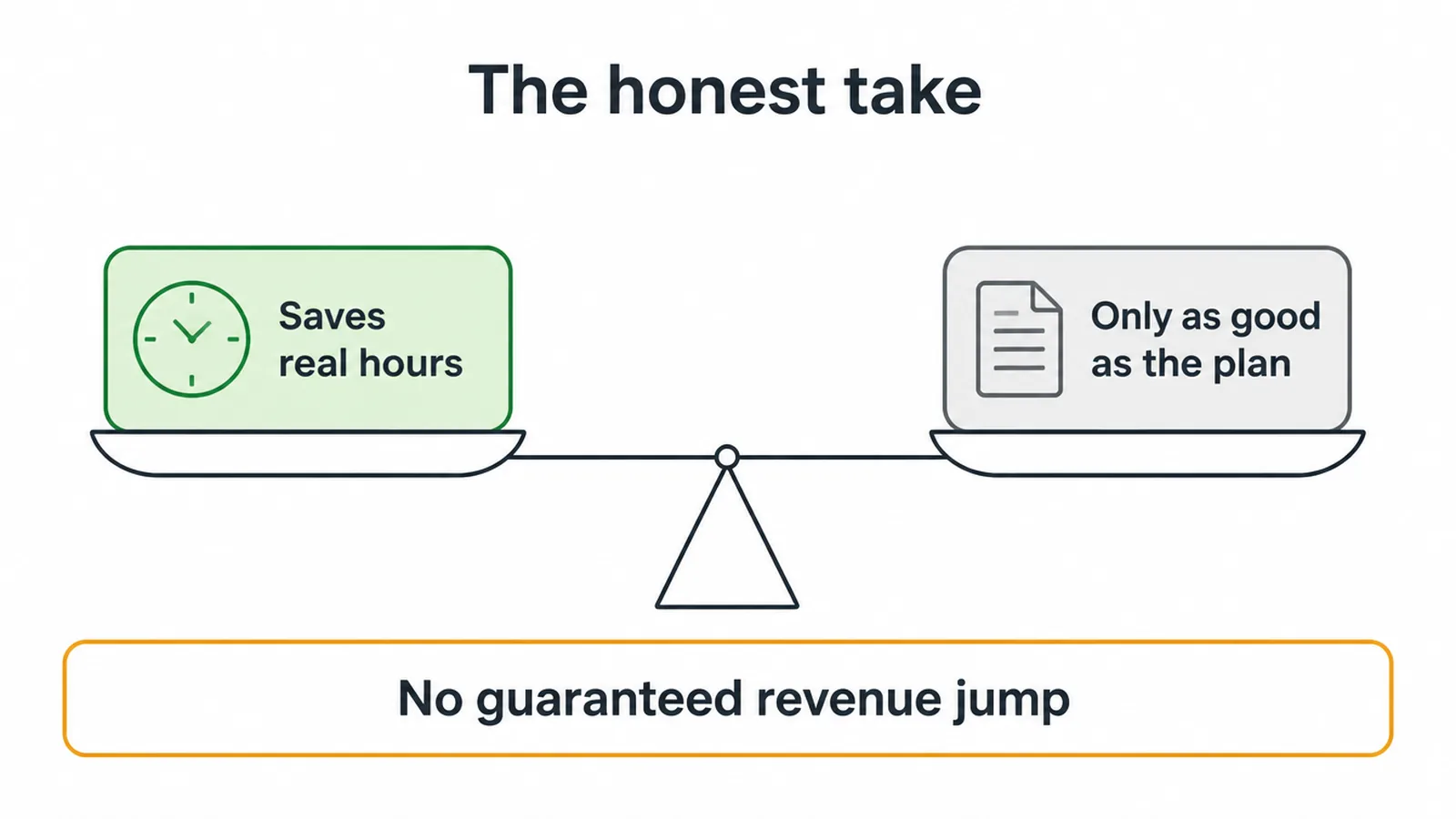
A drip campaign saves real hours, and it is only as good as the plan behind it.
It will not produce a guaranteed jump in revenue, and anybody promising one is guessing on your behalf.
What it reliably does is stop good leads going cold because nobody had time to follow up on a Thursday.
An automated email sequence is also easy to leave broken, because nothing announces when it stops firing.
Build one sequence, test it properly, and leave it running for a quarter before judging it.
FAQs
What is an email drip campaign?
A short series of emails sent automatically, starting from something somebody did rather than from a date you chose. It has three parts: a trigger that starts it, emails spaced by a timer, and a goal that stops it once the person does what you wanted.
How is a drip different from a newsletter?
A newsletter goes to the whole list at once when you press send. A drip starts separately for each person on the day they triggered it, so two people can be at different points in the same sequence on the same morning.
How many emails should a drip have?
Three to five covers almost every sequence a small business needs. Abandoned cart sequences run shorter at two or three, and lead nurture can justify four to six. Give every email one job, and drop any that exists only to fill the plan.
Why can I not trust my open rate?
Apple's Mail Privacy Protection downloads remote content when a message arrives rather than when somebody opens it, and Apple says this happens regardless of whether the person engages. An open gets recorded for mail nobody read, so clicks and replies are the honest measures.
How long before a drip campaign is worth judging?
Give it a quarter, and judge it on clicks, replies and the goal rather than on opens. Nobody can tell you what revenue it will produce, and a sequence that quietly stops leads going cold is already doing the job it was built for.
Conclusion
An email drip campaign is a trigger, a few emails and a goal, in that order.
Write the trigger and the goal in one sentence, map three to five emails with deliberate gaps, then walk the whole path yourself before anybody else does.
Report on clicks and replies, because opens no longer describe reality and have not for several years now.
Then leave it alone for a quarter. It is doing its work on days you are not.
If you would rather hand it over, see how we approach AI and automation.