Display Ad Targeting: How to Reach the Right People

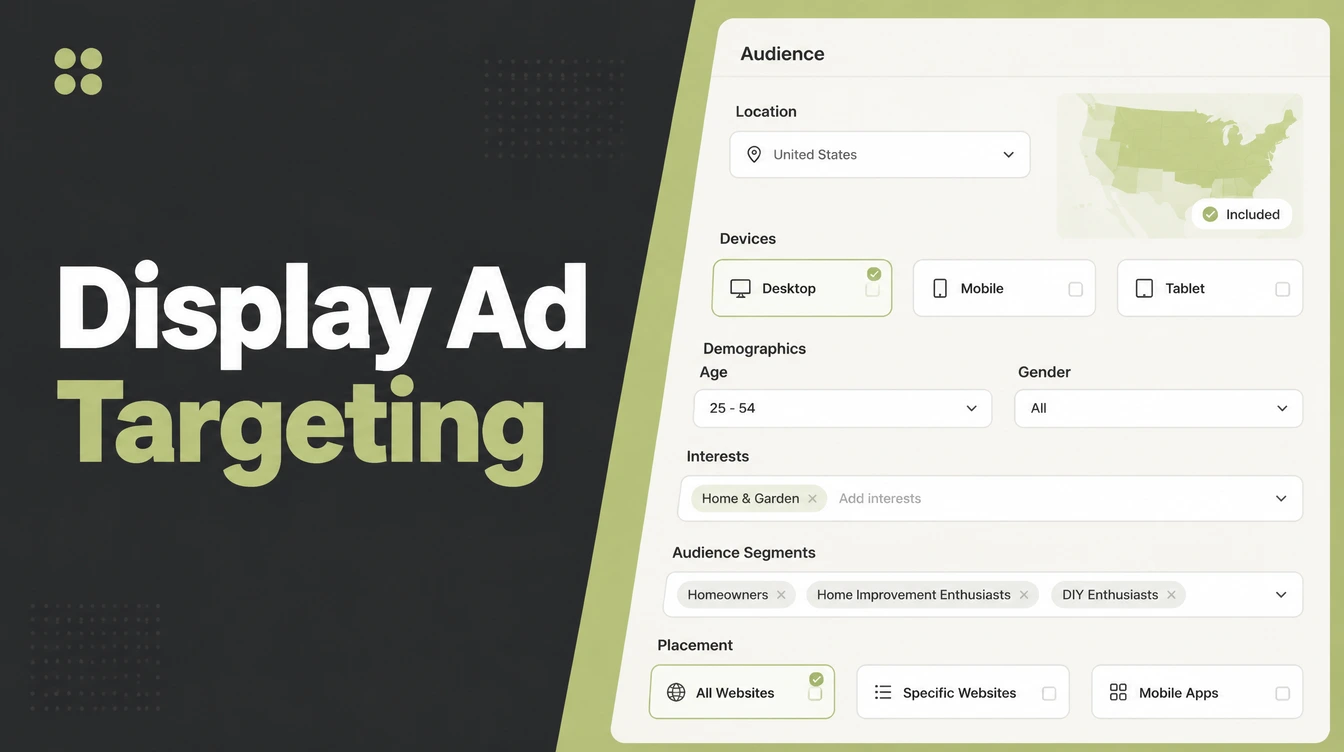
Display ad targeting means choosing who sees your banner ads and where they run across the Google Display Network. The options split into audience segments, who the person is, and content targeting, where the ad sits. For most small businesses remarketing is the one that pays. Seed Light sets up and prunes display campaigns.
Key takeaways
- Two families of targeting. Audience segments choose who sees the ad. Content targeting chooses where it runs.
- Display is cheap reach, not cheap customers. It is good at awareness and remarketing, weak at closing demand.
- Remarketing is usually the best use. Showing ads to past visitors is warm, low-cost, and easy to justify.
- Display is not search. Search catches people looking now. Display interrupts people who are not looking yet.
- Start tight, then widen. Begin with remarketing, add exclusions, and watch the placements report to cut junk.
1. What is display ad targeting?
Display ad targeting means choosing who sees your banner ads, and where those ads run, across the Google Display Network. The Display Network is millions of websites, apps, and YouTube spots that show image, banner, and text ads.
Unlike search, these people are not looking for you. Your ad interrupts what they were already doing. That is the trade. You get huge, cheap reach, but the person has lower intent than someone typing your service into Google right now.
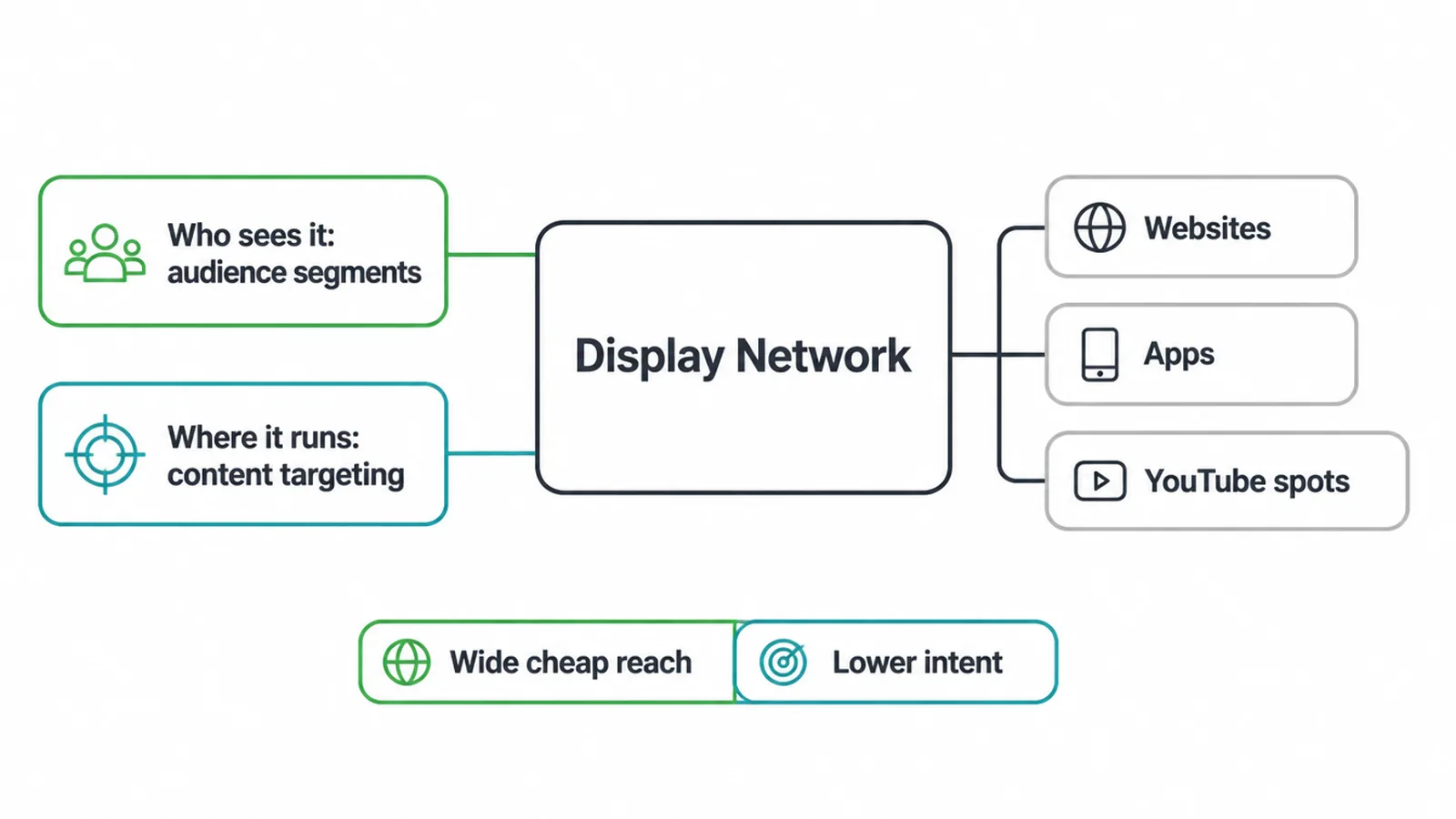
Google's umbrella term for the "who" side is audience segments. The "where" side is content targeting. If you are new to paid ads, start with the basics in our guide to Google Ads for small business, then come back here to sharpen your targeting.
2. The two families of targeting
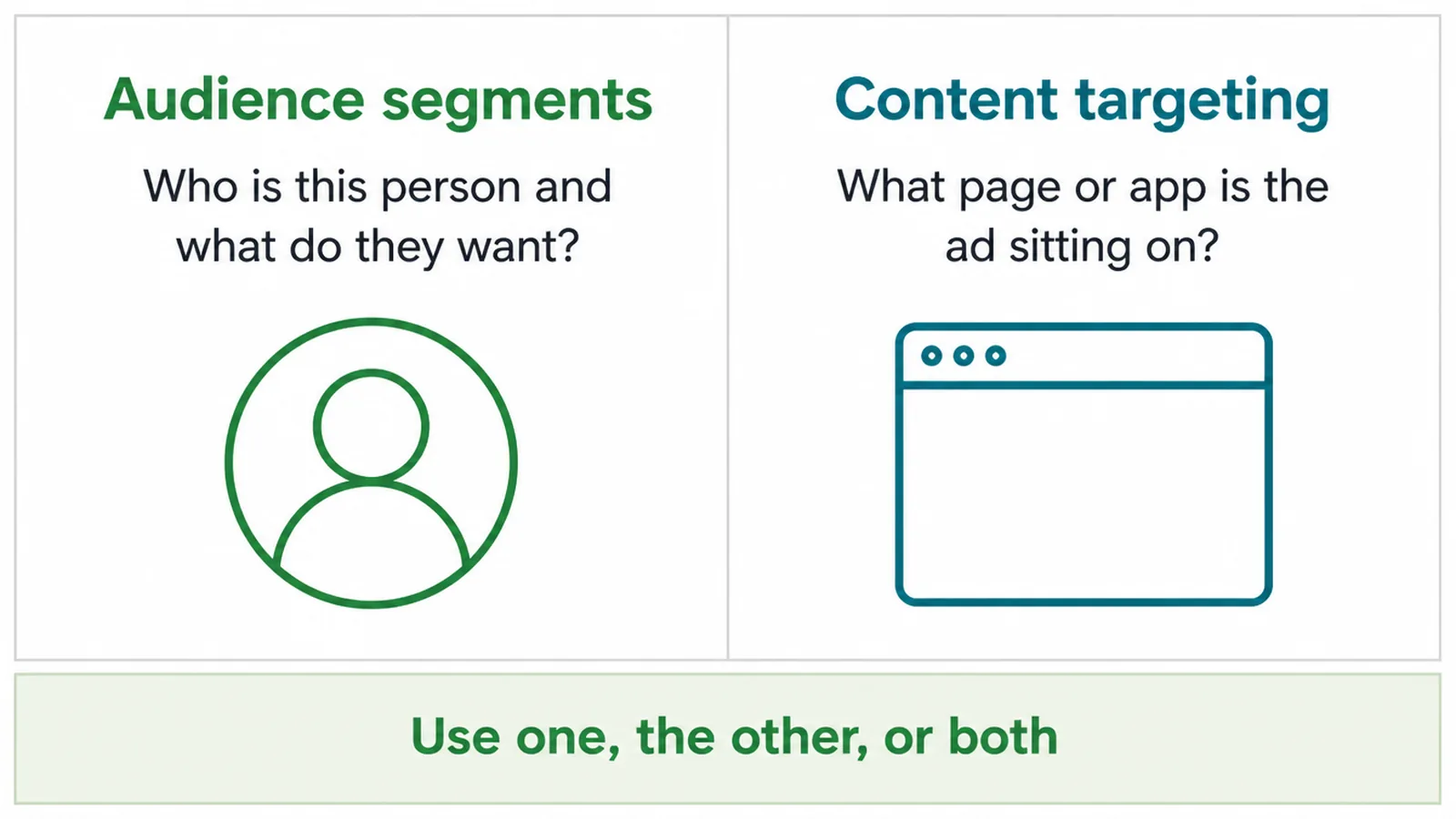
Every display targeting option falls into one of two buckets. Audience segments answer "who is this person and what do they want?" Content targeting answers "what page or app is the ad sitting on?" You can use one, the other, or both together.
The table further down maps common goals to the best-fit option, so you do not have to guess.
3. Audience segments: targeting by who they are
Audience segments target people based on who they are or what they want. Here are the ones Google offers, from broad to specific.
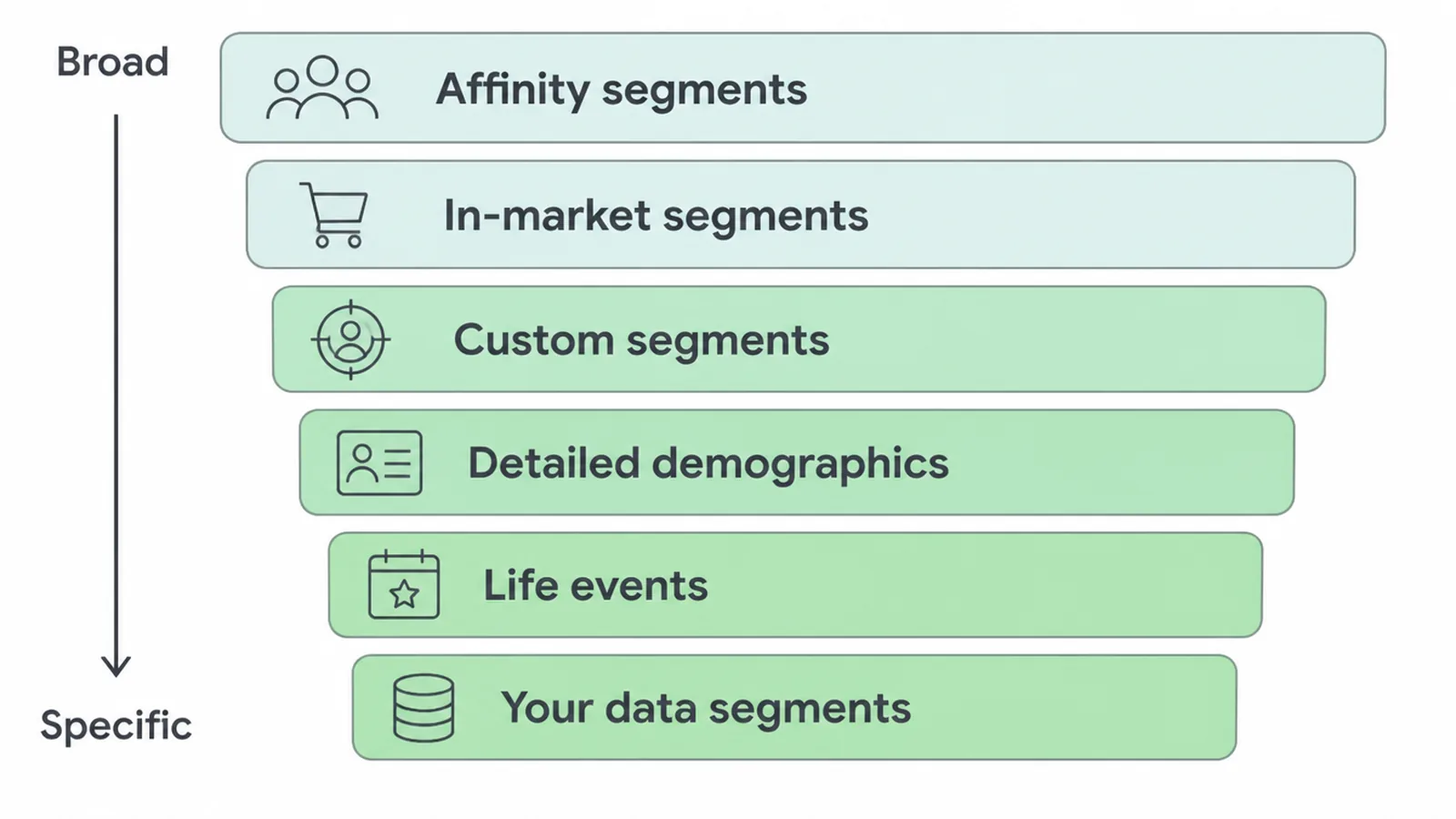
- Affinity segments group people by long-term interests and passions, like keen cooks or fitness fans. Good for broad awareness, but wide.
- In-market segments group people showing recent, active purchase intent for a product or service. This is closer to buying, so it usually beats affinity for shopping-type goals.
- Custom segments let you build your own audience from keywords, URLs of sites they browse, or apps they use. Great for a niche you cannot find in the ready-made lists.
- Detailed demographics target long-term facts about people, such as parents or homeowners.
- Life events target people around big milestones, like a move or a new job.
- Your data segments are people who already visited your site or app. This is remarketing, and for most small businesses it is the star of the show. More on that below.
A quick tip: match the segment to the funnel stage. Broad affinity fits the top of the funnel, in-market and your own data fit lower down. If those words are fuzzy, read our plain guide to marketing funnel stages first.
4. Content targeting: targeting by where the ad sits
Content targeting ignores who the person is and focuses on the page or app instead. There are three options.
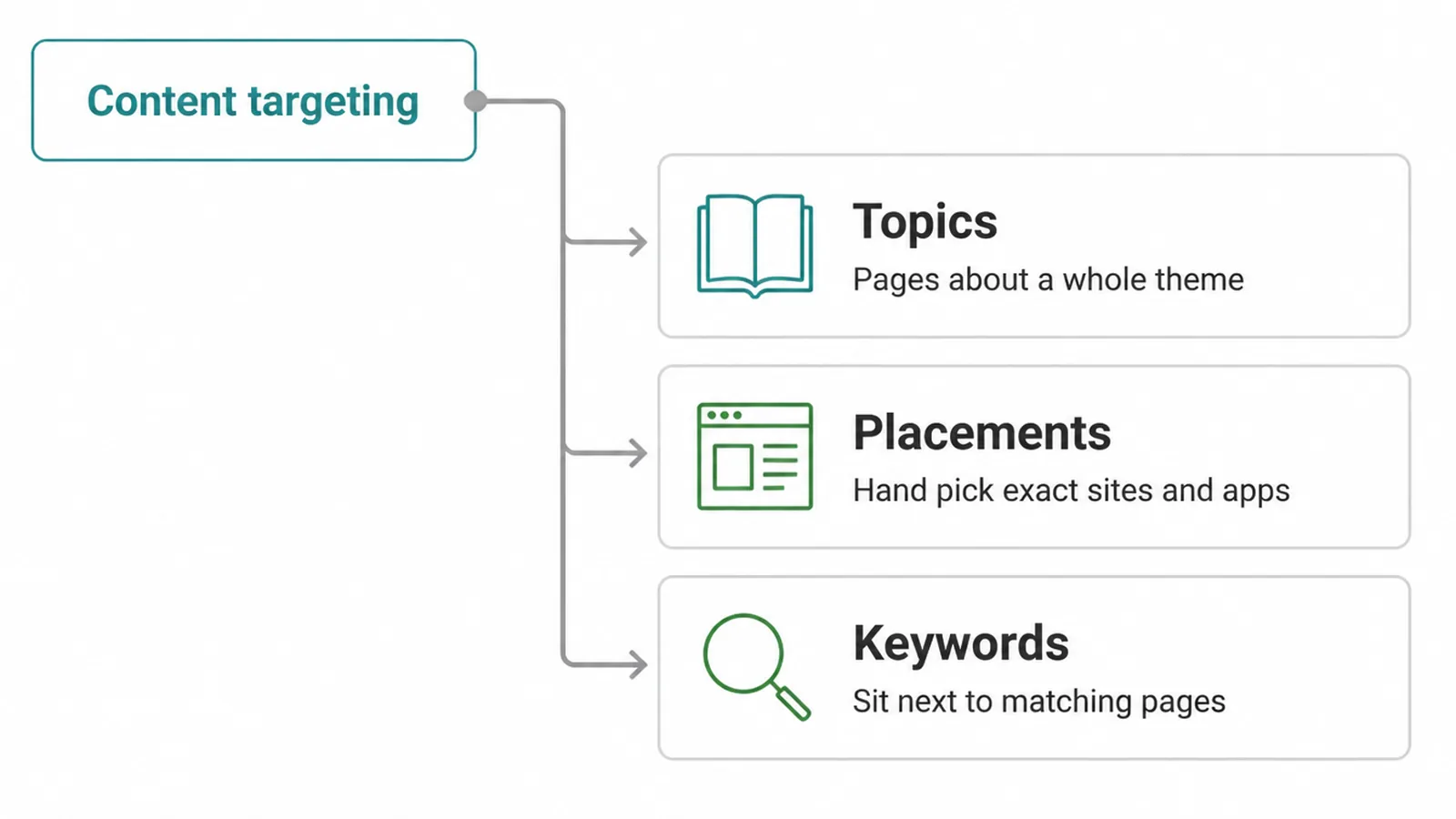
- Topics place your ad on pages and apps about a whole theme, like travel or home improvement. Broad and simple.
- Placements let you hand-pick the exact spots: a specific website, page, app, video, or ad unit. This is the most controlled option.
- Keywords use contextual matching to put your ad next to pages that match your keywords.
Content targeting shines when the context matters more than the person. If you sell hiking gear, showing up on outdoor blogs is a safe bet even if you know nothing else about the reader. Placements give you the tightest grip when you already know the handful of sites your customers trust.
5. Which targeting fits which job
Do not pick an option in the abstract. Start from your goal, then work backwards. Here is a plain map.
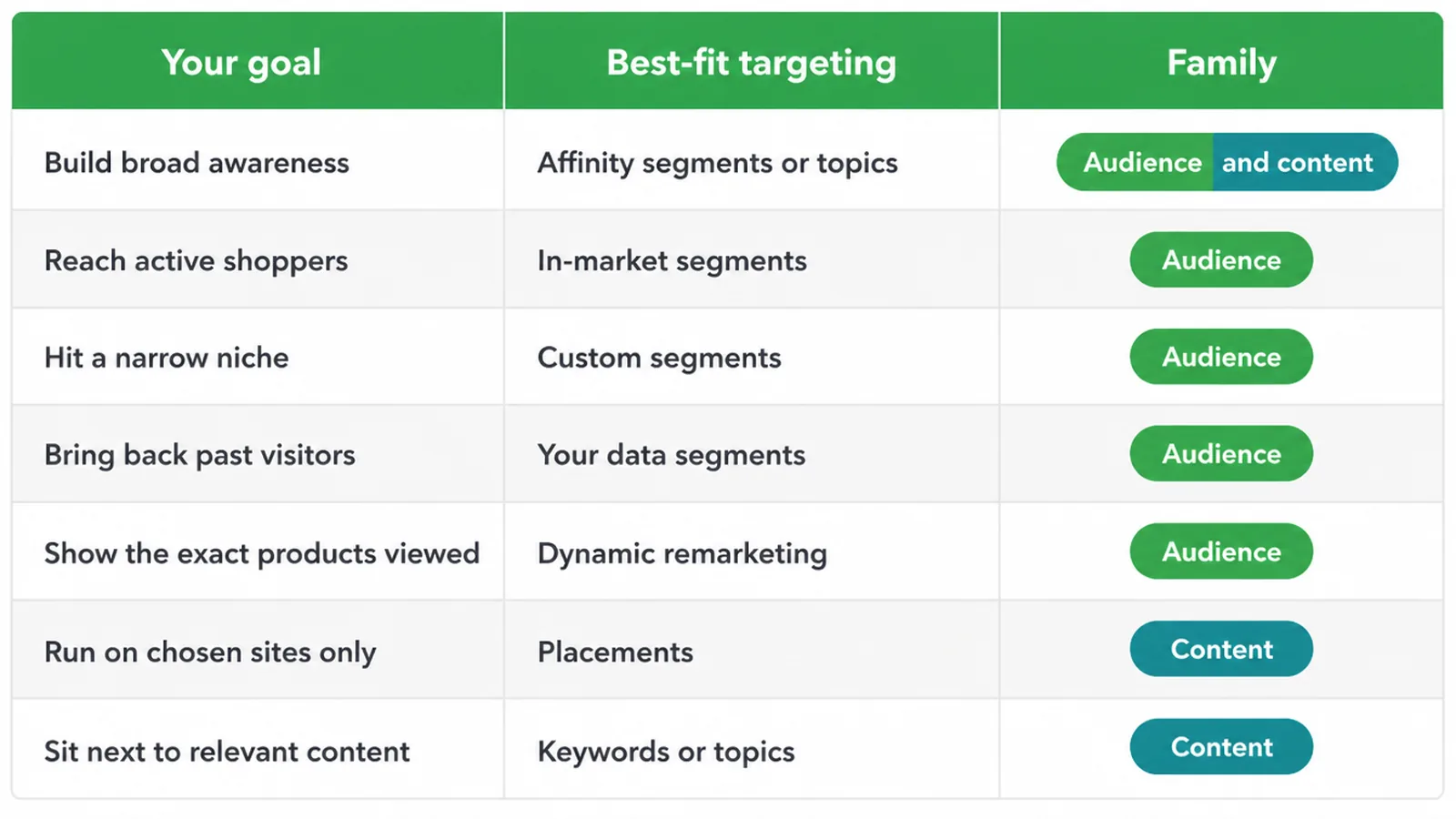
| Your goal | Best-fit targeting | Family |
|---|---|---|
| Build broad awareness | Affinity segments or topics | Audience / content |
| Reach active shoppers | In-market segments | Audience |
| Hit a narrow niche | Custom segments | Audience |
| Bring back past visitors | Your data segments | Audience |
| Show the exact products viewed | Dynamic remarketing | Audience |
| Run on chosen sites only | Placements | Content |
| Sit next to relevant content | Keywords or topics | Content |
6. Remarketing: the best use for most small businesses
Remarketing means showing ads to people who already visited your site or app. In Google Ads it now lives under your data segments. There are two flavours.
Standard remarketing shows your ads to prior visitors as they browse other sites and apps. Dynamic remarketing goes further and shows them the exact products they looked at, pulled from a product feed.
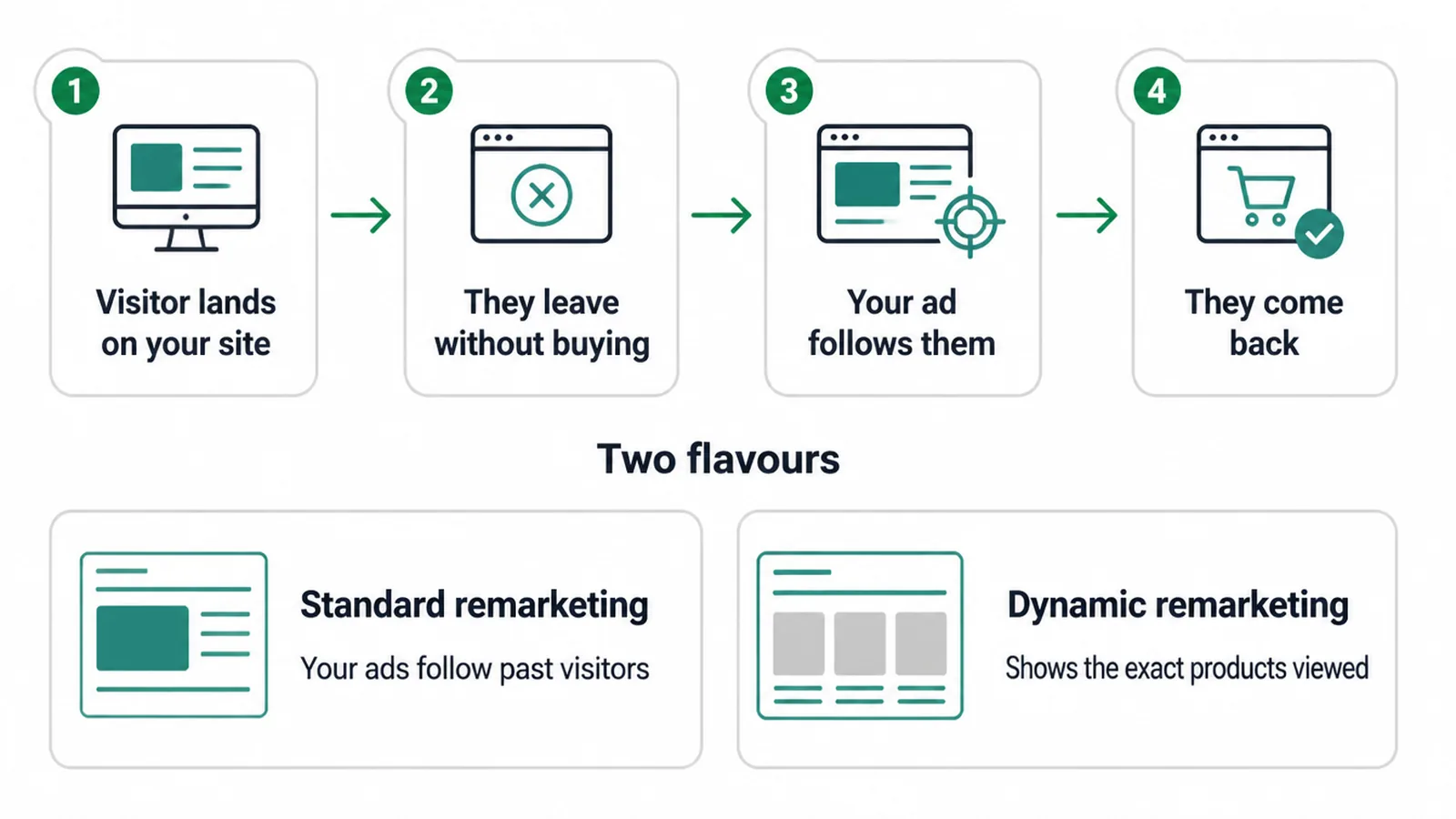
Why is this the highest-value display play for a small business? The audience is warm. They already know you. So the reach is cheaper to convert than a cold stranger. It works with your funnel instead of fighting it, and it pairs neatly with the numbers you already watch, like a good ROAS.
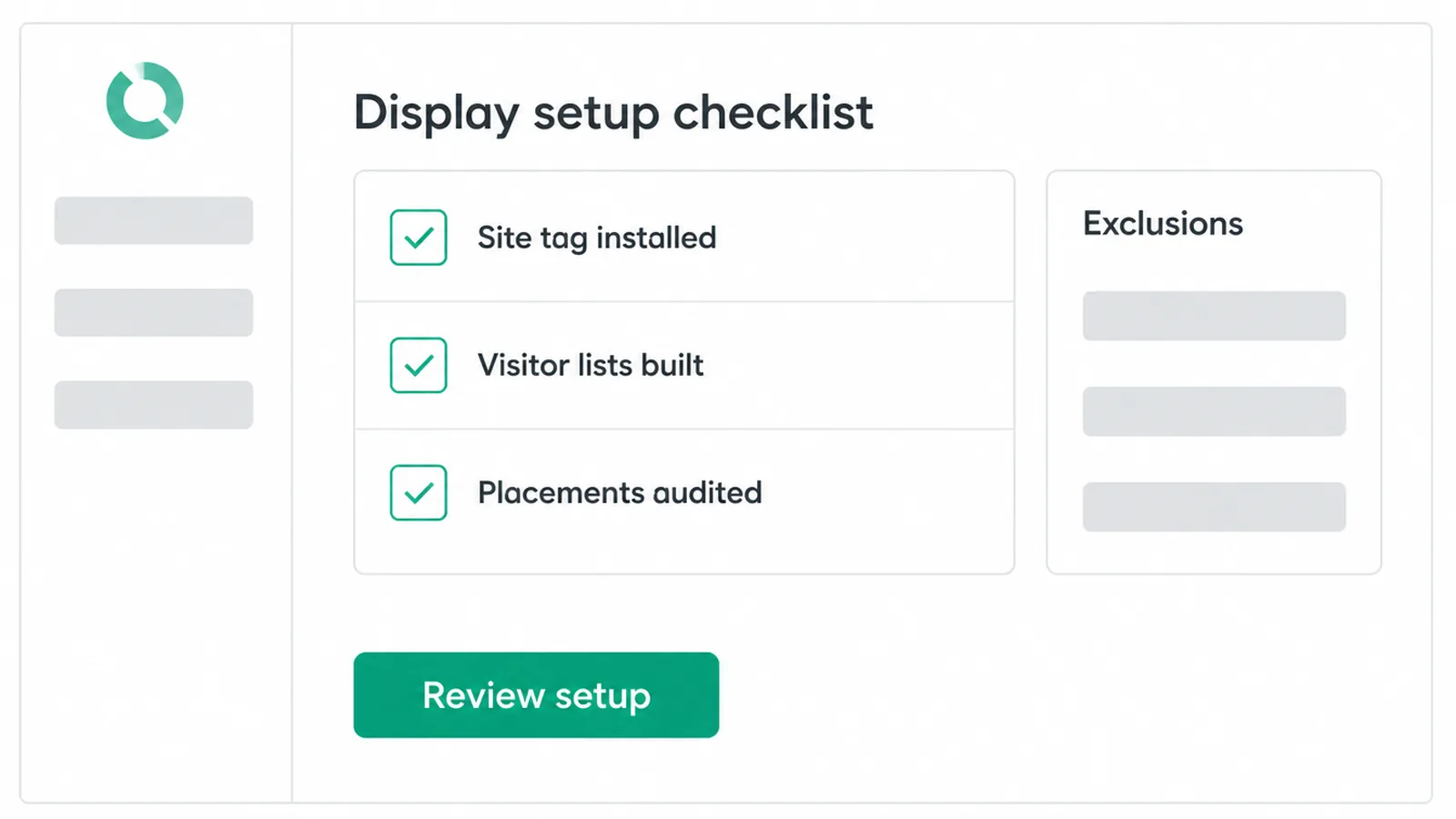
Two honest catches. First, it needs setup: the Google tag on your site so a visitor list can build over time. A tiny list will not have enough people to run against. Second, remarketing re-touches existing interest. It does not manufacture demand out of thin air. It reminds people who were already curious.
7. When display is worth it, and when it is not
Display is worth running for two clear jobs: awareness at the top of the funnel, and remarketing to warm visitors. Both play to its strength, which is cheap, wide reach.
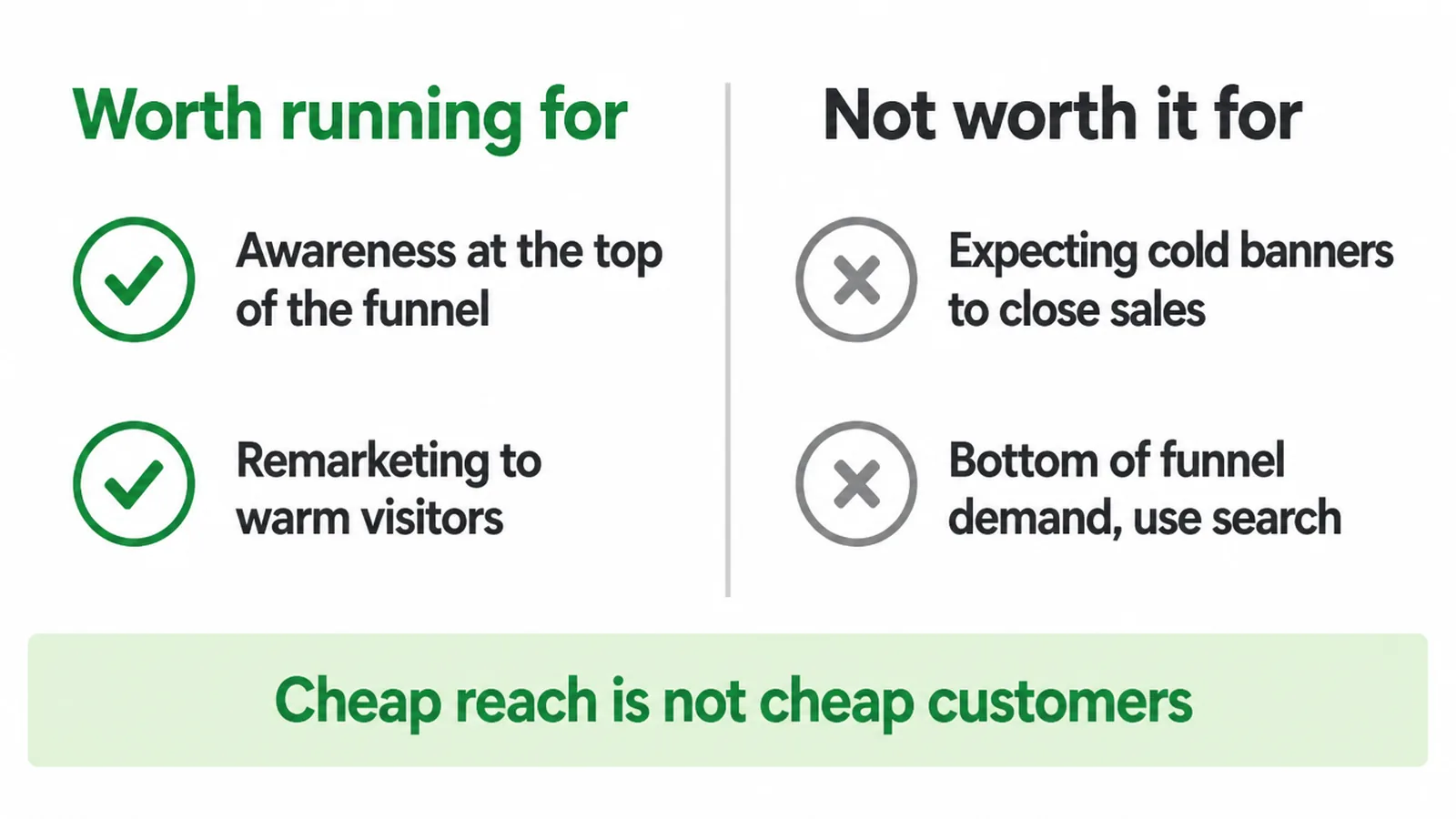
Display is not worth it when you expect cold banner ads to close sales the way search does. Someone searching "emergency plumber near me" has intent. Someone reading a recipe blog does not, even if your banner is sitting right there.
Cheap reach is not the same as cheap customers. A low cost per view can still be an expensive way to get a sale if the intent is missing.
So the honest framing is simple. Use display to be remembered and to bring people back, which is how we plan advertising budgets for small businesses. Use search to catch demand as it happens.
If you want a second opinion on where your budget should go, we cover that in our digital marketing work, and it is worth reading the plain comparison of SEO vs Google Ads too.
8. How to avoid wasting budget on display
Display can burn money fast if you let it run wide and unchecked. Four habits keep it tidy.
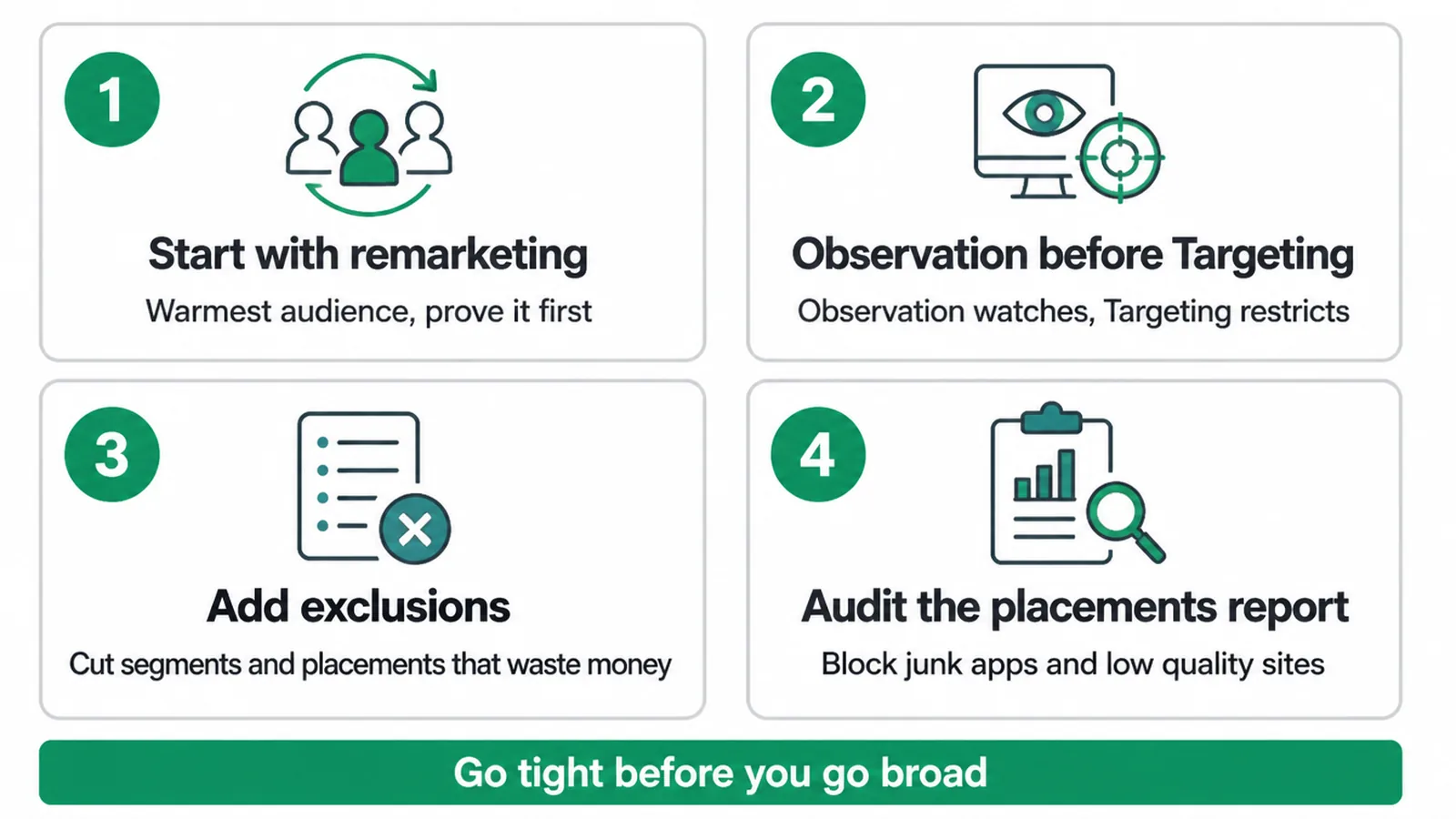
- Start with remarketing. It is the warmest, safest audience. Prove it works before you go broad.
- Use Observation before Targeting. Google's Observation setting reports on an audience without restricting who sees your ad, so you can learn before you narrow. Targeting restricts. Observation only watches.
- Add exclusions. You can exclude segments and placements that waste money. Cut them.
- Audit the placements report. Display loves to spend on junk apps and low-quality sites. Check the report often and block the rubbish.
The rule of thumb: go tight before you go broad. It is easier to widen a campaign that works than to rescue one that leaked from day one.
Frequently asked questions
1. What is display ad targeting?
Choosing who sees your image or banner ads across the Google Display Network, by who they are, what they want, or what page they are on.
2. What are the Google Display Network targeting options?
Two families: audience segments, which include affinity, in-market, custom, detailed demographics, life events and your data, and content targeting, which includes topics, placements and keywords.
3. What is the difference between in-market and affinity audiences?
Affinity segments are long-term interests and passions, good for broad awareness. In-market segments are active, recent purchase intent, which is closer to buying.
4. What is remarketing?
Showing ads to people who already visited your site or app. In Google Ads it lives under your data segments. Dynamic remarketing shows them the exact products they viewed.
5. Is the Display Network worth it for a small business?
The Display Network is most useful for awareness and remarketing. Remarketing is usually the higher-value small-business use because it reaches people who have already visited your site. Broader display campaigns need careful targeting and placement checks to control waste.
6. How is display different from search ads?
Search catches people who are actively searching, so intent is high. Display interrupts people who are not searching yet, so it is cheaper reach but lower intent.
7. What is a placement?
A specific spot your ad can run: a website, a page, an app, video content or an ad unit.
8. How do I avoid wasting budget on display?
Start with remarketing, add exclusions and use Observation before Targeting. Check the placements report regularly for junk sites and apps, then exclude placements that spend money without bringing useful visits or conversions.
9. Want display and remarketing set up right?
Display can quietly bring back visitors and keep you top of mind, but only if it is set up with the right targeting and tight exclusions. If you would rather have someone handle the tag, the lists, and the placements audit, get in touch and we will talk through what fits your budget.