Key takeaways
- Four moves to start: register a seller account, pick a selling plan, list your products, then choose who ships the orders.
- Two plans. Individual is pay-as-you-go per item. Professional is a flat monthly fee that unlocks bulk listing, ads and more. You can switch anytime.
- FBA vs FBM. Let Amazon store and ship for you, or ship it yourself for more control. You can mix both.
- Fees have three parts: your plan, a referral fee that varies by category, and fulfilment costs if Amazon ships. Check the current rates before you price.
- Play it clean. Never buy or fake reviews. Use Amazon's own Request a Review tool only.
- Amazon owns the customer. Great for reach, but most growing sellers also run their own store.
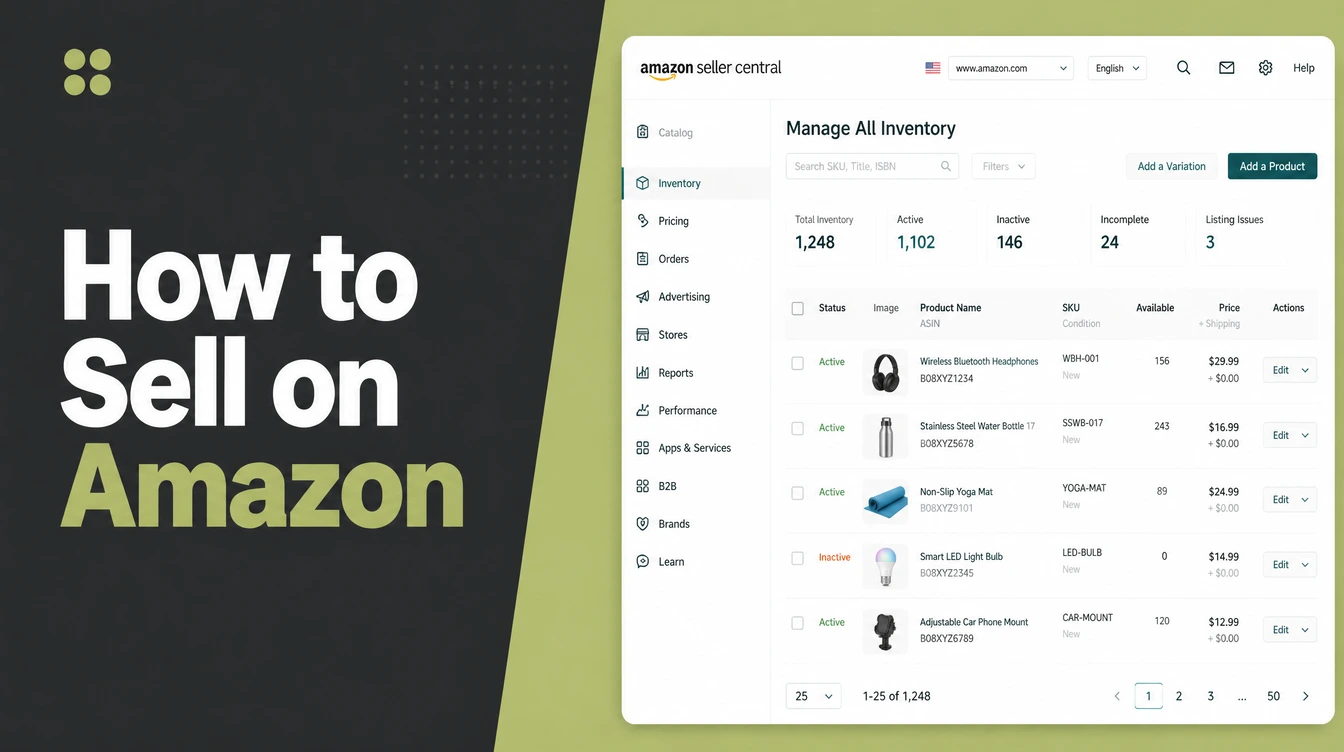
To sell on Amazon you register a seller account, pick a selling plan, list your products, and decide whether Amazon ships for you or you ship yourself.
Approval usually takes a few business days, and you do not need an LLC to start. That is the whole shape of it. The rest is detail you can learn as you go.
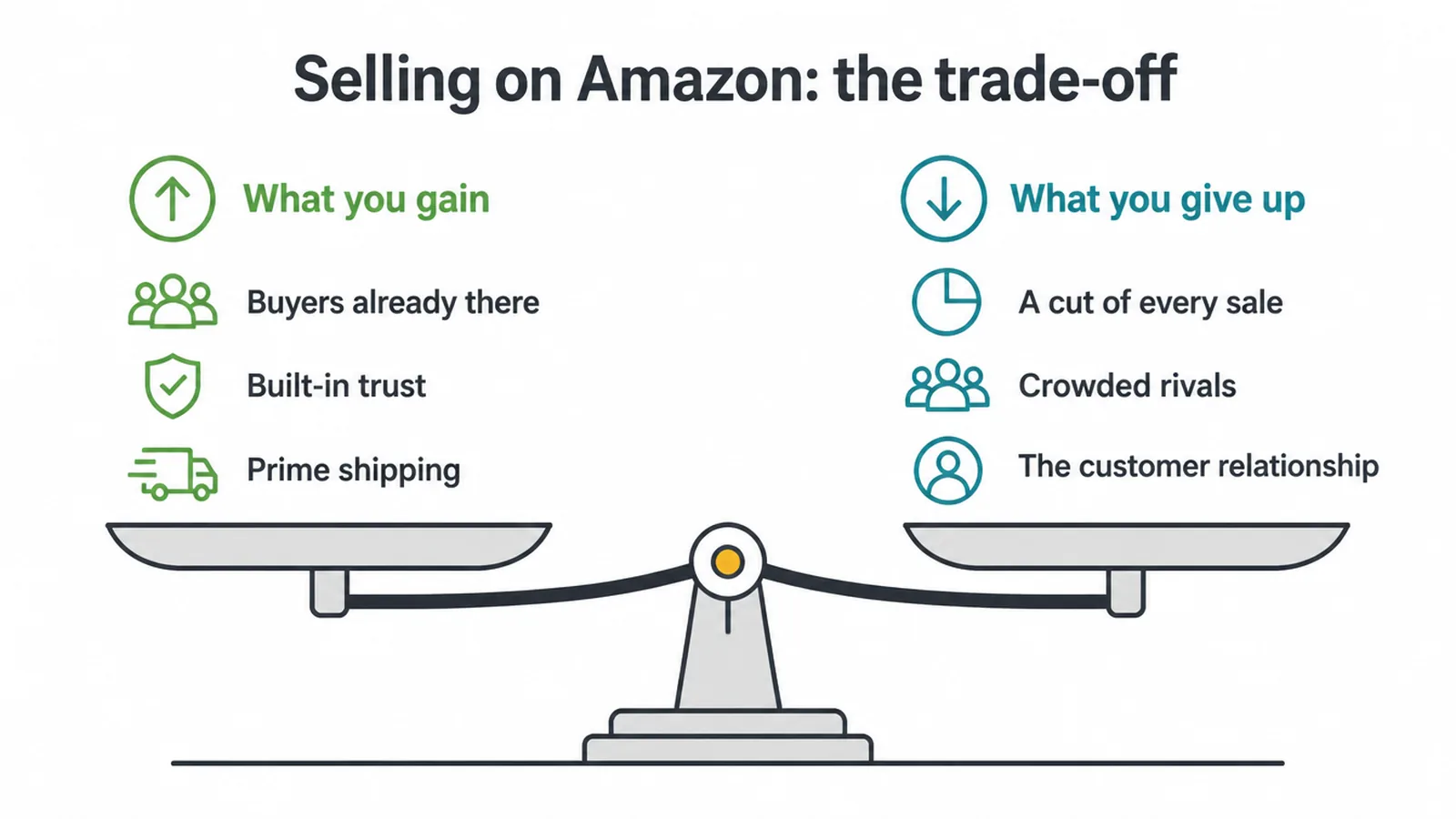
Here is the honest part up front. Amazon hands you a giant, ready-to-buy audience that already trusts the checkout. That is a real head start. But you pay for it in fees and competition, and Amazon owns the customer, not you.
So treat it as one channel, not your whole business. Many sellers pair it with their own site so they keep a direct line to buyers. If you are weighing that up, our guide to how to start an online store is a good companion to this one.
1. Why sell on Amazon at all?
The pull of Amazon is simple: the buyers are already there. Millions of people open the app knowing exactly what they came to do, which is buy something. You do not have to teach them how to check out or convince them the site is safe. That trust is built in.
Add Prime shipping and a search engine people use like a shopping habit, and a new product can find its first customers far faster than a brand-new website usually would.
The trade-off
Now the trade-off, because there always is one. You are renting the audience, not owning it.
Amazon takes a cut of every sale, the search results are crowded with rivals selling near-identical items, and the shopper thinks of the purchase as "from Amazon", not from you. You rarely get the buyer's email or a way to talk to them again.
So the reach is real, but so is the cost and the loss of the relationship. Go in knowing both. Used well, Amazon is a brilliant way to get found. Leaned on alone, it leaves your business standing on someone else's land.
2. Getting started: setting up your seller account
What you need to register
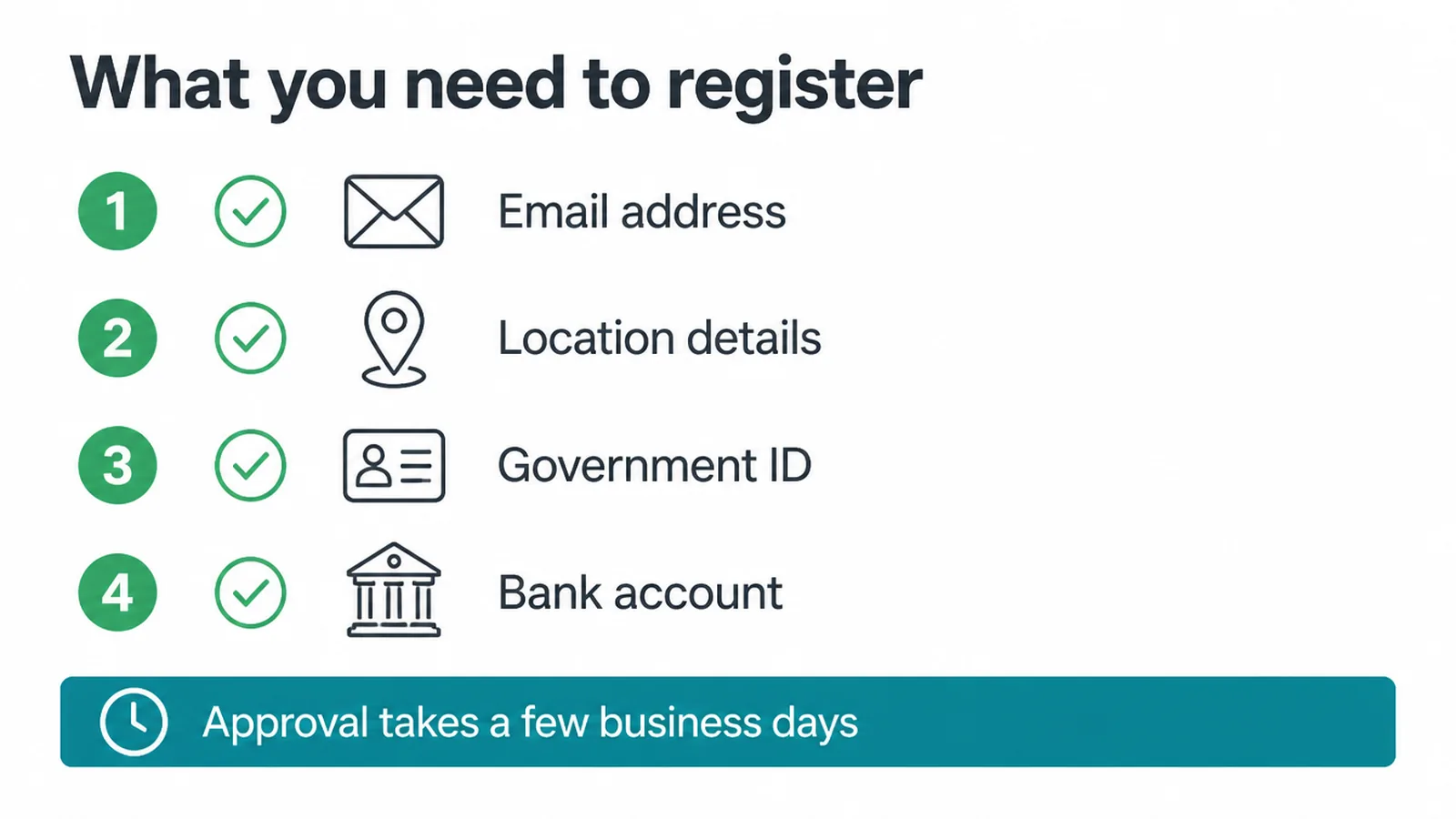
Setting up is more straightforward than most people expect. To register you need a few basic things ready:
- An email address
- Your business or personal location details
- A government-issued ID
- A bank account for getting paid
Amazon uses these to verify who you are, so have clear photos or scans on hand before you begin. According to Amazon's own registration guide, approval typically takes a few business days once you submit everything, so it is not instant, but it is quick.
Do you need a registered company first?
One question stops a lot of beginners: do I need a registered company first? The good news is no. You do not need an LLC or a formal company to open an account and start selling. You can begin as an individual and formalise things later if the business grows.
That said, you still have to follow the business and tax rules where you live, and those vary a lot from place to place. This is general guidance, not legal advice, so check what applies to you, or ask an accountant.
The point is that a lack of paperwork should not stop you from getting started. Set the account up, get verified, and you are ready to list.
3. Individual or Professional: which plan?
Amazon gives you two selling plans, and the right one depends on how much you plan to sell. Amazon lays out the difference in its own plan comparison, but here it is in plain words.
The Individual plan is pay-as-you-go: you are charged a small fee for each item you actually sell, with no monthly commitment. That makes it a low-risk way to test the water when your volume is small or you are just trying a few products.
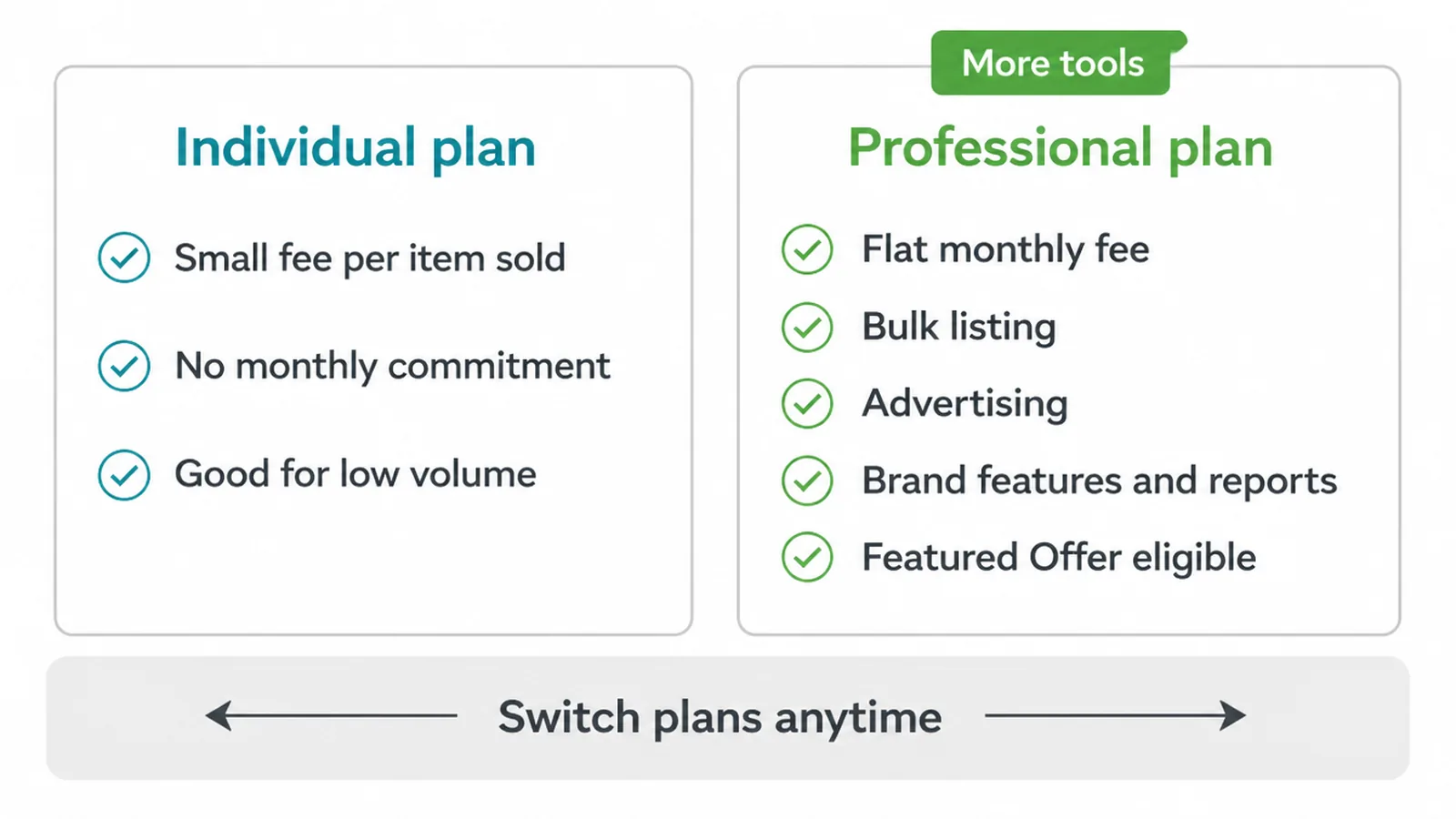
The Professional plan works the other way round. You pay a flat monthly fee no matter how many items you sell, and in return you unlock the tools that serious sellers rely on: bulk listing, advertising, brand features, detailed reports, and eligibility for the Featured Offer, which we cover further down.
If you are shifting more than a handful of items a month, the flat fee usually works out kinder per sale, and the extra tools quickly earn their keep. The best part is you are not locked in.
You can switch between the two plans at any time, so start on whichever fits today and move up when your numbers say so. Do not overthink it at the beginning.
4. FBA vs FBM: who ships your orders?
One of the biggest early choices is who actually packs and posts your orders. There are two ways, and Amazon spells them out in its FBA vs FBM guide.
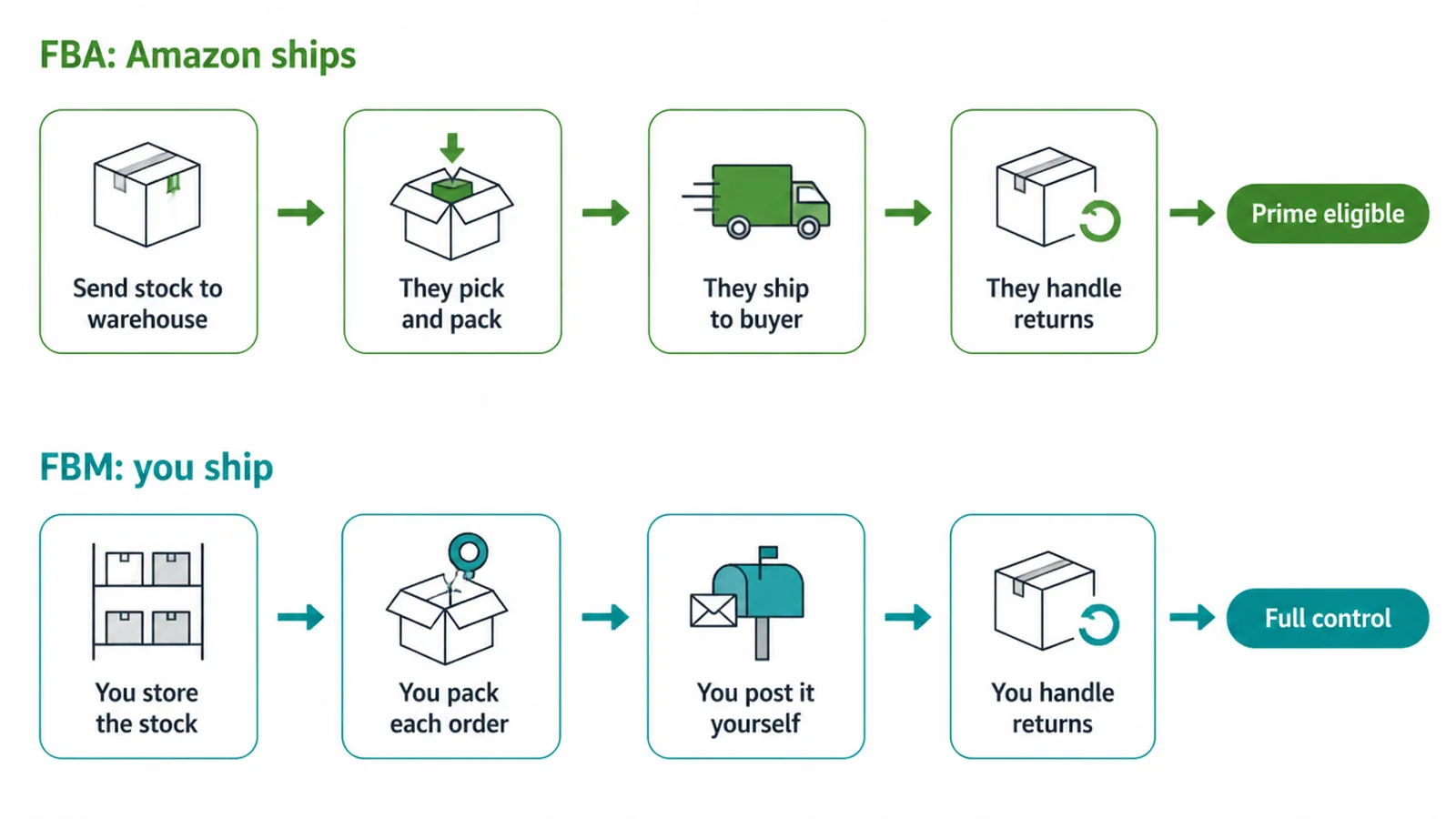
FBA, or Fulfilment by Amazon, means you send stock to Amazon's warehouses and they store it, pick it, pack it, ship it, and handle returns and customer service. Your items become Prime-eligible, which shoppers love.
FBM, or Fulfilment by Merchant, means you keep the stock and ship every order yourself, which gives you more control and keeps fulfilment costs in your own hands.
| Factor | FBA (Fulfilment by Amazon) | FBM (Fulfilment by Merchant) |
|---|---|---|
| Storage | Amazon holds your stock in its warehouses | You store the stock yourself |
| Shipping | Amazon picks, packs and ships every order | You pack and post each order |
| Prime | Items are Prime-eligible by default | Prime is harder to offer |
| Control | Less hands-on, Amazon runs the process | Full control of packaging and dispatch |
| Returns and service | Handled by Amazon | Handled by you |
| Cost | Adds fulfilment fees | You cover your own shipping costs |
Which is better?
It depends on your products and how hands-on you want to be. FBA suits sellers who would rather outsource the boring, heavy logistics and win the Prime badge. FBM suits sellers with bulky items, tight margins, or a warehouse and packing setup they already trust.
You do not have to pick just one, either. Plenty of sellers use FBA for their fast-moving best-sellers and FBM for the rest. Start with whichever feels manageable and adjust once you see what your orders actually look like.
5. Writing product listings that sell
Your listing is your shop window, and on Amazon it is doing the selling for you. A weak one buries a good product, while a clear one earns clicks and trust.
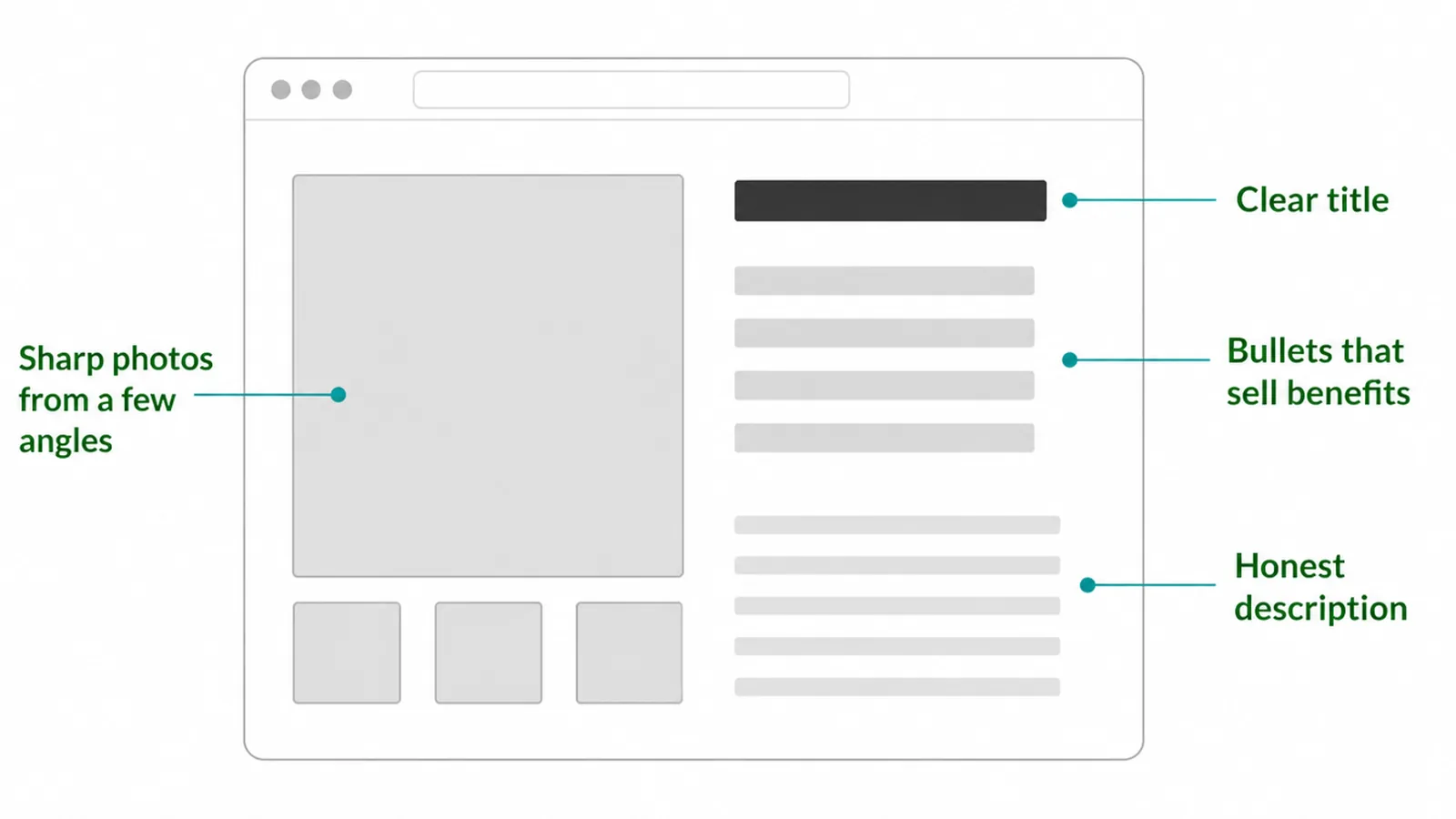
Start with the title. Make it accurate and easy to scan, leading with what the item is and its key details, not a wall of keywords.
Then the photos. Use bright, sharp images on a clean background, show the product from a few angles, and include one that shows scale or the item in use. Shoppers cannot pick it up, so the photos do that job for them.
Bullets, description and keywords
The bullet points are where you sell benefits. Say what it does for the buyer, then say what it is. Then the description fills in the honest detail: what is included, sizing, materials, care. Be truthful, because a listing that overpromises just breeds returns and bad reviews.
Weave in the words real buyers would type to find you, naturally, across the title and bullets. That is search inside Amazon, and it works on the same logic as the wider web.
If you want to go deeper on getting found by search, our ecommerce SEO strategy guide carries the same ideas across to your own site. Write for the human first and the search box second, and your listing will do both jobs.
6. Winning the Featured Offer (the old Buy Box)
You may have heard sellers talk about "winning the Buy Box". It has a new name now: the Featured Offer. Amazon explains it in its Featured Offer guide.
It is the highlighted spot on a product page with the main Add to Cart and Buy Now buttons. When several sellers offer the same product, Amazon picks one offer to feature there. It matters a great deal, because the shopper who taps Add to Cart most often buys from whoever holds that spot.
So how do you win it?
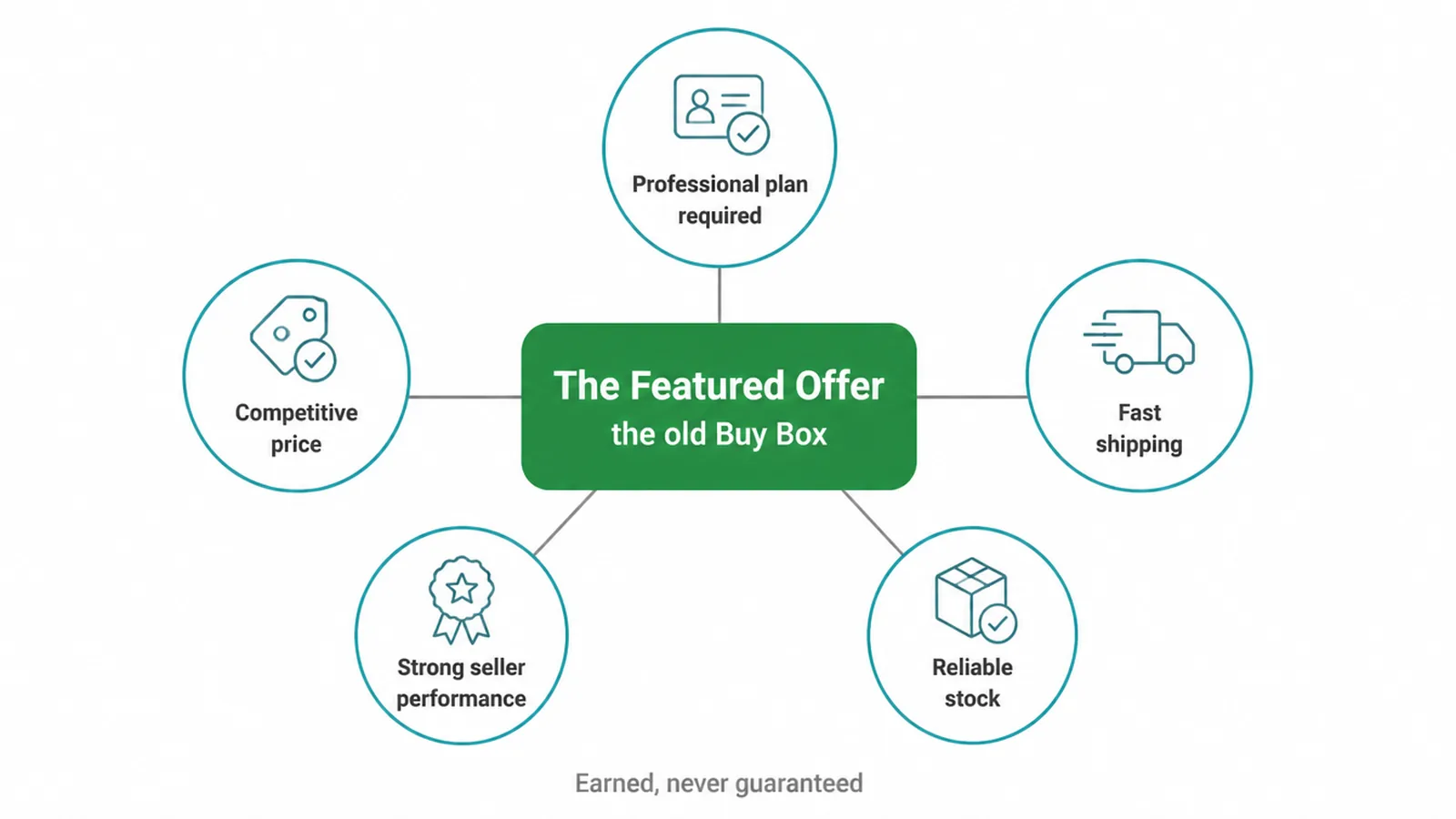
First, you need a Professional selling plan; Individual accounts are not eligible. Beyond that, it is earned, never guaranteed, and it can rotate between sellers. Amazon weighs a handful of things:
- A competitive price
- Fast and ideally free shipping
- Strong seller performance, like low defect and late-shipment rates
- Reliable stock so you do not run out
This is one reason FBA appeals to so many sellers, since it ticks the fast-shipping and reliability boxes for you. You do not need to game anything.
Price fairly, ship quickly, keep your account healthy and your shelves stocked, and you put yourself in the running. Do the basics well over time and the Featured Offer tends to follow.
7. Getting reviews the right way
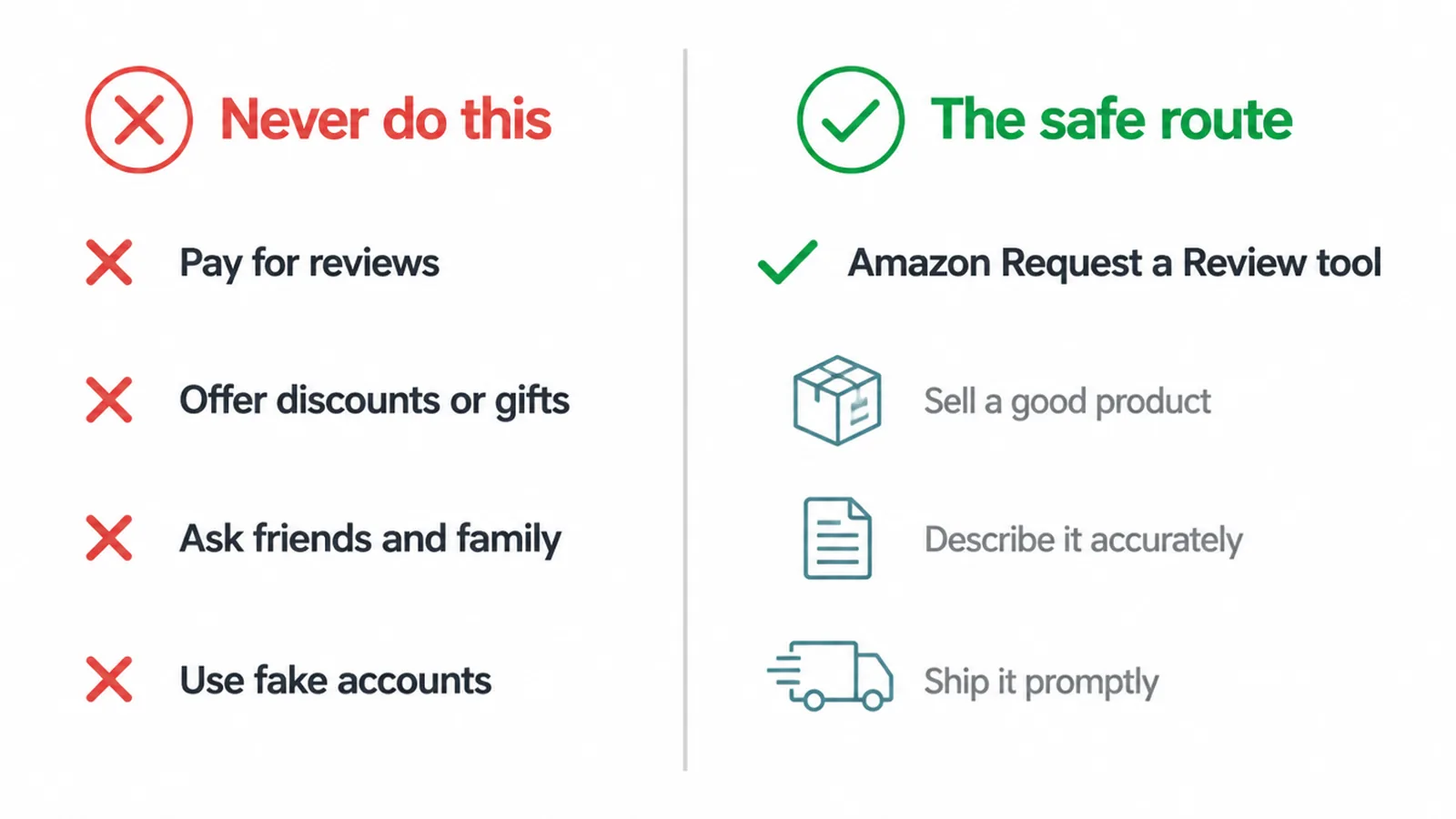
Reviews build the trust that turns a browser into a buyer, so it is tempting to chase them fast. Do not cut corners here, because this is where sellers get themselves suspended. Amazon runs a zero-tolerance policy on review manipulation, laid out in its community guidelines and anti-manipulation policy. That means:
- No paying for reviews
- No incentivising them with discounts or gifts
- No asking friends and family to post
- No fake accounts
Get caught and you risk losing your listings or your whole account. It simply is not worth it.
The safe, approved route
The safe, approved route is Amazon's own Request a Review tool. After an order is delivered, you can send a standardised review request straight from Seller Central, and Amazon sends it on your behalf. It is neutral, it follows the rules, and it still nudges happy customers to leave honest feedback.
Beyond that, the best review strategy is boring but reliable: sell a genuinely good product, describe it accurately so there are no nasty surprises, and ship it promptly. Reviews earned that way are the ones that last and the ones that keep your account safe.
8. How Amazon fees actually work
Fees are the part that trips up new sellers, usually because they price a product without counting them. There is no single number to memorise, and the exact rates change, so treat this as the structure to plan around, and check the current rates before you price.
Amazon fees come in three main parts:
- Your selling plan: either a small charge per item on the Individual plan or a flat monthly fee on the Professional plan.
- A referral fee, which Amazon takes on each sale as a percentage of the price. This percentage varies by category, so a homeware item and an electronics item are not charged the same rate.
- Fulfilment costs, if you use FBA, for the storage, picking, packing and shipping Amazon does for you.
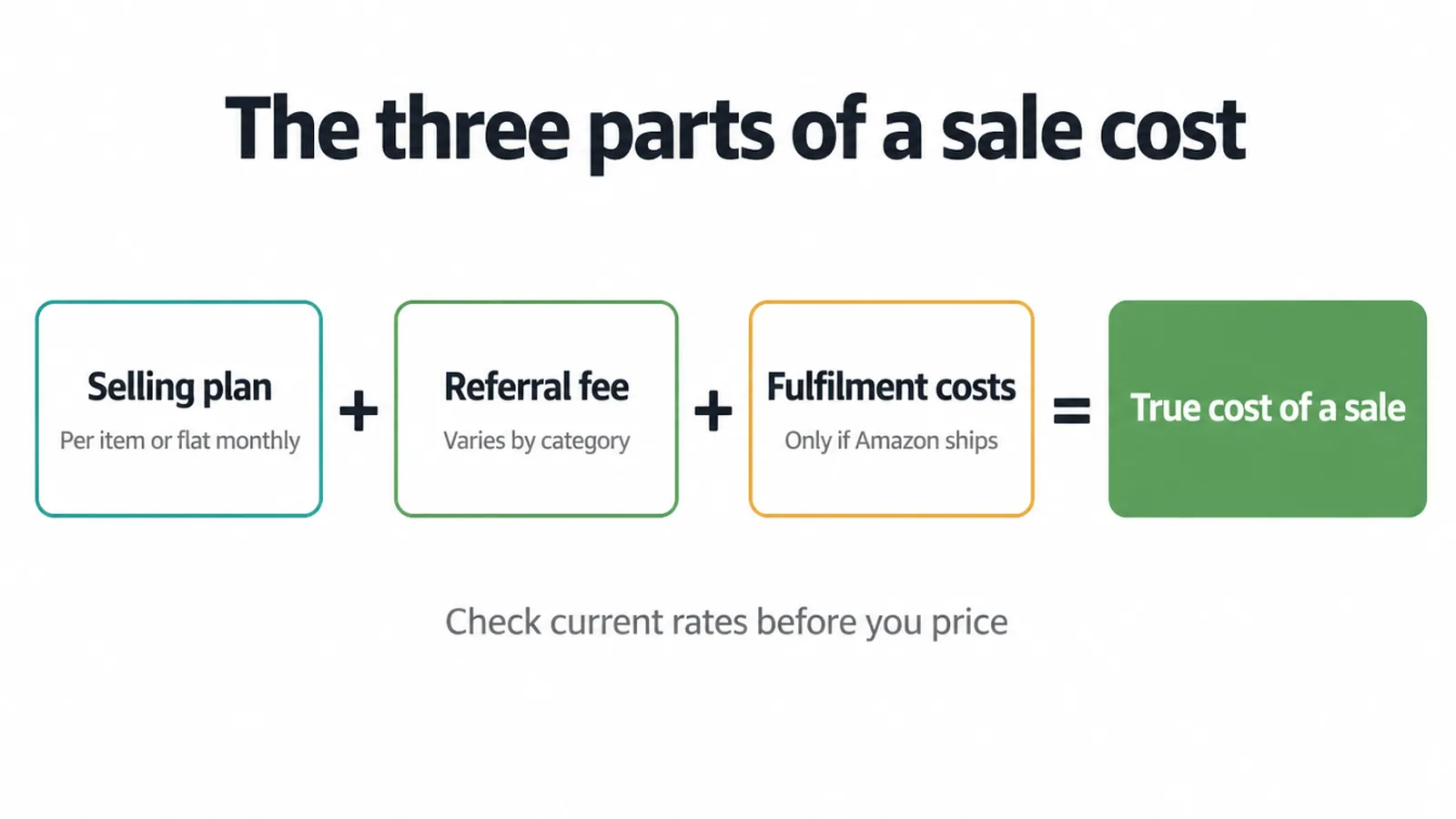
Put those together and you get the true cost of a sale. The mistake to avoid is pricing off your product cost alone and forgetting the platform's cut, which quietly eats a margin you thought you had.
Before you set a single price, look up the current plan fee, the referral percentage for your specific category, and, if you are using FBA, the fulfilment costs for your item's size and weight.
Then price so there is real profit left after all of it. Check the current rates on Amazon directly, because they do move, and build your margin on today's numbers, not a guess.
9. Amazon or your own store? Do both
This is the question every seller reaches eventually, and the honest answer is you do not have to choose. Amazon and your own website do different jobs.
Amazon gives you instant reach and a trusting audience, but it takes its fees and keeps the customer relationship. Your own store flips that: fewer built-in shoppers at first, but you own the brand, the buyer's details, and the margin. One is rented reach, the other is owned ground.
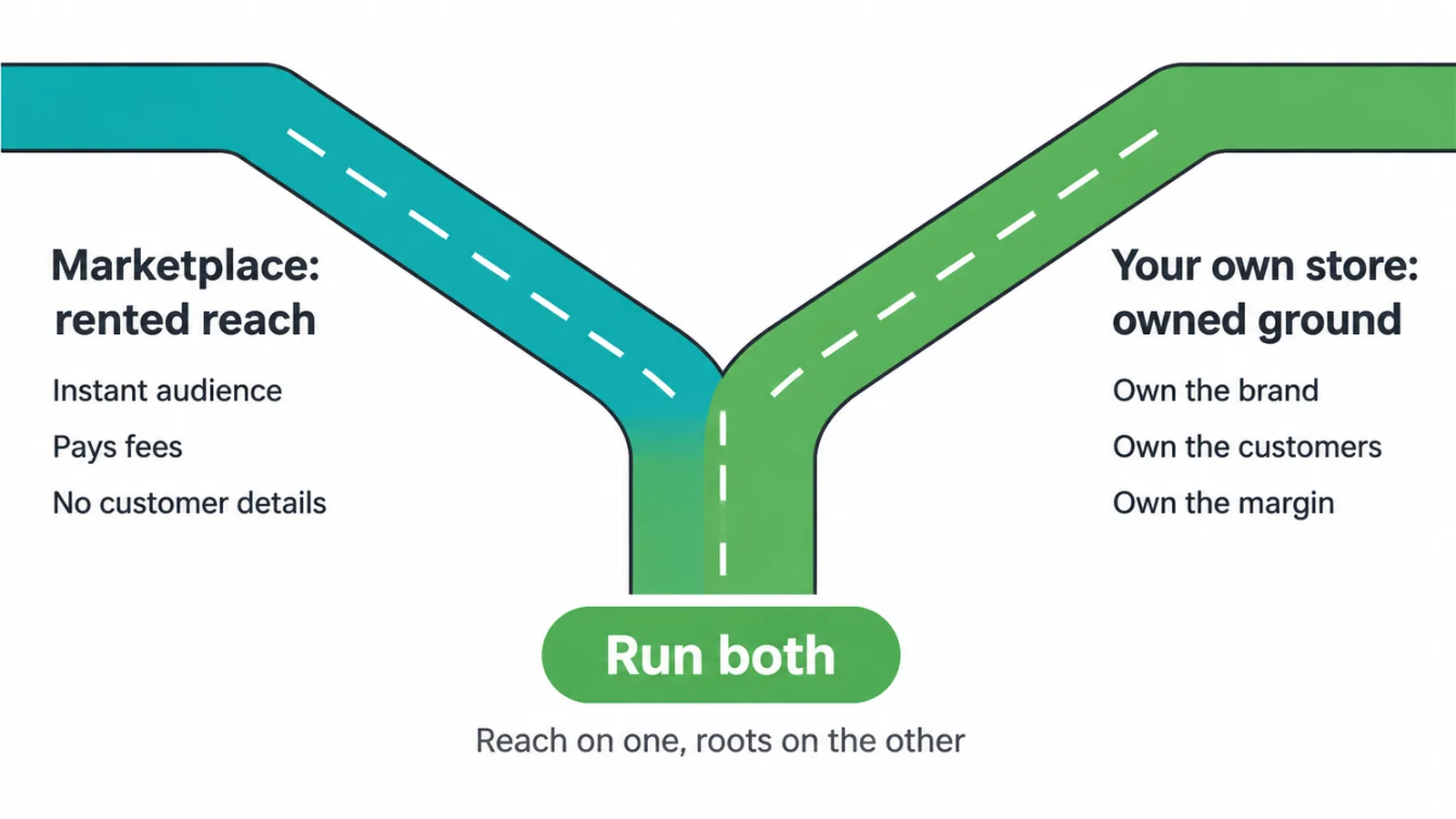
That is why so many growing businesses run both. They use Amazon to get discovered and to move volume, then use their own site to build a brand people remember, capture emails, and sell again without paying a marketplace cut every time. Amazon becomes a customer-finding machine that feeds a home you actually control.
If you are choosing where to build that home, our roundup of the best ecommerce platform for small business walks through the options in plain terms.
And when you are ready to build a store that turns those Amazon buyers into repeat customers, our ecommerce website design team can set it up properly. Reach on Amazon, roots on your own site. That combination is hard to beat.
FAQ
1. How do I start selling on Amazon?
Create a seller account, choose a selling plan, add government ID and bank details, list your products, and decide whether Amazon or you will ship the orders. Approval usually takes a few business days.
2. What does it cost to sell on Amazon?
It depends on your selling plan, a referral fee on each sale that varies by category, and fulfilment costs if you use Amazon to ship. There is no single figure, so check the current rates for your category.
3. What is the difference between the Individual and Professional plans?
The Individual plan charges a small fee per item sold, while the Professional plan charges a flat monthly fee and unlocks bulk listing, ads, brand tools and Featured Offer eligibility. You can switch between them anytime.
4. What is FBA and should I use it?
FBA, or Fulfilment by Amazon, means Amazon stores, packs and ships your orders and handles returns, making items Prime-eligible. It is hands-off but adds fees, so it suits sellers who want to outsource logistics.
5. What is the Buy Box?
It is now called the Featured Offer, the highlighted 'Add to Cart' spot on a product page. It is not guaranteed, needs a Professional account, and is won with a competitive price, fast shipping and strong seller performance.
6. Do I need a business licence to sell on Amazon?
You do not need an LLC to open an account, but you must follow your local business and tax rules. This is general guidance, not legal advice, so check what applies where you are.
7. How do I get reviews on Amazon?
Only through Amazon's own Request a Review tool. Paying for, incentivising or faking reviews breaks Amazon's zero-tolerance policy and can get your account suspended.
8. Should I sell on Amazon or build my own store?
Amazon gives instant access to a huge audience but takes fees and owns the customer relationship. Many businesses do both: Amazon for reach and their own site for brand and owned customers.
About the author
Gregory Yeoh is the founder of Seed Light, a web design and digital marketing agency that builds websites and runs marketing for small businesses. He has helped plenty of owners sell on marketplaces like Amazon while building a store they actually own, so they get the reach without handing over the whole relationship. This is the honest, jargon-free version of how it works.