Key takeaways
- Write your own copy. Manufacturer text sits on dozens of other sites, so it gives Google nothing new to rank.
- Your title and meta are your pitch in the search result. Make them clear and make people want to click.
- Product schema makes you eligible, not guaranteed. Google says it does not promise the rich result will show (Google).
- Reviews must be first-party. Real customer reviews, visible on the page, no pulling ratings from other sites.
- Name and describe your images. Short descriptive filenames plus honest alt text, not IMG00023.JPG.
- Point internal links at the page from collections, related products, blog posts and the homepage.
1. Start with unique product copy, not the manufacturer's
The single biggest fix is your own words. Many stores paste the description the manufacturer hands them. That same block of text often sits on dozens of other websites already.
Google does not punish you for that. It says it does not penalise duplicate content. Instead it picks one version to show and rolls the ranking signals into that one preferred page (Google).
The problem is you are unlikely to be the chosen version, so your page gets ignored or outranked by a bigger site using the exact same copy.
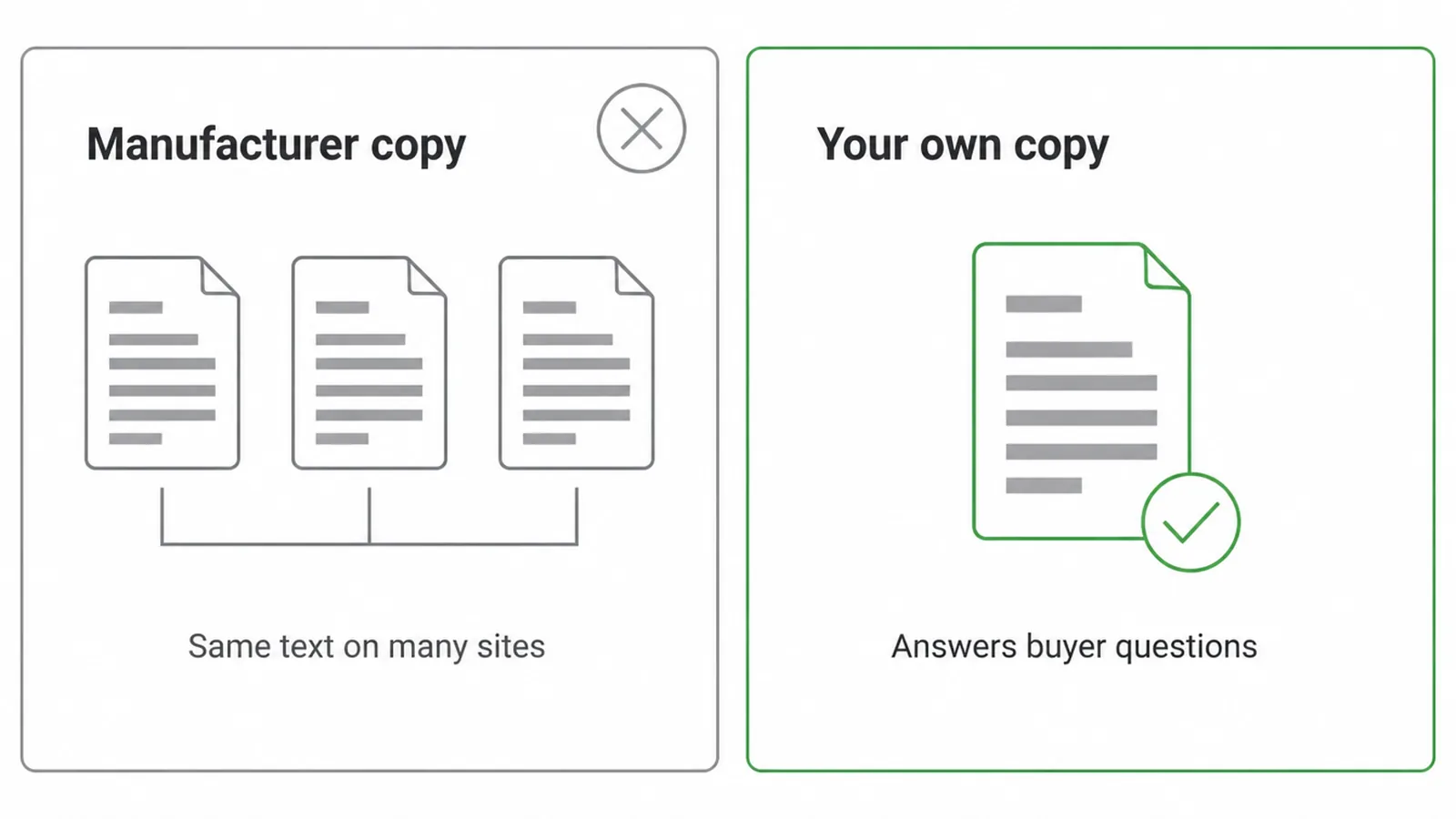
Shopify puts it plainly. It advises against copying manufacturer-provided descriptions because that text might already be used by other websites (Shopify). Original copy gives the page something of its own to rank for.
It also lets you answer the questions a buyer actually has: how it fits, what it is made of, how to use it, and why it beats the alternative.
How much should you write? There is no magic number, but Shopify suggests at least 250 words of descriptive text on a product page (Shopify). Do not pad it. Length only helps if every line answers a real worry.
Want help with the words themselves? Our guide on how to write product descriptions covers the craft. The rule of thumb: write for the shopper first, and the keywords will follow naturally.
2. Write a title tag and meta description that earn the click
Your title tag and meta description are your shop window in the search result. They are the first thing a shopper reads, and they decide whether anyone clicks. Get them right and you pull in traffic before they ever reach the page.
Keep the title short
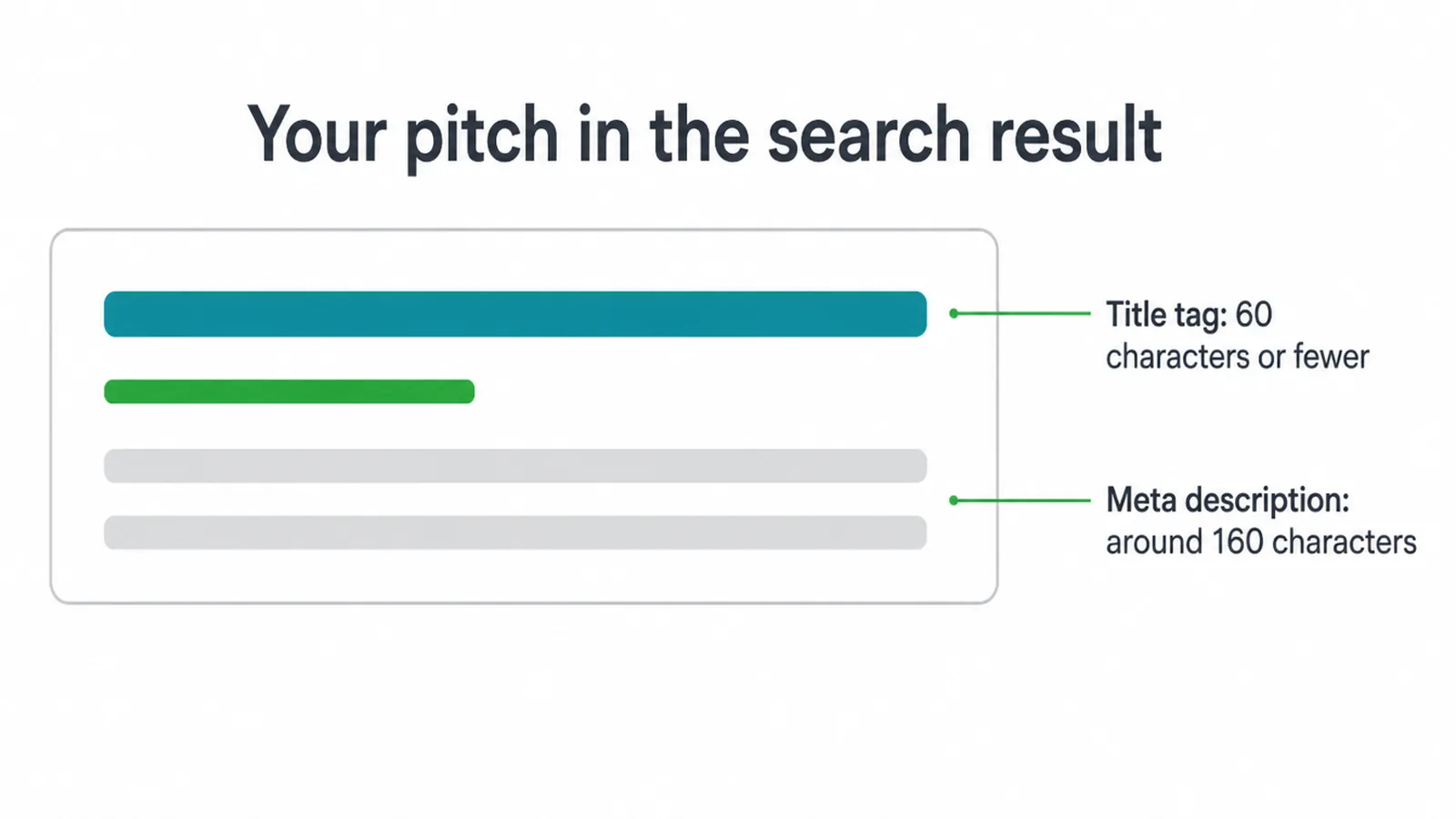
Keep the title short. Shopify recommends 60 characters or fewer, because most search engines shorten longer titles (Shopify). Put the product name and its main keyword near the front so nothing important gets cut off. Do not stack five keywords in there. One clear product name beats a messy pile of terms.
Make the meta description unique
The meta description is your one-line sell. Shopify suggests a unique description of around 160 characters written in plain, direct language (Shopify). Unique is the key word. A generic line repeated across every product wastes the spot.
Say what the product is, who it is for, and give one reason to click. Speak to the shopper, not to a robot. Think of it as the ad copy for your free listing, and treat every product page as its own little advert.
3. The on-page SEO checklist for a product page
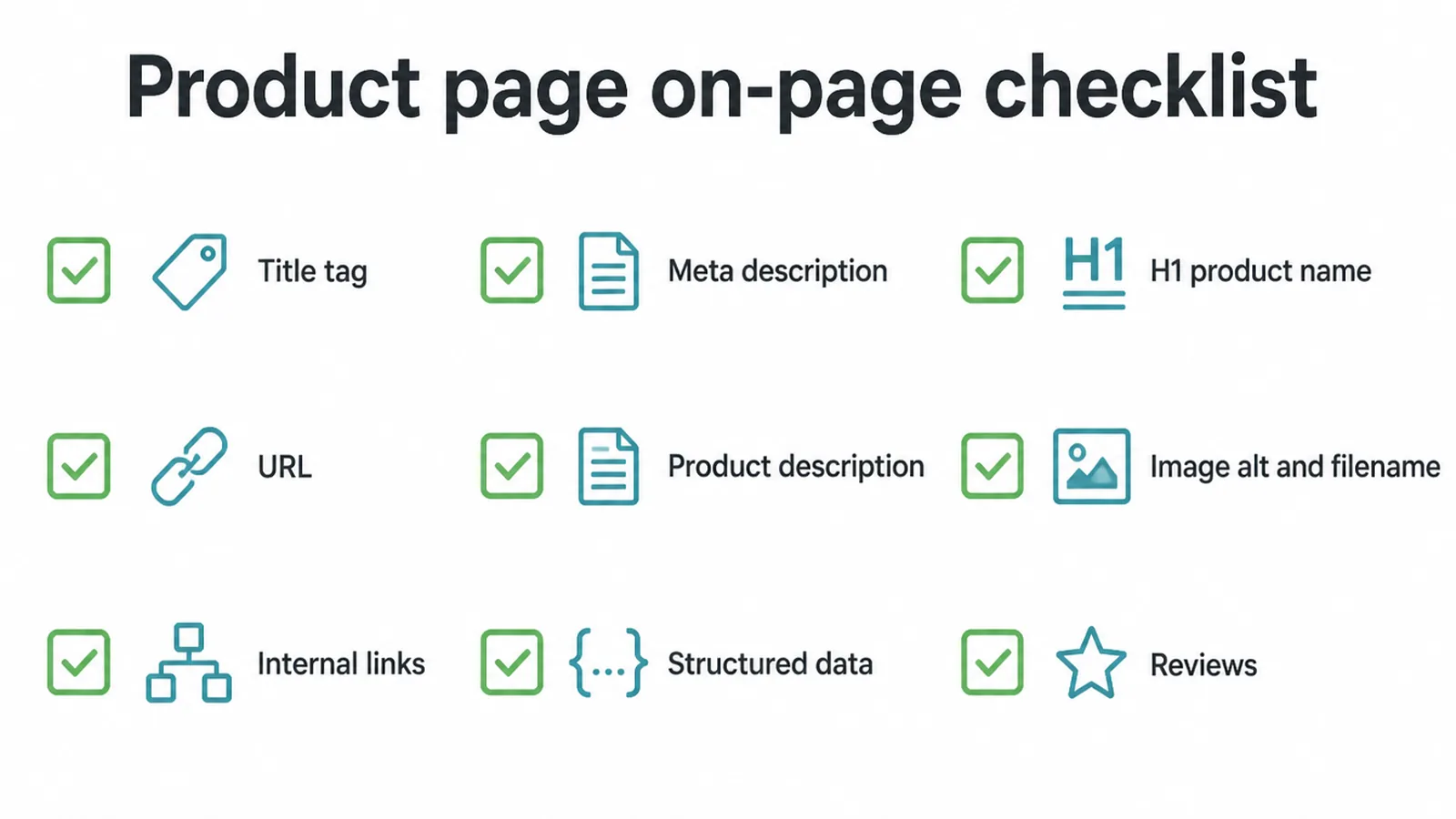
Here is the whole thing on one page. Run this list on every product you sell. Each row is a lever you control and the reason it matters. Read it top to bottom, fix the weakest ones first, and you have covered the on-page basics that most stores skip.
| Element | What to do | Why it matters |
|---|---|---|
| Title tag | Keep it short with the product name and keyword near the front | Long titles get cut off in the result |
| Meta description | Write a unique line in plain language that gives a reason to click | It is your pitch in the search result |
| H1 / product name | Use the real product name as the visible heading | Tells the shopper and Google what the page is |
| URL | Short, readable, with words that name the product | Clear URLs help people and crawlers |
| Product description | Write your own copy that answers buyer questions | Copied text gets ignored or outranked |
| Image alt and filename | Describe the image in context, name the file plainly | Helps image search and accessibility |
| Internal links | Link in from collections, related products and posts | Helps Google find and rate the page |
| Structured data | Add Product markup with name, image and offer | Makes the page eligible for rich results |
| Reviews | Show genuine first-party reviews on the page | Fresh content plus possible star features |
4. Optimise your product images
Images do more than look nice. They can bring in traffic from image search, and they carry ranking signals of their own. A few small habits make a big difference.
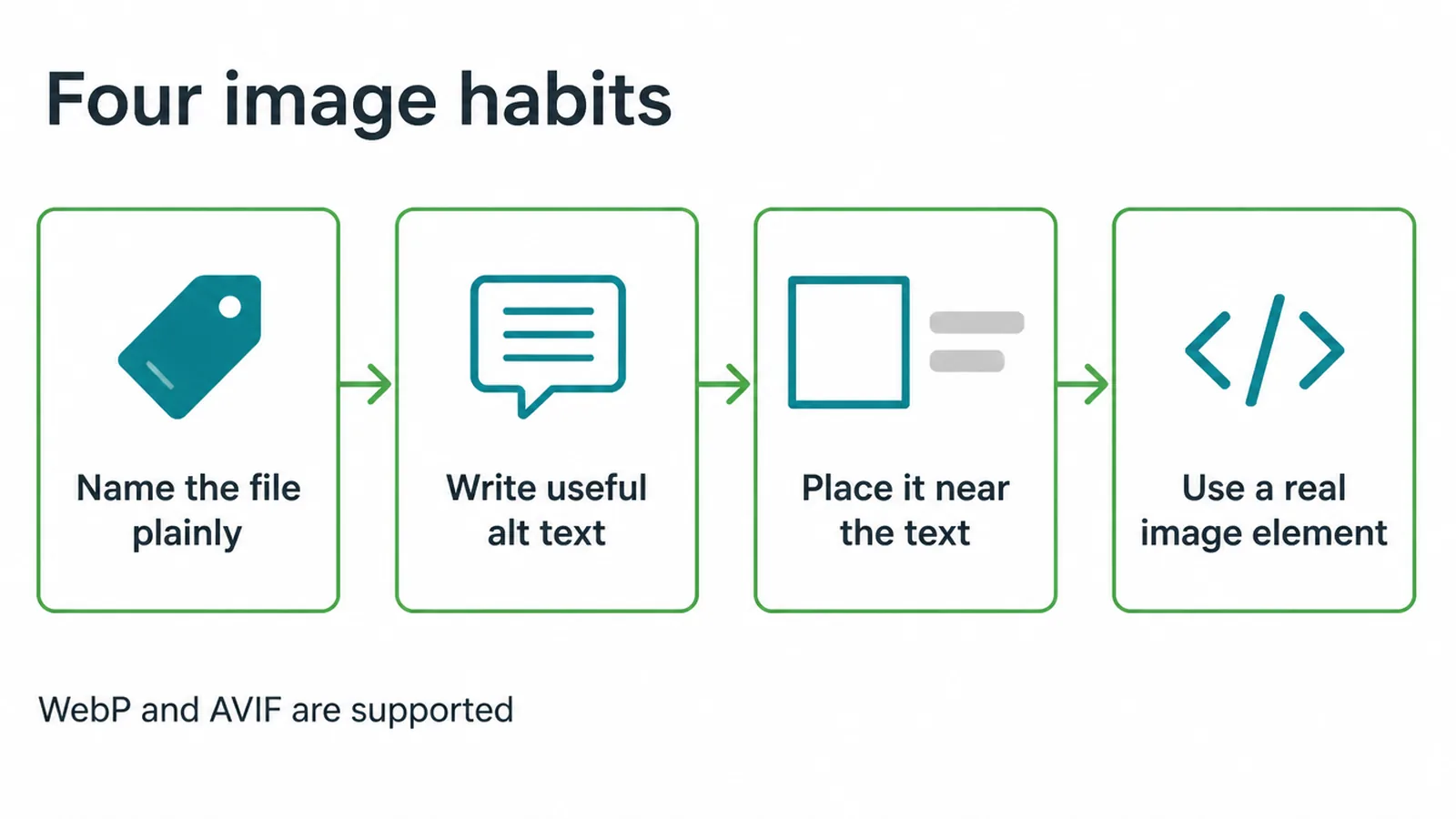
Name image files with real words
Name your files properly. Google says to use short but descriptive filenames, giving the example that my-new-black-kitten.jpg is better than IMG00023.JPG, and to avoid generic names like image1.jpg or pic.gif (Google). Words that name the product beat a camera's default filename every time.
Write alt text that describes the picture
Then write good alt text. Google wants alt text that is useful, information-rich content using keywords in context, and it warns that stuffing keywords into alt attributes is seen as spam (Google).
Describe what is in the picture as if you were telling someone who cannot see it. That helps shoppers using screen readers too, so it is an accessibility win as well as an SEO one.
Placement, formats and photo quality
A few more basics from the same guidance. Place images near the text they relate to, and use a real HTML image element with src and alt in place of a CSS background (Google).
Google Search supports formats including WebP and AVIF, so modern lightweight files are fine (Google). And use sharp photos. Google notes high-quality images appeal to users more than blurry ones and can lift your chances of traffic (Google).
5. Add Product structured data (Offer, Review, Rating)
Structured data is code that spells out what your page is about in a way Google reads easily. For products there are two flavours.
Product snippets are for pages where the item cannot be bought, like an editorial review. Merchant listings are for pages where a shopper can actually buy (Google). Most store product pages want the merchant listing type.
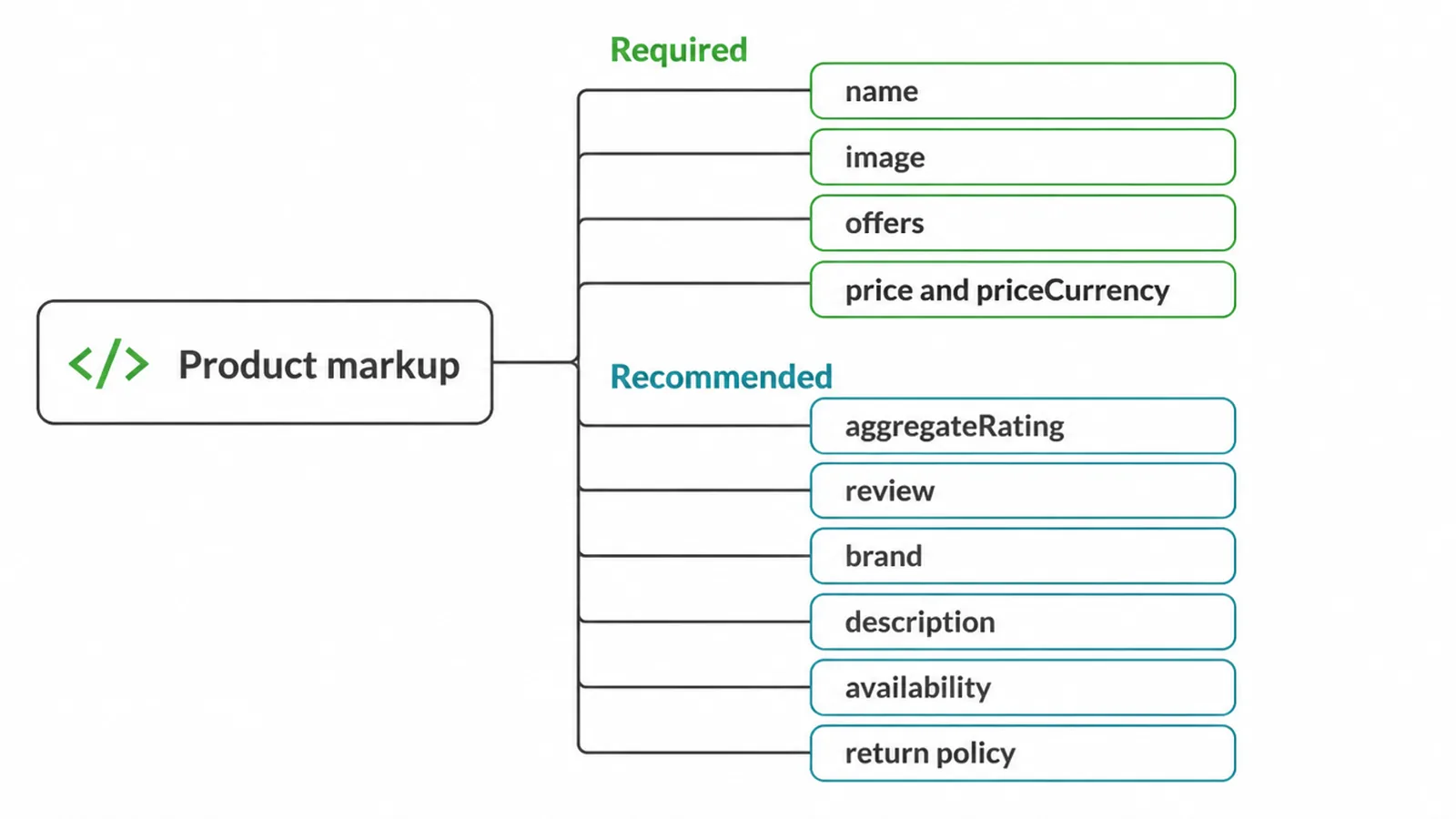
The fields a merchant listing requires
Get the required fields right first. For a merchant listing Google requires the product name, an image, and offers, and inside the offer a price and a priceCurrency in three-letter ISO 4217 format (Google).
A product snippet needs less: just the name plus at least one of review, aggregateRating or offers (Google). Escape any special characters in your code, so an ampersand becomes & in the markup.
The recommended extras worth adding
Then add the recommended extras. Google lists aggregateRating, review, brand name, description, and on the offer the availability, item condition, url, shipping details and return policy (Google). Getting this right can make a page eligible for product snippets, popular products, shopping knowledge panels and annotated images in Google Images (Google).
Eligible does not mean guaranteed
One honest caveat. Eligible does not mean guaranteed. Google states these enhancements are shown at the discretion of each experience and may change over time, and it does not guarantee that features consuming structured data will show up (Google).
Treat schema as opening the door, then check your work in the Rich Results Test. If you would rather not touch code, we bake this in when we build a store, see our ecommerce website design service.
6. Use reviews as fresh, rankable content
Reviews are a quiet SEO gift. Real customers write fresh, keyword-rich text you did not have to write, and they can unlock star features in search. But there are firm rules, and breaking them means no stars at all.
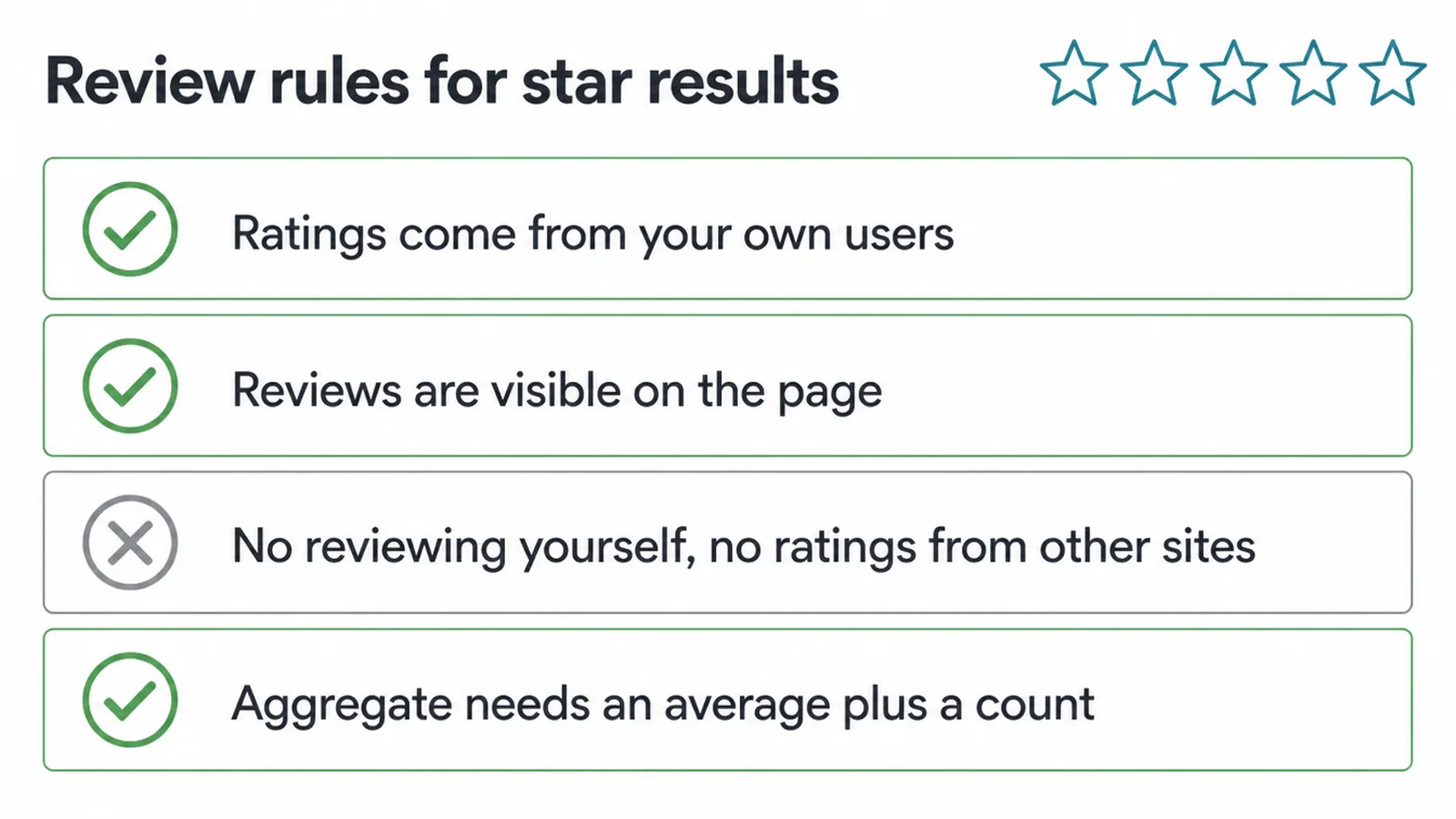
- The ratings must come directly from your users, and you cannot aggregate reviews or ratings from other websites (Google).
- The review content you mark up must be readily available to users on the page (Google).
- If the thing being reviewed controls the reviews about itself, its own pages using LocalBusiness or Organization markup are not eligible for the star feature (Google).
Genuine first-party product reviews are the safe path. And for an aggregate rating you must give the average ratingValue plus at least a ratingCount or reviewCount (Google).
There is also easy ground to win here. Baymard found many sites never respond to negative reviews, and many do not even show their return policy on the product page (Baymard).
Replying to reviews and showing your returns terms builds trust and adds useful text. Both are simple, and most of your rivals skip them.
7. Get internal links pointing at the page
A product page floating on its own is hard for Google to find and hard to rate. Internal links fix that. Every link you point at the page from elsewhere on your own site is a signal that the page matters and a path for a crawler to follow.
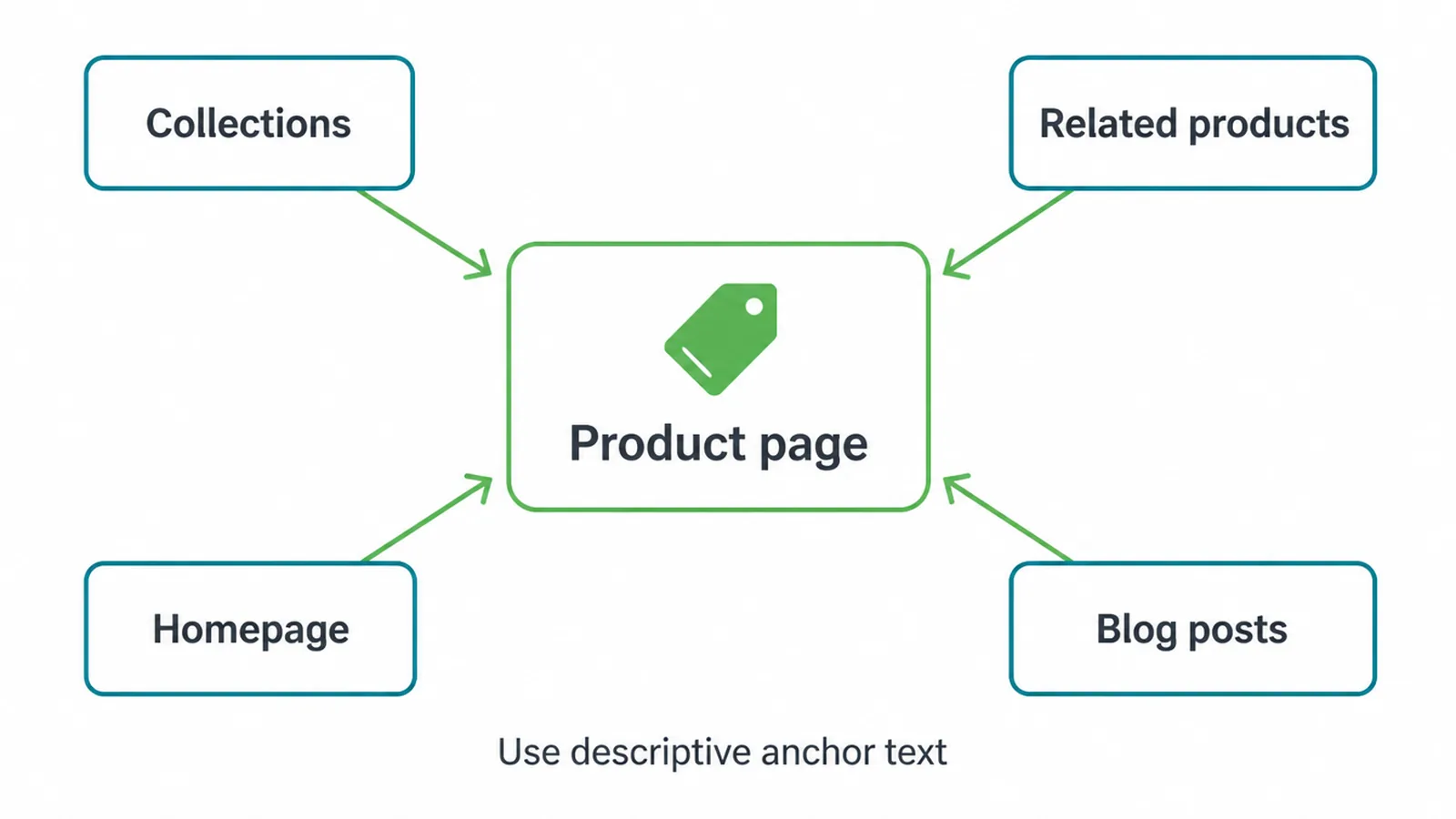
Link to each product from the collections it belongs to, from related product blocks, from the homepage where it makes sense, and from blog posts that mention it.
Use descriptive anchor text, the product name or what it does, not "click here". That anchor tells Google what the page is about before it even lands.
Keep the links natural and useful for a real shopper, and the SEO benefit comes along for free. If you would rather have all of this handled for you, that is what our SEO service is for.
One from our own work. The Libulbs store sells wholesale LED lighting to contractors and trade accounts, and it was built around its catalogue, so a buyer can get from a fitting category to the right product without calling anyone. Product pages carry that weight, which is why they get their own copy.
Frequently asked questions
1. What is product page SEO?
Product page SEO is the work you do on a single product page so it can rank in search and earn rich results. It covers the title tag, meta description, unique on-page copy, image alt text, structured data, the URL, and internal links. It is the page-level version of a wider store SEO plan.
2. What is the most important thing to fix on a product page?
Start with the title tag and a unique product description written for shoppers. Copying the manufacturer's text is risky because that same text may already sit on many other websites, as Shopify warns. Original copy that answers buyer questions gives the page something to rank for.
3. Does copied manufacturer text hurt my rankings?
Google says it does not penalise duplicate content. Instead it picks one version to show and consolidates signals to it, so a page reusing text found everywhere else often gets ignored or outranked. Writing your own description is the safer, stronger choice.
4. Do I need Product structured data on every product page?
It is strongly recommended. Product markup can make a page eligible for product snippets, popular products, and image results. Google is clear that it does not guarantee those features will show, so treat structured data as opening the door, not forcing it open.
5. What does Product schema actually require?
For a merchant listing Google requires the product name, an image, and an offer that includes a price and a priceCurrency in three-letter ISO 4217 format. Ratings, reviews, availability, and return policy are recommended extras that can unlock more in search.
6. Can I show star ratings from my own reviews?
Yes, if the reviews come directly from your users and are visible on the page. Google will not show star review features for an Organization or LocalBusiness reviewing itself, and you cannot pull in ratings from other websites. Genuine first-party product reviews are fine.
7. How should I name and describe product images?
Use short, descriptive filenames rather than something like IMG00023.JPG, and write alt text that describes the image in context without stuffing keywords. Place the image near the text it relates to, and use a real image element so Google can find it.
8. How long should a product description be?
There is no magic number, but Shopify suggests at least 250 words of descriptive text per product page. More important than length is answering the questions a buyer has: fit, materials, sizing, use, and what makes it worth buying.
About the author
Gregory Yeoh is the founder of Seed Light, a web design and digital marketing agency that builds and optimises ecommerce stores for small businesses. He fixes a lot of product pages, and the same handful of things do most of the work every time: your own copy, a clear title, named images, clean schema and real reviews. Want a second pair of eyes on yours? Get in touch.