Key takeaways
- Shopify does the plumbing. It automatically generates your sitemap.xml and robots.txt, so Google can find your pages.
- Canonical tags are built in. Shopify adds them to stop duplicate pages competing in search results.
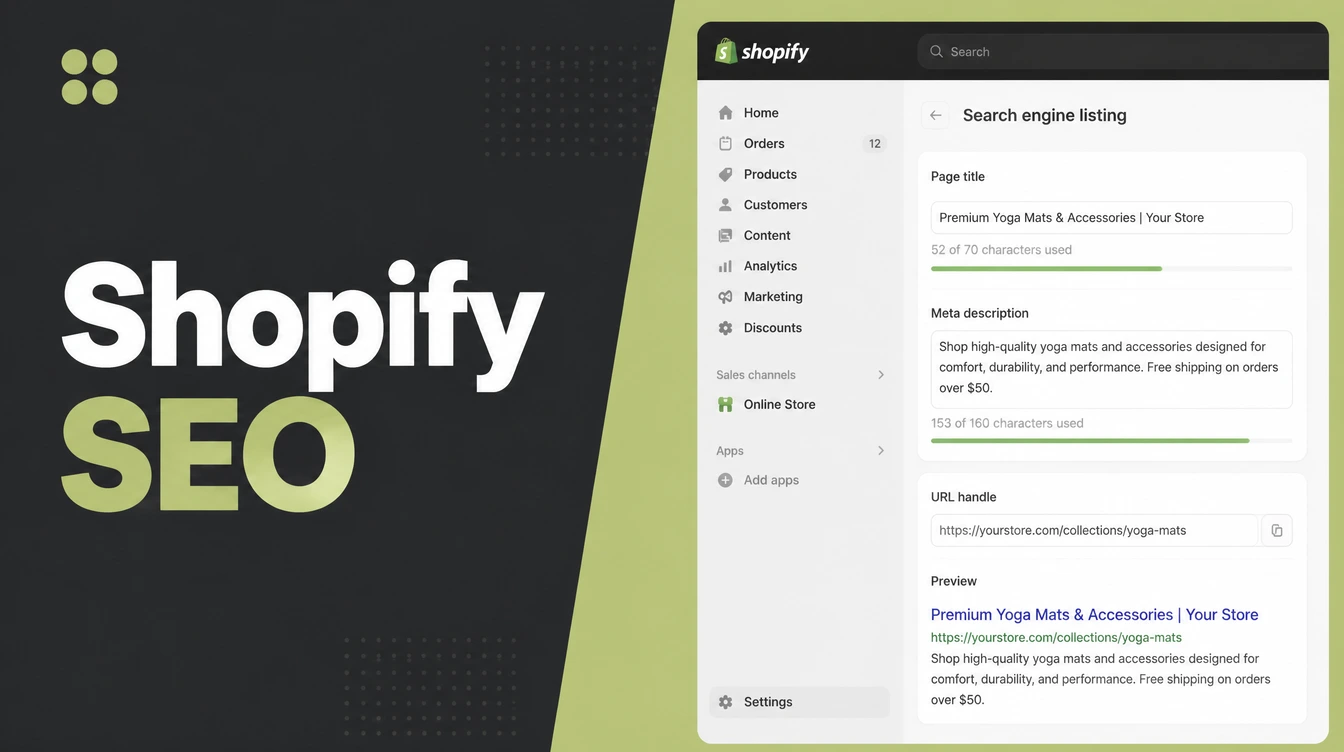
- You edit title and meta yourself, in the "Search engine listing" preview by clicking "Edit website SEO".
- You cannot remove the /products/ or /collections/ paths. You can only edit the handle at the end.
- The blog is built in. Use it to answer buyer questions your product pages cannot.
Here is the short answer. Shopify does the technical SEO groundwork for you. It builds your sitemap, adds canonical tags to sort out duplicate pages, ships product schema inside its themes, and gives you a place to edit the title and meta on every page.
Your job is the part software cannot do for you: keywords, unique content, and links.
This post is the hands-on how-to, not the theory. For the wider fundamentals that apply to any store, start with our pillar guide to ecommerce SEO strategy.
Here we fix the Shopify-only traps: the forced URL paths you cannot change, and the duplicate collection URLs nobody warns you about.
1. What Shopify does for your SEO automatically
Shopify handles more of the technical side than most owners realise, which is good news if you were dreading a settings marathon. A few things happen the moment your store goes live, without you touching anything.
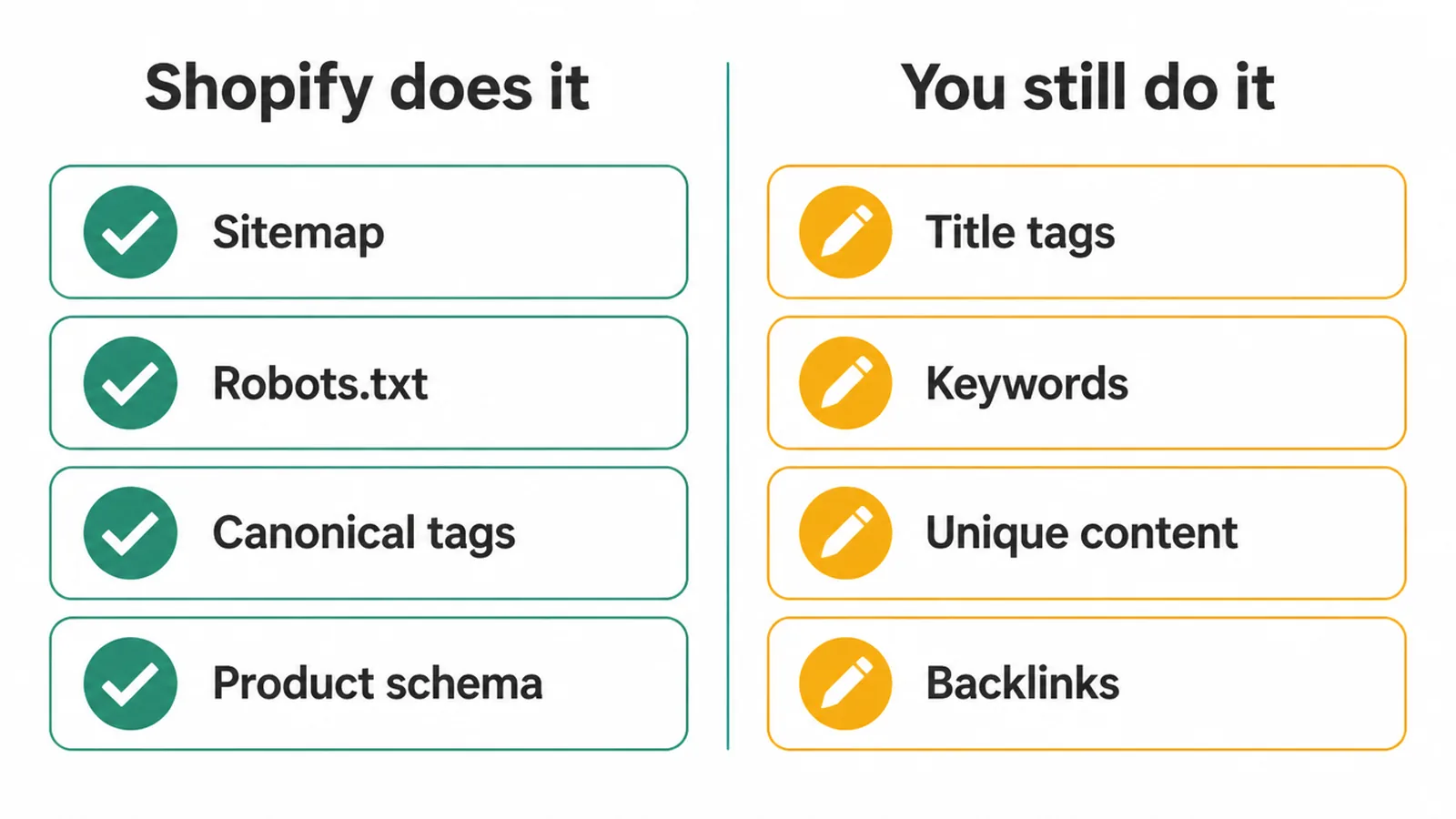
Sitemap, canonical tags and product schema
First, the sitemap. Every Shopify store automatically generates a sitemap.xml file that lists your products, product images, pages, collections, and blog posts. A sitemap is just a map of your site that Google reads to find every page.
It sits at the root of your domain, like example.com/sitemap.xml, and points to separate sitemaps for products, collections, blogs, and webpages. Your robots.txt file, which tells crawlers where they can go, is generated automatically too.
Second, canonical tags. Shopify adds canonical tags to prevent duplicate content from showing up in search. A canonical tag is a small note in the page code that says "this is the main version of this page". It stops two near-identical URLs from fighting each other for the same spot.
Third, product schema. Shopify themes include structured data for products so search engines understand what they are looking at. And your URLs use standard characters and a simple, readable structure by default.
What you still have to do
One warning: automatic does not mean done. Shopify sets the table. You still have to cook. Here is the split.
| SEO job | Shopify does it automatically | You still have to do it |
|---|---|---|
| Sitemap.xml | Yes, generated for you | Submit it to Google Search Console |
| Robots.txt | Yes, generated for you | Usually nothing |
| Canonical tags | Yes, added to pages | Keep your links on the clean URL |
| Product schema | Yes, built into themes | Keep it, add real reviews |
| Title tags | Editable field provided | Write a good one per page |
| Meta descriptions | Editable field provided | Write a good one per page |
| Unique content | No | Write it yourself |
| Keyword research | No | Do it before you write |
| Internal links | No | Add them between pages |
| Backlinks | No | Earn them over time |
2. Set up your Shopify SEO settings (the edit buttons)
Shopify lets you edit the title tags, meta descriptions, and URLs for the pages on your site. The trick is knowing where the buttons hide, because they are the same on every page type once you know the pattern.
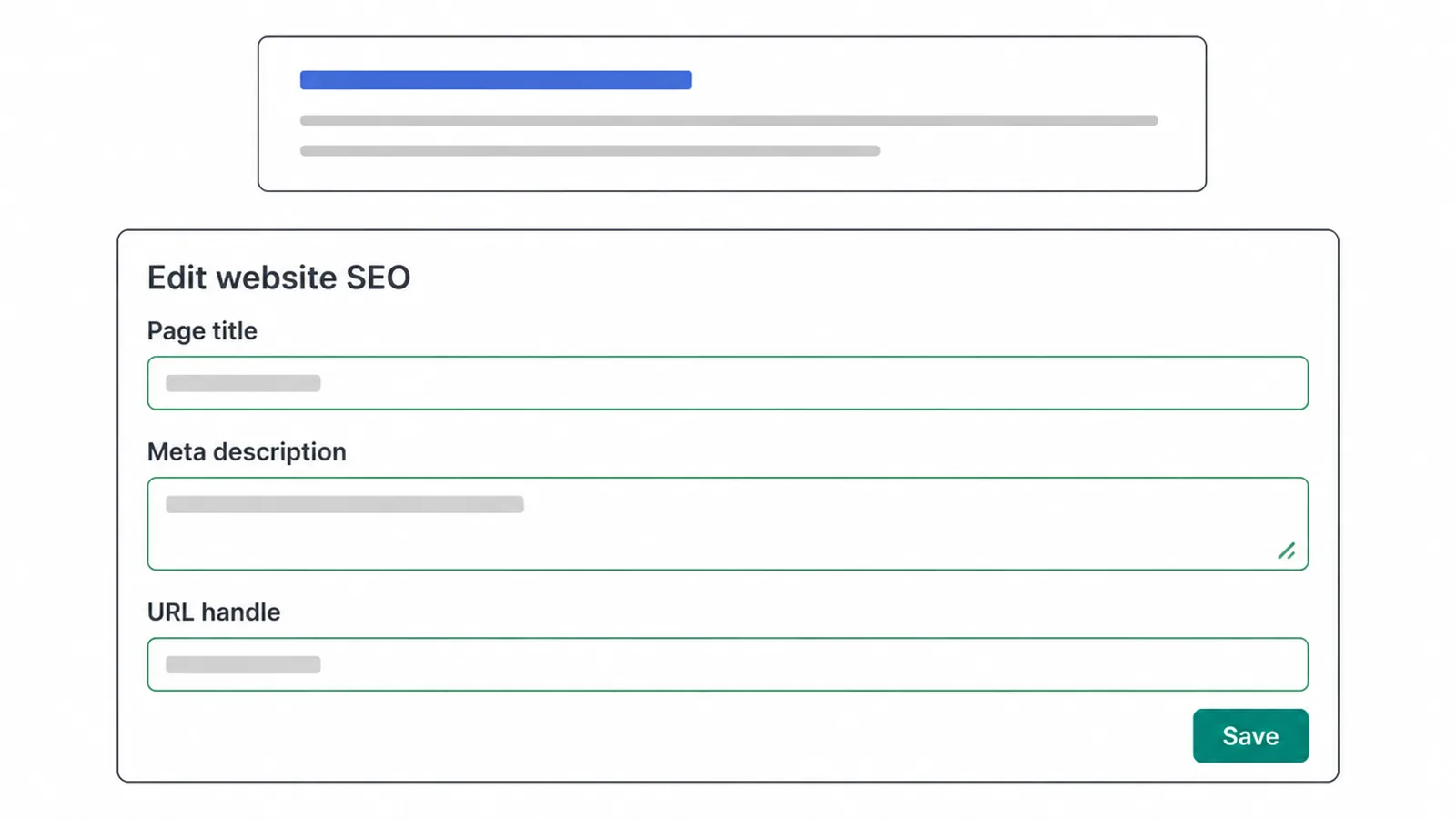
Where the edit website SEO panel hides
Open any product, collection, page, or blog post in your admin and scroll down. You will see a "Search engine listing preview" section with an "Edit website SEO" pencil.
Click it and you get three fields: the page title, the meta description, and the URL handle. The homepage is the odd one out. You edit it under Online Store, then Preferences, in the "Social sharing image and SEO" section.
Two sizing notes worth remembering
For the title, you can enter up to 70 characters, but keeping it to about 60 avoids a cut-off title in the results. For the meta description, Shopify recommends around 160 characters. Lead with the thing the shopper wants and put your main keyword near the front.
Alt text and plain link text
While you are in there, do two more small jobs. Add alt text to your images. Shopify lets you edit the alt text, which describes the picture for Google and for screen readers.
And use plain link text when you link between pages. Shopify's own advice is to say "Check out this red hat" rather than "Click here". If all this sounds like a job you would rather hand off, our SEO service can set it up for you.
3. The Shopify URL structure you cannot change
This is the first real Shopify trap. Your products always live under a /products/ path and your collections under a /collections/ path.
You can edit the handle, which is the last bit of the URL, but you cannot remove those prefixes. So a product URL looks like /products/blue-t-shirt and a collection looks like /collections/t-shirts, and that structure is fixed.
If tight control over your URL layout matters to you, that is one thing to weigh when comparing platforms, which we cover in Shopify vs WooCommerce.
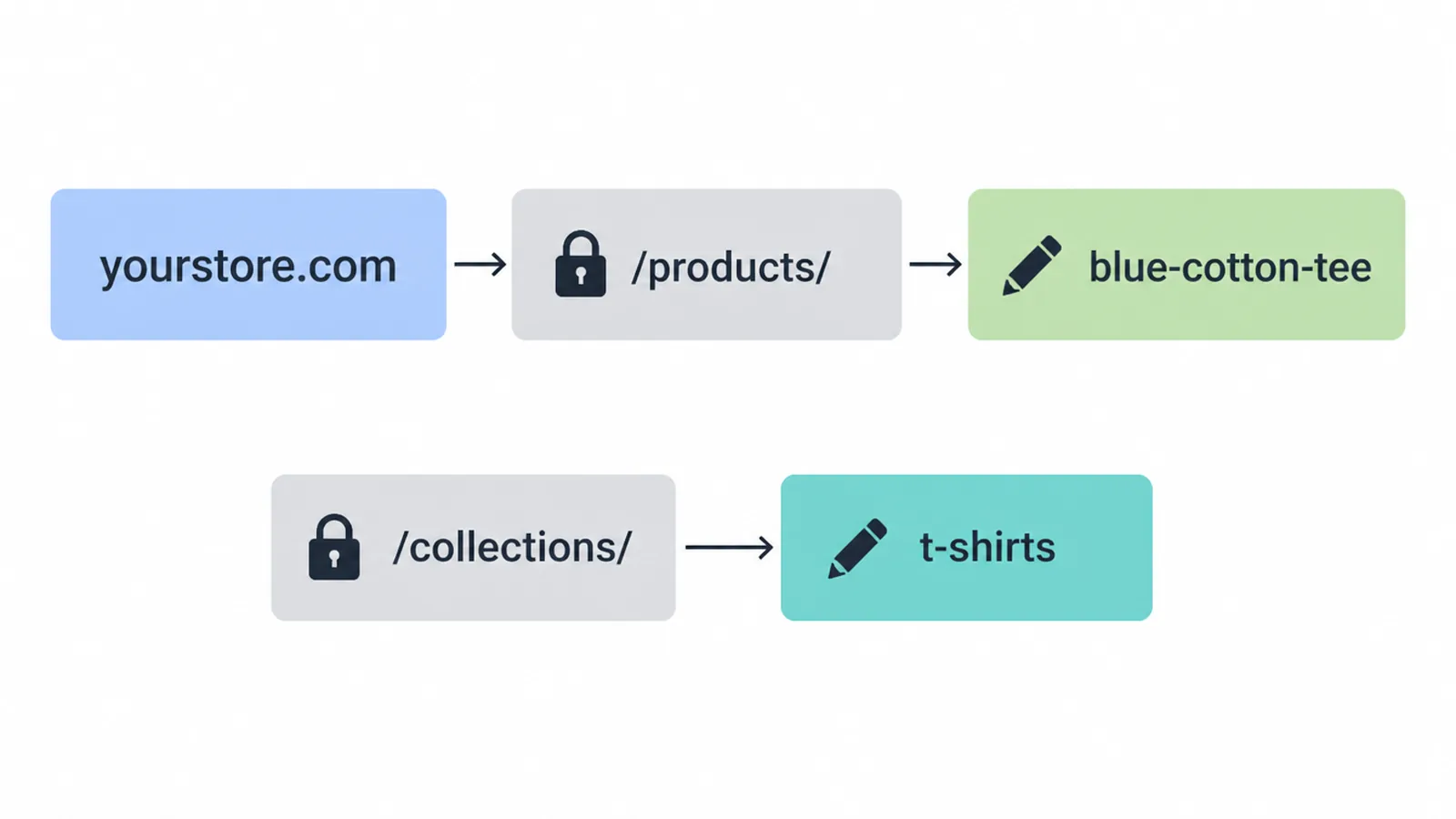
Make the handle count
Since the prefix is locked, the handle is the only part you own, so make it count. Keep it short, readable, and led by the keyword. "blue-cotton-t-shirt" beats "product-12345-final-v2" every time.
Redirect the old handle straight away
Now the part that catches people out. When you change a handle, tick the box so Shopify offers to create a redirect from the old handle. Skip it and you lose the ranking that old URL earned.
And here is the catch with Shopify redirects: you can only redirect from broken URLs, the ones that already show a 404. So set the redirect at the moment you make the change, not weeks later.
When you discontinue a product for good, Shopify recommends setting up a 301 redirect to a related page so the link value and the shopper both land somewhere useful.
4. Fix Shopify duplicate and thin content
The second Shopify trap is duplicate URLs. Shopify can serve the same product at two addresses: the clean /products/name and a collection-aware version like /collections/name/products/name. Same product, two doors. Left alone, that splits the signals Google needs to rank the page.
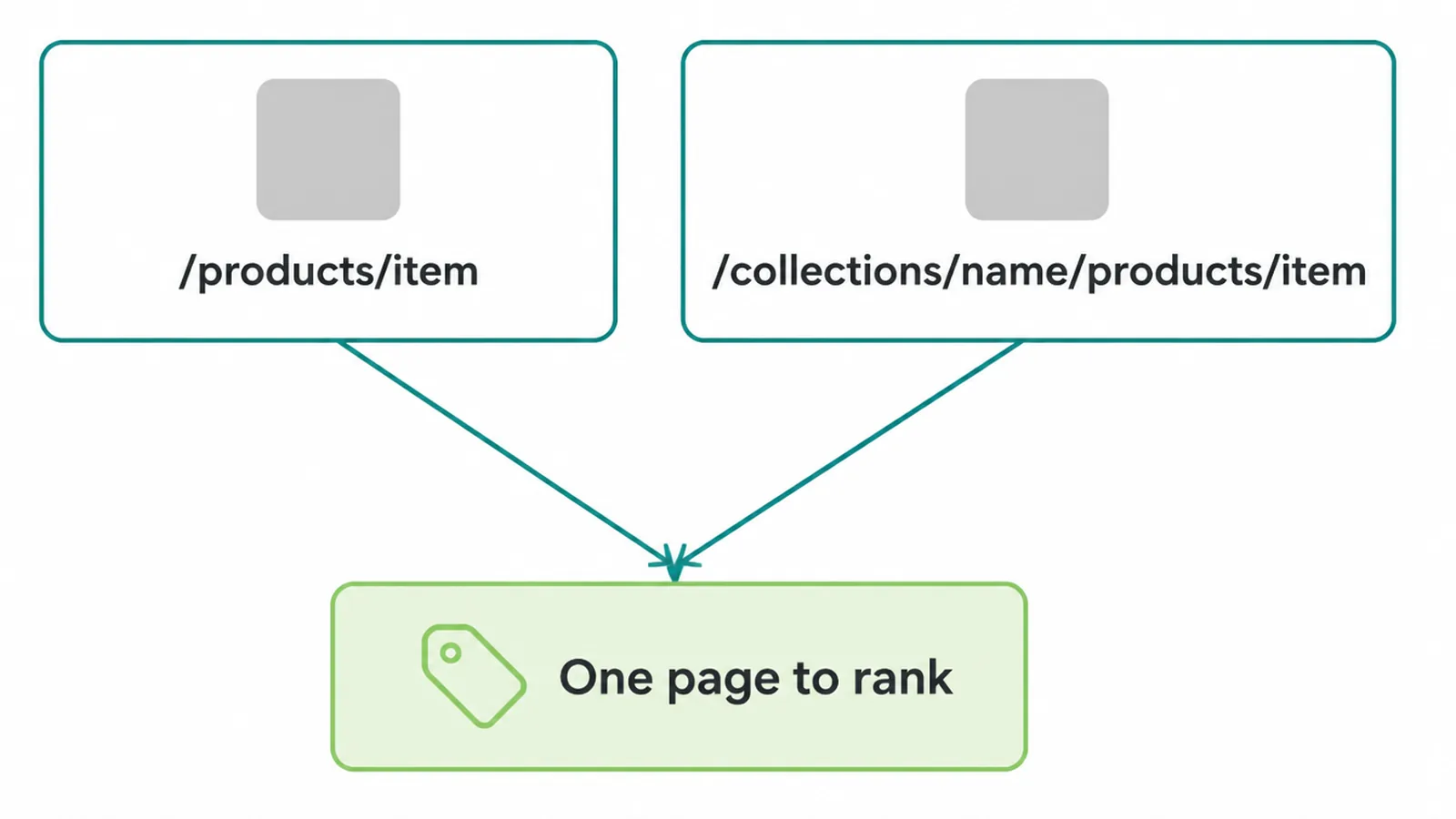
This is exactly why the built-in canonical tag matters. Shopify points the canonical at the single main product URL, telling Google which door to use.
Just know that a canonical is a hint, not a command. Google usually respects it, but it can choose otherwise, so do not lean on it as a full fix.
Habits that back the canonical up
You can back the canonical up with a few habits.
- Keep your internal links pointing at the clean /products/ URL, not the collection version, so every signal you send agrees.
- Avoid near-empty collection and tag pages, because a page with two items and no words is thin content that adds crawl clutter without adding value.
- Write your own product descriptions instead of pasting the manufacturer's copy, which every other store selling that item is also using.
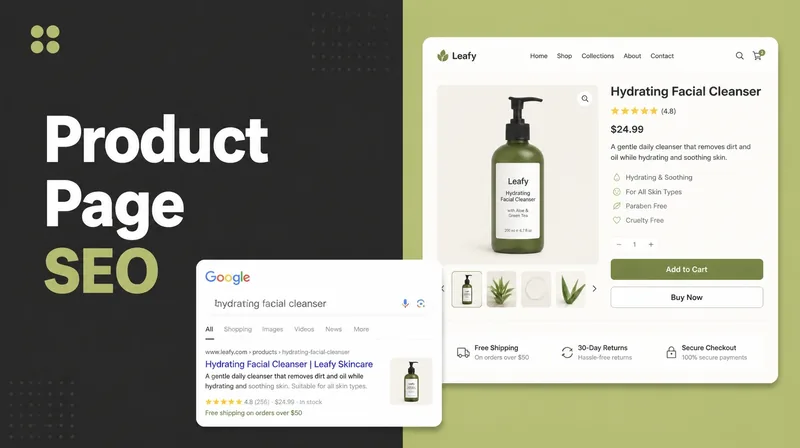
For the deeper page-level work on descriptions and schema, see our guide to product page SEO.
5. Use collection and product pages the right way
Your collection and product pages do two different jobs, and treating them the same is a missed chance. Once you see the split, you know what to write on each.
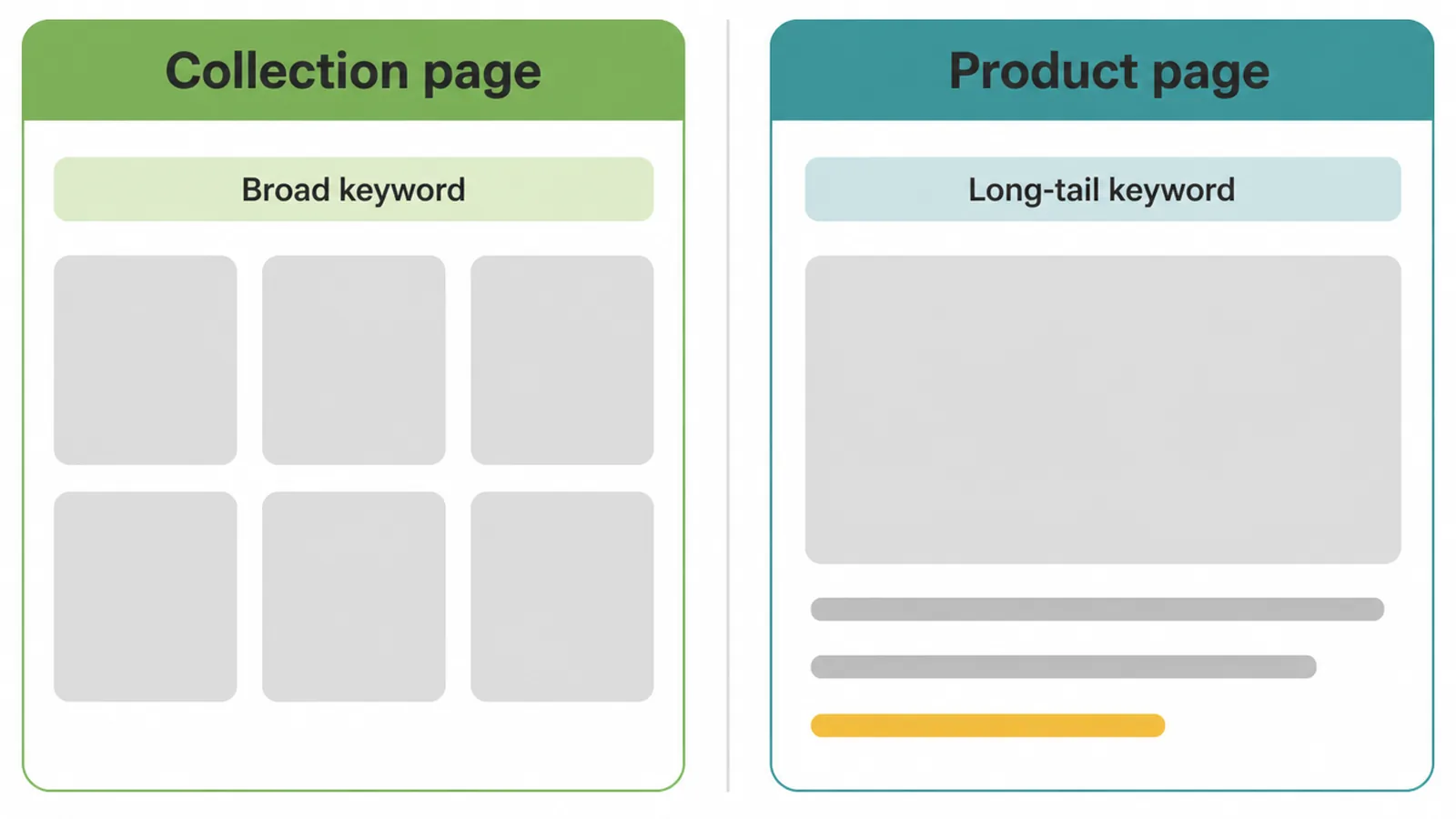
Collections target the broader keywords
Collections are your category pages, so they target the broader keywords. Someone searching "womens running shoes" wants a category, not one shoe. Give each collection a short block of intro text that uses the keyword naturally, plus its own title and meta description.
Do not leave the collection as a bare grid of products with no words on it, because that gives Google nothing to read.
Product pages target the specific buyer terms
Product pages target the long-tail, the specific buyer terms like "womens trail running shoes size 8 waterproof". This is where a unique, honest description earns its keep. Write the details a real buyer asks about: fit, material, sizing, care. Add alt text to every product image.
And switch on reviews if you can, because customer reviews keep the page fresh with new words and add the trust signals that nudge a shopper to buy. Fresh content on a page that otherwise never changes is quietly one of the best things you can do for a store.
The same pattern in a real store
We see the same pattern in our own client stores. Ottoman Malaysia sells furniture across the country, and we grouped its range by room, the way a customer thinks about their home, then put the photography, measurements and materials on the product page.
Those collection pages earn search traffic because they say something. Its Shopify sales dashboard is one of the screenshots on our results page.
6. Blog on Shopify for SEO
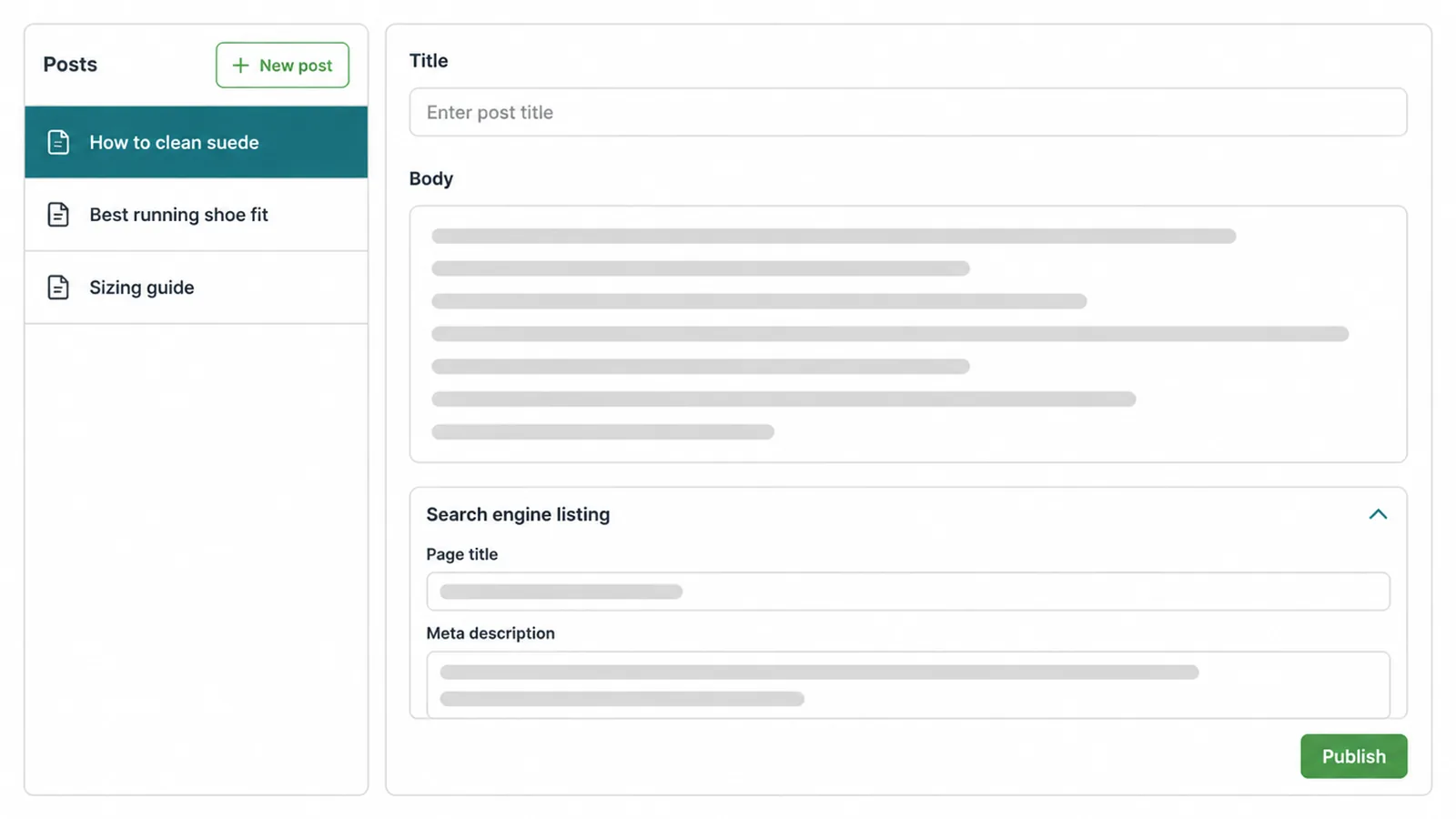
Your Shopify store comes with a built-in blogging engine, and Shopify itself calls blogging a great way to improve your SEO, build your audience, and drive more traffic and sales.
You add and manage posts from Content, then Blog posts, in your admin. The default blog is named "News", and you can give a blog a title of up to 255 characters.
Why blog when you have product pages
So why bother when you have product pages? Because a blog catches the questions a product page cannot answer without feeling odd. "How do I clean suede trainers?" or "which running shoe suits flat feet?" are searches with buyers behind them, but they do not fit on a product page. A post does.
Write for real buyer questions, not fluff, and edit each post's "Search engine listing" the same way you would a product. One useful post that answers a genuine question beats ten thin posts written for a robot.
7. Do you need a Shopify SEO app?
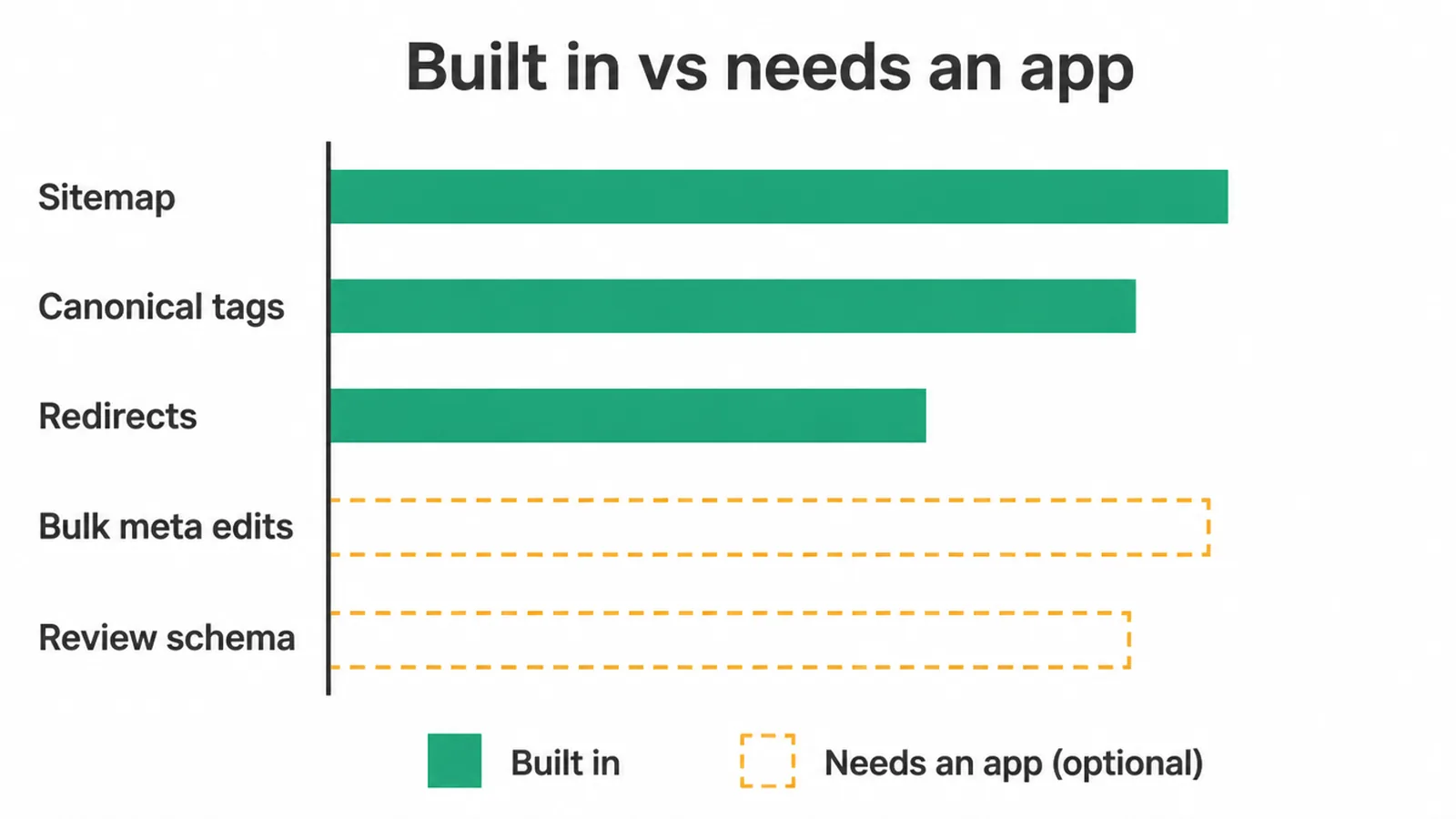
Honest answer: not for the basics. Shopify already covers sitemaps, canonicals, redirects, and editable title tags out of the box, so you do not need an app to be found.
Where apps earn their place is the fiddly stuff at scale: bulk editing meta across hundreds of products, adding review schema, compressing images, or scanning for broken links. Useful, but optional. No app rescues weak content or thin descriptions, so fix those first.
How long it takes to show up
And be patient. Shopify says Google indexes your site within about 48 to 72 hours after you add or update information. Indexing is fast.
Ranking is slow, and it rewards the store that keeps publishing useful pages and earning links. If you would rather have a team handle the whole lot, that is what our SEO service is for.
Frequently asked questions
1. Is Shopify good for SEO?
Yes. Shopify handles a lot of the technical work for you. It auto-generates your sitemap.xml and robots.txt, adds canonical tags to stop duplicate pages competing, and ships schema markup for products inside its themes. The rest, like keywords, unique content, and links, is on you.
2. Does Shopify create a sitemap automatically?
Yes. Every Shopify store automatically generates a sitemap.xml file at your root domain, like example.com/sitemap.xml. It lists your products, collections, pages, and blog posts. Submit it to Google Search Console so Google can find your pages.
3. How do I edit the title tag and meta description on Shopify?
Open the product, collection, page, or blog post in your admin, scroll to the "Search engine listing" preview, and click "Edit website SEO". Enter your page title and meta description there. For the homepage, go to Online Store, then Preferences.
4. Can I change the URL of a Shopify product?
You can change the handle, which is the last part of the URL. You cannot remove the forced /products/ or /collections/ path. When you change a handle, tick the box so Shopify creates a redirect from the old URL, or you will lose the ranking.
5. Why does Shopify have duplicate URLs for products?
Shopify can show the same product at /products/name and at a collection version like /collections/name/products/name. Shopify adds a canonical tag pointing to the main product URL, which tells Google which one to rank.
6. Does Shopify need an SEO app?
Not to get the basics right. Shopify covers sitemaps, canonicals, redirects, and editable title tags out of the box. Apps can help with bulk meta edits, schema for reviews, image compression, or broken-link checks, but they are optional add-ons, not a fix for weak content.
7. How long does it take for a Shopify store to show up on Google?
Shopify says Google indexes your site within about 48 to 72 hours after you add or update information. Ranking well takes longer and depends on your content, keywords, and links.
8. Is a Shopify blog good for SEO?
Yes. Shopify comes with a built-in blogging engine, and Shopify itself says blogging helps your SEO, builds your audience, and drives more traffic and sales. Use it to answer buyer questions and target keywords your product pages cannot.