AI Prompt Engineering for Small Business Owners

Prompt engineering is writing clear instructions so an AI tool gives you what you actually want. A strong prompt has six parts: role, task, context, format, constraints and examples. Vague in, vague out. Treat your first prompt as a draft and refine it. Seed Light uses this same six-part structure daily.
- A good prompt has six parts: a role, a task, context, constraints, a format, and ideally an example. Specific beats clever every time.
- The makers agree on the basics. OpenAI, Anthropic and Google all publish prompting guides that say the same thing: be specific, give it a role, add context, ask for a format, and show an example.
- Show it with an example. One or two examples (called few-shot) teach the AI your style faster than a paragraph of description.
- Your first prompt is a draft. Refine it once or twice. Treat the chat like a conversation, not a slot machine.
- Always fact-check the output. AI can be confidently wrong and invents facts, numbers, names and links. A better prompt gets a better draft, not a finished one.
1. What is prompt engineering?
Prompt engineering is the skill of writing clear instructions so an AI tool gives you what you actually want. That is it. There is no code and no special software. You type better, you get better answers.
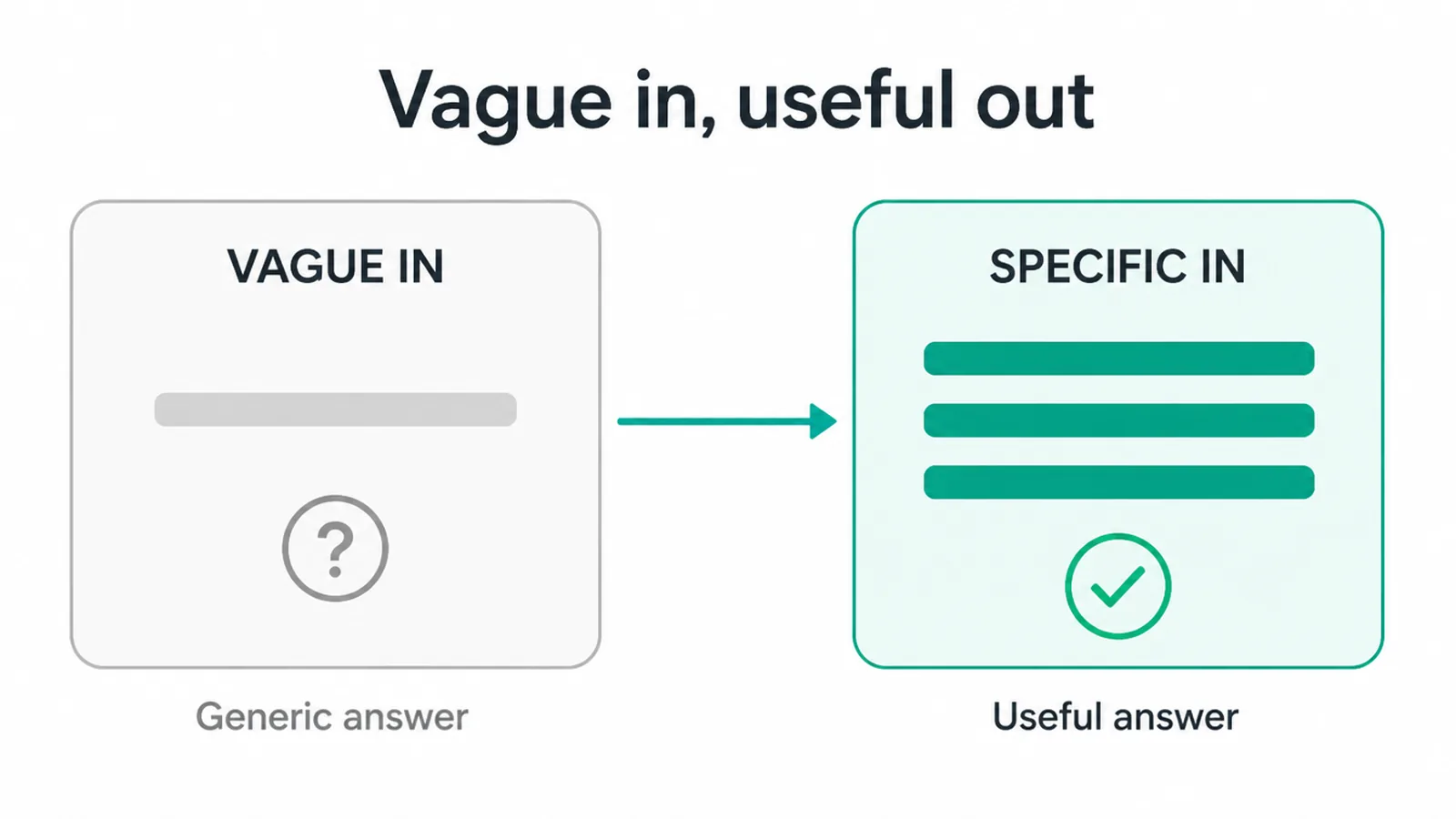
Think of the AI like a fast, very literal new hire. It is quick and eager, but it cannot read your mind. Vague in, vague out. Specific in, useful out.
OpenAI, Anthropic and Google all publish best-practice guides, and they agree on the basics: be specific, give the AI a role, add context, say what format you want, and show an example.
Learn that handful of moves and you can stop fighting with the tool. If you are still finding your feet, our guide on how to use ChatGPT for business covers the day-to-day uses.
2. Why does it matter for a small business?
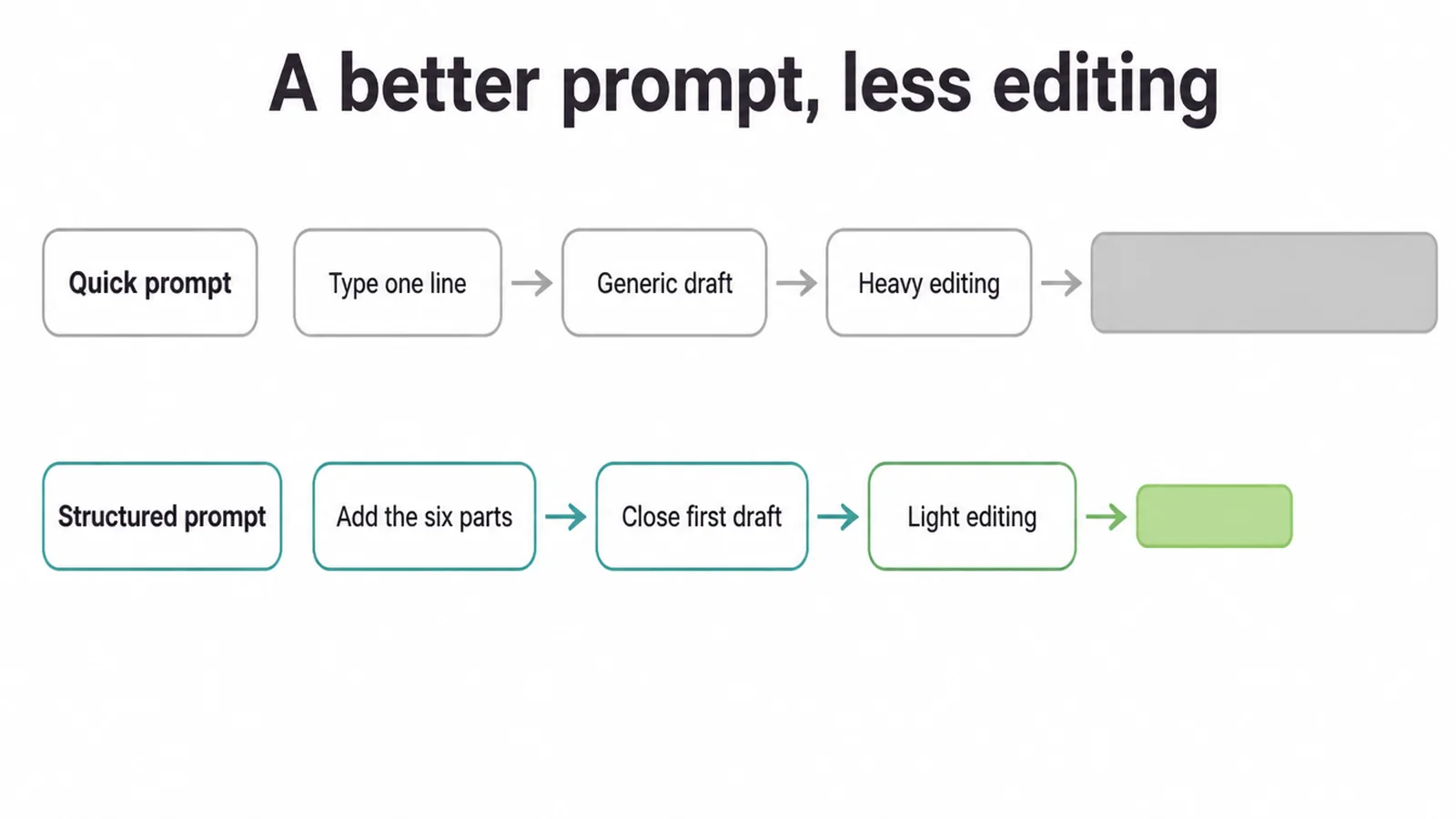
A few extra seconds on the prompt saves you a lot of editing later. Ask "write me an email" and you get something generic you have to rewrite.
Ask properly, with the role, the goal, the tone and the length, and you get a draft that is most of the way there. Over a week of emails, captions, replies and product descriptions, that adds up.
Here is the honest part. A better prompt gets you a better first draft, faster. It does not get you a finished piece. You still read it, fix it, and make it sound like you. The skill is worth learning because it cuts the boring part, not because it does the whole job for you.
3. What are the parts of a good prompt?
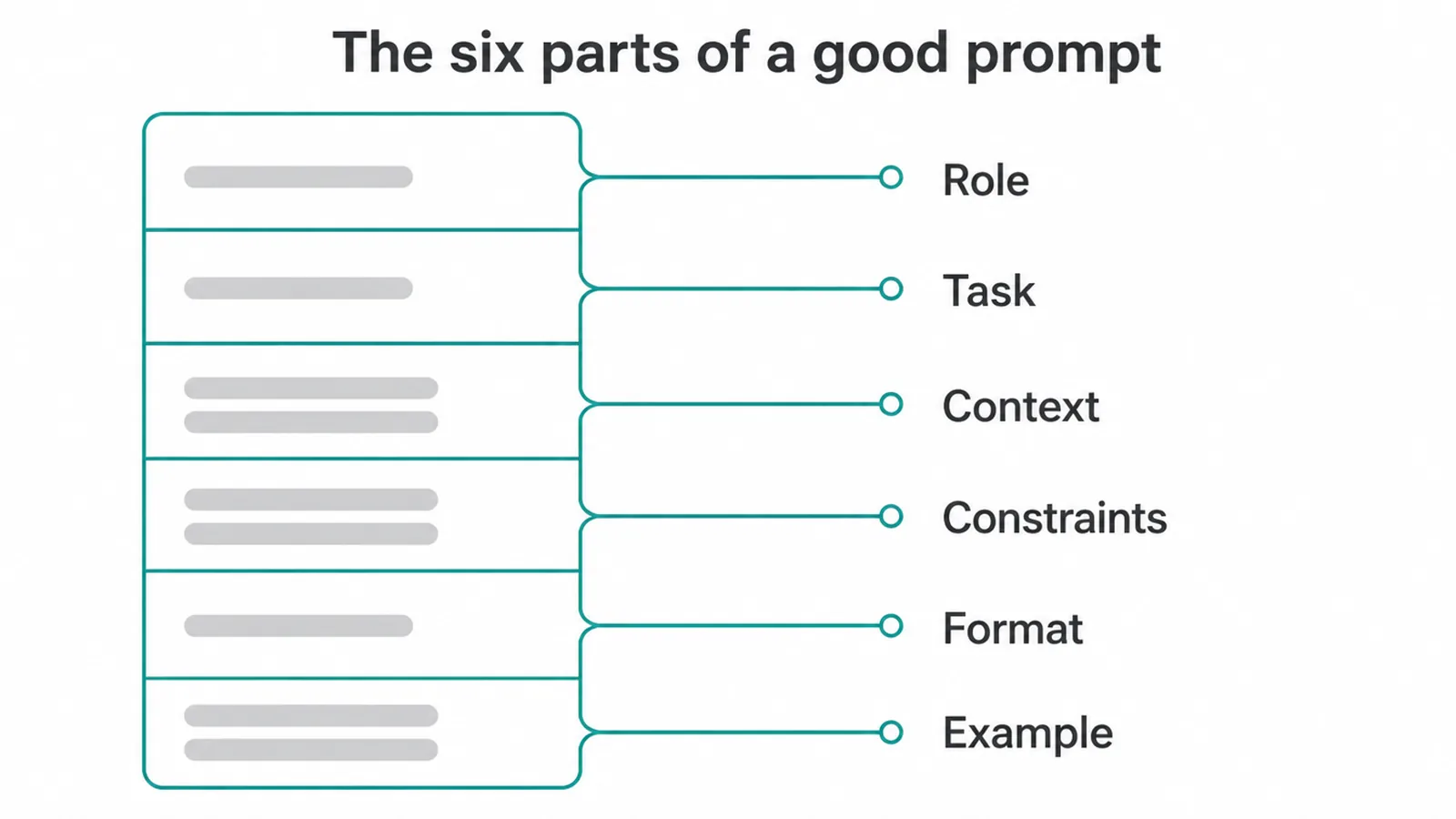
A strong prompt usually has six parts. You do not always need every one, but the more you include, the sharper the answer. Four of them are easy to see in a table. The other two, constraints and examples, we cover right after.
| Part | What it does | One-line example |
|---|---|---|
| Role | Tells the AI who to be, which sets the tone and the expertise. | You are a friendly social media copywriter for a small cafe. |
| Task | Says exactly what you want done, in one clear sentence. | Write 3 Instagram captions for our new brunch menu. |
| Context | Gives the background it needs: who you are, who your customers are, the goal. | Our customers are local families and remote workers aged 25 to 45. |
| Format | Says how to lay out the answer so you can use it straight away. | Return the captions as a numbered list. |
Constraints are your rules. They are where most people go wrong, because they are too vague. "Keep it short" means nothing to the AI. "Under 30 words" means something.
Spell out the limits: word count, tone, what to avoid, how many emoji, no jargon. Put each rule on its own line so none of them get lost.
Examples are the secret weapon. Instead of describing the style you want, paste one piece you like and say "match this style". Showing beats telling, and we go deeper on that next.
4. How many examples should I give the AI?
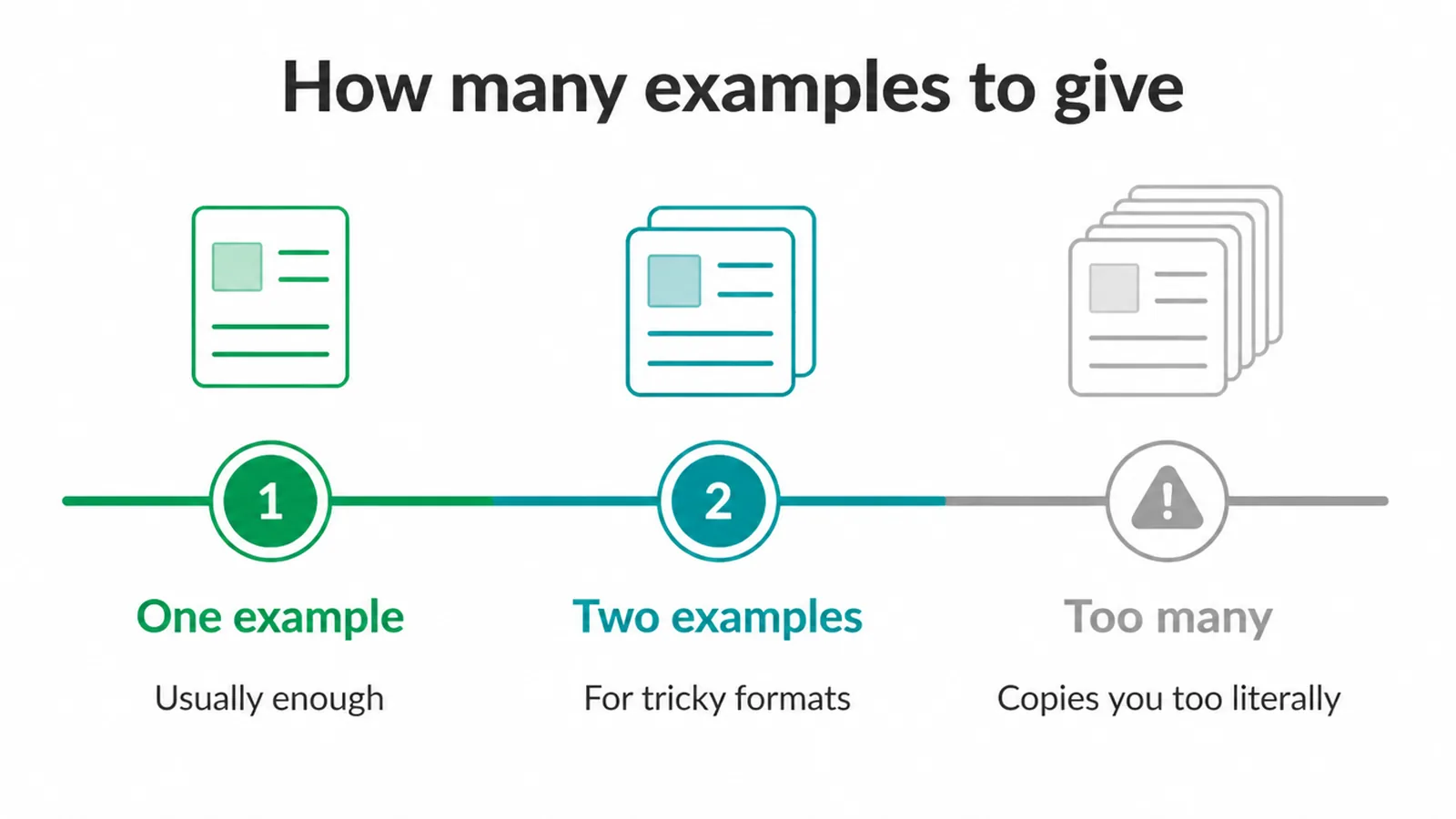
Often one or two is enough. This is called few-shot prompting, and it is one of the most reliable ways to get the output you want. Rather than writing a paragraph trying to describe your tone, you just show it.
Paste one good caption, one good email, one good product description, and say "write more in this style". The AI copies the pattern far better than it follows a description.
Start with a single example. If the format is tricky, add a second. Do not pile on five, though. Too many examples can make the AI copy them too literally, so every answer comes out looking like a clone of your samples. One strong example usually does more work than three weak ones.
This same show-don't-tell trick is gold for using AI for content creation, where matching your brand voice is the whole game and the reason our content marketing work always starts from your own writing.
5. How do I refine a prompt that did not work?
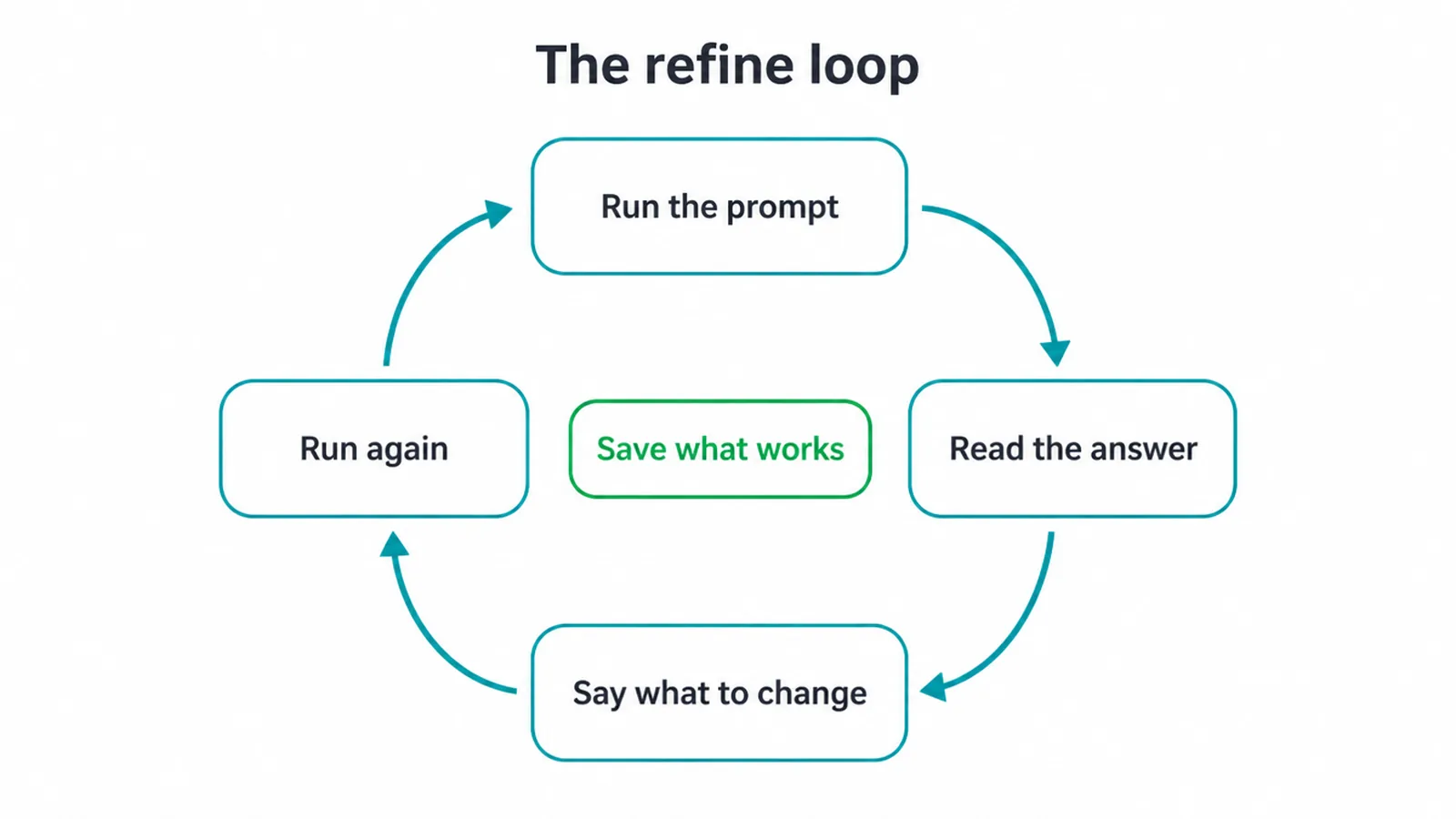
Your first prompt is a draft, just like the answer it produces. The output rarely lands perfectly on the first try, and that is normal. The skill is in the refine loop.
Read what came back, spot what is off, and tell the AI what to change. "Make it warmer." "Cut it to half the length." "Drop the last line, it sounds salesy."
You do not have to rewrite the whole prompt. You are having a conversation. Treat the chat like a back-and-forth with a colleague, not a slot machine you pull and hope. Each round gets you closer. After two or three small nudges, you usually have something good.
And once a prompt reliably gives you what you want, save it. Most owners who get real value out of AI writing tools are not typing from scratch each time. They are reusing a handful of prompts that already work.
6. Before and after: three worked examples
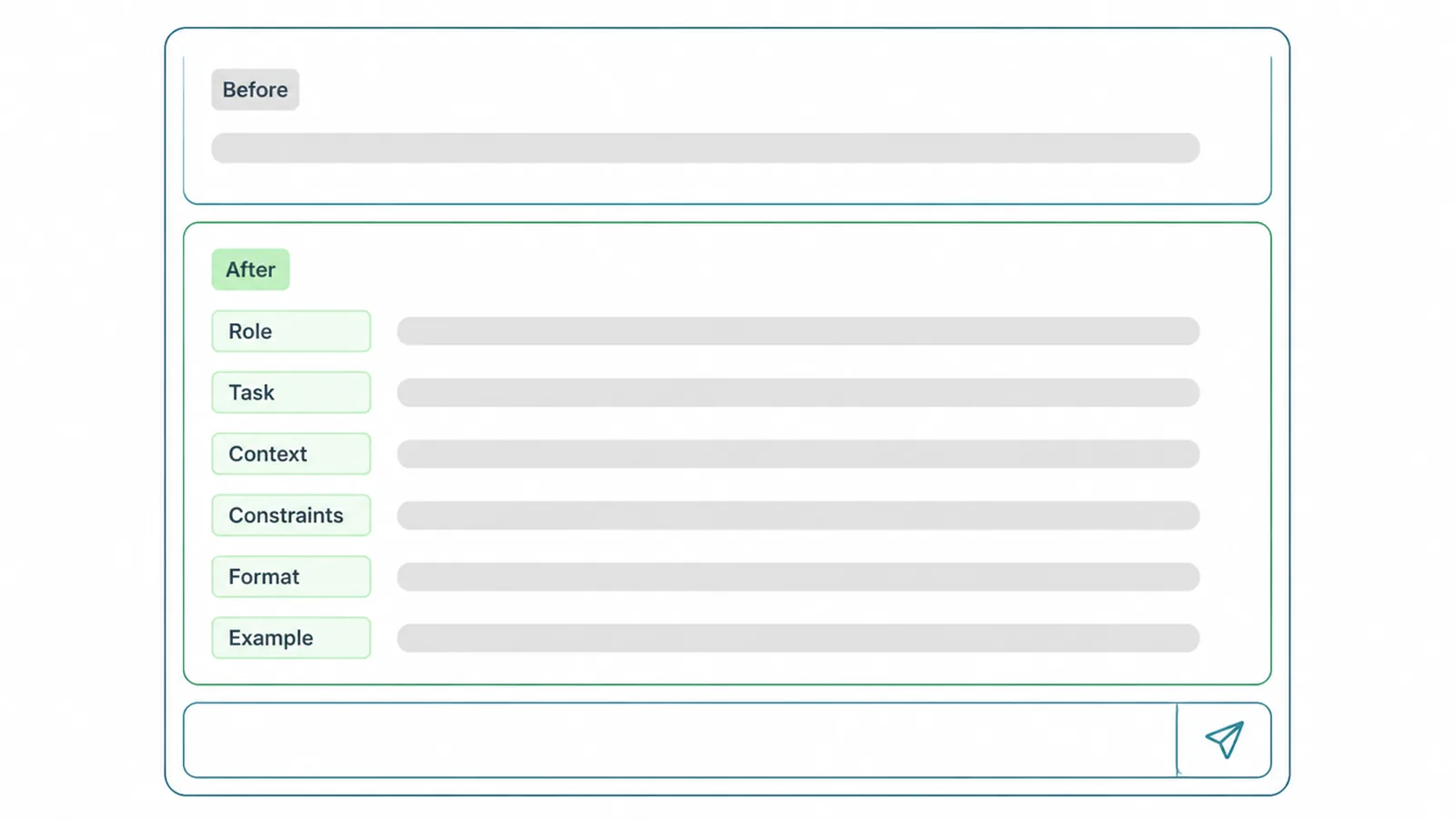
Reading about the six parts is one thing. Seeing them turn a weak prompt into a strong one makes it click. Here are three common small business tasks, the lazy version, and the structured version.
Example 1. Instagram captions
Before:
Write me some Instagram captions for my cafe.After:
You are a friendly social media copywriter for a small neighbourhood
cafe called Bean and Leaf.

Task: Write 3 Instagram captions promoting our new weekend brunch menu.

Context: Our customers are local families and remote workers aged 25 to 45.
Our tone is warm, casual and a little playful. The brunch menu launches
this Saturday and includes sourdough waffles, a big breakfast, and oat-milk
lattes. We want people to book a table.

Constraints: Keep each caption under 30 words. Use plain, everyday language.
No more than one emoji per caption. End each with a clear call to action.

Format: Return the 3 captions as a numbered list. After each caption, add
3 relevant hashtags on a new line.
What changed: the after version names the role, the exact task, who the customers are, the launch details, hard rules like under 30 words, and the exact layout to return. The AI now has everything it needs to nail it on the first try.
Example 2. Replying to an angry customer
Before:
Write a reply to this angry customer.After:
You are a calm, professional customer service rep for a small online
homeware store.

Task: Write a reply to the customer message below.

Context: The customer's order arrived 5 days late and one item was
chipped. We want to keep them as a customer. We can offer a full refund
on the chipped item plus a 15 percent discount code on their next order.
Our brand voice is warm and human, never corporate or defensive.

Constraints: Under 150 words. Apologise once, sincerely, without grovelling.
Do not admit legal fault. Do not make promises about future delivery times
we cannot keep.

Format: Plain email text with a short subject line at the top.

Customer message:
"This is the second time my order has been late and now something's broken
too. Really disappointed."
What changed: the after version pastes in the actual customer message (context), sets the goal of keeping them, gives the exact offer, and adds careful rules so the AI does not over-promise or admit fault. That is a reply you can almost send as-is.
Example 3. Blog ideas
Before:
Give me some blog ideas for my business.After:
You are a content strategist for a small web design agency that helps
local businesses get more customers.

Task: Suggest 5 blog post ideas that our target customers would actually
search for.

Context: Our customers are small business owners with no technical
background. They care about getting more leads, looking professional
online, and not wasting money. They do not care about code or jargon.

Constraints: Each idea must be something a non-technical owner would type
into Google. No buzzwords. Avoid topics that need deep technical knowledge.

Format: Return a table with two columns: Blog title and Why it works
(one line). Here is the style of title we like:

Example title: How Much Should a Small Business Website Cost?
Example title: Do You Really Need to Blog to Rank on Google?
What changed: the after version aims the ideas at real searches, blocks buzzwords, asks for a tidy table, and shows two example titles so the AI matches your style. That is few-shot and format working together.
7. Common prompt mistakes (and the fix)
Most weak answers come from a handful of repeat mistakes. Here is what to watch for.
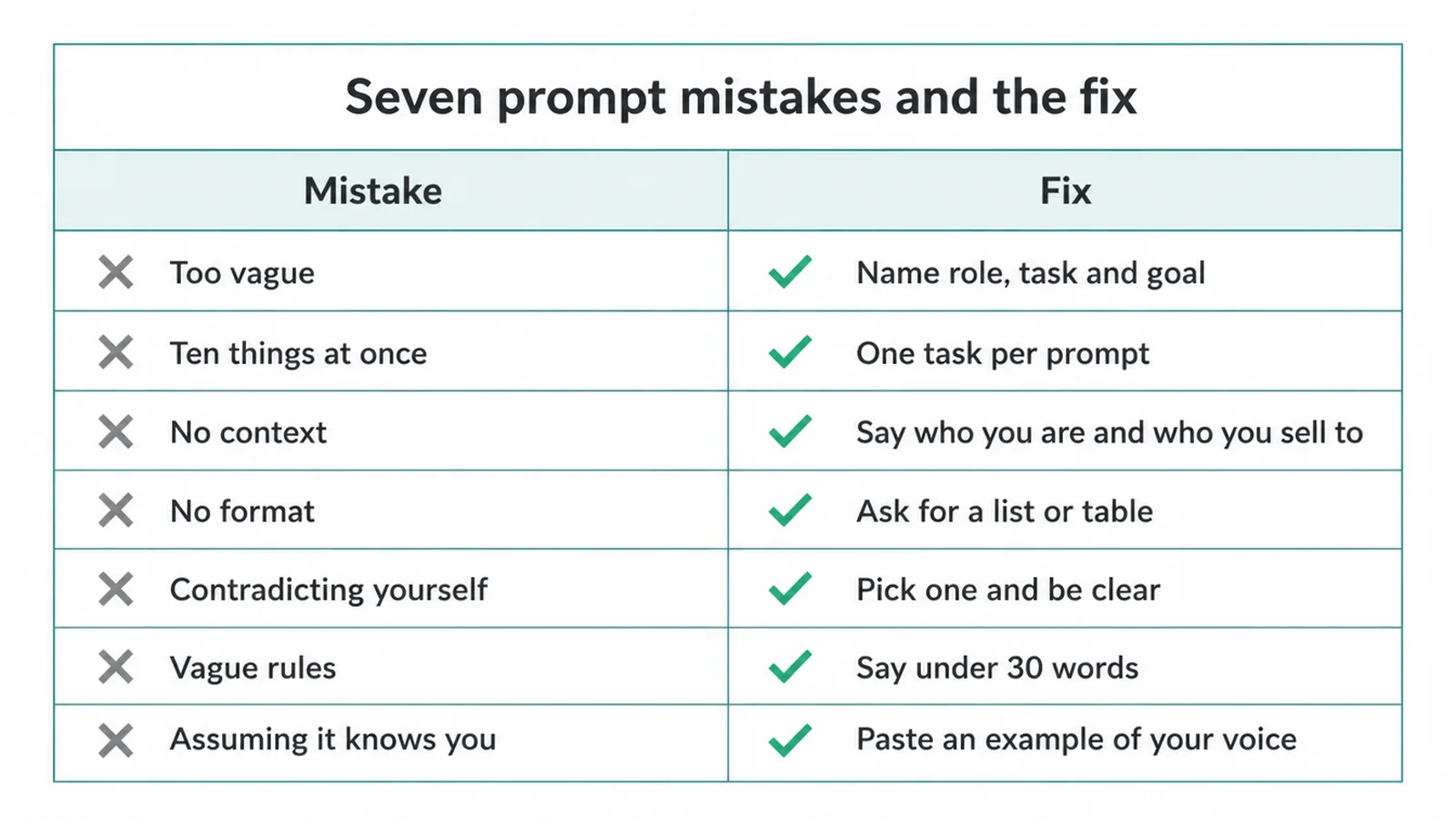
- Too vague. "Write something good" gives you nothing. Fix: name the role, the task and the goal.
- Ten things at once. Cramming five jobs into one prompt confuses it. Fix: one task per prompt, then chain them.
- No context. The AI does not know your business. Fix: tell it who you are, who your customers are, and what you sell.
- No format. You get a wall of text you have to reshape. Fix: ask for a list, a table, or an email with a subject line.
- Contradicting yourself. "Be brief but cover everything in detail" pulls two ways. Fix: pick one and be clear.
- Vague rules. "Keep it short" is fuzzy. Fix: be concrete, like "under 30 words".
- Assuming it knows you. It does not remember your brand. Fix: paste an example of your voice each time, or save a prompt that includes it.
8. Can I trust what the AI gives me?
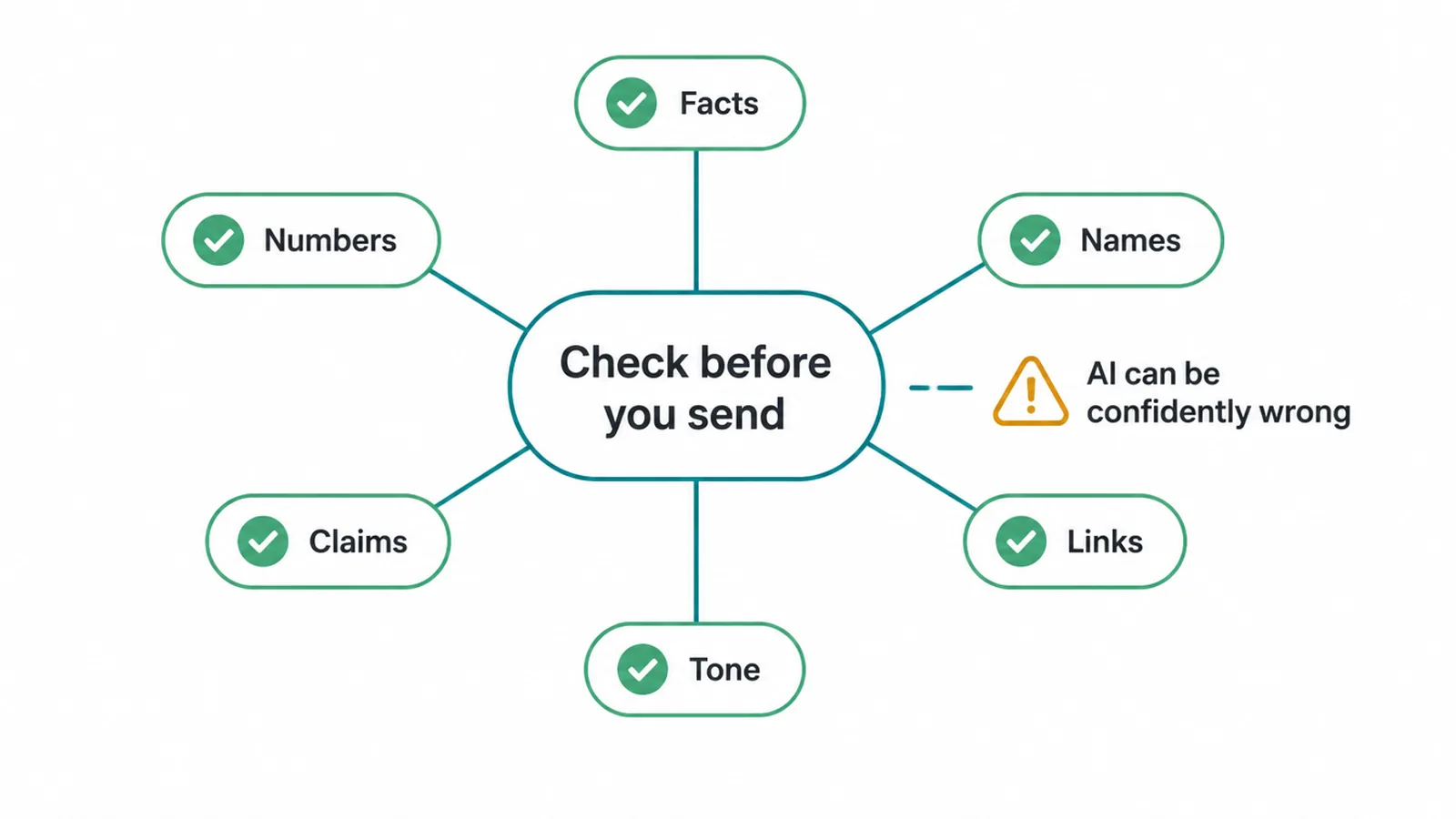
No, not without checking. This is the most important habit on the page. A better prompt gets you a better draft, but AI can be confidently wrong.
It will state a fake statistic, invent a price, make up a customer name, cite a study that does not exist, and produce a link that goes nowhere, all in a calm, sure voice. It is not lying on purpose. It is filling gaps with plausible text.
So treat every output as a first draft. Anything a customer or Google will see gets a human check: the facts, the numbers, the names, the claims, the links, and the tone.
Read it like you wrote it, because once you hit send, you did. The prompt does the heavy lifting on the draft. You own the truth.
9. How do I get started today?
Keep it small.
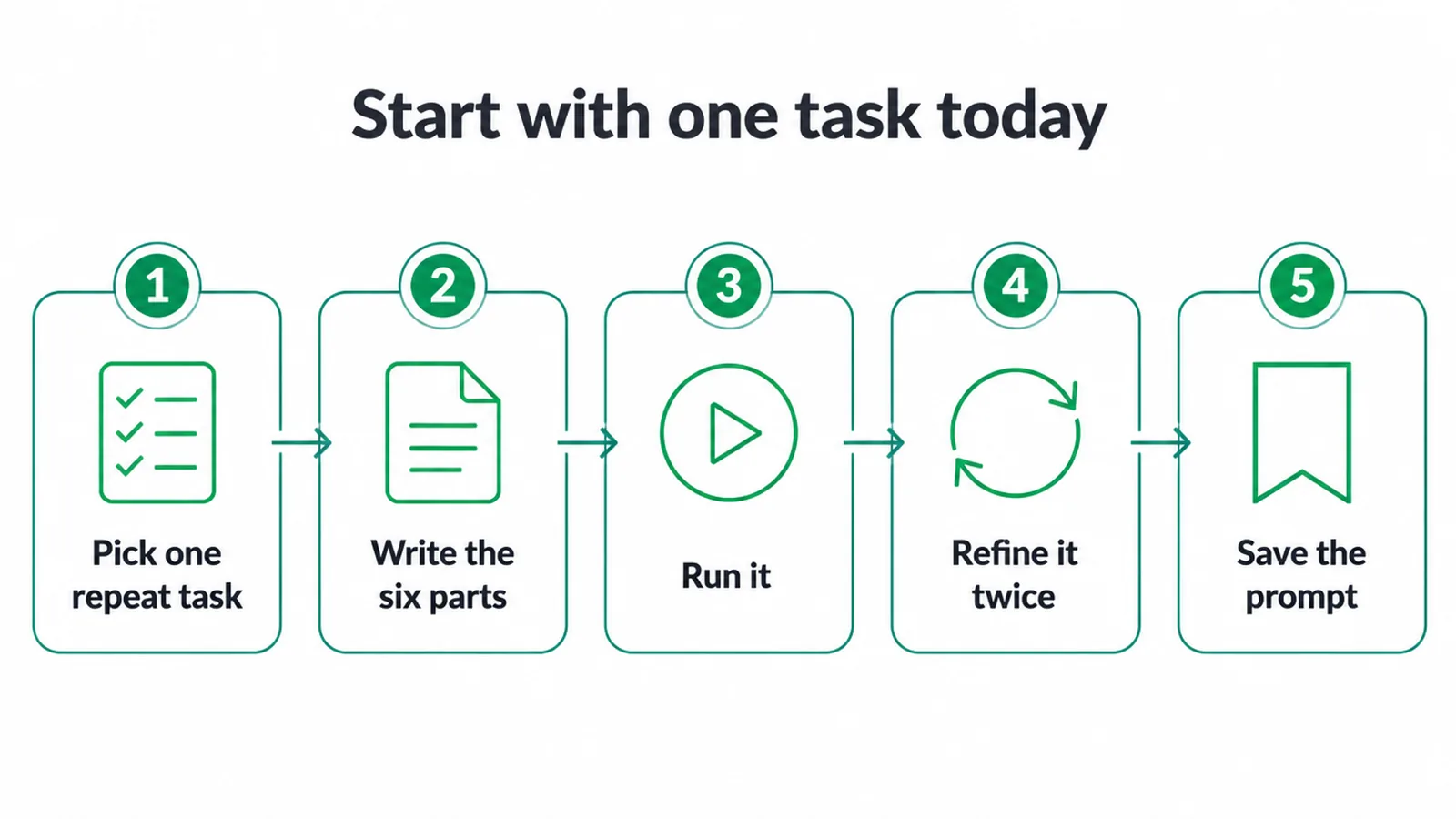
- Pick one task you do over and over, like a customer email, a caption, or a product description.
- Write one prompt for it with all six parts: role, task, context, constraints, format, and an example.
- Run it.
- Refine it once or twice until the output is good.
- Then save that prompt somewhere you can find it, so next time you reuse it instead of starting cold.
Do that with three or four tasks and you have a personal toolkit.
Want a head start? Grab some ready-made prompts to paste and tweak. And if you would rather have AI quietly handle whole jobs in the background, that is what our AI and automation service is for. Tell us what eats your week and we will show you where to point the tools.
Frequently asked questions
1. What is prompt engineering?
The skill of writing clear instructions to an AI tool like ChatGPT, Claude or Gemini so it gives you a useful, on-target answer instead of a vague one. It is just learning to ask well.
2. Do small business owners actually need prompt engineering?
You do not need the job title, but the skill pays off fast. A 60-second, well-structured prompt saves you re-rolls and editing on every email, caption and product description you generate.
3. What makes a good prompt?
Six parts: a role, a clear task, the context, constraints, the format you want back, and ideally an example. Specific beats clever.
4. Why does the AI ignore my instructions?
Usually the instruction was buried, vague, or contradicted something else in the prompt. Put rules on their own lines, be concrete like under 30 words rather than keep it short, and do not ask for ten things at once.
5. How many examples should I give the AI?
Often one or two is enough, which is called few-shot. More can help for tricky formats, but too many can make the AI copy your examples too literally. Start with one good example and add more only if needed.
6. Can I trust the answer?
Always check it. Better prompts get better drafts, but AI can be confidently wrong and makes up facts, numbers, names and links. Treat every output as a first draft to fact-check and edit, never as final.
7. Does the same prompt work in every AI tool?
Mostly yes. The same anatomy of role, task, context, constraints, format and examples works across ChatGPT, Claude and Gemini because all three makers recommend the same basics. You may tweak wording per tool, but the structure carries over.
8. How do I get started?
Take one task you do often like a customer email or a caption, write a prompt with all six parts, run it, then refine it once or twice. Save the prompts that work so you can reuse them.