AI Workflow Automation 2026: Connect Tools and Speed Up Routine Work

AI workflow automation connects your apps with a trigger and a chain of actions, then adds one AI step for the part fixed rules cannot handle, such as reading messy free-text. Start with a single small workflow that runs reliably every day. Seed Light maps and builds that first workflow with you.
Key takeaways
- It is mostly plumbing. A trigger starts a chain of actions across your apps. AI is one step inside that chain, not the whole thing.
- AI handles the messy input. Fixed rules break on free-text. An AI step can read varied emails, sort a lead, or draft a tailored reply.
- You do not need to code. Tools like Zapier and Make are no-code. n8n is low-code and can be self-hosted.
- Small firms are early, not late. US business AI use sat between 17% and 20% overall, but firms with fewer than 20 staff were below 20% versus about 37% at firms with 250 or more, per the U.S. Census Bureau (2026). Early movers still have an edge.
- Start with one task. Pick one repetitive, well-defined, annoying job. Map it, build it, test it, then widen.
1. How AI workflow automation actually works
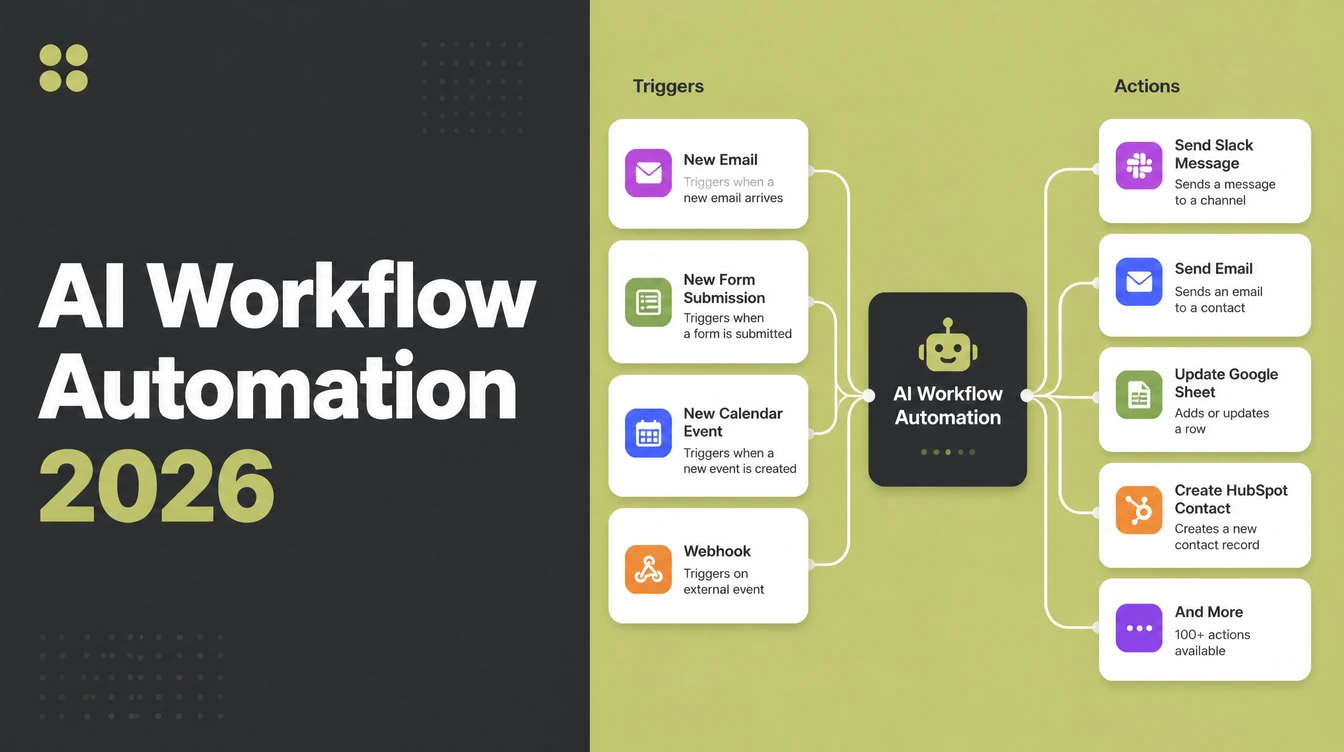
AI workflow automation works on two simple pieces: a trigger and a set of actions. A trigger is the thing that kicks the workflow off, like a new form submission, a new email, or a calendar booking.
The actions are what happens next, in order, across your tools. Create a record. Send a message. Update a spreadsheet. The AI step is just one of those actions, sitting in the line with the others.
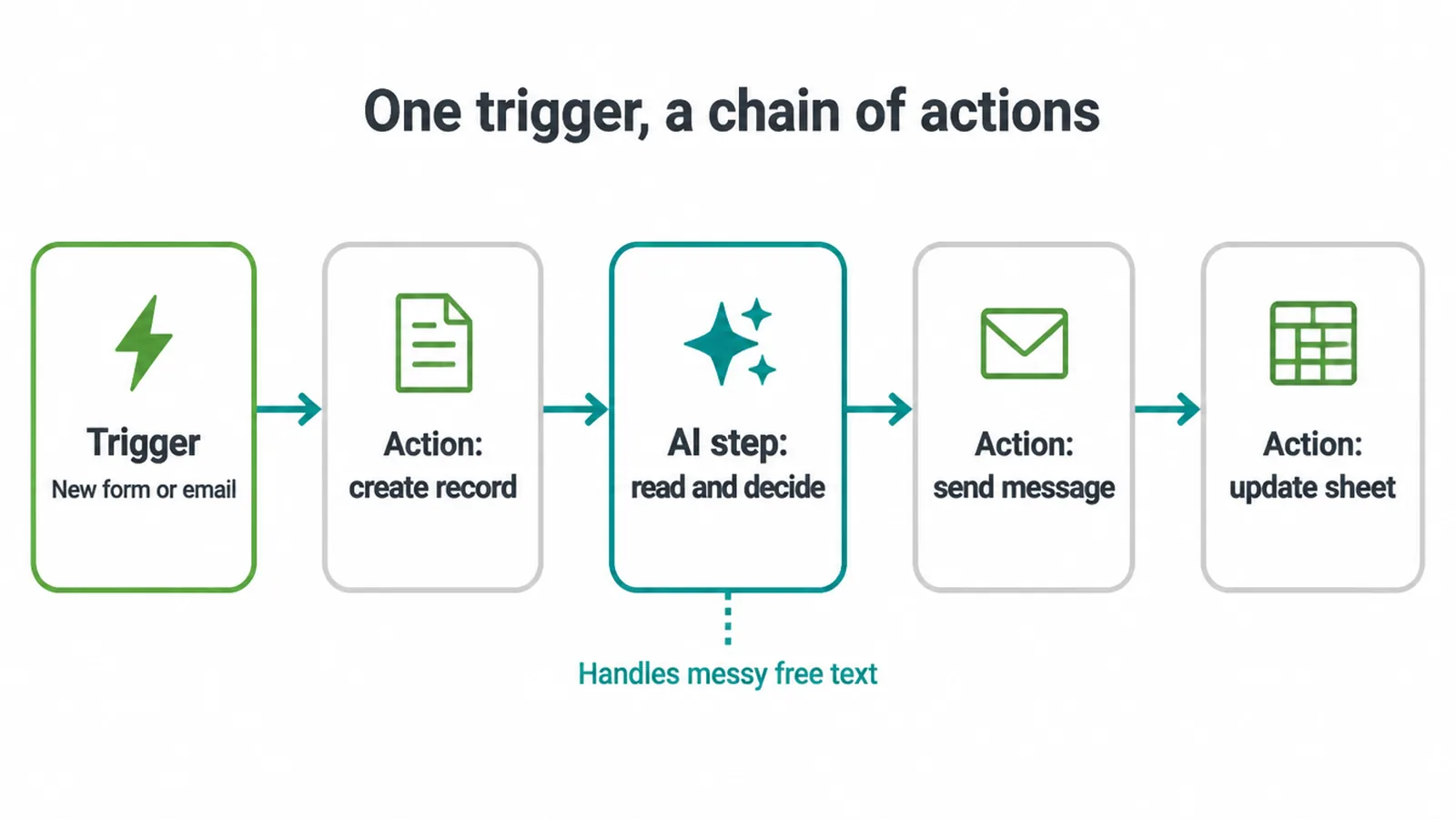
So where does the AI sit? Usually in one spot, doing the part that plain rules cannot. Plain rules are great at "if this field equals that, do this".
They fall apart on messy, free-text input, like a customer email written ten different ways or a lead note with no fixed format. That is where the AI step earns its place. It reads the unstructured input, then drafts, sorts, or summarises it.
That is the whole idea. The connections move data between apps. The single AI step handles the bit that used to need a human to read it and decide.
2. Example workflows by job
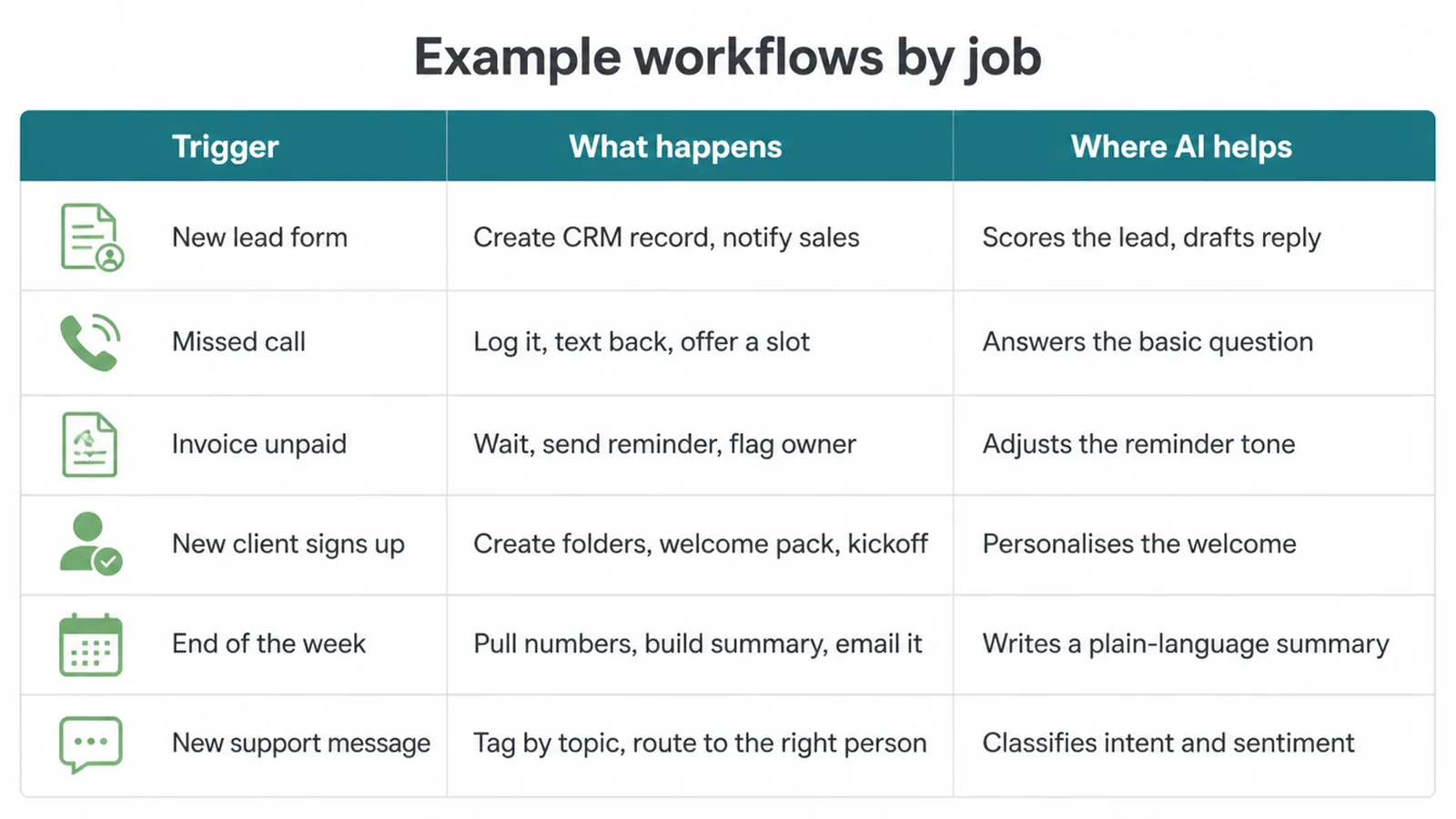
The easiest way to see this is by job. Below are common small-business workflows. Read each one as a trigger, then a chain of actions, then the single place where an AI step helps. None of these run your business.
They take one repetitive task off your plate. Follow-up and email rows pair well with AI for the follow-up and close and with automated email sequences. The support row connects to AI in customer service.
| Trigger | What happens | Where AI helps |
|---|---|---|
| New lead form submitted | Create a CRM record, notify sales, send an instant reply | AI scores and categorises the lead, then drafts a tailored first reply |
| Missed call or new message | Log it, text the person back, offer a booking slot | AI acts as a first-line receptionist and answers the basic question |
| Invoice still unpaid | Wait a set number of days, send a reminder, flag the owner | AI adjusts the reminder tone based on how overdue it is |
| New client signs up | Create folders, send a welcome pack, schedule a kickoff | AI personalises the welcome to the exact service they bought |
| End of the week | Pull the numbers, build a summary, email it to you | AI writes a plain-language summary of what the numbers mean |
| New support message | Tag it by topic and urgency, then route it to the right person | AI reads the free-text and classifies the intent and sentiment |
Notice the pattern. The workflow does the moving and the timing. The AI step does the one bit that needs reading and judgement. You can start with any single row and ignore the rest.
3. Build or buy: which way to go
You have two paths. Buy a ready-made tool that already does the job, or build the workflow yourself with a connector platform. Both are fine. They just trade speed for control.
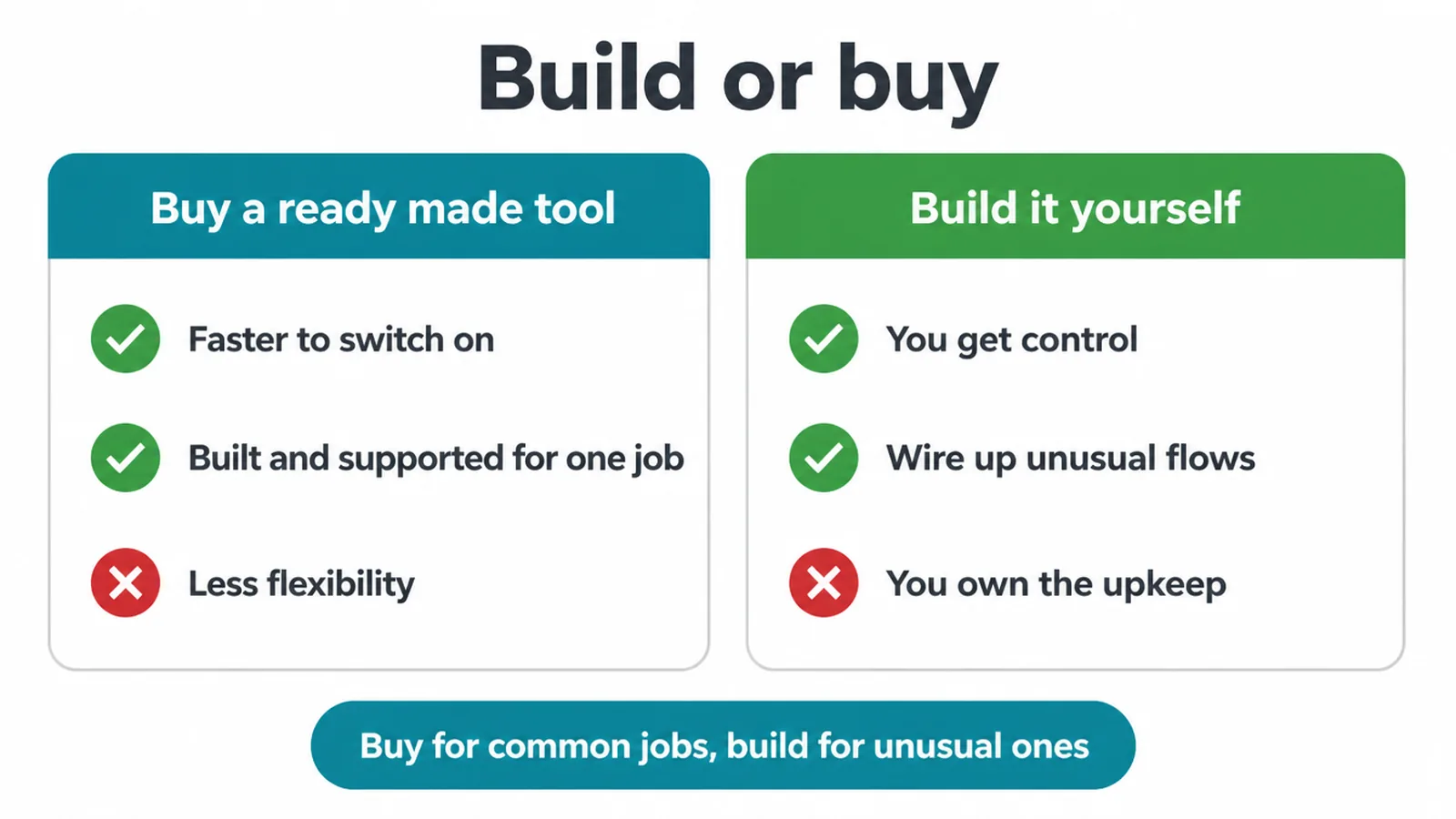
Buying is faster. The tool is built for one job, it is supported, and you switch it on. The trade is less flexibility. You get what the tool offers, not exactly what you want.
Building gives you control and the ability to wire up odd, business-specific flows. The trade is upkeep. You own it, so you maintain it.
If you build, three platforms come up most. Zapier is the simplest and most polished, good for getting started fast. Make is visual and works out cheaper once you run a lot of tasks. n8n is the most flexible and can be self-hosted, which suits a more technical team.
Also worth checking first: Google Workspace and Microsoft 365 already include automation features, so you may not need a new tool at all.
A simple rule. Buy for common jobs lots of businesses share. Build when your workflow is unusual or ties together tools no off-the-shelf product covers.
4. Where to start without overwhelming yourself
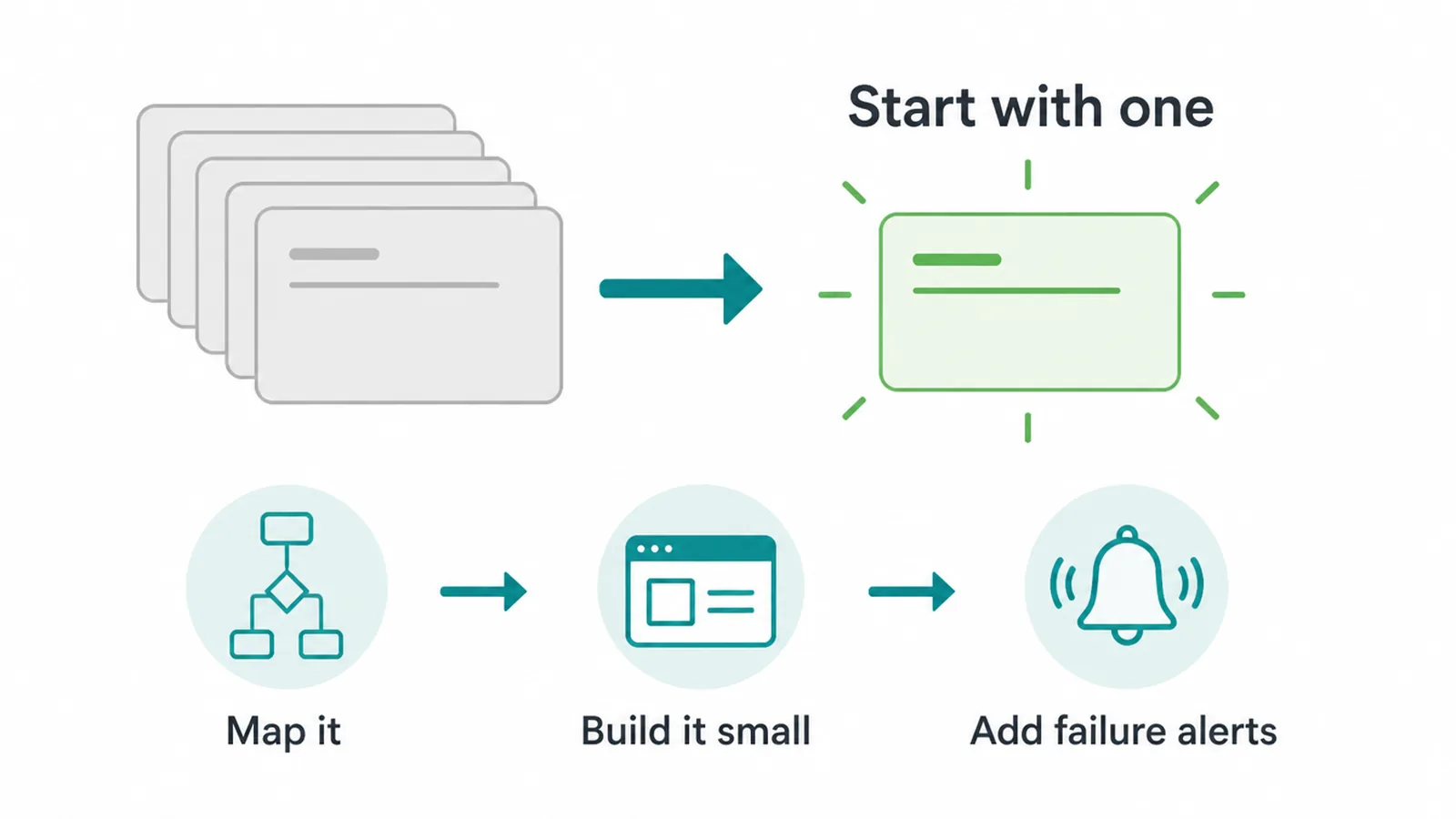
Do not try to automate the whole business. Pick one task. The best first task is repetitive, well-defined, and annoying. Lead intake and sending the same follow-up email are the usual winners because you do them many times and the steps rarely change.
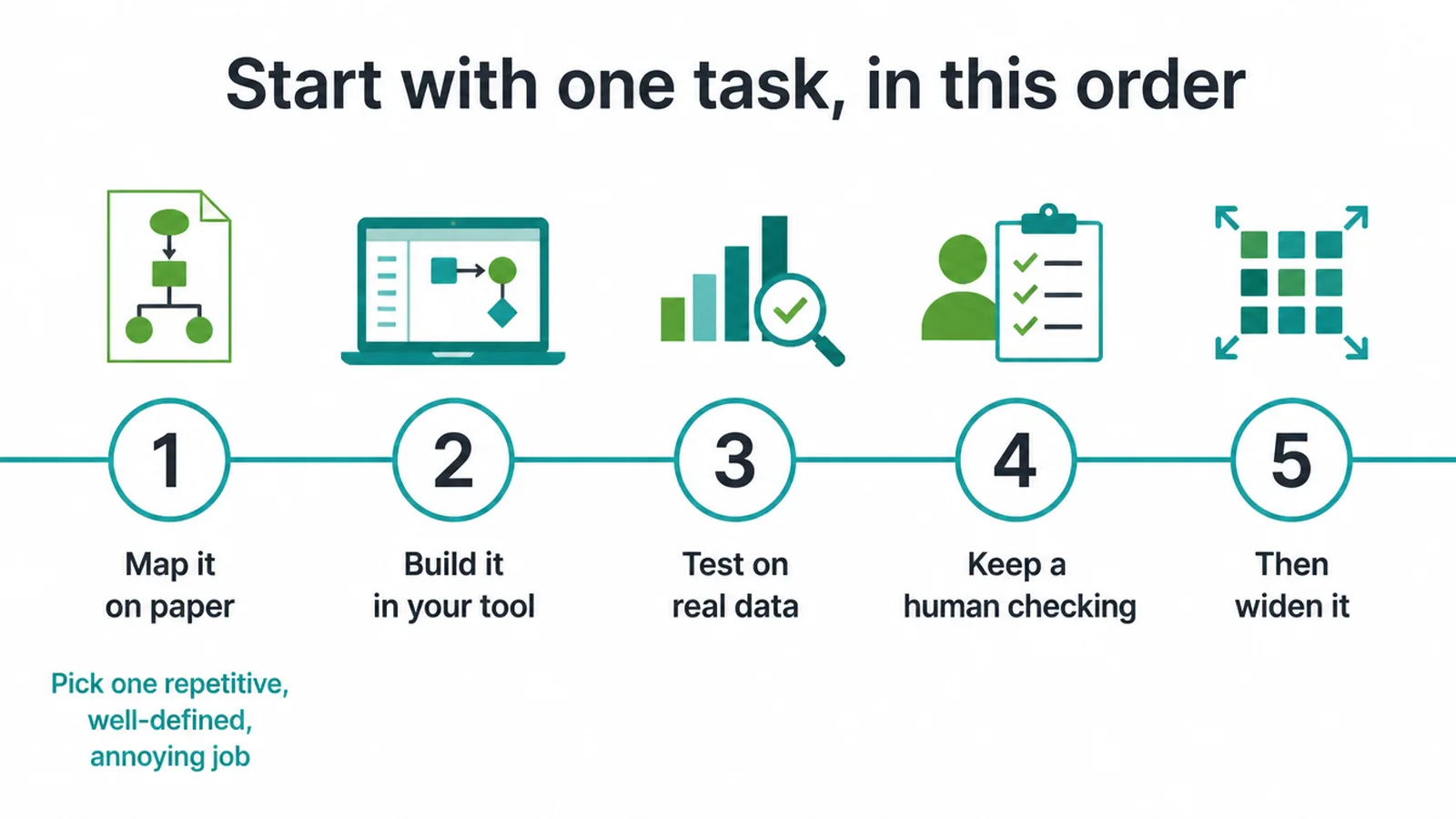
Then follow a short order. Map the workflow on paper first, every trigger and action, so you can see it. Build it in your tool of choice. Test it on real data, not made-up examples, because real inputs are messier.
Keep a human in the loop at the start, checking what the AI step produces before it goes out. Once it runs reliably for a while, widen it. Add another step, or copy the pattern to a second task.
Small and boring beats big and clever. A single reliable workflow that saves you ten minutes every day beats a grand one that breaks every week. If you want help mapping the right first workflow, our AI and automation service does exactly this.
5. The honest limits
Automations are not set-and-forget. They break, eventually. An app changes its layout, a field gets renamed, or an input arrives in a format your workflow did not expect, and the chain stops.
That is normal. It means you need monitoring and a bit of upkeep, plus an alert that tells you when a step fails so you are not finding out from an angry customer.
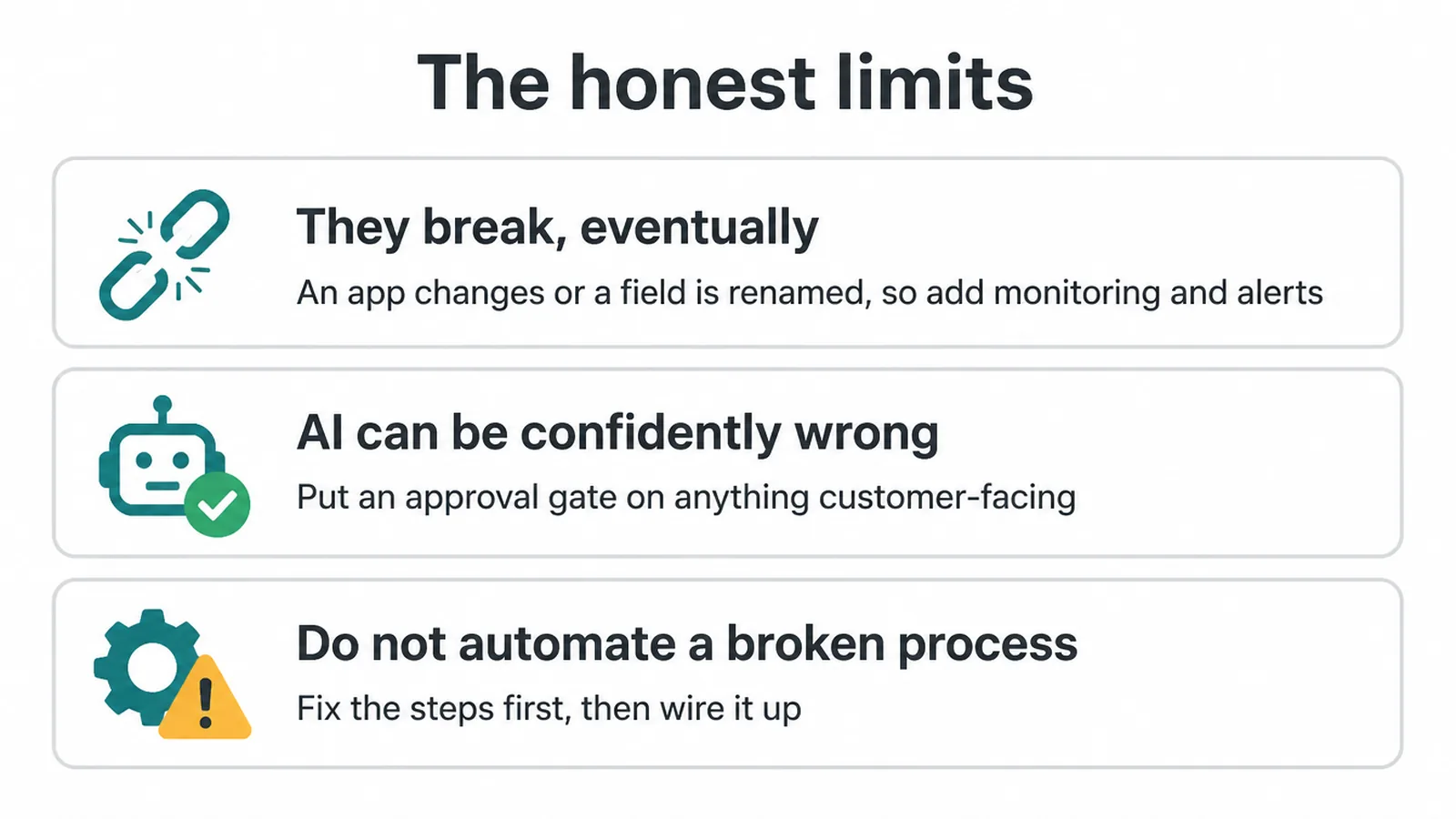
AI steps add their own risk. They can be confidently wrong. The output reads fine but the fact, the price, or the tone is off. So put an approval gate on anything customer-facing or financial.
Let the AI draft, then a human approves before it sends. Never let an unchecked AI step touch money or send to a client on day one.
One more rule: do not automate a broken process. If the steps are wrong by hand, automation just makes them wrong faster. Fix the process first, then wire it up.
Now the reality check. Adoption is still early, especially among small firms. The U.S. Census Bureau (2026) found business AI use overall sat between 17% and 20%, with the smallest firms still below 20% versus about 37% at firms with 250 or more staff.
In the EU, use climbed too: Eurostat (2025) reported 13.5% of enterprises with 10 or more employees used AI in 2024, up from 8.0% in 2023, with text analysis and language generation the commonest uses.
Read that two ways. Most small businesses have not started, so this is still an edge you can grab. And it is early, so start small, test, and measure before you scale.
Frequently asked questions
1. What is AI workflow automation?
Connecting your apps so a trigger in one starts actions in others, with an AI step inside the flow such as drafting or sorting. It is the everyday plumbing of your business plus one smart step.
2. How is AI workflow automation different from regular automation?
Regular automation follows fixed rules. AI workflow automation adds a step that handles messy, unstructured input like free-text emails and varied phrasing, where rigid rules fail.
3. Do I need to code?
No. Tools like Zapier and Make are no-code, and n8n is low-code and can be self-hosted. AI steps are usually a dropdown plus a prompt.
4. What can I automate first?
One repetitive, painful, well-defined task, usually lead intake or sending the same follow-up email, not your whole operation at once.
5. What is the difference between Zapier, Make and n8n?
Zapier is the simplest and most polished, Make is visual and cheaper at volume, and n8n is the most flexible and self-hostable for technical teams.
6. Will an AI workflow break?
Yes, eventually, when an app changes its layout, a field is renamed, or an input arrives in an unexpected format. Automations need monitoring and upkeep.
7. Is AI workflow automation worth it for a small business?
AI workflow automation can be worthwhile for tasks you repeat many times a day. Adoption among small firms is still early, so start with one measurable workflow and check the result before you scale.
8. How do I start safely?
Map one workflow, build it, test on real data, keep a human checking AI outputs at first, and add a fallback or alert for when a step fails.
6. Ready to take one task off your plate?
You do not need to automate everything. You need one reliable workflow that runs without you. Start with the task that drains the most time and trust, map it, and build it small. If you would rather have someone set it up properly, with the AI steps gated and the failure alerts in place, we can help. See how our AI and automation service works, or get in touch and tell us the one job you wish ran on its own.