Best ChatGPT Prompts for Small Business in 2026

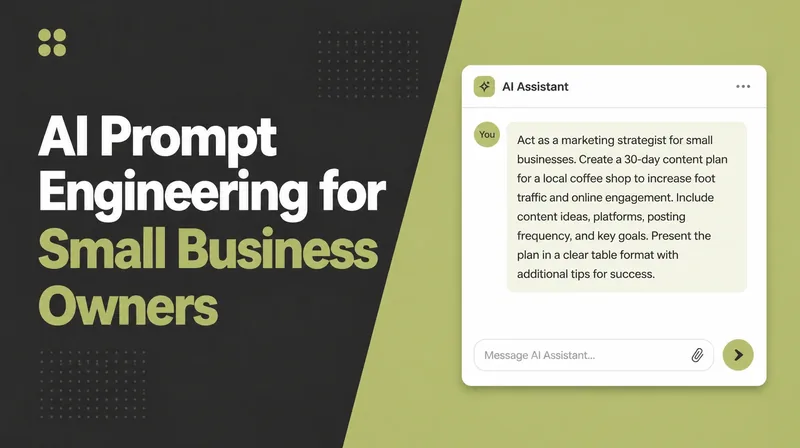
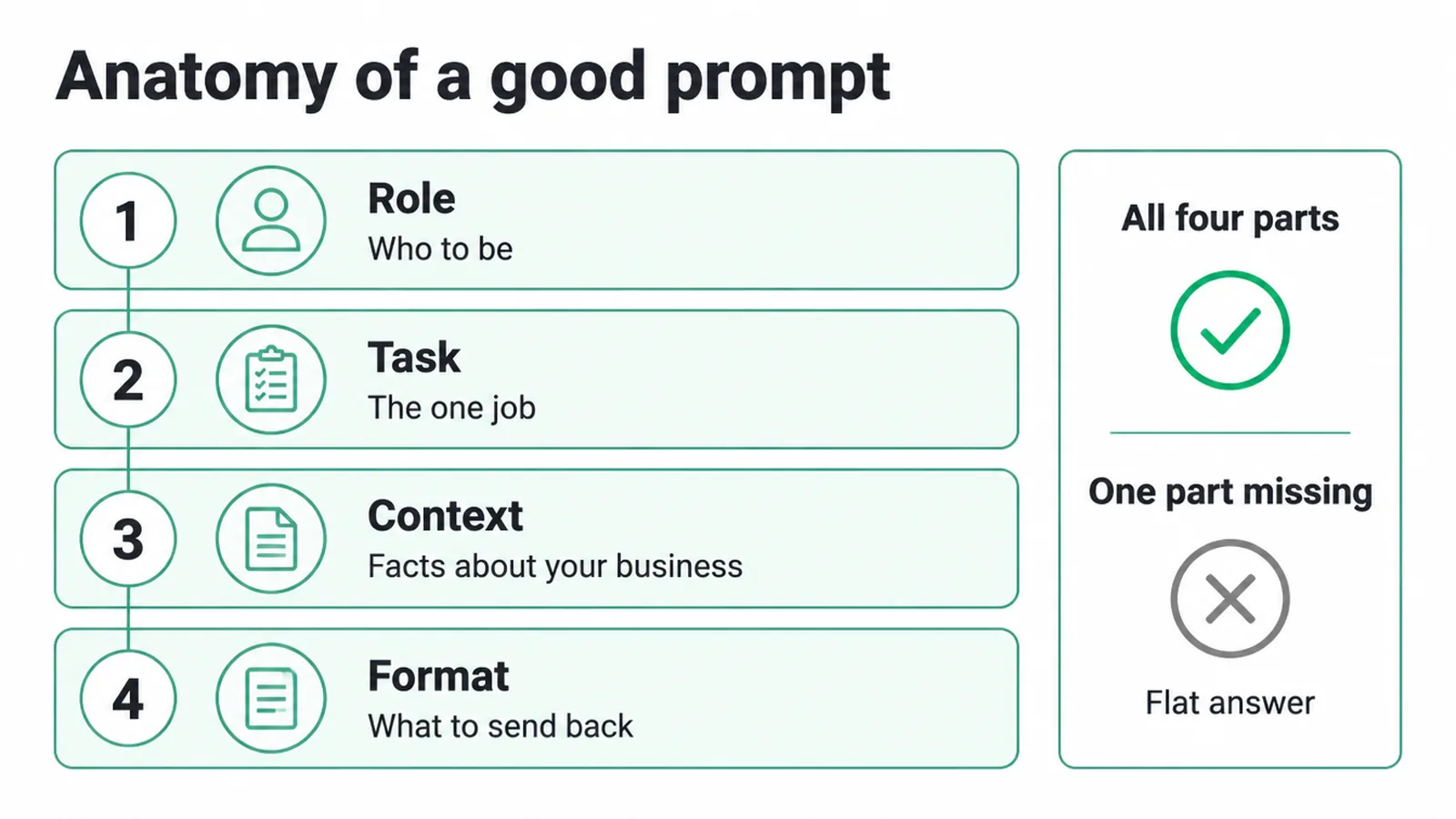
A good ChatGPT prompt has four parts: a role, one clear task, the context about your business, and the exact format you want back. Miss one and the answer goes flat. Build a small library for marketing, email, SEO, support, sales and admin. Seed Light writes prompts to this same structure daily.
Key takeaways
- 58% of small businesses now use generative AI for everyday tasks, up from 40% the year before, according to the U.S. Chamber of Commerce.
- A good prompt has four parts: a role, a task, context, and a format. Miss one and the answer drifts.
- Use one placeholder. Every prompt below uses [your business / your niche]. Swap it for the real thing.
- It writes the draft, you do the edit. ChatGPT can be confident and wrong, so check every name, number, and claim.
- Never auto-publish raw output. A quick human edit keeps it accurate and on-brand.
1. What makes a good ChatGPT prompt?
A good prompt has four parts: a role, a task, context, and a format. The role tells ChatGPT who to be. The task tells it the one job. The context gives it the facts about your business. The format tells it exactly what to send back.
When all four are there, you get something you can use. When one is missing, you get something flat.
Here is the difference. A weak prompt: "write me an Instagram caption." A strong prompt: "You are a friendly social media writer. Write one Instagram caption for [your business / your niche].
Keep it under 30 words, add one question at the end, and suggest three hashtags." If captions are the job you would rather not do at all, a Facebook marketing agency writes and schedules them for you.
Same task, far better answer. The strong one wins because it has all four parts.
| Part | What it does | Example |
|---|---|---|
| Role | Tells ChatGPT who to act as | You are a small-business copywriter. |
| Task | The one job to do | Write three short Instagram captions. |
| Context | The facts it needs about you | For [your business / your niche], aimed at local customers. |
| Format | What the answer should look like | Each under 30 words, with one hashtag set. |
2. Marketing and social media prompts
These are the prompts you reach for when you need posts, captions, and a social media plan. They are the most popular use of these tools, so this is a good place to start. Copy one, swap the placeholder, and tweak the result.
If you want the wider workflow behind this, read our guide on using AI for content creation without losing your own voice.
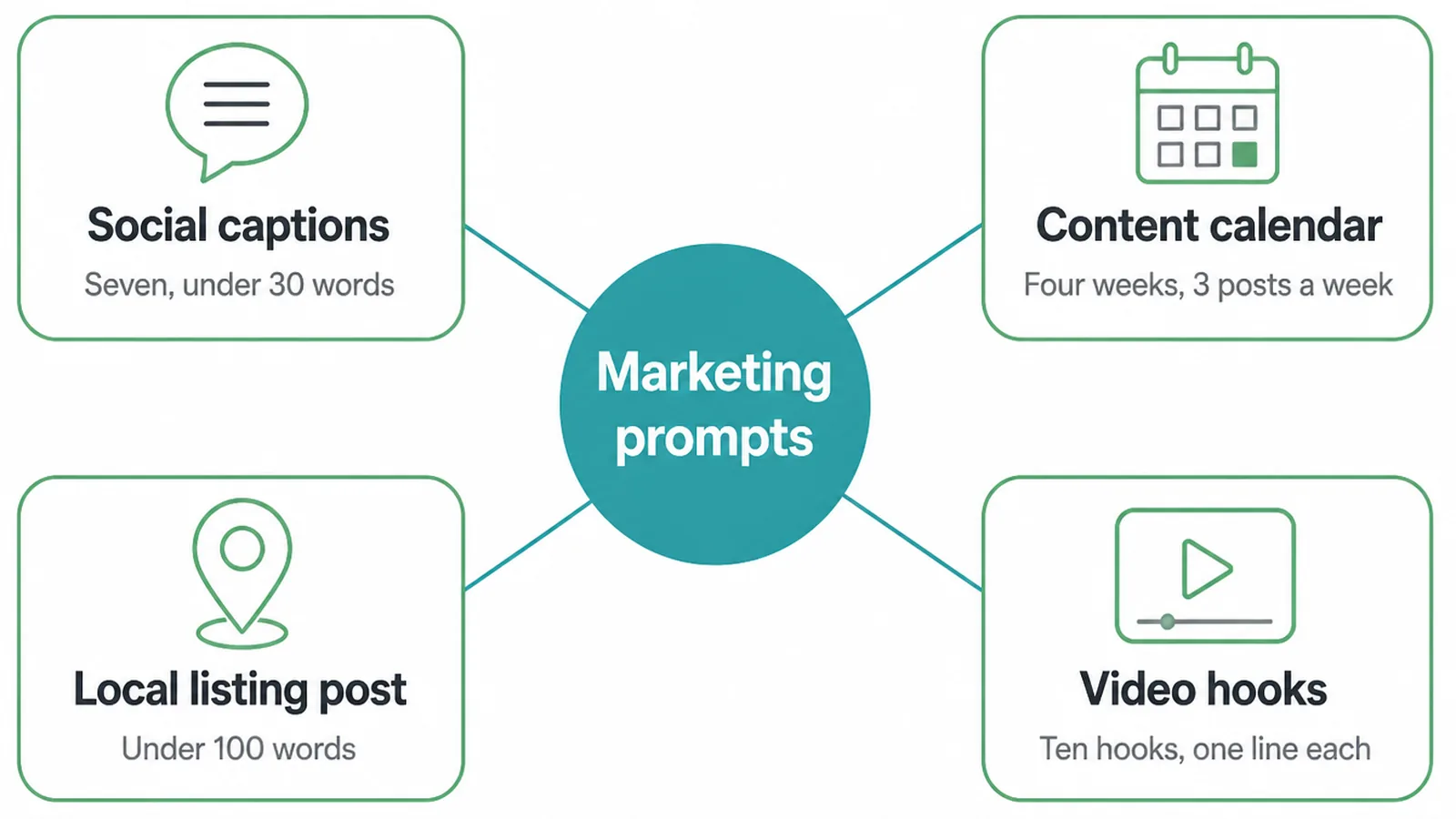
Instagram captions
You are a social media writer for small businesses.
Write 7 Instagram captions for [your business / your niche].
Keep each one under 30 words, friendly and clear.
End each caption with one short question, and add 3 hashtags.
A 4-week content calendar
You are a marketing planner.
Make a 4-week social media content calendar for [your business / your niche].
Plan 3 posts a week. For each post, give the day, the topic,
and one short caption idea. Lay it out as a simple table.
A Google Business Profile post
You are a local marketing writer.
Write one Google Business Profile post for [your business / your niche].
Keep it under 100 words, mention what we offer, and end with a clear
next step like "call us" or "visit today". No hashtags.
Hooks for short videos
You are a short-form video writer.
Give me 10 hooks for short videos about [your business / your niche].
Each hook is one line, under 12 words, and makes someone stop scrolling.
Number them 1 to 10.
3. Email prompts
Email is slow to write from scratch.
You are an email copywriter.
Write a welcome email for new customers of [your business / your niche].
Keep it warm and short, say thank you, and tell them one helpful next step.
Then give me 3 subject line options under 8 words each.
A win-back sequence
You are an email marketer.
Write a 3-email win-back sequence for past customers of
[your business / your niche] who have not bought in a while.
Email 1 says we miss you. Email 2 shares one reason to come back.
Email 3 gives a friendly nudge. Keep each under 120 words.
A promo email from your notes
You are an email writer.
Here are my rough notes for a promotion: [paste your notes here].
Turn them into one clear promo email for [your business / your niche].
Keep it short, lead with the offer, and end with one clear button line.
4. SEO and content prompts
Use these to plan blog content that real people search for. They give you titles, outlines, and plainer drafts.
To turn the output into pages that rank, pair it with our guide to SEO content writing.
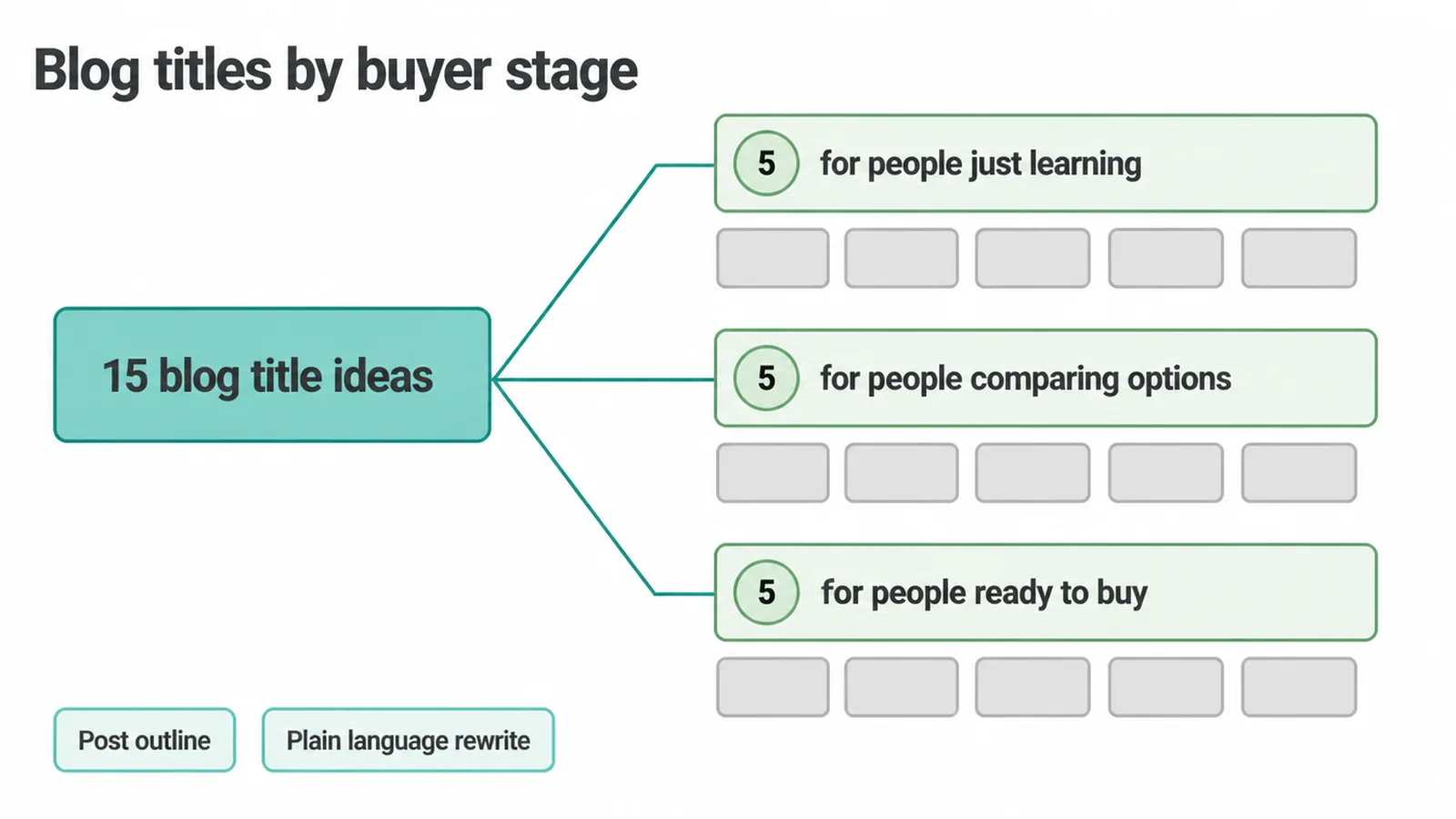
Blog title ideas
You are an SEO content strategist.
Give me 15 blog title ideas for [your business / your niche].
Group them by buyer stage: 5 for people just learning,
5 for people comparing options, 5 for people ready to buy.
Keep each title clear and under 60 characters.
A blog post outline
You are a blog editor.
Write an outline for a blog post titled "[paste your title]"
for [your business / your niche]. Use an intro, 5 to 7 headings,
and a short FAQ of 5 questions at the end. Keep the headings plain.
A plain-language rewrite
You are a plain-language editor.
Rewrite this text so a busy reader gets it fast: [paste your text].
Use short sentences and simple words. Keep the meaning the same.
It is for [your business / your niche]. Do not add new facts.
5. Customer service prompts
These help you reply to customers quickly and kindly, even when the message is tricky. Always read the draft before you send it, since the tone has to match the real situation.
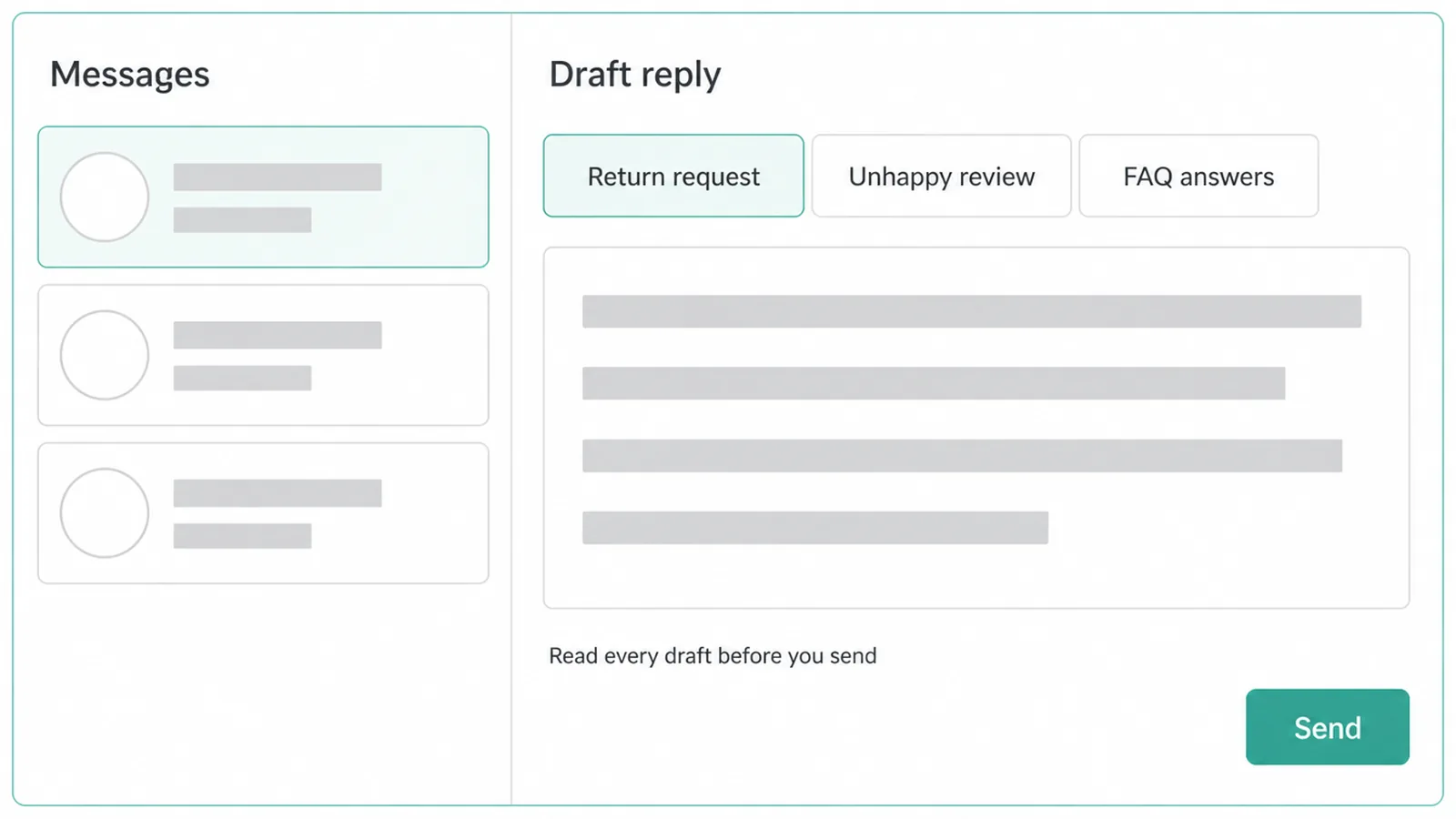
A return policy reply
You are a polite customer service rep.
Write a reply explaining the return policy for [your business / your niche].
A customer wants to return an item. Be warm, clear, and short.
Tell them the steps and what to expect next.
A reply to an unhappy review
You are a calm customer service rep.
Write a reply to an unhappy review for [your business / your niche].
The customer is upset about a delay. Apologise once, do not make excuses,
offer one fix, and invite them to message us directly. Keep it under 80 words.
An FAQ from common questions
You are a support writer.
Here are common questions my customers ask: [paste your questions].
Turn them into a clear FAQ for [your business / your niche].
Write each answer in plain words, 2 to 3 sentences each.
6. Sales prompts
Use these to follow up, handle a worry, and run a better first call. The draft gives you a starting point. Your own knowledge of the customer makes it land.
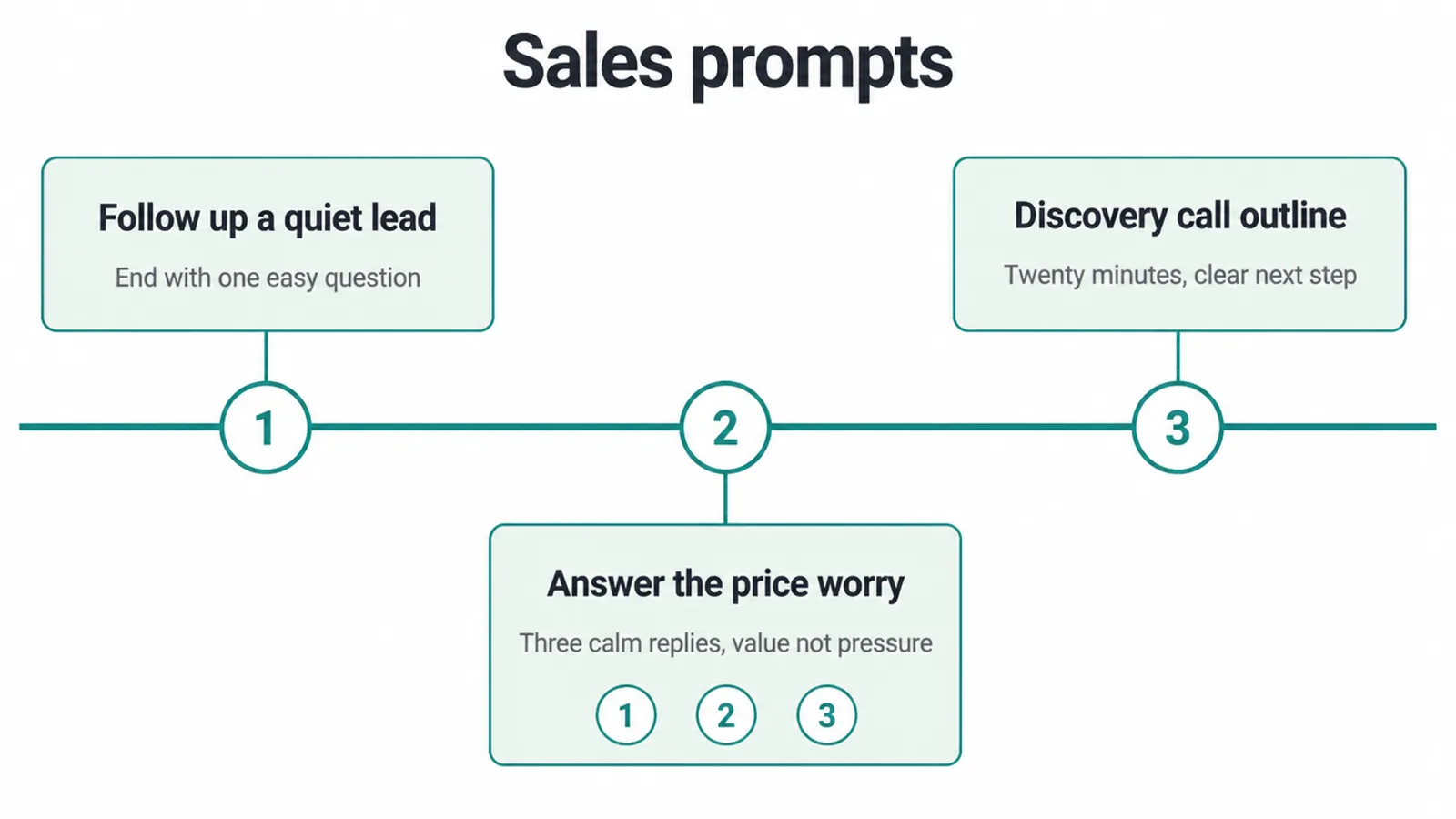
A follow-up for a quiet lead
You are a friendly sales writer.
Write a short follow-up message for a lead who went quiet.
They asked about [your business / your niche] a week ago and did not reply.
Be helpful, not pushy. End with one easy yes-or-no question.
Answers to a price worry
You are a sales coach.
A customer says my service costs too much for [your business / your niche].
Give me 3 calm, honest ways to answer that worry.
Each answer is 2 to 3 sentences and focuses on value, not pressure.
A discovery call outline
You are a sales trainer.
Write an outline for a 20-minute discovery call for [your business / your niche].
Include questions to learn what the customer needs, a section to explain
how we help, and a clear next step at the end. Keep it simple.
7. Operations and admin prompts
These clear the boring jobs off your plate: messy notes, missing steps, and a plan for the week.
If you find yourself running the same task again and again, that is a sign to look at what AI automation is and how it fits a small business. When you want the repeating parts handled for you, our AI and automation service can set that up.
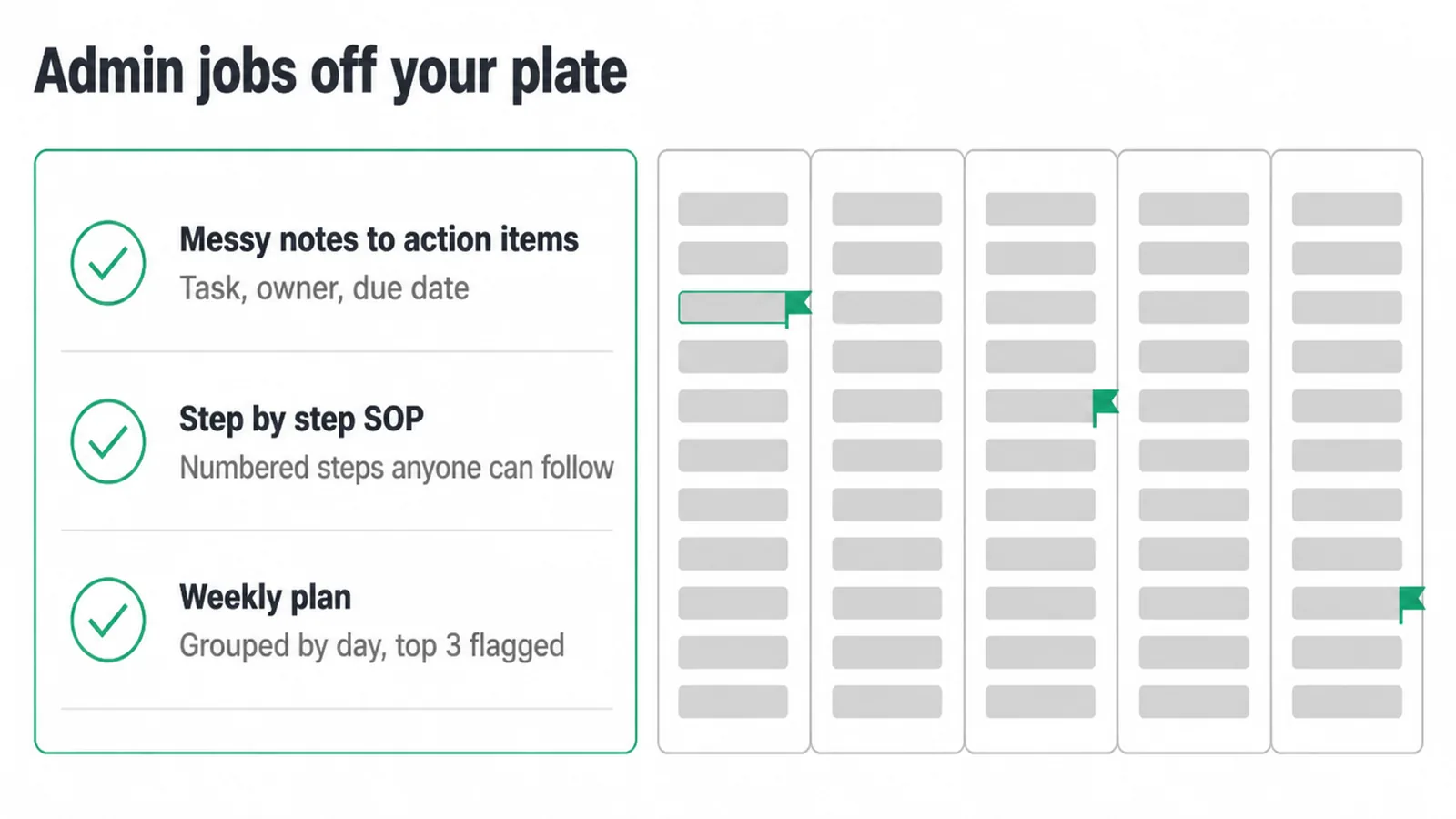
Action items from meeting notes
You are an operations assistant.
Here are my messy meeting notes: [paste your notes].
Pull out a clear list of action items for [your business / your niche].
For each one, give the task, who owns it, and a due date if there is one.
A simple SOP
You are a process writer.
Write a simple step-by-step SOP for [paste the task] at [your business / your niche].
Use numbered steps anyone on the team could follow.
Add a short note at the top saying what the SOP is for.
A weekly plan
You are a planning assistant.
Make a weekly plan for [your business / your niche].
Here are my goals and tasks for the week: [paste them here].
Group the work by day, keep it realistic, and flag the 3 most important items.
8. Planning and strategy prompts
These help you think the problem through before you write. One warning: never let ChatGPT invent market data. Tell it to use only the facts you give it.
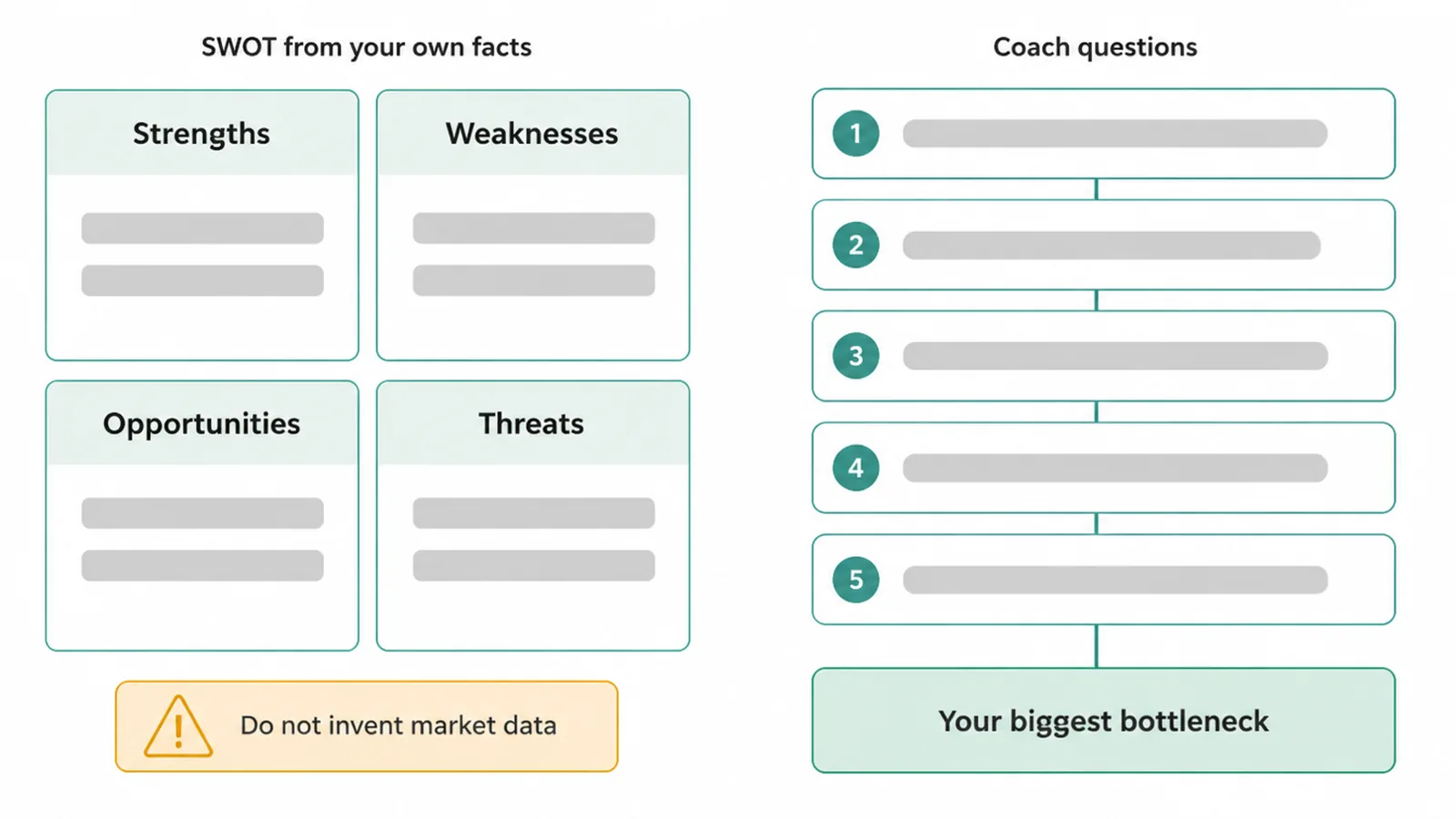
A SWOT analysis
You are a business advisor.
Make a SWOT analysis for [your business / your niche]
using only the facts I give you here: [paste your facts].
Do not invent market data or numbers. If you are missing something,
say so instead of guessing.
Questions to find your bottleneck
You are a business coach.
Ask me 5 questions, one at a time, to find the biggest bottleneck
in [your business / your niche]. Wait for my answer before the next question.
At the end, name the one thing slowing me down most.
9. How do you get better answers?
If the first reply misses, do not start over.
Fix it in a few quick steps. Be specific. Add an example of what good looks like. Give it the real facts about your business. Then ask it to redo the part that is off.
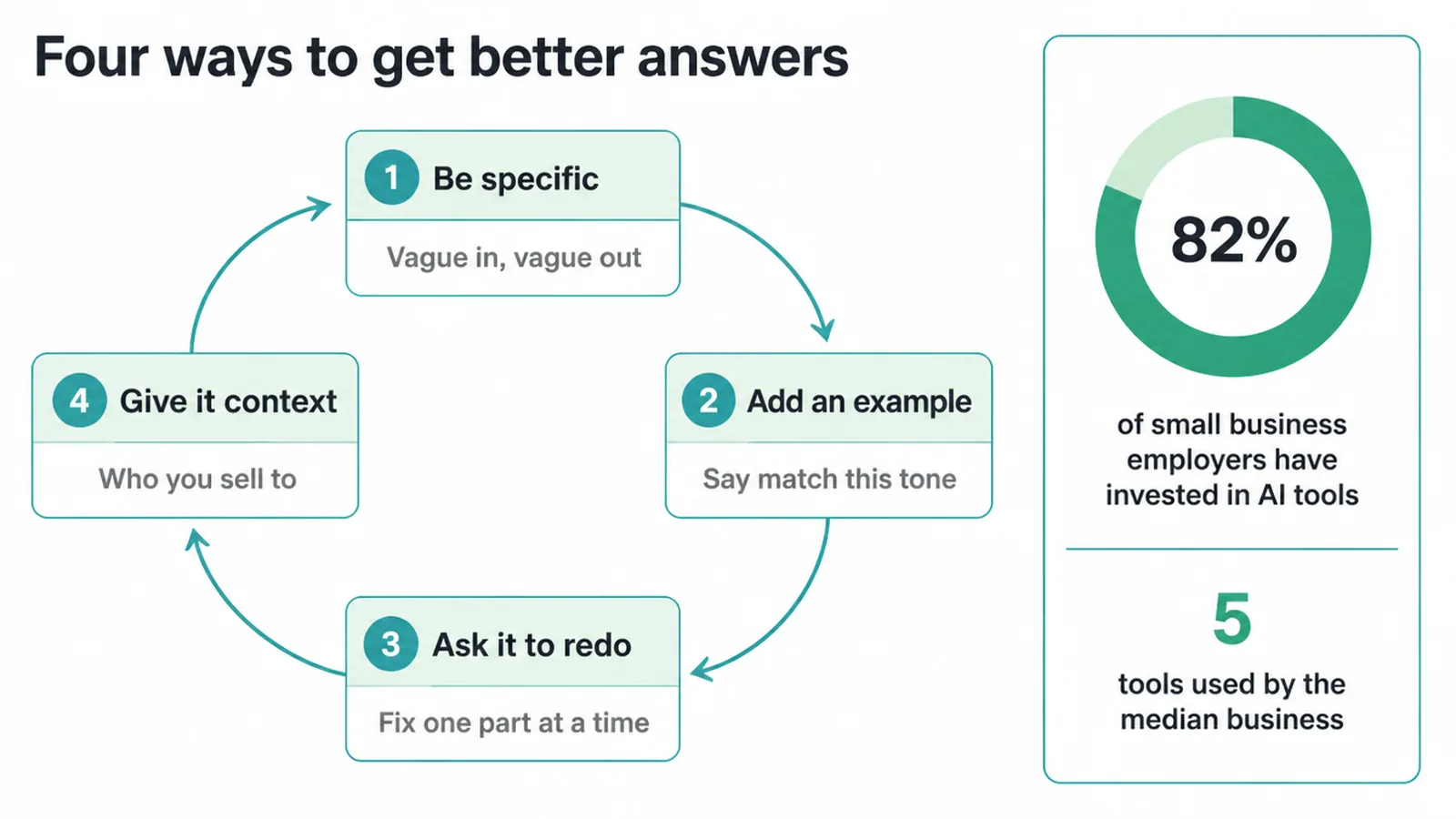
- Be specific. Swap the placeholder for your real business and niche every time. Vague in, vague out.
- Add an example. Paste a caption or email you like and say "match this tone." It learns fast from a sample.
- Ask it to redo. Say "make the third one shorter" or "less salesy." Short back-and-forth beats one giant prompt.
- Give it context. Tell it who your customer is and what you sell. The more it knows, the closer it lands.
Most small businesses are clearly finding this worth the effort. 82% of small business employers have invested in AI tools, the median business uses five of them, and marketing and content is the top job they use them for, according to the SBE Council.
10. The honest part: edit and fact-check
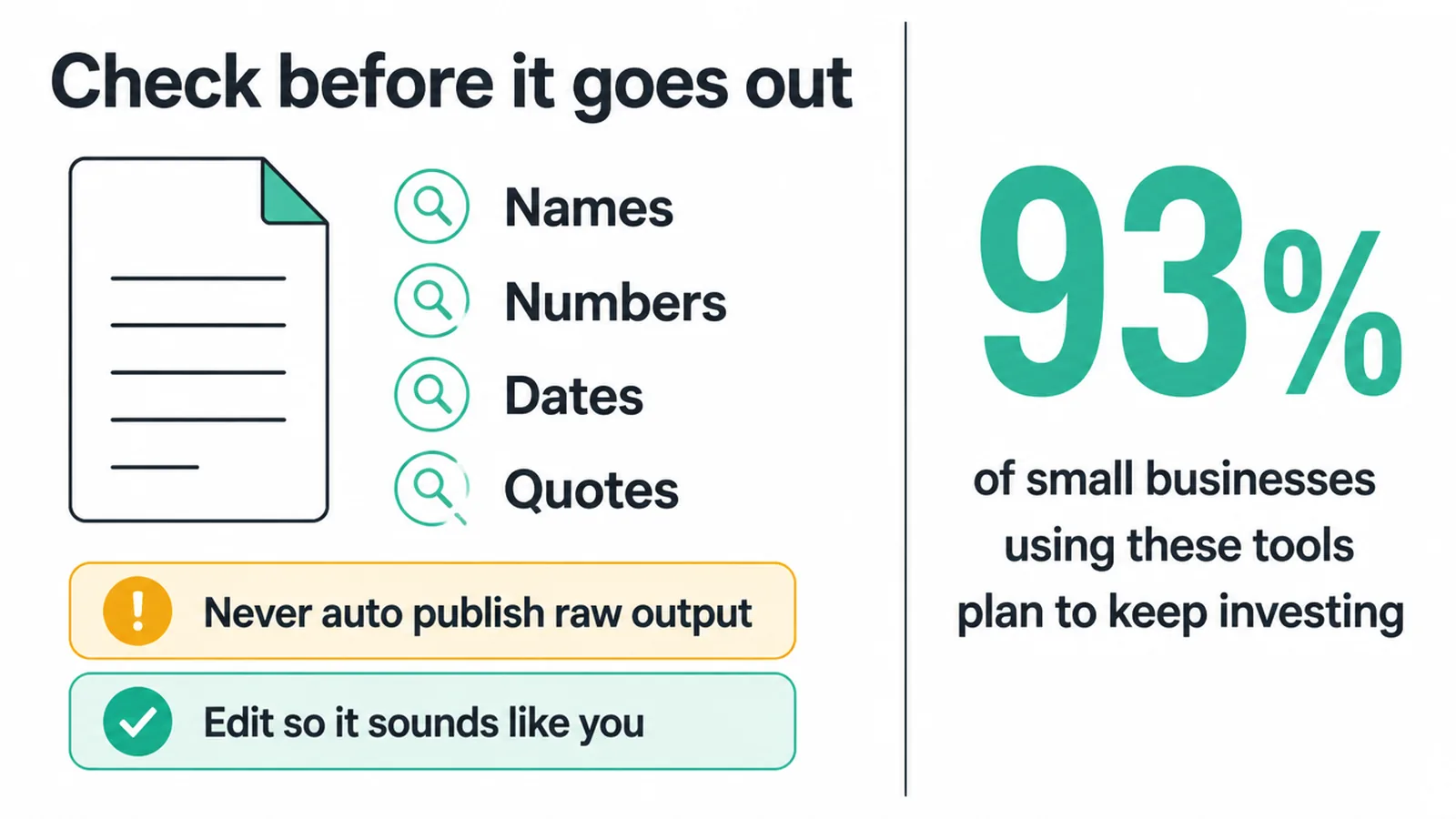
Here is the part the hype skips. ChatGPT gives you a confident draft, and that draft can be wrong. It can make up a name, a number, a date, or a quote and write it like a sure thing.
So you check every fact before it goes out.
- Read the draft.
- Verify any name, price, claim, or stat against a real source.
- Fix the tone so it sounds like you, not a robot.
This matters for your website too. Google rewards helpful, people-first content no matter how it was made. What it acts against is content built only to game rankings, and it expects a human checking the work, based on guidance from Google Search Central.
So use the draft to get past the blank page, then make it genuinely useful and accurate. Never auto-publish raw output.
The good news: people keep finding the trade-off worth it. The SBE Council also found that 93% of small businesses using these tools plan to keep investing next year. The draft saves you time. The edit keeps you safe.
Frequently asked questions
1. What are the best ChatGPT prompts for a small business?
The best ones are specific. They give ChatGPT a role, one clear job, the facts it needs, and the format you want back. A prompt that just says write me a post will give you a flat reply. A prompt that says you are a copywriter, write three short Instagram captions for my business, keep each under 30 words, gets you something you can use. The library above is grouped by the jobs you actually do.
2. How do I write a good ChatGPT prompt?
Use four parts. A role tells it who to be. A task tells it the one job. Context gives it the facts about your business. Format tells it what to send back. Swap the placeholder for your real business and niche, then read the reply and ask it to redo the bits that miss. The more you tell it, the better the answer.
3. Can ChatGPT run my marketing on its own?
No. ChatGPT writes fast first drafts. It does not know your customers, your real numbers, or your brand voice unless you tell it. Use it to get past the blank page, then edit every draft so it sounds like you and the facts are right. Treat it as a helper, not a replacement for your judgement.
4. Are ChatGPT prompts free to use?
The prompts on this page are free. You can copy any of them and paste them straight into a chat. ChatGPT itself has a free plan and paid plans. The free plan handles most small-business jobs in this library. The same prompt anatomy works in other chat tools too, so you are not locked in.
5. How do I get better answers from ChatGPT?
Be specific, add an example of what good looks like, and give it the real facts about your business. If the first reply is off, do not start over. Tell it what to fix and ask it to redo that part. Short back-and-forth beats one long prompt. The more context you give, the closer it lands.
6. Can I trust what ChatGPT writes?
Not blindly. ChatGPT can sound confident and still be wrong. It can make up names, numbers, dates, and quotes. Always check any fact, price, claim, or stat against a real source before you publish or send it. Treat every reply as a draft from a fast intern who needs a second pair of eyes.
7. Can ChatGPT write blog posts and emails?
Yes, it drafts both well. Give it a role, the topic, who it is for, and the format. You will get an outline, a draft email, subject lines, or a full post fast. Then you edit it so it sounds like you and the facts check out. The draft saves you the slow part. The edit is still your job.
8. Will using ChatGPT hurt my Google ranking?
Not on its own. Google rewards helpful, people-first content no matter how it was made. What it acts against is content made only to game rankings, and it expects a human in the loop. So use ChatGPT for a draft, then edit it to be genuinely useful and accurate. Do not auto-publish raw output.