
Content Audit: Find, Fix or Consolidate Weak Pages

A content audit is a page-by-page review where you make one decision per page: keep, improve, merge, redirect or delete. List every page, pull traffic and ranking data, then work the improve pile first. Ahrefs found 96.55% of pages get no Google traffic, so pruning helps. Seed Light runs audits to this method.
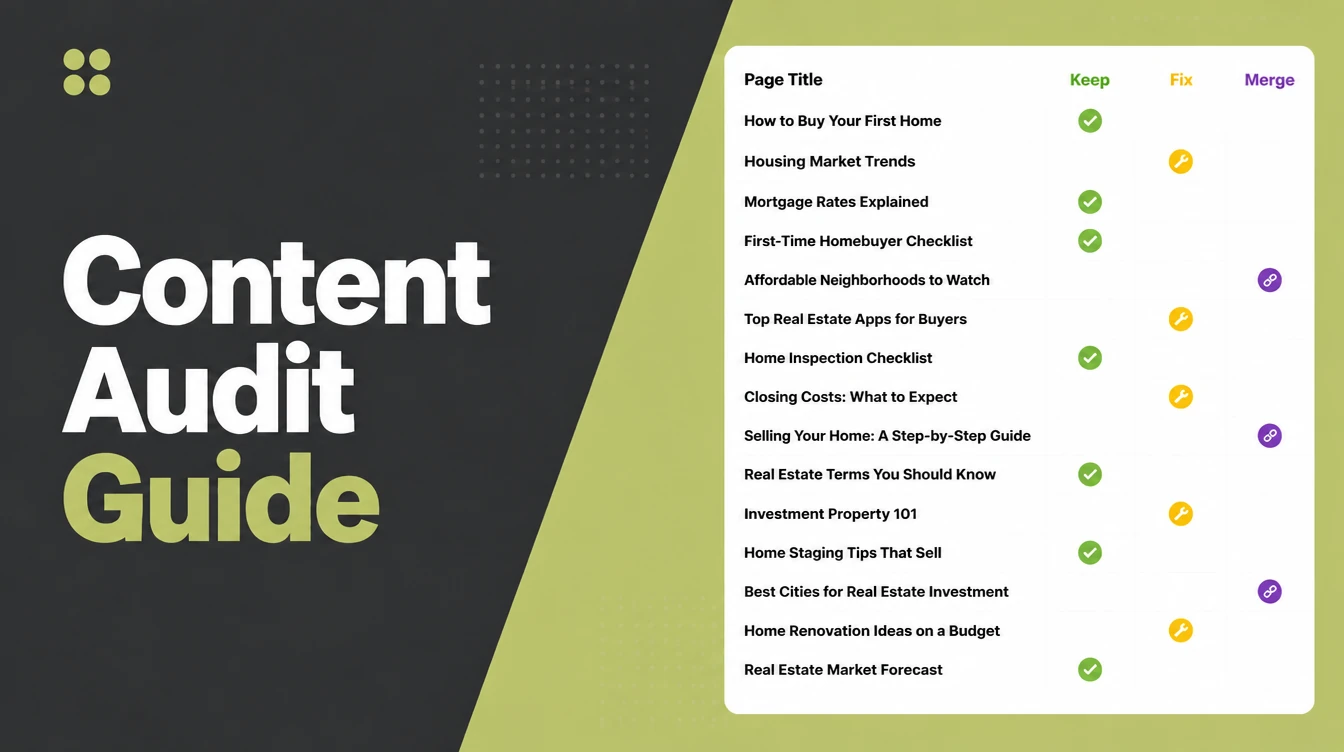
Key takeaways
- Most pages get no traffic. A study of about 14 billion pages found that 96.55% of all pages get zero traffic from Google. A content audit helps you spot which of yours are pulling weight and which are not.
- One decision per page. For every page you keep, improve, merge, redirect, or delete. That single rule keeps the whole job simple.
- Fix before you delete. Updating tired pages is the highest-return work. One company more than doubled the organic views of refreshed posts.
- Prune carefully, not wildly. Removing weak pages can lift the rest of your site, but only with 301 redirects and small batches.
- Make it a habit. A short review once or twice a year beats a giant clean-up every few years.
1. What is a content audit?
A content audit is a page-by-page review of your website where you make one clear decision per page: keep it, improve it, merge it, redirect it, or delete it. That is the whole idea. You list everything, look at how each page performs, then act on it.
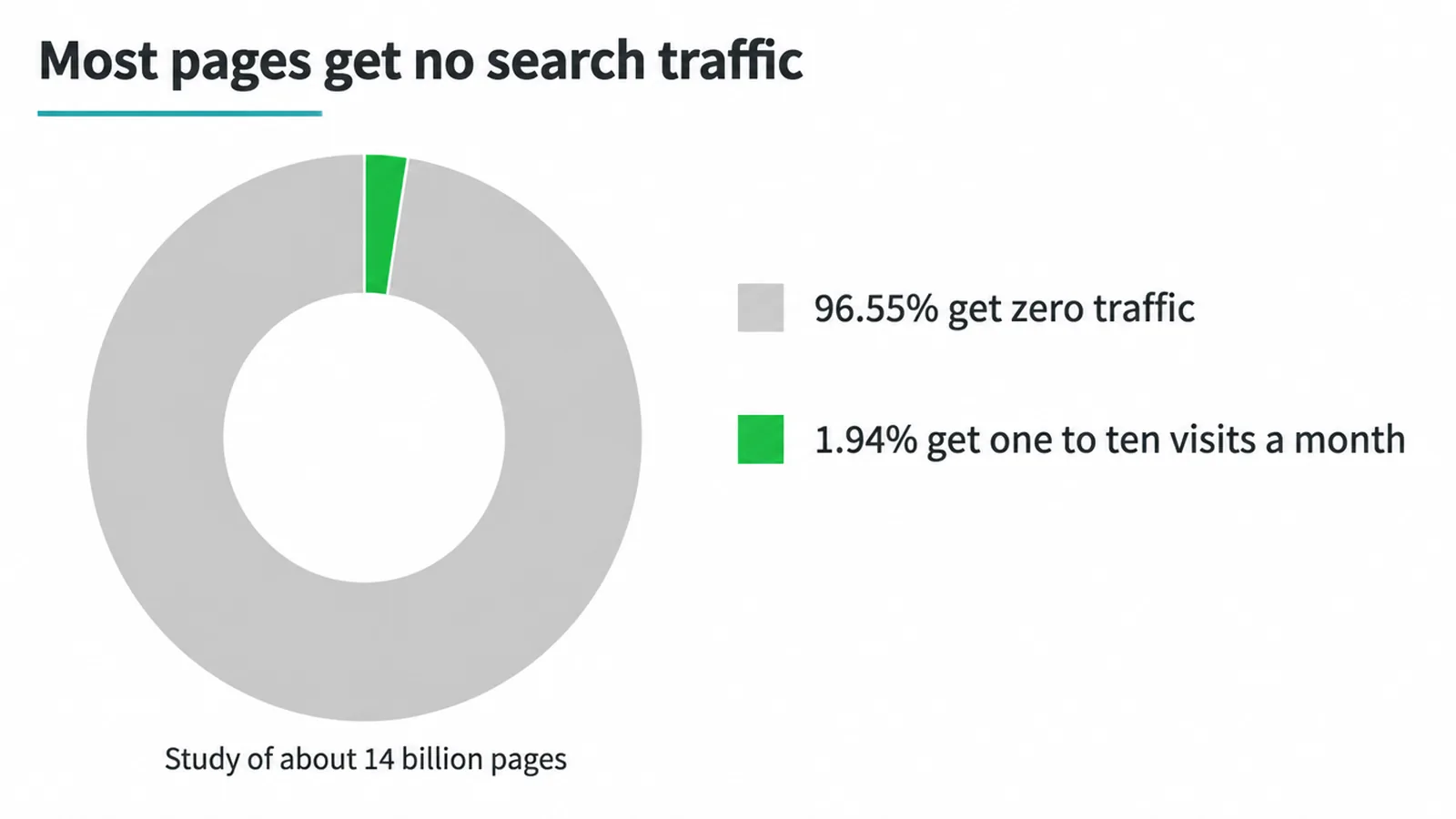
Why bother? Because most pages do nothing. In a study of about 14 billion pages, Ahrefs found that 96.55% of all pages get zero traffic from Google, and only 1.94% get even one to ten visits a month. Some of those quiet pages are yours.
There is a second reason. Search engines judge quality across your whole site at once. A pile of weak, thin pages can hold back your good ones. Clearing them out gives your best work a better chance. If you want a fuller plan around this, our SEO services page walks through how we approach it.
2. Step 1: List every page
You cannot fix what you cannot see, so start with a full list of every page on your site. Drop it into a spreadsheet, one row per page. This is your audit sheet, and everything else hangs off it.
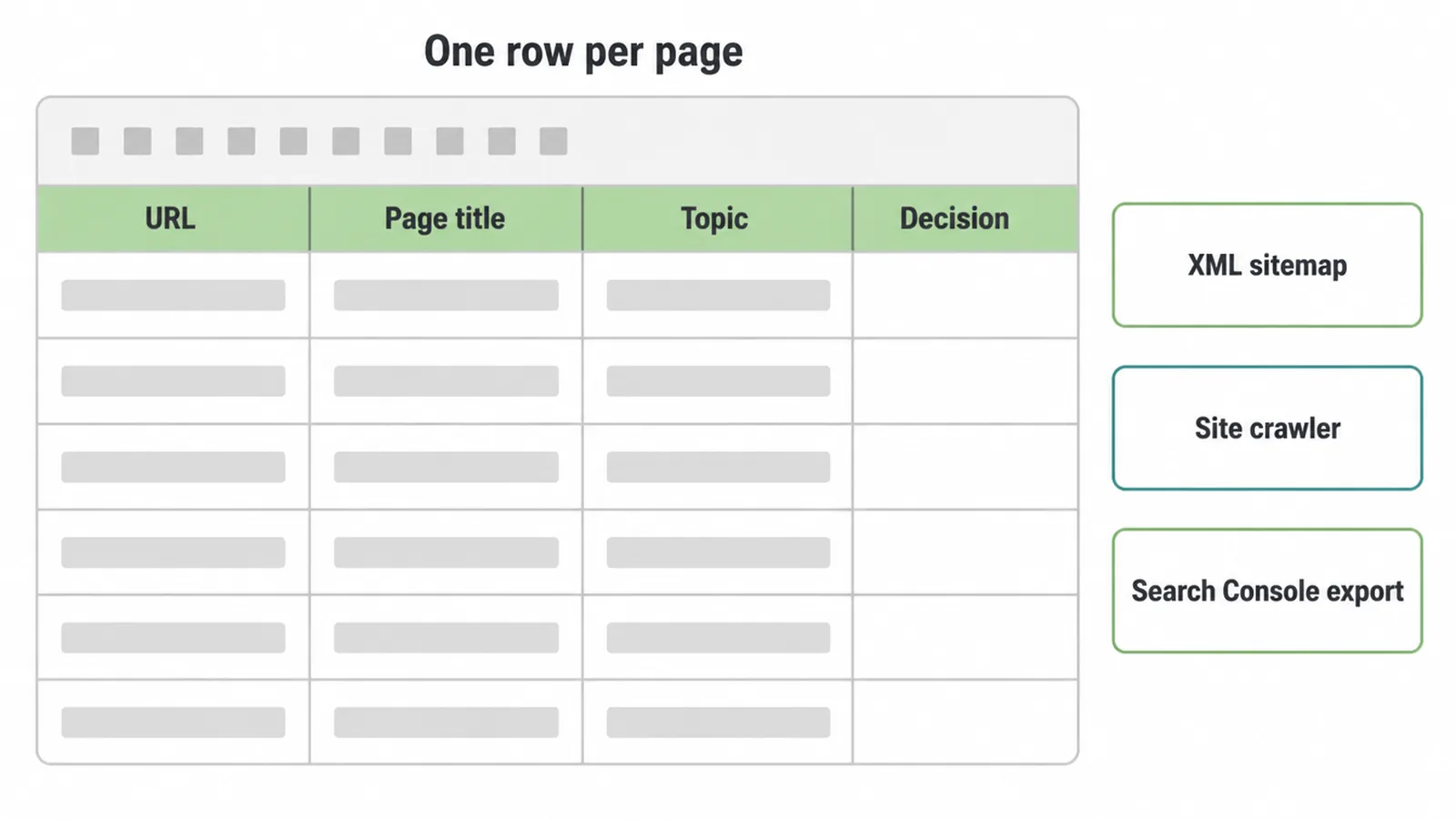
Three easy ways to get the list. Open your XML sitemap (usually at /sitemap.xml) and copy the URLs. Or run the free version of Screaming Frog to crawl a small site.
Or export your pages straight from Google Search Console. If Search Console is new to you, our guide on how to use Google Search Console shows where to find the export.
Give your sheet a few columns now: the URL, the page title, the topic, and an empty column for your final decision. Leave room for numbers. We add those next.
3. Step 2: Pull the data
Numbers turn a guess into a decision. For each page, you want three things: how it performs in search, how it performs on your site, and whether anyone links to it. Add these as columns next to every URL.
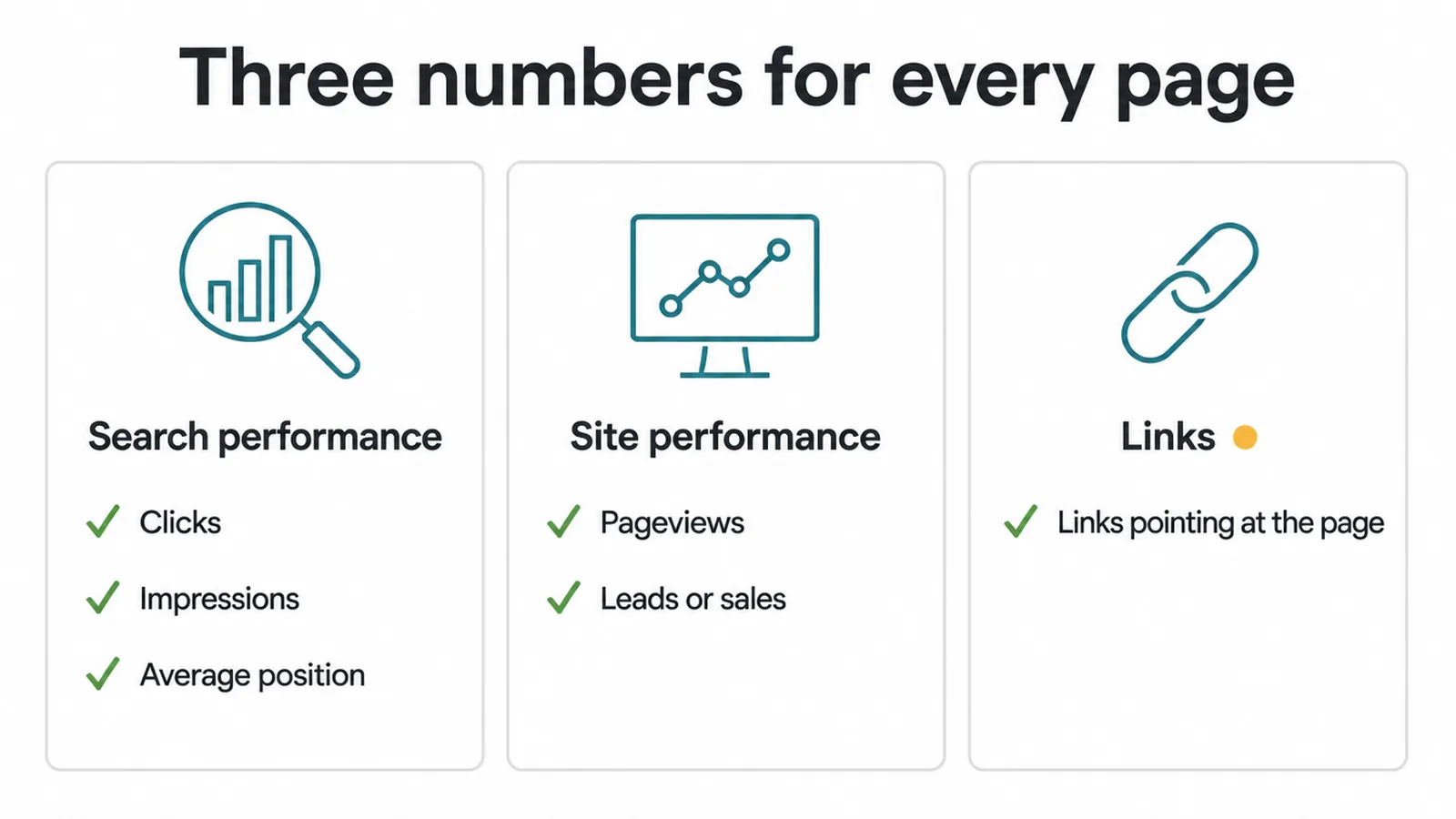
From Search Console, grab clicks, impressions, and average position. Clicks are real visits. Impressions with a poor position mean the page shows up but nobody picks it, which is often a sign it can be improved.
From your analytics, add pageviews and leads or sales, so you can see business value alongside traffic. If you are not sure which numbers matter most, our post on the SEO metrics worth tracking sorts the useful from the noise.
Last, note how many links point at each page. A page with strong links is rarely a delete, even when traffic is low. Once your sheet is full, it doubles as the basis for a simple monthly update. Our SEO report template shows a clean layout you can copy.
4. Step 3: Make one decision per page
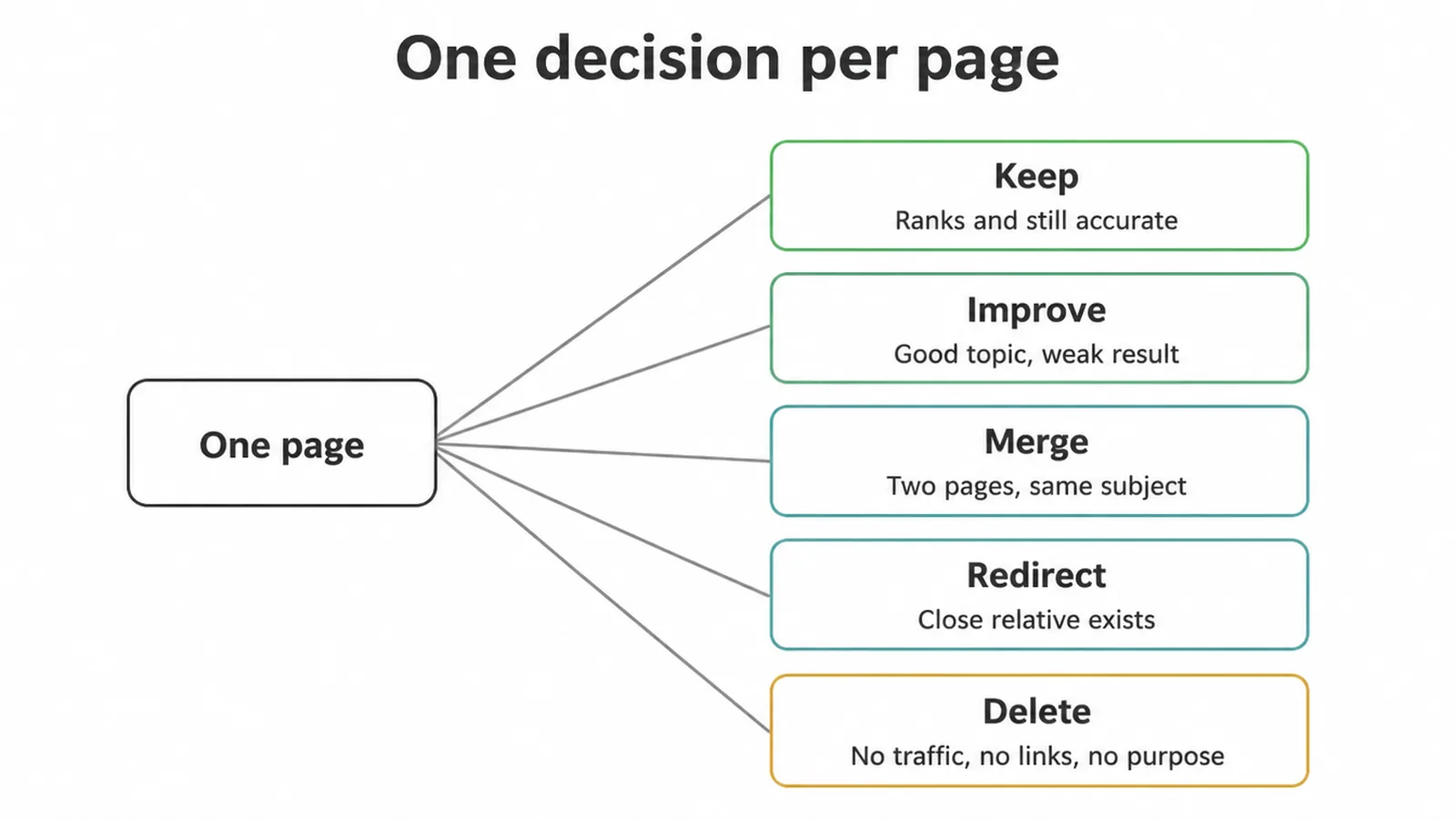
Now the fun part. Go down your sorted sheet and tag every page with a single decision. Five choices, no overthinking. The table below shows when each one fits.
| Decision | When it fits | What you do |
|---|---|---|
| Keep | Page ranks, gets traffic, still accurate. | Leave it. Note the date for next time. |
| Improve | Decent topic, weak result. Thin, dated, or stuck on page two. | Rewrite, expand, refresh, add internal links. |
| Merge | Two or more pages cover the same thing and split your traffic. | Combine into one strong page. |
| Redirect | Page is dead weight but a close relative exists. | 301-redirect it to that relative. |
| Delete | No traffic, no links, no rankings, no purpose. | Remove it, then redirect the URL. |
Two words come up a lot here. Thin content is a page that gives a reader little value: too short, filler, or a near-copy of another page. Content pruning is removing or redirecting those weak pages on purpose, not at random.
Does pruning actually help? Yes, when it is part of a real quality plan. One online store pruned about 200 pages, roughly 10% of its blog, and saw a 104% rise in organic sessions.
Another site moved 3,138 articles, more than 75% of the whole thing, to draft or redirect, and a year later traffic was up 285%. These are big swings, and they only work alongside good pages. For the bigger picture, see our guide on how to rank higher on Google.
5. Step 4: Fix the improve pile first
Start with the improve pile, because that is where the money is. Refreshing a page that already ranks beats writing a new one from scratch. The page has age, links, and a foothold. You are just making it better.
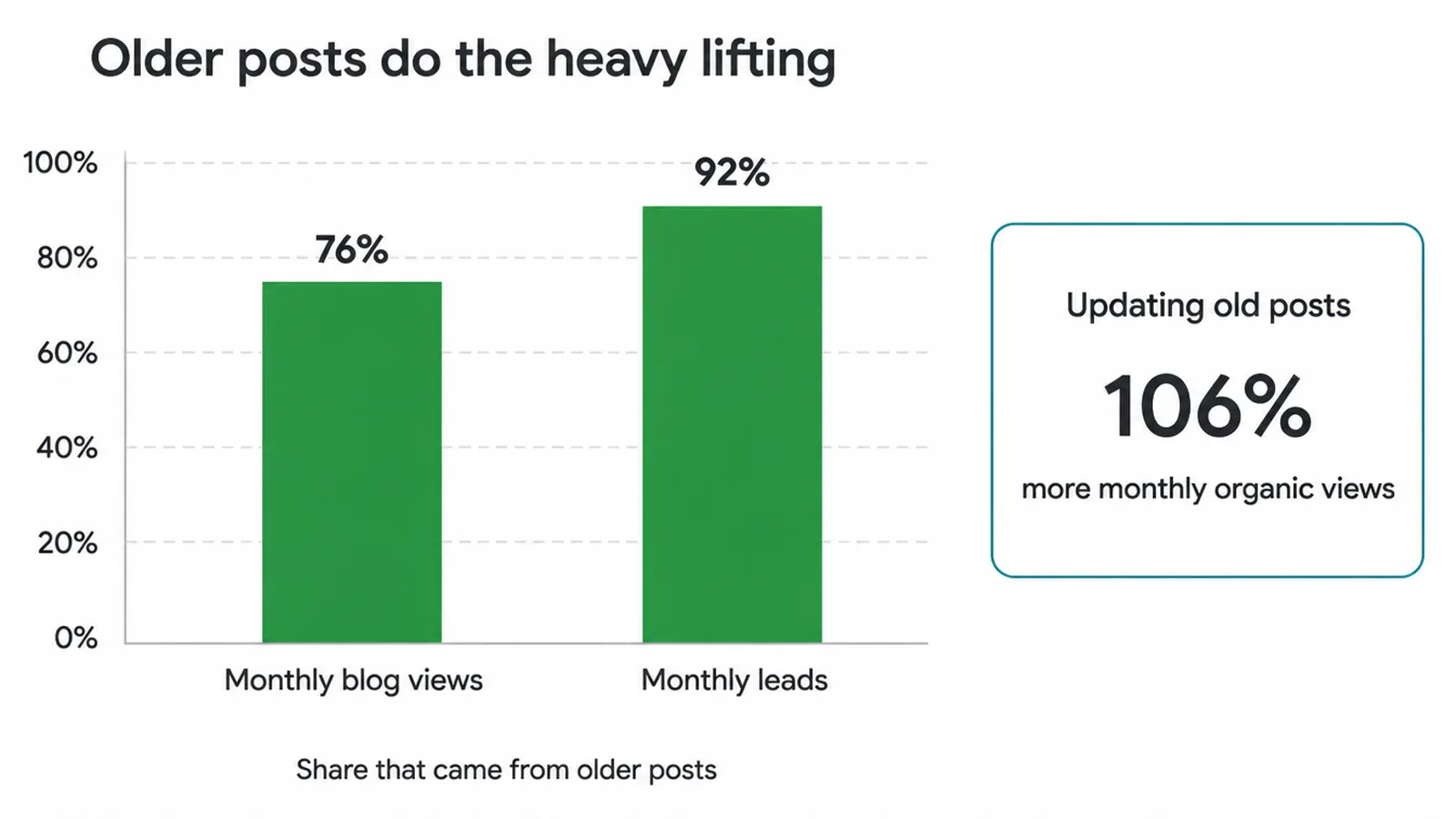
The numbers back this up. HubSpot updated old posts and grew their monthly organic views by 106%, more than doubling their leads.
The same work showed that 76% of monthly blog views and 92% of monthly leads came from older posts, not new ones. Your back catalogue is doing the heavy lifting, so feed it.
What to update on an improve page: sharpen the title and opening, add anything missing, cut the filler, fix dead links, refresh old stats, and link it to related pages.
Then watch it for a few weeks. If you want a hand with this kind of ongoing work, that is the bread and butter of our SEO work.
6. How to prune safely
Prune in small batches and always 301-redirect, never leave a dead end. That is the safe-pruning rule in one line. The danger is not pruning itself. It is doing it too fast, or removing pages that still get traffic or links.
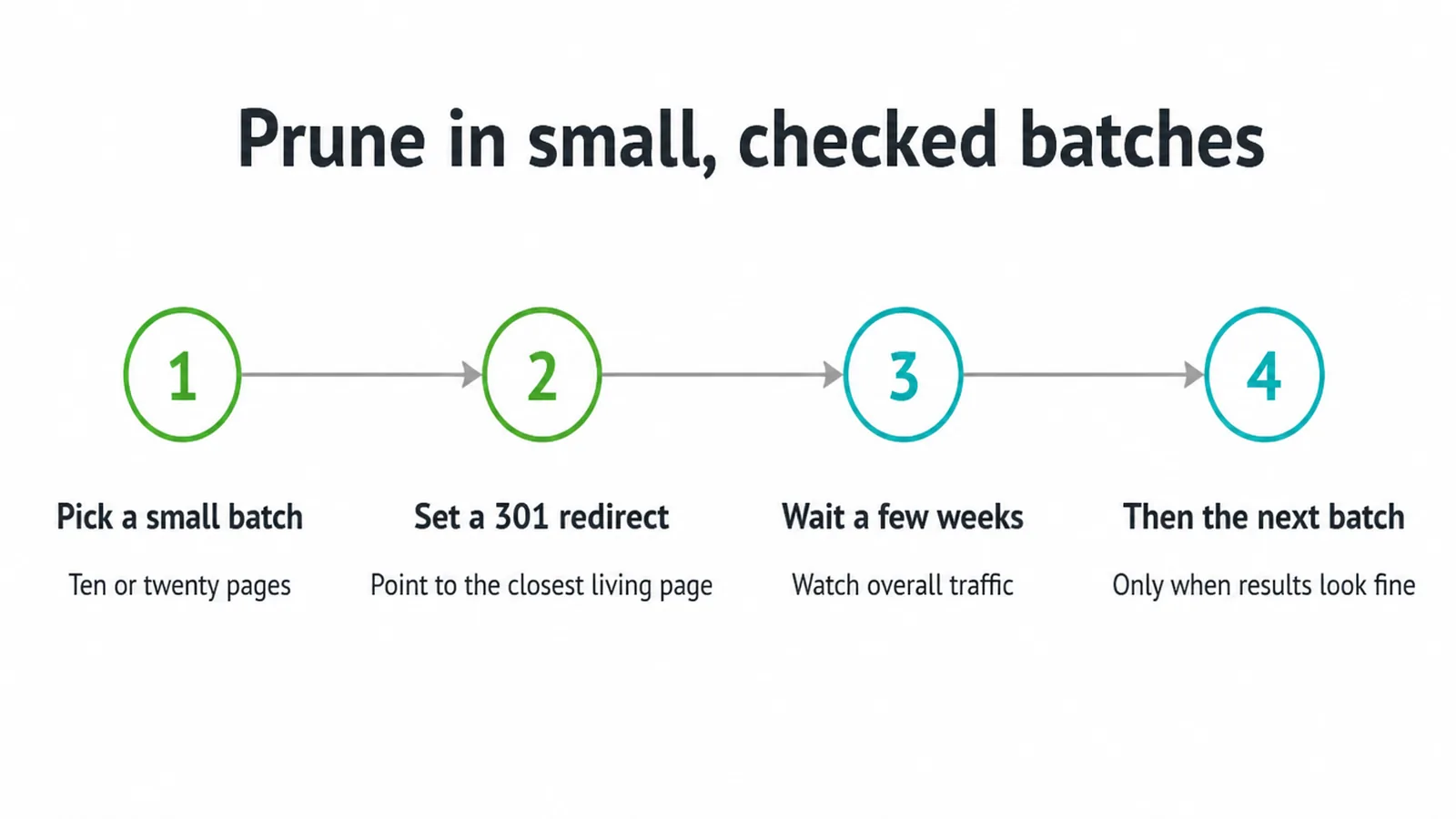
Here is the calm way to do it. Pick a small batch, say ten or twenty pages from your delete and redirect piles. For each removed URL, set a 301 redirect to the closest still-living page, so visitors and search engines land somewhere useful instead of a not-found error.
Then wait. Give it a few weeks, watch your overall traffic, and only then move to the next batch. Do not prune fifty pages a day and hope. Slow and checked wins here.
7. How often to run an audit
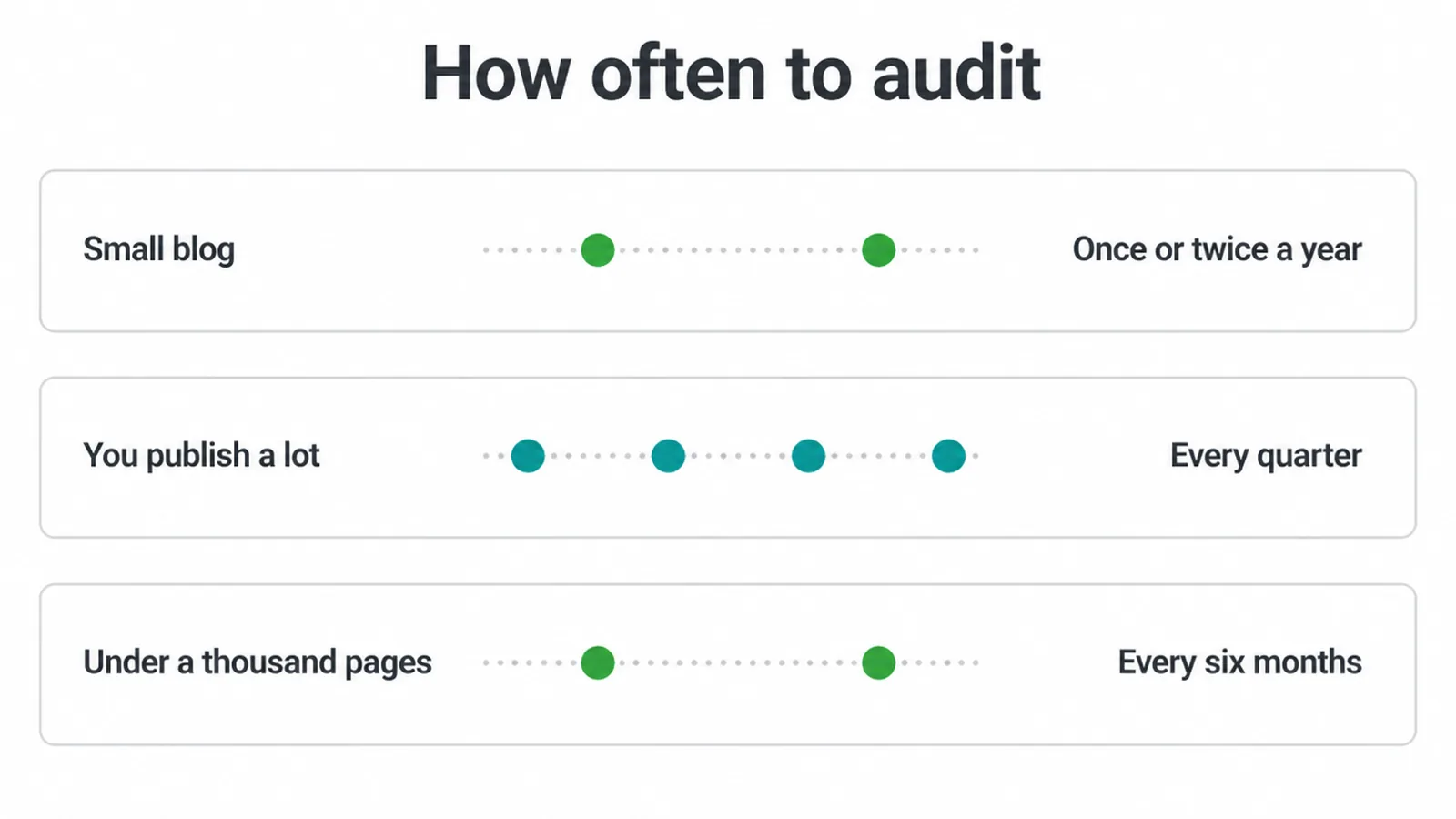
Run a content audit once or twice a year for a small blog, and quarterly if you publish a lot. As a simple rule, sites under a thousand pages do well with a full review every six months. Pick a cadence and stick to it.
The first audit is always the biggest, because years of pages have piled up. After that, each round is lighter. You are mostly checking new pages and re-rating the improve pile.
Treat it like brushing your teeth, a small regular habit, and your site stays clean without a painful overhaul. Want us to run the first one with you? Our team is one message away.
Frequently asked questions
1. What is a content audit?
A content audit is a page-by-page review of everything on your website. You list every page, pull the traffic and ranking data for each one, then make one clear decision per page: keep it, improve it, merge it, redirect it, or delete it. The goal is to keep the strong pages, fix the fixable ones, and clear out dead weight so your best work ranks better.
2. What is content pruning?
Content pruning is removing or redirecting weak pages that get no traffic and serve no purpose. You are not deleting at random. You only prune pages that have no clicks, no links, no rankings, and no real reason to exist. Done carefully, pruning helps your remaining pages by showing search engines a tighter, more useful site.
3. Should I delete old pages or update them?
Update first, delete last. If an old page still ranks, gets some traffic, or has links pointing at it, improve it instead of deleting it. Updating an existing page is usually faster and safer than writing a brand new one. Only delete or redirect a page when it has nothing worth saving.
4. Will deleting pages hurt my rankings?
Not if you do it carefully. The risk comes from deleting pages that still get traffic or links, or from leaving dead links behind. Always 301-redirect a removed page to a close relative instead of returning a not-found error. Prune in small batches and check your results before doing more. Done right, pruning often lifts your remaining pages.
5. What is thin content?
Thin content is a page that offers little value to a reader. It might be very short, mostly filler, a near-duplicate of another page, or written only to chase a keyword. Search engines judge quality across your whole site, so a pile of thin pages can drag down even your good ones. Thin pages are prime candidates to improve, merge, or remove.
6. How do I find weak pages on my site?
Pull a list of every page, then add the numbers next to each one: clicks and impressions from Search Console, pageviews and leads from your analytics, and how many links point at the page. Weak pages are the ones with almost no clicks, no rankings, no links, and no business value. Sort your list so those rise to the top.
7. How often should I run a content audit?
Content audit frequency depends on how much you publish and how quickly pages change. Run an audit when outdated pages, falling traffic, repeated topics or broken links begin to build up. A publishing schedule should set the review rhythm instead of an arbitrary calendar date.
8. Do I need a paid tool to do a content audit?
No. You can run a solid audit with free tools. Google Search Console gives you clicks, impressions, and positions. Your analytics gives you pageviews and leads. The free version of Screaming Frog can crawl small sites to list every page. A spreadsheet ties it together. Paid tools add link data and speed, but they are optional.







