
SEO Tools for Small Business 2026: Best Tools by Task

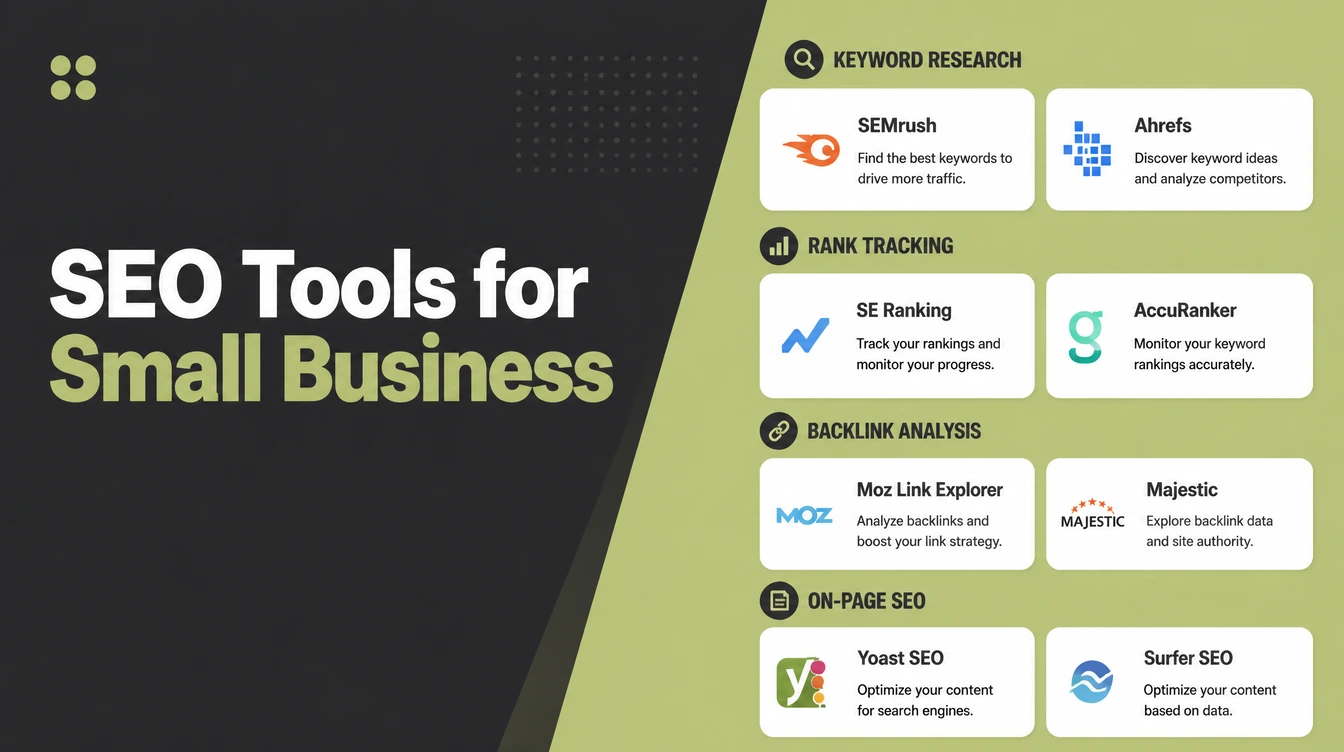
SEO splits into seven jobs: keyword research, traffic tracking, rank checking, site audits, backlinks, local search and content. Google Search Console, Analytics 4, Keyword Planner, Trends and Business Profile cover most of them free. Pay for Ahrefs or Semrush once you need speed and backlink data. Seed Light starts with the free stack on every site.
Key takeaways
- Start free. The Google stack (Search Console, Analytics 4, Keyword Planner, Trends, Business Profile) covers most of what a small business needs at no cost.
- Pick a tool per job, not a giant suite. The seven jobs are keyword research, tracking, rank checking, site audit, backlinks, local, and content.
- SEO is worth the effort. Organic search is around 53% of trackable website traffic (BrightEdge, 2019), yet only 49% of small businesses invest in SEO (The Manifest, 2021).
- Rankings decide clicks. The top three results take 54.4% of clicks (Backlinko, 2025), so a rank tracker earns its keep.
- Pay later. Upgrade to a paid tool only when you need faster data, more keywords, or backlink and client reporting.
1. What SEO tools does a small business need?
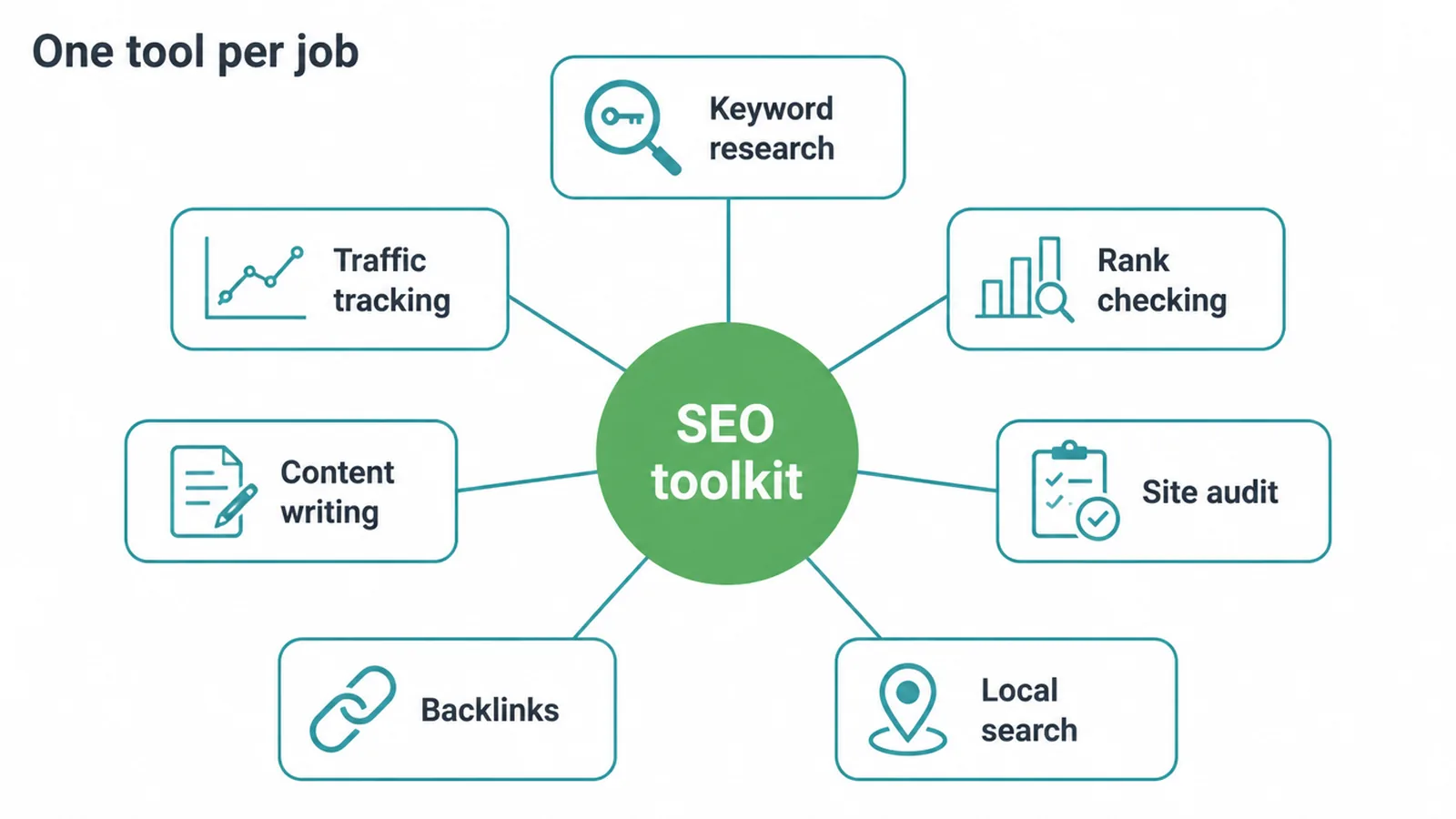
You need only a handful, and most of the essentials are free. The trick is to pick a tool for each job, not buy one expensive suite that does everything badly. SEO breaks into seven jobs: keyword research, traffic tracking, rank checking, site auditing, backlink research, local search, and content writing.
Match a tool to each job and you have a complete toolkit. We publish free ones for three of those jobs: a website health checker for site auditing, a local SEO checker for local search, and an AI visibility checker for the answer engines.
This matters because search drives real money. Organic search is around 53% of all trackable website traffic (BrightEdge, 2019).
Yet only 49% of small businesses invest in SEO, and 18% say they never will (The Manifest, 2021). That gap is your opening. The right tools let you do the work without a big budget.
If you would rather hand the whole thing off, that is what our SEO service is for. But you can get a long way on your own with free tools, and knowing what each one does makes you a smarter buyer either way.
2. Start with the free Google stack
Before you spend a cent, set up Google's own tools. They give you first-party data about your real site, which no paid tool can match. Paid tools estimate. Google tells you exactly what happened.
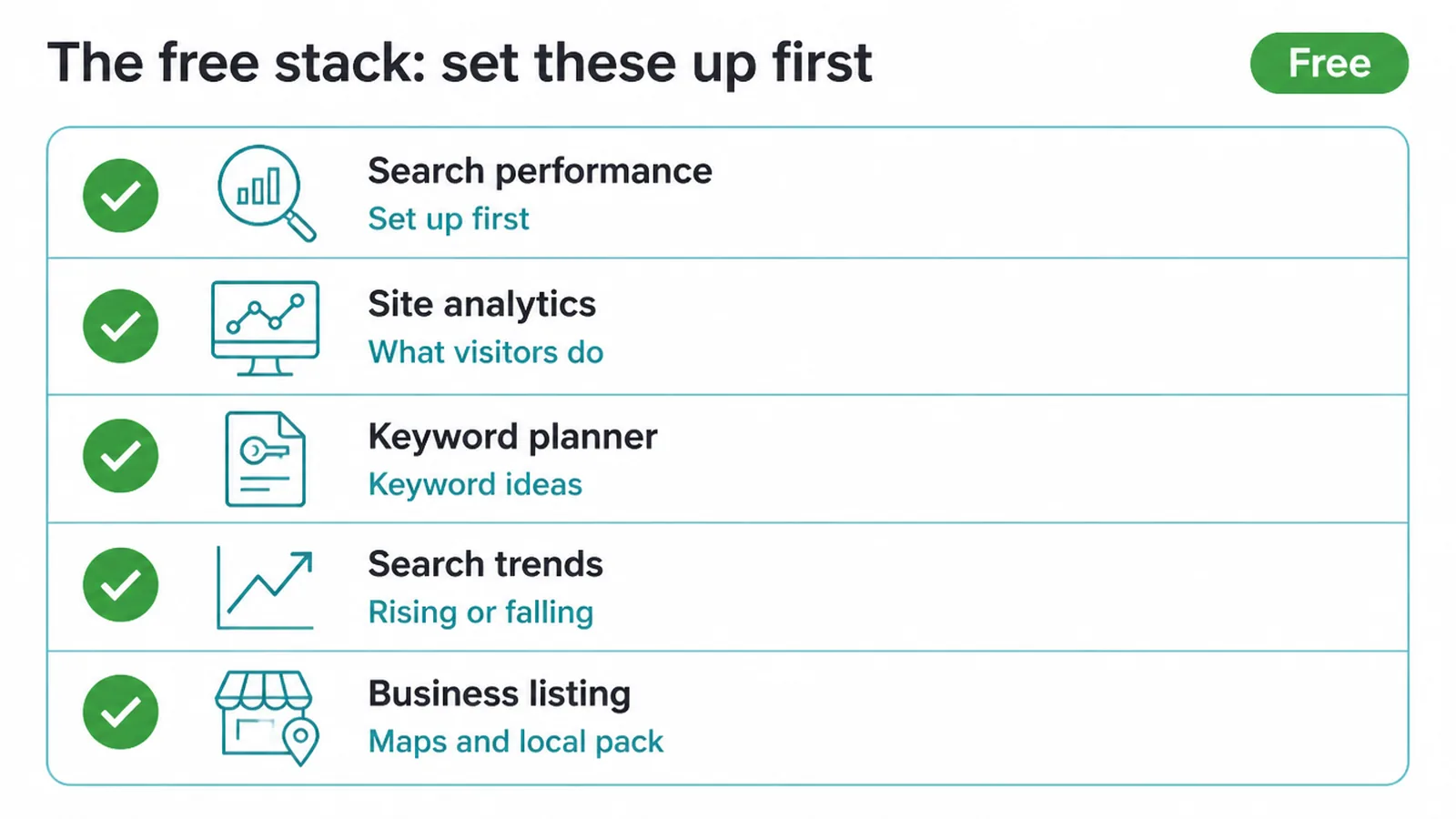
Google Search Console is the one to set up first. It shows the searches that bring people to you, your clicks, your average position, and any technical problems Google spots. New to it? Our guide on how to use Google Search Console walks you through the setup.
Google Analytics 4 picks up where Search Console leaves off. It shows what visitors do after they land: the pages they view, how long they stay, and the actions they take. Use both together to see the full path from a search to a sale.
Google Keyword Planner is free inside a Google Ads account, and you do not need to run an ad to use it. It gives keyword ideas and rough search volumes. Pair it with our walkthrough on how to do keyword research to turn raw terms into a content plan.
Google Trends shows whether interest in a topic is rising or falling, and which times of year spike. Google Business Profile controls how you appear on Google Maps and in the local pack. Both are free, and both are essential. Most owners can start and stay here for a long time.
3. SEO tools by job
Here is the full toolkit, grouped by the job each tool does. The table lists a free option and a paid option for every job, so you can start free and upgrade only where you feel the pinch.
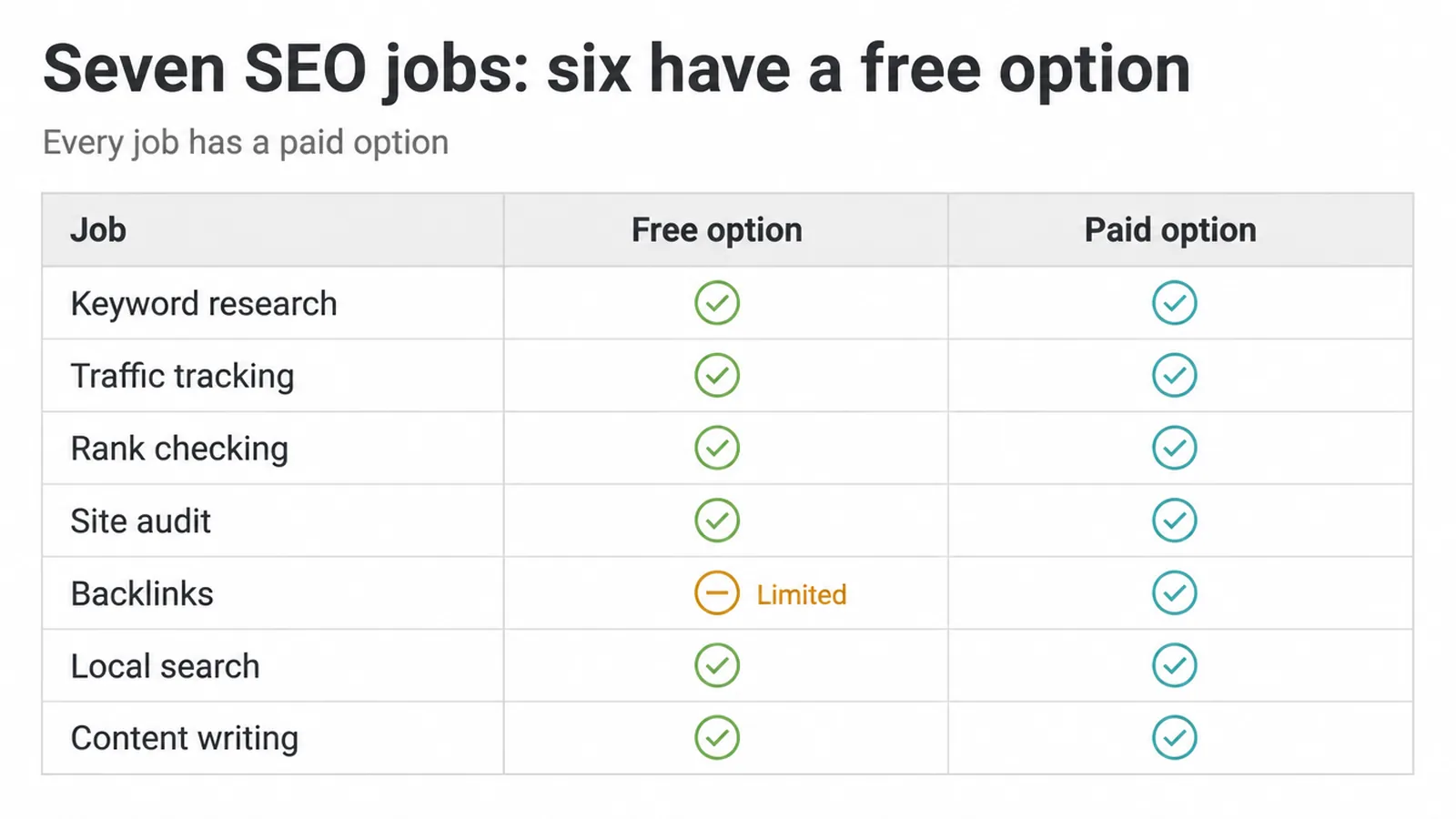
| Job | What it does | Free option | Paid option |
|---|---|---|---|
| Keyword research | Finds the searches people use and how often | Google Keyword Planner, Google Trends | Ahrefs, Semrush, Ubersuggest |
| Traffic tracking | Shows your real visits, queries, and behaviour | Search Console, Analytics 4 | Built into most suites |
| Rank checking | Tells you where you sit for target keywords | Search Console (average position) | Nightwatch, SE Ranking |
| Site audit | Finds broken links, slow pages, missing tags | Screaming Frog (up to 500 URLs) | Ahrefs, Semrush, Sitebulb |
| Backlinks | Shows who links to you and your competitors | Limited free checkers | Ahrefs, Semrush |
| Local search | Manages your map listing and reviews | Google Business Profile | BrightLocal, Whitespark |
| Content writing | Helps you cover a topic fully | AnswerThePublic (free tier) | Surfer, Clearscope |
Keyword research is where most SEO starts. Free tools find the terms; paid tools find them faster and with deeper data. Rank checking matters because position decides clicks.
The number one result has a 27.6% click-through rate, and the top three take 54.4% of all clicks (Backlinko, 2025). A tracker tells you whether your work is moving you up that list.
Site audits catch the silent problems that drag rankings down. Screaming Frog crawls up to 500 URLs free, which covers most small sites.
Local search runs on Google Business Profile, then BrightLocal or Whitespark if you want map-grid tracking and listing management. For the local side, see our guides on local SEO for small businesses and the Google Business Profile optimization checklist.
Keyword and content tools increasingly run on AI. We cover that cut separately in the best AI SEO tools, and the wider set of AI tools for small business. Once your tools surface the opportunities, the next step is doing the work, which we explain in how to rank higher on Google.
4. Free vs paid: when to upgrade
Stay free when you have one site, a short keyword list, and time to do the work yourself. The free Google stack plus Screaming Frog handles keyword research, tracking, audits, and local for most owners. There is no shame in never paying. The data is first-party and the coverage is real.
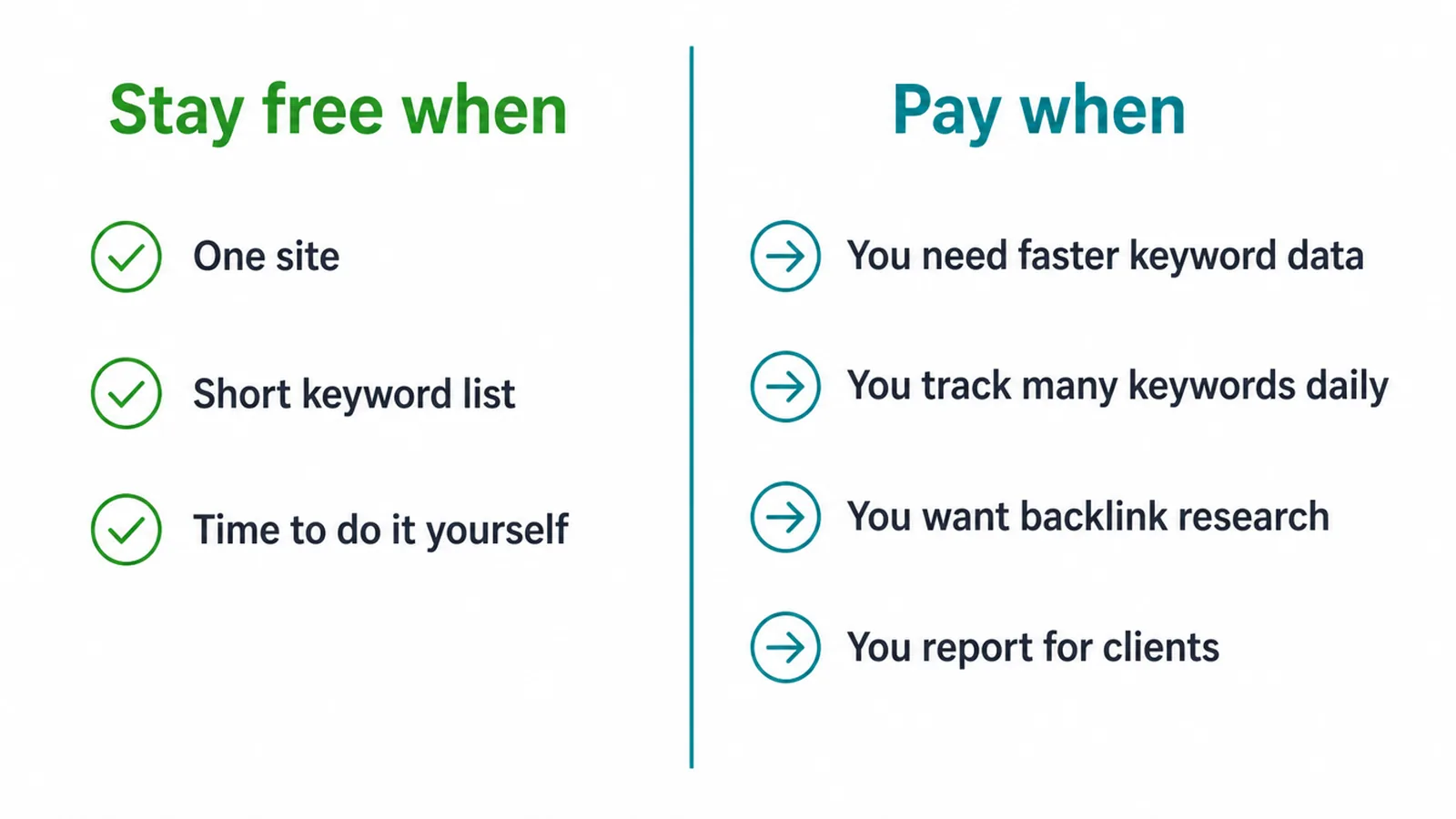
Pay when the free tools start to slow you down. You feel it when you need faster keyword data, when you track many keywords every day, when you want backlink research, or when you do SEO for clients and need clean reports. That is the moment a paid suite earns its cost.
For one tool that covers most jobs, Ahrefs and Semrush are the full suites, while Ubersuggest and SE Ranking are lighter and cheaper. You do not need all of them.
Pick one, learn it well, and only add a second tool when a real gap appears. The free Google data stays valuable even after you upgrade, because nobody else can see your actual site the way Google can.
5. A simple starter stack to set up today
Here is a plan you can finish this week, all free. First, set up Google Search Console and Google Analytics 4 so you have real data flowing.
Second, claim and fill out your Google Business Profile, since 80% of US consumers search online for local businesses weekly (BrightLocal, 2024). Third, run one Google Keyword Planner search for your main service. Fourth, run one Screaming Frog crawl to find broken links and missing titles.
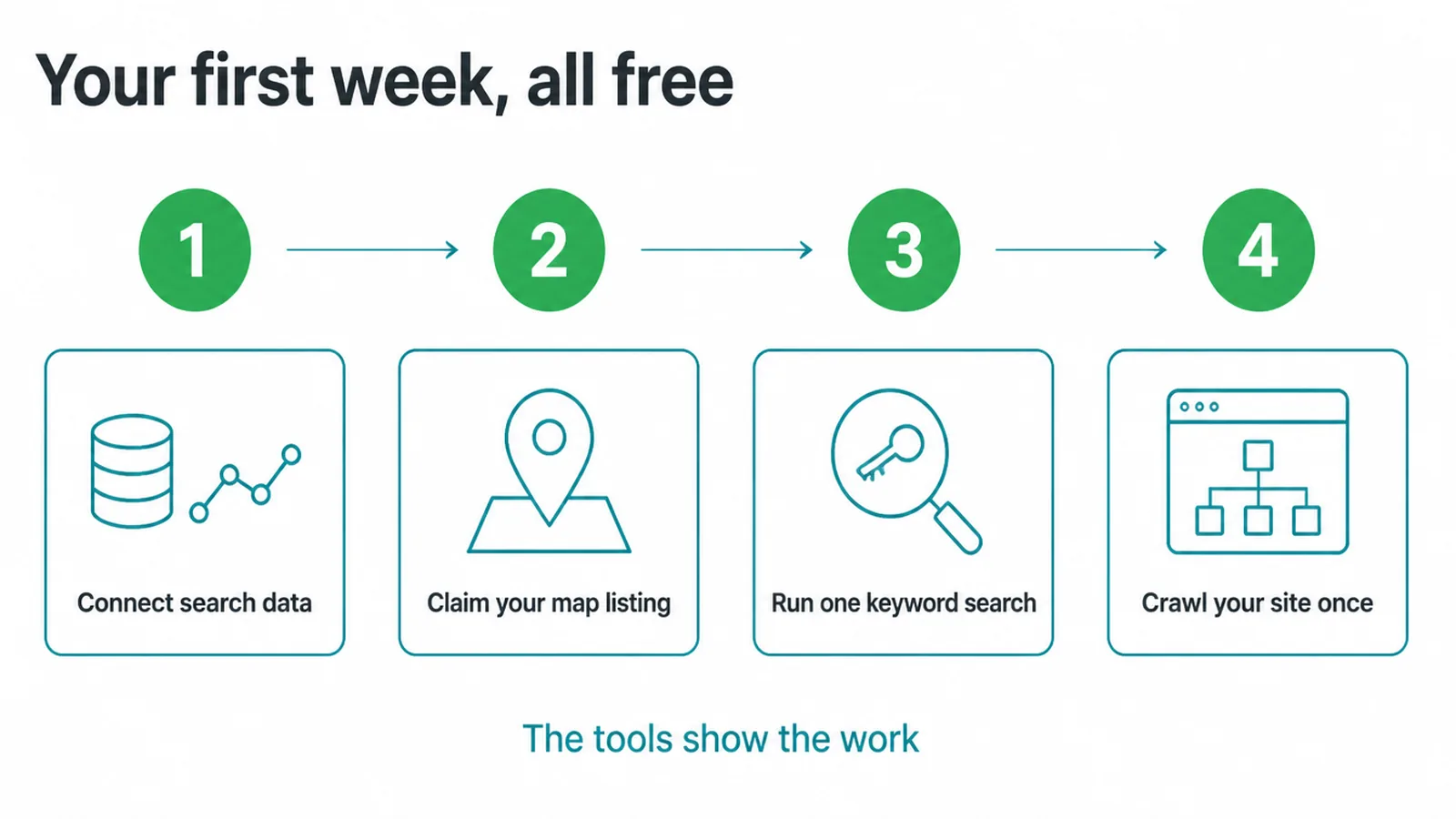
That stack tells you where you stand and what to fix. The tools show the work. The work moves the rankings. Being seen high up is what counts, because 96.98% of desktop clicks happen in the top 10 results (Ahrefs, 2025). If page two might as well not exist, your job is to climb.
Once the data is flowing, follow our steps on how to rank higher on Google. If you would rather have a team run the tools and the work for you, our SEO service does exactly that, and you can send us a message to start.
Frequently asked questions
1. What SEO tools do I need for a small business?
You need a tool for each main job: tracking your search traffic, finding keywords, checking your rankings, auditing your site, and managing your local listing. Most of these jobs have a free tool that is good enough to start. Google Search Console, Google Analytics 4, Google Keyword Planner, and Google Business Profile cover most of it at no cost.
2. Are free SEO tools good enough?
For one small site, yes. The free Google stack gives you real first-party data about your own traffic, queries, and rankings, which paid tools can only estimate. You outgrow free tools when you need faster keyword data, deeper backlink analysis, daily rank tracking across many terms, or reporting for clients.
3. What is the best free SEO tool?
Google Search Console is the single most useful free tool. It shows the exact searches that bring people to your site, your average position, your clicks, and any technical problems Google finds. Every small business should set it up first, before paying for anything.
4. Do I need a paid tool like Ahrefs or Semrush?
Not at the start. Paid suites like Ahrefs, Semrush, or cheaper options like Ubersuggest and SE Ranking are worth it once you are doing SEO regularly and need faster keyword ideas, competitor data, and backlink research in one place. If you have one site and a short keyword list, the free Google tools are enough.
5. What is the difference between Search Console and Analytics?
Search Console shows how people find you on Google: the searches, clicks, and rankings before they arrive. Google Analytics 4 shows what they do after they land: pages viewed, time on site, and actions taken. You want both, because together they cover the full path from a search to a customer.
6. Is Google Keyword Planner free?
Yes. Google Keyword Planner is free inside a Google Ads account, and you do not have to run an ad to use it. It gives search volume ranges and keyword ideas. The numbers are broad bands rather than exact figures, but it is a solid free starting point for keyword research.
7. What tool checks my Google ranking?
Google Search Console shows your average position for the searches you already appear in. For tracking specific keywords day by day, a rank tracker like Nightwatch, SE Ranking, or the trackers built into Ahrefs and Semrush does the job. Avoid checking rankings by searching in your own browser, since results are personalised.
8. What tool helps with Google Maps and local search?
Google Business Profile is the free tool that controls how you show up on Google Maps and in the local pack. For tracking local rankings and citations across directories, paid tools like BrightLocal and Whitespark add map-grid rank tracking and listing management on top.







