GEO Tools 2026: Best Tools for AI Search Optimisation

Generative engine optimization tools track whether AI search mentions your business, how often, and which pages get cited. They monitor visibility and leave the improving to you. Start free with ChatGPT, Search Console and Google Alerts, then pay for a tracker once you genuinely need one. Seed Light works in that free-first order with clients.
Key takeaways
- AI summaries cut clicks. Pew Research found people clicked a normal result in just 8% of visits when an AI summary appeared, versus 15% without one. Nearly twice as often without.
- The top page loses clicks too. Ahrefs reports an AI Overview lines up with a 58% lower click rate for the top-ranking page. So being seen inside AI now matters.
- Start free. Ask ChatGPT, Perplexity and Google your own buying questions, set a Google Alert, and read Search Console. That answers the main question for most small businesses.
- Tools monitor, they do not rank. Every paid GEO tool measures your visibility. None of them gets you mentioned. The work still does that.
- Pick by job, not by feature list. Match the tool to the task you need done, and to the AI engines your customers actually use.
1. What do generative engine optimization tools do?
Generative engine optimization tools track whether AI search mentions your business and how. They run questions through AI engines, watch the answers, and report back. Think of them as a watcher sitting in front of ChatGPT and Google all day, noting every time your name comes up.
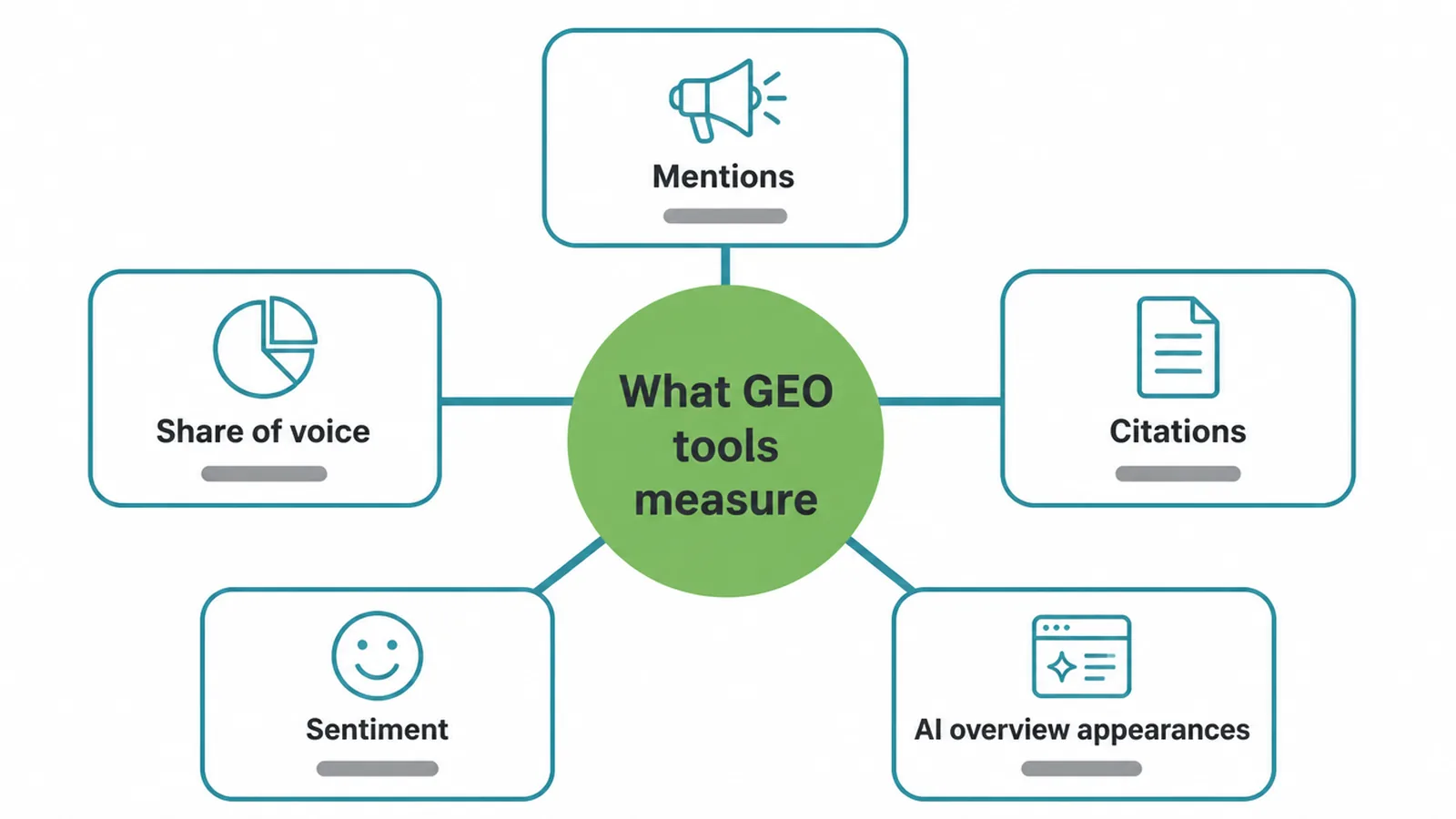
Most of them measure a handful of things:
- Mentions. How often does AI name your business in its answers?
- Share of voice. When AI answers a question in your space, how often is it you versus a competitor?
- Citations. Which of your pages does the AI link to or pull from?
- Sentiment. Is what the AI says about you positive, neutral or negative?
- AI Overview appearances. How often do you show inside Google's AI summary box?
That matters because AI summaries change how people behave. When an AI summary sits at the top of Google, fewer people click through to websites at all, as the Pew and Ahrefs numbers above show.
And these summaries reach a huge audience. Google said AI Overviews has over 2 billion monthly users. So whether you show up in there is now a real business question.
Here is the honest line, and read it twice. These tools monitor your AI visibility. They do not improve it. A GEO tool is a thermometer, not a heater.
It reads the temperature. It does not warm the room. If you want to understand the bigger idea first, start with our plain guide to generative engine optimization.
2. Start free first (most small businesses can)
Before you pay for any generative engine optimization tools, do the free version. It is genuinely useful and it takes an afternoon. There are three free moves.
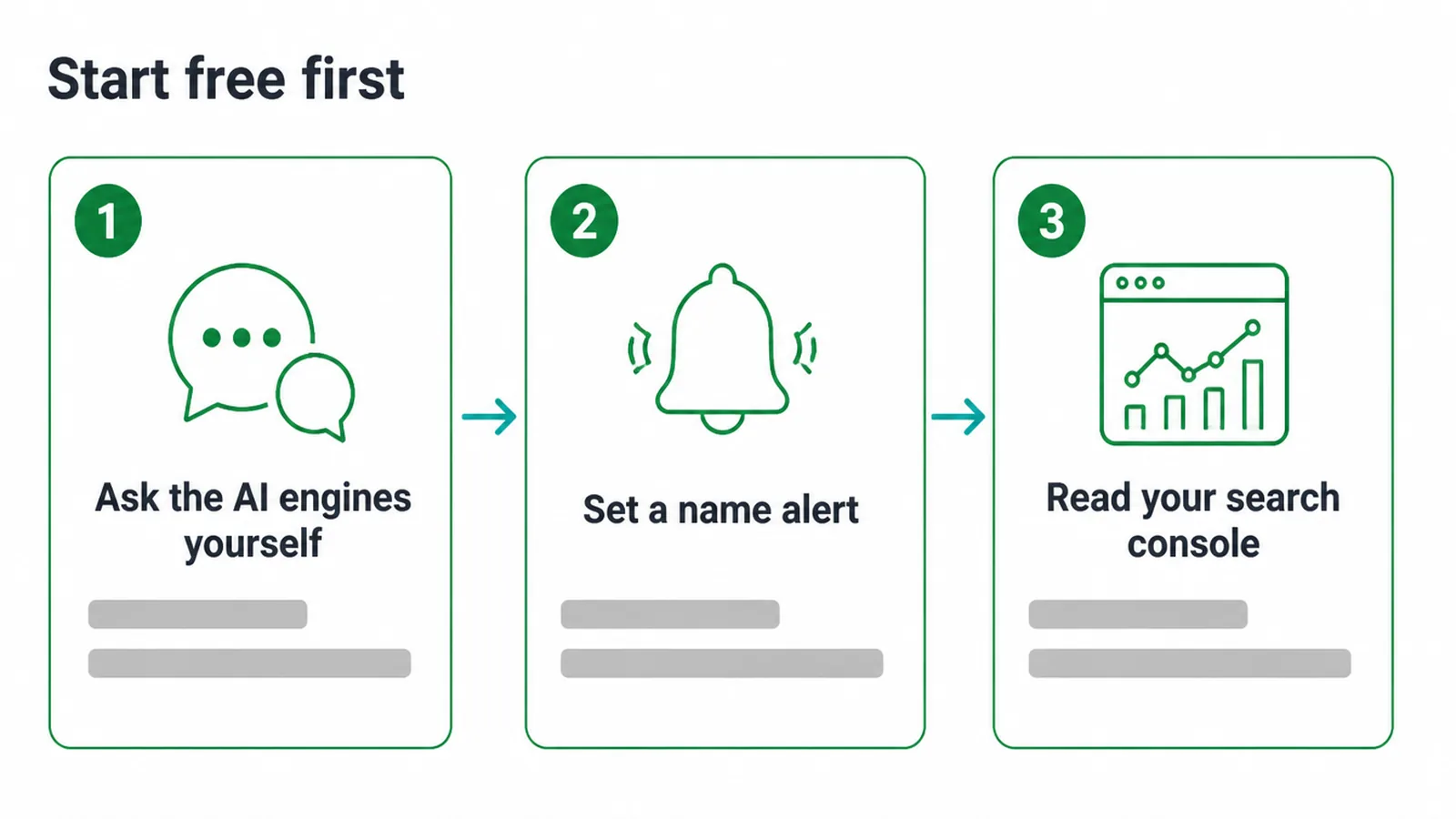
1. Ask the AI engines yourself
Open ChatGPT, Perplexity and Google. Type the questions your customers actually ask before they buy. Things like "best web designer in my town" or "who fixes leaking roofs near me". Read the answer.
Are you named? Is a competitor named instead? Write down what comes up. This is the same thing the paid tools do, just by hand, for the questions that matter most to you.
2. Set a Google Alert
Go to Google Alerts and create an alert for your business name. Now, whenever your name appears somewhere new online, you get an email. It will not catch every AI mention, but it is free and it keeps you in the loop on what is being said about you.
3. Read Google Search Console
Search Console is free and you should have it anyway. Google says there are no special requirements and no special structured data needed to appear in AI Overviews or AI Mode, and that pages shown in AI features are reported in the Performance report.
So you can already see which pages are getting AI-feature traffic. It will not split everything out neatly yet, but the data is there.
For a lot of small businesses, those three moves answer the only question that really matters at this stage: does AI search mention me at all? If the answer is no, a paid dashboard will only tell you the same thing in more detail. Spend the money on the work instead.
3. Generative engine optimization tools, grouped by job
When the free way runs out of road, here are the paid generative engine optimization tools that are verified to exist, sorted by the job you need done. Every one of these is a monitor. Pick the row that matches your goal, not the longest list.
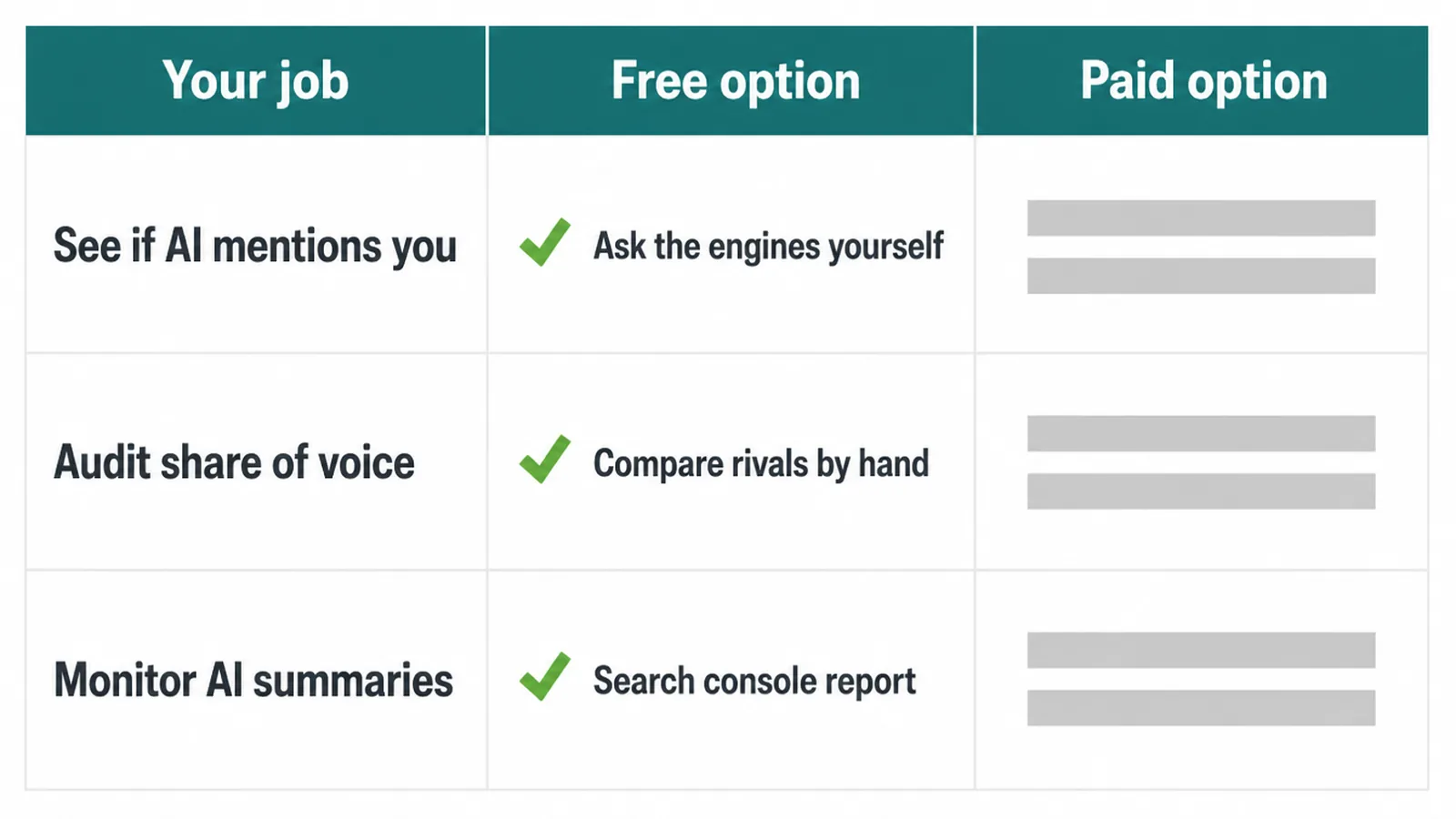
| Your job | Free option | Paid options | What it checks |
|---|---|---|---|
| See if AI mentions you | Ask ChatGPT, Perplexity and Google yourself; Google Alerts | Otterly.ai, Peec AI, Profound | Whether your business is named in AI answers, across many questions, tracked over time |
| Audit AI-readiness and share of voice | Compare answers to your competitors by hand | Semrush AI Visibility Toolkit, Ahrefs Brand Radar | How your visibility stacks up against rivals, and which pages get cited |
| Monitor Google AI Overviews | Google Search Console Performance report | Semrush AI Visibility Toolkit, Ahrefs Brand Radar | How often you appear inside Google's AI summary box, plus impressions and clicks |
Notice the free column is never empty. There is a free way to do every one of these jobs.
The paid tools mostly buy you scale, history and a tidy report, not a thing you could not see by hand. If you also want general search tools, see our roundup of the best AI SEO tools.
4. How to choose a GEO tool
Choosing generative engine optimization tools comes down to a few plain questions. Answer these before you pay for anything.
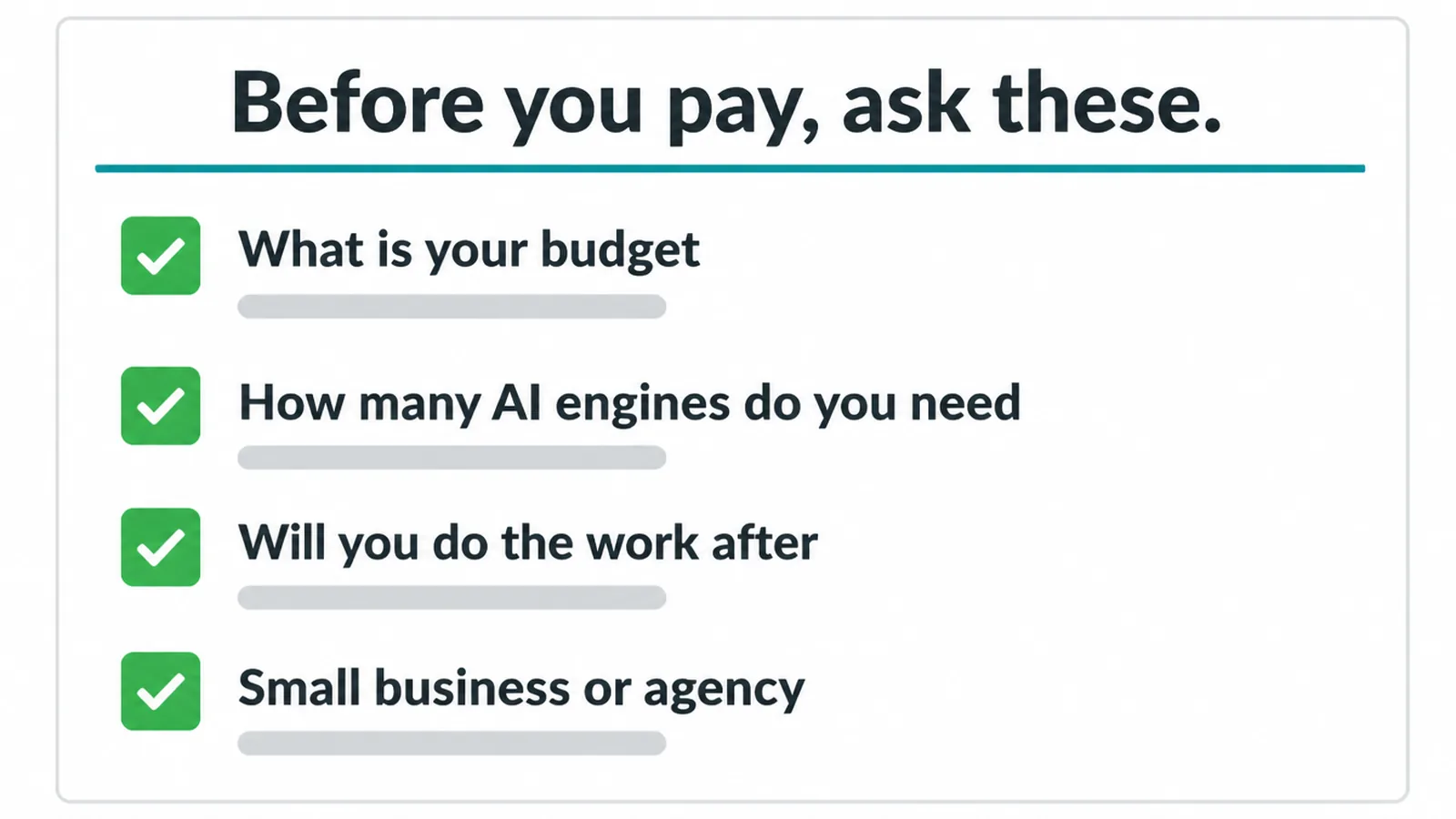
- What is your budget? If money is tight, the free stack does most of the job. Be honest about whether you will use a paid dashboard enough to justify it.
- How many AI engines do you need? Track the ones your customers use. For most that is Google AI Overviews, ChatGPT and Perplexity. A tool that watches ten engines you do not care about is not worth more.
- Will you do the GEO work after? A tool only helps if you act on what it shows. No time to write better content or earn citations? Then the report just sits there.
- Small business or agency? If you run one business, a simple mention-tracker is plenty. If you report to clients, you may want the share-of-voice and history features.
The honest default is free-first. Run the manual checks for a month. If you find yourself wishing you could track more questions across more engines without doing it all by hand, that is your signal to pay.
Not before. The same free-first logic applies to showing up in ChatGPT and to ranking in Google AI Overviews.
5. The honest limits of these tools
Generative engine optimization tools are useful, but they are young and they have real limits. Know these before you trust a dashboard too much.
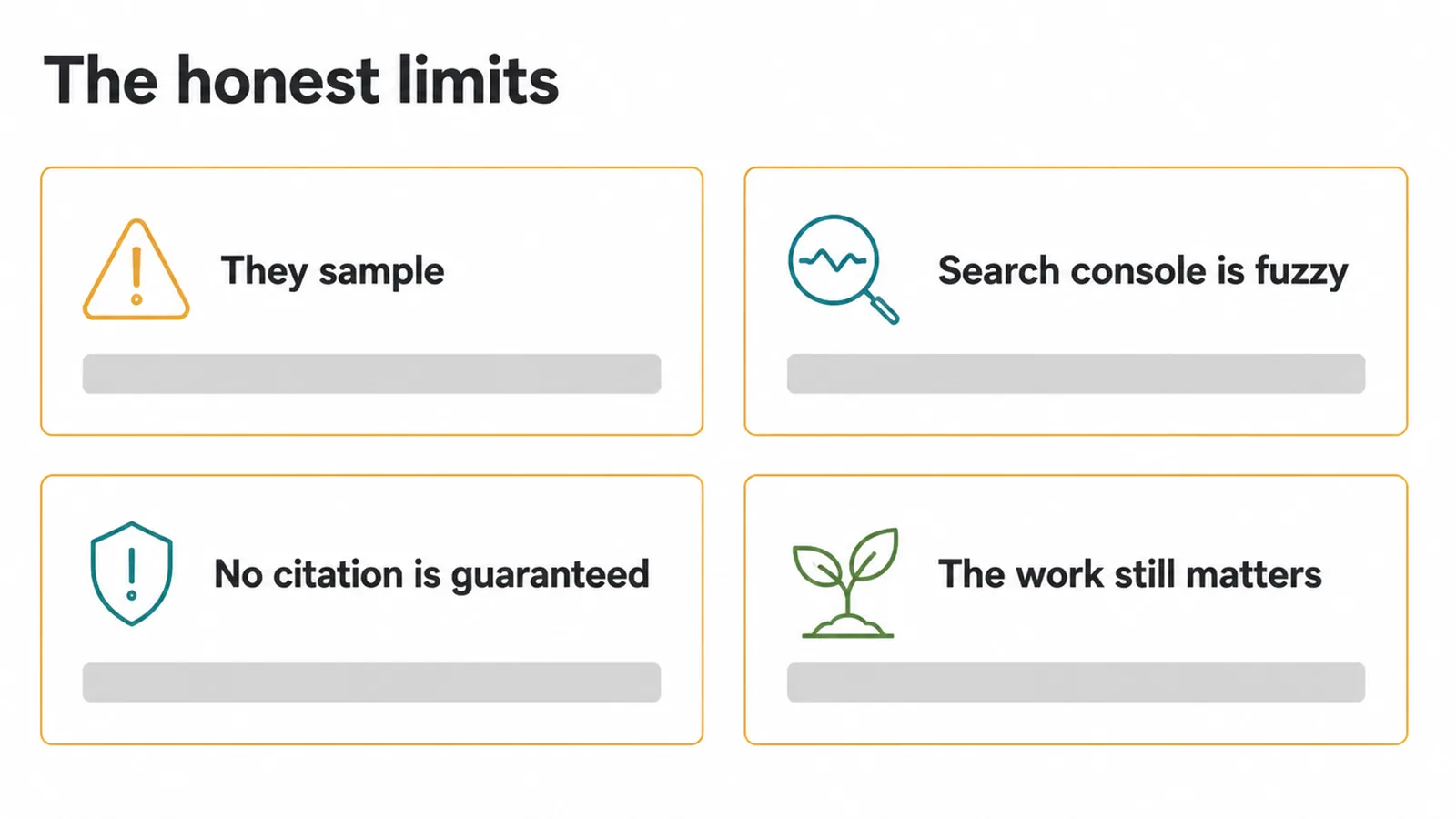
- They sample. AI answers change run to run. A tool checks a question a few times and reports a pattern. Run it again tomorrow and the answer may differ. The number is a guide, not a fixed fact.
- Search Console is fuzzy on AI. You can see AI-feature traffic, but the data does not fully split AI Overviews from AI Mode into their own clean lines yet. So you read trends, not exact splits.
- None guarantees a citation. No tool can promise the AI will mention you. They measure. They do not control the engine.
- The work still matters. A tool tells you a competitor is winning a question. It cannot write your better answer, earn your reviews, or build your reputation. That is on you.
If you are still weighing whether AI search even changes your plan, our piece on GEO vs SEO lays out what is actually new and what stays the same. The short version: the old rules still pay off, and AI search is a new shop window on top.
Want a hand setting up the free stack and then doing the work that actually earns AI mentions? That is the part that moves things. We help small businesses with practical AI search visibility, and you are welcome to tell us what you are trying to be found for.
Frequently asked questions
1. What are generative engine optimization tools?
Generative engine optimization tools are software that shows you whether AI search mentions your business. They watch tools like ChatGPT, Perplexity and Google AI Overviews, then report how often you come up, what is said about you, and which pages get cited. They monitor your AI visibility. They do not get you mentioned for you.
2. How do I track if AI mentions my business for free?
Open ChatGPT, Perplexity and Google and ask the buying questions your customers would ask. See if your business comes up. Set a Google Alert for your business name so you get an email when you are mentioned online. Then check Google Search Console, which reports the pages that show in AI features. That covers a lot for a small business.
3. Can I see if I am in Google AI Overviews?
Partly. Google says pages that appear in AI features are reported in the Search Console Performance report, so you can see impressions and clicks. The harder part is knowing exactly which AI Overview cited you for which question. For that you need to search manually or use a paid tool that samples those questions for you.
4. Do I need a paid GEO tool?
Most small businesses do not need one to start. Manual checks plus Google Alerts plus Search Console answer the main question, which is whether AI search mentions you at all. A paid tool helps when you want to track many questions across many AI engines over time, or when you report to clients. Start free and upgrade only when the free way runs out of road.
5. Do GEO tools get me ranked in AI search?
No. This is the most important thing to know. GEO tools measure your AI visibility. They do not improve it. Getting mentioned still comes from the work, which is clear helpful content, a trusted brand, reviews, and being cited by other sites. The tool tells you the score. It does not play the game for you.
6. Which AI engines should a GEO tool cover?
Cover the ones your customers actually use. For most small businesses that means Google AI Overviews, ChatGPT and Perplexity. If a tool also tracks Gemini or Copilot, that is a bonus. More engines is not always better. Pick the tool that watches the places your buyers ask questions, not the longest feature list.
7. Does Search Console show AI search traffic?
Yes, in part. Google says sites shown in AI features are reported in the Performance report, so AI-feature visits are counted in your normal Search data. What Search Console does not do yet is fully split out AI Overviews from AI Mode as their own separate lines. So you see the traffic, but not always neatly labelled.
8. Are GEO tools worth it for a small business?
GEO tools are worthwhile only when you will act on what they show. Use the report to find questions your pages do not answer clearly, then improve those answers. The tool has value when the report leads to better content or a measurable check.