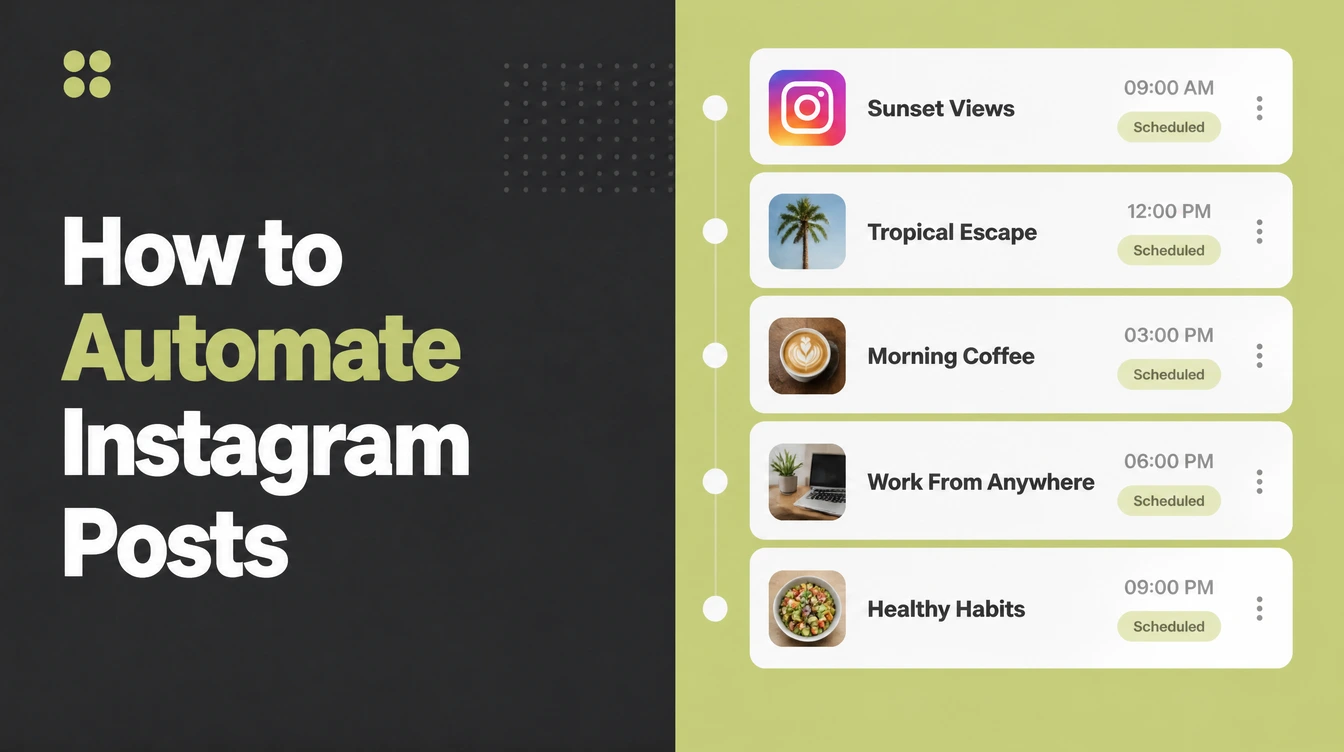
How to Automate Instagram Posts Without Losing Control

You can safely automate Instagram publishing by scheduling real posts through Instagram's own scheduler, Meta Business Suite, or an approved partner tool like Buffer or Later. Automated likes, follows and comments break the rules. Seed Light sets up scheduling and AI-drafted captions for small businesses, with a person editing every one.
Key takeaways
- Scheduling is allowed, fake activity is not. Instagram says third-party apps that generate inauthentic likes, follows and comments break its rules. Scheduling your own real posts is fine.
- There is a hard publishing cap. Instagram limits accounts to 100 API-published posts in a moving 24-hour window, and a carousel counts as one. You will almost never hit this, but it is good to know.
- Use the free official tool first. Meta Business Suite is Meta's own free tool to create and schedule posts, Stories and Reels for Instagram and Facebook.
- You need a professional account. Publishing through these tools needs a Business or Creator account linked to a Facebook Page.
- AI drafts, you decide. Use AI to speed up captions and ideas, then edit so it sounds like you.
1. What can you actually automate on Instagram?
When people ask how to automate Instagram posts, they usually mean one thing: stop sitting in the app at 7pm trying to think of something to post. You can fix that. You can automate the publishing, which is the timing and the going-live part.
You can speed up the creating part with AI, like ideas and first drafts. But there is one thing you should never hand to a machine: the relationships. Likes, follows, comments and DMs are how trust gets built, and that part stays human.
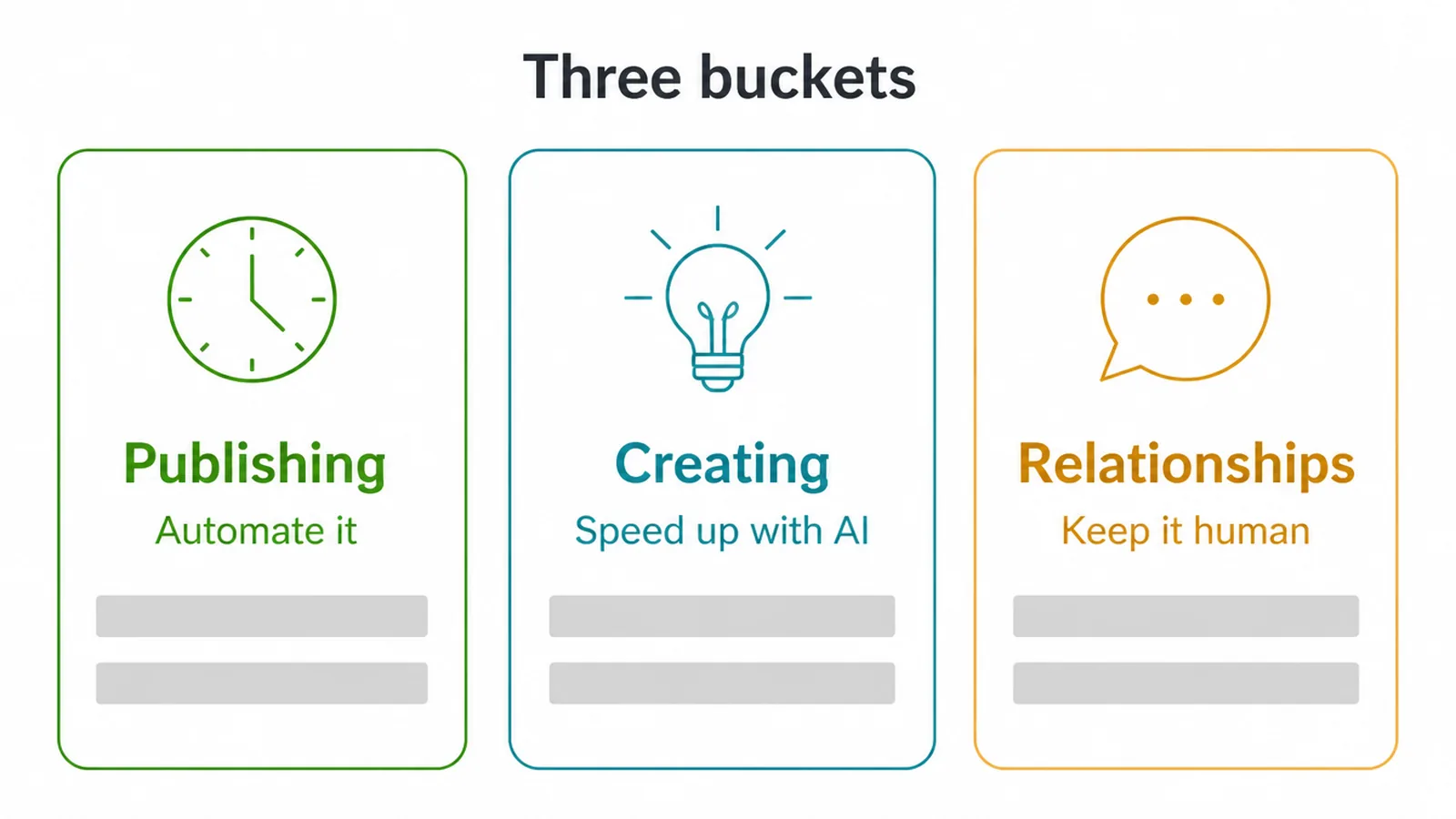
Think of it like three buckets. Bucket one is safe to automate. Bucket two is safe to speed up with help. Bucket three should stay all you.
Keep those buckets clear and you stay on the right side of the rules. If you want the bigger picture on how this fits into running a leaner business, our guide on what AI automation is sets the scene.
2. What is the safe, approved way to schedule posts?
The safe way to automate Instagram posts is to schedule through tools Instagram approves of. There are three solid choices. First, Instagram's own in-app scheduling lets you set a future date and time right inside the app.
Second, Meta Business Suite is Meta's free first-party tool, and it handles Instagram and Facebook posts, Stories and Reels from one screen. Third, approved partner tools like Buffer, Later and Hootsuite publish through Instagram's official path.
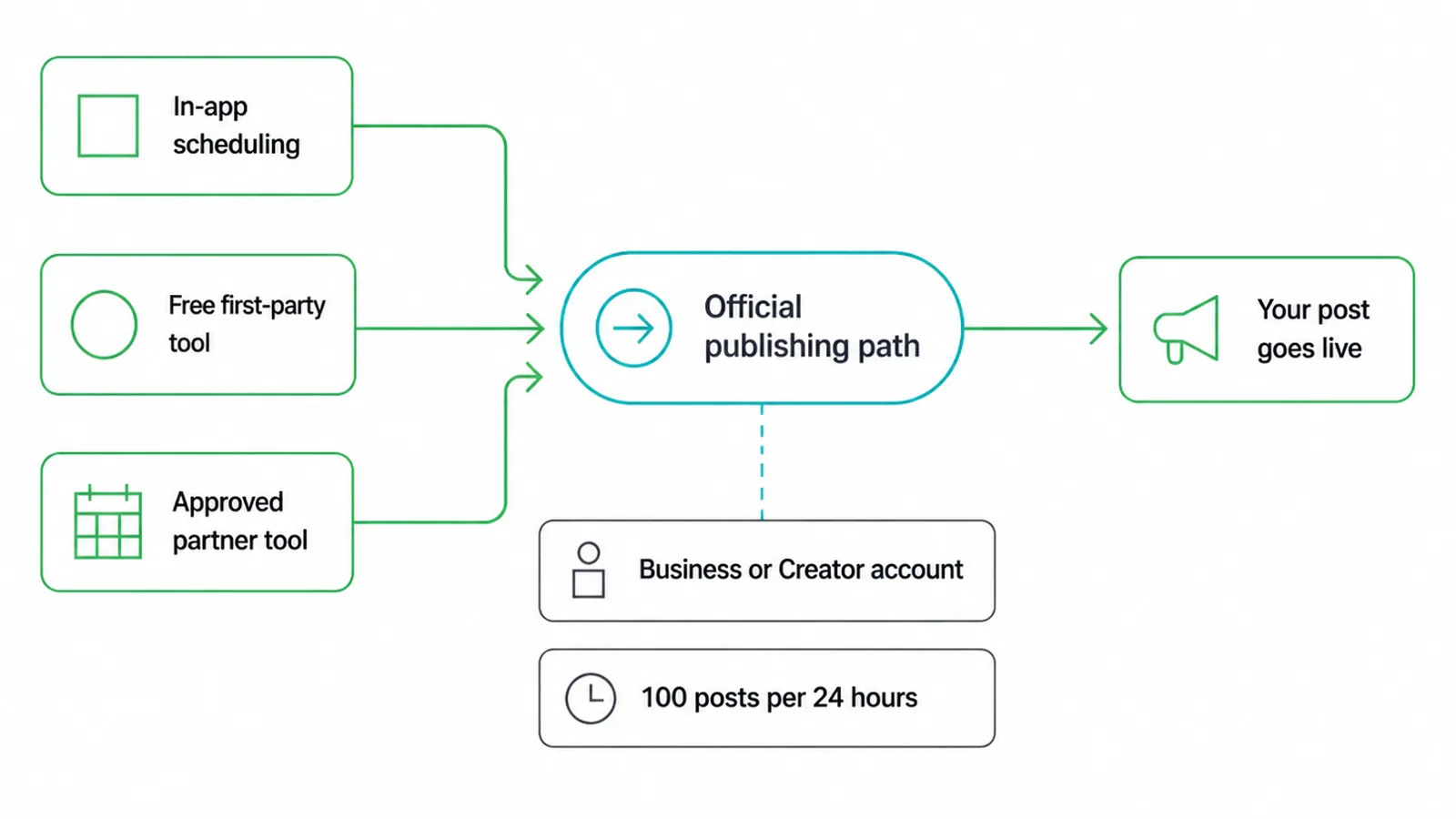
That official path matters. Approved tools post through Instagram's content publishing system, which is the only sanctioned way for third-party apps to publish. To use it, you need a professional account, which is a Business or Creator account, linked to a Facebook Page. A personal account cannot.
If you would rather hand the page over, our Facebook and Instagram page management covers setup, monthly content, comments and messages.
There is also a cap of 100 published posts in a moving 24-hour window, with carousels counting as one. A normal small business posts a handful of times a day at most, so you will not get near it.
3. How do you use AI to batch captions faster?
AI is great for getting unstuck on captions, as long as you treat it as a drafting assistant and not the author. Ask it to brainstorm post topics for the month.
Ask it for a punchy first line. Ask it for a tidy set of hashtags. Ask it to turn one blog post into three short caption ideas. All of that saves real time when you are batching.
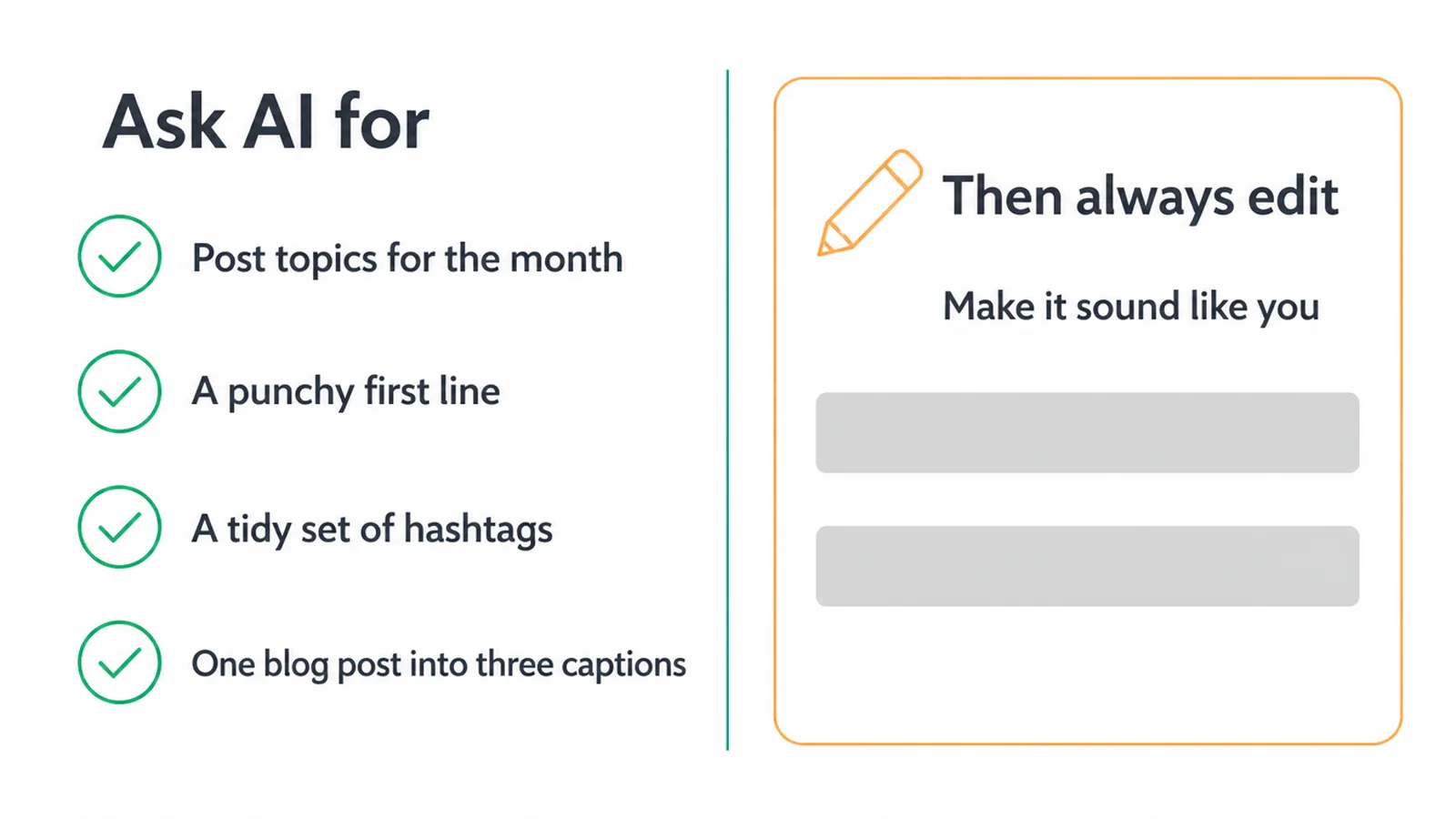
Here is the rule though: always edit. AI writing tends to sound a bit flat and a bit samey. Your readers can feel that. So take the draft, cut the filler, add a real detail from your day, and make it sound like a person who actually runs the business.
We dug into this balance in our piece on using AI for content creation without losing your voice. The short version: let AI do the heavy lifting, then put your fingerprints on it.
4. What does a simple weekly batching workflow look like?
The whole point of automating Instagram posts is to swap daily scrambling for one calm session a week. Block out an hour or two, once a week, and do it all in one go. Here is a routine that works for busy owners.
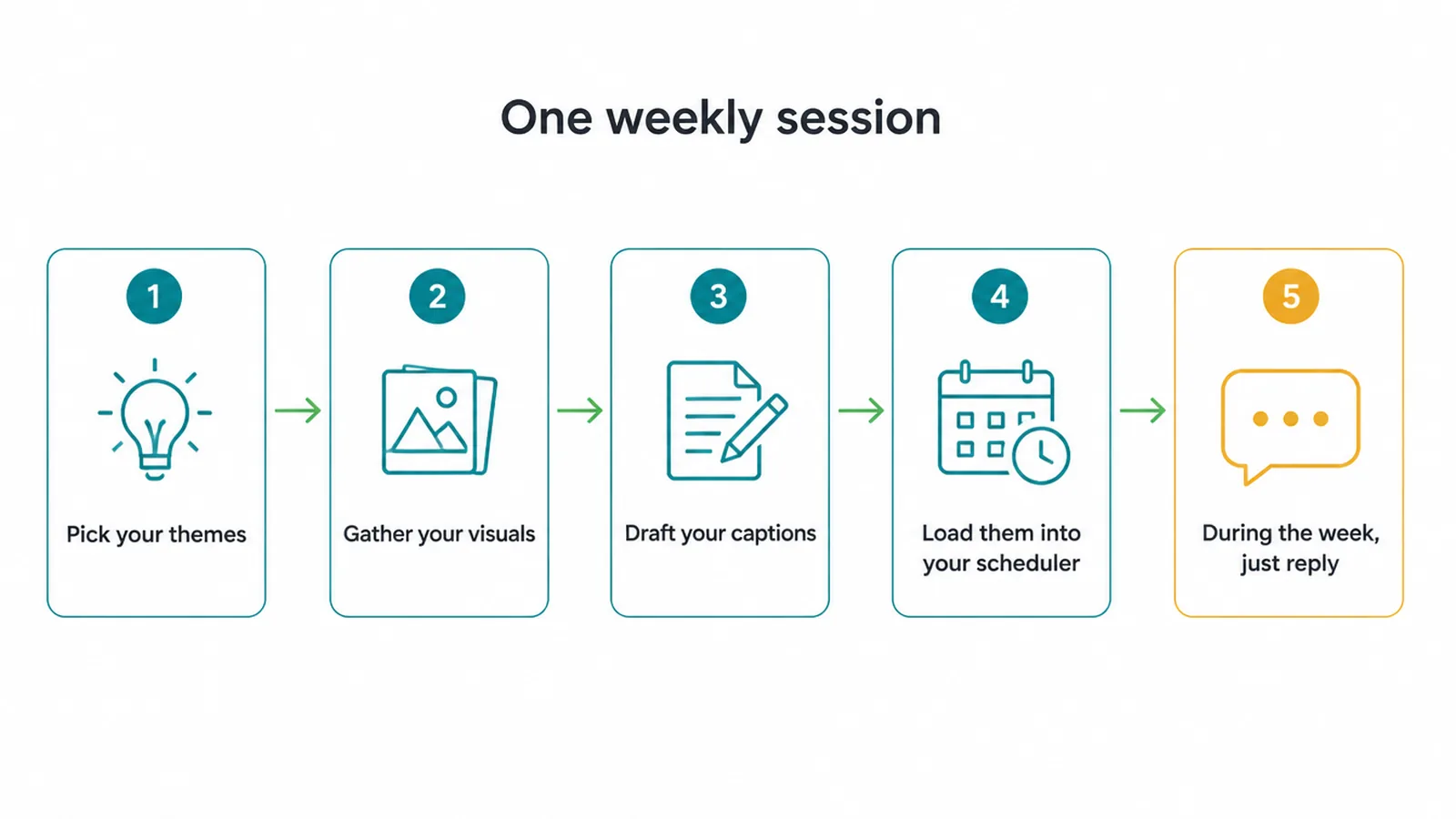
- Pick your themes. Decide what the week's posts are about. Ask AI for a list of ideas to get going.
- Gather your visuals. Pull together the photos, graphics or short videos you will use.
- Draft your captions. Use AI for first drafts, then edit each one so it sounds like you.
- Load them into your scheduler. Drop each post into Meta Business Suite or your approved tool and set the times.
- During the week, just reply. The posts go out on their own. Your only job is to answer comments and messages like a human.
That last step is the secret. You stop being on call. You show up once to plan, then you only need to drop in to talk to people.
It frees up several hours a week and takes a lot of mental load off. If you build a simple content calendar first, the batching gets even faster because you already know what is going where.
5. What should you never automate?
Some things look like automation but are really just cheating, and Instagram treats them as rule breaks. Do not use bots that auto-send DMs, auto-follow accounts, or buy likes and comments.
Instagram is clear that apps generating inauthentic likes, follows and comments break its rules, and that can get your account restricted. The risk is not worth the shortcut.
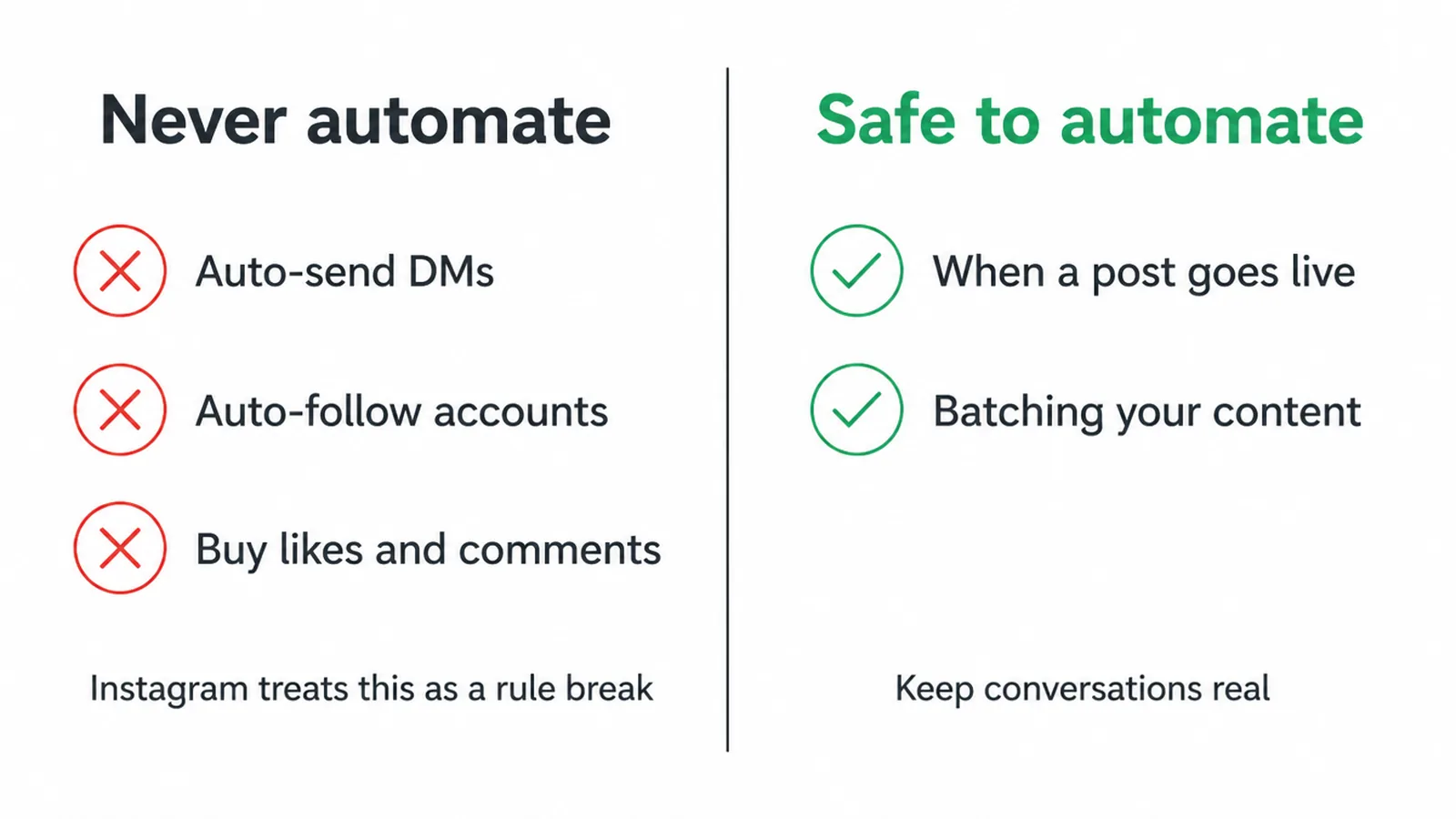
So where is the line? Automate when a post goes live. Keep the conversations real. Engagement needs a human, because people can tell when a reply is a canned bot message. AI captions need a human edit, because flat copy hurts trust.
The point of automation is to save your time on the boring, repeatable stuff so you have more of it for the parts that actually grow the business, which is where social media marketing earns its keep. The same honest rule applies to email marketing automation: automate the sending, keep the message human.
6. Automate it or do it by hand? A quick table
Here is the simplest way to remember the whole guide. If a task is on the left side, schedule it or speed it up. If it is on the right side, keep your hands on it.
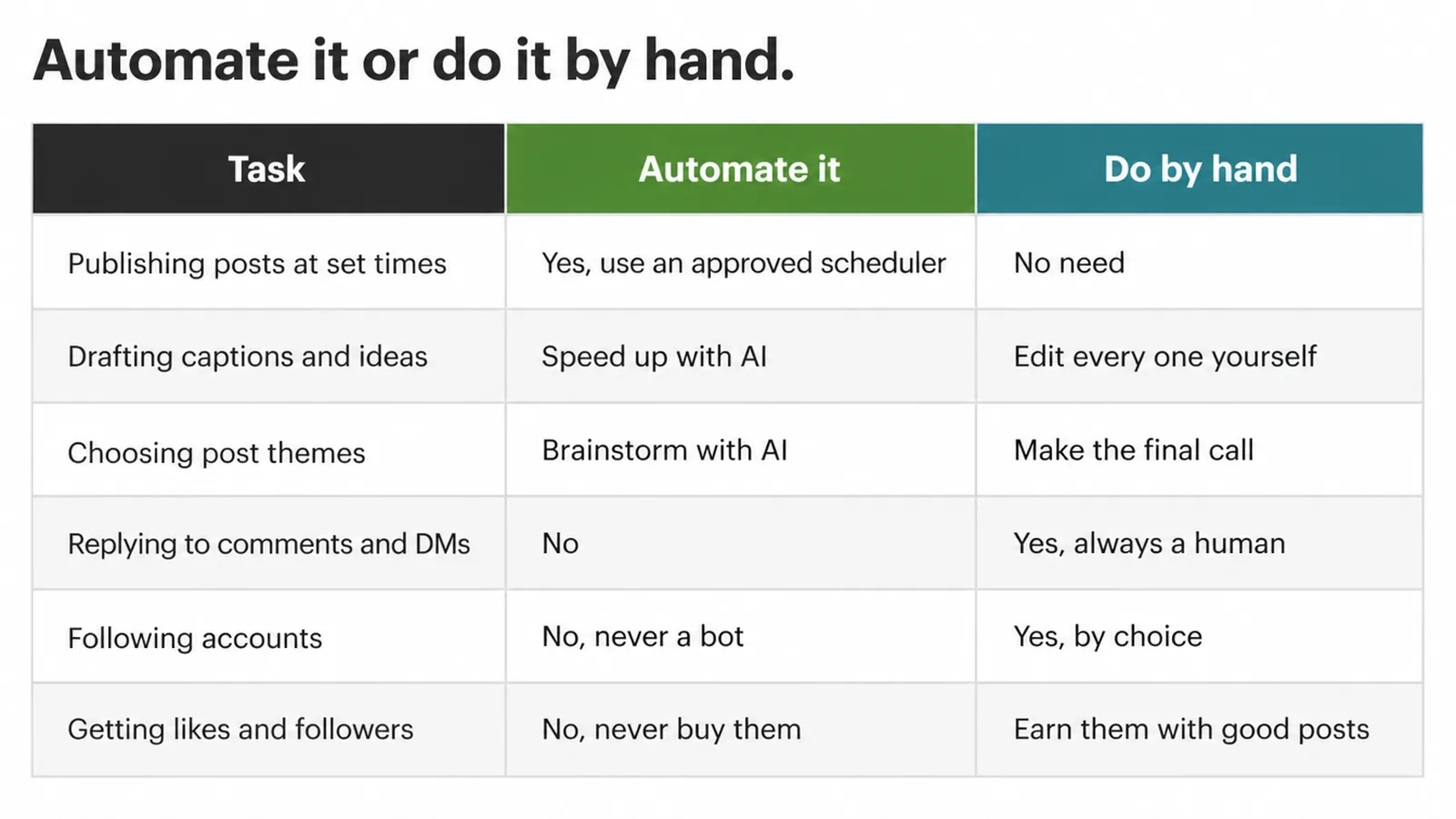
| Task | Automate it | Do by hand |
|---|---|---|
| Publishing posts at set times | Yes, use an approved scheduler | No need |
| Drafting captions and ideas | Speed up with AI | Edit every one yourself |
| Choosing post themes | Brainstorm with AI | Make the final call |
| Replying to comments and DMs | No | Yes, always a human |
| Following accounts | No, never a bot | Yes, by choice |
| Getting likes and followers | No, never buy them | Earn them with good posts |
Frequently asked questions
1. Can you schedule Instagram posts in advance?
Yes. You can schedule Instagram posts in advance using Meta Business Suite, Instagram's own in-app scheduling, or an approved partner tool. You pick the photo or video, write the caption, set a date and time, and the post goes out on its own. You need a professional account, which means a Business or Creator account.
2. Is it against Instagram rules to auto-post?
Scheduling your own posts through Meta Business Suite or an approved partner tool is fine. What breaks the rules is fake activity. Tools that generate inauthentic likes, follows and comments go against Instagram's guidelines and terms. So scheduling content is safe. Faking engagement is not.
3. What is the best free way to schedule Instagram posts?
Meta Business Suite is the best free option. It is made by Meta, the company that owns Instagram and Facebook. You can create and schedule posts, Stories and Reels for both apps from one place, at no cost. Because it is first-party, you do not have to worry about it being an unapproved tool.
4. Can AI write my Instagram captions?
AI can draft your captions, but it should not be the final author. Use it to brainstorm ideas, get a rough first line, and suggest hashtags. Then edit every caption so it sounds like you. AI is a drafting assistant. The voice and the final call stay with you.
5. Should I use auto-DM or auto-follow bots?
No. Avoid bots that auto-send direct messages, auto-follow accounts, or buy likes and comments. Instagram treats this kind of fake activity as a rule break, and it can get your account restricted. Replies and follows should come from a real person, not a bot.
6. Do I need a business or creator account to schedule posts?
Yes. To publish posts through the official tools and approved partner apps, you need a professional account, which is a Business or Creator account, linked to a Facebook Page. A personal account cannot use the publishing path that these scheduling tools rely on.
7. Can you fully automate Instagram engagement?
No, and you should not try. You can automate when a post goes live, but replying to comments and messages needs a human. Faking engagement with bots breaks Instagram's rules. Automate the publishing. Keep the conversations real.
8. Are tools like Buffer and Later safe to use?
Tools such as Buffer and Later use Instagram's approved publishing system when connected through the official account flow. They can schedule posts within Instagram's limits. Avoid any tool that asks for unsafe access or fakes likes, follows or comments.