
Structured vs Unstructured Data: Key Differences Explained

Structured data fits fixed rows and columns, like a customer list or price table. Unstructured data has no fixed shape, covering blog posts, photos, reviews and video. An IDC white paper puts unstructured content at around 90% of all data. Seed Light adds schema markup so search engines can read the key facts on a page.
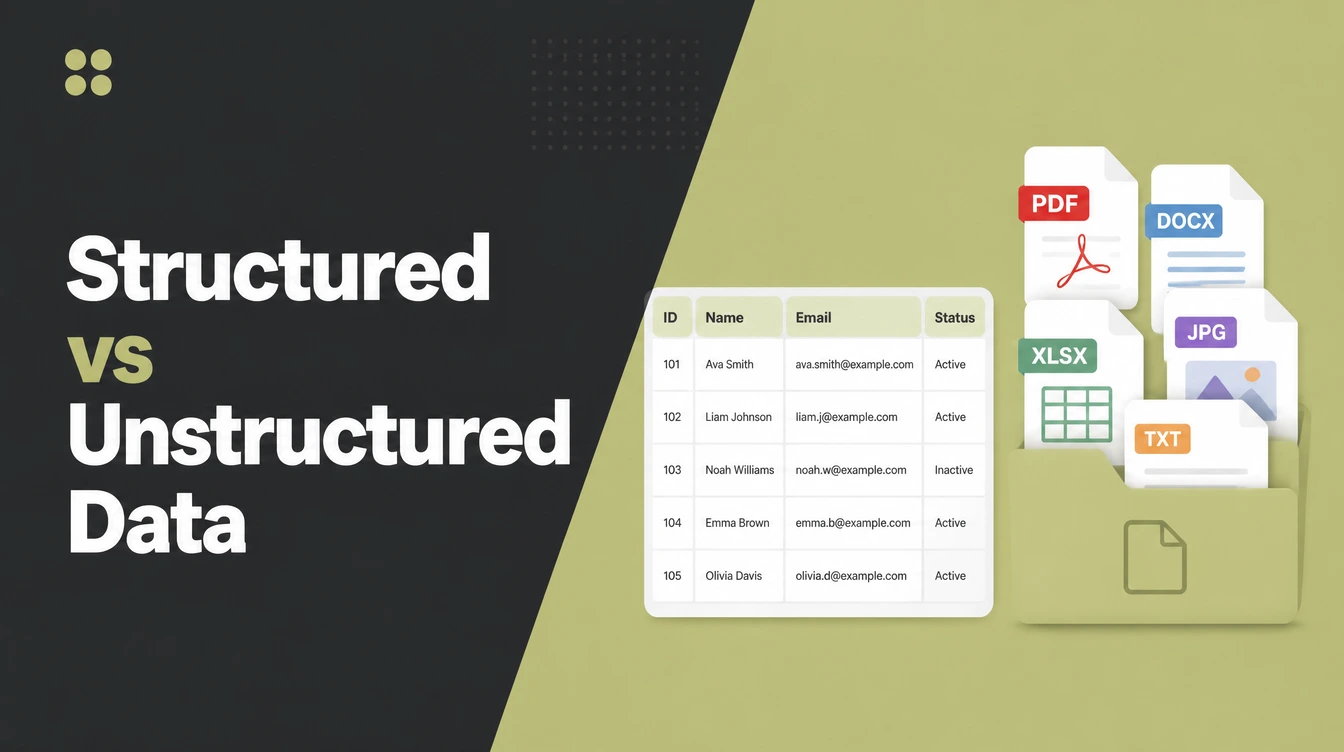
Key takeaways
- Structured data is tidy. It fits in rows and columns, like a spreadsheet, so a computer reads it instantly.
- Unstructured data is messy. Photos, posts, reviews and video have no fixed format. Around 90% of all data is unstructured, per an IDC white paper.
- Your website holds both. A contact form is structured. Your blog and images are unstructured.
- Schema turns messy into tidy. Adding structured data markup labels your content so search engines and AI tools understand it.
- It can pay off in search. Google reports that Nestle saw an 82% higher click-through rate on pages shown as rich results.
1. The difference, in one line
Structured data vs unstructured data comes down to this: structured data is tidy information that fits in rows and columns a computer reads instantly, while unstructured data has no fixed format and is harder to sort.
Think of a filing cabinet versus a messy desk. The cabinet has a labelled drawer for everything. The desk is a pile of photos, notes and paper you have to dig through.
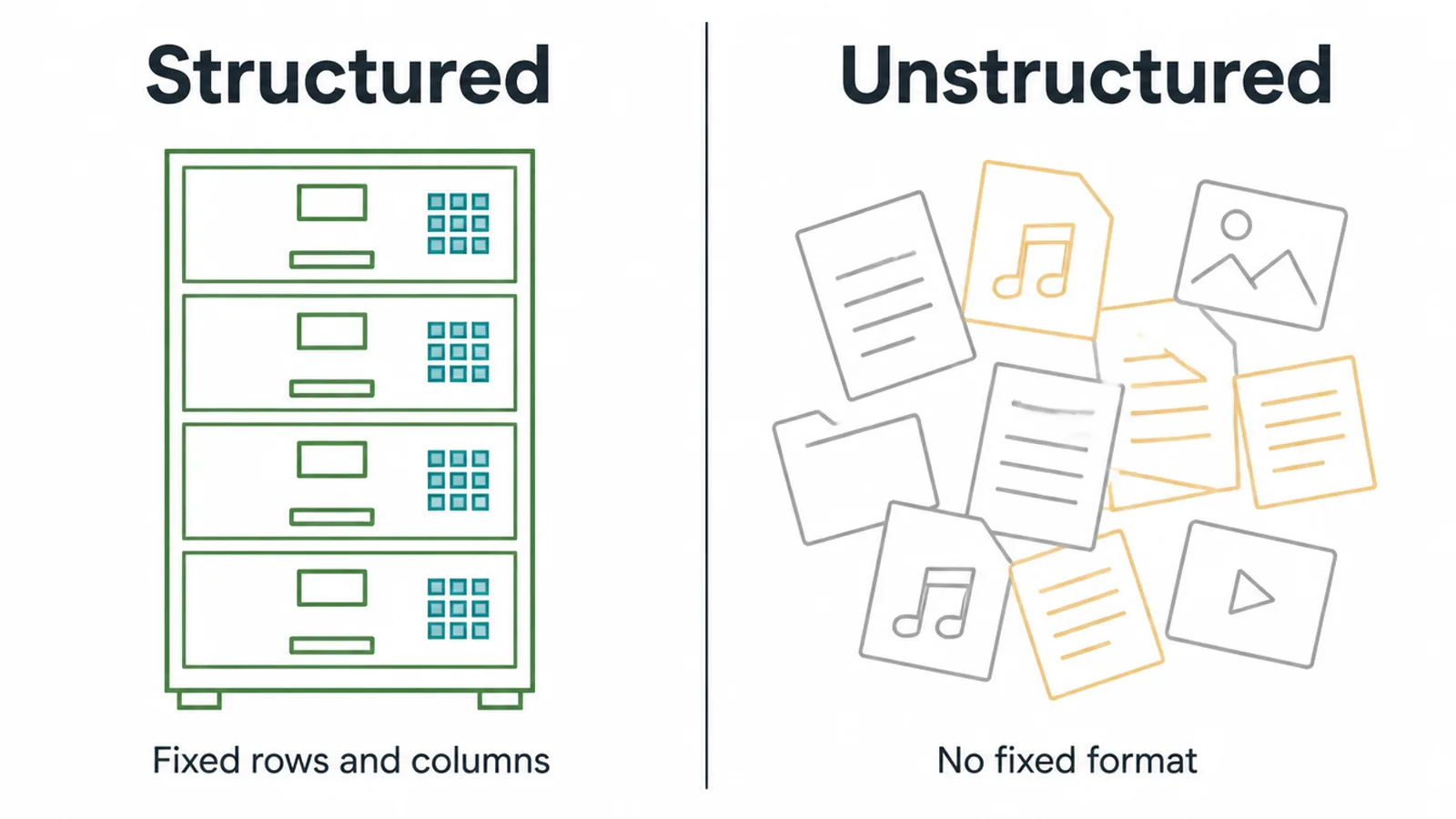
Both are useful. Both live on your website. You just use them in different ways, and knowing which is which helps you make smarter choices about your site, your search ranking and how AI tools read your business.
2. What is structured data?
Structured data is information that fits a fixed shape. Every piece has a labelled spot, usually a row and a column. Because the format never changes, a computer can search, sort and add it up in a flash.
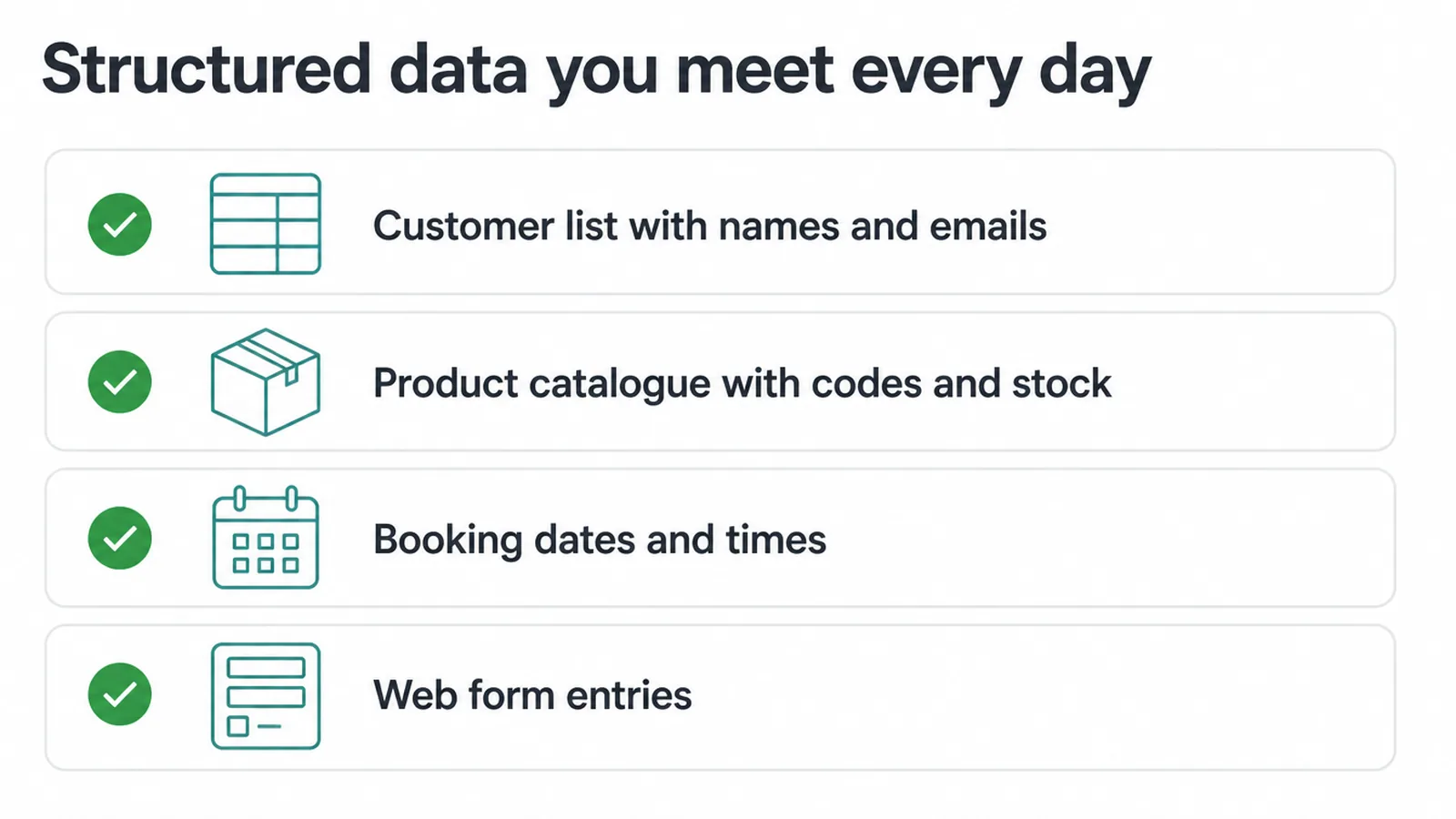
You meet structured data every day:
- A customer list with names, emails and phone numbers
- A product catalogue with prices, codes and stock counts
- Booking dates and times
- Anything someone types into a web form on your site
When a visitor fills in your contact form, their name, email and message drop straight into neat fields in a database. That is structured data in action. It is the kind of clean, predictable information that spreadsheets and databases were built to hold.
3. What is unstructured data?
Unstructured data is information with no fixed format. It does not slot into tidy rows and columns. Instead it comes in whatever shape it was made, and that makes it harder for a computer to sort.
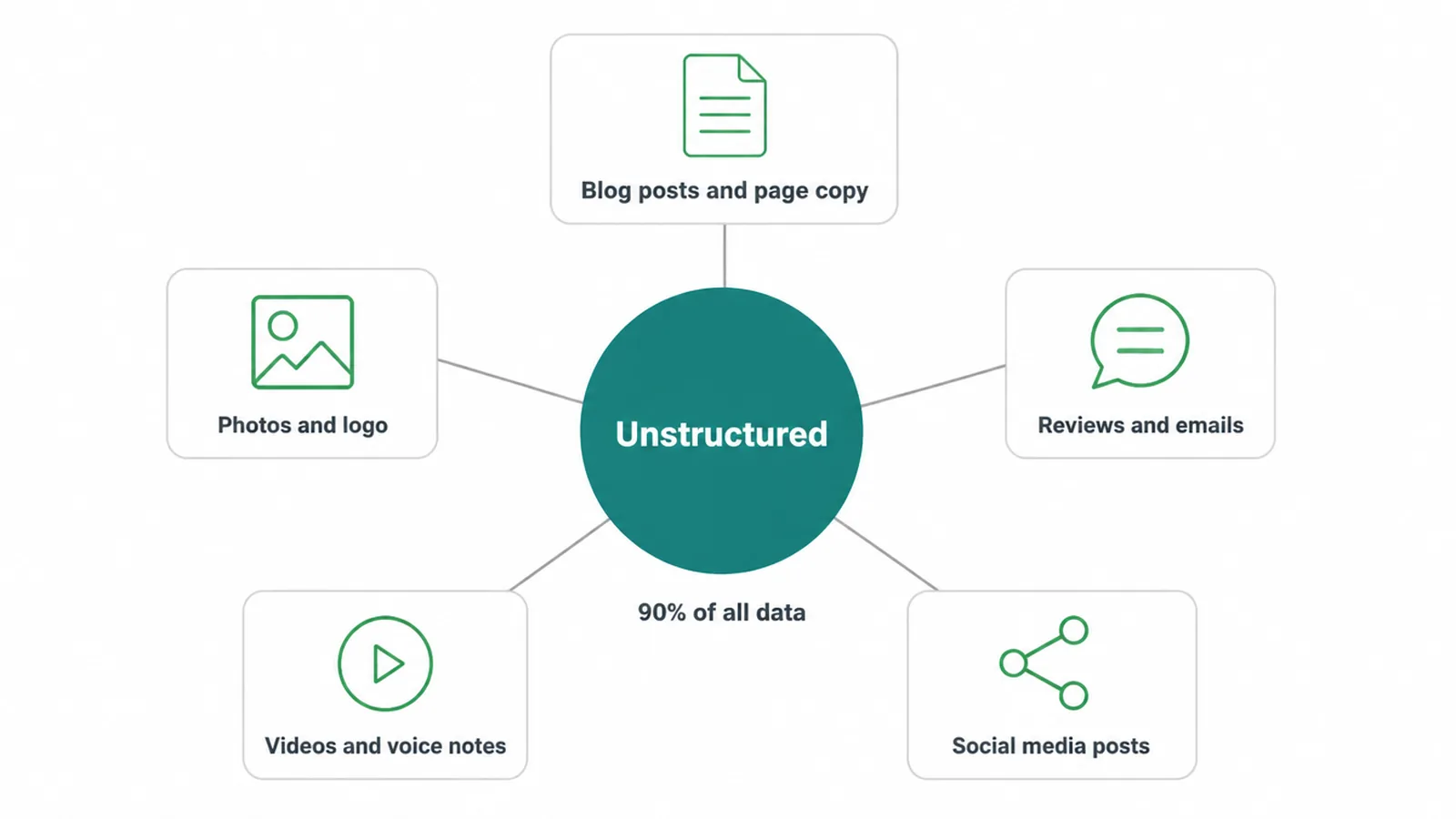
Most of what a small business creates is unstructured:
- Blog posts and page copy
- Photos and your logo
- Customer reviews and emails
- Videos and voice notes
- Social media posts
There is a lot of it. The same IDC white paper found that around 90% of all data is unstructured, and that organizations were predicted to generate over 73,000 exabytes of unstructured data in 2023 alone.
That is a mountain of files, images and text. The value is real, but a machine cannot read a photo or a paragraph the way it reads a spreadsheet cell. It has to work harder to figure out what the content means.
4. Structured vs unstructured data, side by side
Here is the quick comparison if you want it all in one place.
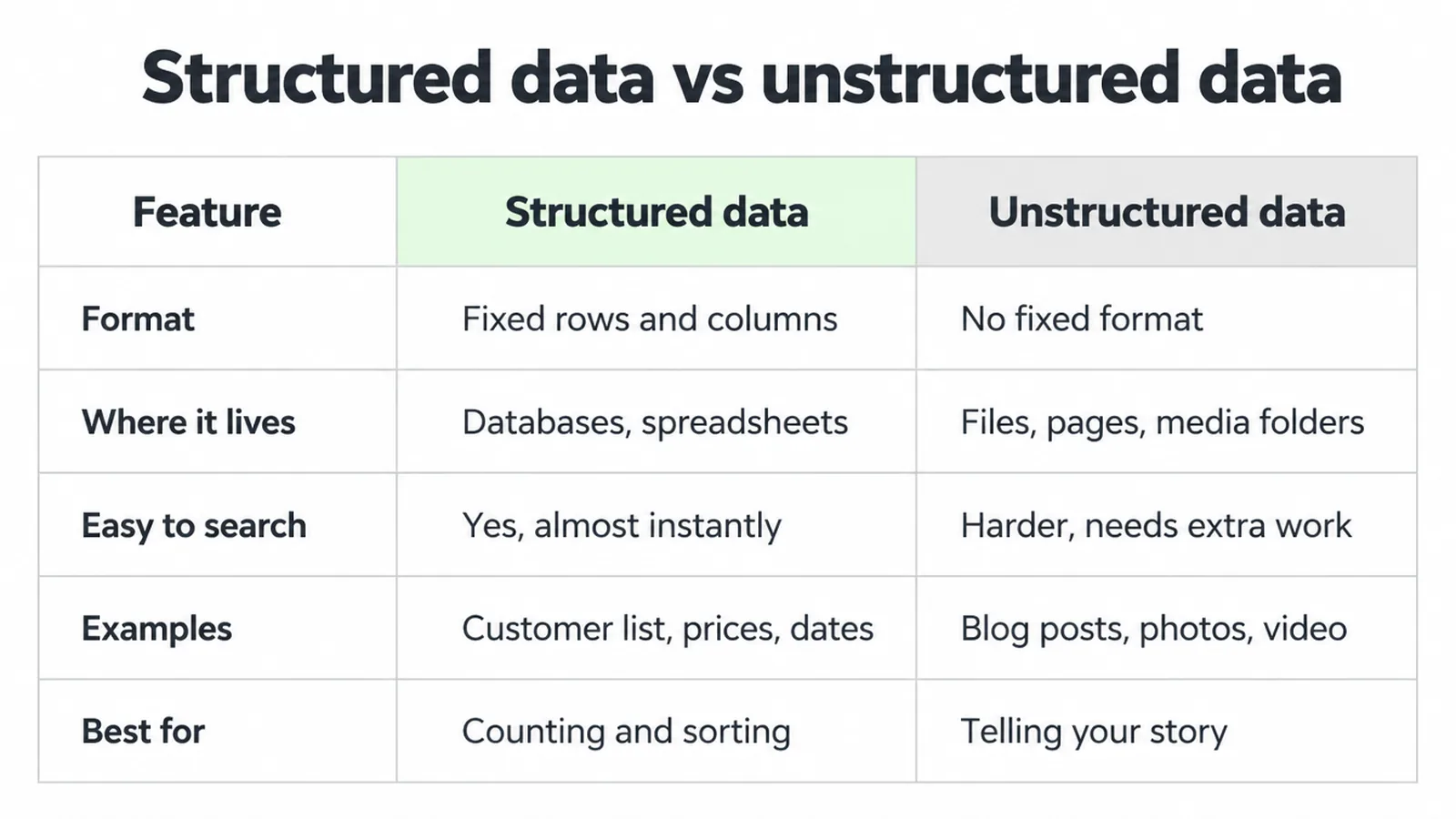
| Feature | Structured data | Unstructured data |
|---|---|---|
| Format | Fixed rows and columns | No fixed format |
| Where it lives | Databases, spreadsheets | Files, pages, media folders |
| Easy to search? | Yes, almost instantly | Harder, needs extra work |
| Examples | Customer list, prices, dates, form entries | Blog posts, photos, reviews, video |
| Best for | Counting, sorting, exact lookups | Telling your story, showing your work |
5. What about semi-structured data?
There is a middle option too, called semi-structured data. It has some labels and order, but not the rigid rows and columns of a database. JSON, XML and CSV files are the common examples. They use tags or keys to mark what each bit of data is, while still being flexible.
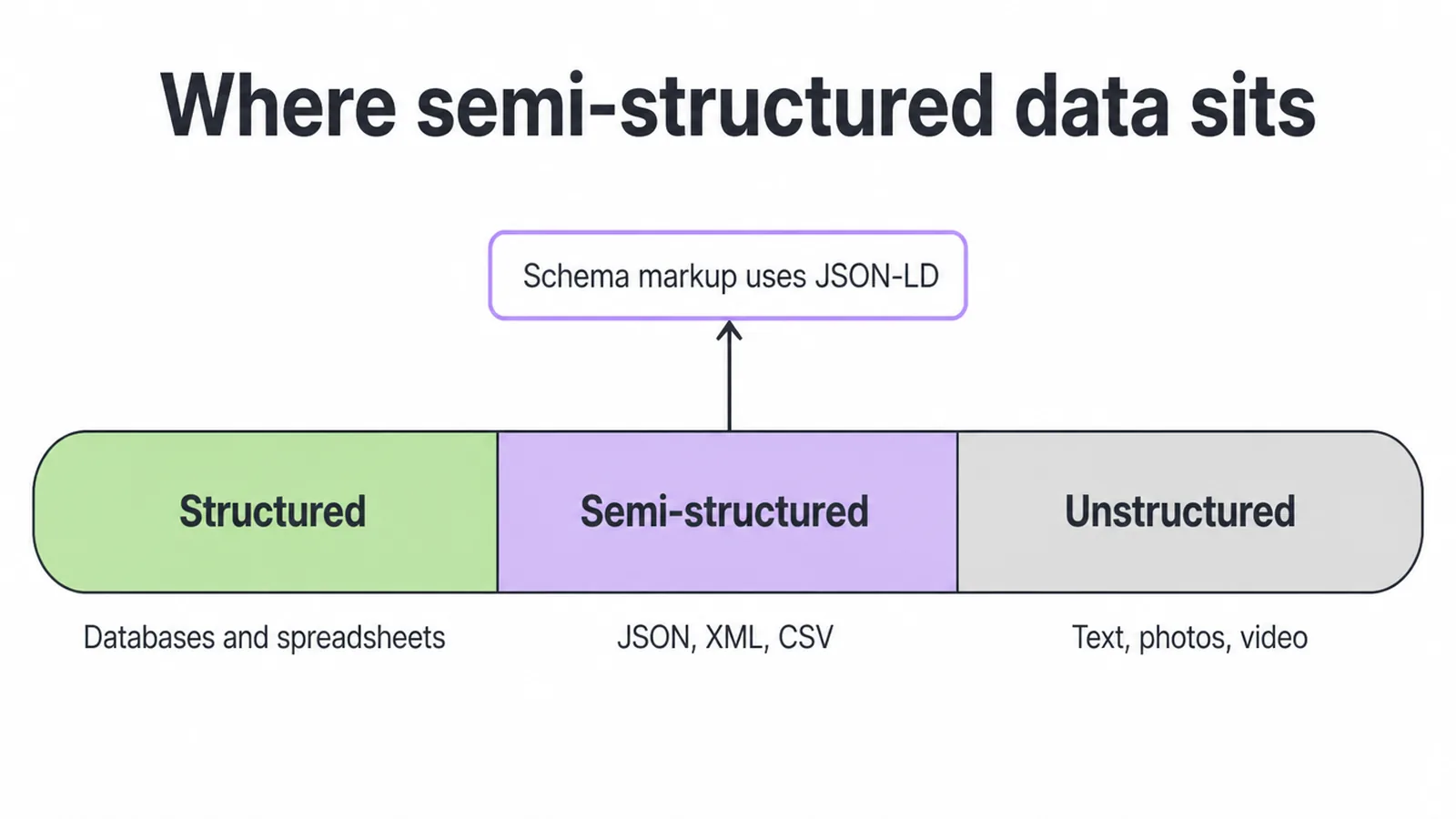
This matters for one big reason. Schema markup, the code you add to a page to help search engines understand it, is written in a semi-structured format called JSON-LD. So when you add structure to your website for search, you are usually working in this middle zone, not a full database.
6. Why this matters for your website
Your website is a mix of both. The contact form, your prices and your booking system are structured. Your homepage copy, blog, photos and reviews are unstructured. That mix is normal and healthy.
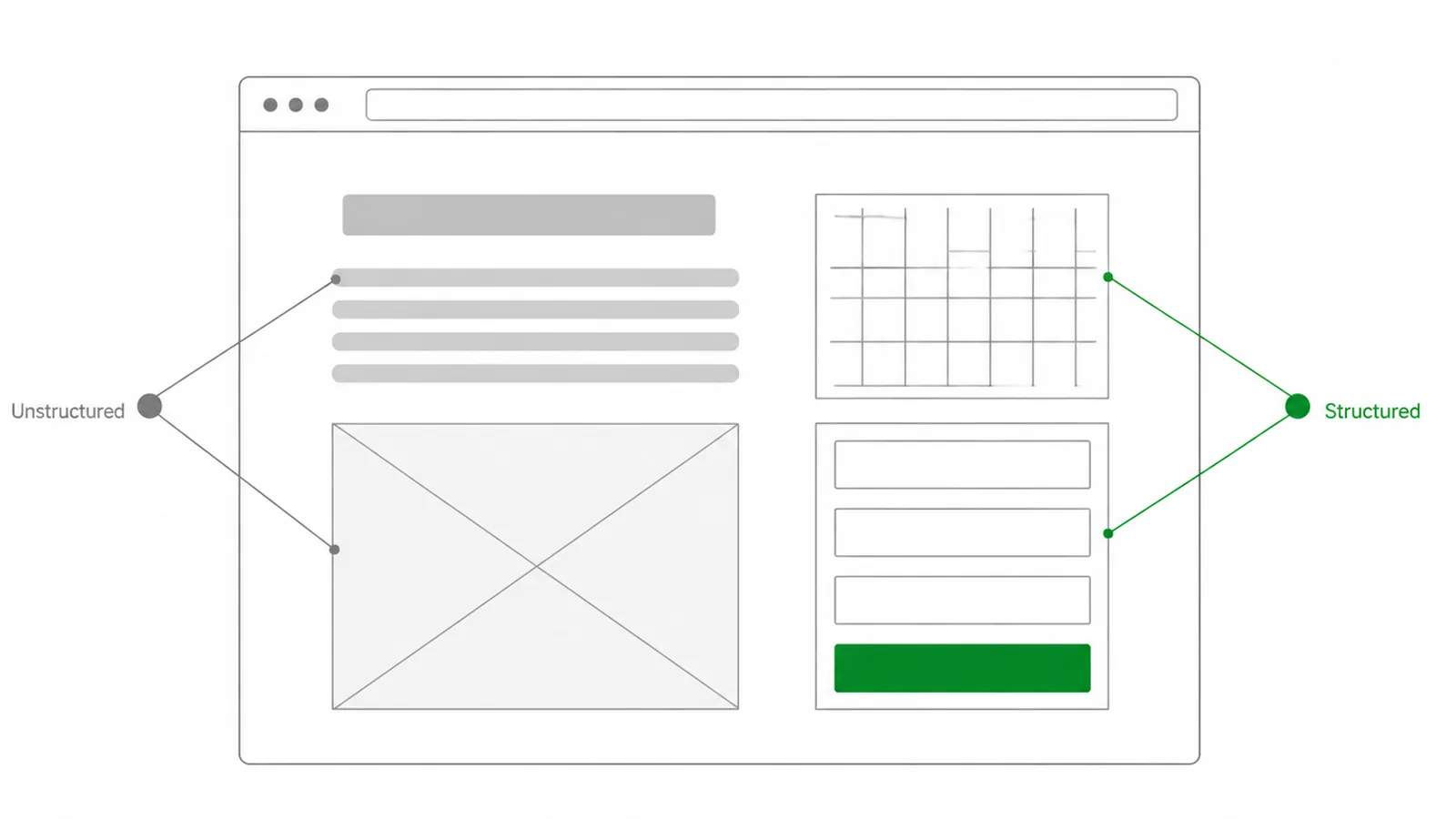
The catch is that search engines and AI tools read structured information far more easily. They can guess what your unstructured content means, but guessing leaves room for error.
So the smart move is to add structure on top of your unstructured pages. That is exactly what schema markup does. It labels the messy content so a machine knows this is a price, this is a review, this is an opening time.
We walk through how to do that in our guide to schema markup. If your bigger goal is climbing the results page, pair it with the basics in how to rank higher on Google.
And if you are still planning the site itself, start with the foundations of a small business website so the structure is clean from day one.
7. Is structured data better for SEO?
Neither type is better on its own. They do different jobs. Your unstructured blog posts and photos are what win readers and tell your story. Your structured data is what helps machines file and recall the facts. You need both.
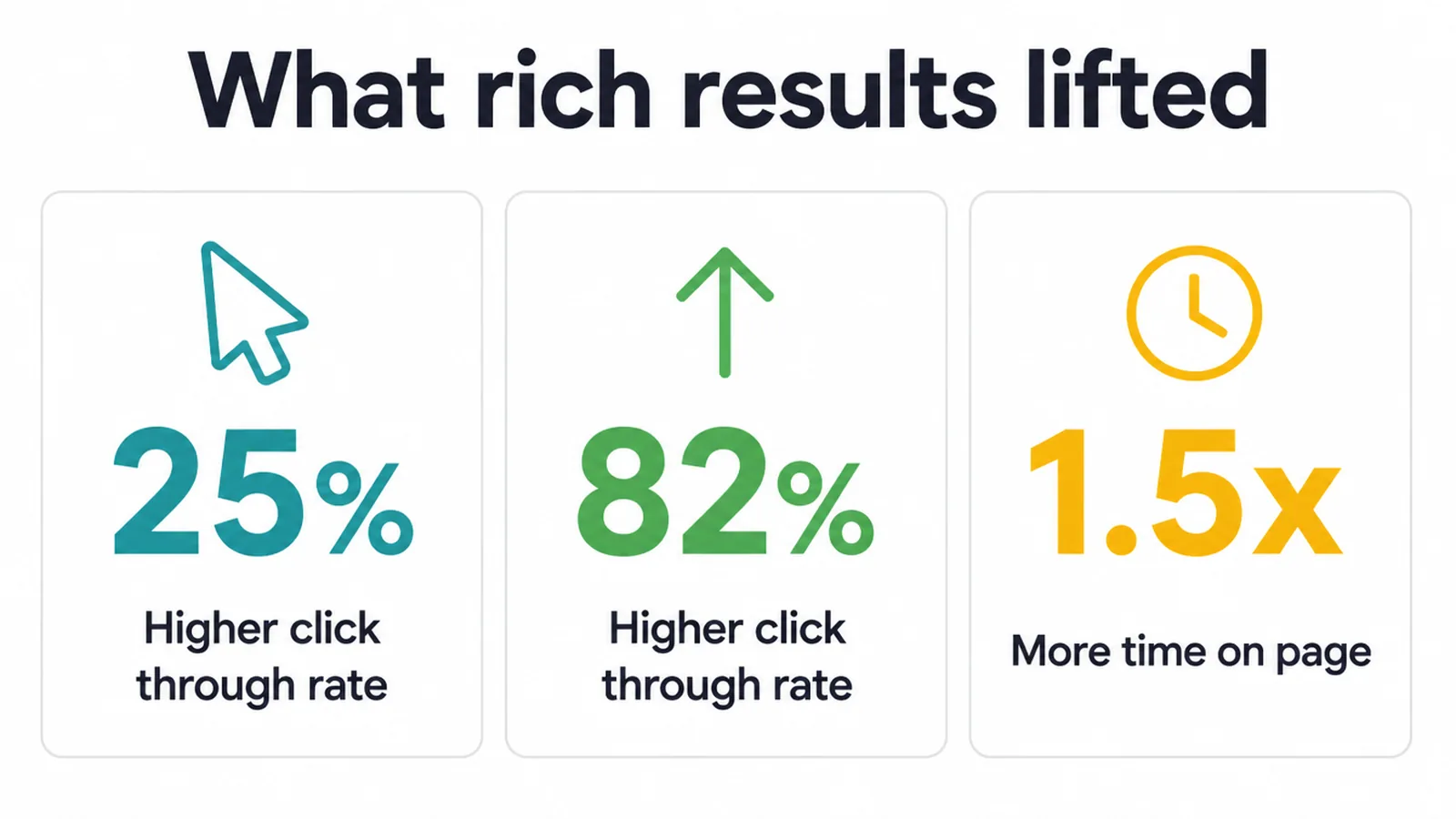
Adding structured data markup can help eligible pages earn rich results. Product review stars apply only to supported product review markup; other rich results may show prices or images. Google shares a few real numbers on this.
Rotten Tomatoes saw a 25% higher click-through rate on pages with structured data, Nestle pages shown as rich results had an 82% higher click-through rate, and Rakuten users spent 1.5x more time on pages with structured data.
The same clean labelling helps AI search too. When a machine can read your facts in a predictable shape, it is far easier for it to quote your business in an answer.
If you want help putting all of this to work, our SEO service covers schema, content and the full picture, and you can always get in touch to talk it through.
Frequently asked questions
1. What is structured data?
Structured data is information that fits neatly into rows and columns, like a spreadsheet or a database. Every piece has a fixed spot and a clear label, so a computer can sort, search and read it instantly. Names, prices, dates and phone numbers are all structured data.
2. What is unstructured data?
Unstructured data is information with no fixed format. It does not fit into tidy rows and columns. Blog posts, photos, your logo, customer reviews, videos and emails are all unstructured. It is harder for a computer to sort, and around 90% of all data is unstructured.
3. What is the difference between structured and unstructured data?
Structured data has a fixed shape that a computer reads instantly, like a spreadsheet. Unstructured data has no fixed shape, like a photo or a paragraph of text, so it is harder to search and sort. Structured is the tidy filing cabinet, unstructured is the messy pile on your desk.
4. What are examples of structured data?
Examples of structured data include a customer list, a product catalogue with prices and codes, booking dates, phone numbers, addresses and anything submitted through a web form. It usually lives inside a database or spreadsheet with clear column headings.
5. What is semi-structured data?
Semi-structured data sits in the middle. It has some labels and structure but not the rigid rows and columns of a database. JSON, XML and CSV files are common examples. Schema markup, the code that helps search engines understand your pages, is written in a semi-structured format called JSON-LD.
6. Is structured data better for SEO?
Neither type is better on its own, they do different jobs. But adding structured data markup to your pages helps search engines understand what your content means. Google reports that rich results from structured data can lift click-through rates, for example Nestle pages shown as rich results had an 82% higher click-through rate.
7. How is structured data related to schema markup?
Schema markup is the code you add to a web page to label its content in a structured way. It tells search engines that this text is a price, this is a review, this is an event date. So schema is how you turn the unstructured content on your page into structured data that machines can read.
8. Does structured data help in AI search?
Clear, well labelled content helps AI tools understand and quote your pages. Structured data and schema markup give machines a clean, predictable way to read what your business does, which makes your pages easier to pull into answers. It is the same labelling that powers Google rich results.







