
SEO for Restaurants: Get Found by More Local Diners

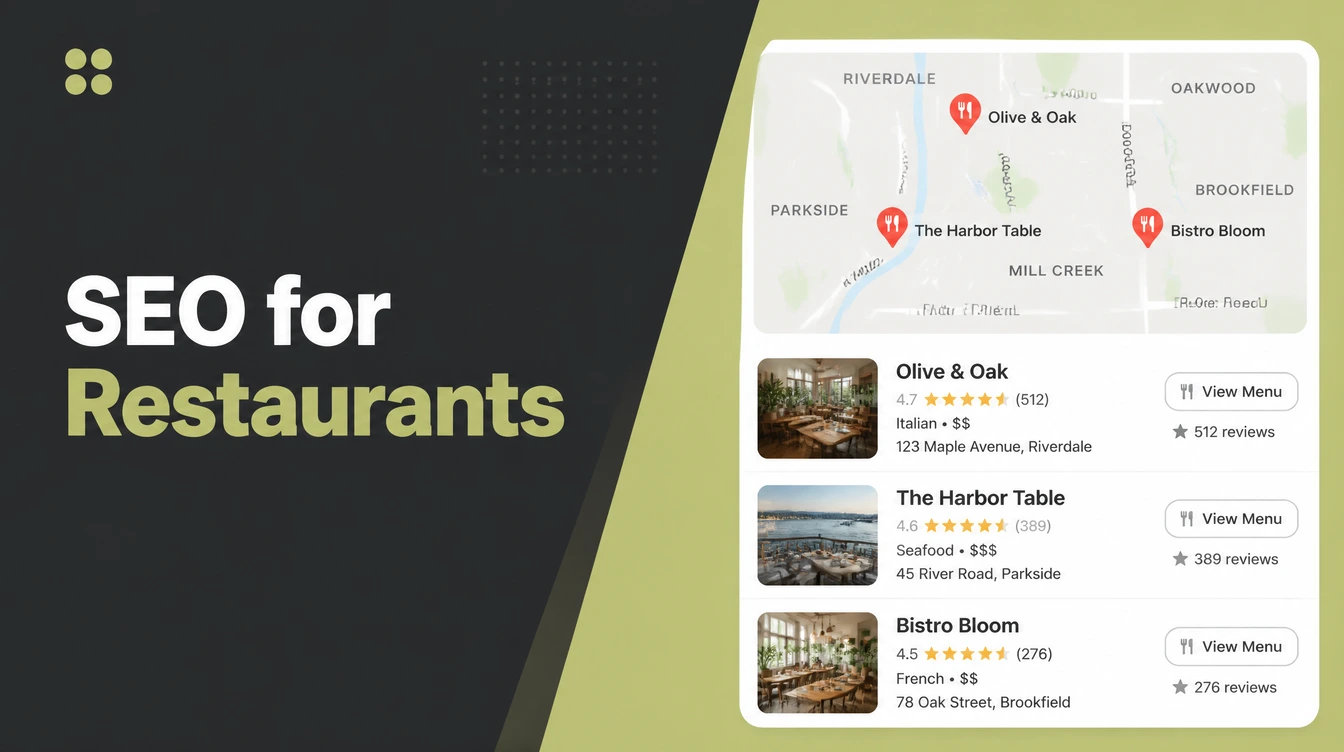
Restaurant SEO sets up your online details so you show up when nearby people search for a place to eat. Verify your Google Business Profile, add photos, collect reviews, and put your full menu in plain text on a fast page instead of a PDF. Seed Light works that list from the top down.
Key takeaways
- Restaurant SEO is local SEO. Your goal is to show up when nearby people search to eat. 80% of consumers search for a local business at least once a week, per SOCi.
- Hungry searches turn into visits fast. 76% of people who run a "near me" search visit a business within a day, per Google.
- Your Google Business Profile is step one. Listings with photos get 42% more direction requests and 35% more click-throughs, per Google.
- Reviews steer where people eat. 97% of people read reviews for local businesses, per BrightLocal.
- Put your menu in plain text, not a PDF. Google can read a fast web page; a PDF holds you back.
1. What is restaurant SEO?
Restaurant SEO is setting up your online information so your restaurant shows up when nearby people search to eat. That is the whole job.
When a hungry person types food or a cuisine plus "near me", you want your name in the results, with a photo, a rating, and your hours. This is a flavor of local SEO, focused on the moment someone decides where to go.
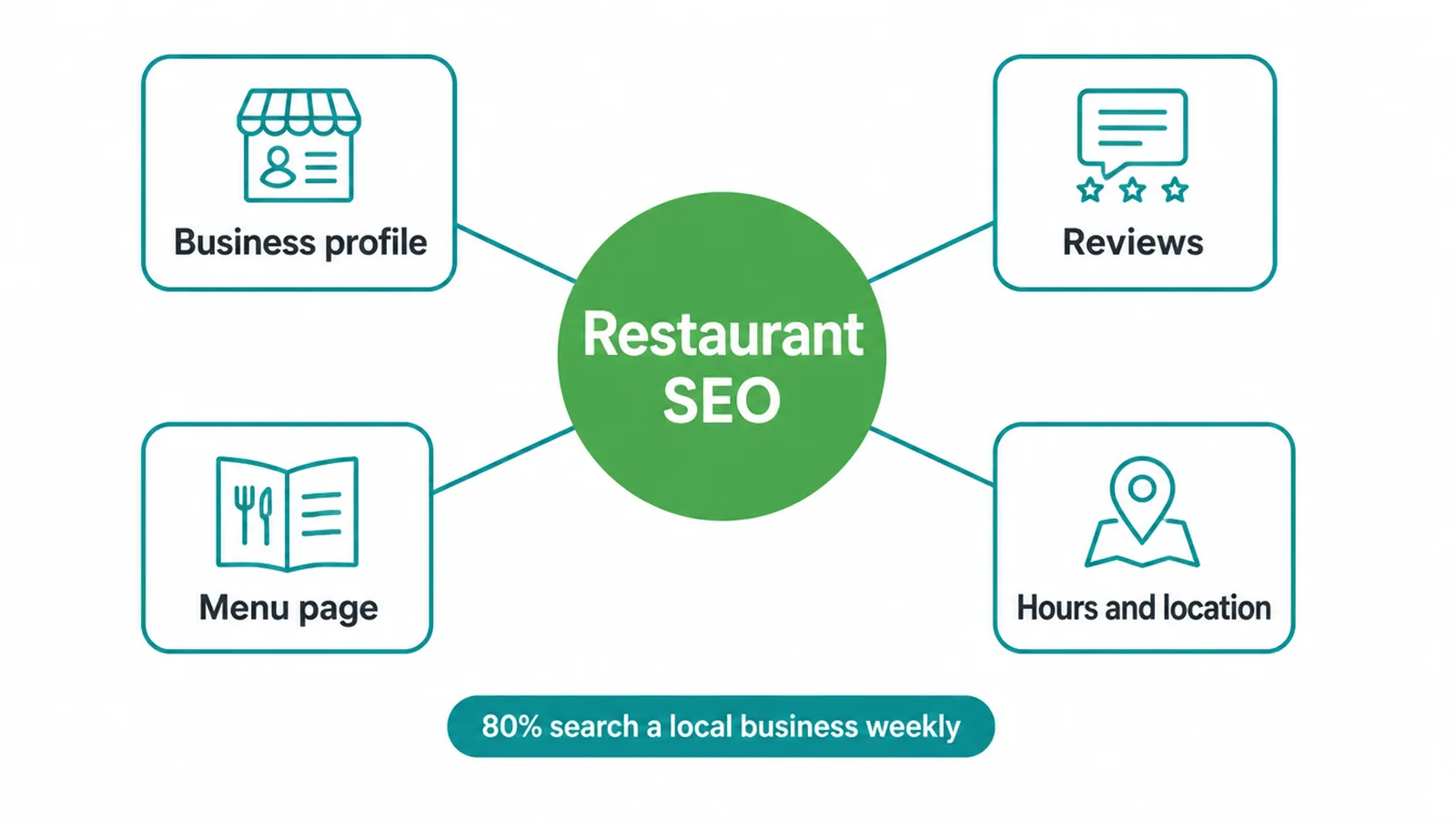
It matters because people search constantly. 80% of consumers search for a local business at least once a week, and 32% do it daily, per SOCi.
And hunger is urgent. "Near me tonight" and "near me today" searches grew more than 900% over two years, per Google. People are not browsing. They want to eat now.
The good news: most of this is free to do yourself. The work is real, but it is plain. Below is the order we use when we help a restaurant get found. If you want the bigger picture of how search rankings work, our SEO service page lays it out.
2. How hungry locals find you
Picture the path a diner takes. They open their phone, search "ramen near me", and Google shows a small map with a few pins on top. That box is the map pack.
They tap a pin, skim your photos, rating, and hours, then check your menu. If everything looks good and loads fast, they walk in or place an order.
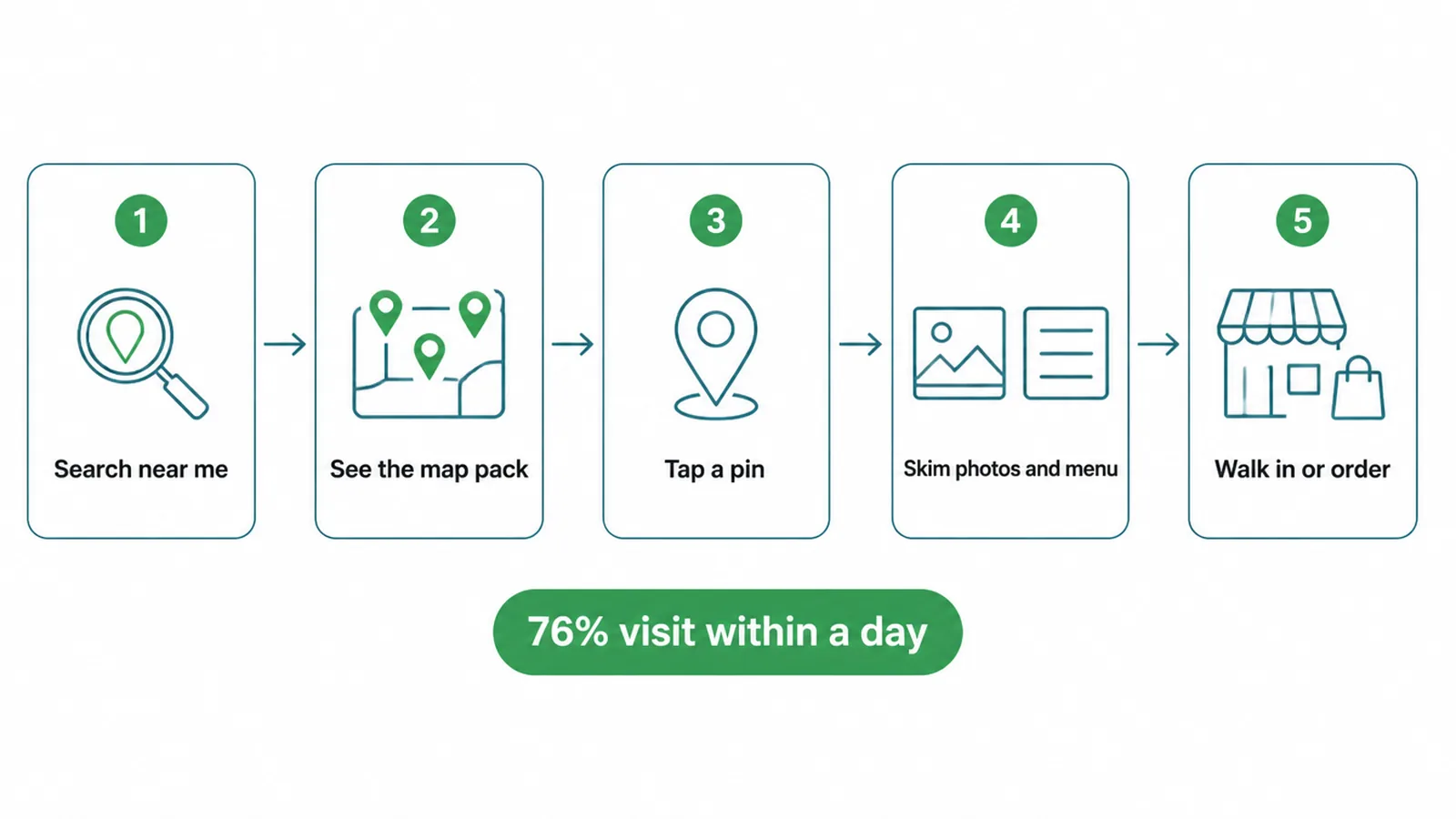
Each step is a chance to win or lose them. Miss the map pack and you are invisible. Show up but have no photos and they scroll past. Have great photos but a broken menu and they bounce. Your job is to make every step easy.
Speed matters because intent is high. 76% of people who search "near me" visit a business within a day, and 88% of smartphone local searchers visit a related store within a week, per Google. These are not window shoppers. They are deciding where to eat, often in the next hour.
3. Step 1: Fix your Google Business Profile
Your Google Business Profile is the single most important thing for restaurant SEO. It is the free listing that powers your map pin, your photos, your hours, and your reviews. If you only do one thing, do this.
Claim and verify it first. Search your restaurant name and look for the "Own this business?" link, or start fresh at Google Business Profile. Verify by the method Google offers. Until you verify, you cannot fully control your listing.
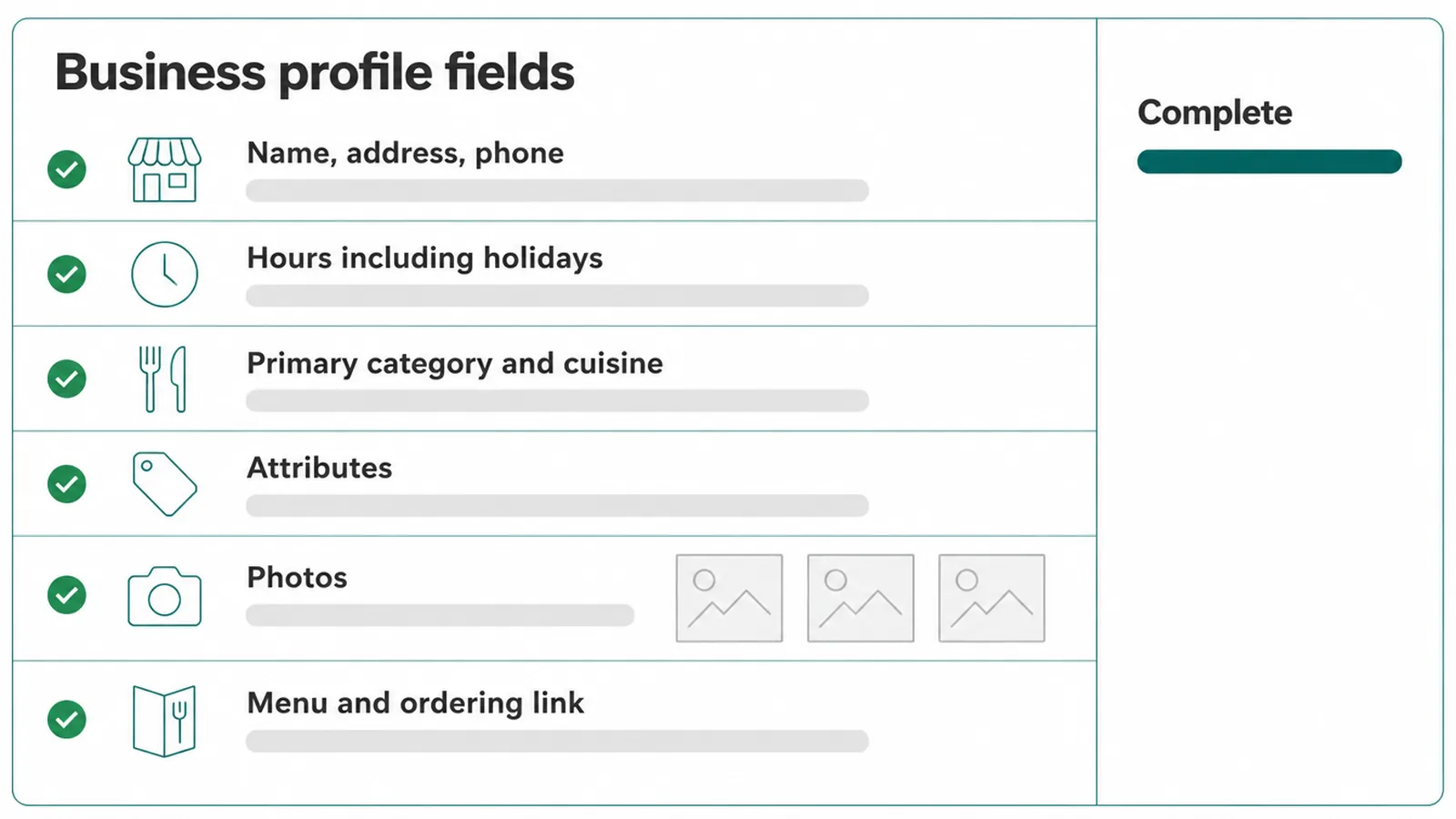
Then fill in every field, carefully:
- Name, address, phone. Type them exactly as they appear on your signage and website. Keep them identical everywhere.
- Hours, including holidays. Wrong hours frustrate people and hurt trust. Update them for public holidays and special closures.
- Primary category and cuisine. Pick the most specific category that fits, then add cuisine details. This is how Google knows what you serve.
- Attributes. Tick what is true: dine-in, takeout, delivery, outdoor seating, vegetarian options, wheelchair access.
- Photos. Add clear shots of your best dishes, your space, and your storefront. Keep adding new ones.
- Menu and ordering link. Link to your real menu page and any reservation or order button.
Photos pull real weight. Listings with photos get 42% more direction requests and 35% more click-throughs, per Google. Good food photos help people picture the meal and tap through. For a full walkthrough, follow our Google Business Profile optimization checklist.
4. Step 2: Build a steady flow of reviews
Reviews decide who eats with you. They show up right next to your name in the map pack, and they shape trust before anyone reads a word of your menu. This is one of the most important things you can shape.
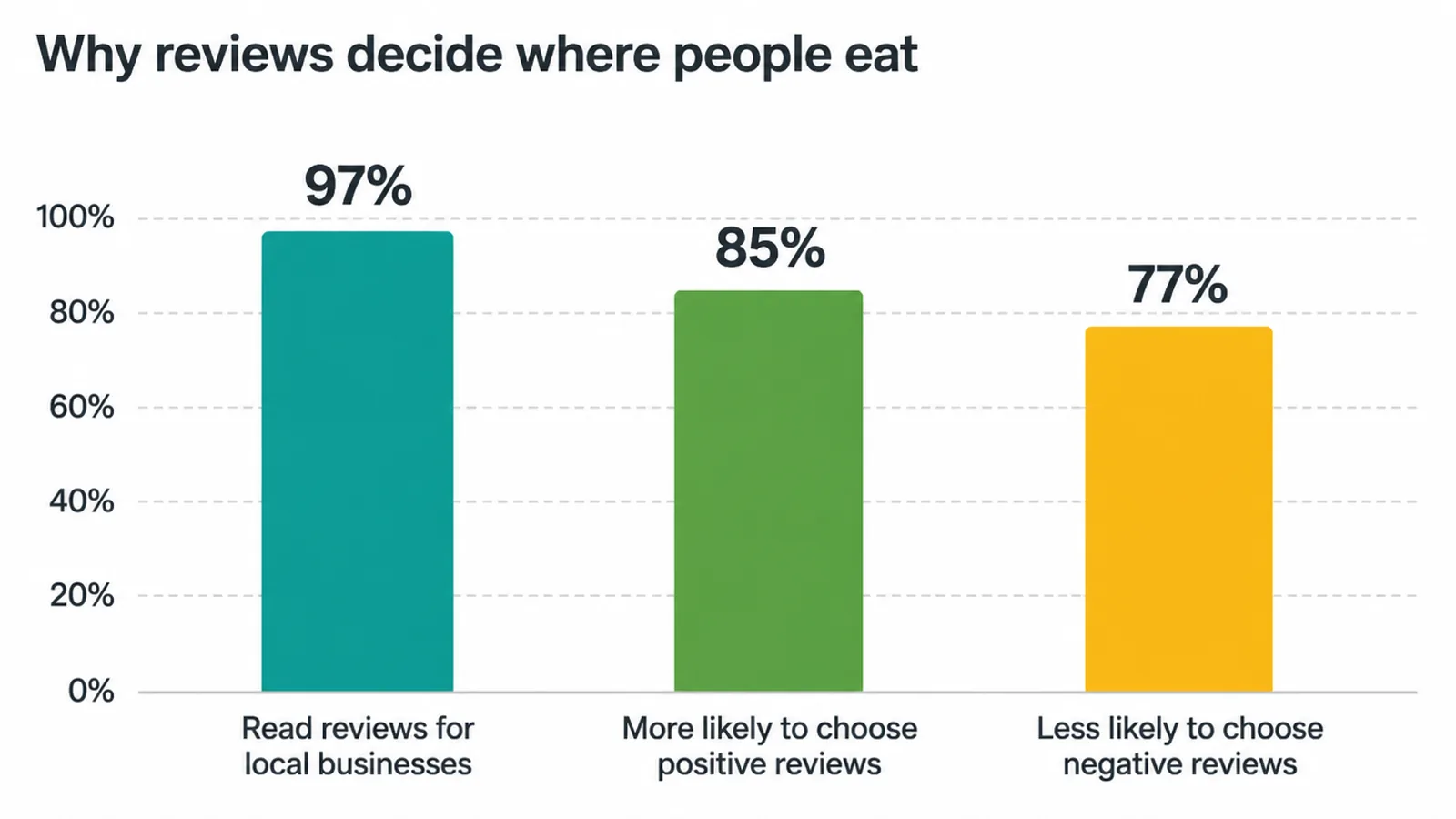
The numbers are clear. 97% of people read reviews for local businesses, 85% are more likely to choose a business with positive reviews, and 77% are less likely to choose one with negative reviews, per BrightLocal.
And 81% use Google to read those reviews. These figures are for local businesses broadly, and restaurants live right in the middle of that behavior.
Here is how to earn more reviews without nagging:
- Ask at the right moment. Right after a good meal, when the guest is happy, is the time.
- Make it one tap. Put a QR code on the table, the receipt, or the counter that opens your Google review link.
- Reply to every review. Thank the good ones. Answer the hard ones calmly. Replies show you care and signal an active business.
Want a deeper play-by-play on asking and replying? See our guide on how to get more Google reviews.
5. Step 3: Build a menu page Google can read
Your menu is the page diners care about most, so make it easy for both people and Google. The mistake we see most often is a menu trapped in a PDF or baked into an image. Google cannot read text inside those well, and they load slowly on a phone.
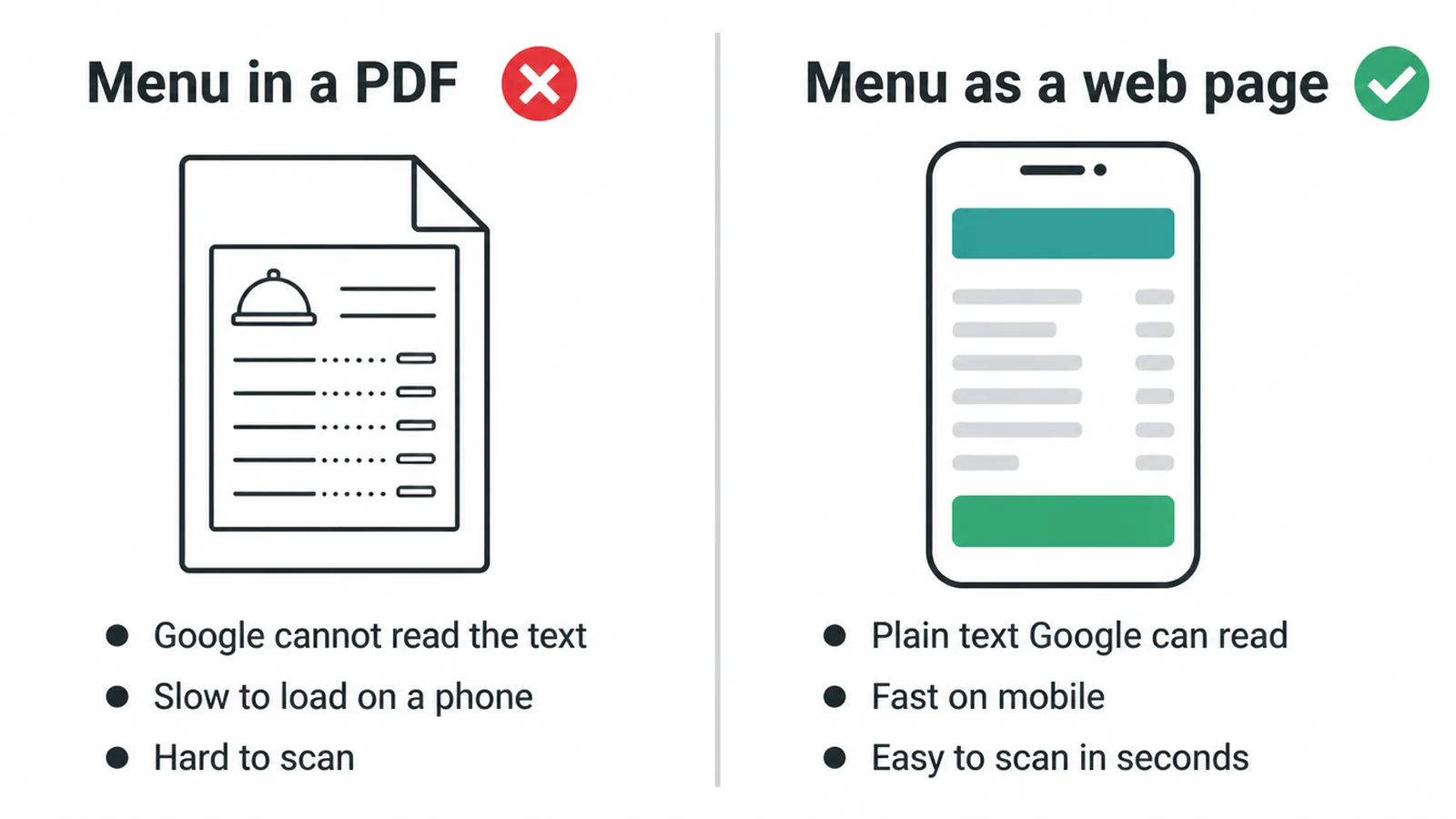
Put your full menu in plain text on a real web page. List dish names, short descriptions, and sections. That gives Google words to match against searches like "wood-fired pizza near me". It also lets diners scan in seconds.
Make the page fast and built for the phone first. Most hungry searches happen on mobile, often standing on a sidewalk. If your menu page is slow or fiddly, you lose them.
Our guide on how to make a website mobile-friendly covers the basics, and our free website speed checker will tell you how the menu page loads on a phone. And put a clear button at the top to order or reserve, so the next step is obvious.
If your whole site feels dated or hard to use on a phone, a focused restaurant website design often pays for itself in walk-ins and orders.
6. Step 4: Add schema and keep your details clean
Schema is hidden code that labels restaurant information for search engines, including the menu, hours, price range and reviews. The markup helps Google identify those details, but self-served Restaurant or LocalBusiness reviews do not produce review stars. Use it to describe visible information accurately.
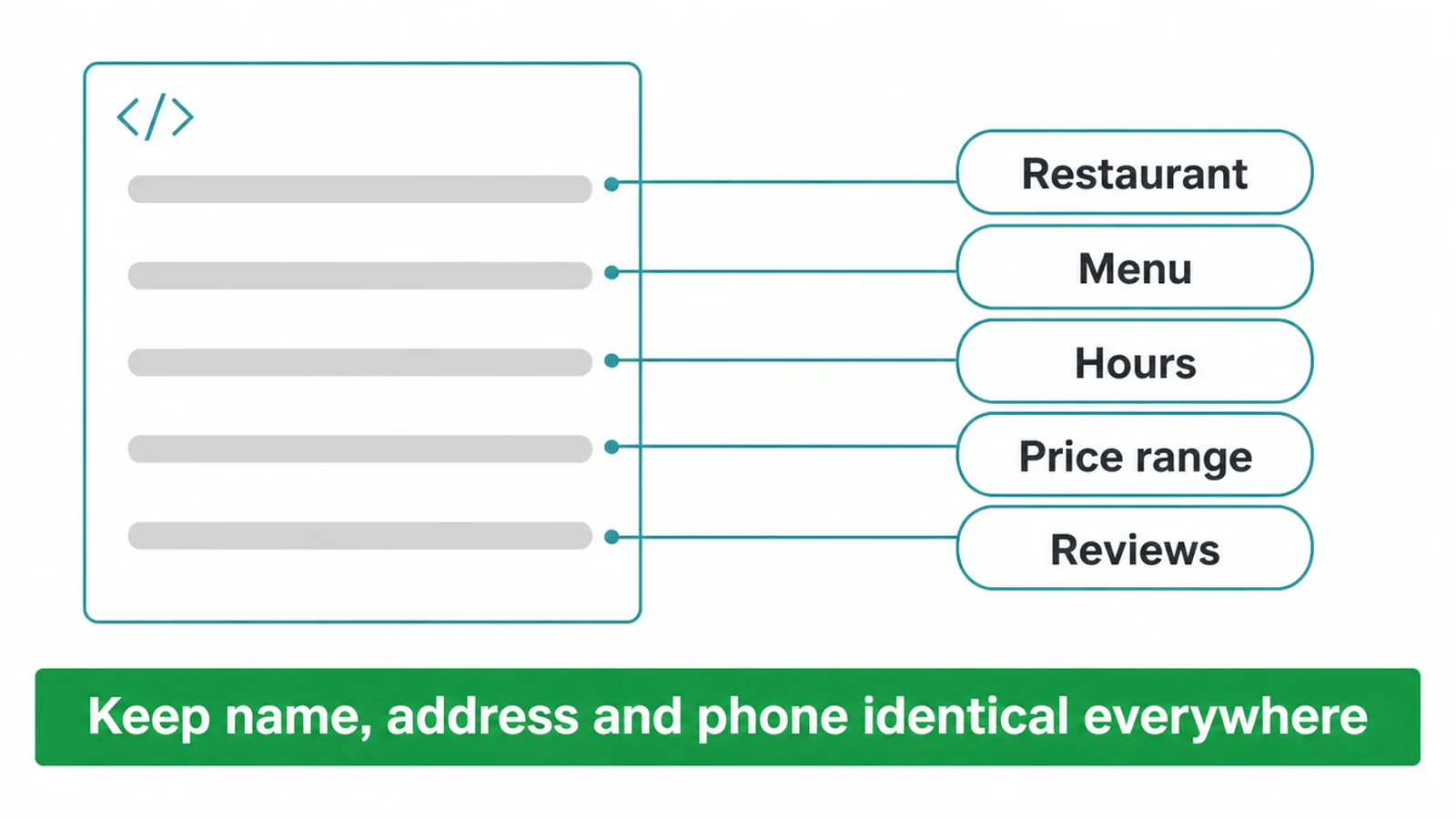
You do not need to hand-code it. Many website builders and plugins add restaurant and menu schema for you. If you want to understand what it does and how it helps, read schema markup explained.
The other technical must-do is consistency. Your name, address, and phone should match exactly across your website, your Google Business Profile, social pages, and any directory. Even small differences, like "St" versus "Street", can confuse Google about which listing is real. Pick one format and use it everywhere.
7. Do it in this order
You do not have to do everything at once. Start at the top of this table and work down. The early steps give you the biggest lift for the least effort.
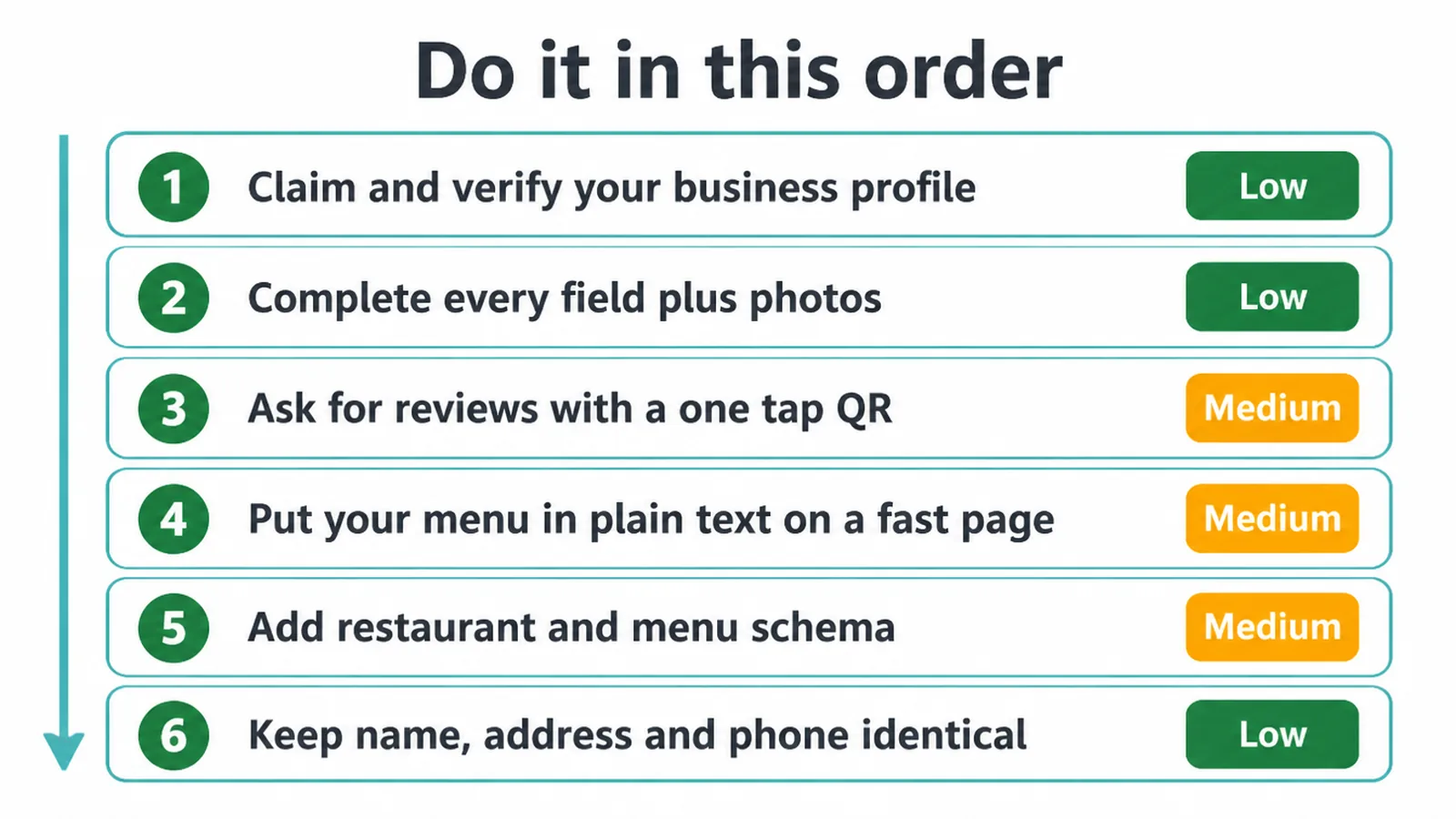
| Step | What to do | Why it matters | Effort |
|---|---|---|---|
| 1 | Claim and verify your Google Business Profile | Powers your map pin and unlocks everything else | Low |
| 2 | Complete every profile field plus photos | More complete listings rank and convert better | Low |
| 3 | Start asking for reviews with a one-tap QR | Reviews drive trust and where people choose to eat | Medium |
| 4 | Put your menu in plain text on a fast page | Google can read it and diners can scan it | Medium |
| 5 | Add restaurant and menu schema | Labels restaurant and menu details for search engines | Medium |
| 6 | Keep name, address, and phone identical everywhere | Removes confusion that holds your ranking back | Low |
8. How long restaurant SEO takes, and when to get help
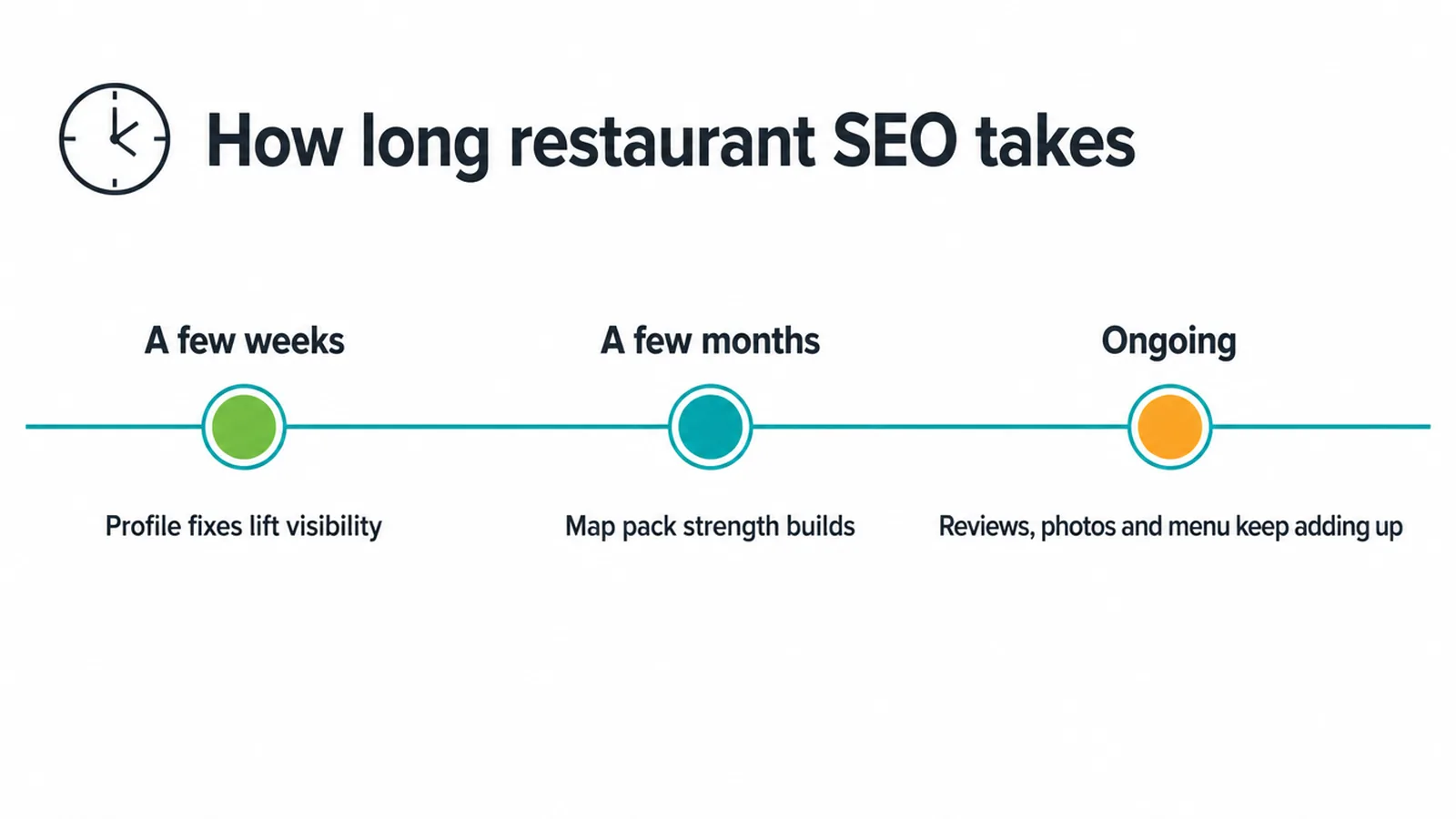
Here is the honest answer: profile fixes can lift your visibility within a few weeks, but real map-pack strength builds over a few months. Reviews, photos, and a clean menu page add up over time.
Restaurant SEO is ongoing, not a one-time switch. The good news is that the steps above are mostly free and well within reach for an owner who is willing to put in a few focused hours.
You might want help if you are short on time, your website is slow or stuck on PDFs, or your details are a mess across the web.
A solid menu page, mobile speed, and schema are where a partner usually saves you the most grind. That is the kind of work our SEO team and restaurant web design handle together.
Whether you do it yourself or bring us in, start with your Google Business Profile today. It is the fastest path to showing up for the hungry person searching right now. If you would like a hand, get in touch and we will point you to the quickest wins.
Frequently asked questions
1. What is restaurant SEO?
Restaurant SEO is the work of setting up your online information so your restaurant shows up when nearby people search for a place to eat. It covers your Google Business Profile, your reviews, your menu page, and the labels that tell Google what you serve, when you open, and where you are.
2. How do restaurants show up on Google?
Restaurants show up on Google through a verified Google Business Profile, a fast mobile-friendly menu page, and steady reviews. When someone searches food or a cuisine plus near me, Google picks nearby places it trusts. The more complete and active your profile, the better your odds of landing in the map pack.
3. How do I get my restaurant on Google Maps?
Create or claim a free Google Business Profile, then verify it. Add your exact name, address, phone, hours, primary category, cuisine, photos, and a menu link. Once verified, your restaurant becomes eligible to appear on Google Maps and in the local map pack for nearby searches.
4. Why is my restaurant not showing up on Google?
Common reasons are an unverified or incomplete profile, a wrong category, mismatched name, address, or phone across the web, thin or old photos, few reviews, or a menu locked inside a PDF that Google cannot read. Fix those, and your visibility usually improves over the following weeks.
5. Do photos matter for restaurant SEO?
Yes. According to Google, listings with photos get 42% more direction requests and 35% more click-throughs to their website. Add clear, current shots of your food, your space, and the storefront so hungry searchers can picture eating there and tap through.
6. Should my menu be a PDF or a web page?
A real web page beats a PDF. Google can read text on a page, but a PDF is slow, hard to read on a phone, and weak for search. Put your full menu in plain text on a fast, mobile-friendly page so Google and hungry diners can both use it easily.
7. How do I get more Google reviews for my restaurant?
Ask every guest at the same point, right after their visit. Make it one tap with a QR code on the table, receipt, or counter that opens your review link. Reply to every review, good or bad. Reviews matter because 97% of people read reviews for local businesses, per BrightLocal.
8. How long does restaurant SEO take?
Profile fixes can lift visibility within a few weeks, but steady map-pack strength usually builds over a few months as reviews, photos, and a clean menu page add up. It is ongoing work, not a one-time switch. Consistency wins more than any single tactic.







