
Alt Text for SEO: Write Better Image Descriptions

Alt text is a short description inside the image tag that screen readers read aloud and Google uses to understand the picture. Describe what the image means in its context, in one plain sentence, and leave purely decorative images with an empty alt. Keyword stuffing backfires. Seed Light writes alt text on every build.
Key takeaways
- People come first. At least 2.2 billion people have a vision impairment (WHO). Many use a screen reader, and alt text is what it reads aloud.
- Google reads it too. Google calls alt text the most important attribute for understanding an image (Google Search Central).
- Describe, do not stuff. One short sentence about what is in the picture beats a pile of keywords every time.
- Decorative images get empty alt. Use
alt=""so screen readers skip them, but never delete the attribute completely. - Same goal. Writing for a blind user and writing for Google pull in the exact same direction.
1. What is alt text?
Alt text for SEO is a short written description that lives inside an image tag in your page code. It looks like this: <img src="kitten.jpg" alt="A black kitten asleep on a grey sofa">. The word alt is short for alternative text, because it is an alternative to actually seeing the picture.
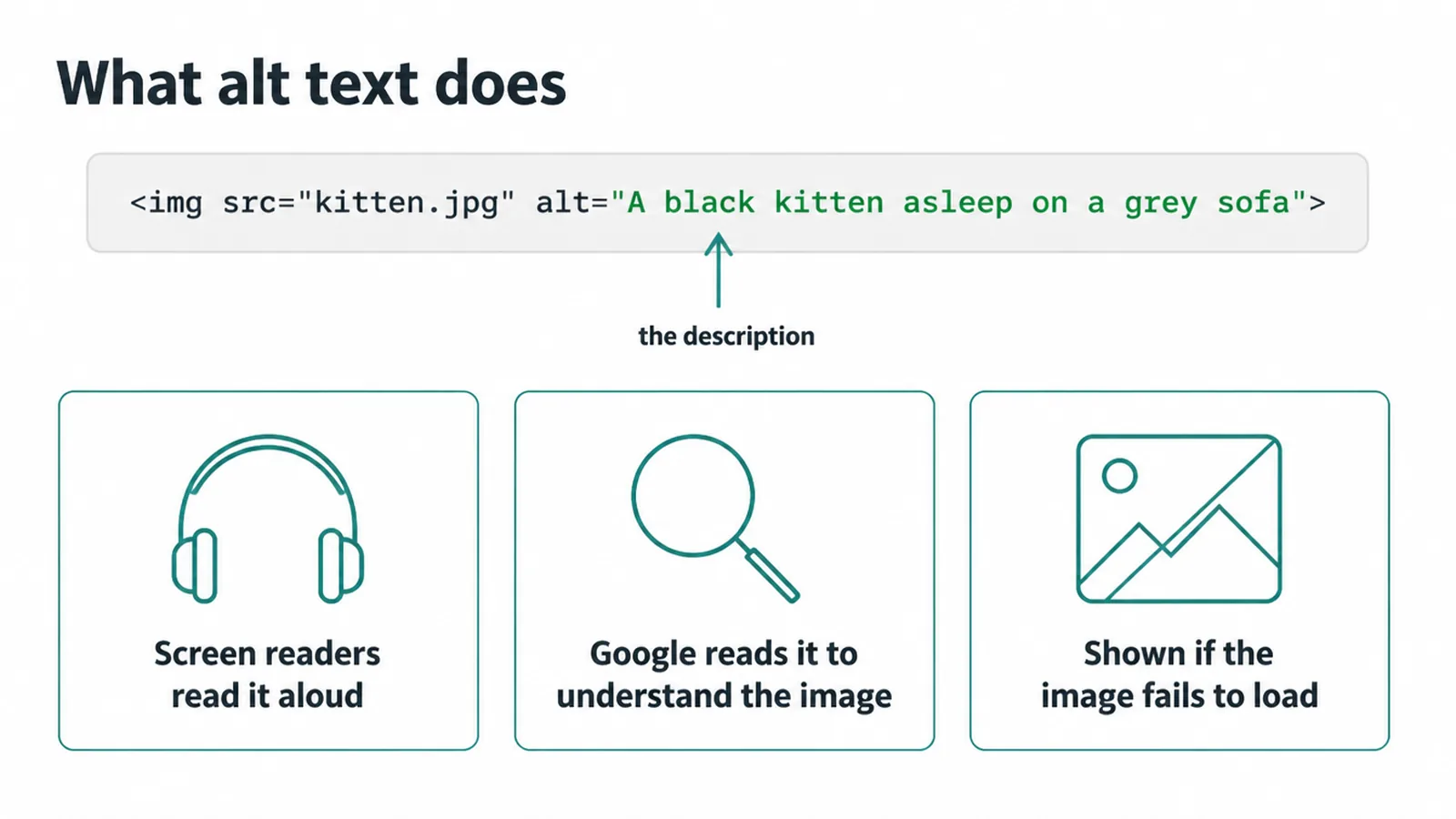
It does three things. A screen reader reads it out loud to people who cannot see the image. Google reads it to work out what the picture shows.
And if the image fails to load, the browser prints the alt text where the picture should be. So it is never wasted effort. If you want the bigger picture on building a site everyone can use, read our guide to website accessibility.
2. Why alt text matters for SEO and for people
Start with people, because that is who alt text was built for. At least 2.2 billion people have a near or distance vision impairment, says the WHO. Many of them browse the web with a screen reader that reads the page aloud.
When it reaches an image with no description, the user just gets silence or a file name. Good alt text means they get the same information everyone else does.
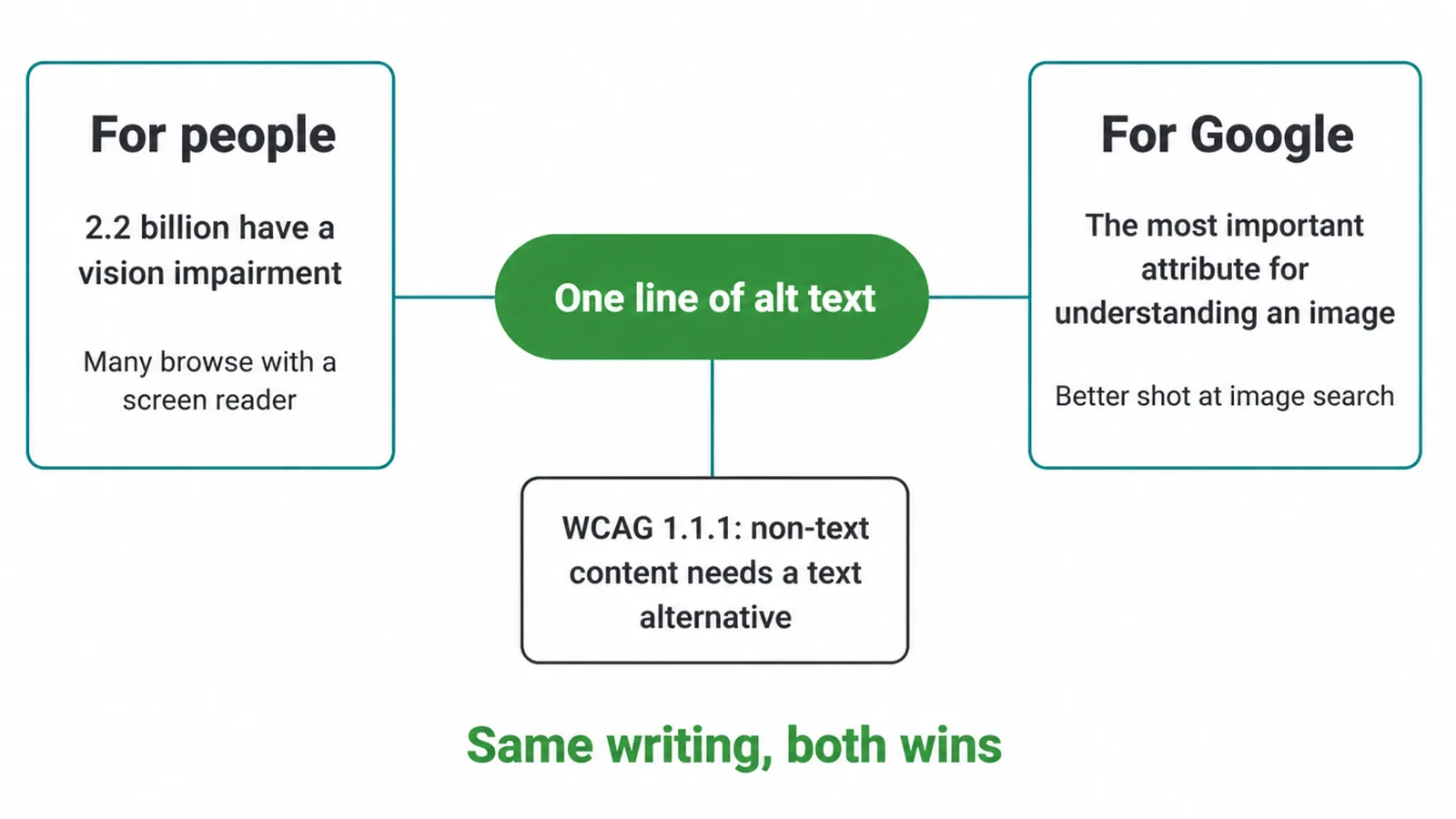
There is also a legal and ethical side. WCAG guideline 1.1.1 says all non-text content should have a text alternative that serves the same purpose (W3C). Alt text is how you meet it.
Now the SEO part. Google calls alt text the most important attribute it uses to understand an image, and it reads your alt text together with its own image recognition and the words on the page to figure out the subject. Clearer alt text means a better shot at showing up in image search.
Want the full ranking picture? Our SEO services page covers how images fit a wider plan, and our post on image SEO goes deeper on the rest. The point is simple: writing for a blind user and writing for Google is the same goal.
3. How to write good alt text
Good alt text describes two things: what is in the image, and why it is on the page. Context matters.
The same photo of a chart might be "a line chart" on one page and "a line chart showing sales doubling over six months" on another. Pick the description that fits the story you are telling.
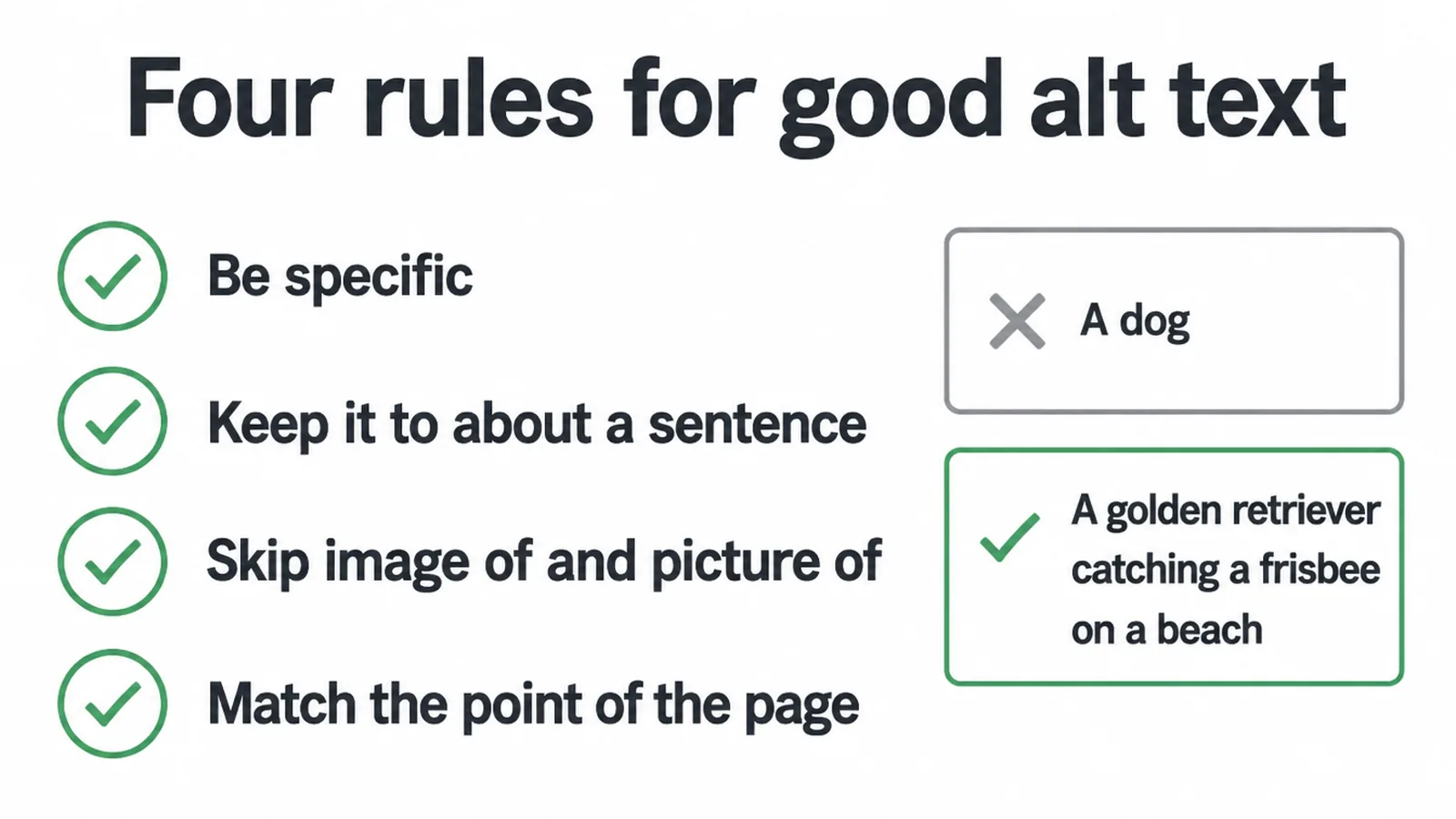
A few plain rules:
- Be specific. "A dog" is weak. "A golden retriever catching a frisbee on a beach" is useful.
- Keep it to about a sentence. Long enough to be clear, short enough that nobody has to sit through a paragraph.
- Skip "image of" and "picture of". The screen reader already says it is an image.
- Match the page. The alt text should support the point the image is making.
Here is the difference in practice.
| The image | Bad alt text | Good alt text |
|---|---|---|
| A barista pouring latte art | coffee | A barista pouring a leaf pattern into a flat white |
| A bar chart of monthly leads | chart image | A bar chart showing leads rising each month from January to June |
| A red bicycle by a wall | bike bicycle cycle ride seo | A red bicycle leaning against a brick wall |
| A team in a meeting | image of people | Four colleagues reviewing a website design on a laptop |
Notice the good column reads like a normal sentence. That is the test. If it sounds odd read aloud, it is wrong. For a quick way to check every image on a page, run through our on-page SEO checklist.
4. Decorative vs meaningful images
Not every image needs a description. Here is the rule. Ask one question: does this image add information the words do not already give?
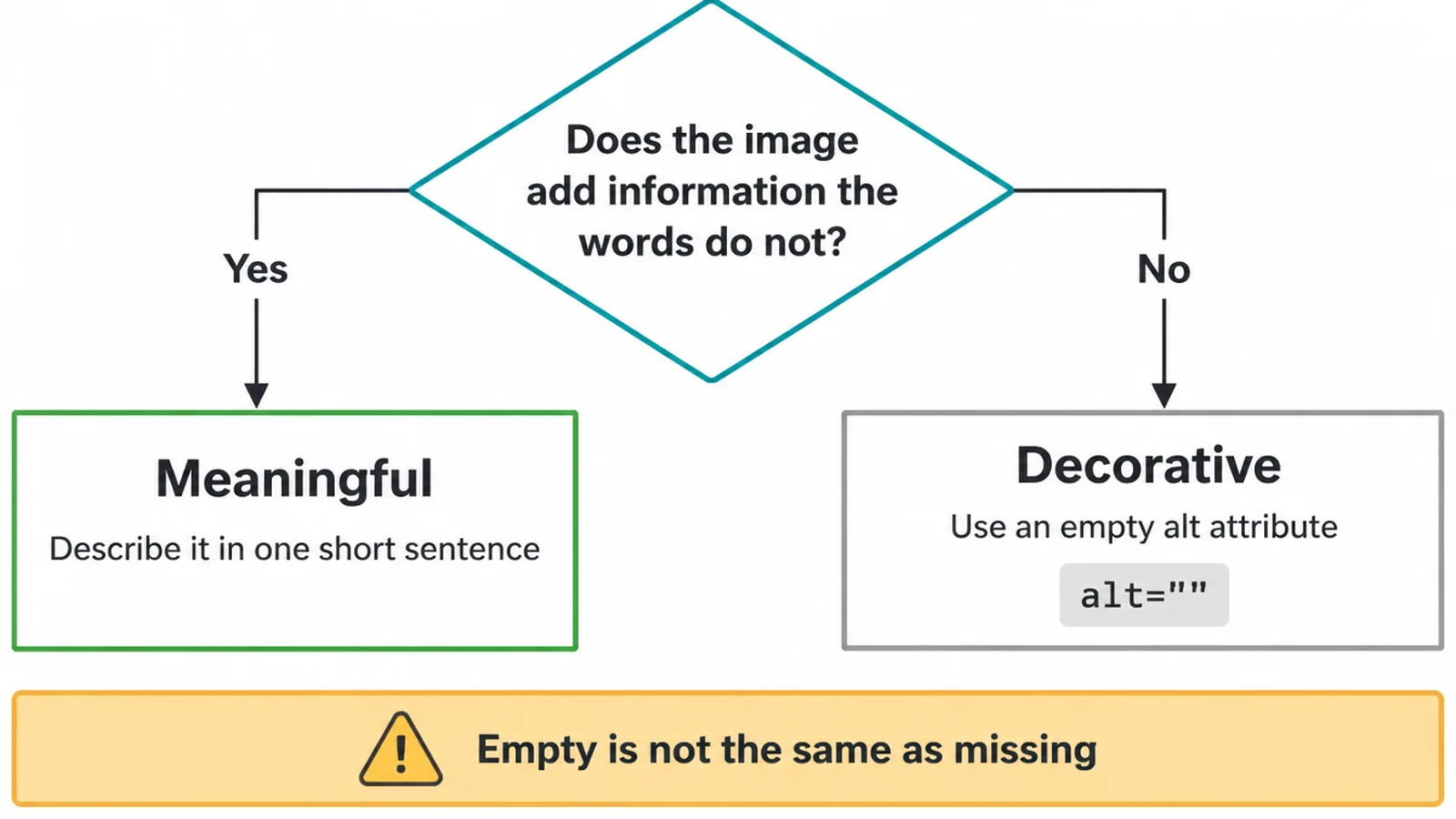
If yes, it is meaningful. Describe it. If no, it is decorative. Think background patterns, dividers, glowing shapes, or an icon that just sits next to a word it repeats.
For those, the W3C says to use an empty alt attribute, written alt="". That tells the screen reader to skip the image and move on, so the user is not bothered by noise.
One trap to avoid. An empty alt attribute is not the same as a missing one. alt="" means "ignore this on purpose".
No alt attribute at all means "we forgot", and some screen readers respond by reading the file name out loud, which might be something like "IMG underscore 0 0 4 2 dot jpg". So always include the attribute. Just leave it empty when the image is pure decoration.
5. The keyword stuffing trap
This is the mistake that turns helpful alt text into a problem. Cramming keywords into alt attributes hoping to rank higher. It backfires.
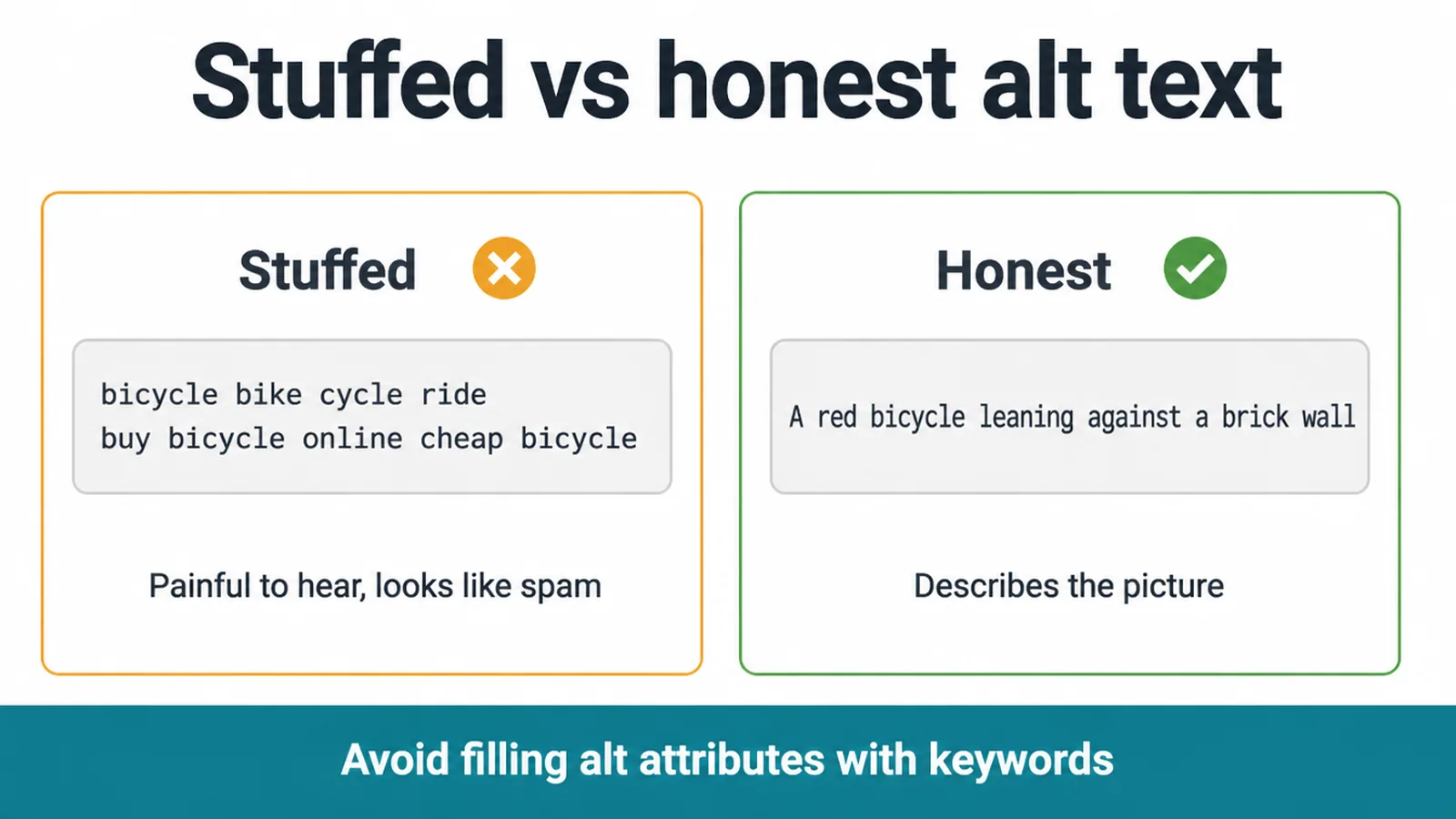
Google is direct about it. The guidance says to avoid filling alt attributes with keywords because it creates a negative user experience and may cause your site to be seen as spam.
Picture a screen reader reading "bicycle bike cycle ride buy bicycle online cheap bicycle" out loud. It is painful, and it tells Google you are trying to game it.
The fix is easy. Describe the image honestly. If a keyword genuinely fits the description, one is fine. Never a list. Let the words match the picture, not your wish list. The same honesty rule runs through all of our advice on SEO content writing: write for the human first, and the rankings follow.
6. A little image SEO around the alt text
Alt text works best when the rest of the image is tidy too. Two quick basics.
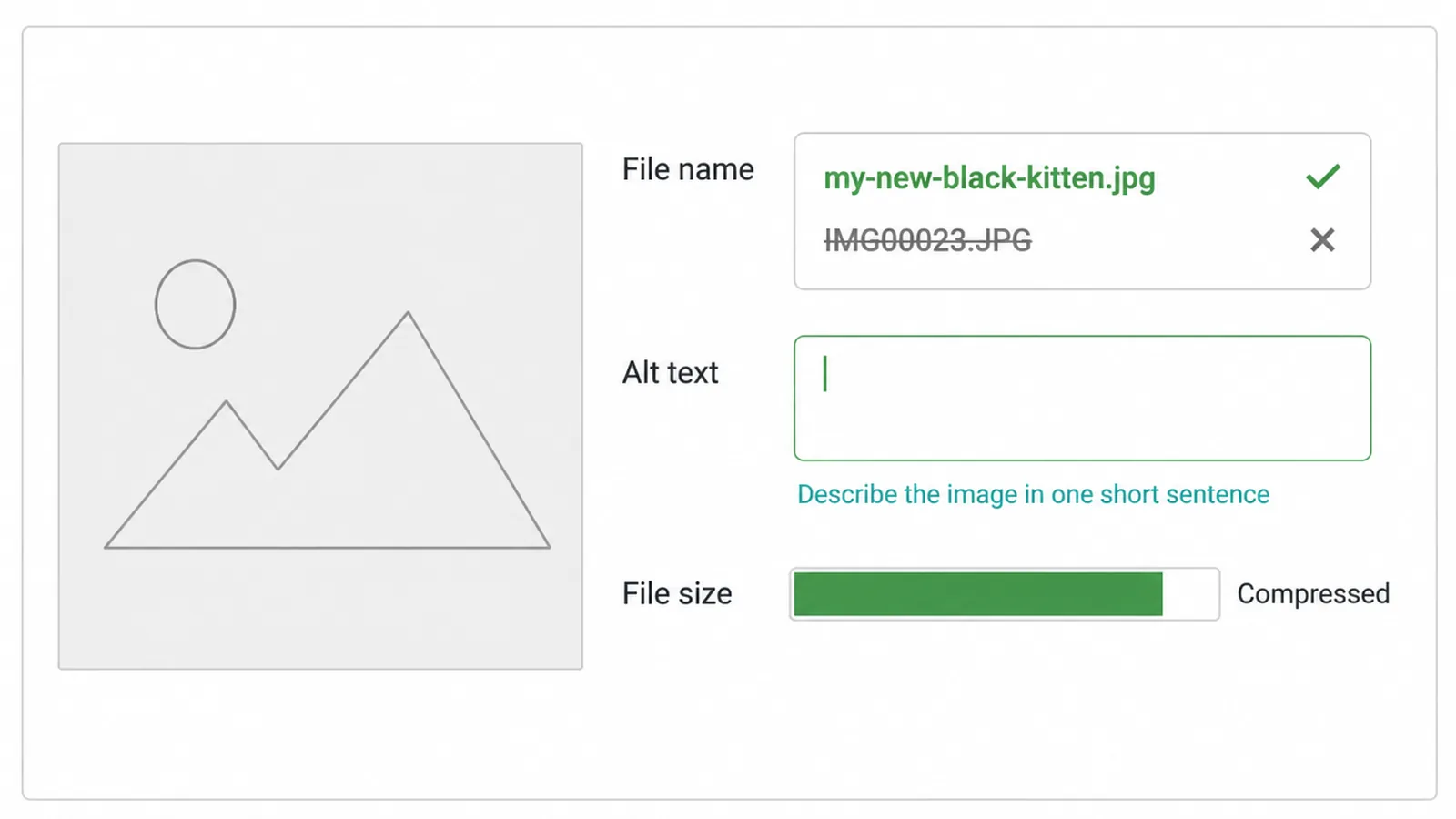
First, give the file a descriptive name before you upload it. Google's own example: my-new-black-kitten.jpg is better than IMG00023.JPG. Short, clear, real words. Do this once at upload and you never think about it again.
Second, compress your images so pages load fast. Heavy images slow everything down, and slow pages hurt both visitors and rankings, especially on phones. Our guide on making a website mobile friendly covers the speed side.
For the full image SEO checklist, file names, sizes, formats, sitemaps and all, head over to our image SEO post. Alt text is one important piece of that bigger picture.
If all of this feels like a lot to fix across hundreds of images, that is normal. Our website care plans cover exactly this kind of tidy-up. Talk to us and we will sort the technical SEO so you can get on with running the business.
Frequently asked questions
1. What is alt text?
Alt text is a short written description of an image. It lives in the image tag, like <img src="cat.jpg" alt="A black kitten asleep on a grey sofa">. A screen reader reads it aloud to people who cannot see the picture, and Google reads it to understand what the image shows. It also appears on the page if the image fails to load.
2. Does alt text help SEO?
Yes. Google calls alt text the most important attribute it uses to understand an image. Good alt text helps your pictures show up in image search and gives Google extra clues about what the page is about. The catch is that it only helps when it honestly describes the image, not when you cram keywords into it.
3. How long should alt text be?
Aim for about one short sentence. Long enough to describe what is in the image and why it matters on the page, short enough that a screen reader user does not have to sit through a paragraph. If you genuinely need more detail, put it in the surrounding text or a caption instead of stuffing it all into the alt text.
4. Should I put keywords in alt text?
Only if a keyword honestly fits the description. One keyword that matches the image is fine. A list of keywords is not. Google says filling alt attributes with keywords is a negative user experience and may make your site look like spam. Describe the picture first, and let any keyword fall in naturally.
5. Do decorative images need alt text?
Yes, but it should be empty. For images that add no information, like a background swirl or a divider line, use an empty alt attribute, written alt="". That tells screen readers to skip it. Do not delete the alt attribute entirely, because some screen readers will then read the file name out loud, which helps no one.
6. Should alt text start with image of?
No. Skip phrases like image of or picture of. A screen reader already tells the user it is an image, so those words just waste their time. Start straight with the description. Instead of image of a red bicycle, write a red bicycle leaning on a brick wall.
7. What is the difference between alt text and a caption?
Alt text is hidden in the code and read out only to people who cannot see the image. A caption sits below the image and is read by everyone. They do different jobs, so it is fine for them to say different things. Write the alt text separately from the caption.
8. What happens if an image has no alt text?
Screen reader users get nothing useful, or worse, they hear the raw file name read aloud. Google also loses its clearest clue about what the image shows. For meaningful images, missing alt text is a real problem. For purely decorative ones, an empty alt attribute is the right answer, not a missing one.







