404 Page Design: Turn Errors Into Useful Next Steps

A 404 page is what your site shows when an address does not exist. Good design gives it a human message, your normal navigation, a search box, and three to five links to your best pages, while still returning a real 404 status code. Seed Light sets these up on every site it builds.
Key takeaways
- A 404 page is what shows when someone lands on a page that is not there. The server works. The page just does not exist.
- 404 errors do not hurt your other pages. 404 errors on their own do not lower your rankings, per Google.
- Return a real 404 or 410. Google treats both the same: they tell the next system the content is gone.
- Dodge the soft 404. A page that returns success while showing an error confuses search engines and gets flagged in Search Console.
- Five ingredients win. A clear message, your normal nav, a search box, a few good links, and a small dash of personality.
1. What is a 404 page?
A 404 page is what your website shows when someone asks for a page that is not there. The server is working fine. The exact page just does not exist. So good 404 page design starts with one simple job: tell the visitor what happened and help them move on.
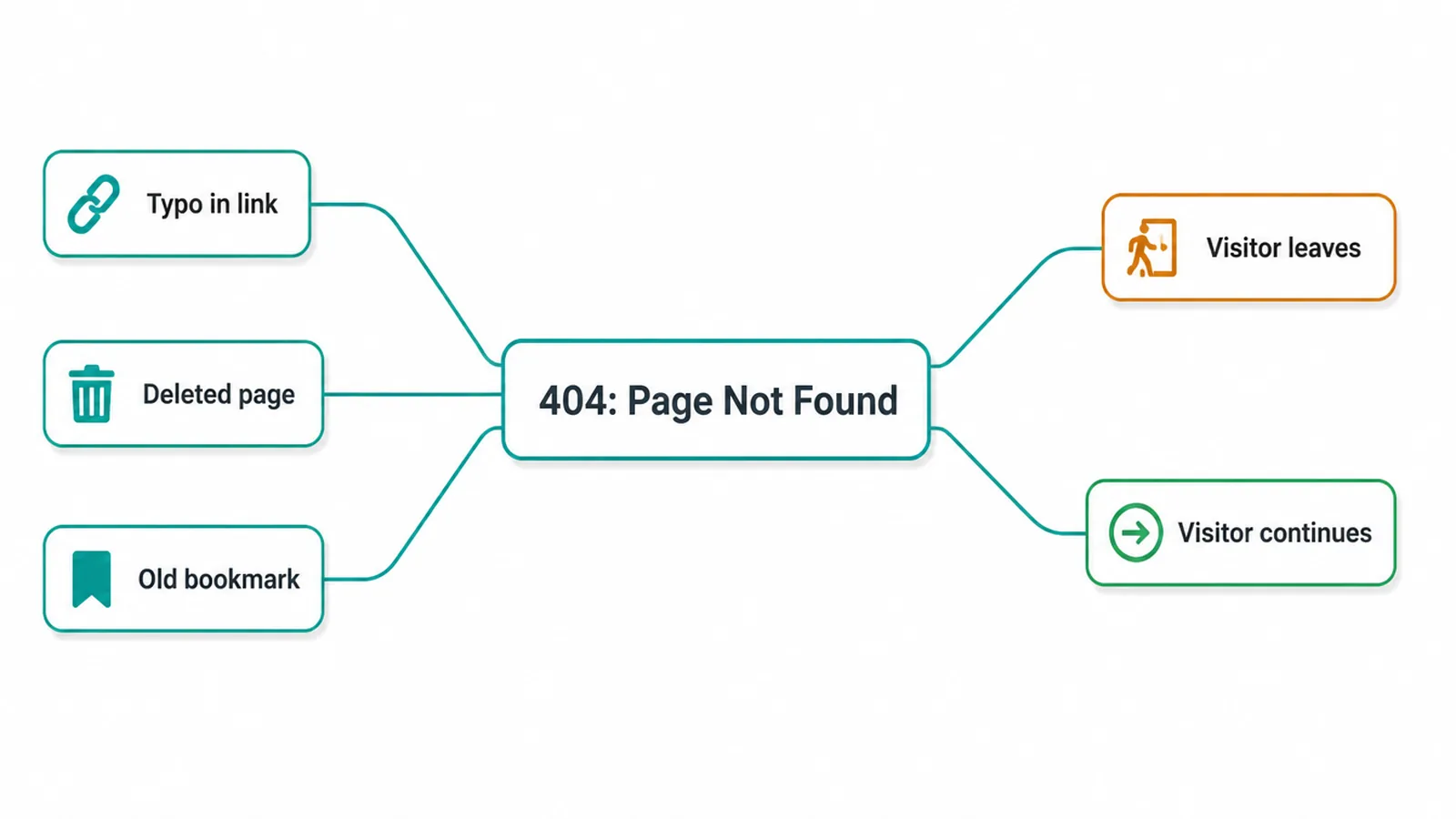
Why does it happen? Usually one of three things. Someone mistyped the link. You deleted or renamed a page.
Or an old bookmark points to a page that has since moved, which happens a lot after a website redesign. None of these mean your site is broken. It just means this one address has nothing behind it.
The number "404" is the status code the web uses for "page not found". You do not need to memorise codes. You just need to know that this moment is a fork in the road. The visitor either gives up, or you guide them back in.
2. Why a custom 404 page matters
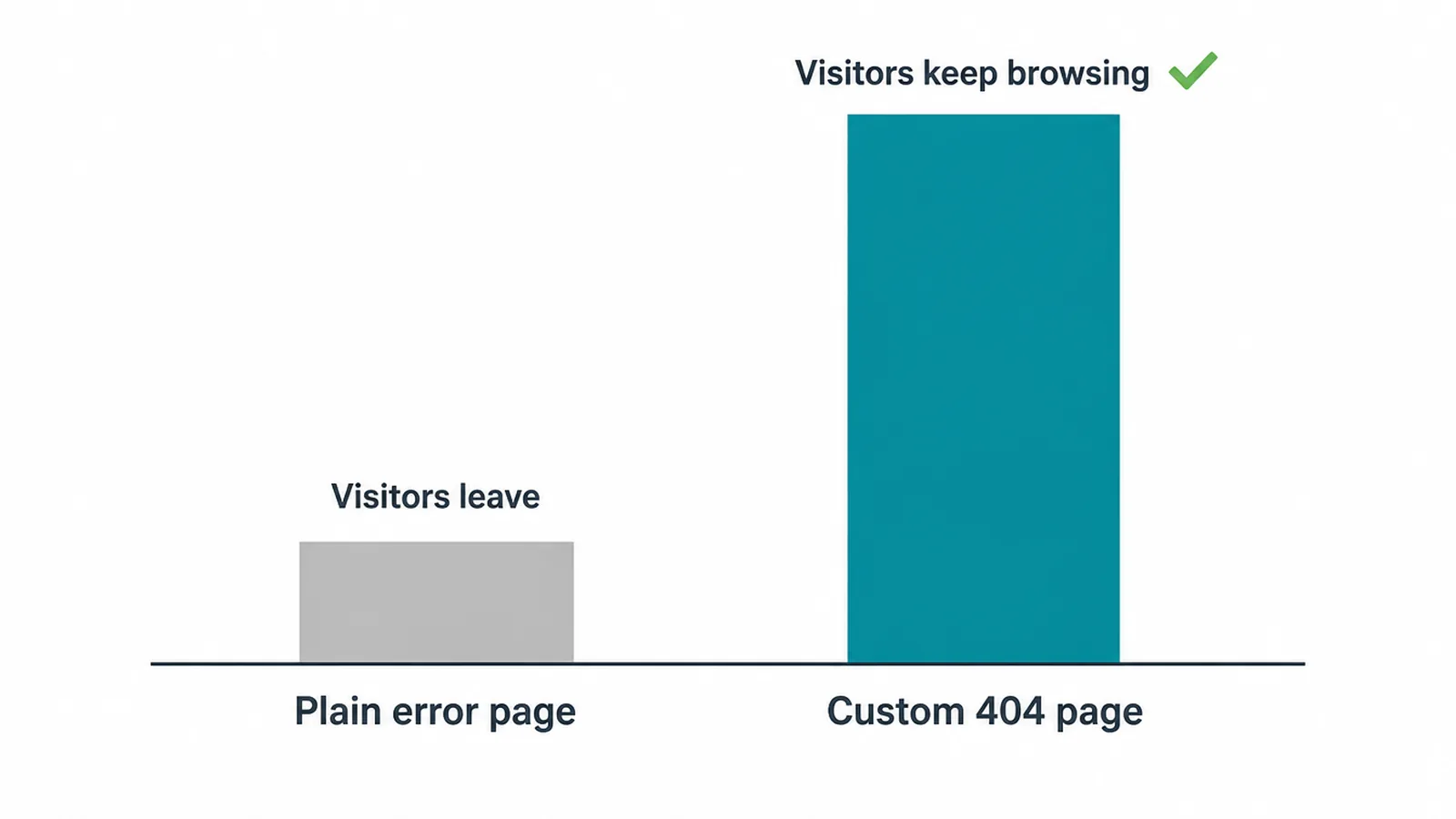
A dead end is where a lot of people give up. The default 404 is a plain grey page with cold computer words on it. It tells the visitor nothing useful. No way back. No search. No reason to stay. So they leave.
A custom 404 page saves that visit. It looks like the rest of your site, speaks like a human, and points the way forward. The same person who would have bounced now clicks a link and keeps browsing. That is the whole game: turn a stop into a soft landing.
This matters most for a small business, where every visit is hard won. If you are still planning your site, our guide to building a small business website covers the foundations, and the page itself is part of good web design, not an afterthought.
3. The 5 ingredients of a good 404 page
You do not need anything fancy. A good 404 page has five parts, and the order matters: help first, fun last.
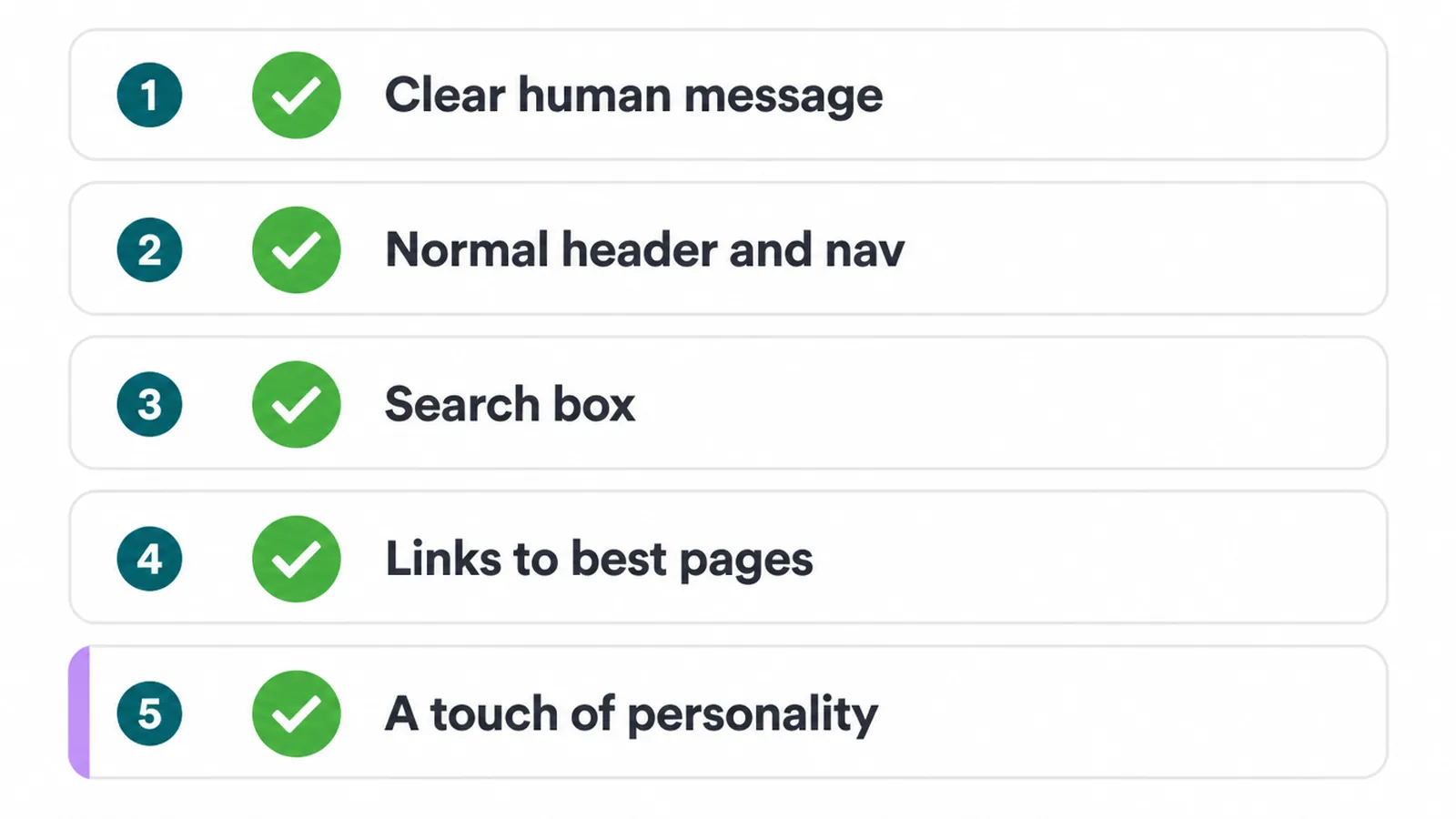
- A clear human message. Say the page is missing in plain words, not error codes.
- Your normal header and nav. So the visitor still feels like they are on your site.
- A search box. Let people type their way to what they wanted.
- Three to five links to your best pages. Home, top products or services, and contact.
- A small touch of brand personality. A light joke or a friendly drawing, kept last.
| Ingredient | Why it matters | Quick example |
|---|---|---|
| Clear human message | Tells the visitor what happened without scary jargon | "That page is not here. Let us help you find what you need." |
| Normal header and nav | Keeps trust and gives an instant way back | Your usual logo and menu sit right at the top |
| Search box | Lets people find the exact thing they came for | A simple "Search our site" field front and centre |
| Links to your best pages | Offers a clear next step so nobody is stranded | Buttons for Home, Services, and Contact |
| A touch of personality | Softens the moment and shows your brand cares | A friendly illustration or one light line of copy |
4. 404 page examples and patterns
You do not have to start from scratch. Most great 404 pages follow one of a few patterns. Pick the one that fits your brand, then keep function ahead of fun.
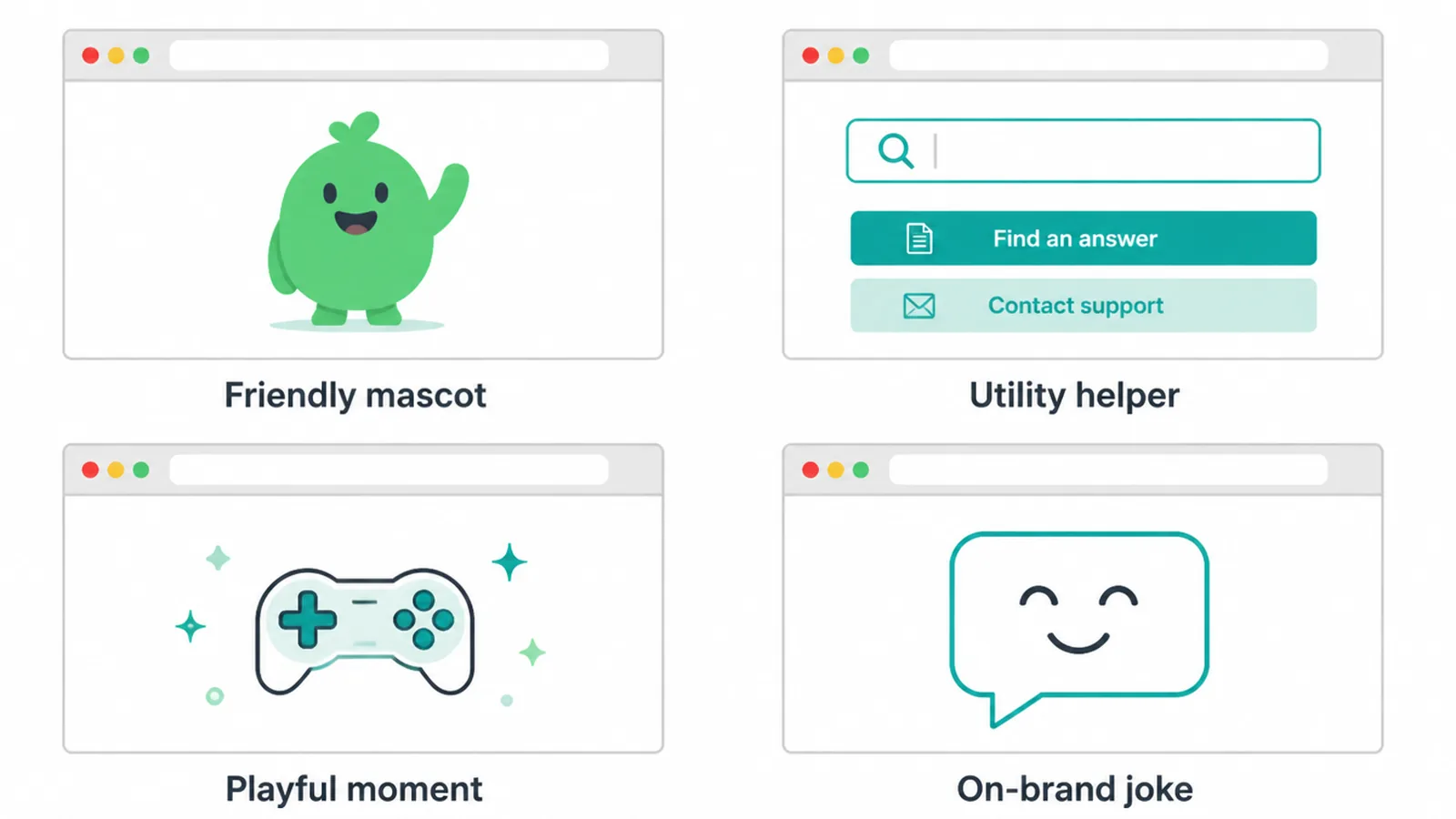
- The friendly mascot. A simple drawing or character softens the moment. It still needs links underneath to be useful.
- The utility helper. A clean message, a search box, and a short list of popular links. Boring, but it works every time.
- The playful mini moment. A tiny game or animation. Fun, but only after the visitor has a clear way out.
- The on-brand joke. One line in your brand voice that makes people smile and feel they are in the right place.
Whatever style you choose, the page should still match your brand look and tone, and it should be easy to read on a phone. If you are unsure, our guide on making a website mobile friendly applies here too.
5. 404 pages and SEO: the one trap to dodge
Here is the part that worries people most, made simple. 404 errors on their own do not hurt your rankings, according to Google. Having missing pages is normal. The web is full of them.
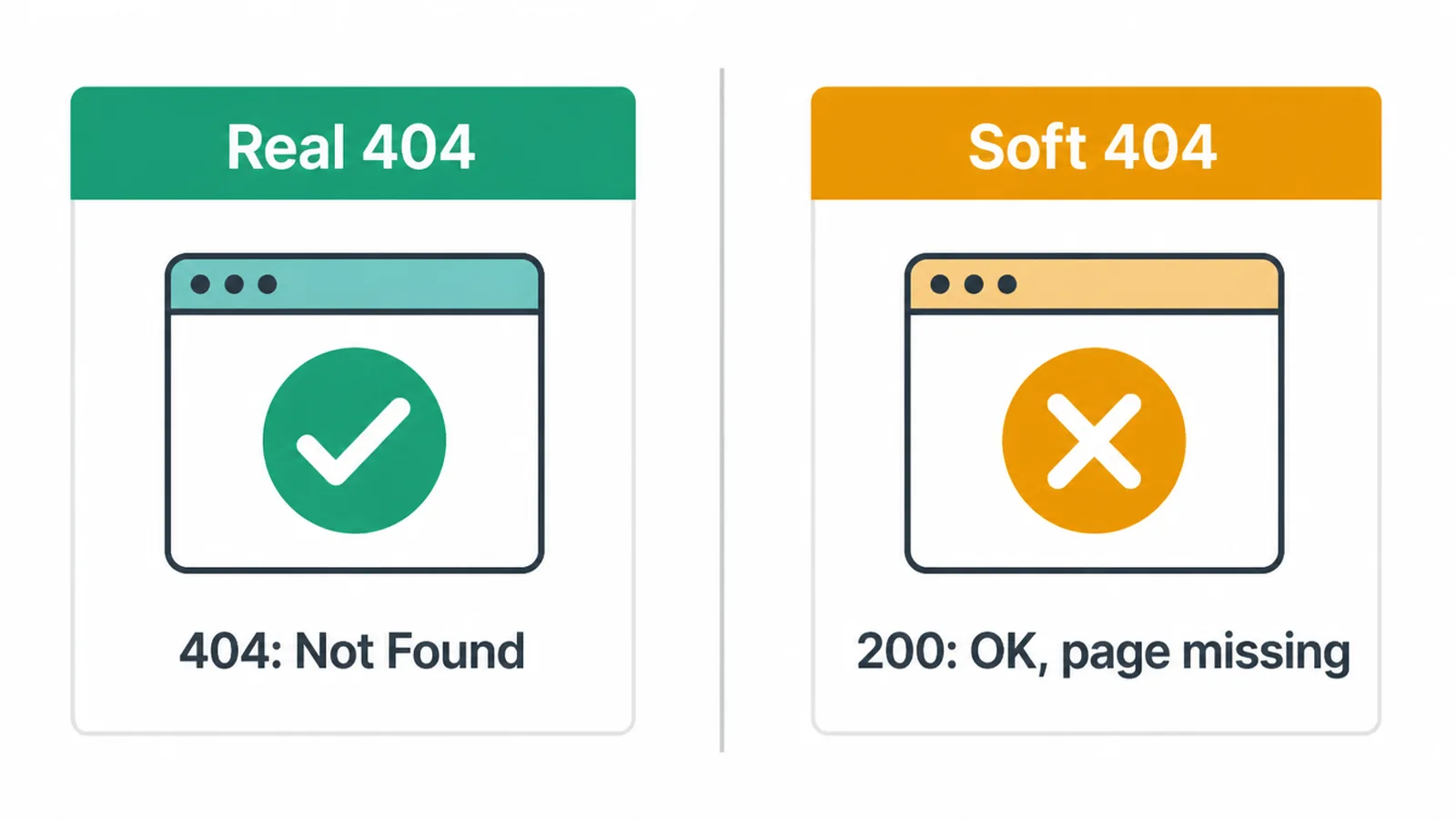
The real trap is the soft 404. That is when a missing page returns a 200 success code while showing an error or empty content. Google flags soft 404s in Search Console because the code says "all good" while the page says "nothing here".
So make sure a missing page returns a real 404 or 410. Google treats both the same: each tells the next system the content is gone.
Two more simple rules. Do not blanket redirect every missing page to your homepage. It confuses people and can create soft 404 problems. But if a specific page that other sites link to gets deleted, redirect that one to its closest match.
Deleting a linked page with no redirect loses that link value. So find and fix the broken links pointing at you. Speed and crawl health matter too, which is why we cover Core Web Vitals separately, and why a clean 404 is one of the small business website mistakes worth avoiding.
6. How to set up your 404 page
Setting one up is easier than it sounds. Most website builders have a built-in 404 page you can edit right in the dashboard. Find it, add your message, your search box, and your links, and save.
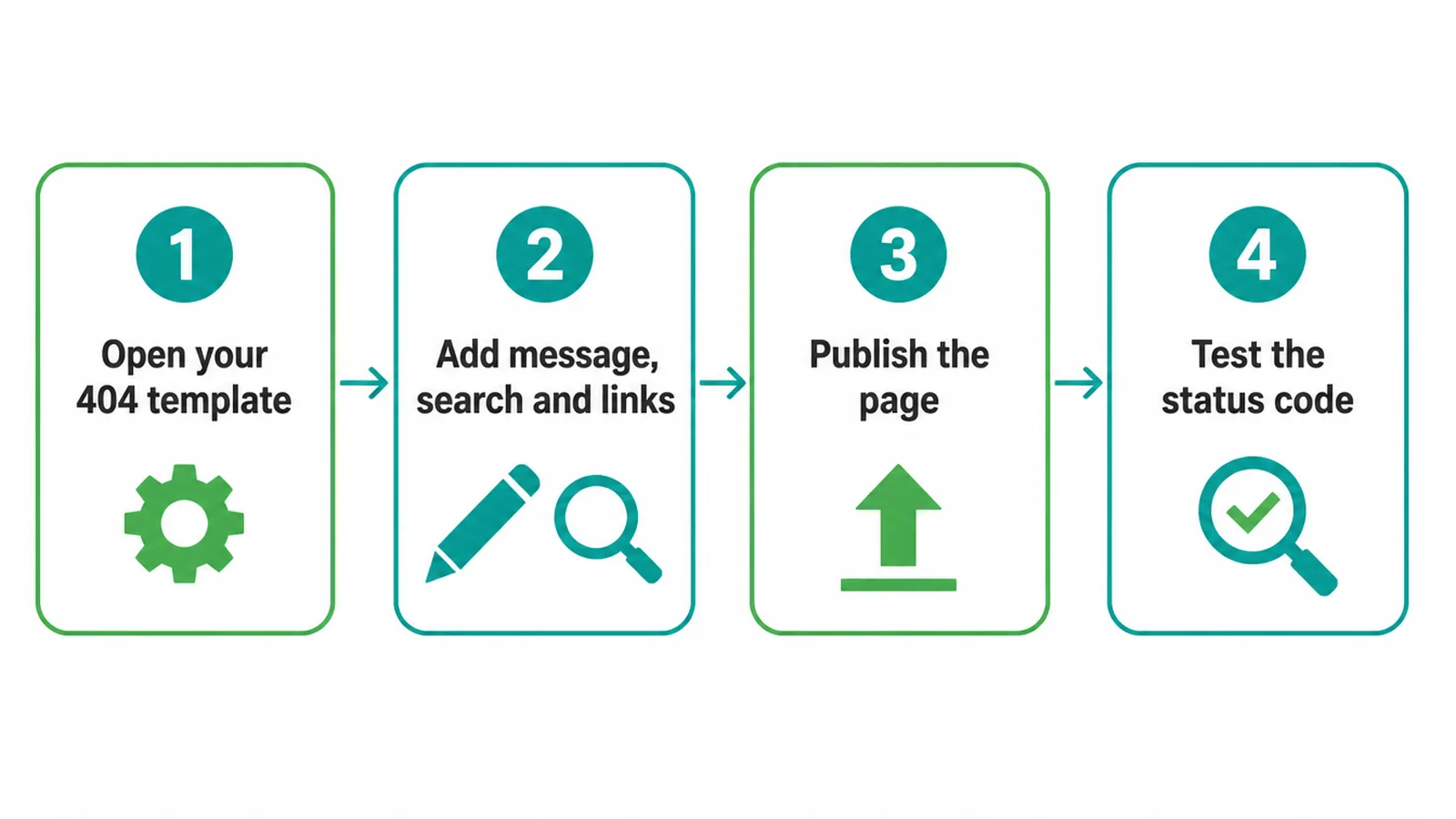
On WordPress you have a few routes. A block theme lets you edit a 404 template visually. A page builder often has a 404 template too. And a developer can add a 404.php file in a child theme. If you are weighing platforms, our Wix vs WordPress comparison can help you decide.
Then test it. Visit a made-up address on your own site, like yoursite.com/this-page-does-not-exist, and check two things. First, does your custom page show up? Second, does it return a real 404 status, not a success code?
Free tools and browser developer tools can confirm the code. Finish by running a broken link check to clean up dead links you control, a standing job in any website maintenance routine.
Want it handled properly, status code and all? Our web design and development team can set it up, or just get in touch and we will point you the right way.
Frequently asked questions
1. What is a 404 page?
A 404 page is what your website shows when someone asks for a page that is not there. The server is working fine. The exact page just does not exist, maybe because of a typo in the link, a deleted page, or an old bookmark. A good 404 page tells the visitor what happened and gives them a clear way to keep going.
2. Do 404 errors hurt my SEO?
No. 404 errors on their own do not lower the rankings of your other pages, according to Google. The real problem is a soft 404, where a missing page returns a success code instead of a real 404. That confuses search engines. Returning a proper 404 is the correct, safe thing to do.
3. Should a 404 page return a 404 status code?
Yes. A missing page should return a 404 or 410 status code so search engines know the content is gone. The visitor sees your nice custom page, but behind the scenes the server still sends the right code. Showing a friendly page that secretly reports success is a soft 404, and you want to avoid that.
4. What is a soft 404 and why is it bad?
A soft 404 is a page that returns a 200 success code but actually shows an error or empty content. Search engines flag it because the code says the page exists while the content says it does not. Google Search Console reports soft 404s. Fix them by returning a real 404 or 410 for missing pages.
5. What is the difference between a 404 and a 410?
A 404 means the page was not found and might come back. A 410 means the page is gone for good. Google treats both the same way: each one tells the next system that the content does not exist, so you do not need to agonise over which to pick for a deleted page.
6. Should I redirect every 404 to my homepage?
No. Blanket redirecting every missing page to the homepage is confusing for visitors and can create soft 404 issues. Show a real 404 page with helpful links instead. The exception is a specific page that other sites link to: redirect that one to its closest match so you keep the link value.
7. What should a good 404 page include?
A good 404 page has five things: a clear human message saying the page is missing, your normal header and navigation, a search box, three to five links to your best pages, and a small touch of brand personality. The goal is to help the visitor get where they were going.
8. How do I find and fix broken links?
Run a broken link or site audit check to list pages that return errors. For each broken link you control, fix the link or redirect the old page to its closest match. For broken links on other sites pointing to you, redirect those old pages so you keep their value. Recheck after a deleted page change.