
SEO for Dentists: Pages and Profile Details to Improve

SEO for dentists helps a clinic appear when nearby people search for dental care. Claim the Google Business Profile, gather reviews, give each treatment its own page and make the site fast on a phone. Dentaly reports that 83% of Americans use online reviews to evaluate a dentist. Seed Light runs this order for clinics.
Key takeaways
- People decide before they call. 83% of Americans use online reviews to evaluate a dentist, so your profile and ratings do the selling.
- Local intent is huge. 46% of Google searches have local intent, and 42% of local searchers click a result inside the map pack.
- Reviews win or lose the booking. 85% prioritize Google reviews when choosing a dentist, and 95% reconsider after a negative one.
- Speed matters because patients move fast. 88% of smartphone local searchers visit a business within a week.
- Work in order. Google profile first, then reviews, then treatment pages, then phone speed, then schema and tracking.
1. What is SEO for dentists?
SEO for dentists means getting your clinic to show up when nearby people search for a dentist. That is the whole game.
When someone types "dentist near me" or "tooth pain Saturday," two things appear: a small map with a few clinics (the local pack) and a list of blue links below it. Dental SEO is the work that puts you in both.
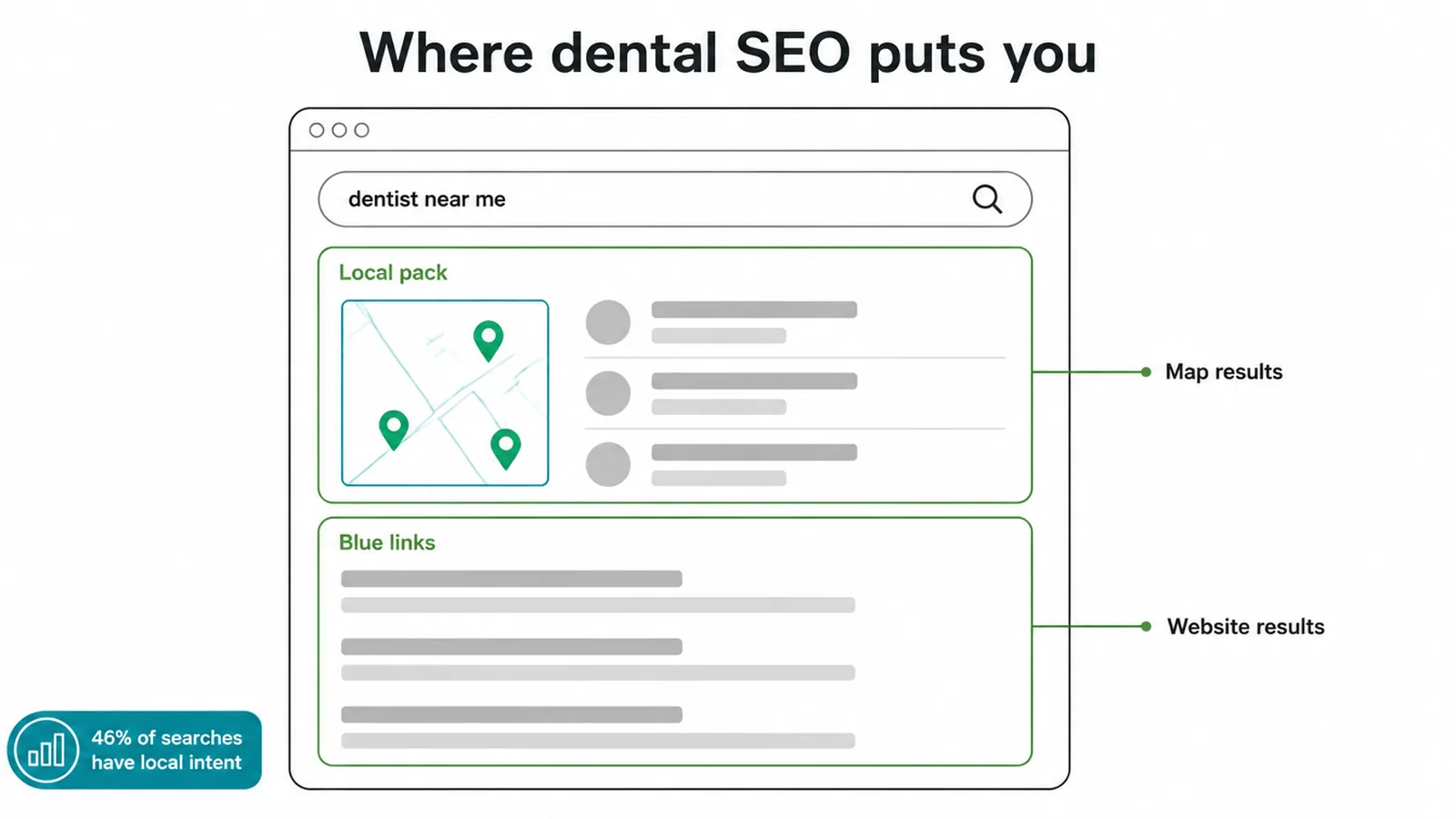
This matters more than most owners realize. 46% of Google searches have local intent, meaning nearly half of all searches are people looking for something close by. For a clinic, that is a steady stream of ready-to-book patients hiding in plain sight.
You do not need to be a tech expert to win here. You need to do a few simple things in the right order.
We run local SEO for service businesses, and the playbook below is the same one we follow. If you want the broader version that applies to any small business, read our local SEO guide next.
2. Why local SEO works so well for clinics
Here is the truth that changes how you think about marketing: most patients have already made up their mind before they ever call you. They search, they scan the map, they read a few reviews, and then they pick. Your job is to look like the obvious choice at that exact moment.
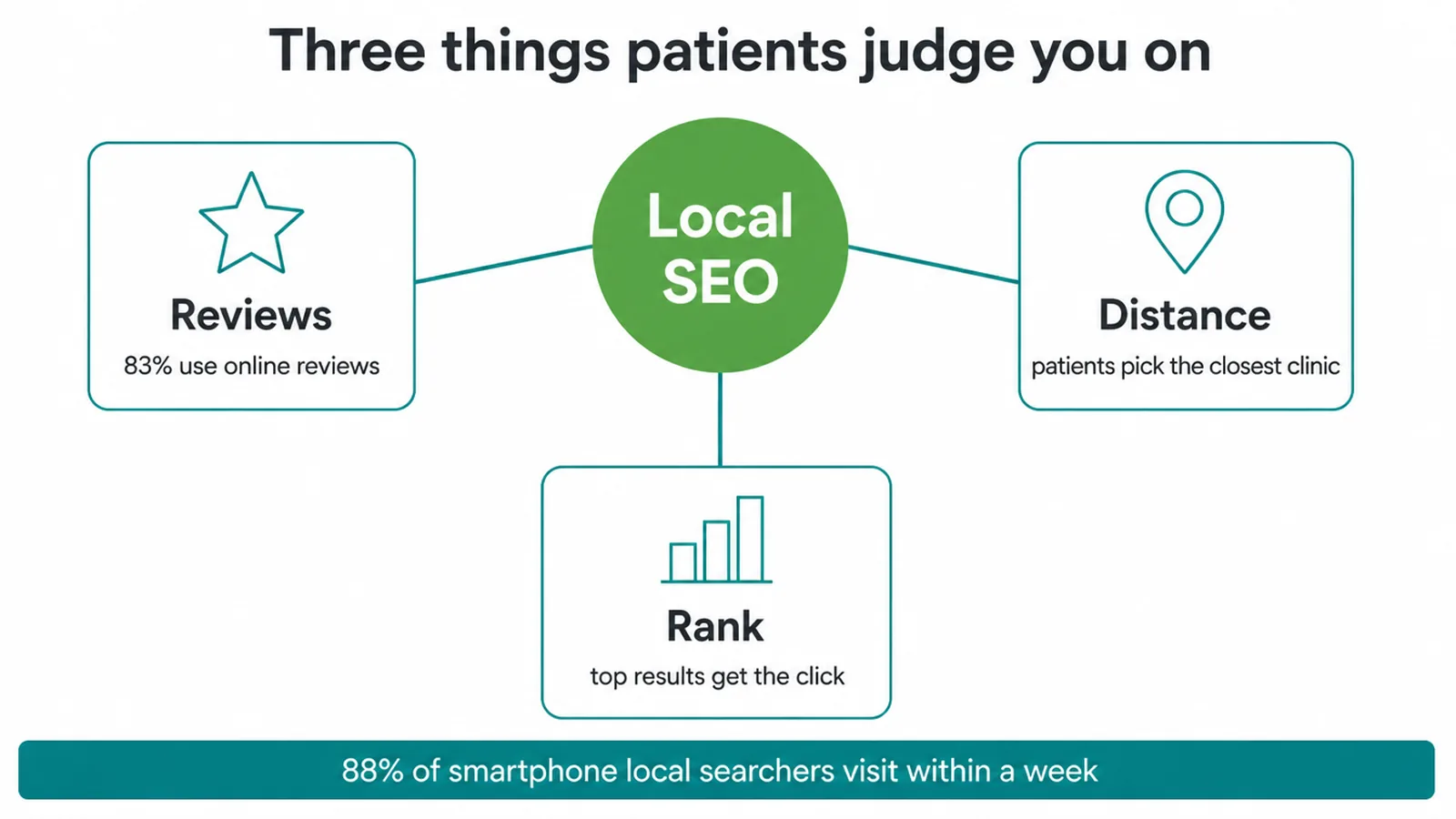
The numbers back this up. 83% of Americans use online reviews to evaluate a dentist, and 85% prioritize Google reviews when choosing one.
Another survey found that 43.3% of people choose a dentist based on online reviews, while others pick the closest clinic or the top result. Reviews, distance, and rank. Local SEO improves all three.
And patients move quickly. 88% of smartphone local searchers visit a related business within a week. So if you show up strong today, you can have a new patient in your chair within days. Now let us walk through the steps.
3. Step 1: Claim and fill your Google Business Profile
This is the single most important thing you can do, and it is free. Your Google Business Profile is the listing that powers the map pack. Claim it, verify it, and fill in every field.
A complete, active profile is what gets you into that map with the three clinics near the top. Your site has to back the listing up, and our free local SEO checker reports the local signals it can find on a page.
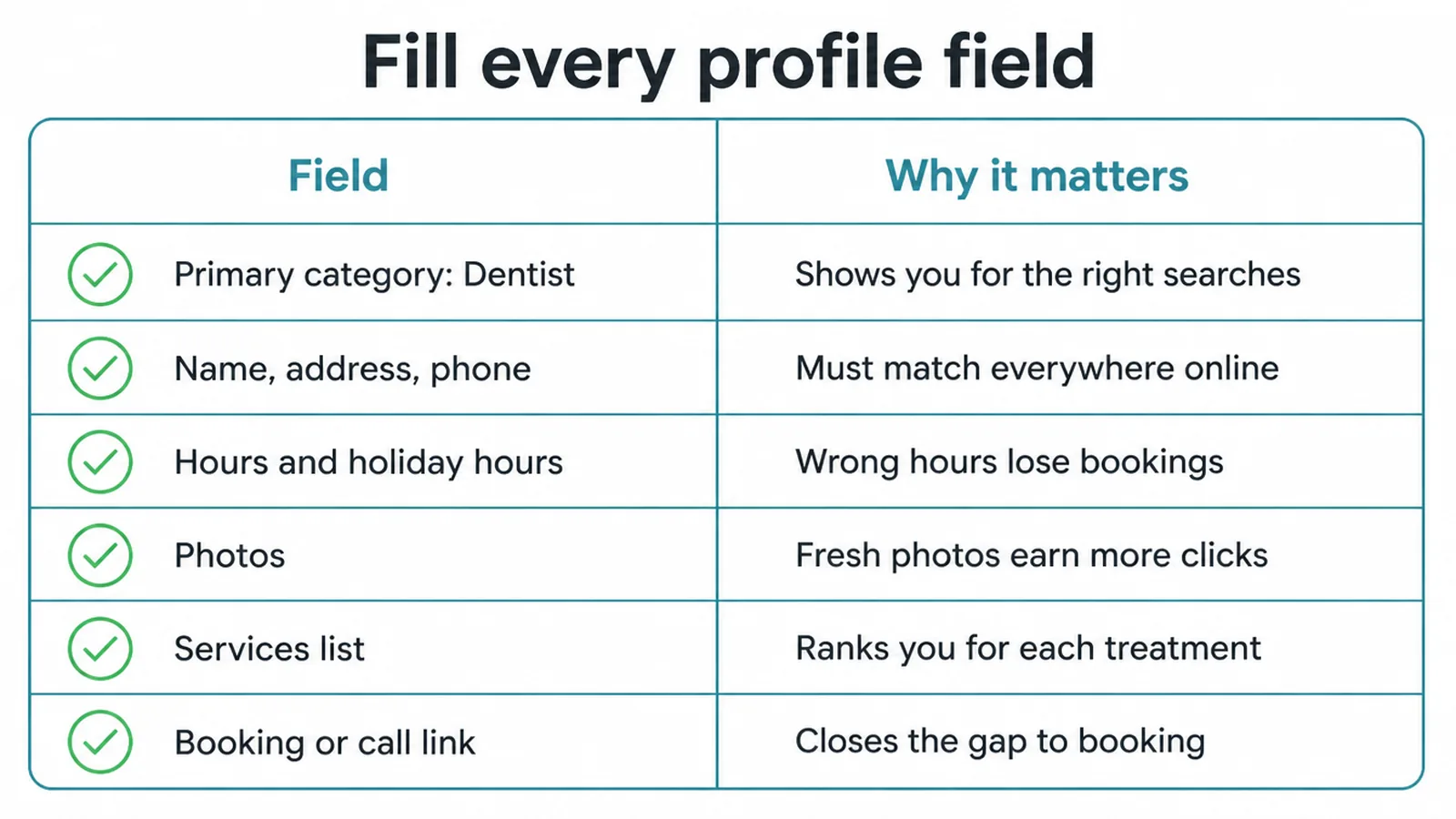
Start with the basics and do not skip any. Pick Dentist as your primary category, then add secondary ones that fit (like Cosmetic Dentist or Emergency Dental Service).
Keep your name, address, and phone number exactly the same everywhere online. Add real photos of your clinic, your team, and your front desk. List your services, set your real hours, and add a booking or call link.
Here is what to fill in and why each field pulls its weight.
| Field | Why it matters |
|---|---|
| Primary category (Dentist) | Tells Google what you do, so it shows you for the right searches. |
| Name, address, phone | Must match your website and other listings, or Google trusts you less. |
| Hours (and holiday hours) | Wrong hours lose bookings and frustrate people standing at your door. |
| Photos | Profiles with real, fresh photos look active and earn more clicks. |
| Services list | Lets you appear for specific treatments like whitening or implants. |
| Booking or call link | Removes the gap between finding you and booking with you. |
Want the full walkthrough? Our Google Business Profile optimization checklist covers every field step by step.
4. Step 2: Build a steady review engine
Reviews are not a nice-to-have. They are the trust layer that turns a search into a booking.
As we saw, 85% of people prioritize Google reviews when choosing a dentist, and 52% would only consider dentists with at least 10 reviews. So your first goal is to get past ten, then keep a steady drip coming.
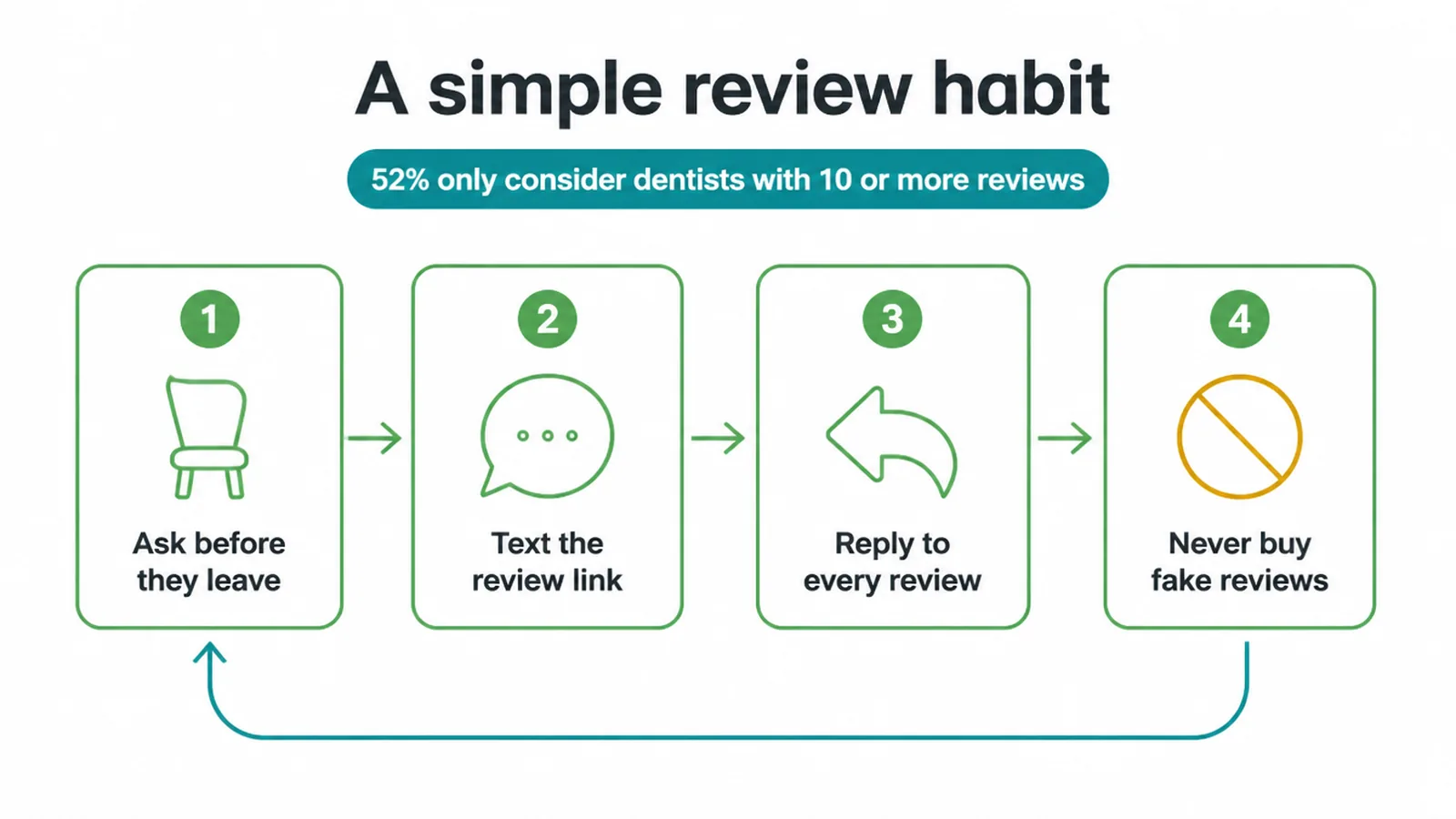
Fresh reviews also protect you. 95% of people reconsider a dentist after reading a negative review. The fix is not to hide the bad ones. It is to bury them under many recent good ones and to reply calmly to every review, good or bad.
Build the habit into your day. Here is a simple system that works:
- Ask every patient after the visit. Use the same request and wording each time.
- Text or email them a direct link to your Google review page. One tap, no hunting.
- Reply to every review. Thank the good ones, and answer the hard ones with grace.
- Never buy or fake reviews. Google removes them and it can sink your whole profile.
This is not a one-time push. It is a steady rhythm. For more tactics, see our guide on how to get more Google reviews.
5. Step 3: Give every treatment its own page
Most clinic websites have one "Services" page that lists everything in a row. That is a missed chance. People do not search for "dental services." They search for "teeth whitening," "dental implants," "Invisalign," or "emergency dentist." Each of those deserves its own page.
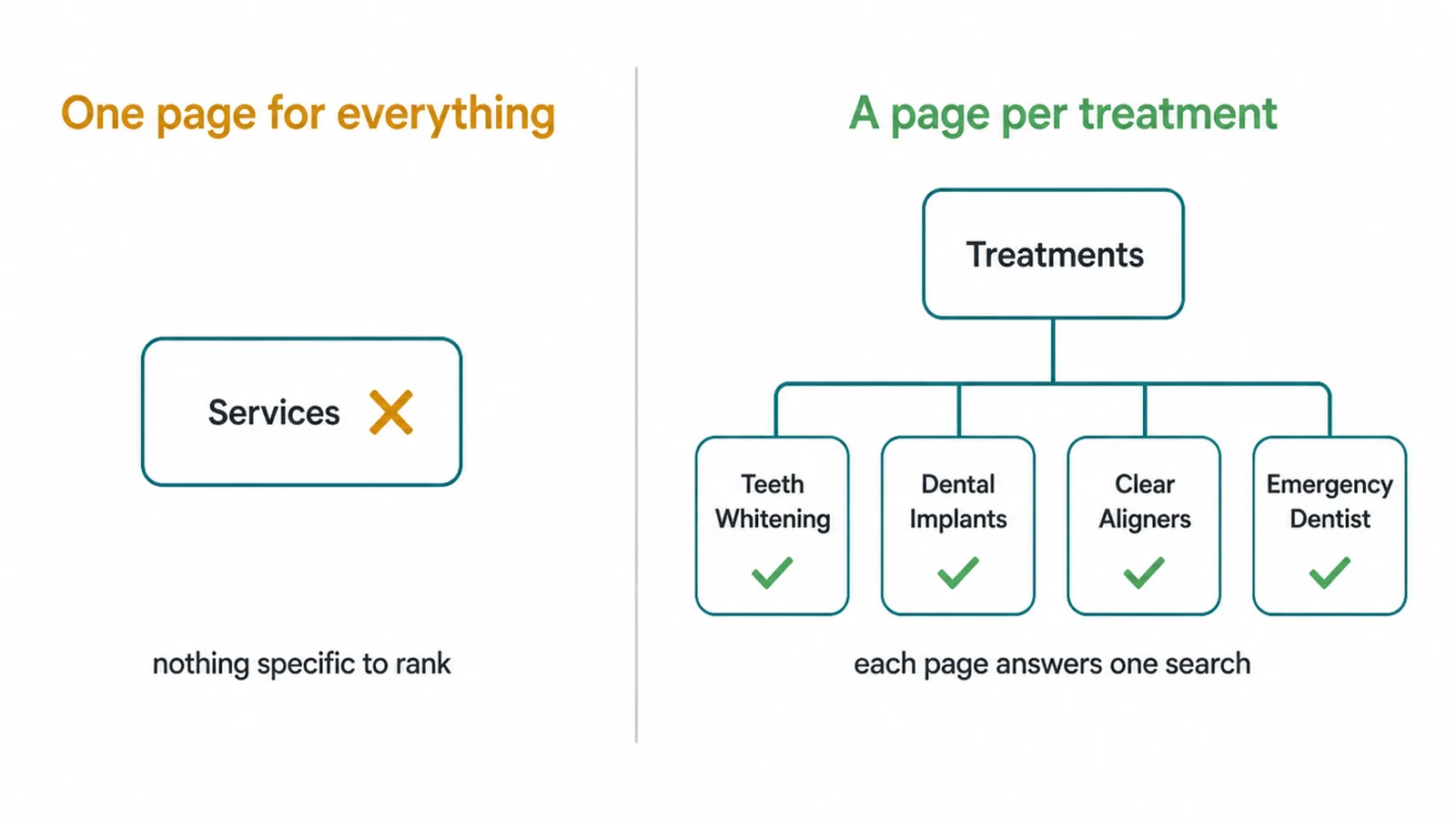
When you build a clear, helpful page for each treatment, you give Google something specific to rank and you give the patient the exact answer they came for. A whitening page should explain what whitening is, who it suits, what to expect, and how to book. Simple, honest, and complete.
Keep each page focused on one treatment, use plain headings, and add a clear call to action and a booking button. Our on-page SEO checklist shows how to structure a page so it ranks. If you are building or rebuilding the site itself, our web design service puts these treatment pages at the centre of the structure.
6. Step 4: Win the near me search with a fast, tappable site
People search for dentists on phones as well as desktops. If your site is slow or fiddly to tap, they may leave.
That is a lost patient for no good reason. Speed and mobile design are not extras here, they are the difference between a booking and a bounce.
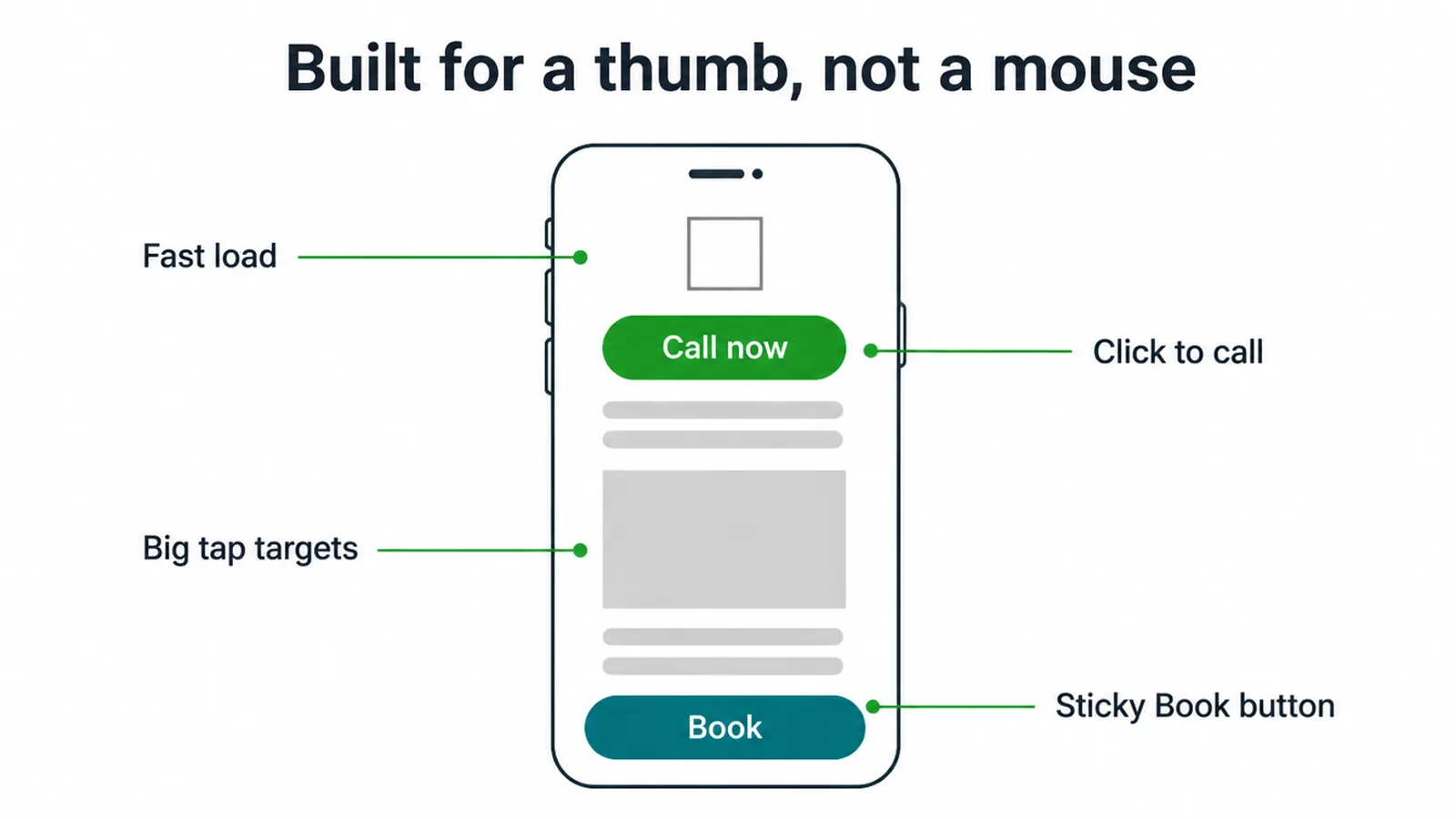
The stakes are clear. 42% of local searchers click a result in the Google Maps pack, and once they tap through to your site, you have seconds to keep them. So make those seconds count.
Focus on four things on the phone view:
- Fast load. Compress images and cut clutter so the page appears quickly.
- Click-to-call. A phone number they can tap to dial, right at the top.
- Sticky Book button. A booking button that follows them as they scroll.
- Big tap targets. Buttons and links sized for a thumb, not a mouse.
For the how-to, read how to make a website mobile friendly and our plain-English guide to Core Web Vitals, the speed scores Google actually measures.
7. Step 5: Add schema and track what works
The last step is the quiet one that pays off over time. Schema is a small bit of code that tells Google plain facts about your clinic: that you are a dentist, your address, your hours, your phone, and your reviews. It helps Google show your details correctly and can make your listing stand out.
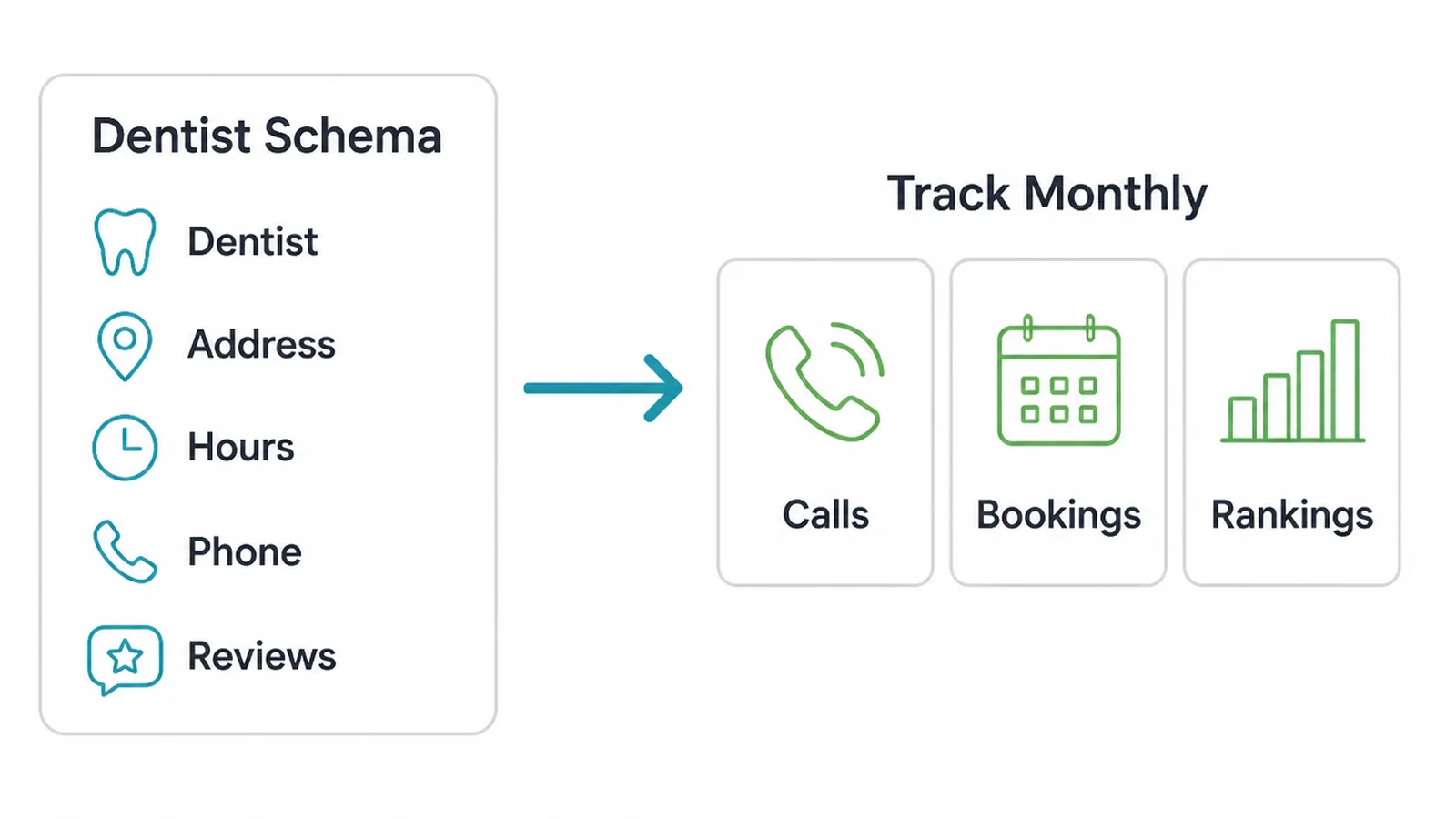
You want LocalBusiness or Dentist schema on your site. It sounds technical, but it is mostly fill-in-the-blank. Our guide to schema markup walks through it without the jargon.
Then track what is happening so you know what to keep doing. Watch three things each month: how many calls you get, how many bookings come from the site, and where you rank for your main treatment searches.
If reviews are climbing and calls are rising, you are on track. If not, you know where to push.
That is the full playbook. Profile, reviews, treatment pages, phone speed, then schema and tracking. Work it in order and keep it current, with each treatment page, profile detail, review request and tracking step in place.
Frequently asked questions
1. What is dental SEO?
Dental SEO is the work of getting your practice to show up when nearby people search for a dentist on Google. It covers your Google Business Profile, your reviews, your website pages for each treatment, and your site speed on phones. The goal is simple: appear in the map results and the blue links so more people book.
2. How do dentists get more patients online?
Dentists can reach patients online by being visible where people already look. Claim and complete your Google Business Profile, collect steady reviews, build a clear page for each treatment, and make your site fast and easy to tap on a phone. Give each page a clear call or booking option so the next step is easy.
3. How do I rank for dentist near me?
To rank for dentist near me, focus on your Google Business Profile and your reviews first. Pick Dentist as your primary category, keep your name, address, and hours exact, add photos, and gather fresh reviews often. Then make sure your website loads fast on a phone and has click-to-call buttons. Google rewards profiles that look active, trusted, and close to the searcher.
4. Do reviews matter for dentists?
Yes. In the cited survey, 83% of Americans use online reviews to evaluate a dentist, and 85% prioritise Google reviews when choosing one. The same survey found that 95% reconsider a dentist after a negative review. Steady, genuine reviews and calm replies give patients current information from other patients.
5. How many Google reviews does a dental practice need?
There is no magic number, but more is better and fresh matters. One survey found 52% of people would only consider dentists with at least 10 reviews. Aim to pass that threshold quickly, then keep a steady drip coming in so your profile always looks active and current rather than stale.
6. What is the Google local pack?
The local pack is the small map with three business listings that appears near the top of local searches. It shows your name, rating, hours, and a directions or call button. It matters because 42% of local searchers click a result in the map pack, so a strong profile can win the click before anyone scrolls to the regular links.
7. How long does dental SEO take?
Local wins can come faster than you think. A well-claimed Google Business Profile with photos and a few reviews can start showing in the map within weeks. Ranking your website pages for competitive treatment searches takes longer, usually several months of steady reviews, content, and links. Treat it as ongoing upkeep, not a one-time job.
8. Does a dental website need to be fast and mobile-friendly?
Yes. People search for dentists on phones as well as desktops. If your site is slow or hard to tap, they may leave for another clinic. A fast, tap-friendly site with click-to-call and an easy booking button gives them a clear route to an appointment.







